Retail News CRM

Tag: airtag

  • Apple celebrates the New Year in Japan with free gift card promo and engraved AirTag trackers

    Apple celebrates the New Year in Japan with free gift card promo and engraved AirTag trackers

    Apple is currently running a gift card promotion in Japan while also offering a specially engraved AirTag that celebrates the upcoming Year of the Dragon. Celebrating the New Year is always a big deal in the country with businesses shutting down for a few days and some firms, like Apple, offering special promotions on their products. Like it did last year, Apple plans on rewarding purchasers of its devices in Japan with a free gift card. Last year, the value of the gift cards ranged between $30 and $240 depending on the item purchased.

    This year, the length of the New Year promotion in Japan is being doubled to four days from two days previously. The promo will be running in Japan from January 2, 2024, to January 5, 2024. The typical gift card is valued at 11,000 Yen and will be handed out to buyers of the latest third-generation iPhone SE, iPhone 13, and iPhone 14 models. Keep in mind that 11,000 Yen sounds like a huge chunk of cash but converts into $77 US only.

    The first 50,000 AirTag purchasers will get a special “Year of the Dragon” AirTag. If you want one, you’re going to have to visit an Apple Store since buyers using the Apple Store app will not be able to receive a “Year of the Dragon” AirTag item tracker. Last year’s AirTag deal delivered an engraved “Year of the Rabbit” item tracker for the first 30,000 units purchased.

    Apple used to have a cool promotion in Japan during this time of the year called “The Lucky Bag.” The company would stuff a few bags with products and slap a greatly discounted price tag on them. Consumers spent $300 for their bag and didn’t know which one of the four available they would receive. The value of these bags ranged from $640 to $1,280 in the 2015 promotion.

    That year each Lucky Bag had an Apple TV, a special New Year’s edition of the mophie powerstation, a pair of Beats PowerBeats2, an iTunes gift card valued at $8, and an Incase ICON Slim Pack backpack. The most desired bag also featured an 11-inch Apple MacBook Air and other accessories, including a limited edition Power Support Air Jacket. Another bag, believed to be worth $1,070, replaced the MacBook Air with a 16GB Apple iPad Air 2. Another bag worth approximately $814 had a 16GB Apple iPad mini 3 inside while the most widely received bag carried a 16GB Apple iPod touch inside.
  • Apple is working on an AirTag 2

    Apple is working on an AirTag 2

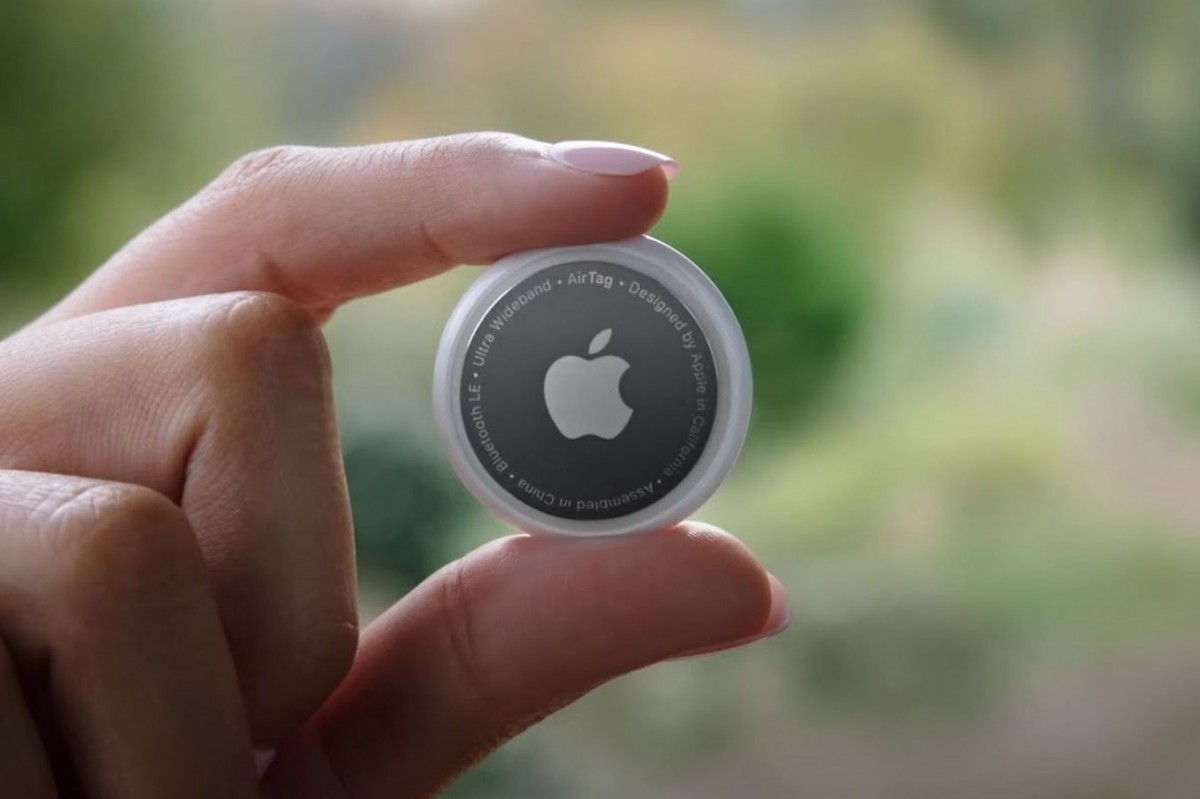
    Commercially released more than two years ago, the AirTag tracking device is probably the least discussed product in Apple’s current portfolio, especially if you choose to ignore news stories and reports tackling various security issues and privacy concerns among both existing users and prospective buyers waiting for some “fix.”

    While it’s unclear if the AirTag stalking problem will ever be resolved (or even if it can be resolved satisfactorily), Apple is believed to be working on a sequel to the original 2021 edition that could see daylight as early as late 2024.
    That’s… still pretty distant, leaving a lot of room for a change of plans (or ten), and of course, today’s AirTag 2 information doesn’t come from an official source either. Ming-Chi Kuo’s new “prediction” of a “4Q24” mass production start doesn’t even seem particularly firm, and although the reputable analyst’s inside sources are more often than not right on the money, this rumor feels like a guesstimate first and foremost based on the OG AirTag’s sales figures so far.

    These are obviously not part of the public domain, but Kuo has reason to believe they’ve proven strong enough over the last year or so to justify the development of a second generation.

    Because the AirTag 2 is likely to go on sale either during the final calendar quarter of next year or sometime in the opening quarter of 2025, it’s virtually impossible to make any confident predictions regarding its specific features, capabilities, and potential upgrades over the first generation.
    For what it’s worth, Ming-Chi Kuo also “believes” (which sounds like another hunch rather than concrete info gathered from supply chain insiders) that the AirTag 2 will be used (alongside other devices) by Apple to create a new spatial computing “ecosystem” with the Vision Pro headset at its center.
    No, we’re not entirely sure exactly what that means either, but it’s safe to assume that the AirTag 2 will be deeply “integrated” and closely coordinated with the Vision Pro… whenever both products actually become available for the masses.
  • New firmware update for the Apple AirTag is released

    New firmware update for the Apple AirTag is released

    Apple has started releasing its newest AirTag firmware update. Version 1.0.391, with the feature build number 1A301 succeeds the previous iteration that the company launched seven months ago.

    Concrete details on the recent firmware update are, for the time being, rather scarce. With iOS updates, one can easily identify the main tweaks by going over the official release notes. However, for firmware updates, Apple has never made the same effort to guarantee visibility.

    Nevertheless, with time, users will be able to find out for themselves what the new firmware update brings to the table. Last year, Apple released an Android app for the AirTag and made some adjustments to the anti-stalking features of the device. It is possible that this new update could also build upon the latter.

    In general, firmware updates do not always introduce new features. Most commonly, they tackle bugs and enhance performance. That being said, a novel feature is never completely out of the question. If one does come up, you can be sure that we at PhoneArena will have you covered.

    Users can, as of now, only check whether they are running the newest firmware version. Unfortunately, firmware updates happen automatically without the user being explicitly informed. Because there is no way to manually initiate an update, those that have not received the newest one will simply have to exercise some patience.

    In order to see which firmware version is being run on your AirTags, simply select your AirTag from the items section, tap on its name and compare. If the version is 1.0.391, you are good to go. If not, simply make sure to leave your AirTag close to your iPhone and hope for more than mere optimisation.

  • Apple’s AirTag gets a limited edition in Japan

    Apple’s AirTag gets a limited edition in Japan

    Designed to act as a key finder that helps people find lost objects, the AirTag is surely one of Apple’s most controversial products. Although the Cupertino-based company included various technologies on the AirTag to prevent unwanted tracking or stalking, it’s still very easy to bypass the device’s software.

    Frightening reports about people that have been tracked to their homes in order to have their cars stolen have been making headlines throughout the year. Not to mention that Android users aren’t even alerted by the built-in audible alarm that’s usually triggered by a smartphone when an AirTag is detected nearby.

    Tile-like item trackers have existed before and will continue to exist, but one manufactured by Apple was deemed to attract a lot of buzzes. Although the AirTag got a lot of negative publicity, there’s no reason not to buy one as long as Apple continues to sell the Tile-like item tracker.

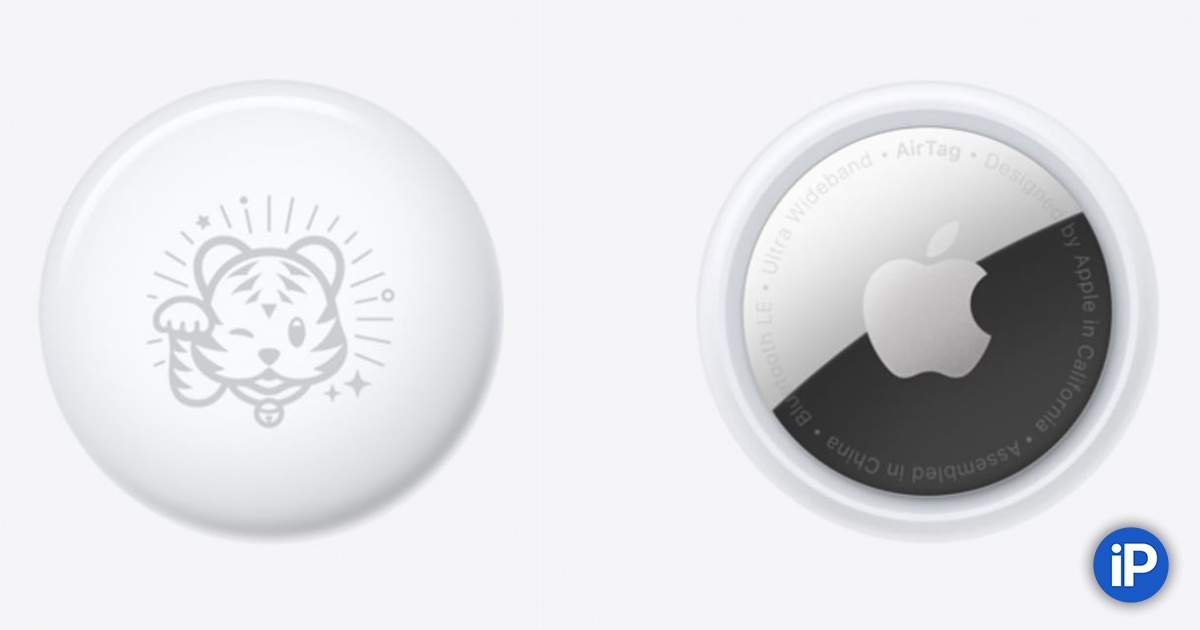
    All the more so if you live in Japan where Apple has just launched a limited edition AirTag that celebrates the Japanese New Year. You can’t get this one from anywhere else in the world, and even if you live in Japan, just the first 20,000 customers who purchase an eligible iPhone will receive a limited edition AirTag.

    The tiger logo on the limited edition AirTag signifies the year of the Tiger in Japan, which will start on January 1, 2022. You’ll have to buy an iPhone 12, iPhone 12 mini, or iPhone SE on January 2 or January 3 to qualify for the limited edition AirTag.

    On top of that, customers buying various Apple products in the first few days of 2022 will receive

  • Apple releases iOS 15.2 beta 4 for developers and the public

    Apple releases iOS 15.2 beta 4 for developers and the public

    Apple has started sending out iOS 15.2 beta 4 (build: 19C5050b) to both developers and public beta testers who are subscribed to Apple’s beta program. Also dropping today for developers and public beta testers are iPadOS 15.2 beta 4 (build: 19C5050b), watchOS 8.3 beta (build: 19S5050c) and tvOS 15.2 beta.

    As we get closer to the final build of iOS 15.2, you might recall that it refreshes the Notification Summary feature, which allows you to avoid being interrupted by notifications from your apps filling up your display. Instead, all of your non-urgent notifications are bundled together in a summary that is sent to you at a scheduled time. Direct Messages (DMs) and Time Sensitive messages are always sent immediately, so keep that in mind.

    With iOS 15.2 installed, the Notifications Summary no longer appears as a list, but is seen as separate blocks on your Lock Screen.

    The latest iOS and iPadOS builds will introduce the App Privacy Report which will show users which data is being accessed by Apple and third-party apps via privacy permissions granted by them. These permissions may allow apps to access their iPhone’s location, camera, contacts, camera, microphone, and photos.

    The iPhone 13 Pro models have a feature called Macro Mode which automatically turns the ultra-wide camera into a Macro camera for taking extreme close-ups whenever the device is placed within 10 cm (3.94 inches) of an object. Macro photography will help you shoot photos of insects, flowers, and other subjects that are no closer than 2 cm (.79 inches) away. Apple is adding a toggle in iOS 15.2 that will allow users to disable Macro Mode.

    And iOS 15.2 will also make iPhone users feel safer by allowing users to scan their surroundings for AirTags and other devices used with the Find My app that can track them without their knowledge. The feature is found in a new section of the Find My app that will appear when iOS 15.2 is installed on an iPhone and is called “Items That Can Track me.” Any nearby items that do not belong to you but do contain Apple’s tracking technology will surface under this section.

    Additionally, any AirTags that are away from its owner for 24 hours and longer will make a warning sound. This helps alert iPhone users that they are potentially being tracked by an AirTag that doesn’t belong to them.

    And if you come across an AirTag tracked item that does not belong to you, the renamed “Help Return Lost Items” will give you information about how to contact the owner of the item so that it can be returned. The previous name of the feature was “Identify Found Item.” This is perfect for all of you good samaritans who don’t feel that the universe is okay unless every misplaced item has been returned to its rightful owner.

    If you want to get in early on iOS updates, you can join the iOS Beta Software Program by tapping on this link. Keep in mind that Beta versions of iOS are unstable (like that little old lady with the 55 cats that lives next door) and certain features and apps might not work when you have a Beta build installed. Additionally, battery life could be diminished until the final version of the build is released.

    These things might not bother you, but it is something you need to concern yourself with if you plan on joining the iOS Beta Software Program. Once you install a beta version of iOS on your iPhone, you can leave easily if the phone is running an official version of the software. To do that, go to Settings > General > Profile & Device Management. Select the iOS Beta Software Profile, then tap on Delete. Confirm your decision and that is it.

    Now it is a little tougher to leave if your phone is currently running a beta version of iOS. If that is the case, we recommend waiting for the next official version of iOS to arrive, and then you should follow the directions above. Otherwise, you will have to restore to an older backup version of the operating system using your PC or Mac. And that means losing all the data added since your last backup.

    By the way, if you already are a member of the iOS Beta Software Program, you can install iOS 15.2 beta 4 by going to Settings > General > Software Update.

  • AirTag order arrives two days before the release date

    AirTag order arrives two days before the release date

    Apple opened pre-orders for its new AirTag item tracking system on April 23rd with shipments slated to start this Friday, April 30th. But a lucky customer said that his order for a 4-pack placed with Best Buy on Friday has already arrived. The product was shipped on Monday, April 26th, and arrived on Wednesday April 28th.

    Most likely, those who ordered from Best Buy have a better shot at receiving their order early as Apple would be least likely of the two to ship the product early. In addition, it would seem highly probable that there are more AirTag purchasers who received their order early than just one person. The product can help you find a missing item using the new items tab in the Find My app or by asking Siri to find it.

    If the missing item is close by, you will hear a sound from the AirTag’s speaker that you can follow until you are reunited with the missing item. If the item you’ve “AirTagged” is nearby and you have an iPhone 11, iPhone 11 Pro, an iPhone 11 Pro Max, an iPhone 12, iPhone 12 Mini, iPhone 12 Pro and an iPhone 12 Pro Max, you can use Precision Finding to receive precise directions to the item. That’s because those models contain the U1 Ultra Wideband chip.

    If you’ve left an item far behind, nearby Apple devices in the Find My network will receive a secure Bluetooth signal sent out by the AirTag you’ve attached to your item. These devices send the location of your AirTag to iCloud allowing you to find the location on a map in the Find My app.

    Now if you put your AirTag into Lost Mode, you’ll get a notification if it has been discovered by a device in the network. And you can also set your AirTag to cough up your contact information when it is placed alongside any handset that is NFC capable. Yes folks, that means both iOS and Android handsets, as long as they support NFC, can help you get in touch with someone who finds your missing or lost item.

    Information is encrypted and the AirTag will even alert you if someone is trying to stalk you with their AirTag. A 1-pack is priced at $29, and a 4-pack will cost you $99. The AirTags are water-resistant and have a replaceable battery.

  • Android users can help an AirTag user reunite with a missing item

    Android users can help an AirTag user reunite with a missing item

    Apple yesterday finally unveiled its long-awaited AirTag item tracker. The accessory uses the U1 chip (found on the iPhone 11 and iPhone 12 series) and the Find My app to help navigate you to a tagged item using AR overlays. This “precision finding” feature is not available on phones older than the iPhone 11 series since those models don’t sport the UI chip and rely on Bluetooth LE to find an item.

    Enabling the Lost Mode setting will alert you or one of the nearly billion members of the Find My network when an AirTag is back within range of an iOS device. A tag that has been discovered and is in Lost Mode can be tapped on its white side by an iPhone or an NFC capable Android handset. A notification should then appear on the screen and when tapped on, it opens a website that shows the serial number of the AirTag and possibly a phone number so that the owner of the tagged item can be called and told that his missing item has been found.

    Apple itself says this about the Find My app; “The Find My app makes it easy to keep track of your Apple devices. Locate items you’ve attached AirTag to. And keep up with friends and family. It works on iPhone, iPad, and Mac — even if your missing devices are offline. And your privacy is protected every step of the way.”

    Apple itself notes that “You can view a Lost Mode message on any NFC-capable smartphone, such as an iPhone or Android phone.” Apple didn’t make much of a deal about this yesterday during the Spring Loaded event, but it did publish a support page that includes this information. The AirTag owner will have to include his contact information during the setup process as well as activate Lost Mode.

    If you hear a sound from an AirTag, Apple explains in simple terms what it could mean. “When moved, any AirTag separated for a period of time from the person who registered it will make a sound to alert those nearby. If you find an AirTag after hearing it make a sound, you can use any device that has NFC, such as an iPhone or Android phone, to see if its owner marked it as lost and help return it.”

    So that you don’t get stalked by an unknown person’s AirTag,the  Find My app will send you a notification if an unknown AirTag is moving along with you. The latter will also generate a sound, even on an NFC-enabled Android phone, so that the alien tag can be found.

    On the support page, Apple adds, “If you can’t play a sound, the AirTag might not be with you anymore. If it was with you overnight, its identifier might have changed. Find My uses the identifier to determine that it’s the same AirTag moving with you.”

    Apple goes on to say that “If you believe the AirTag is still with you, look through your belongings to try to find it, or wait to see if another alert appears as you move from location to location during the day. If the AirTag is within range of the person who registered it, you also won’t be able to play a sound.”

    AirTag orders begin 5 am PDT on Friday, April 23rd and the item tracker will be available on April 30th. Engraving is free and a one-pack will cost you $29. A four-pack is priced at $99.

    Speaking of Android handsets (especially those with NFC capabilities), these are the models that we consider to be the best in 2021.