Retail News CRM

Tag: android auto

  • Google’s Android Auto Enhances Driver Safety With Innovative Call Screening And Notes Features

    Google’s Android Auto Enhances Driver Safety With Innovative Call Screening And Notes Features

    Google has announced the implementation of new features to Android Auto, designed to augment safety and convenience for drivers. The recent update incorporates Call Screening and Call Notes, enabling drivers to handle calls in a more sophisticated way, without diverting their attention from driving.

    Call Screening in Your Car

    The latest update allows Android Auto to screen incoming calls, particularly from unknown or unsaved numbers, on behalf of the driver. When a call is received, the system prompts the caller to identify themselves and state the purpose of the call. The driver is then relayed the responses, providing them the choice to accept or reject the call without having to answer it manually.

    This innovative feature helps to deter unwanted interruptions while driving, ensuring that drivers only receive pertinent calls. By reducing distractions, it offers a smart safety solution.

    Call Notes: Keep Track of Key Points

    Android Auto plans to support Call Notes later this year. This tool automatically generates a summary of your calls in text format. It proves particularly beneficial for business or crucial conversations that cannot be recorded while driving.

    Call Notes was initially introduced with Google’s Pixel 9 phones. Now, by incorporating it into Android Auto, it aims to enhance productivity on the move.

    Why These Additions Matter

    These two enhancements offer tangible benefits for drivers:

    Reduced Distractions: Drivers no longer need to physically manage each incoming call while driving.

    Better Context: Call Notes enables drivers to capture key points from calls without the necessity of manually taking notes.

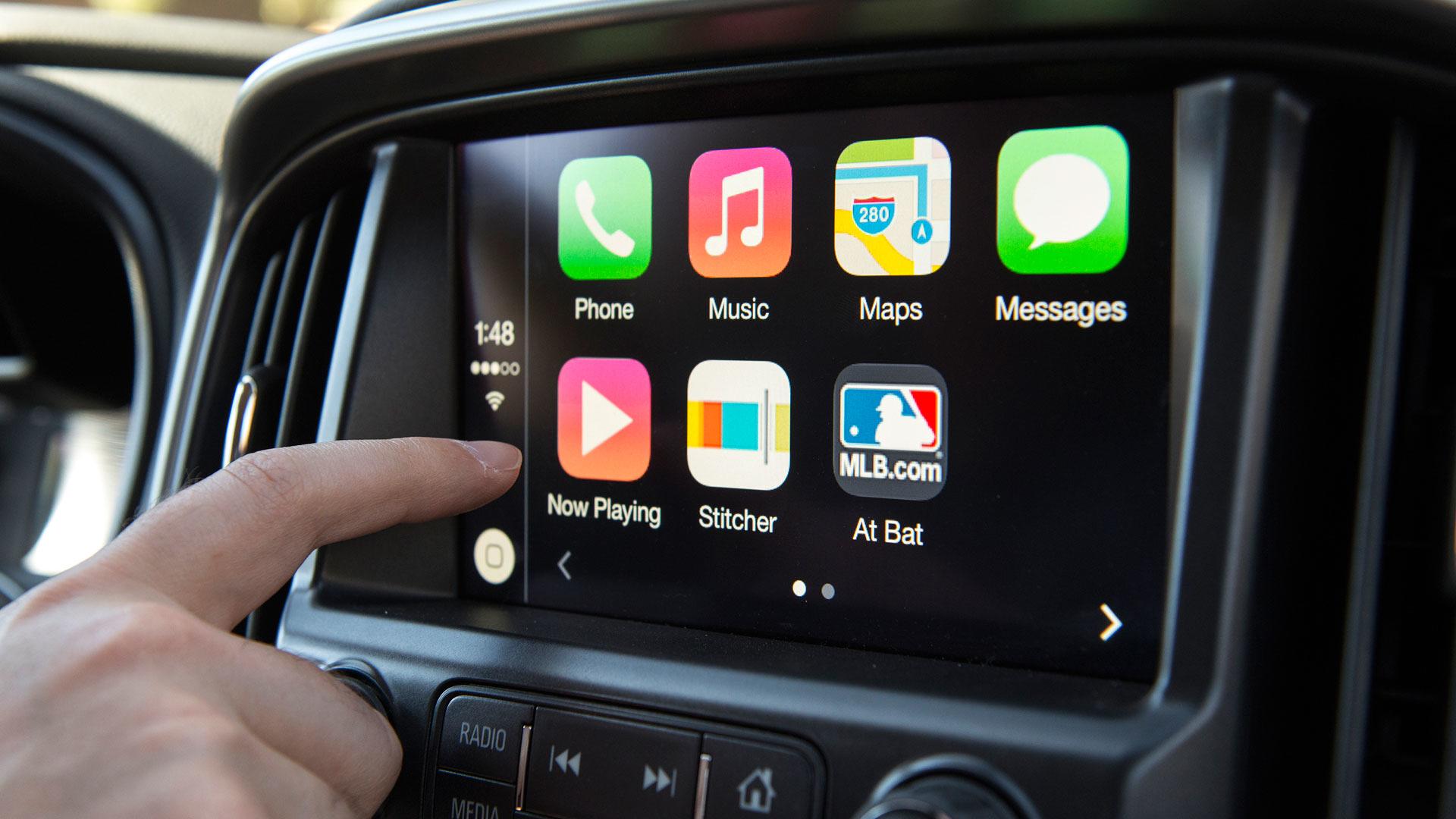
    Keeping Up with Competition: Apple’s iPhones already provide call screening within CarPlay. Google is maintaining its competitive edge by integrating this feature into Android Auto.

    Questions & Answers

    What are the new features introduced in Android Auto?
    The new features introduced are Call Screening and Call Notes, aimed at reducing distractions and improving convenience for drivers.

    What is the purpose of the Call Screening feature in Android Auto?
    Call Screening allows Android Auto to screen incoming calls on behalf of the driver. The system prompts the caller to identify themselves and state their reason for calling, giving the driver the option to accept or reject the call without manually answering it.

    What is the function of Call Notes in Android Auto?
    Call Notes is a feature that automatically creates a text summary of your calls. It assists drivers in keeping track of important points from calls without having to manually take notes.
  • After update, Google Maps disappears from Android Auto

    After update, Google Maps disappears from Android Auto

    Google Maps helps users get from point “A” to point “B” using the most environmental-friendly and fastest route. And once you get to “B,” the app helps you find a place to eat, a place to sleep, things to see, and more. In other words, many travelers depend on the app and use it almost every day to help them make their daily commute without running into traffic jams, accidents, and speed traps.

    According to several posts made on Google’s support forums, after the latest update to Android Auto 7.2, Google Maps just upped and disappeared. The app still shows up on the user’s handset and can still be accessed as long as the car is not connected to the phone. Outside of an Android Auto community specialist, Google has yet to acknowledge that this problem exists and with that in mind, the search giant has yet to issue a workaround.

    There is a solution, however, users with this problem can switch to another navigation and mapping app like Waze. Also owned by Google, Waze uses crowdsourced data to help it deliver the fastest and safest routes for users to follow. Unlike Google Maps, Waze concentrates on navigation although it can still lead you to gas stations and restaurants. Or, if using Google Maps is a must, just run the app through your phone instead of using Android Auto.

    One user who posted on Google’s forum said that prior to the latest Android Auto update, everything worked perfectly on his 2018 Audi Q7 and his Samsung S21 Ultra. Once he installed the update, Android Auto no longer appeared as an app on his phone home screen and could not be reinstalled. The Q7 display no longer includes Maps; after using his voice to call for the Google Maps app, he is told that “This application is not available on your device.”

    While he can navigate using Google Maps on his Galaxy S21 Ultra, his car no longer displays maps and the turn-by-turn directions can not be heard from his car’s speaker. After talking with Samsung, the man says that he was told that the issue is not with his Galaxy S handset, but with Android Auto.

    In his post, he notes that he tried uninstalling and reinstalling updates, rebooting the phone, and re-setup Android Auto on his car, all to no avail. A subsequent post was sent in by a person with a similar story who uses a Galaxy S20 Ultra running Android 12. This person also lost Google Maps on Android Auto.

    The aforementioned community specialist with the Android Auto team responded by saying, “Thanks for reporting this issue. We have reached out to you via email to collect more information. Please share the required details.” So at this point, we have to assume that Google is not totally familiar with the issue.

    If you are affected by this bug,, you should simply use Google Maps on your handset, or switch to Waze on Android Auto. Either way, you will need to wait for Google to make the necessary repair through an OTA software update.

    Speaking of updates, Android Auto 7.2, the one that caused Google Maps to disappear, was released at the beginning of this year with no changelist.

    Have any of you found that Google Maps has disappeared from your Android Auto screen after installing the 7.2 update? If so, which one of our suggestions are you using? Did you decide to simply turn to your phone to run Google Maps, or are you continuing to use Android Auto and have switched to Waze. Let us know by dropping your comment in the box below.

  • Android Auto is getting a redesigned interface and Dark Mode

    Android Auto is getting a redesigned interface and Dark Mode

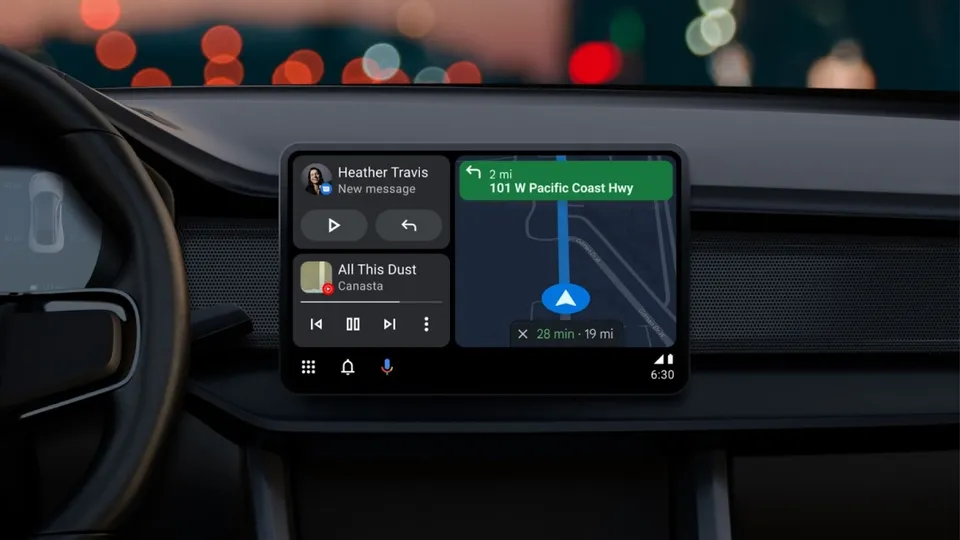
    Google last month announced an update for Android Auto that would change the way the app looks and works, and it is now finally rolling out to some regions. Google says that the refreshed interface was “built to help you get on the road faster, show more useful information at a glance and simplify common tasks while driving.”

    To streamline the experience and to make common tasks even easier to perform while driving, the latest Android Auto update introduces a redesigned bottom navigation bar. It allows users to control apps and media, manage incoming calls and notifications, and get directions on the same screen, with fewer taps required than before.

    The redesigned bottom bar also offers a way to better utilize screen real estate. Since Android Auto is a scalable experience, made to work on many types of displays with different sizes, aspect ratios, and resolutions, the UI design changes are aimed at making the app a consistent and well-optimized experience across the board.

    Speaking of UI changes, Dark Mode is also a thing now in Android Auto. It’s more of a visual change, rather than functional, but it should make using the app during the night a bit easier on the eyes. Google says that the new dark theme was designed to utilize more colorful accents and easier to read fonts to further improve visibility and reduce eye strain.

    The update seems to depend on a server-side switch, as is often the case with Google services, and not on the app version you’re running. Still, you can check if you’re on the latest version by heading to the Google Play Store.

    The new Android Auto update has started rolling out in the UK and US, so other regions where the service is available should start receiving the new features in the coming days/weeks.

  • Android Auto To Get A New Interface

    Android Auto To Get A New Interface

    With connected cars and inbuilt eSIM technologies coming in, chances are that smartphone connectivity in cars is the next big thing. However, Google is going the whole hog and is making Android Auto a lot more engaging. In a blog post, the company shared that Android Auto will be updated with a new interface and some added features will help simplify operations for users.

    The new interface will get a dark theme which will be coupled with colored accents and the fonts will be easier to read. It will also adjust automatically to the size of the display to show more information on the screen like next-turn indicators, playback controls, and ongoing calls. The new notification center will also cover a wider space to show calls, texts, and alerts. Android is also adding a new navigation bar which will show turn-by-turn directions and you will be able to use the rest of the screen for other apps. Moreover, along with resuming your song playlist as soon as you start the car, Android Auto will also suggest locations on your screen based on your commutes. You can also navigate to a new place using the “Hey Google” voice command.

    All in all, the new interface will make your experience even speedy and you will require lesser taps as the majority of the applications will be working simultaneously on the screen of your car along with navigation. Google says that the new dark theme has been made standard to go with the interior of new-age cars. Bigger fonts and lesser taps also allow drivers to focus on the road.

  • Android Auto finally learns Korean Language

    Android Auto finally learns Korean Language

    Android Auto, Google’s three-year-old software for cars, is finally available in the Korean language and can now be used in a majority of Hyundai and Kia vehicles in Korea.

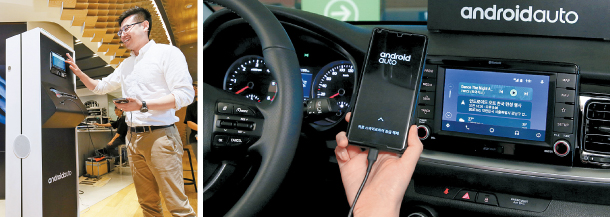
    Google Korea, Hyundai Motor and Kakao jointly announced the launch of the smartphone-based virtual dashboard in Korea on Thursday, effective on the same day. The Android software, when connected to an Android smartphone, enables drivers to make calls, send text messages, use a navigation map, listen to music and much more, all through Google Assistant voice commands.

    “The primary task of drivers is safely driving,” said Lawrence Kim, a lead product manager at Google Android Auto, “but observation of drivers showed they do so many other tasks with their smartphone – sending text messages, reading news and making calls. It’s a far-from-safe situation, which led us to think about how to seamlessly integrate smartphones with the vehicle.”

    He noted that the software is not designed to simply mirror the app on the smartphone. Google has customized the user interface for the car display.

    Google joined forces with Kakao Mobility, the transportation arm of Kakao, to develop a navigation map based on the Kakao Navi app as an alternative to Google Maps. The Korean government’s ban on Google’s use of mapping data has led to Android Auto’s later-than-expected debut here. Google Maps users in Korea can only get access to public transportation routes – save for subways – and simple street maps.

    Hyundai Motor and its sister carmaker Kia Motors were the first in the world to introduce Android Auto in their vehicles in 2015, but availability was confined to outside of Korea until Thursday. The software is compatible with all cars currently sold by Hyundai Motor and Kia Motors – totaling over 40 including the Avante, Sonata, Santa Fe from Hyundai and the K5, K7 and K9 from Kia.

    Drivers only need to download the Android Auto app from the Google Play store, connect their smartphone to their vehicle via a USB cable and install the system in the car. The software is activated by pressing a voice-recognition button on the steering wheel or saying “Okay Google.”

    Choo Kyo-woong, director of the infotainment development group at Hyundai Motor, said the carmaker currently does not support wireless connection with the smartphone, citing the issue of smartphone battery exhaustion.

    Android Auto’s entry in Korea comes amid growing competition in the auto infotainment market. Consumers are increasingly attracted to entertaining and safe driving and customized car systems. There is no downright leader in the market, yet, but Google has a great competitive edge, given that the Android system captures more than an 80 percent share of smartphones in Korea.

    Naver currently sells Away, a car infotainment display based on its self-developed artificial intelligence platform, at over 300,000 won ($266). Naver’s portal and chat app rival Kakao has its own service based on its Kakao I AI platform. SK Telecom has combined Nugu AI platform with T Map, a navigation app that controls more than 60 percent of the navigation market in Korea. KT is preparing to unveil its system, Giga Drive.

    Apple’s CarPlay is already available for owners of the iPhone 5 or later models in almost 40 countries around the world, including Korea. Unfortunately, its functions are limited here because navigation is not available.