Retail News CRM

Tag: assistant

  • Gemini Revolutionizes Android Auto: Introducing a Smarter, More Conversational AI Assistant for Productive Hands-Free Driving

    Gemini Revolutionizes Android Auto: Introducing a Smarter, More Conversational AI Assistant for Productive Hands-Free Driving

    Gemini, a new conversational AI, is set to enhance the Android Auto experience by improving voice command capabilities. This latest update offers an elevated hands-free driving experience by integrating with emails, real-time reviews, and more.

    Gemini’s Arrival to Android Auto

    Android Auto users have traditionally utilized built-in voice commands for elementary tasks like navigation and phone calls. The previous Google Assistant, while functional, was somewhat inflexible, often requiring precise phrasing.

    The introduction of Gemini, a more interactive and intuitive AI assistant, aims to change this. This new conversational AI has begun its global rollout to Android Auto users who have updated their devices. The implication of this is a less taxing and more natural interaction with the system while maintaining safe, hands-free control of the vehicle.

    Google confirmed that, while continuing to handle basic hands-free tasks, Gemini will extend its functionality as a comprehensive conversational AI. This means the need for memorizing specific phrases is eliminated, allowing users to interact with the system using natural language.

    The rollout is currently underway and all users need to access Gemini is the app on their Android device. Users can initiate interaction with the AI by simply saying “Hey Google,” or by using the on-screen or steering wheel controls.

    The Leap Towards a Better User Experience

    This significant update is set to revolutionize Android Auto’s user experience, which until now, has been somewhat clunky due to the requirement for very precise wording. This update is set to tackle this issue head-on, resulting in less distraction and a more authentically helpful virtual assistant.

    Comparatively, Apple’s CarPlay uses Siri, which is capable of handling rudimentary commands and integrating with Apple Music and Maps. However, Siri has not been known to provide the in-depth, cross-app conversational intelligence that Gemini offers.

    Gemini is poised to redefine the in-car AI experience, offering superior conversational utility and outpacing its competition. Its introduction is a significant victory for the multitude of vehicles already equipped with Android Auto, and for regular drivers and commuters who stand to benefit immensely from this product.

    The Future of Driving Assistance

    This update represents a momentous advancement towards driving assistance’s future. Although the former Google Assistant was adequate, its limited ability to process complex queries or follow up on previous commands often left users frustrated.

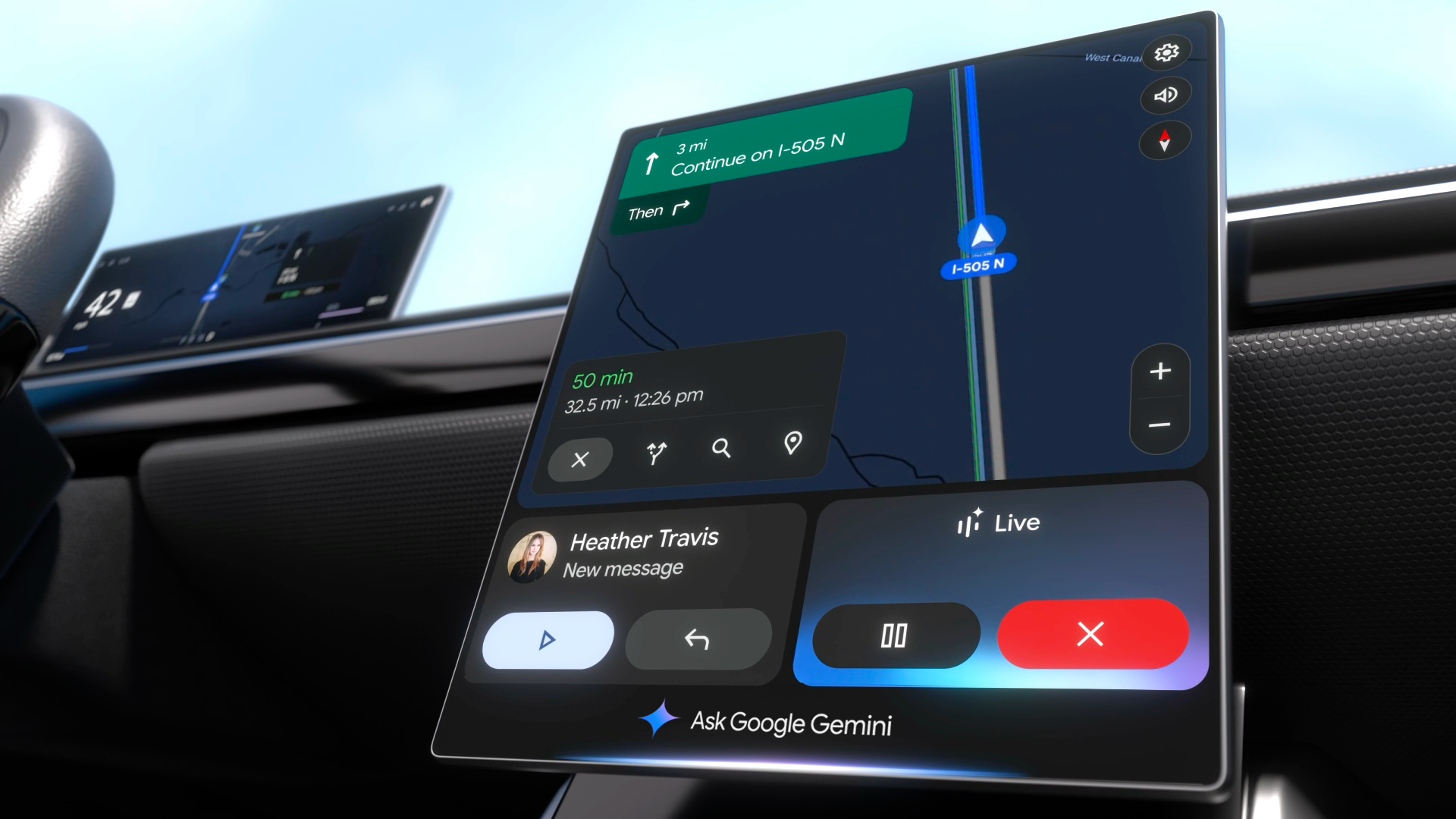
    The transition to a truly conversational AI in a hands-free environment is a game-changer. The “Live” feature allows users to brainstorm or rehearse, turning monotonous commutes into productive journeys. It can summarize emails or find addresses in Gmail, offering practical, frictionless utility. Android users eagerly await the arrival of this update on their devices.

    Questions & Answers

    What is the Gemini update in Android Auto?
    Gemini is a new conversational AI update in Android Auto that enhances the built-in voice command capability. It allows for more natural language interaction, making hands-free tasks less taxing and more efficient.

    How does the Gemini update compare to Siri on Apple’s CarPlay?
    While Siri on Apple’s CarPlay can handle basic commands and integration with Apple Music and Maps, it does not offer the same level of in-depth, cross-app conversational intelligence that Gemini provides on Android Auto.

    What are the benefits of the Gemini update for Android Auto users?
    The Gemini update offers Android Auto users a more genuinely helpful virtual assistant. It reduces distraction, supports safe driving, and turns potentially unproductive commute time into useful “done time” by completing tasks such as summarizing emails or finding addresses within Gmail.

  • Google Play Store’s Major Overhaul: New Personalized Hub With Game-changing Features For Gamers

    Google Play Store’s Major Overhaul: New Personalized Hub With Game-changing Features For Gamers

    Google Play Store is undergoing a significant update that will reimagine the platform not just as a place for app downloads, but as a personalized hub for all your content. The update will feature a new “You” tab and a “Sidekick” for gamers.

    What’s New?

    The revamp of Google Play Store features several key updates focusing on personalization and gaming. The update aims to present content without users having to seek it out.

    The primary “Apps” tab is becoming more intelligent. It will feature new sections curated for seasonal topics, visually spotlighting events such as the WNBA playoffs or Halloween, with content aggregated from various apps. The new “Guided Search” will allow users to type in a goal like “find a home,” and AI will categorize relevant apps into useful groups.

    Game-Changing Features for Gamers

    The most substantial transformations are intended for gamers. Google is creating a unified gaming platform embedded within the Play Store. The gaming platform will feature a new gamer profile that tracks stats and achievements across all your games, both mobile and PC. Users can customize these profiles with a Gen-created avatar. A new feature called “Play Games Leagues” will allow users to compete against others in games like Subway Surfers for Play Points rewards.

    The most noticeable addition is the “Play Games Sidekick.” This in-game overlay gives users access to Gemini Live using screen sharing. The feature offers verbal tips and walkthroughs without the need to exit the app.

    The “You” Tab

    All these features culminate in a brand new “You” tab. This personalized home base combines your gaming profile, rewards, and subscriptions with custom recommendations for things like audiobooks and podcasts. It allows users to quickly resume previous activities.

    Questions & Answers

    What is the new “You” tab on Google Play Store?
    The “You” tab is a personalized home base that integrates your gaming profile, rewards, and subscriptions with tailored recommendations, allowing users to resume their previous activities quickly.

    What is the “Play Games Sidekick” feature?
    The “Play Games Sidekick” is an in-game overlay that gives users access to Gemini Live using screen sharing. It provides verbal tips and walkthroughs without the need to exit the app.

    What is the purpose of the Google Play Store update?
    The update aims to transform the Google Play Store into a personalized hub for all user content, with a particular focus on enhancing the gaming experience.

  • Yum China Unveils ‘Q-Smart’: The AI Assistant Transforming Restaurant Operations Efficiently

    Yum China Unveils ‘Q-Smart’: The AI Assistant Transforming Restaurant Operations Efficiently

    Yum China Holdings, Inc. has unveiled Q-Smart, a hands-free, AI-powered assistant aimed at streamlining daily operations for restaurant managers. This innovative tool employs voice interaction via wearable devices, such as smartwatches and wireless earphones, enabling managers to effortlessly tackle tasks like scheduling, inventory management, and food safety checks—no screens or hands required.

    Q-Smart responds to natural language commands and offers real-time support, drawing from Yum China’s extensive operational knowledge base. Currently being piloted in selected KFC outlets, the assistant helps monitor inventory against sales forecasts, notifies managers about reordering supplies, and guides them through equipment checks—all through simple voice interactions.

    This launch is a key element of Yum China’s ambitious digital transformation strategy. Since 2015, the company has implemented digital payment systems, developed a customer app, introduced AI decision-making tools, and embraced Generative AI solutions, boasting over 540 million digital members as of March 2025.

    The Q-Smart was officially announced during Yum China’s inaugural AI Day in Shanghai, where CEO Joey Wat also introduced a $13.9 million (100 million yuan) Frontline Innovation Fund to foster tech initiatives driven by employees. Adding to the excitement, an All-Staff Hackathon saw participation from nearly 200 teams spread across 30 markets—who wouldn’t want to pitch their tech ideas in a room buzzing with creativity?

    Questions & Answers

    What is Q-Smart and how does it work?
    Q-Smart is an AI-powered assistant that uses voice interaction through wearable devices to assist restaurant managers in managing day-to-day operations without the need for screens or manual tasks.

    Where is Q-Smart currently being piloted?
    The assistant is currently being tested in select KFC stores, where it aids in inventory monitoring, supply reordering, and issue resolution.

    What are some components of Yum China’s digital transformation?
    Yum China’s digital transformation includes the rollout of digital payments, a customer app, AI decision tools, and Generative AI solutions, which collectively have helped grow its digital membership to over 540 million by March 2025.

  • Starbucks pilots ‘Green Dot’ AI virtual assistant tool

    Starbucks pilots ‘Green Dot’ AI virtual assistant tool

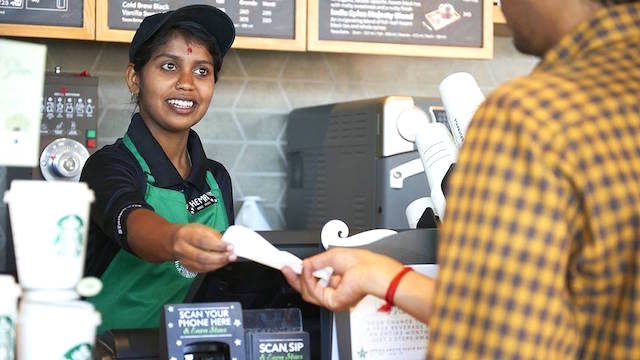
    Starbucks has initiated a testing phase for a novel artificial intelligence (AI)-driven virtual assistant, Green Dot Assist, across 35 outlets in the United States and Canada. This innovative tool is designed to offer immediate, conversational answers to baristas’ queries, thereby eliminating the necessity to consult manuals or conduct online searches for information.

    Green Dot Assist is intended to facilitate easy access to key information, bolster baristas’ confidence and familiarity with products, and ensure smooth workflow. As an example, Starbucks cited how Green Dot Assist could swiftly refresh a barista’s memory about ingredients in a seasonal beverage.

    Starbucks has expressed that this tool aligns with its broader strategy to minimize friction in the workplace and give baristas more time to concentrate on preparing beverages and interacting with customers.

    The AI assistant, powered by Microsoft Azure’s OpenAI platform, is expected to automate technical alerts and staff scheduling adjustments in the near future.

    Following the completion of this trial phase, Starbucks intends to extend the usage of Green Dot Assist to more outlets.

    Questions & Answers

    What is the purpose of Starbucks’ Green Dot Assist?
    Green Dot Assist is an AI-powered virtual assistant designed to facilitate easy access to key information, bolster baristas’ confidence and familiarity with products, and ensure smooth workflow in Starbucks outlets.

    How does Green Dot Assist work?
    Green Dot Assist provides immediate, conversational responses to baristas’ queries, eliminating the need for staff to consult manuals or search for information online.

    What are the future plans for Green Dot Assist?
    Following the completion of its testing phase across select outlets in the US and Canada, Starbucks intends to extend the implementation of Green Dot Assist to more locations. The AI assistant is also expected to automate technical alerts and staff scheduling adjustments in the future.

  • Google Assistant will now default to use Keep for your notes and shopping lists

    Google Assistant will now default to use Keep for your notes and shopping lists

    Google Assistant will now use Google Keep as its default (and only option) for new notes and shopping lists. This replaces the legacy note and list system the Assistant used in the past and the company already has a migration plan in place.

    Google updated an FAQ support article covering the subject, the migration process should be fairly straightforward, with no action necessary on the users’ part. This process will begin in November 2023, after which point Google Shopping List will redirect to Google Keep.
    This means that you will no longer be able to access your notes and lists from assistant.google.com/lists/mainview or shoppinglist.google.com. Instead, you must use Google Keep to access new and old lists created with the Assistant.
    However, there are a few edge cases where your notes and lists might not be moved, such as family notes created on Smart Displays that have a large amount of items or characters. In these rare cases where the notes or lists are not moved automatically, Google will have this data available for users to download through Google Takeout until May 1, 2024. Note that after this date, the data will be automatically deleted from Google’s servers.
    The migrated data will be available within the Google Keep app or site and will be noted by a chip that identifies them as notes or lists that were previously in the legacy system. You will also be able to use Google Assistant to manage your Google Keep data, but you will need to explicitly give the Assistant permission to do so. These permissions can be set from within the Google Assistant settings on your iOS or Android device where you will be able to designate Keep as your notes and lists provider.

    This change is part of Google’s ongoing effort to clean up old Assistant functionality and integrate it with Google Keep. Earlier this year, Google moved reminders to Google Tasks. Google also discontinued third-party Notes & Lists integration.

  • Google Assistant and AI might help Pixel users understand what they are reading online

    Google Assistant and AI might help Pixel users understand what they are reading online

    code found in the latest beta version of the Google app (version 14.29) indicates that Google Assistant will soon be able to use generative AI to help summarize passages found on the internet. While browsing the web, a user can tap on a “Summarize” button when the Google Assistant’s presence is requested with the iconic “Hey Google” call out. Or, you can ask the Assistant to “Summarize this” to see a quick summary of what you are reading on the screen.

    The Summarize suggestion will appear when browsing the internet using Chrome or when an app opens a web page in a Custom Tab (also powered by Chrome). At the moment, the feature does not work as requests for the Assistant to summarize a passage from a website return an error message as seen in the embedded image below.

    While it isn’t clear if and when this feature will be made available, it is a strong possibility that the Google Assistant’s AI summary of internet content will be limited to Pixel phones and tablets only. Google Assistant is supposed to be more optimized and offer faster responses on a Pixel handset.
    The problem with relying on AI to summarize a document is the same problem that is typical with artificial intelligence: the possibility that summaries from Google’s AI service will contain “hallucinations.” These AI platforms are “trained” using information derived from humans and could contain biases and outright incorrect data. But this is something that you need to keep in the back of your mind anytime you use AI to interpret information.
    The Google app right now will also help answer your queries using generative AI on Android and iOS. All you have to do is tap the “Generate” button to the right of your question on the Google app and you’ll see more enhanced information related to your search. Again, you’ll need to watch out for hallucinations and biases, if any.
  • Google Assistant could soon learn to recognize your voice

    Google Assistant could soon learn to recognize your voice

    9to5Google has discovered hidden strings of code in recent iterations of the Google app that could indicate a big improvement is coming to Google Assistant. Already widely considered to be the best digital assistant offered on devices today, the code discovered by 9to5Google seems to discuss a voice recognition system that would allow Assistant to recognize your voice.
    The strings of code related to “Personalized speech recognition” could appear in the Google Assistant settings with a description that reads, “Store audio recordings on this device to help Google Assistant get better at recognizing what you say. Audio stays on this device and can be deleted any time by turning off personalized speech recognition. Learn more.”
    Google already has a support article about what is called “federated learning.” The support page says, “Federated learning is a privacy-enhancing technology that we use to improve models on device without sending users’ raw data to Google servers. Google Assistant uses federated learning to improve “Hey Google.” When you ask, “Hey Google, what’s the weather tomorrow?” an on-device model detects that you said “Hey Google,” then sends your query to Google Assistant.”

    Google notes that “this model might activate when you didn’t intend it to, for example, if there is a noise that sounds like ‘Hey Google.’ Also, it might not trigger when you did say ‘Hey Google.’ We now use federated learning to refine the ‘Hey Google’ model and try to reduce misactivations and misses.”

    Learning your voice could help Google Assistant transcribe more accurately some of the common phrases you say often and contacts you mention the most. On some of Google’s smart home devices such as the 2nd-gen Nest Hub and Mini, Google uses a machine learning chip that processes the queries and tasks you vocalize the most in order for Assistant to deliver “a much faster response time.”
    Google could be looking to expand this capability from your smart home devices to your Android-powered mobile products by asking you to opt in if interested,. The files would stay on your device until you disable the system
    You might have noticed recently that when calling your credit card companies, some are now pointing out that they are capturing samples of your voice to match with future phone calls for security purposes. Also, Google notes that “If you turn this feature off, your Assistant will be less accurate at recognizing names and other words that you say frequently. All audio used to improve speech recognition for you will be deleted from this device.”

    It’s all part of Google’s attempt to allow users to have more natural conversations with Google Assistant starting next year. During Google I/O 2022, the company revealed that the Assistant will be able keep a conversation going simply by making “eye contact” so that things can get done without having to say the “Hey Google” hotword.

    As many of you Pixel 6 series users know, certain actions called Quick Phrases can be said to Google Assistant to have the tasks done without having to say “Hey Google” first. These tasks include:
    • Set a timer or alarm
    • Ask for the time
    • Turn the lights on or off
    • Cancel a timer or alarm
    • Dim or brighten the lights
    • Ask for the weather
    This summer, Google is reportedly planning to  add Quick Phrases to the Nest Hub Max.
    While it isn’t clear how many Android phones are sold each year on the basis of Google Assistant’s overwhelming superiority over Siri, many iPhone users end up installing the iOS Google Assistant app and using it instead of Siri on their iPhone. While Google Assistant does work better on an Android phone, installing the iOS version of the app will allow you to set your iPhone’s alarm using Assistant, and call or text friends and family members.
  • Make Google Assistant respond faster by following these simple directions

    Make Google Assistant respond faster by following these simple directions

    Did you know that if you set up Google Assistant on other devices, even those that you don’t use anymore, the speed at which the digital helper receives your requests and responds to them can be slowed down? But there is good news as Google offers a way for you to remove the Assistant from those older phones, tablets, smart speakers, smartwatches, and any other product you own that sports it.

    According to XDA, a support page posted by Google says, “Get a faster Assistant by removing devices that haven’t been used in 3 months or more. This means your other Assistant devices won’t be able to communicate with the devices you removed. To add a device back, just use your Assistant on that device.”

    To remove Google Assistant from your older devices, you need to open the Google app. Make sure that you have the latest version installed. Once you open the app, tap the profile picture in the upper right corner and tap on settings. Scroll down to the highlighted listing for Devices and tap it. On the bottom of the next page, you will see a heading that reads, “Remove unused devices” and tap on it.

    This will bring up a list showing the model numbers of older devices you owned with Google Assistant installed. Get ready for a blast of nostalgia when you look up on Google the model number of each device. Each device listed has not been used for three or more months and the oldest model on this writer’s list was for the Moto Z Droid which hasn’t been used in many years.

    You can choose to remove each listed device individually or select all of them at one time. And for some reason, you find yourself in need of a replacement for the phone, tablet, smart speaker, and smartwatch that you currently employ, simply use Google Assistant on the older device and it will return to the list of your Assistant devices.

    Once you complete the process listed above, you should see an improvement in Google Assistant’s response time. You can let us know if you notice a difference after clearing out your unused devices by leaving us a comment in the box below.

    Google Assistant is arguably the most accomplished of the three major voice assistants, a list that includes Amazon’s Alexa, Apple’s Siri, and Google’s Assistant. Previous tests have shown that not only does Google Assistant have the capability to understand what the user is asking much better than the other two, it also is the smartest when it comes to answering queries.

    Apple had the early lead in digital assistants when it unveiled Siri on the iPhone 4s in 2011. Apple promoted the feature by showing how useful Siri could be with calendar entries, tying a bow tie, finding a locksmith when locked out of the house. But Google charged ahead because the reach of Android is wider and Google has a plethora of information (including personal data) that it can easily tap into.

    Google’s investments in AI and speech recognition have paid off big time when it comes to Assistant and with Google essentially everywhere, it can provide users with direct responses that Siri might outsource to the internet. From personal experience with both, there are many times that when asking a question about Apple, Siri will direct you to a third-party website while Google Assistant responds with the correct answer without forcing you to navigate somewhere else to get the answer that you seek.

  • Google Assistant is secretly listening to you, it turns out

    Google Assistant is secretly listening to you, it turns out

    In a strange turn of events, Google allegedly confirmed that Google Assistant on your phone or smart speaker may be recording your audio without your knowledge, but just “at times”.

    Google representatives on Tuesday told the Parliamentary Standing Committee on Information Technology that Google employees listen to some recordings of conversations between users and Google Assistant.

    Back in 2019, Google confirmed that its employees occasionally listen to conversations between users and Google Assistant. “We take a number of precautions to protect data during the human review process-audio snippets are never associated with any user accounts and language experts only listen to a small set of queries (around 0.2 percent of all user audio snippets), only from users with VAA turned on,” Google stated at the time.

    That’s all in the fine print but as it turns out, sometimes audio was recorded by the Google Assistant on a smartphone or smart speaker even when a user had not triggered the AI by saying Ok Google. IndiaToday sources claim that in response to a question from BJP MP Nishikant Dubey, the Google team confirmed the aforementioned.

    Google’s privacy policy states, “Occasionally, the Assistant will activate when you didn’t intend it to because it incorrectly detected that you wanted its help. If that happens, just say Hey Google, that wasn’t for you, and the Assistant will delete the last thing it sent to Google.”

    That’s all fine and dandy but there’s nothing about the times when Google Assistant is secretly listening to your conversations. How would you know in the first place? It’s a major scandal that has the potential to blow way out of proportion! We’re monitoring the situation closely and we’ll keep you posted if there’s any further information.

  • Google adds “Lock screen” settings for the Android version of Assistant

    Google adds “Lock screen” settings for the Android version of Assistant

    in version 12.24 of the Google app,  “Lock screen” settings for the Android version of Google Assistant can be found. It’s part of a group under the heading of Popular Settings and it appears after Voice Match and Languages. With the settings enabled, Google Assistant can be used even when the phone is locked.

    The first time you try this feature out, Google will show you a splash screen that allows you to decide whether to enable your phone to use Google Assistant without unlocking the handset, or you can choose to opt-out. In other words, you can “Get hands-free help from your Assistant when your phone is locked. You can always turn this off in your Assistant settings.”

    When your phone is locked, you will need to employ Voice Match to use Assistant hands-free to obtain personal information and to call or message your contacts. With Voice Match, the phrase “Hey Google” is required to wake up and activate Google Assistant without the use of your hands. If you decide to opt-in, you will be able to obtain “Assistant responses on lock screen” including personal info such as contacts and messages.

    You can also obtain personal information from Google Assistant by activating it through a tap on the screen without saying “Hey Google.” To arrange this, tap on Popular Settings > Lock screen and toggle on the second option.

  • Android version of the Google Assistant app has been installed over 500 million times

    Android version of the Google Assistant app has been installed over 500 million times

    If you look up the listing in the Google Play Store for Google Assistant, you’ll see a note near the bottom of the page that says, “You do not need this app to use the Google Assistant if you already have the Google Assistant on your device.” Since the Assistant is found on just about every Android phone that uses Google Mobile Services, the app really doesn’t need to be downloaded by the vast majority of Android users.

    The dedicated Google Assistant app has reached the 500 million installs milestone. And you can’t give credit to all of those iOS users who recognize Siri as being the absolute mess that it is and have installed the iOS Assistant app to use instead; those installations are done through Apple’s App Store and are not part of the half a billion credited to the Play Store.

    Over 500 million installs of Google Assistant have taken place via the Google Play Store

    Downloading the app will allow Android users to add it to their App drawer or home screen. There are other ways for Android users to activate Google without tapping on an app icon. The Pixel Active Edge feature allowed users to squeeze the sides of their phone to activate the Assistant although this was removed on the Pixel 4a, Pixel 4a 5G and the Pixel 5.

    Saying the hot phrase “Hey Google” will also get the assistant open without having to tap the icon or squeeze the phone. With 500 million Google Assistant installs from the Google Play Store, the app is halfway to a billion and could get there sooner than you might think.

  • Google Assistant to replace dialogue bubbles and small text with large bolded print

    Google Assistant to replace dialogue bubbles and small text with large bolded print

    Google is testing a major change to Google Assistant that makes the digital assistant look better on an Android phone. Right now, responses made by Google Assistant include showing the user appropriate cards, posting web results, opening an app, or showing a text response. Instead of showing the latter using a dialogue balloon with tiny print, Google is making a change.

    Some users are seeing text responses in larger bolded print without the comic strip-style dialogue balloons. For those who believe that seeing is believing and would rather see Google Assistant’s response to an inquiry than hear it, this is a positive change. Older responses on the screen will shrink and gray out.

    You won’t see the bolder, larger text for replies related to a weather-inspired task, a response that is put on a card, or on inquiries that return a list of web results. Instead, it appears that the change is more apt to appear when asking Google Assistant to tell a joke or for other tasks that might be considered “fun.” The hope is that the new response interface will eventually be used for other topics since it is easier to read.

    The larger, bolded text has been spotted with the latest build of the Google app from the Google Play Store. It also has been seen with the latest version of Google Assistant for Pixel models, and with the light bar version of Assistant on other Android devices.

  • Google accidentally spills the beans about its Guacamole feature for Assistant

    Google accidentally spills the beans about its Guacamole feature for Assistant

    A new feature for Google Assistant called “Guacamole” is coming to Android. At first, it wasn’t clear what the “guac” will add to the digital helper, we now have an idea of what this feature does. It allows users to perform “time-sensitive quick tasks” such as silencing their alarms or answering their calls without having to say “Hey Google.”

    Interestingly, Guacamole appears only in version 12.5 of the Google app beta running on Android 11, not on the Android 12 Developer Preview. While Google wasn’t exactly forthcoming with information, it originally released a description about “Guacamole”: “Quickly get things done with Guacamole.”

    The feature accidentally was discovered in the main Assistant settings under “Guacamole” where it says “Skip saying Hey Google” for help with quick tasks. For example, you can cancel a ringing alarm by saying “Stop,” or “Snooze.” Handling an incoming call is as easy as saying “Answer/Decline the call” without having to say “Hey Google.”

    These settings were not meant to be viewed by non-Googlers.

    Google was testing Guacamole internally and the Assistant menu that accompanies this story was not meant for viewing by non-Googlers. A toggle switch can be used to enable the feature under Voice shortcuts.

  • Hidden code reveals very useful feature for Google Assistant users

    Hidden code reveals very useful feature for Google Assistant users

    XDA Developers just discovered an interesting string of code on version 12.15.7.29 of the Google app from the Play Store. One of the changes will allow Google Assistant to complete a voice command even if the user is offline. In addition, Google apparently plans on adding a new feature called “My Actions” that will allow users to create shortcuts for their favorite Assistant requests.

    The strings found by XDA mention the creation of custom actions such as one that lowers the volume to 50% and another one that responds with the current weather. Another pair of strings said “start custom action creation” and “save this new custom action,” while another gives recommendations through a heading that says, “Actions you might like.” Google already allows users to create a chain of events, a routine if you will.

    The upcoming “My Actions” will allow users to press on a button to activate shortcuts. Where this button will end up is not known at this time and one possibility is that the controls for “My Actions” might be found on the home screen. In the past, Google put on the home screen a feature allowing users to create shortcuts for the aforementioned Google Assistant routines.

    XDA was able to bring up the setup screen for “My Actions” and it gives a couple of suggestions that can be used to try out the feature such as “set the volume to 50%” and “what’s the weather.” The most intriguing part of this discovery is the line on the setup screen that says, ” My actions can be configured to do anything Google Assistant can do, in just one tap.”

  • Google Assistant driving mode slowly rolling out to more countries

    Google Assistant driving mode slowly rolling out to more countries

    After introducing the Assistant Driving Mode in the United States last year, Google has decided that it’s finally time to make the feature available to users in other countries too. If you’re not living in the US, chances are that you don’t know what’s this Google Assistant Driving Mode.

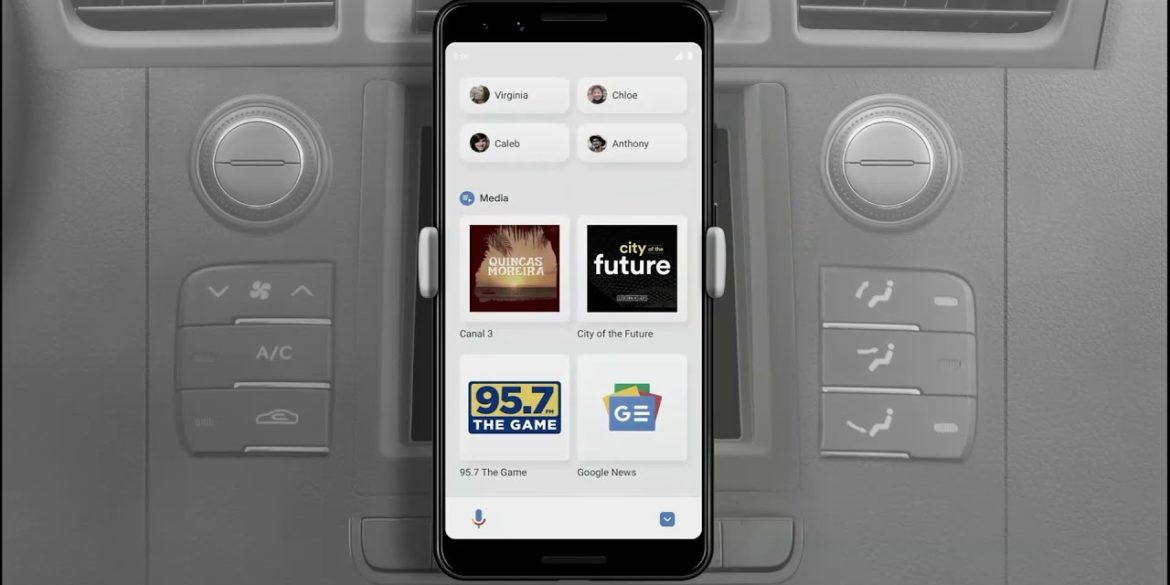
    Google launched the Assistant Driving Mode as a replacement solution for Android Auto’s mode from smartphones. The feature is meant to allow drivers to get their notifications read to them out loud, so they can continue to drive without having to check their phones.

    Google Assistant’s driving mode can not only read messages to drivers, but it can also send messages and make calls for you. Not to mention that you’ll be able to control your music by simply using your voice.

    Currently, we know for sure that the Assistant’s driving mode is slowly rolling out to users in the UK, but it’s safe to assume that the feature will soon be available in other countries too. As per Google’s support page, some of the features of Assistant’s driving mode “aren’t available in all languages or countries,” whereas previously it stated that it’s only live in the US.

    Of course, Google Assistant’s driving mode is limited to just one language at the moment: English. As far as the hardware requirements go, you’ll need a smartphone powered by Android 9.0 or higher, which packs 4GB RAM or more. Also, Google’s Assistant driving mode only works in portrait mode.