
Retail News CRM

Tag: chats

  • WhatsApp Unveils Update: New Features Tame Chaos in Group Chats

    WhatsApp Unveils Update: New Features Tame Chaos in Group Chats

    WhatsApp, owned by Meta, is starting the new year with a bang, introducing three new features aimed at enhancing the user experience and organizing group chats. The update includes member tags, text stickers, and early event reminders, which were previously seen in beta testing and are now officially part of the platform.

    Member Tags

    One of the challenges of large group chats is keeping track of who is who. WhatsApp is addressing this issue by introducing custom member tags that allow users to create unique identifiers for themselves within each group. For instance, you could label yourself as “Anna’s Dad” in the parents’ chat group for your child’s school or “Goalkeeper” in your Sunday league group. This feature provides context and clarity to conversations without the need to save everyone’s contact information.

    Text Stickers

    With the text sticker function, users tired of hunting for the perfect reaction GIF can now create their own. You simply type a word or phrase into the Sticker Search bar, and a custom sticker is generated instantly. These personalized creations can be added directly to your sticker pack without having to send them in a chat first, making the process of growing your collection more efficient.

    Early Event Reminders

    While WhatsApp introduced events some time ago, they have now become more intuitive. With the early event reminder feature, users can set personalized notifications to prompt invitees about an upcoming event. This is an excellent tool for ensuring punctuality and attendance, whether it’s for a party or a virtual meeting.

    These innovations are WhatsApp’s response to platforms like Discord and Slack, which have a more structured approach to group organization. The member tags feature mirrors Discord’s “Roles,” recognizing that WhatsApp groups have evolved beyond close-knit friends and now include interactions with strangers in semi-private spaces. Similarly, the event reminder update keeps the platform competitive with dedicated calendar apps.

    Quality of Life Update

    While these new features may not be groundbreaking, they certainly enhance the user experience. They streamline the process of group chat management and make interactions more meaningful, user-friendly, and organized. The event reminder feature, in particular, could prove to be an everyday tool to ensure prompt attendance at events.

    Questions & Answers

    What is the purpose of the new features introduced by WhatsApp?
    The new features are designed to enhance the user experience by organizing group chats and making them more intuitive and user-friendly.

    How do member tags work?
    Member tags allow users to create unique identifiers for themselves within each group. This provides context to conversations and eliminates the need to have everyone’s contact information.

    What are text stickers?
    Text stickers are a new feature that allows users to create custom stickers by typing a word or phrase into the Sticker Search bar. These can be added directly to your sticker pack for future use.

  • Stay on Top of Your Chats: Google Messages Doubles its Pinned Conversations Limit

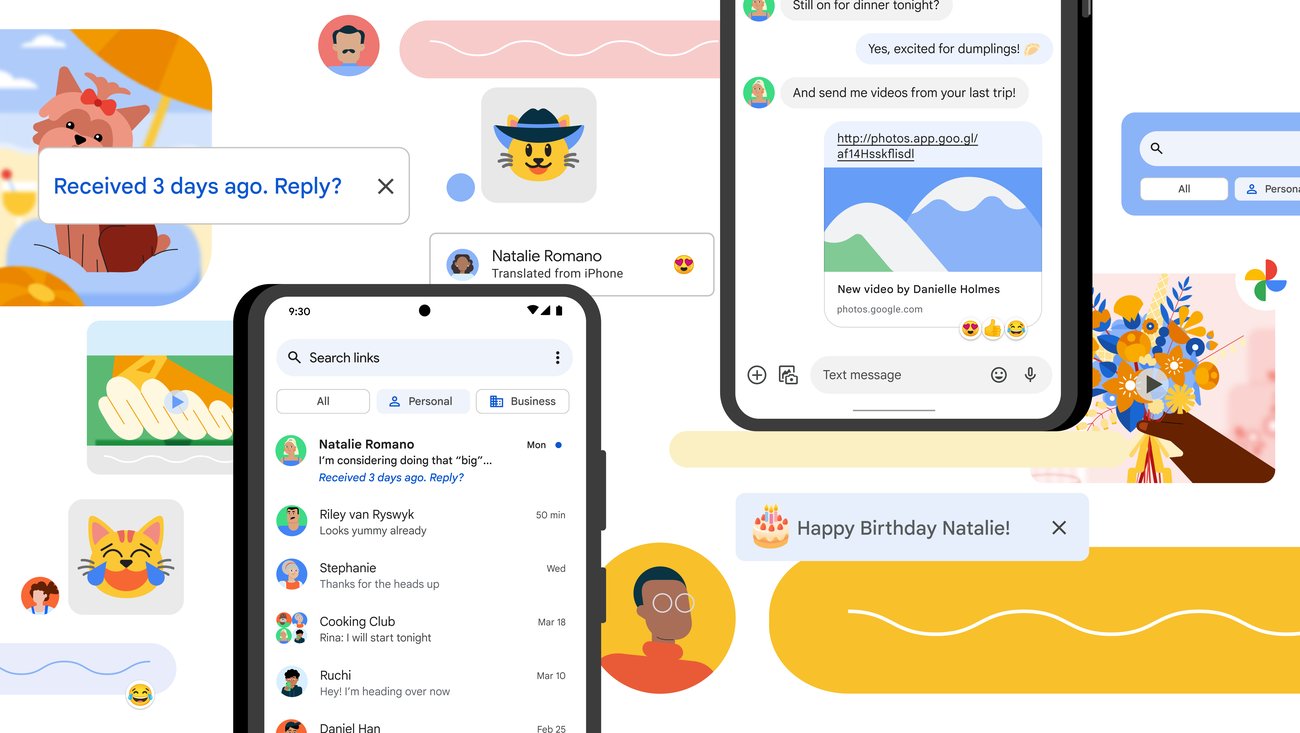
    Stay on Top of Your Chats: Google Messages Doubles its Pinned Conversations Limit

    A recent update to Google Messages now allows users to pin up to 20 conversations, twice the previous limit of 10. This change enables users to maintain handy access to more of their important chats, keeping them in view even as new messages come in.

    More Conversations at Your Fingertips

    Originally, Google Messages allowed users to pin just three conversations at the top of the messaging interface. This limit was subsequently increased to five, then ten, and it now stands at 20. While it may seem like a marginal update, it certainly comes as good news for those users who need to keep an eye on multiple critical conversations.

    The process to pin a conversation is straightforward. Users simply need to open the Messages app, press and hold on the relevant chat, and select the “Pin” option. The pinned chat will remain at the top of the conversation list, regardless of incoming messages.

    A Modest, yet Significant Upgrade

    Despite having billions of users worldwide, Google Messages continues to undergo incremental improvements. While the latest update may not seem substantial, it might prove to be quite beneficial for users dealing with a high volume of chats.

    However, pinning 20 conversations might start to make the list seem lengthy. The possibility arises that newer messages could be pushed farther down the list, potentially causing users to overlook important communications. This could somewhat undermine the very purpose of pinning conversations.

    Continuous Evolution of Google Messages

    Google has been introducing frequent updates to its Messages app. While each feature in isolation may not seem significant, their collective impact is giving the app a more feature-filled feel.

    Recent updates include the introduction of user profiles, screen effects, custom bubbles, reaction effects, and Gemini AI integration. Now, with the additional pinned chats, Google Messages seems to be drifting away from its original minimalist design. Although not all users might need or appreciate this increasing complexity, it’s clear that Google is committed to continuously enhancing the app’s functionality.

    Questions & Answers

    What is the new update to Google Messages?
    The latest update to Google Messages allows users to pin up to 20 conversations, a significant increase from the previous limit of 10.

    How can users pin a conversation in Google Messages?
    To pin a conversation, users need to open the Messages app, press and hold on the desired chat, and select the “Pin” option. The chosen chat will then stay at the top of the conversation list, regardless of incoming messages.

    What other features has Google added to Messages recently?
    Google has introduced several new features to Messages recently, including user profiles, screen effects, custom bubbles, reaction effects, and Gemini AI integration.

  • Meta brings Community Chats to Messenger and Facebook Groups

    Meta brings Community Chats to Messenger and Facebook Groups

    Meta has just announced it will launch a new feature in Facebook and Messenger, which will allow users to start group chats directly in these apps. Called Community Chats, the new feature will first be tested in Messenger and will expand to more Facebook Groups in the coming weeks.

    The ability to start Community Chats in Messenger should allows users to create a Facebook Group, start chats and audio channels, as well as invite other people to join their group all within the app. The new experience is a mix between Messenger and Facebook Groups, but it doesn’t seem to replace either, at least for the time being.

    There will be multiple options to start a chat for group members, like a specific topic, an event chat, a view-only broadcast chat for announcements, or admin-only chat that will keep the discussions between admins and moderators private.

    In addition, admins will be able to create audio channels to allow group members to share live commentary or receive real-time support. Members of a chat group will also have the option to enable video once they’re in the audio channel.

    According to Meta, the new Community Chats feature will be released alongside a solid suite of tools meant to help admins manage both chat and audio experiences much easier. Among these tools, Meta confirmed the suite will include moderation capabilities such as blocking, muting or suspending group members, and removing members or messages, as well as Admin Assist.

    Admin Assist seems to be one of more useful tools since it allows admins to set custom filters to automatically suspend users, remove reported messages, and stop message from ineligible authors or containing violating content from being send.

    Finally, all members of Community Chats will be able to report messages to group admins or directly to Meta, block users, as well as leave a chat at any time. As mentioned earlier, Community Chats are now being tested in Messenger, but they will be rolled out to Facebook Groups in the coming weeks too.

  • WhatsApp removes online requirement for use on multiple devices

    WhatsApp removes online requirement for use on multiple devices

    WhatsApp is finally introducing an important feature that’s been promised since July, the option to remove the online requirement for use on multiplayer devices. As some of you may already know, if you want to use WhatsApp on a desktop, you must have your smartphone connected to the internet to have your conversations synced.

    The new feature that’s been in beta testing for several months allows WhatsApp users to disable the requirement and have WhatsApp run on any linked device without your smartphone being connected to the internet.

    For the time being, there’s a limit of four devices that can be connected to WhatsApp at the same time. Those who received the update should find the new feature under the “Linked devices” tab. Once enabled, WhatsApp will remove all previously connected devices, so you’ll have to add them again following the app’s instructions.

    After adding all devices that you’d like to use with WhatsApp, you won’t be needing your smartphone to be connected to the internet to sync the conversation or have access to the app. Keep in mind that the feature will not work on tablets and that there are some limitations on iPhones, such as the fact that you can’t clean or delete conversations on connected devices if your main device is an iPhone.

    Last but not least, for security reasons, if you don’t open WhatsApp on your phones for 14 days, the app will automatically disconnect all other devices and you will have to add them again.

  • Should retailers use emoticons in customer service support chats?

    Should retailers use emoticons in customer service support chats?

    Service providers who use emoticons are perceived as warmer, but less competent, according to a new research paper, which offers sage advice for retail brands engaging with consumers across digital platforms.

    The effect held true regardless of whether or not a customer service employee used emoticons that were pictorial or text-based, showing that the impact of emoticons is not purely driven by eye-catching graphics and colors.

    The Hong Kong Baptist University study investigates what happens when emoticons figure into commercial service discussions. Through laboratory and field experiments, the research showed the major effects of emoticons in customer service interactions and found that emoticon usage by a customer service employee had conflicting effects.

    According to the report, how emoticons are perceived is highly dependent on the recipient’s preferences. The individual customer’s personality and expectations on how a service relationship should be conducted plays an important role in how emoticon senders are ultimately seen. Customers who enjoy friendlier relationships with brands perceive service providers who use emoticons to be warmer, which in turn makes them feel more satisfied with the service provided. Conversely, exchange-oriented customers see a customer service employee using emoticons as less competent, making them more likely to be less satisfied. These effects apply to all emoticons, regardless of whether the emoticon used had positive or negative connotations.

    When service is deemed unsatisfactory and is failing to resolve the situation, the study reasons that all customers will increasingly place value on competence as opposed to warmth. In these situations, any emoticon usage by a customer service rep will have a negative impact on the customers’ attitude towards the employee.

    Conversely, when a customer service employee successfully addresses a customer’s needs with messages accompanied by an emoticon, the study finds that customers are more likely to buy.