Tag: CUSTOMIZATION

  • Revolutionizing Communication: Google Unveils Enhanced Customization Features for Google Messages App

    Revolutionizing Communication: Google Unveils Enhanced Customization Features for Google Messages App

    As an Android user since 2009, my journey started when I bought the Motorola DROID. This marked my introduction to Google’s beta program, which offers early access to updates for Google’s main suite of apps. Over the years, this decision has proved beneficial because it allowed me to access and review new features before they were widely rolled out to all Android devices.

    The following are the primary Google apps with beta programs:

    – Google Play Services
    – Google Messages
    – Google Chrome
    – Google Phone (Dialer)
    – Google Maps
    – Google Photos
    – Google Clock
    – Google Calculator
    – Gboard
    – Android Auto

    Joining a Beta Program for a Core Google App

    To join a beta program for any of these apps, one must first visit the Play Store. Once there, find the specific Play Store listing for the app you’re interested in. Scroll down until you find the “Join the beta” section. A simple tap on “Join” and a confirmation are all it takes to become part of the program. However, you might encounter situations where the beta is full, in which case, you will be notified accordingly.

    This brings us to the latest update regarding Google’s testing of new designs for the Google Messages app. To experience these changes, your Android phone needs to be running the v20260731 beta version of the Google Messages app.

    Determining the Version of Google Messages on Your Phone

    To find out the exact version of the app on your device, navigate to Settings > Apps > See all apps. From there, scroll down to Messages and tap on it. This brings up the ‘App Info’ page for the app. The version number of the app installed on your phone can be found at the very bottom of this page.

    Google’s latest update gives Google Messages users the chance to rearrange the icons in the attachment menu. Previously, tapping the attachment icon—the “+” button to the left of the text field in an ongoing chat—would display a 3×3 grid of shortcuts. These shortcuts included Gallery, Camera, GIFs, Files, Real-time Location, Contacts, Sticker, Schedule Send, and One-time Location.

    The order of these icons was previously fixed, but with the new update, users can now press and hold any of the nine icons and move them around. This process can be repeated until the shortcut menu is arranged according to the user’s preference.

    Questions & Answers

    What does the Google Messages app’s latest update offer?
    The latest update for the Google Messages app presents users the opportunity to rearrange the icons in the attachment menu to their liking.

    How can I join a Google app’s beta program?
    To join a beta program for a Google app, go to the Play Store, look up the specific app’s Play Store listing, and scroll down to the “Join the beta” section and tap “Join”.

    How can I check the version of the Google Messages app on my phone?
    You can find the version of the Google Messages app on your phone by going to Settings > Apps > See all apps. Scroll down to Messages and tap on it. The version number of the app installed on your phone can be found at the very bottom of the ‘App Info’ page.
  • Revolutionize Your Viewing: YouTube Tests AI Chatbot for Personalized Home Feed Customization

    Revolutionize Your Viewing: YouTube Tests AI Chatbot for Personalized Home Feed Customization

    YouTube is in the process of testing an Artificial Intelligence (AI) chatbot aimed at enhancing your home feed to better align with your video preferences. This development seeks to address the limitations currently presented by the platform’s algorithm, allowing you a greater degree of control over your feed.

    Algorithm Limitations and the Role of AI

    Your YouTube home feed is largely shaped by the platform’s algorithm. This algorithm works by continuously monitoring your viewing habits, the content you have previously liked or disliked, and the YouTube channels you follow. Despite its effectiveness, this system has its flaws as it can lead to an over-saturated feed based on a fleeting interest.

    For instance, viewing a few Marvel-related videos may lead the algorithm to categorize you as a die-hard Marvel fan and subsequently fill your home feed with Marvel content. YouTube is acknowledging this limitation and is experimenting with an AI chatbot that allows you to specify the type of content you wish to view.

    Introducing Your Custom Feed

    YouTube is testing a new feature, “Your Custom Feed,” which allows you to customize your home feed. Users involved in the experiment will find this feature on their home page. This feature allows you to update your feed recommendations based on simple prompts. This innovation is intended to provide an easy means of exerting greater control over your suggested content.

    Accessing the AI chatbot is as simple as tapping “Your Custom Feed” next to the Home option on your YouTube main page. You can then enter a prompt detailing the type of videos you wish to see on your home feed. This change will reset your current YouTube home feed to better reflect your stated preference.

    AI and Custom Feed

    YouTube is not alone in utilizing AI to help users customize their feeds. Platforms are increasingly using AI chatbots or manual topic selection to tailor content to users’ preferences, providing more control over content than relying solely on algorithms.

    However, it is worth noting that as technology giants like Google begin to integrate AI tools into their products, they are likely to use the data shared with these chatbots to train their AI models. This data-sharing means users may inadvertently become a source for training AI systems.

    Respecting User Preferences

    While some users may appreciate the more personalized feed offered by AI technologies, others may prefer to browse un-curated content. It is hoped that should this feature become widely available, Google will allow users to opt-out, respecting the preferences of users who do not wish to have their viewing habits learned by AI.

    Other User-Controlled Features

    YouTube has been taking steps to give users more control over their feeds. For instance, there is the “Customize Your Feed” option that occasionally appears on the home feed, which asks users to select their preferred types of videos. YouTube also frequently asks if you like a particular post or video to determine if it should show you similar content in your feed.

    In addition, YouTube introduced an option to remove pop-ups such as “subscribe to the channel” or “watch another video” that appear at the end of a video. These innovations suggest that YouTube is committed to refining the user experience on its platform.

    Questions & Answers

    What is YouTube doing to improve the user experience?
    YouTube is experimenting with an AI chatbot that allows users to customize their home feed. This gives users more control over their feed, addressing limitations of the platform’s algorithm.

    How can users interact with the AI chatbot?
    Users can interact with the chatbot by tapping the “Your Custom Feed” feature found on their home page. They can then enter a prompt detailing the type of videos they wish to see on their home feed.

    What if users do not wish to have AI learn their viewing habits?
    YouTube hopes to respect the preferences of all users. Should the AI feature become widely available, it is anticipated that users who do not wish to have AI learn their viewing habits will have the option to disable the feature.

  • Nothing OS 2.5 Beta 1 lands on Phone, bringing Android 14 goodies and customization tweaks

    Nothing OS 2.5 Beta 1 lands on Phone, bringing Android 14 goodies and customization tweaks

    Get ready, Nothing Phone (1) users! It’s finally your turn to experience the latest Android has to offer on your devices with the arrival of Nothing OS 2.5 Beta. This update, powered by Android 14, promises a plethora of exciting new features and improvements that will enhance your smartphone experience.

    One of the key highlights of Nothing OS 2.5 is the revamped customization options. Users can now access a combined Home Screen and Lock Screen customization page, offering a comprehensive view of all available wallpaper and theme options.

    A new “Atmosphere” wallpaper effect breathes life into your background photos, transforming them into dynamic visuals that react to your phone’s movements. For those who prefer a minimalist look, solid color wallpapers are now available, and a monochrome color theme adds a touch of elegance.

    Additionally, Nothing OS 2.5 introduces a customizable double-press power button gesture, allowing you to quickly access your favorite feature with a simple tap. Lock Screen shortcuts have also been expanded, offering convenient one-tap access to Do Not Disturb, Mute, QR code scanner, and video camera. And for those who love screenshots, a new three-finger swipe gesture makes capturing the screen easier than ever. A dedicated screenshot editor and menu further enhance the experience, providing advanced editing tools and quick deletion options.

    There is also a new Pedometer Widget, which displays your progress directly on your home screen. Music lovers will appreciate the Media Player Widget, while the Screen Time Widget helps you monitor and manage your digital habits. Remember, to use these widgets, you’ll need to update your Nothing Launcher and Nothing Widgets apps to the latest versions.

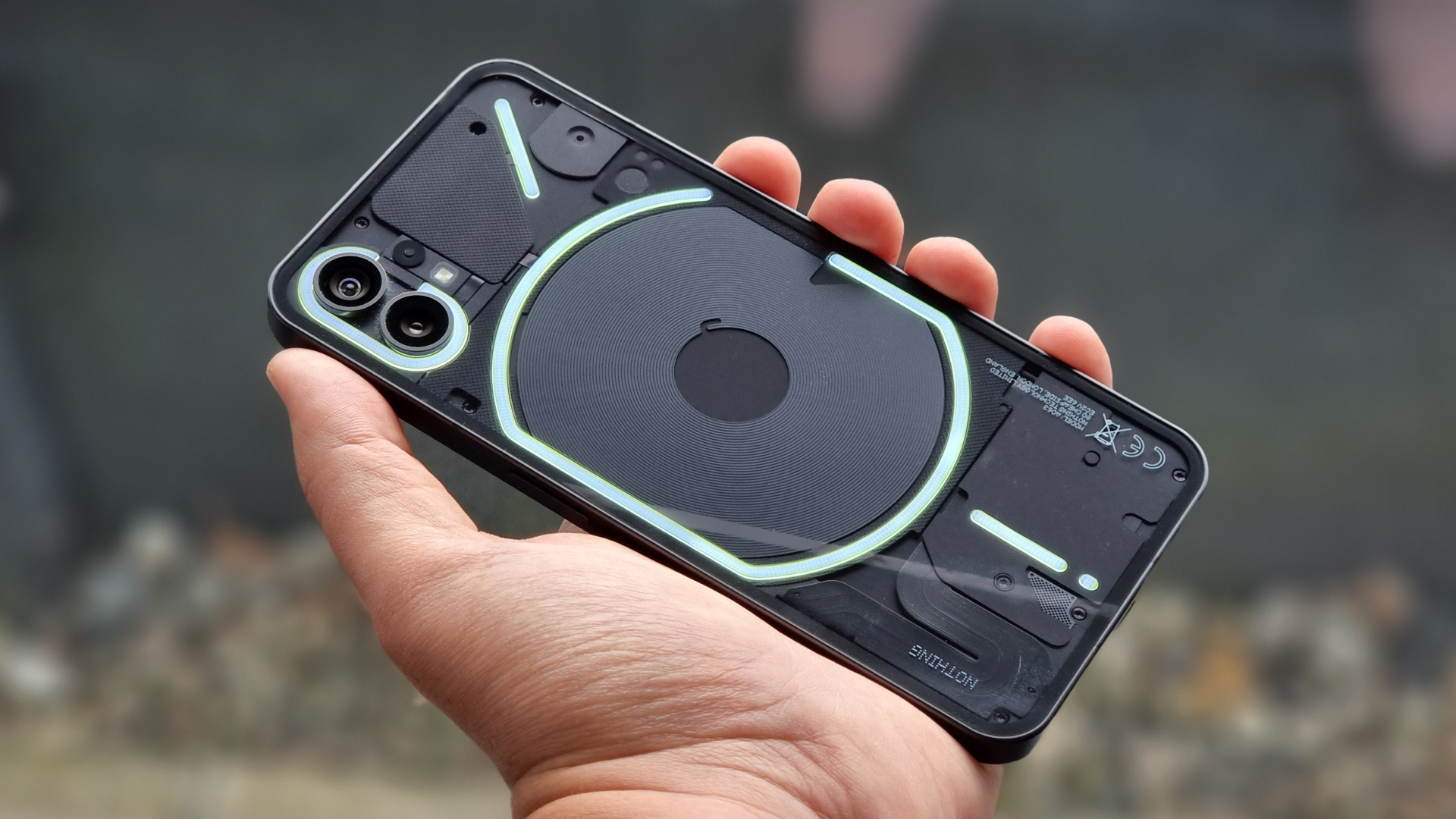
    Nothing OS 2.5 goes beyond aesthetics, offering a range of under-the-hood improvements. A new Glyph animation greets you when using NFC, and the Flip to Glyph experience has been optimized for smoother transitions. The Weather app has been refreshed, with improved notification of weather alerts. Even small details like the back gesture arrow and volume control interface have been redesigned for a more consistent and user-friendly experience.

    If you’re a Phone (1) user eager to experience Nothing OS 2.5 and Android 14, note that the update process is not as straightforward as when done over-the-air (OTA). To update, you will first need to make sure you have the latest version of Nothing OS and then download and install the Beta APK that can be accessed from the Nothing Community site. Once installed, you will then need to head over to Settings > System, and select “Update to Beta version,” then “Check for new version” and follow the on-screen instructions.We always make sure to include a warning when it comes to installing Beta software, and this isn’t an exception, so here it goes: Remember, this is a Beta version, so there’s a small chance of encountering bugs or issues that might require a factory reset. It’s strongly recommended to back up all your data before installing the update. However, if issues should arise, Nothing has created a rollback package that can be used to return your phone to factory settings.

  • Retail trends to look forward to in 2019

    Retail trends to look forward to in 2019

    Retail industry in India is undoubtingly one of the fastest growing retail industry in the world. It is the largest among all industries accounting to 10 percent of the country GDP and employs around 8 percent of the workforce. The retail industry is an experiential motley that is currently going through a robust transformation. Be it employing new technologies or exploring new store formats, revamping business strategies or creating personal experiences; retailers are indeed getting ready for the future by looking beyond conventional retail and evolving along with their modern consumers.

    India is also expected to become the world’s fastest growing e-commerce market, driven by robust investment in the sector and rapid increase in the number of Internet users.

    As the opportunities are immense, let’s take a look what retail trends the stalwarts think will rule in 2019:

    – Customization – The need for customized products and services is increasing thereby pushing the demand for personalized goods and services. With a pragmatic approach, the interface between companies, brands and customers will improve. Social media conversation tracing is going to be trending in 2019, which is a ground-breaking path to the future of handling customer behavior for tailor-made solutions. Also, studies reveal customers come down in favor of personalization — up to a point. They enjoy seeing products and deals personally relevant to them.

    – Brand Experience – It’s not just about selling the products to the customers but also providing them with the best experience too. Most retailers recognize this shift, but the majority struggle with strategies to transform their organization to deliver on consumers’ increasingly demanding expectations. Emerging online brands naturally seek to disrupt traditional ways of doing business and developed digital-first models that have created better experiences.

    On the other hand, established retail brands are burdened with legacy systems that are not optimized for today’s environment. The core – people, service, and experience – are strength to maintain and to satisfy today’s consumer they must integrate the flow of information and resources across the networks of employees, stores and partners.

    Hence, experiences will make a compelling occurance that consumers will always remember and be more than happy to share with one another.

    – Customer Retention – Customer retention is often far more effective and profitable than customer acquisition. An individual shopper want personal recognition. While loyalty programs offer rewards to existing customers the challenge is the acquisition of new customers. Innovation in content is the key to retaining and acquiring customers.

    – Retailers that step up their social media strategies will thrive – The rise of Instagram Stories, Facebook Live and messenger apps will fundamentally change how retailers interact with consumers online. Simply posting photos or updates on a brand’s social media handles won’t work anymore. Retailers will need to up their social media game and use social networks and apps to tell stories and engage with fans in real time.

    – Display – Retail displays is a strategic aspect of the business that can help attract customers, retain their interest, and increase sales. Visual merchandising helps to set a brand apart from competition by creating attractive and fascinating windows that can pull the consumer in to the store. Effective retail displays attract potential customers to the store. When designing displays, choose engaging colours, unique décor and stock arrangements to appeal both the head and the heart of customers.
    Once the brand has attracted potential customers, the brand can Improve chances of making a sale by doing research to see what works in other retail spaces, and keeping an eye on how customer traffic flows through the store.


  • Discover LACOSTE’s latest store design in Singapore

    Discover LACOSTE’s latest store design in Singapore

    Since the very first polo was created in 1933, LACOSTE relies on its authentic sportive roots to spring optimism and elegance on the world thanks to a unique and original lifestyle for women, men and children.

    With a vision to be the leading player in the premium casual wear market, the Crocodile brand is today present in 120 countries through a selective distribution network. Two LACOSTE items are sold every second in the world.

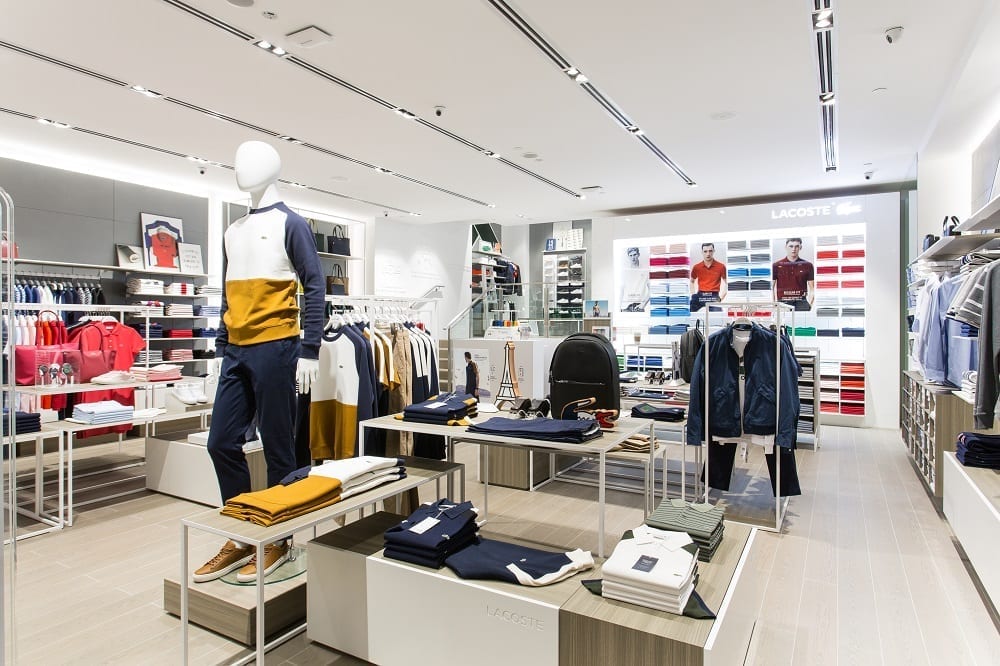
    In 2017, LACOSTE has been expanding in Asia Paicific and it has just opened its new store located in Paragon, which is in the heart of Singapore’s prime retail district. This boutique is already the brand’s fifth store in Singapore.

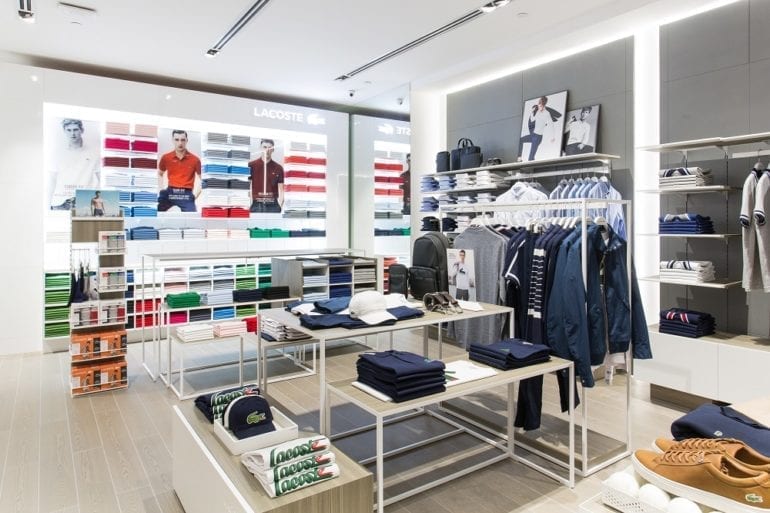
    The store occupies 1,464 square feet of retail space and offers the brand’s full range of products including apparel, leather goods, fragrances, footwear, eyewear and watches amidst Lacoste’s latest store design featuring clean architectural lines.

    It features the quintessential polo bar which showcases Lacoste’s iconic polo shirts in all their color range.

    Unique to this boutique in Paragon, an embroidery service that allows customers to personalize their Lacoste polos with their initials and country flag.

    In a market driven by millennials, who are seeking for ways of building their own individuality, personalization becomes an opportunity to engage younger customers and revamp iconic items.