Retail News CRM

Tag: dark mode

  • Dark mode, new voice effects coming to Messenger Kids

    Dark mode, new voice effects coming to Messenger Kids

    One of the most requested features for mobile apps, dark mode is finally coming to Messenger Kids. Since the app’s audience isn’t as large as the main app, Facebook took its time to make it available to its users.

    Although kids can’t really complain, Messenger had decided to throw in a couple of additional features to go along with the dark mode. For starters, new voice effects can be added to audio messages. Also, kids can now start games from within their chat thread.

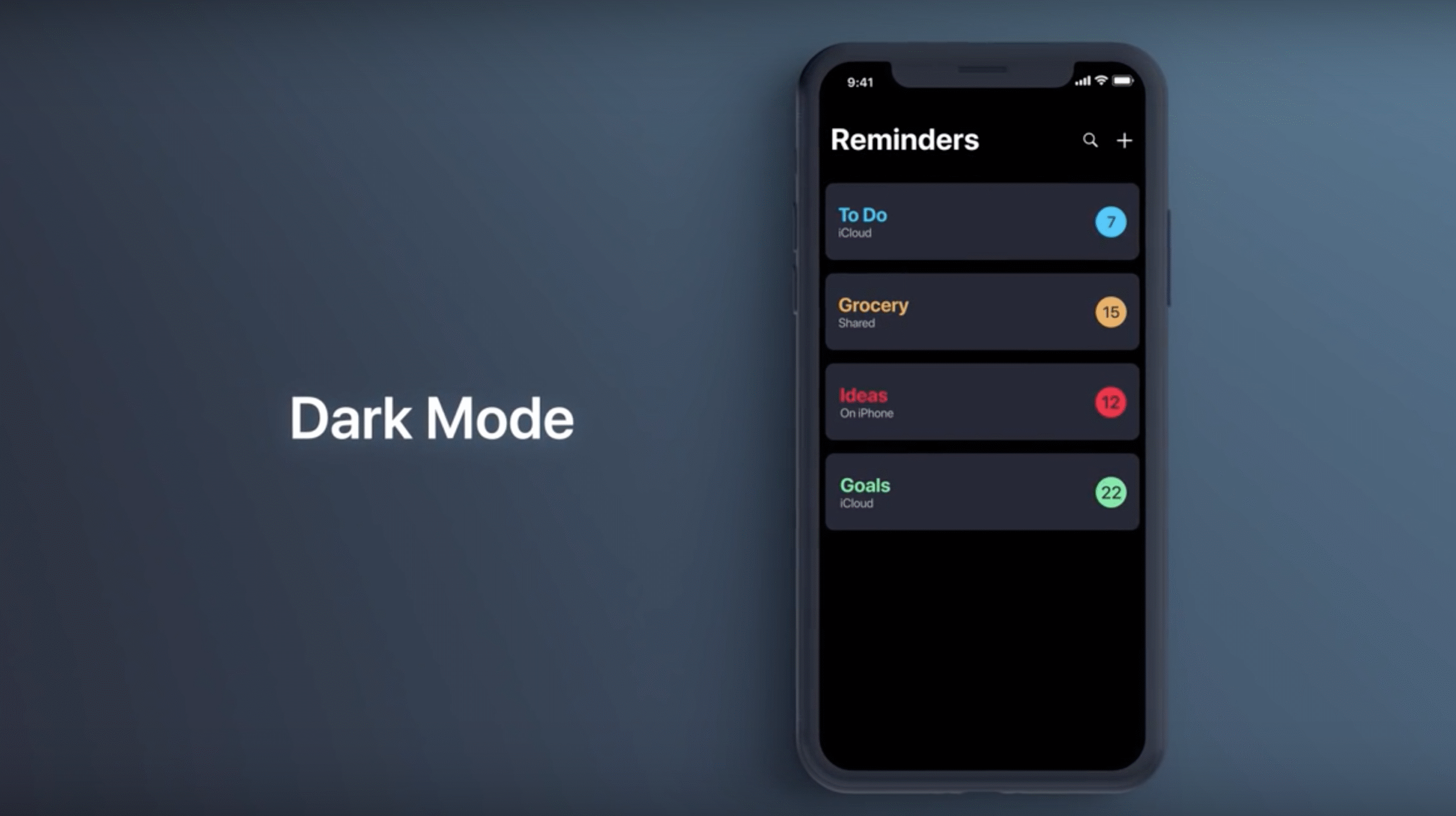
    The dark mode feature, which is only available on iOS devices (Android coming soon), can be turned on and off from the Messenger Kids app settings. Also, the phone’s settings can be used to automatically change how Messenger Kids looks.

    To add voice effects to voice message, simply tap on the “voice” mic icon, press and hold to record a message, then choose from five different options to change your voice to sound like you’re talking into a seashell, or like a robot, ghost, gorilla or mouse. Just like dark mode, this feature is only available on iOS devices for now.

    The ability to start games from within a chat thread allows kids to play two-player games without having to leave the chat thread and go to the Explore tab to pick a game. Once again, the ability for kids to start two-player games from within Messenger chat threads is only available for iOS users.
  • Facebook testing Dark mode for iOS

    Facebook testing Dark mode for iOS

    What do you do when your social-media site is under attack because of your policies that allow offensive posts and posts filled with hatred to ferment until they blow up? Why you start pushing out Dark mode for the mobile version of your site. Of course, we are talking about Facebook. The social-media giant has lost a lot of high-rollers from its advertising roster over the last week including Verizon. The nation’s largest carrier spent nearly $1.9 million on Facebook and Instagram ads from May 22nd to June 20th. As more and more big-name advertisers pulled out, Facebook’s stock cratered leaving co-founder and CEO Mark Zuckerberg some $7 billion poorer on Friday alone.

    Facebook has started rolling out Dark mode for “a small percentage of users globally right now.” Dark Mode inverts the typical black text on a white background to black text on a white background. This prevents users from having the white-hot background irritate their eyes at night or in a dark room. On phones using an AMOLED display, it can save battery life since OLED panels create the color black by turning off pixels in the appropriate area. Pixels that are turned off do not draw on the phone’s battery.

    There have been rumors for years about a Dark mode for Facebook and occasionally Facebook has tested such a feature. The most recent story we wrote about it was posted three weeks ago. Meanwhile, Dark mode has surfaced on Facebook Messenger, Facebook Lite, WhatsApp, and Instagram. It is also offered to users of the desktop (web) version of the site.

    A Facebook user who shared an image of Facebook in Dark mode on Twitter was apparently using the first developer beta of iOS 14. To see if you have Dark mode on your Facebook app, go to settings and if a Dark mode button appears, congratulations. You have Dark mode for Facebook. Unfortunately, we did not get Dark mode yet on our iPhone 11 Pro Max running iOS 13.5.1 and our Pixel 2 XL running Android 11 beta 1. Unless Facebook really does broaden the distribution of this update, it will turn out to be another disappointment for those Dark mode fans who want the UI for their Facebook app.

  • Google Search gets dark mode settings toggle for iOS and Android

    Google Search gets dark mode settings toggle for iOS and Android

    A tweet from the Google SearchLiaison reveals that starting today and for the remainder of the week, Google will be disseminating an update for the Google Search app for Android 10, iOS 12, and iOS 13. By default, the app will follow the system-wide setting of your phone. So if your iOS or Android device is set on dark mode, that is how the app will appear by default.
    You can override the default settings.
    Let’s say that you have your Android phone set on dark mode system-wide but for some reason, you like the look of the Google Search app in light mode better. You can change this by going into the app’s settings to make the adjustment. On Android 10 or on iOS 12/13 you can open the Google Search app and tap the three-dot More tab at the bottom right corner of the screen. From there, tap on Settings > General, scroll down to Theme, and change the setting. This will not affect your system-wide settings. While our Pixel 2 XL received the update, it has not yet hit our Apple iPhone 11 Pro Max.
    Dark mode inverts the UI on the phone from dark text on a white background to white text on a dark background. It prevents the user and any passersby from having their retinas melted by the blaring white background light during the night or in a dark room. It also helps extend battery life a little on phones with an AMOLED display. That’s because such panels create the color black by turning off pixels in the appropriate location. Pixels that are turned off don’t use the phone’s battery, so the more black on the screen, the less energy the phone is consuming.
    If you haven’t received the update yet, check back in later during the week. Remember, Google says that it will be rolling out the update for the rest of the week.
  • Dark mode now rolling out to WhatsApp on Android and iOS

    Dark mode now rolling out to WhatsApp on Android and iOS

    WhatsApp is finally adding a native dark mode to its Android and iOS apps. The company announced today that “the most requested feature from people around the world” is now rolling out to Android and iOS devices over the next couple of days.

    As one might expect, the new dark mode is meant to reduce eye strain in low light environments. The dark theme created by WhatsApp isn’t really black, but a special dark gray background and off-white color, which is supposed to lower the brightness of the screen and improve contrast and readability.

    If you have an Android 9.0 Pie phone, you can enable the new dark mode after you updated WhatsApp by going to Settings / Chats / Theme and select Dark. For those lucky to own an Android 10 phone, the new dark mode can be enabled from the system settings instead.

    The same goes for those using an iPhone, the new dark mode can be enabled from the system settings. As mentioned above, dark mode will make it to Android and iOS devices in the coming days on the latest version of the app, so sit tight until it becomes available for download.
  • WhatsApp for iOS remains without dark mode

    WhatsApp for iOS remains without dark mode

    The iOS version of WhatsApp is one of the not so many popular apps that doesn’t have a dark theme yet. Facebook delayed the release of this long-awaited feature for so long that we were not even sure it was still coming or not.

    But it looks like Facebook does plan to add a dark mode to WhatsApp for iOS, it’s just that it takes the company a lot longer than anyone would have expected. Although we would have wanted this story to be about the new dark mode coming to WhatsApp, it’s not.

    However, if you have access to WhatsApp beta builds on your iPhone, you’ll be pleased to know that Facebook has started to test dark mode.

    This specific version of WhatsApp for iOS is only available through Apple’s TestFlight platform, and can only be tested on an iPhone. Also, the beta version will only be available for download to select testers.

    We have no idea how long it will take Facebook to bring dark theme to WhatsApp for iOS, but it shouldn’t be long now that the feature is ready for public testing.

  • Apple Music massive update adds dark mode

    Apple Music massive update adds dark mode

    Apple Music beta experimented with a couple of new features that were made available to testers not long ago. Starting today, all those features added to the beta app are available to everyone who uses the Apple Music app on their Android phones.

    First and foremost, Apple Music now has a brand new dark mode, specially designed for low-light environments. It should be easy on the eyes and save some of your phone’s battery at the same time, so we strongly suggest using it whenever possible.

    The next major improvement is Chromecast support, a new change that lets Apple Music users stream their favorite music to their TV or connected speakers. Two other new features have been implemented in this update: live lyrics and access to live radio stations.

    The first allows Apple Music users to listen to their favorite music with perfectly timed lyrics, while the second new feature listed above will give them access to more than 100,000 broadcast radio stations from around the world.

    All the new features and improvements mentioned above are available in the latest version of Apple Music for Android, which you can download now via Google Play Store.

  • Twitter’s darker Dark mode for Android is delayed

    Twitter’s darker Dark mode for Android is delayed

    Back in March, Twitter introduced Lights Out, a revised version of its native Dark mode option. Instead of the dark blue background with white text that it was using with its Dark mode, Lights Out features a true dark black background and white text. Not only does the dark black look better than the blue, but it also saves battery life on phones with OLED screens. That’s because these displays create the color black by turning off the appropriate pixels thus lowering the demand for power from the battery.

    The Lights Out feature launched on iOS back in March. To enable it, users go to Settings > Display and sound > Dark Mode > Lights Out. The old Dark mode option with the blue background is now called “dim.”

    When Twitter announced Lights Out back in March, it had yet to disseminate a timeline for its appearance in the Android app. Last week, Twitter’s VP of Design and Research, Dantley Davis, sent a tweet with an update for the Android version of Lights Out. Davis wrote, “The feature is coming soon, but has been delayed a bit as we work on polishing the experience. Here’s a screenshot of the current build (we’ve included it below). Looking forward to getting this much-anticipated feature to Android users. We appreciate your patience.”

    While waiting for Lights Out to hit the Android version of Twitter, users can still use the current version of Dark mode which can be enabled by going to Settings > Display and sound > Dark mode. On Android, users can select to turn Dark Mode on or to have it activated automatically at sunset.

  • Google app soon to receive dark mode

    Google app soon to receive dark mode

    Google is determined to bring the dark theme to all its apps by the time Android Q is officially released. A couple of Google apps such as Calendar and Keep have already been updated with a dark mode, but the Google app has yet to receive a similar function.

    The good news is the Mountain View company isn’t very far from delivering a full-fledged dark mode to the Google app.

    Google app beta v10.4.3 is the most recent version that should include the new dark theme, although it doesn’t seem that all users who have it installed are able to see it. Since this is a server-side update, the availability of the new feature is randomized among users.

    Anyway, if you have the Google app beta mentioned above, you can head to More / Settings / General and check whether or not a Dark theme option is available. If it’s there, you can choose to enable, disable or simply make it follow the system setting.

    Apparently, this is a full-fledged dark theme, which means the dark grey color will appear in searches, the in-app Discover feed, collections, recent searches, and, of course, all settings. Moreover, all Google Assistant related features benefit from the same dark mode, along with the Explore area.

    Even though the new dark mode isn’t widely available yet, the update is a clear sign that the Google app will soon get the highly-anticipated feature.

  • Samsung Galaxy S10 update adds Night mode improvements

    Samsung Galaxy S10 update adds Night mode improvements

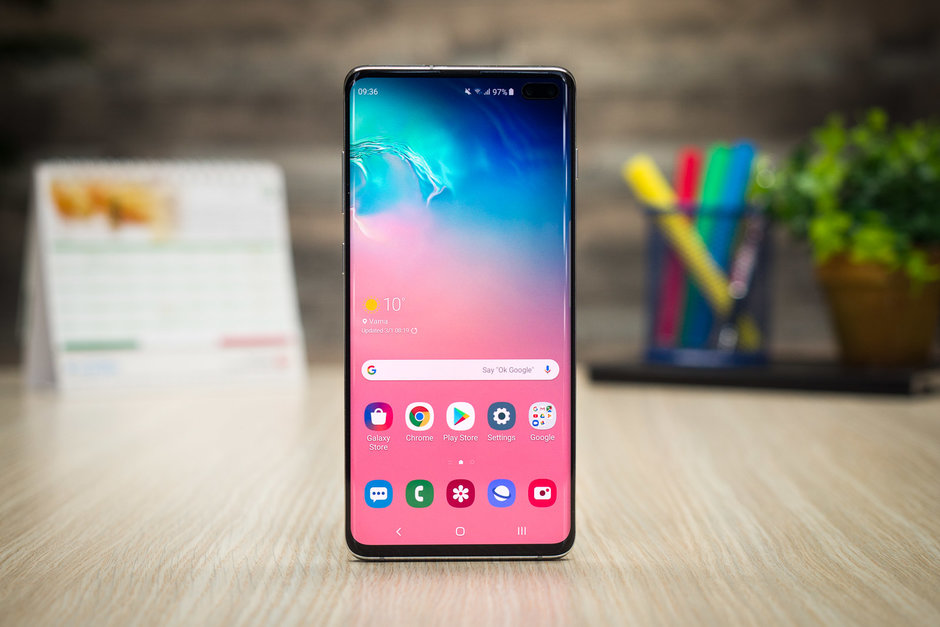
    Samsung continues to improve the Galaxy S10 family with important new features and additional functionality. The upcoming update focuses on camera enhancements by adding a couple of nifty new features, as well as improvements to the phones’ performance when taking night shots.

    As the title says, it appears that the Galaxy S10’s decent Night mode has just been upgraded to very good. According to SamMobile, the May security update improves the Night mode by allowing users to take much cleaner pictures in low-light conditions.

    The differences are quite important as the update reduces noise that sometimes appears in night pictures. Moreover, Galaxy S10 users will now be able to use the Night mode with the ultra-wide camera, and even though noise still pops up in pictures taken with it, they are brighter and more detailed.

    Another important improvement is the fact that you can take Live Focus photos with the telephoto lens, something that was only possible with the Galaxy S10 5G. The new addition will allow users to take bokeh pictures of large objects much easier.

    Now, the update is currently being deployed in Switzerland as May 2019 security patch, but all three Galaxy S10 units should receive it worldwide in the coming days. We don’t have a release date for the United States, so you’ll just have to hope it will be rolled out sooner rather than later.

  • Google Calendar update adds Dark Mode for Android users

    Google Calendar update adds Dark Mode for Android users

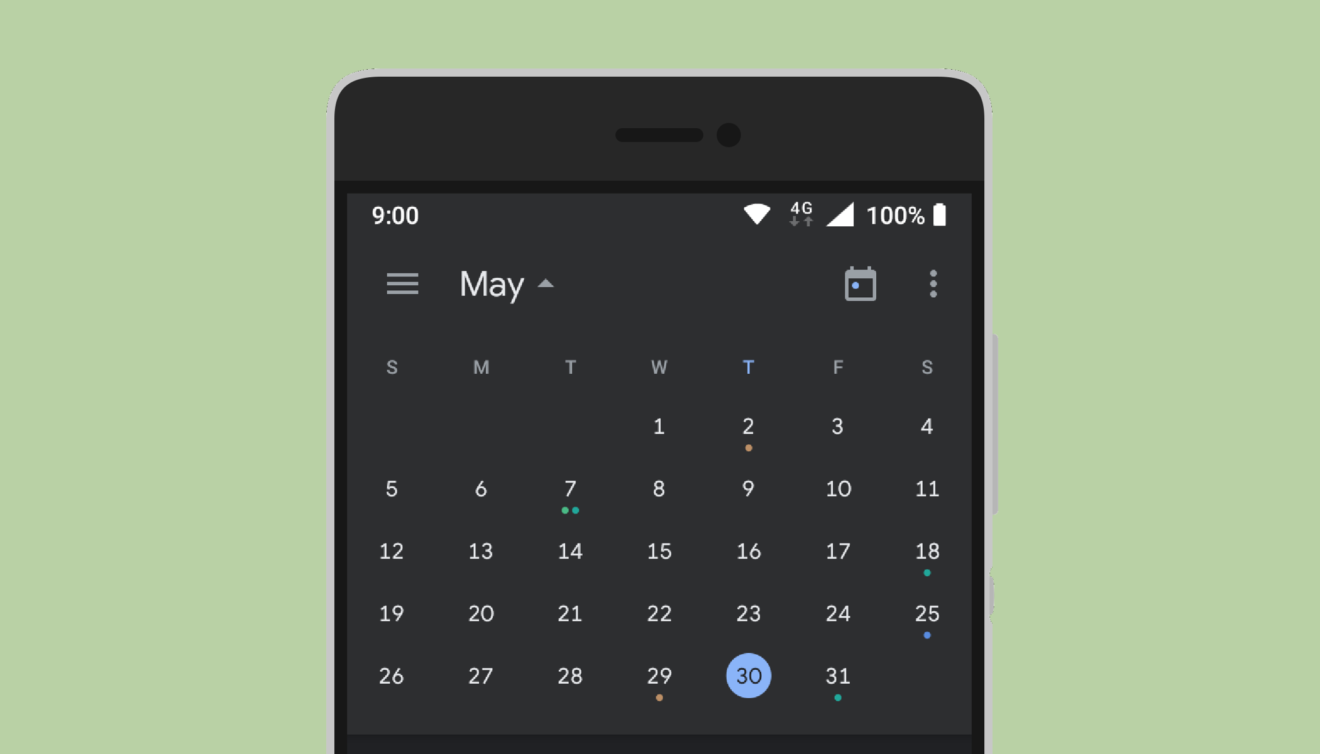
    Google has just announced that the long-awaited dark mode is now rolling out on Android for two of its apps: Calendar and Keep. Ahead of Android Q’s release, Google has decided to bring dark mode to many apps. We learned last week that Google Keep will be getting the feature, but Calendar is a bit of a surprise.

    The announcement contains a couple of screenshots showing both Calendar and Keep apps with dark mode enabled. If you want to start using it on Google Calendar, you should head to Settings / General / Theme, and select Dark mode. It’s much easier to enable it in Google Keep; simply go to Settings and choose Enable Dark Mode.

    Now, it’s worth mentioning that dark mode for Calendar is only supported on device running Android Nougat and higher. Also, if you have Android Q preview installed on your phone, you’ll be able to set the entire OS in dark mode by default. The same goes for Google Keep with one exception, dark mode will work on all devices powered by Android Lollipop and later.

    According to Google, the update that brings dark mode to Calendar and Keep apps will be rolled out to compatible Android devices over the course of 15 days. The rollout has already begun on May 16 for Google Calendar, while Google Keep will get it starting today, May 20.

  • Dark mode is rolling out now to another Google app

    Dark mode is rolling out now to another Google app

    Even though Android Q will have a system-wide Dark mode feature, Google continues to add a Dark mode on many of its apps, especially those updated with the Material Design look. Considering that only 10.4% of Android phones have Android 9 installed nine months after its release, Google will continue to update individual apps with Dark mode. This is important considering that Google’s Material Design includes large areas of blinding white light in the background; viewing it in the dark makes it feel as though your retinas are melting.

    Dark mode makes it more comfortable to view an app or website at night or in the dark by reversing the usual white background and black text; instead, the user sees white text on a black background. And it will actually save some battery life on phones using an AMOLED screen. That’s because the color black is created on these panels by having all pixels turned off, which doesn’t require any battery power. LCD screens use a backlight even for black, and that requires some energy to be tapped from the battery.

    The latest Android app to get the Dark mode feature is Google Keep, an app that is used to write down notes and lists. For example, you can create a shopping list and have it appear when you’re at the supermarket, or at a set time. You can also snap a picture of a receipt and store it until needed. Or just type in random thoughts and ideas that you can share with friends and family members. The app has large areas of white that can strain your eyes or worse in the dark.

    This is a server-side update that takes the Android version of the app to 5.19.191.07. When you finally do receive the update, you’ll find the Dark mode toggle by opening up the Settings page.

  • Google adds Dark mode to an Android Apps

    Google adds Dark mode to an Android Apps

    If your eyes feel strained at the end of every day, it could be because of Google’s Material Design, which it is using on many of its core apps. Because Material Design uses plenty of bright white background, it can be blinding to look at at night or in a dark room. Not only can the light hurt a phone user’s eyes, but it can also be annoying to other people in a dark room.

    To combat this, Google started adding a Dark mode feature on apps that it gave a Material Design makeover. This changes the appearance of an app from having black text on a white background, to show white text on a black background. While many only use Dark mode at night or in a movie theater, others just like the look and keep the setting enabled on all compatible apps at all times.

    And thanks to the use of the black background, those using a phone sporting an AMOLED screen could end up extending their battery life. The color black is created on an AMOLED display by turning off the RGB sub-pixels in the screen. This means that battery power is not needed to make an OLED panel display the color black. An LCD screen uses a backlight and when the color black is called for, the pixel turns opaque blocking the LED light from being seen on the display. In this case, there is still a draw on the battery to power the backlight.

    The latest Android app to receive the Dark mode option is the Google Calculator app for Android. This is a must-have for the calculator, which has a huge white box that covers the top 40% of the screen. Dark mode can be found in version 7.6 of the utility app, although only version 7.5 is currently available from the Google Play Store. Once the new version is installed on your Android phone, open it and tap on the three-dot overflow menu in the upper right corner. You’ll see a box with several options; click on Choose theme. You can select from the regular retina melting Light theme, Dark theme or Set by Battery Saver. The latter is supposed to turn on the Dark theme once the battery saver feature is enabled.

    Android Q and iOS 13 are both supposed to include a system-wide Dark mode. We should learn more at Google I/O and WWDC, which start May 7th and June 3rd, respectively.

  • iPhone 11 running iOS 13 with Dark Mode pictured

    iPhone 11 running iOS 13 with Dark Mode pictured

    After many years, the reign of LCD technology in the mobile world seems to be coming to an end. With the price of OLED displays steadily decreasing over the past couple of years, more and more companies are willing to implement the technology even in mid-range offerings. This hardware trend is also affecting the development of apps, games, and even the two major mobile operating systems. Thanks to the ability of OLED panels to completely turn off black pixels, more developers are realising the potential Dark Mode has when combined with the new technology. Not that there hasn’t been apps and themes in the past that have made everything on our smartphones darker, but now that OLED technology is becoming increasingly commonplace, companies are really getting into designing interfaces that are better suited for night-time use. Pretty much all major companies, including Google, Samsung, and Apple, are going to offer built-in Dark or Night modes on their devices starting this year.

    Android Pie and Samsung’s One UI have already flipped the switch, while Apple is widely rumored to be working on such a mode for iOS 13. With this in mind, and having seen the new Dark Modes on Android Pie and One UI, we thought we’d let the creative juices flow and imagine what it could look like in iOS 13, on the iPhone XI (or iPhone 11, because maybe Roman numerals were an anniversary-only thing for Apple).

    iOS 13 will have a dedicated Dark Mode

    We’ve subtly redesigned the iconography of iOS to fit in with Dark Mode. We’re sure we’ve broken some Apple design guidelines in the process.
    Looking at the standard iOS icon set, we felt like it wasn’t perfectly suited for Dark Mode. After all, it was tailored with iOS’s colorful aesthetic in mind. That’s why we decided to subtly redesign the icons to feature dark backgrounds while maintaining their color identity. For example, the Mail and Facetime icons, which otherwise feature white pictograms against a colorful background, have been imbued with color and placed against a dark background. This helps retain their color identity and makes them easier to find on the screen, all the while playing into the aesthetic of Dark Mode. Of course, we wouldn’t hold our breath for Apple to actually redesign the iconography of iOS in this way, but we think it looks good nonetheless.

    Given how often people reach for their phones before bed, right after waking up, and countless times in between, not getting your retinas obliterated by glaring white light at all times may be the way to go. Taking into account recent rumors that Apple may shift to OLED for all of its future iPhones, including “budget” offerings, building a night mode directly into iOS 13 makes a lot of sense. Users seem to agree with this sentiment, as one of our recent polls suggests. The vast majority of voters (over 91%) said that they were excited about Apple’s upcoming, system-wide Dark Mode in iOS 13, while only a tiny fraction said they didn’t care much about it.

    Apple last year introduced Dark Mode in macOS Mojave and is almost definitely going to mimic the idea in the next iteration of iOS. Speaking of that, iOS 13 is the next major update of Apple’s mobile operating system and it may debut alongside the iPhone XI in September, though there’s a chance that we may see it even earlier in beta form. The previous iteration, iOS 12, was released to the public on September 12 last year, though numerous beta versions were made available to developers and enthusiasts alike starting as early as June.