Tag: desktop

  • Nvidia aims to set up a base in Vietnam

    Nvidia aims to set up a base in Vietnam

    Nvidia wishes to establish a base in Vietnam to develop the country’s semiconductor industry as it considers the Vietnamese market an important one, the Vietnamese government said, citing the U.S. chipmaker’s chief executive.

    In his first visit to the Southeast Asian country, Nvidia’s CEO, Jensen Huang, said the company viewed Vietnam as its home and affirmed its plans to set up a center in the country.

    “The base will be for attracting talent from around the world to contribute to the development of Vietnam’s semiconductor ecosystem and digitalization,” the Vietnamese government statement cited Huang after his meeting with Prime Minister Pham Minh Chinh.

    Nvidia, which has already invested $250 million in Vietnam, is set to discuss cooperation deals on semiconductors with Vietnamese tech companies and authorities in a meeting on Monday, Reuters reported on Friday.

    Vietnam, which is home to large chip assembling factories including Intel’s biggest globally, is trying to expand into chip designing and possibly chip-making.

    The chipmaker has already partnered with Vietnam’s leading tech companies to deploy AI in the cloud, automotive and healthcare industries, a document published by the White House in September showed when Washington upgraded diplomatic relations with Vietnam.

  • Laptop prices drop further

    Laptop prices drop further

    Electronics retailers have cut laptop prices by millions of dong (VND 1 million = $42.62) this year, but have been unable to spur sales as consumers remain wary of spending.

    The price of a MacBook Air M1 was cut by VND3 million since early January to VND17.9 million (US$758.5) in April. It is down by VND11 million since its launch in January 2021.

    The prices of newer Apple laptops like the MacBook Air M2 have also fallen quickly, coming down within seven months of launch from VND32.9 million to VND26.4 million now.

    The manager of an Apple distributor said prices had to be slashed to cut inventories and ensure cash flows.

    The inventory in the market is equivalent to 8-12 months of sales, according to the manager.

    Laptops sales were high in the first four months of 2022, with MacBook Air M1 accounting for more than 50% of revenues.

    But this year, consumers have tightened their purse strings, causing the market to plunge, the manager said.

    Laptops running on Windows have also seen prices decline.

    Electronics retail chain The Gioi Di Dong has cut the prices of Chuwi LarkBook X N5100 to VND5.7 million from VND12.8 million and MSI Gaming GE66 Raider 11UH i7 to VND38 million from VND78 million.

    Retailers said profits from laptops were down 40-50% year-on-year in the first four months.

    According to Nguyen Lac Huy, the manager of a CellphoneS store, retailers have had to slash laptop prices due to high interest rates, abundant supply, low cash flows, and weak demand.

    The leading PC distribution company manager said most people bought laptops and desktops in 2021-22 when they needed them to work or study online during Covid.

    Now, especially with the economic downturn, they are no longer buying new devices, he said.

    According to research firms Gartner and IDC, global computer shipments fell by 30% in the first quarter to usual levels as life returned to normal after the pandemic.

    According to Bao Viet Securities Company, the laptop segment’s profit in the first quarter of 2023 it decreased by 39.1% year-on-year.

    It forecast sales to drop further in the second quarter, rise sharply in the third and decrease slightly in the fourth.

  • Google announces five new features coming to Chrome for iPhone and iPad

    Google announces five new features coming to Chrome for iPhone and iPad

    If you have an iPhone and don’t like Safari, chances are you’re using Google’s internet browser, Google Chrome. If that’s the case for you, you’ll be delighted to hear that Google Chrome’s latest update for iOS is now bringing some very useful features, including improved security, a redesigned main screen, and more.

    Google has recently been bringing loads of updates to its Chrome browser. Now, some update love is being sent to its iOS version, and Google has announced some new features coming our way. Let’s see what these are.

    First off, we have Google’s Enhanced Safe Browsing feature. This one is a security-centered feature that proactively warns you about dangerous websites you are about to visit. Enhanced Safe Browsing has been available on Android and desktop for months now, and it’s finally made its way to iPhone users.

    The feature works by sending real-time data to Google Safe Browsing to check for malware, phishing, and other dangerous animals that lurk in the Internet’s dark corners. This way, you’ll get warned if you encounter a dangerous website.

    Speaking about security, Chrome for iOS also gets another useful feature: alerts for compromised credentials. iOS’ own password service does warn you about those, but it’s never a bad thing to get two warnings if you have a compromised password: you know, hackers can use this to access some of your accounts, so better be vigilant about it.

    To enable Enhanced Safe Browsing, update your Chrome app, and then go to Chrome > More > Settings > Enhanced Safe Browsing (you can do that from iPhone or iPad).

    Moving on, another useful features coming to Chrome for iOS is called “Chrome Actions”. This is a quality-of-life feature that lets you easily perform a certain tasks without having to dive deep into the app’s settings to find it.

    To use Chrome Actions, you simply need to type into the address bar of Chrome what you want to do. Examples include typing “Clear Browsing Data” or “Open Incognito Tab”, and even “Set Chrome as Default Browser”.

    Additionally, Chrome can also predict when you will need a Chrome Action by the words you are typing in the address bar, so you don’t need to memorize all the commands to benefit from this feature. Since 2020, the desktop version has had it, and Android users got it in April 2022, but it’s never too late to get something useful like that.

    But that’s not all. This new update lets you set Google Password Manager as your Autofill provider, if you want to do so. This comes as an alternative to Apple’s own password service, as well as third-party tools such as 1Password or Dashlane.

    The app’s main screen also has a new look now with this new update. The main screen now includes more than just your recent tabs, adding access to your Discover feed. Unlike the previous features, that’s something the Android version of Chrome is yet to get, and Google has stated it will be available in the future.
    The update also brings some minor changes as well. There are improvements of Google’s website translation feature. This will help you see websites in your preferred language (the feature uses on-device machine learning), and it is now getting an updated language identification model. Pretty much, this means the app will be able to more accurately recognize the language of a webpage and whether it needs to be translated for you.
    Other minor tweaks include the ability to manage camera and mic permissions for specific sites, and the ability to download and add iCalendar files to your Calendar.
  • Meta’s Privacy Center enables Facebook users to learn more about their privacy settings

    Meta’s Privacy Center enables Facebook users to learn more about their privacy settings

    Meta has announced the Privacy Center, its latest feature where users of services like Facebook can learn how Meta collects their private information. In the Privacy Center, users will also be able to read Meta’s Data Policy and get additional information on how to use the privacy and security controls of the service. Furthermore, the Privacy Center will become Meta’s hub for all privacy and security settings the company has introduced over the years.

    Currently, the Privacy Center has five modules, and each of these modules offers guides and controls for a related privacy matter.

    The five modules are:

    • Security: For setting up two-factor authentication, updating other security settings, and getting additional information about your safety.
    • Sharing: For finding information on how to change the settings for your posts and how to use the Manage Activity tool.
    • Collection: For additional information on what data Meta collects and how to use tools like Access Your Information.
    • Use: For managing and receiving extra information about how Meta uses your data.
    • Ads: For managing the displayed ads through controls like Ad Preferences and for learning how the service decides what ads to show.

    At the moment, the Privacy Center is available only on the desktop version of Facebook to a limited number of users in the US. In the future, the Privacy Center will be accessible on the mobile version of Facebook as well. Meta also announced that it’s planning to roll out the Privacy Center to more users and to more of its apps. Although the Privacy Center currently has five modules, Meta will continue to add more modules and controls to it with time.

  • Lenovo Philippines opens second Legion concept store

    Lenovo Philippines opens second Legion concept store

    Tech brand Lenovo has opened its second Legion concept store in the Philippines at SM City Cebu.

    The company has launched the outlet near the mall’s cyberzone area to showcase its gaming devices and accessories. It will also serve as an event space for monthly gaming tournaments.

    Lenovo Philippines GM Michael Ngan says it wants to introduce the Legion brand to Filipinos living outside the national capital. He indicated that further branches are likely to open in the country.

    The Legion concept store is offering a range of promotions to mark its Cebu launch.

  • Microsoft reportedly builds Surface Pro prototypes

    Microsoft reportedly builds Surface Pro prototypes

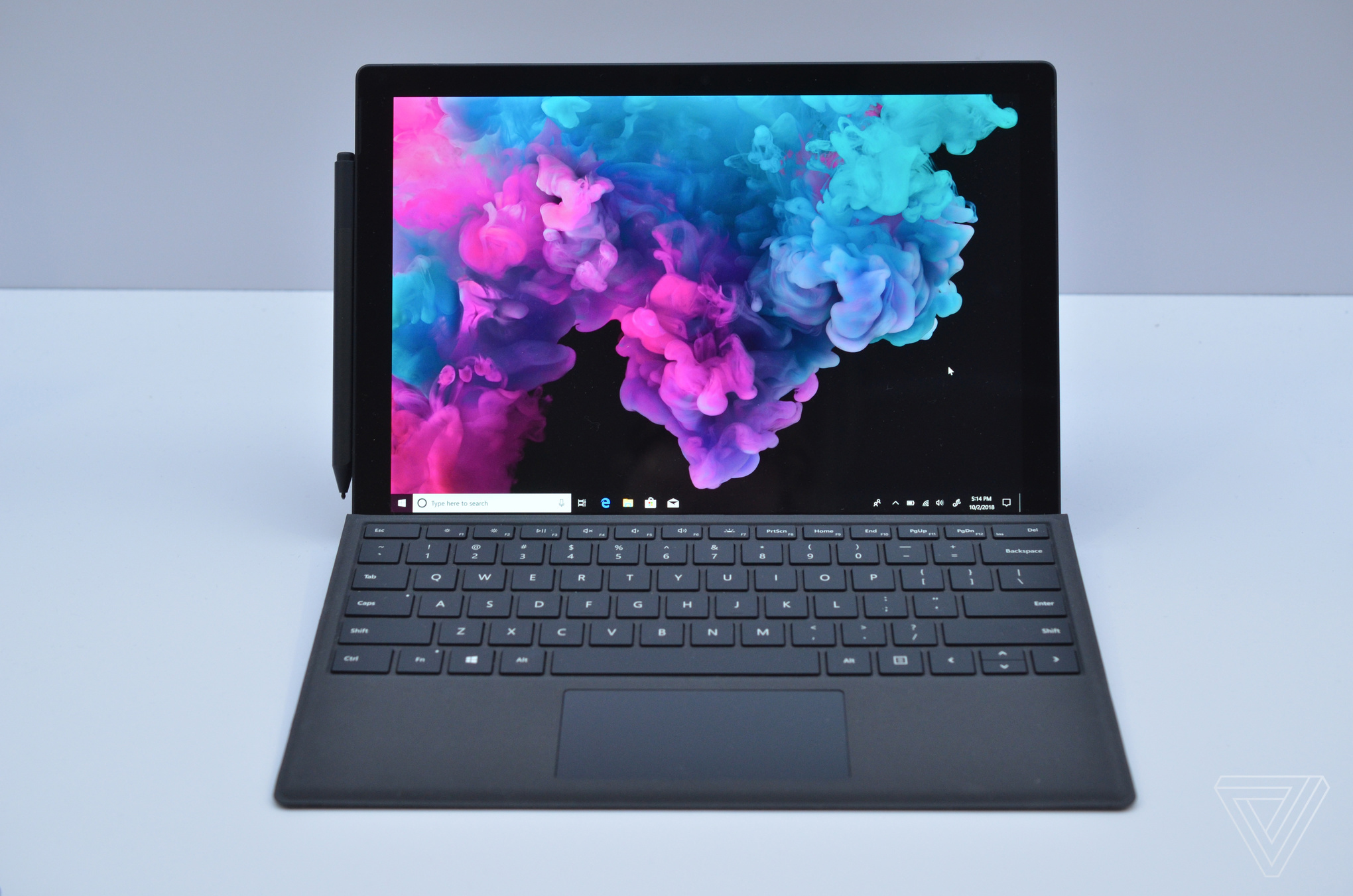
    Microsoft has apparently become more serious about offering at least some versions of its Surface Pro tablets powered by ARM-based processors. Right now, the Surface Pro 6 runs on an Intel Core i5 or Core i7 processor. According to Thurrott, Microsoft has built prototypes of the Surface Pro that run on Qualcomm’s Snapdragon chips. The report says that Microsoft has considered stuffing some of its low-end Surface Pro models with a Snapdragon processor.

    There also is speculation that the original plans for Microsoft’s iPad competitor, the Surface Go tablet, called for the device be powered by Qualcomm’s Snapdragon chips. Intel reportedly pressured Microsoft to have the lower priced tablets run on Intel’s Pentium Gold Processors instead. If Intel doesn’t put the squeeze on Microsoft so hard this year, the second generation Surface Go models could end up with Intel outside and Qualcomm inside.

    The Surface Pro line is supposed to get a major redesign with new models to be unveiled during the fourth quarter of this year. Thurrott’s Brad Sams says to expect thinner bezels, the long awaited USB-C port, new color options and some other changes. That would be the time to expect Microsoft to make the change to Snapdragon chips for the Surface Pro, starting with the lower-end variants of the tablet.

    In a related piece of news, testing has started on the Firefox for Windows 10 ARM browser.

  • How to quickly turn your smartphone into a desktop PC

    How to quickly turn your smartphone into a desktop PC

    Today’s smartphones are incredibly powerful. From replying to emails, to checking out your daily feed on social media, and uploading the occasional selfie to share to the world, smartphones can do a bunch of imaginable things. They fit snuggly in our pockets, but don’t let their small and compact sizes fool you because they can do many things that our everyday laptops and desktops offer us.

    Quite simply, we all have portable mobile computing devices in the palm of our hands – capable of helping us to stay productive and get work done! As much as they’re endowed with incredible power, productivity can still sometimes be limited due to their diminutive sizes. Some smartphones, however, can even transform into versatile desktop PCs of sorts with the aid of some additional accessories. In order to achieve that, we’re going to dive into how you can achieve this possibility with your own smartphone, assuming it’s still a few years old at the most.

    Transforming the smartphone into a desktop PC naturally requires the following main components below to imitate the experience, which we’ll go through in detail below.

    Getting your smartphone to connect to a display

    With the smartphone acting as the brains behind the scenes, the components listed above help to reach the fundamental desktop PC experience. The external display is needed to give users a more pleasing viewing experience working on a desk or something, as opposed to trying to get stuff done on the tiny screens on our smartphones. Whether it’s an over-sized television, your traditional PC monitor, or one of those newer portable external displays, the most convenient way to connect your smartphone to them is by using a Chromecast if you own an Android smartphone (or Apple TV for iOS devices).

    Yes, a Chromecast is by far the simplest and most convenient solution, not only for the fact it’s a wireless solution, but because it’s the most compatible solution among Android smartphones. You can essentially use the screen mirroring function of Android to cast your phone’s screen to the connected external display/TV. Conversely, the process is pretty similar with iOS devices using an Apple TV. You’re simply leveraging AirPlay to achieve this, which is done by simply toggling on the Screen Mirroring function within Control Center.

    Once you’ve gotten everything connected and working properly, your smartphone’s display is being projected to your connected display. The only issue here is that latency can be hindered, so watching videos can be accompanied with choppy connections because of this. That’s the only downside, but the vast majority of Android smartphones are compatible to project their displays using a Chromecast.

    Wired connections: Direct with no latency, but not as convenient

    The single reason why going the wired route is more difficult than wireless is because of all the different ports found in smartphones. Even though the Lighting port is the single standard among iOS devices, Android smartphones have slowly transitioned from microUSB to the newer USB Type-C format. Due to these varying ports, getting a smartphone connected to a display may be trickier.

    In the case of Android smartphones with USB Type-C connections, you may still need to buy an adapter if your external display doesn’t feature USB Type-C ports. Alternatively, if you have one of those handy USB Type-C adapter hubs that may have come with a newer laptop, you could use that to connect to an external display using an HDMI connection.

    Now, the issue lies in the fact that not all smartphones offer the mirror display function using a wired connection. Phones like the LG V40, Google Pixel 3, and OnePlus 6T don’t work at all using this method. And even if you have older Android smartphones with microUSB ports, using an MHL adapter as the connector, doesn’t always work because they may not even be MHL-compatible.

    As for those with iOS devices, you have to give Apple credit for following one standard that applies to all of its devices. Using a Lighting to HDMI adapter, you can just about easily connect your iOS device to your television in a cinch! It’s really a testament to Apple’s effort to standardized things with its products. As the saying goes, “it just works.” And in this particular case for iOS devices, it does exactly that.

    Custom desktop experiences on some phones

    For some newer phones like the Samsung Galaxy S10 series or Huawei Mate 20 series, they have their own custom desktop experiences when they’re connected to an external display. Better yet, they don’t require any sort of special cable or dock to access. You simply connect them to your external display, and bam, you’ll be instantly transported to their respective desktop-like experience.

    Unlike the mirrored experience that most devices offer, these desktop-like experiences do a great job to emulate the feel of interacting with a real desktop operating system – much like having multiple windows running simultaneously. Huawei’s interpretation, in particular, seems like they’ve simply masked the traditional Windows experience. Still, it’s unbelievable that some of these smartphones are capable of offering these experiences. When they said that you have the power of a computer in the palm of your hands, they’re not kidding because some of them really do!

    Some smartphones even feature their very own custom desktop experiences, such as the case for some Huawei and Samsung smartphones. Shown here is the Huawei Mate 20 Pro and its EMUI 9.0 Desktop Mode.

    Connecting a mouse & keyboard

    In order to achieve that true desktop experience, the last pieces to the puzzle are connecting a mouse and keyboard into the mix. We’d recommend relying on Bluetooth enabled ones, just because connecting them is done much like any other Bluetooth accessory. Once they’re paired and connected, they’re pretty much good to go! For Android smartphones, the process in getting them connected is no different from laptops and desktops. However, you can’t connect any sort of mouse to an iPhone – it’s just not possible, but Bluetooth keyboards aren’t a problem.

    Conversely, if you still prefer going down the wired route, you’ll need to purchase additional adapters in order to achieve that – including a USB hub to connect both the mouse and keyboard simultaneously. Again, the process is pretty simple with Android smartphones, but there’s no way to use a wired keyboard or mouse with an iPhone. Therefore, if you’re an iPhone user, your only option is to use a Bluetooth keyboard.

    Real on-the-go mobile computing

    As we’ve shown, you can quickly and easily transform your smartphone into a versatile desktop PC! Even though this solution won’t totally replace the desktop experience, it’s an option worth checking out when the situation presents itself. If you’re on-the-go and really need to get some serious work done, you can even get yourself acquainted with a mobile setup that you can get up and running in a jiffy. Take a Bluetooth keyboard and mouse, along with one of those portable external displays, and you can basically get your desktop setup situated just about anywhere!

    All we’re trying to say here is that today’s smartphones are more advanced than ever before. The beauty in all of this is the heightened level of productivity that can now be achieved by our smartphones. We’re limited in our engagement when using the smartphone by itself, but with the addition of these peripherals and accessories to help them transform into desktop-like experiences, we can do even more in the same amount of time.
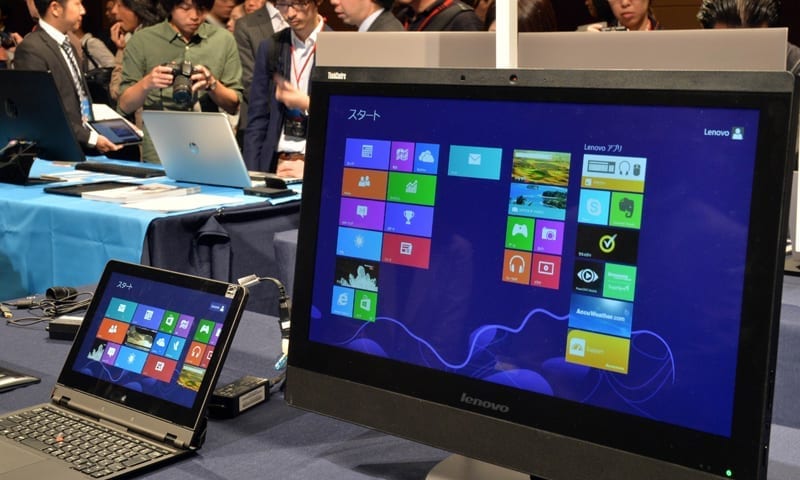
  • Fujitsu, Lenovo agree to PC merger

    Fujitsu, Lenovo agree to PC merger

    The deal should allow Fujitsu to pour more resources into its profitable IT services operations. Japan’s Fujitsu said on Thursday it had agreed to merge its struggling PC business with Lenovo, giving the Chinese computer giant a controlling share of the business.

    Tokyo-based Fujitsu said it had “decided to formally sign a deal” with Lenovo, the world’s largest PC maker, and the government-backed Development Bank of Japan (DBJ) on a “strategic partnership” to develop and sell PCs.

    Lenovo will hold 51 percent of the shares in Fujitsu’s PC subsidiary, while the DBJ will hold five percent, Fujitsu said in a statement.

    The deal should allow Fujitsu to pour more resources into its profitable IT services operations, while also pushing ahead with a sweeping restructuring program that will see 3,200 job cuts.

    The decision came after Fujitsu said last month it was in talks with Lenovo over a potential deal, which pushed Fujitsu shares up by 7.8 percent.

    After the announcement however, Fujitsu shares were trading down 2.44 percent at 874.1 yen.

    The company had been in talks with Toshiba and Vaio to merge their once high-flying personal computer businesses, but those negotiations failed to result in a deal.

    Once-mighty Japanese firms have struggled in the face of stiff competition from lower-cost rivals overseas, including in China and South Korea.

    Earlier this year, Taiwan’s Hon Hai, better known as Foxconn, took over struggling Japanese electronics maker Sharp after it faced huge losses and mounting debts.

  • Online shoppers use mobile phones more than computers

    Online shoppers use mobile phones more than computers

    Nearly 54 percent of online shoppers visited trading websites on mobile phones, higher than those accessing by desktop.

    The data was created from a survey of more than 27,000 client websites of Bizweb, an online commercial solutions platform.

    The results showed that 53.8 per cent of online shoppers visited trading websites on mobile phones, higher than those accessing by desktop (41.3 per cent), with the rest using tablets.

    For mobile phones, iPhone was the most popular device, accounting for more than 30 per cent.

    Mobile phones have become popular tools for shopping, meaning businesses and shop owners risk losing more than half of potential customers if the do not ultilise this channel, heard the meeting.

    In order to avert the situation, businesses need strategies to maximise sale opportunities on mobile channels, said Tran Trong Tuyen, CEO of DKT Technology JSC.

    Pham Thong, marketing director of Lazada Viet Nam, said that revenue from orders on mobile phones accounted for 70 per cent of Lazada’s orders.

    Thong said that there has been a shift of consumer habits. “The majority of young people are accessing the Internet by mobile phones”.

    Therefore, the development of e-commerce on mobile phones was indispensable, opening up opportunities for enterprises, said Thong.

    However, the Lazada representative also pointed out challenges that businesses might encounter such as services, tools and even the knowledge of the salesman about trading on mobiles.

    “Therefore, to succeed when selling on phones, businesses need to invest and have appropriate strategies for development,” he advised.

  • Samsung details Samsung DeX

    Samsung details Samsung DeX

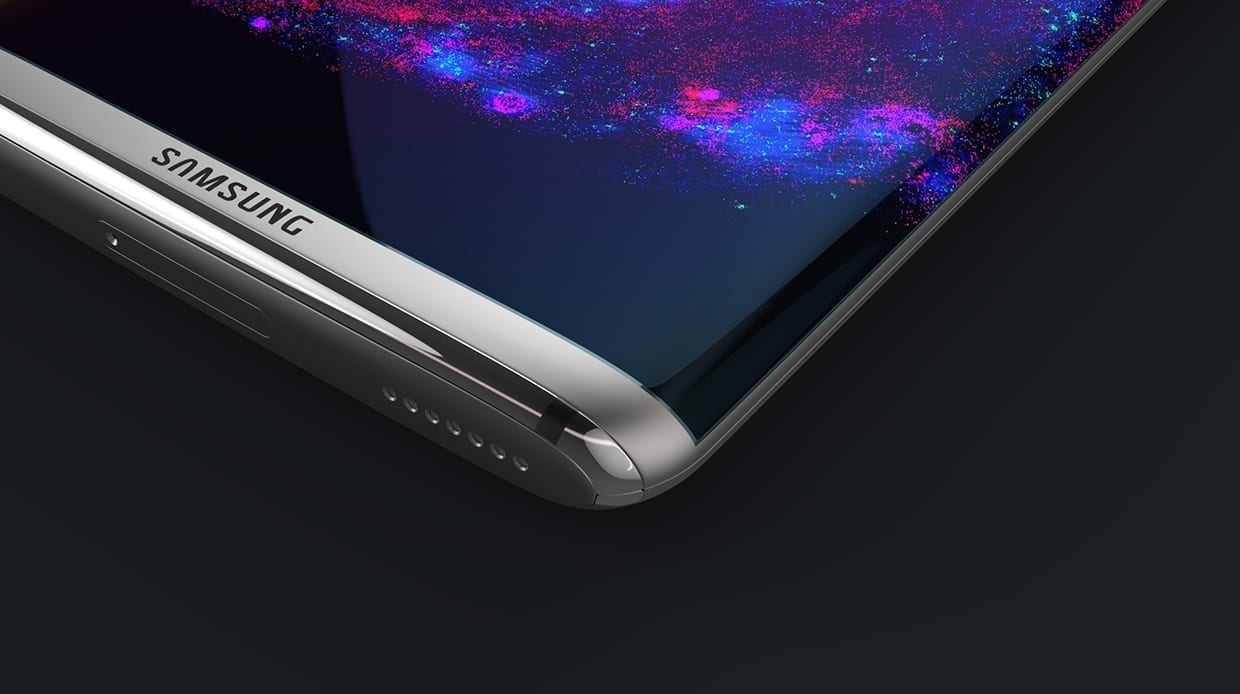
    Samsung is introducing Samsung DeX that – when combined with Citrix Receiver – converts the new Samsung Galaxy S8 into a desktop environment including an optimized UI for multi-tasking a desktop environment with keyboard and mouse support, resizable window capabilities, a task bar, pop-up notifications and more.

    The combination of Citrix and Samsung DeX unboxes the phone and provides employees with secure access to their digital workspace and all of the business apps and data they need to get their work done. Samsung exclusively showcased Citrix in Samsung DeX demos with XenApp and XenDesktop and Citrix Receiver to media, customers and analysts during the Samsung Unpacked event at the Samsung B2B Analyst Day in New York City.

    In addition to the preferred solution that combines Citrix innovation with Samsung DeX, Citrix also offers support and integration for Samsung devices that include XenMobile enterprise mobility management, security features and secure virtual access to apps and desktops through XenApp and XenDesktop, and support for Secure Apps with Samsung Knox at the native Android OS layer.

    Citrix XenMobile also supports new Samsung capability known as Enterprise Firmware- Over-The-Air (E-FOTA). Samsung E-FOTA enables IT admins to take greater control over when devices get updated, as well as what version is updated. This Samsung capability provides IT with native device control without sacrificing user flexibility.

    “While many people use their smartphones for business, they usually turn to a laptop or desktop when they need to use Windows or browser-based apps, said Maribel Lopez, founder and principal analyst, Lopez Research.

    “Even though VDI or app virtualization lets them run Windows applications on their smartphone, the Windows experience does not always translate well to a small touchscreen. To address this issue, vendors have worked to develop solutions that make it easier to connect smartphones to a keyboard, mouse and a monitor. The solution that succeeds has significant market potential.”