Tag: download

  • Telegram update brings semi-transparent mode to Android, phone number links, new Download Manager

    Telegram update brings semi-transparent mode to Android, phone number links, new Download Manager

    Telegram has a new update that’s bringing a few quite useful features to the popular chat app. The app is now getting a redesigned interface for Android, a new Download Manager, phone links, and more.

    The update was announced in a Telegram blog post. One of the most noteworthy features that the new update brings is the new phone number links feature. Before this update, you could create a username on Telegram and share your t.me/username link with other people so that they can find you on the app without your phone number. However, such usernames are public and people can find you in a global search.

    With this new update, Telegram is bringing the possibility to share a direct t.me link with your phone number that instantly opens up a chat with you. The format for these links is t.me/phone number, and you have to use your full number in the international format, with the code of your country and a + sign in front of it.

    Pretty much, these links do not make you searchable by anyone while still allowing your friends to find you with your phone number more easily. Keep in mind that in order for this to work, you need to set your privacy settings so that others can find you on the app by your phone number.

    With this new update, when you download files, a new icon will appear in the search bar. You can tap on it or go to the “Downloads” tab in Search, where you can view, pause, resume, or prioritize downloads. On top of that, you can use it when sending multiple photos to see a preview of the album, rearrange photos, or remove some before sending it.

    But that’s not all. Telegram for Android is getting a new look, with a new transparency effect. The company calls it a semi-transparent interface for Android. In fact, it is a look that is seen in Night Mode. With this new look, panels and headers become subtly transparent, this way making chat backgrounds, stickers, and media files more noticeable. Another new thing coming to the Android app is a refined login screen which will now have smoother animations.

    Additionally, the update brings support for live streaming with other apps. So far, Telegram Groups and Channels support live video broadcasts with an unlimited number of viewers. However, now you will be able to broadcast from streaming tools like OBS Studio and XSplit Broadcaster, which adds overlays and multi-screen layouts easily. This way, any Telegram channel can be seamlessly transformed into a professional TV Station.

    And last but not least, this Telegram update brings a new look to the t.me link pages. This is the place where anyone can preview profiles, posts, or entire public channels in their browser. The web previews are now getting a new look with chat backgrounds and design elements from the Telegram Web client.

    Back in December 2021, Telegram had another big update that brought Telegram chat reactions with emoji, a feature that’s quite useful and fun to use in chat apps, as well as message translations.

    Additionally, the update back then brought spoiler alerts that can help you hide some text behind a blurry look. Of course, choosing to ignore the spoiler alert will let you tap on the message and view it anyway like it is on other popular platforms such as Reddit.

  • YouTube TV might soon allow users to download shows for offline watching

    YouTube TV might soon allow users to download shows for offline watching

    Most streaming services allow their users to download content for offline watching, which is especially helpful while on the go. Spotify and HBO both offer this option to their customers, but not YouTube TV, at least not for the moment.

    The good news is Google plans to add this nifty feature to the Android app. Apparently, there are strings in the app’s code that refer to this particular feature that’s not yet available. Also, the latest YouTube TV update on Android devices introduces a new alert, which notifies the users about incomplete downloads.

    The strings in the code clearly mention the ability to download shows for offline watching, which will be available in the “downloads” tab of the app. They also refer to a “Download” button that’s not yet available in the YouTube TV app.

    Although the feature was only discovered in the Android app, we expect Google to make it available to YouTube TV users on iOS as well probably at the same time. So, if you’ve been waiting for such a feature know that it will be coming, and very soon apparently.

  • Google tests cool new feature for the Play Store

    Google tests cool new feature for the Play Store

    In its never-ending battle to improve the Google Play Store, Google is testing a method to allow users to make comparisons between two or more apps. This comes after Hamburgers were removed from the Play Store menu earlier this month. No, Google wasn’t competing with Mickey D’s. The Hamburger menu was an icon consisting of three straight horizontal lines that looked like a Hamburger from the side (top bun, meat, and bottom bun) and when tapped, a menu list appeared.

    The Compare apps section appears near the bottom of a Play Store listing and at the moment it seems to be limited to a few side-by-side comparisons of media players under the heading of Compare apps. The apps are compared based on things like offline playback, visual quality, ease of use, controls, and whether or not a particular app will cast content. A major assumption is that Google is gathering the information it uses for comparisons directly from feedback from users who are prone to leave reviews.

    Remember that this is just a test right now and it has appeared in the Play Store when some users are running version 22.4.28 of the app. Being able to compare key elements of two or more similar apps listed in the Google Play Store is sure to improve the experience of using Google’s Android app storefront.

  • Apple TV+ will allow users to download content for offline viewing

    Apple TV+ will allow users to download content for offline viewing

    A report revealed that Apple’s video streaming service will be coming our way by November of this year, starting at $9.99 a month and likely with a trial period of some sorts to kick things off. Information about the features of Apple TV+ is scarce right now, but a fresh new leak may have revealed one of them – the ability to save offline content.

    New information was discovered in macOS Catalina (the latest version of Apple’s Mac operating system) that suggests that Apple TV+ will allow users to download content for offline viewing. While digging through the code of macOS Catalina, MacRumors discovered lines that refer to Apple’s upcoming TV streaming service. The code suggests that the platform will offer offline viewing, but “with limitations on the total number of downloads, downloads per show or movie, or the total number of times a show or movie can be downloaded.”

    As with most other streaming services, Apple TV+ will also have a limitation on the number of simultaneous streams. If a user attempts to stream on more than the allowed number of devices at once, they will be greeted with a notification to first stop one of the other streams.

    With TV+, Apple is entering a very crowded and competitive field, dominated by the likes of Netflix, Hulu, and Amazon Prime. It’s going to be an uphill battle for the iPhone maker, but the company has already reportedly invested around $2 billion in its streaming effort, so it evidently has faith in this endeavor.

    Sources with knowledge of the work claim that the company is considering a release model that offers “the first three episodes of some programs, followed by weekly installments,” in contrast to Netflix’s “all-at-once” strategy, where entire seasons are released on the same day for binge-watching.

    Services are among the biggest money-makers for Apple, so it comes as little surprise that the company was so eager to dive into video streaming. In fact, while Apple’s biggest cash cow is still the iPhone, services are right behind it, making Apple more money than the iPad and Mac. Apple TV+ is an integral part of the company’s drive to reach $50 billion in services sales by 2020.

  • AirAsia among top 5 most downloaded airline apps

    AirAsia among top 5 most downloaded airline apps

    Budget airline AirAsia was among the top five most downloaded airline apps worldwide in the first quarter of 2019, according to a new report from mobile app intelligence firm Sensor Tower.

    The most downloaded airline app worldwide for Q1 2019 was Irish low-cost airline Ryanair with more than 2.4 million installs, which represented a 10 percent increase from Q1 2018, said the report.

    American Airlines was the second most installed airline app worldwide last year with more than 1.8 million installs, which represented a 30 percent increase from Q1 2018.

    United Airlines, Southwest and AirAsia rounded out the top five most installed airline apps worldwide for the quarter, Julia Chan, Mobile Insights Analyst, Sensor Tower, wrote in a blog on Monday.

    When it came to downloads from Google Play Store, AirAsia came second after Ryanair.

    At the ninth position, Indigo also featured among the top 10 most downloaded apps from Google Play Store in the first quarter of this year.

  • YouTube Music can now play local files on Android

    YouTube Music can now play local files on Android

    The phase-out of Play Music in favor of YouTube Music has been a long time coming, though Google’s actions towards this goal haven’t been particularly quick or decisive up to this point. However, with the latest update, YouTube Music has gained an important feature that brings it closer to being Google’s one and only music streaming service. We’re talking about the ability to play local files on your Android phone – something so basic, yet so elusive.

    The latest update for YouTube Music has added local music integration to the app. The feature can be found under the “Library” tab and allows you to play music files that are stored on your SD card or the internal memory of your Android device.

    Previous updates to Google’s up-and-coming music streaming app allowed it to be used for playback when opening audio files on your phone, but it didn’t have a built-in local content browser, which is the biggest change in the latest iteration.

    Upon launching the local content browser in YouTube Music, you’ll notice a message that reads, “These songs can be played on their own, but can’t be added to queues or playlists with songs from YouTube Music. They also can’t be cast to another device.” This limitation is rather odd, considering the Google Play Music allows for playlists that seamlessly mix on-device songs with tunes from the cloud. This could change in future updates, or could be a strategy to bolster the streaming subscriber base.

    Another omission that should (hopefully) eventually make it into the YouTube Music app is the ability to migrate your library from Google Play Music.

    The local music browser is not yet available worldwide, and seems to be enabled by a server-side switch on Google’s part.

  • Action Launcher 40 released with lots of Features

    Action Launcher 40 released with lots of Features

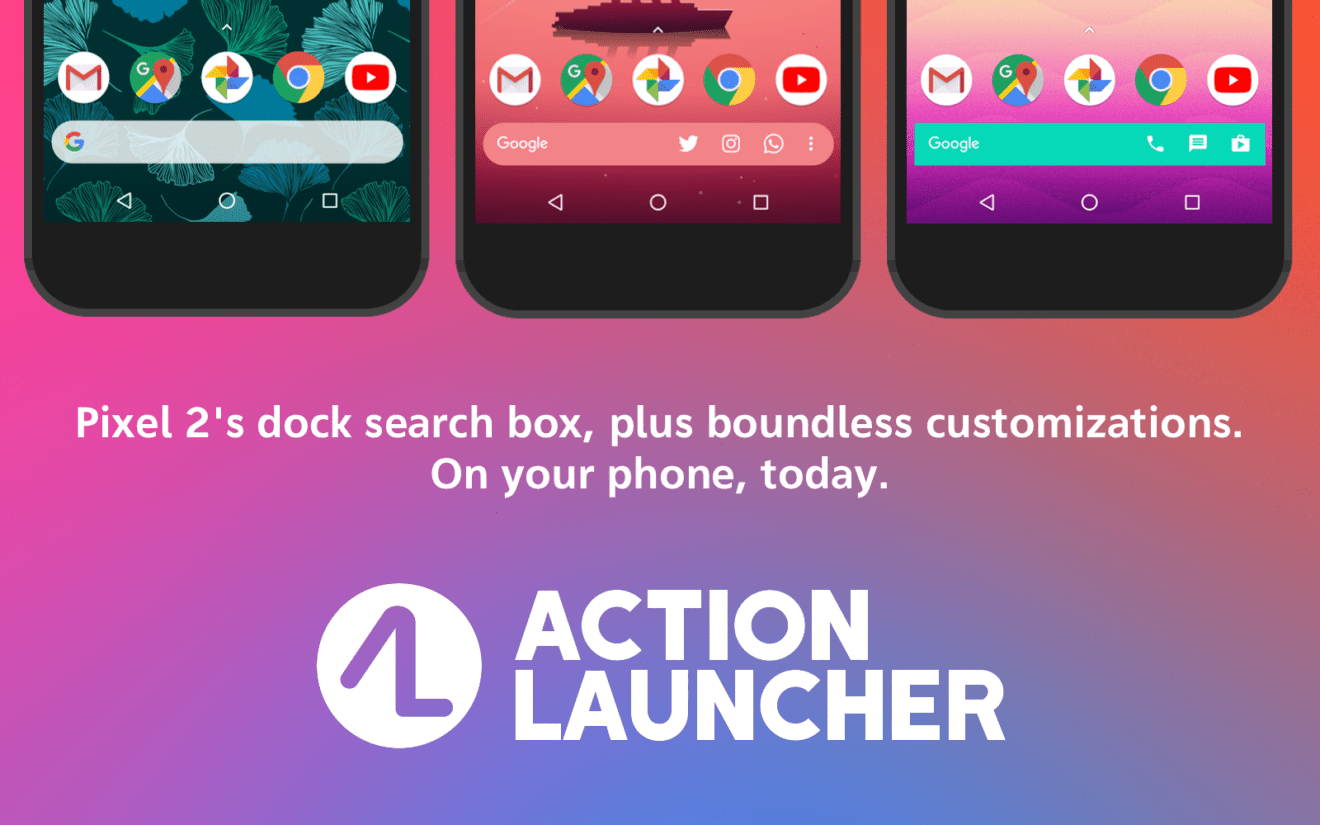
    With more than 5 million download in the Google Play Store, Action Launcher is among the most popular Android launchers. Not only for that reason, developer Chris Lacy has just released a major update that brings Action Launcher to version 40 and introduces a new icon, along with many important improvements.

    The first thing long-time Action Launcher users will notice is the new, colorful icon that’s meant to induce the ideas of customization and accessibility. Now that we’ve done with the design changes, let’s take a look of the more juicy stuff.

    Action Search is a brand new feature that allows users to search across the web deeper than ever. You can now use the new feature to check through your in-app search history and Android and Action Launcher’s settings. Basically, you’ll be able to get to a specific system or Action Launcher directly from the home screen. More importantly, Action Search is available for all users, not just those who purchased the premium version of the app.

    Along with Action Search, the update brings a brand new Action Web Search, which is a “custom built, externally hosted, Action Launcher themed web search solution,” which is meant to provide users with web, news, image and video search results.

    Last but not least, Action Launcher 40 adds the ability to specify the app’s default search engine. So, besides Google and the newly introduced Action Web Search, native support for Bing and DuckDuckGo are now available for users.

    Of course, many under the hood improvements have been implemented as well, including key bug fixes, improvements of app’s boot time, and addressing a major memory leak issue.

  • YouTube Music update brings option to download music to your phone

    YouTube Music update brings option to download music to your phone

    YouTube Music can’t compete with music players with complex, yet easy-to-access, library management when it comes to local playback, but it’s always nice to know that you have more options.

    Up until recently, you wouldn’t have that choice with YouTube Music, Google’s music streaming service. However, Google released several updates that at some point added a new feature that would allow users to play music files from their phones.

    You’ll be able to play just about any type of file that Google Play Music supported, including MP3, Ogg, WAV, M4A, and FLAC. Using YouTube Music to play music files directly from your smartphone is quite easy. Simply use a file manager to get to where your music is stored and choose YouTube Music as the default music player, or opt to open the file with this app “Just once.”

    It’s unclear whether this is the real deal or just a test since the changes don’t appear in any of the app’s change logs in the Google Play Store, but feel free to check it out. Also, don’t forget to give YouTube Music permission to access photos, media, and files on your device when asked.

  • 3 seconds for mobile video to loadon Singapore’s 4G networks

    3 seconds for mobile video to loadon Singapore’s 4G networks

    In Opensignal’s recent State of Mobile Video report, we lauded Singapore’s high achievements in Video Experience. It was one of a handful of countries that earned a Very Good score on our 100-point Video Experience scale, and individually, all three of Singapore’s major operators met the same high standard in our operator breakdown of video quality. But what’s behind that “Very Good” score? We thought this would be a good opportunity to examine the particulars of operators’ high ratings in Singapore over LTE networks, which account for the vast majority of our video tests in the country. We focused on two major components of our Video Experience calculation: 4G Video Loading Time and 4G Video Stalling Occurrence.

    Our first metric, 4G Video Loading Time, is fairly self-explanatory. It’s the average period of time mobile users have to wait for a streamed video to begin playing over an LTE connection. Singapore consumers, quite frankly, don’t spend much time staring at loading icons as you can see in our first chart. The longest Video Load Time in our measurements was on Starhub’s networks, and that wait was only 2.7 seconds. Singtel and M1 were statistically tied at 2.4 seconds, making them incrementally faster in Video Load Time than StarHub, but the differences between the three were practically negligible.

    Our next metric 4G Video Stalling Occurrence measures the proportion of users that experience an interruption in playback after a video begins streaming. If a video halts to buffer or stutters due to a weak connection, then those moments when pictures aren’t moving are all factored into our Video Stalling Occurrence metric.

    While 10% 4G Video Stalling Occurrence isn’t uncommon even in countries with advanced 4G infrastructures, Singapore’s operators came in well under that mark. Starhub had the highest rate of stalling at 4.3% in our analysis, followed by Singtel at 2.9%, but the real star of the show was M1. Its 4G Video Stalling Occurrence score was just 1.6%, meaning interruptions in video playback were rare among our users.

    No single factor explains why mobile video quality is so good in Singapore. It’s true that Singapore is one of the fastest countries in the world when it comes to download, but while speed does have some impact on Video Experience, faster isn’t always better when it comes to video quality. Countries with higher download speed averages than Singapore actually often do much worse in Video Experience, according to our analysis. Latency has a bearing on Video Loading time, as the faster a video request traverses the network the sooner that content begins buffering and playback starts. And our analysis has shown Singapore’s operators are among the best in the world in maintaining nimble, low-latency networks.

    Finally, consistency of connection speed plays a major role in Video Experience. Last month, Opensignal published a report titled The 5G Opportunity, which highlighted the wild swings in 4G Download Speed over the course of a day we see on networks around the world.

    Video is particularly sensitive to fluctuations in speed. A video that plays without difficulty one moment may find itself suddenly starved for bandwidth in the next if download speeds suddenly drop due to congestion or other factors. In Singapore we found the same speed fluctuations as in other countries, but the difference was Singapore’s operators were able to maintain strong connections despite those fluctuations. According to our analysis, average 4G Download Speeds in Singapore never dropped below 41.4 Mbps no matter the hour of day. And a consistent 40 Mbps connection is more than enough to support all but the most demanding HD video streams.

    Singapore is preparing for the entrance of TPG, a fourth operator that aims to shake up competition in the Singapore mobile scene. While TPG will likely try to challenge Singapore’s three incumbents in pricing, it will be interesting to see if TPG can also be competitive from a mobile network experience perspective. The three incumbents have already set a very high bar in Video Experience as well as speed, availability and latency. It will be difficult for a network to match those standards right out of the gate.

  • LG U+ says it can download things 10 times faster on 5G

    LG U+ says it can download things 10 times faster on 5G

    LG U+ said Wednesday that it has demonstrated 10 times faster download times compared to 4G LTE on its 5G network. While 4G LTE offers 133.43 megabits per second download speeds on average, according to data from the Ministry of Science and ICT, LG U+ said it realized 1.33 gigabits per second on its 5G network.

    LG U+ claims it is nearly the fastest speed consumers can practically experience on 5G. Next year, when 5G is commercialized for smartphones, the smallest carrier in the country projects data download speeds will increase to as fast as 2 gigabits per second when the 5G network will be coupled with the 4G LTE network.

    LG U+ believes 5G is its chance to move up the mobile carrier ranking, currently dominated by SK Telecom and KT.

  • City begins programme to trace vegetable origins

    City begins programme to trace vegetable origins

    Consumers in HCM City can now use a smartphone app to trace the origin of vegetables sold at Co.opmart, Lotte Mart, Big C and AEON supermarkets under a programme run by the city Department of Agriculture and Rural Development and the Digital Agriculture Association.

    Huỳnh Thị Kim Cúc, the department’s deputy director, said customers could use Zalo on Android or QR code scanning apps to scan the labels on the packages.

    The information they contain includes where and when the vegetables are grown, packaged and distributed and the types of pesticides and fertilisers used, she said.

    The initiative followed growing concerns about food safety, she said.

    The department and the association has surveyed and collected data on vegetable farming models since May last year.

    Now only two co-operatives – Phước An Co-operative in Bình Chánh District and Phú Lộc Co-operative in Củ Chi District – are part of the programme, and they are supplying 18 items, including cabbage, cucurbit, cucumber, bitter melon, broccoli, sweet potato buds, water spinach, and amaranth.

    The programme would be piloted at select supermarkets and VietGap-certificated vegetable co-operatives until March before being expanded to all VietGap-certified co-operatives and more retailers, Cúc said.

    She said her department and other relevant agencies would closely monitor vegetable quality, carrying out surprise tests and quick tests.

    Nguyễn Phước Trung, the department’s director, said a million tonnes of vegetables are consumed in the city every year, with 24 per cent supplied by farms in the city around and the rest by those in other provinces.

    The department said the city was paying more and more attention to the safety of vegetables, resulting in plant protection drug residues decreasing year after year.

    In fact, last year authorities did not detect any plant protection drug residues exceeding permissible levels in key growing areas, down from 1 per cent in 2015, it said.

    Last month, the city launched a programme to enable consumers to trace pork origins at nearly 350 modern outlets by downloading the QR Code decoding application from www.te-food.com to their devices.