Tag: email

  • Chat with Your Inbox: Googles New Gmail Live Feature Set to Revolutionize Email Search

    Chat with Your Inbox: Googles New Gmail Live Feature Set to Revolutionize Email Search

    Google is currently in the process of testing a new feature for both iOS and Android known as Gmail Live. This innovative feature will allow users to engage in a conversational interaction with the Gmail application, particularly when seeking information from a specific email. This function is particularly beneficial for users like myself who have hundreds of emails crowding their Gmail inbox, providing a more efficient method to retrieve information rather than manually searching through the inbox.

    Understanding the Gmail Live Feature

    Upon opening the Gmail application and tapping the search bar, an option labeled “Ask Gmail” will be visible. This option represents the text version of the new feature wherein users can type in a natural language query and receive an AI Overview in response. If a user prefers to utilize voice commands, they can do so by tapping an icon situated within the search bar which resembles the Gemini Live icon, distinguished by a sound wave and a sparkle.

    Tapping this icon will present a full-page user interface (still in the testing phase), similar to Gemini Live, providing examples of prompts that can be used. For instance, if a user wishes to check the status of orders placed with Amazon, they could ask, “What are the updates on my latest orders?” This question is then transcribed on the screen and is subsequently answered after Gmail Live processes the question. The response is simultaneously displayed on the screen and read aloud.

    The Future of Gmail Live

    The Gmail Live feature, which is currently under testing for both Android and iOS, is set to be launched later this summer for Google AI Pro and Ultra subscribers. Subscribers to these Google AI services will discover the ability to interact with Gmail in a conversational manner.

    Google AI Pro is priced at $19.99 per month and is crafted for power users without the high costs associated with an enterprise subscription. It includes YouTube Premium Lite, 5TB of storage, and a $10 monthly credit for Google Cloud. Google AI Ultra, on the other hand, is priced between $99.99 to $199.99 per month, providing 20TB of storage, a full YouTube Premium subscription, and a $40 monthly Google Cloud credit.

    Questions & Answers

    What is the new feature that Google is testing?
    Google is testing a feature called Gmail Live which allows users to interact with the Gmail application in a conversational manner.

    How does the Gmail Live feature work?
    Users can either type a natural language query or use voice commands to ask Gmail a question. The question is processed, and an answer is provided both visually on the screen and audibly.

    Who can access the Gmail Live feature?
    The Gmail Live feature will be made available to Google AI Pro and Ultra subscribers.
  • Google Bolsters Security Measures Amidst Rising Pixnapping Attacks Targeting Two-factor Authentication

    Google Bolsters Security Measures Amidst Rising Pixnapping Attacks Targeting Two-factor Authentication

    A cutting-edge threat known as Pixnapping has the ability to illicitly take your two-factor authentication (2FA) code within a mere 30 seconds, all without your knowledge. This is a significantly hazardous variety of cyber attack. In response, Google has ramped up its security measures, which are specifically engineered to assist users in accessing their Gmail accounts should they find themselves locked out. Some common reasons for such occurrences include losing one’s device, forgetting their password, or falling prey to a malware attack.

    Rising Threats to Google Apps

    There has been an 84% surge in attacks targeting Google apps such as Gmail over the previous year, as per Google’s own data. The most perilous security risk to users of Google’s apps is emails engineered to steal their passwords. This is where the feature of Account Recovery can prove instrumental. However, even Google itself concedes that Account Recovery may not always successfully facilitate access to a locked Gmail account. Claire Forszt and Sriram Karra, both of whom are part of Google’s Identity and Engagement team, express concerns over relying on Account Recovery to regain access to a locked Gmail account.

    Google’s feature known as ‘Sign in with Mobile’ employs your phone number to log into your account. Forszt and Karra highlight the difficulties of recovering a locked Gmail account using a one-time SMS code, especially in situations where the user has lost their phone or failed to update their recovery phone number.

    New Recovery Contacts Setting

    In order to tackle such issues, Google has introduced a fresh Recovery Contacts setting. This new feature empowers Gmail users to nominate family members or trusted contacts to help them regain access to their Gmail account. Forszt and Karra view this as a simple and secure solution to rely on trusted individuals when other recovery options are not feasible.

    To implement this feature, it’s essential to set up Recovery Contacts before losing access to your account. Users can do this by visiting the Security tab on myaccount.google.com/security and following the directions to confirm their identity. This will guide them to a page where they can add Recovery contacts. Users can assign up to 10 trusted people who can help them regain access to their locked Gmail or Google app account.

    Sign in with Mobile Number Feature

    Moreover, Google has rolled out a new mechanism for Android users to validate their identity and reclaim Gmail access solely using their mobile number. Google’s ‘Sign in with Mobile Number’ process is straightforward. Upon entering their phone number, users will be presented with accounts linked to that number. They can then select the account they wish to access and input their lockscreen passcode. The unique aspect of this feature is that it allows account access without a password.

    Eugene Liderman, Google’s Director of Android Security and Privacy, informed that this feature would be introduced gradually across the globe.

    Questions & Answers

    What is the new threat called Pixnapping?
    Pixnapping is a new form of cyber attack that can stealthily take your two-factor authentication (2FA) code within 30 seconds without your awareness.

    What is Google’s response to rising threats to its apps?
    In response to the rising threats, Google has enhanced its security measures with features like Account Recovery and Recovery Contacts setting, designed to help users regain access to their locked Gmail accounts.

    How does ‘Sign in with Mobile Number’ feature work?
    ‘Sign in with Mobile Number’ is a new feature from Google that allows Android users to verify their identity and regain access to their Gmail accounts using their mobile number. The users can select the account linked to their number and enter their lockscreen passcode to access the account, even without a password.

  • Gmail notifications on Android mare getting better

    Gmail notifications on Android mare getting better

    Google is finally getting around to putting dynamic theming in one of the last places on Android where it hadn’t before. We are talking about the Gmail app icon on the notification shade. Previously, when you pulled down the notification shade on your Android phone, the Gmail icon was red. That’s not a bad thing since the Gmail icon in that color certainly stood out and caught your eye. But the new dynamic theme color matching delivers a more pleasing aesthetic.
    If you have Version 2023.05.28.54044.3362 of the Gmail app (and we will show you how to find out which version you’re running on your Android phone), the tiny Gmail icon on the notification shade will match colors with those Quick Settings lozenges that have been enabled on your handset. And those Quick Settings indicators get their color theme from the wallpaper used on the device. So in other words, the Gmail icon on the notification shade will soon take its color theme from the handset’s active wallpaper.
    The version of Gmail on my Pixel 6 Pro running Android 14 Beta 3 does have the new feature as the Gmail icon on my notification shade is now one of the colors that has been pulled out of my wallpaper. To change the color theme based on your wallpaper, go to Settings > Wallpaper & style and under the preview of your wallpaper you will see color wheels. These colors are drawn from your wallpaper with the main color on top and accent colors on the bottom.
    Tap on one and you’ll see the main color fill in the Lock screen and Home screen pills at the top of the page. In addition, the image of your wallpaper on the bottom will have a box around it with a circle inside with a white checkmark. That circle will be filled with your main color theme.
    To change the color of your Android app icons, go to Settings > Wallpapers & style and press on Home screen in the upper right of the screen. Tap the color wheel you want to use (again, the main color is on the top of the wheel), scroll down to Themed icon (which is still considered a Beta), and toggle it on. Only compatible app icons will change color, but it will give your phone a refreshing new look.
    To see which version of Gmail you are running, go to System > Apps > See all xxx apps. Scroll to Gmail and tap on the listing. Scroll down to the very bottom to see the version you have installed.
    It’s just another way that Google allows Android users to customize their phones.
  • Gmail interface gets optimized for foldable phones like Galaxy Z Fold 4

    Gmail interface gets optimized for foldable phones like Galaxy Z Fold 4

    Foldable phones are supposed to be more than just glorified tablets and big-screened mobile phones. They are getting better each year with new software tricks. The latest improvement is a new interface for Gmail.
    Up until now, foldable phones displayed a stretched-out version of the Gmail app that you see on conventional phones. Google has given the interface a makeover and now, foldable phone users with book-style phones like the Samsung Galaxy Z Fold 4 will see a 2-pane layout for Gmail. The 2-pane view is also available for Meet and Chat.
    What this means is that the left part of the foldable screen will show the inbox and the right half will show an opened email. This makes sense from a multitasking perspective and will save a lot of back and forth when browsing emails.
    The search bar is above the inbox and the Compose button can also be seen on the first half of the screen. The bottom bar spans the width of the entire screen. In contrast, you see a vertical navigation rail on tablets. Little touches like these help create a distinct identity for foldable handsets.
    Google has increased its focus on foldable phones and tablets in recent times. The company announced its tablet-first OS Android 12L in late 2021 to make the software experience better on devices with large screens.
    It includes little tweaks and optimizations that make better use of larger screens, such as a vertically split notification shade and a taskbar to allow users to launch apps quickly.
    Google didn’t really care about tablets for the longest time. That’s changing now, and one of the major reasons behind this renewed interest is that the company has a tablet and probably a foldable phone on the way.
  • Updated Gmail for Android now includes animated swipe action

    Updated Gmail for Android now includes animated swipe action

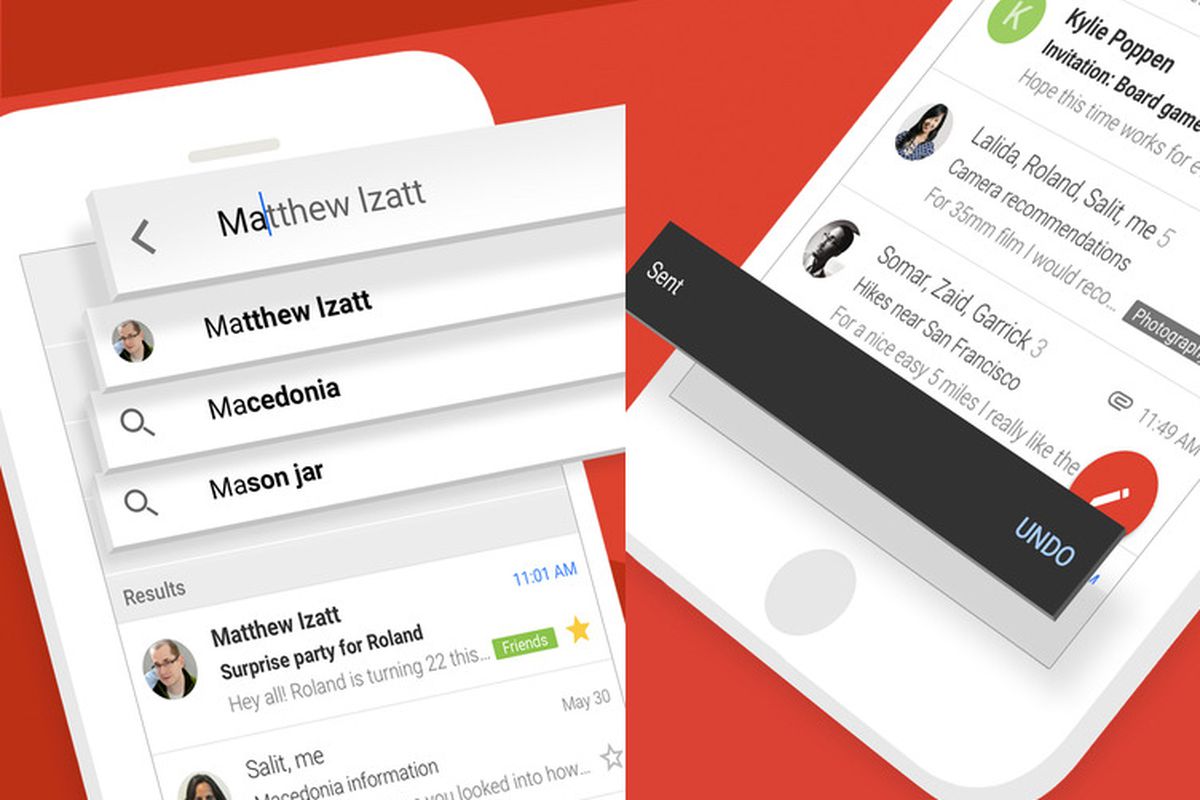
    After reading your email on the Android Gmail app, users can use “Mail swipe actions” to delete, archive, mark as read/mark as unread, snooze, mark as, and move to messages. Each swipe is a different color. Each action is accompanied by a different color, but to make it even easier to tell the different gesture actions apart, Google has added some animation. For example, mark as read will show the fold of an envelope closing. Delete an email and the trash can lid rises, and snoozing an email will spin the clock.

    You should soon have the latest version of Gmail for Android installed on your phone. Google has been adding little things here and there in order to improve the app. For example, in February Google added confirmatory vibration feedback so that users don’t make an accidental swipe on the wrong spot. To make sure that your Gmail app is completely up to date, your Android phone should be running version 2021.03.07 which was released just last week. It is important for you to understand that the animations are not available on the iOS version of the app.

    Google is adding animation and other swipe action to its Gmail for Android app.

    You can find the Gmail for Android app in the Google Play Store. These are small things that might not seem like a big deal but they are important to users.

  • These changes being added to Microsoft’s Outlook greatly improve the app

    These changes being added to Microsoft’s Outlook greatly improve the app

    Microsoft’s attempt to take on Siri, Google Assistant, and Alexa was not what you might call a rousing success for the software giant. In most head to head testing, Cortana finished behind all of its rivals including Siri, which is about as bad as things can get. Earlier this year, Cortana was removed from the Microsoft App Launcher. And Microsoft itself has said that at the beginning of next year it will pull Cortana out of the App Store and the Google Play Store.

    But this might not be the end of Microsoft’s digital assistant after all.  In an effort to revitalize its mobile apps, Microsoft announced some changes it is making to Outlook at the request of IT administrators who want to encourage their end-users to start using the iOS or Android version of the app. In a blog post, Microsoft explains that Outlook users will be notified from their desktop or browser that they can have the Outlook experience on their mobile device.

    The users then send a text to themselves containing a link that allows them to download Outlook mobile from the app stores. When they open the app, scanning a QR code will securely transfer their Microsoft credentials from the desktop version of Outlook to the app on their phone. This way they won’t need to enter their username and password when adding a work or school account.” As Microsoft says, “This experience provides a shortcut for both users and IT administrators. Users can easily get started and IT administrators can quickly and confidently know they can scale their deployments in a secure way using the services they already have.

    “Microsoft says that over the next several weeks, it will be adding shortcuts into Outlook for iOS and Android. For example, if suggested replies is enabled by the user and allowed by his or her organization when receiving a message for a get-together, Send Availability will allow the user to work out a time that works out the best for him or her. Tapping on Schedule Meeting will allow the user to create a new event on his Outlook Calendar.

    In the Android version of Outlook, users will be able to respond to email notifications in the app by choosing Archive, Reply, and Delete. Two out of the three can also be selected as responses along with Mark Read, Flag, Read & archive, or none. With Drag and drop, files, text and images can be added to Outlook emails. And those using the iOS 14 version of Outlook now have a widget shortcut to the Outlook Calendar.

    Those with the iOS or Android version of Outlook will be able to schedule a meeting, call contacts from Outlook with their phone, and quickly compose short emails using their voice. This is in addition to searching for people, emails, events, and files, or monitoring new posts in their inbox with help from Cortana.

    The weather is coming to the Outlook app as a way for users to see what the forecast is for later on the same day, the forecast over the next three days, or over the upcoming week. Lastly, AI-based text predictions are coming to the mobile version of Outlook. This makes it quicker to complete composing emails in the app. Swipe on the screen to accept the suggested text or keep typing to ignore it.

    Coming around the beginning of the New Year is Reactions. This feature will allow the Outlook user to add an Emoji quickly in reaction to a message that he or she has received. It helps the user express his view about an email without having to write another long-winded response.

  • Google adds dynamic email support to Gmail on Android and iOS

    Google adds dynamic email support to Gmail on Android and iOS

    Google Docs is not the only app the Mountain View company is improving this week. As the title says, Gmail, Google’s email app is getting important upgrades on both Android and iOS platforms.

    The highlight of the latest update is dynamic email, new functionality that is now rolling out to Gmail on Android and iOS. Dynamic email lets Gmail users take action directly within a message. For example, you can respond to a comment, RSVP to an event, or manage subscription preferences directly within the email.

    Another advantage of having support for dynamic email is that the functionality can be kept up to date so that when you open an email you’ll see the most up-to-date information about the subject.

    Now, according to Google, the rollout is starting today, but it may take more than two weeks for everyone to see the functionality on their Android and iOS devices. It’s also worth mentioning that dynamic email support will be turned on by default when the functionality arrives on a compatible device.

  • Google brings new spelling and grammar correction capabilities to Gmail app

    Google brings new spelling and grammar correction capabilities to Gmail app

    Google has announced a couple of nifty features will soon be rolled out to Gmail on all platforms. Although the app does feature predictive text, users are still prone to typos or grammar mistakes.

    To correct that issue, Google announced it will introduce new spelling and grammar correction capabilities for Gmail which are meant to help users with G Suite accounts compose emails faster.

    The new capabilities will trigger ones you start typing a message and will use artificial intelligence to make smarter spell-check suggestions while detecting potential grammar issues at the same time. Moreover, Google mentions that it has added as-you-type autocorrect.

    Google says these new features will be rolled out gradually to all G Suite accounts starting today, but the full deployment will last until mid-September. Unfortunately, the new features are not yet available for regular users, although we can safely assume they will be made available to all Gmail users at some point, just like it happened with the Smart Compose function.

  • Dark mode starts showing up in Gmail for Android

    Dark mode starts showing up in Gmail for Android

    Gmail is one of the not so many Google apps that hasn’t yet received a proper dark mode. Meanwhile, Drive, Keep and Google’s app have all received the highly-anticipated dark theme so that everyone can enjoy it.

    Well, it looks like Google is working hard to make Gmail users happy as well. The long overdue dark mode is starting to show up in Gmail for Android. Unfortunately, it’s not yet correctly implemented and lacks a toggle that would allow users to disable or enable it.

    The dark mode seems to be available in settings only for the time being and pops up randomly whenever it wants. This is more of an indication that Google is close to nailing it down rather than an official release, but it’s what we have at the moment to keep you hyped.

    Gmail is probably one of the most popular Google apps for Android devices, so it’s kind of a bummer that the Mountain View company didn’t think that it should implement a dark theme yet, while other less used apps have been treated with a dark mode a long time ago.

    Apparently, the dark mode appears in Gmail v2019.06.09, so if you have this specific version installed on your Android smartphone, you might sporadically enjoy the new implementation of dark mode, at least until a full-fledged version will be released.

  • Outlook Mobile is Getting New Features

    Outlook Mobile is Getting New Features

    Microsoft has just announced its Outlook mobile app is getting some new features in the latest update, which will allow users to customize their email notifications from their favorite people. On top of that, the Redmond-based company announced it will add enhancements to Outlook for Android Contacts, along with additional use of intelligent technology from Office Lens.

    The first important new feature you’ll be getting on Outlook for Android is the new special place in the sidebar that appears when you select someone as a favorite person. This will allow you to quickly access recent emails from them.

    You can now manage favorite people, folders and Outlook groups by simply tapping the pencil in the sidebar to edit Favorites. According to Microsoft, all the changes that you make to Favorite in Outlook mobile will sync with Favorites in Outlook on the web.

    Once you select your Favorites, you can set Outlook mobile to block all other notifications and let only those from your VIPs to go through, so that you can work without interruption. Also, in addition to the option to receive notifications from Focused Inbox, Focused Inbox or Other or no notifications, those who use the Microsoft sync technology for Outlook mobile can choose to be notified only when an email from one of their favorite people is delivered to the inbox.

    Several enhancements to the Outlook for Android contact card have been implemented as well. Expect additional contact details, information about where they fit into the company reporting structure and insight about who they work with courtesy to the Microsoft Graph.

    If you haven’t yet used Office Lens in Outlook, Microsoft made a video to show users how to scan a business card and convert it into an Outlook contact. It’s extremely convenient and save you a lot of time if you have several contacts that you want to add in Outlook.

  • Gmail users can now customize swipe actions on iPhone

    Gmail users can now customize swipe actions on iPhone

    Google has just made it official that iPhone users of its ever-growing Gmail email app can now customize a number of swipe actions. The update is clearly meant to enable Gmail users to execute certain actions faster than before, but Google also mentions the addition of the new feature matches the brand new mobile redesign of the app that added many new productivity improvements.

    You’re probably wondering what type of actions you’ll be able to customize in Gmail on iOS, so here is the full list: Archive, Trash, Mark as read/unread, Snooze, and Move to. These actions can now be executed using a single swipe gesture, but you’ll have to configure them first.

    Here is how you can do that: head to Settings / Swipe action, then, choose the swipe options that better fit your usage style. You can choose to swipe left or right on an email to archive it or directly move it to trash, but there are other options available too.

    Besides adding customizable swipe actions, the latest update makes it possible to use the same actions to sort your notifications. Whenever you want to snooze emails, you can now long press on a Gmail iOS notification or use 3D Touch, and then click on “Snooze” directly to pick the date and time when to snooze the email until.
    Keep in mind that while the update has been released on March 28, it will take more than 15 days to arrive on all iPhones out there, so if you don’t see the new feature yet, you’ll have to wait a while.
  • Inbox gets its official shutdown date and Google lies

    Inbox gets its official shutdown date and Google lies

    Google let Inbox users know quite a while ago that it would be shutting down the app in March 2019 and Google has continually promised that users’ favorite Inbox features would be integrated into Gmail before anyone was forced to leave Inbox. Now, Google has put a specific date on the Inbox shutdown despite that promise not having been kept.

    Inbox users have been getting a pop-up notification for a while reminding them that the app is going away and urging users to try out Gmail, but in the past day, that notification has gotten more specific. Now, the notification gives a more accurate timeline with the number of days left before Inbox is shut down and the countdown points to April 1st. Unfortunately, right after that Google straight up lies to Inbox users by claiming that “You can find your favorite Inbox features in the Gmail app.”

    As an avid Inbox user since the app launched, I can say unequivocally that is a lie. Gmail has gotten options to snooze emails, which is probably someone’s favorite Inbox feature, but that’s about it. Gmail still doesn’t have all of Inbox’s bundles (like Trips), it doesn’t highlight actionable items inline (like attachments, places, etc), it doesn’t have an option to save links to Inbox (instead it added Keep and Tasks to Gmail’s sidebar, which isn’t the same, it doesn’t have an option to quickly archive all items in a group (be it a bundle or a group of messages from a specific day), and Gmail also doesn’t have Inbox’s option to pin messages or notes.

    Maybe Google will surprise us and add all of those features in the next two weeks, but given how slowly features from Inbox have been added to Gmail, it seems pretty unlikely. In the meantime, users are being forced to leave Inbox and unless Google surprises us all with a major upgrade to Gmail, it seems poised to have lied about what Inbox users can expect when migrating to Gmail.

  • Email Users in Indonesia Check Inboxes Hoping for a Retail Promo

    Email Users in Indonesia Check Inboxes Hoping for a Retail Promo

    Email has long served as a reliable beast of burden for marketers —a bankable but unexciting way for brands to tap into a dedicated audience that has opted-in to communication. The same holds true in Indonesia, but on steroids.

    A survey of email users in the country conducted by research firm JakPat in January 2017 found that a significant portion were interested in receiving marketing communications. Interestingly, 30.6% of respondents named receiving shopping promotions as one of the main reasons they used email.

    Marketers looking to craft messages for email users in Indonesia should be aware that the vast majority of respondents, more than 80%, primarily used mobile phones to check their email, according to the survey. That means that to effectively reach consumers in Indonesia, mobile-optimized email design is a must.

    Mobile phone email users also overwhelmingly relied on a dedicated email app over a web browser. Fully 86% of respondents used an app, compared with just 14% who checked email on a browser.

    A March 2016 survey of mobile device owners in Indonesia from Experian Marketing Services underscores how effective email ads can be. It found that 57% of respondents had been influenced to make a purchase by an email ad—more than had been swayed by either website banner ads or search ads.