Tag: emoticons

  • Google tests new feature for Gboard that delivers sticker recommendations based on text

    Google tests new feature for Gboard that delivers sticker recommendations based on text

    More than two years ago Google introduced Android users to the Emoji Kitchen. This feature delivers sticker recommendations that are the combination of two different emojis. Think of it this way, the emotions from one emoji are combined with the characteristics from a second emoji.

    The combinations are created by Google and are played strictly for laughs. What is interesting is how your Android phone decides which delicacies to serve you. These Emoji fusion stickers are based on the text you have been tapping out along with any emoji you selected for your missive.

    Now, Google is testing another new Gboard feature that presents users with sticker suggestions based on what they are writing. This time, the color and style of suggested stickers are based on the words and emoji you are entering into your text. Some Reddit users spotted the feature back in November but it remains in beta.

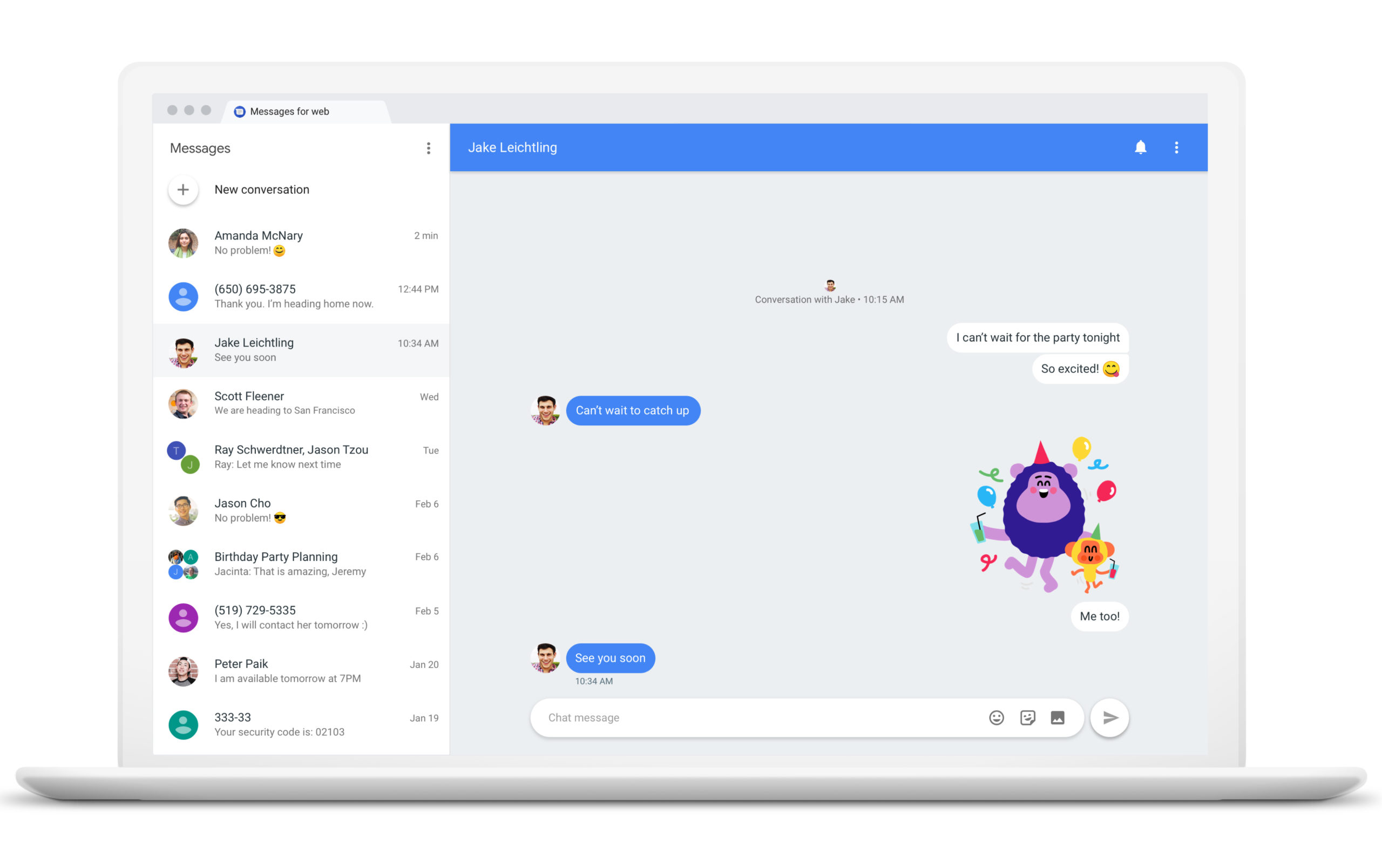
    Examples show a text exchange between spouses with one writing to the other “See you soon ” with a heart emoji. Underneath that field, where suggested words are, well, suggested, you will see a sticker. Tap on it and in that same location, horizontal scrolling sticker options will appear. Some have the exact text that you typed while others might not show any text at all.

    These contextually-based stickers appear to be available only when using this feature and do not show up when looking at the full library of emoji and stickers on your phone. With, the feature still in beta, if you’re using the public stable version of the app, you will not be able to use this feature yet.

    If you want to join the Gboard beta and get access to this feature now, you can Google “Gboard beta” and you should see a page that will allow you to join the beta program. You can leave the beta at any time by repeating the directions above and tapping on the box at the lower right corner that says “Leave The Program.”

    If you enjoy testing out new features for apps before the rest of the Android users on your block get to use them, Google has options for you. For a more comprehensive way to join the beta versions of all Android apps, go to the Google Play Store and tap the profile icon in the upper right corner. Tap on Manage apps & devices and then Installed. Tap on an app to get to its detail page and under “Join the beta,” tap on “Join” and then “Join.”

    If you don’t see an option to “join the beta,” it means that the developer is not offering public beta testing for that particular app. To return to a public or stable version of the app, open the Play Store and tap the profile icon. Go to Manage apps & devices and then Beta.

    Tap on the app whose beta program you want to leave to see its detail page and you’ll see a notice that you are a beta tester. Under the “You’re a beta tester” notice, tap on “Leave.” But that isn’t the end. If you want to continue using an app’s public version on Android after leaving the beta, uninstall the app and reinstall it from the Google Play Store.

    The point of offering beta tests is for the developer to get feedback from users before a new feature is disseminated to all users of a particular app. So if you do have feedback to share with a developer, once again you open the Play Store and tap on the profile icon followed by Manage apps & devices and then Beta. Tap on the app you want to provide feedback on to see its detail page.

  • Apple brings 100 new emoji and more to the iPhone with release of iOS 14.2

    Apple brings 100 new emoji and more to the iPhone with release of iOS 14.2

    Emoji fans using an iPhone should be happy to see that iOS 14.2 has been released. Why? Because the latest build of Apple’s mobile operating system features a large number of new emoji including a transgender pride flag, a dodo, a pinched finger emoji, an anatomical heart, lungs, a man feeding a baby, and more. You can see the entire list of new emoji that comes with iOS 14.2 by visiting the Emojipedia website.

    One of the fun new features for iOS 14.2 brings music discovery app Shazam to the Control Center. We first told you about this back in September when Apple dropped a public beta for iOS 14.2. Shazam is able to listen to a song playing in the background and fairly quickly, it will post the name of the tune, the artist who sings it, the lyrics, and more. The app was one of the first to be featured by Apple in a series of iconic ads for the brand new App Store that told us that whatever we are doing, “there’s an app for that.” Three years ago, Apple decided to purchase Shazam for $400 million.

    The update includes eight new wallpapers in both light and dark mode. Those with an iPhone 12 series handset can use the magnifier app to detect people nearby and measure their distance away by using the LiDAR depth sensor. The Time-of-Flight sensor computes how long it takes for a beam of infrared light to bounce off of a subject and return to the phone. With this data, more accurate depth measurements are computed allowing the iPhone 12 Pro and Pro Max to deliver enhanced AR capabilities and improved bokeh blurs on portraits. Speaking of the iPhone 12 series, iOS 14.2 adds support for the Leather Sleeve MagSafe accessory. Leather cases with MagSafe will be available to be pre-ordered starting today. The sleeves and the MagSafe Duo Charger. Both the leather sleeves and the MagSafe Duo Charger will be released at a later date, possibly not until 2021.

    The update to iOS 14.2 also helps provide optimized battery charging for the AirPods slowing the rate at which the wireless Bluetooth earbuds batteries age. Users will receive a notification whenever the audio levels on their headphones are too loud and could cause problems to users’ hearing. New AirPlay controls can stream entertainment throughout your home. And there are many more items on the changelist.

    The update also fixes a number of issues including one that keeps the iPhone screen black while viewing Netflix content, and one that makes the camera viewfinder appear black when the camera app is open. Some of the resolved issues revolve around widgets such as the weather widget that displays the temperature in Celsius even when it is set to Fahrenheit. One bug forces the Apple Watch app to unexpectedly close when opened and in some cases, Apple Pay won’t send or accept cash via Siri. One bug prevents devices from charging wirelessly.

    To update your iPhone go to Settings > General > Software Update. If the update is on your device, tap on Download and Install. As we said, iPadOS 14.2 is also available to be installed on a compatible iPad tablet, and to do so, use the same directions we told you for the iPhone. The new update to watchOS 7.1 contains “new features, improvements, and bug fixes.” To update your Apple timepiece, first, make sure that your iPhone is running the latest version of iOS. Make sure that your Apple Watch is updated to at least 50% and connect your iPhone to Wi-Fi. Keep your iPhone nearby your Apple Watch and the update will take place over several minutes to an hour. Thus, you might want to wait to update overnight.

    You can also try to update your Apple Watch using the iPhone:

    • Keep your Apple Watch on its charger until the update completes.
    • On your iPhone, open the Watch app, then tap the My Watch tab.
    • Tap General > Software Update.
    • Download the update. If asked for your iPhone passcode or Apple Watch passcode, enter it.
    • Wait for the progress wheel to appear on your Apple Watch. It could take from several minutes to an hour for the update to complete.

    If your Apple Watch is running watchOS 6 or higher, you can update your Apple Watch without using the iPhone. Follow these directions:

    • Make sure that your watch is connected to Wi-Fi.
    • On your watch, open the Settings app.
    • Tap General > Software Update.
    • Tap Install if a software update is available, then follow the onscreen instructions.

    Leave your Apple Watch on its charger while the update completes. Don’t restart your Apple Watch, and don’t quit the Watch app. When the update completes, your Apple Watch restarts on its own.

    Apple also released a special update that adds security updates to older iPhone, iPad, and iPod touch units. The update installs iOS 12.4.9 to iPhone 5s, iPhone 6, iPhone 6 Plus, iPad Air, iPad mini 2, iPad mini 3, and iPod touch (6th generation).

  • Should retailers use emoticons in customer service support chats?

    Should retailers use emoticons in customer service support chats?

    Service providers who use emoticons are perceived as warmer, but less competent, according to a new research paper, which offers sage advice for retail brands engaging with consumers across digital platforms.

    The effect held true regardless of whether or not a customer service employee used emoticons that were pictorial or text-based, showing that the impact of emoticons is not purely driven by eye-catching graphics and colors.

    The Hong Kong Baptist University study investigates what happens when emoticons figure into commercial service discussions. Through laboratory and field experiments, the research showed the major effects of emoticons in customer service interactions and found that emoticon usage by a customer service employee had conflicting effects.

    According to the report, how emoticons are perceived is highly dependent on the recipient’s preferences. The individual customer’s personality and expectations on how a service relationship should be conducted plays an important role in how emoticon senders are ultimately seen. Customers who enjoy friendlier relationships with brands perceive service providers who use emoticons to be warmer, which in turn makes them feel more satisfied with the service provided. Conversely, exchange-oriented customers see a customer service employee using emoticons as less competent, making them more likely to be less satisfied. These effects apply to all emoticons, regardless of whether the emoticon used had positive or negative connotations.

    When service is deemed unsatisfactory and is failing to resolve the situation, the study reasons that all customers will increasingly place value on competence as opposed to warmth. In these situations, any emoticon usage by a customer service rep will have a negative impact on the customers’ attitude towards the employee.

    Conversely, when a customer service employee successfully addresses a customer’s needs with messages accompanied by an emoticon, the study finds that customers are more likely to buy.

  • Samsung brings new messaging feature, more AR Emoji options to Galaxy S9/S9+

    Samsung brings new messaging feature, more AR Emoji options to Galaxy S9/S9+

    More than a year after the release of the Galaxy S9/S9+, Samsung continues to bring new features and important improvements to its last year flagship. The month of July comes with one new feature aimed at Samsung fans and more customization options for AR Emoji.

    These changes come in addition to the July security patch, which is now rolling out to Galaxy S9 and S9+ devices across the world. The update weighs in at 533MB and includes a new feature – Call and Message Continuity. Call and Message Continuity is meant for customers who own not just a Samsung smartphone, but a tablet as well.

    With the new feature, those using Galaxy tablets will be able to accept calls and read their messages from their slate as long as they are logged in to the same Samsung account as their Galaxy phone. The new feature uses either Wi-Fi or mobile data connection, so your phone doesn’t have to be close by to be able to take calls from the tablet. You can find the new feature in the Connections menu.

    Furthermore, the latest update brings the Galaxy S9/S9+ closer to the newest Galaxy S10 series by adding a couple of new customization options for AR Emoji. Also, the UI has been updated to be cleaner and easier to use.

    For the time being, the update is only available in Germany, but Exynos-powered Galaxy S9/S9+ units all over the world should get it as well in the coming weeks.