Retail News CRM

Tag: feature

  • Chat with Your Inbox: Googles New Gmail Live Feature Set to Revolutionize Email Search

    Chat with Your Inbox: Googles New Gmail Live Feature Set to Revolutionize Email Search

    Google is currently in the process of testing a new feature for both iOS and Android known as Gmail Live. This innovative feature will allow users to engage in a conversational interaction with the Gmail application, particularly when seeking information from a specific email. This function is particularly beneficial for users like myself who have hundreds of emails crowding their Gmail inbox, providing a more efficient method to retrieve information rather than manually searching through the inbox.

    Understanding the Gmail Live Feature

    Upon opening the Gmail application and tapping the search bar, an option labeled “Ask Gmail” will be visible. This option represents the text version of the new feature wherein users can type in a natural language query and receive an AI Overview in response. If a user prefers to utilize voice commands, they can do so by tapping an icon situated within the search bar which resembles the Gemini Live icon, distinguished by a sound wave and a sparkle.

    Tapping this icon will present a full-page user interface (still in the testing phase), similar to Gemini Live, providing examples of prompts that can be used. For instance, if a user wishes to check the status of orders placed with Amazon, they could ask, “What are the updates on my latest orders?” This question is then transcribed on the screen and is subsequently answered after Gmail Live processes the question. The response is simultaneously displayed on the screen and read aloud.

    The Future of Gmail Live

    The Gmail Live feature, which is currently under testing for both Android and iOS, is set to be launched later this summer for Google AI Pro and Ultra subscribers. Subscribers to these Google AI services will discover the ability to interact with Gmail in a conversational manner.

    Google AI Pro is priced at $19.99 per month and is crafted for power users without the high costs associated with an enterprise subscription. It includes YouTube Premium Lite, 5TB of storage, and a $10 monthly credit for Google Cloud. Google AI Ultra, on the other hand, is priced between $99.99 to $199.99 per month, providing 20TB of storage, a full YouTube Premium subscription, and a $40 monthly Google Cloud credit.

    Questions & Answers

    What is the new feature that Google is testing?
    Google is testing a feature called Gmail Live which allows users to interact with the Gmail application in a conversational manner.

    How does the Gmail Live feature work?
    Users can either type a natural language query or use voice commands to ask Gmail a question. The question is processed, and an answer is provided both visually on the screen and audibly.

    Who can access the Gmail Live feature?
    The Gmail Live feature will be made available to Google AI Pro and Ultra subscribers.

  • Coming Soon: WhatsApp’s Game-Changing Feature to Revolutionize Your Messaging Experience

    Coming Soon: WhatsApp’s Game-Changing Feature to Revolutionize Your Messaging Experience

    WhatsApp, a messaging app widely used across the globe with over a billion downloads on both the App Store and Play Store, is known for its unique features, including high-quality image sharing, chat lock, and built-in integration with Meta AI. Despite these capabilities, there is one feature missing that is common in most messaging platforms: message scheduling. Fortunately, the implementation of this feature is on the horizon.

    Meta Takes Action

    In recent times, Meta has rolled out a series of significant updates to WhatsApp, which include a redesigned status section and enhanced privacy measures. Now, the company is turning its attention to the long-awaited message scheduling feature, which is predicted to be a highly anticipated upgrade.

    This inclusion was recently detected in a TestFlight beta of the WhatsApp iOS app, hinting that development is actively in progress and hinting at its imminent launch on the stable build. Accompanying this discovery, a screenshot of the Group Info interface has been circulated, displaying the Scheduled Messages option as part of the available features.

    The scheduling feature will provide the ability to compose a message and set it to be sent at a later time. This could be particularly useful in scenarios where you want to send a birthday message at midnight but are concerned about forgetting due to other obligations. The scheduling feature enables the user to pen the birthday greeting and set it to be delivered at the desired time.

    Rival Platforms Ahead of the Curve

    WhatsApp has a host of competitors, including Signal, Messenger, iMessage, and notably, Telegram. Unlike WhatsApp, Telegram has had the ability to schedule messages since 2019.

    Notably, Telegram also offers a “Repeat” function that enables users to schedule a specific message to be sent automatically at regular intervals. This feature is incredibly useful for sending recurring reminders or tasks. It remains unknown if WhatsApp will also provide this additional functionality or simply stick with the basic scheduling feature.

    Interestingly, Instagram — another Meta-owned platform — already includes the ability to schedule messages for later delivery.

    Early Stages of Development

    While the feature is in the pipeline, it is still in early developmental stages. When development is finalized, it will be made accessible to a select group of beta testers who will share feedback and relay their user experience. Upon completion of this phase, the feature will be made available to all users. However, it is estimated that several weeks remain before the scheduling feature becomes an integral part of WhatsApp’s day-to-day operation.

    Questions & Answers

    What is the new feature being added to WhatsApp?
    Answer: WhatsApp is adding a message scheduling feature, allowing users to compose a message and set it to be sent at a later time.

    When was this feature first introduced by WhatsApp’s competitor, Telegram?
    Answer: Telegram introduced message scheduling in 2019.

    What is the current status of the development for this feature on WhatsApp?
    Answer: The message scheduling feature is in its early stages of development on WhatsApp and will soon be tested by a select group of beta users. A general roll-out is expected to follow in the upcoming weeks.

  • Spotify Rivals YouTube Music with an Exciting New Video Feature for Premium Users

    Spotify Rivals YouTube Music with an Exciting New Video Feature for Premium Users

    Spotify is set to introduce its music video feature to premium subscribers in the United States and Canada. This new beta feature will allow users to seamlessly transition between audio and video with a simple touch. Although the feature is currently in the beta testing stage with a limited song catalog, it represents a significant leap by Spotify to match its rivals.

    The Boom of Music Videos

    After successful trials in nearly 100 different international markets last year, Spotify has decided it’s time to grant North America access. Starting today, Spotify Premium subscribers in the US and Canada may notice a new feature in the app that enables them to view music videos directly.

    Here’s how to experience it:

    On your iOS, Android, desktop, or TV device, launch the Spotify app. Play a track that supports the new feature (works from artists such as Ariana Grande and Tyler Childers are included). Tap “Switch to Video” to effortlessly transition from the audio track to the official music video. To revert to background listening, tap “Switch to Audio.”

    Despite being in the beta testing stage, not all songs currently have a video available. However, Spotify assures its users that the video catalog will rapidly expand. For now, the selection consists of a curated list of popular and newly-released hits.

    This feature is viewed as Spotify’s attempt to compete with YouTube Music’s seamless audio-to-video switching feature, which has been a standout aspect since its inception. By introducing this feature, Spotify is directly challenging one of the few areas where Google’s platform was distinctly superior.

    More Than Just Staying Competitive

    The introduction of music videos is not only about keeping pace with YouTube. Apple Music also offers an extensive library of high-definition music videos. For quite some time, Spotify appeared somewhat static compared to these vibrant, multimedia-rich rivals. By incorporating video into the main feed, Spotify is evolving from a mere music player to a comprehensive entertainment hub.

    It undoubtedly feels long overdue to many users. It seemed rather peculiar to have to switch to YouTube to watch a music video when already paying for a music subscription. The implementation of a “Switch to Video” button that retains your spot in the song feels slick and precisely how it should function.

    Questions & Answers

    What is the new feature in Spotify?
    Spotify is introducing a new feature that allows Premium subscribers to watch music videos directly within the app.

    How does the new Spotify video feature work?
    Users can effortlessly switch between audio and video with a simple tap. They can simply play a track and tap “Switch to Video” to transition from the audio track to the official music video, and tap “Switch to Audio” to revert to background listening.

    Is the new Spotify video feature available for all songs?
    Not all songs currently have a video available as the feature is still in the beta testing stage. However, Spotify assures its users that the video catalog will rapidly expand.

  • WhatsApp Boosts Social Media Appeal with New Drafts Feature: No More Lost Status Updates!

    WhatsApp Boosts Social Media Appeal with New Drafts Feature: No More Lost Status Updates!

    WhatsApp, the widely-used messaging app, is once again evolving into a more social media-centric platform with the anticipated introduction of a new feature already available on its sister platforms, Facebook and Instagram. This progression is altering the app’s primary focus from being a messaging platform to integrating more traditional social media elements.

    Status Drafts Soon to be Available on WhatsApp

    The status feature of WhatsApp has been embraced by billions of users around the globe. However, if you’ve ever begun typing an extensive status and got interrupted, you’re familiar with the ensuing frustration as your status disappears, if you exit the app. A new development indicates that this inconvenience is about to be addressed.

    The latest version of WhatsApp appears to have code that suggests the imminent introduction of a “save as draft” feature for status updates. This means that if you exit the application while in the middle of composing a status, you won’t have to start over.

    This capability is expected to work similarly to Instagram. When you attempt to exit the status editor, a pop-up will appear, querying whether you want to save your status before exiting. You will be provided with the options to either save as a draft, discard your status, or continue editing. Once saved, the status will appear as a draft the next time the creation screen is opened.

    However, while this new feature is certainly useful, it does pose a potential downside concerning storage. Forgotten drafts and continuous creation of new statuses may cause WhatsApp to consume more space than usual on user devices. Similar issues have been observed with Instagram, where stored data can accumulate over time.

    Nonetheless, it will be intriguing to see how WhatsApp navigates this challenge once the feature is launched. One possible solution could be the automatic deletion of drafts after a specific period.

    A Convenient Upgrade

    While it may not seem like a significant shift, the ability to save drafts is a valuable improvement. It not only saves time but brings WhatsApp closer to aligning with other Meta-owned apps like Facebook, Instagram, and Threads. For those who regularly use statuses (essentially WhatsApp’s version of Instagram Stories), this enhancement will be appreciatively welcomed.

    There’s no official launch timeline for the feature yet, but it is expected to be part of the next stable release of the app.

    Additionally, WhatsApp is experimenting with features that allow support for multiple accounts on a single device. The app was recently made compatible with the Apple Watch and introduced passkey-encrypted backups, enabling users to secure their backups with their fingerprint, face, or phone lock code.

    Questions & Answers

    What new feature is WhatsApp introducing?
    WhatsApp is introducing a new feature that will allow users to save their status updates as drafts.

    How will the new ‘Save as Draft’ feature work?
    If users exit the app while creating a status, a pop-up will appear asking whether they want to save their current status as a draft. If saved, the status will appear as a draft the next time the status creation screen is opened.

    Are there any potential downsides to the new feature?
    The ‘Save as Draft’ feature may cause the app to consume more storage on users’ devices due to the accumulation of saved drafts.

  • Revolutionize Your Storage: WhatsApp Unveils New Granular Control Feature

    Revolutionize Your Storage: WhatsApp Unveils New Granular Control Feature

    Many active WhatsApp users often find their storage space being consumed by the voluminous shared files from the platform. To address this, WhatsApp is currently developing a feature that offers users detailed control over the storage space each chat occupies, in addition to improvements on clearing large and redundant files.

    New Ways to Manage Storage

    WhatsApp is developing a novel feature that will allow users to effectively manage the storage space each chat occupies on their device. Present in the information page of individual chats, the “Manage Storage” function enables users to view an array of files shared within a chat and sort them based on their size.

    The new feature will offer users the capability to monitor the contents of all chats and delete large, unnecessary files. The feature will enable the sorting of shared files such as images, videos, and documents according to the time shared.

    An Update to Enhance User Experience

    At first glance, this feature may not appear significant, given that users can already access the global “Manage Storage” menu in the settings and view files and media from all conversations. However, placing this information in a more accessible location within each chat’s settings makes this feature more user-friendly.

    Currently, this new feature is only accessible to a limited number of iOS beta users of WhatsApp. However, the roll-out of this feature is ongoing and is expected to be available to more users soon.

    Improvement for Group Chat Users

    For many users who are active in several WhatsApp groups, this feature is a welcome development. These groups often flood storage with unnecessary files, making it difficult for users to manage their digital space. The new feature targets this problem, providing users with an efficient way to declutter files from these chats.

    Questions & Answers

    What is the new feature WhatsApp is working on?
    WhatsApp is developing a feature that allows users to manage and control the storage space each chat occupies on their device.

    How does the new feature work?
    The “Manage Storage” function enables users to view and sort shared files within a chat based on their size. It allows users to delete large unnecessary files, improving the management of their storage.

    Who can access this new feature currently?
    As of now, the feature is only available to a limited number of iOS beta users of WhatsApp. However, a broader roll-out of the feature is expected soon.

  • Say Goodbye to Regret: Google Messages Eyes Feature for Retrieving Deleted Texts

    Say Goodbye to Regret: Google Messages Eyes Feature for Retrieving Deleted Texts

    The popular messaging platform Google Messages is reportedly working on a new feature that may allow users to retrieve deleted messages. Unlike the majority of email services where deleted messages are moved to a trash folder for temporary storage before permanent deletion, Google Messages currently does not have a similar feature.

    Retrieving Deleted Messages

    Most email services, including Gmail, shift deleted emails to a bin before they are permanently removed. These emails can be retrieved within a certain period of time, typically around 30 days for Gmail. Google Messages, however, does not currently have this feature. Once a message is deleted, it is gone forever. This could be set to change in the near future.

    Evidence of a possible “trash folder” has been found in the latest beta version of the Google Messages app. These “trashed conversations” would allow for a recovery period similar to that of email services, though the feature does not appear to be fully functional yet.

    Benefits of a Trash Folder

    The ability to restore deleted messages offers several benefits to users. Whether a message is deleted in anger and later regretted, or accidentally removed during a mass cleanup, a temporary storage bin provides the opportunity to recover these messages. While it is unclear how long messages might be stored in this potential trash folder, a 30-day timeframe would align with Gmail’s current setup.

    While Google Messages does currently offer an archive feature that allows users to hide conversations without deleting them, this is not an equivalent substitute for the ability to restore deleted messages.

    Continuous Improvements

    Google Messages has continually strived to optimize user experience. Recent updates have included streamlined access to photos and new expressive features. The app also introduced a feature warning users about inappropriate videos.

    The development of a trash folder for deleted messages signals Google Messages’ commitment to user-friendly features. Taking cues from email services, the messaging app is continually evolving to offer the best possible experience to its users.

    Questions & Answers

    What new feature is Google Messages potentially introducing?
    Google Messages is reportedly working on a feature that would allow users to retrieve deleted messages.

    What is the current setup for deleted messages on Google Messages?
    Currently, once a message is deleted on Google Messages, it cannot be retrieved.

    What recent improvements has Google Messages made?
    Recent updates have streamlined access to photos, introduced new expressive features, and added a warning system for inappropriate videos.

  • Google Moves To Rectify Ios-android Disparity: Incognito Search Feature Coming To Android App

    Google Moves To Rectify Ios-android Disparity: Incognito Search Feature Coming To Android App

    It’s a well-worn stereotype that iOS applications tend to receive upgrades before their Android equivalents. Surprisingly, even Google’s app, a tool one might expect to transcend such norms, has perpetuated this trend. For years, a particularly useful feature has been available exclusively to iOS users. However, Google is now reportedly taking steps to rectify this inexplicable disparity.

    Android to Receive Incognito Search Access

    In the past, the Google app on iOS has enabled users to switch their search to incognito mode directly from the in-app search bar. This capability has been conspicuously absent from the Android version of the app, until now. An incognito feature has been detected in a beta version of the Google app for Android, indicating that this functionality will soon be implemented.

    Similar to the iOS app, when a new search is initiated, a toggle appears above the keyboard. In the Android version, this toggle is labelled “History Off Search”, as opposed to “Incognito Mode” on iOS. Activating the toggle ensures that the search results don’t open within the Google app, but via a Chrome Custom Tab, which is already in incognito mode.

    Once engaged, this mode allows for continued browsing and link clicking, all activities are conducted in incognito mode. Should a link be opened in Chrome, the browser will also automatically launch in incognito mode.

    Features Still Lacking on Android

    This is not the only feature Android users have been missing out on. Another less apparent iOS functionality allows users to switch the Google app to incognito mode by tapping and holding on their avatar. Unfortunately, this is yet another feature unavailable for Android users.

    While the new incognito toggle has not yet been activated on the Google app for Android, it is expected to become available in an upcoming update.

    Google’s Room for Improvement

    Given the prevailing stereotype, it is perplexing that Google would initially launch an incognito feature on a competitor’s operating system. If Android users were aware of this discrepancy, they might feel frustrated, especially considering this is not the first time Google has prioritized iOS over Android.

    Questions & Answers

    What is the unique feature that the Google app has on iOS but not on Android?
    The feature that allows users to switch a search to incognito mode directly from the search bar within the app had been exclusive to iOS.

    Has Google taken steps to correct this disparity?
    Yes, Google plans to implement this feature on Android. The functionality was recently spotted in a beta version of the Google app for Android.

    Is there any other unique feature on the Google app for iOS?
    Yes. iOS users can tap and hold on their avatar to switch the Google app to incognito mode, a feature not available to Android users.

  • Youtube Fights Deepfakes: Ai-powered Detection Tool To Shield Creators’ Likenesses

    Youtube Fights Deepfakes: Ai-powered Detection Tool To Shield Creators’ Likenesses

    Artificial Intelligence (AI) has given rise to a multitude of possibilities, one of which is the generation of realistic yet fabricated videos, often referred to as ‘deepfakes.’ The increasing prevalence of these deepfakes has created a demand for tools that can protect individuals’ likenesses from being misused. In response to this, YouTube has recently launched a new AI-powered tool for this very purpose.

    YouTube’s New Protective Tool Against Deepfakes

    In an effort to battle the rise of deepfakes, YouTube has launched an AI-powered likeness detection tool. This new feature empowers creators with the ability to identify unauthorized AI-generated or manipulated videos that feature their likeness. Subsequently, creators can manage and request the removal of such fraudulent videos.

    The primary aim is to safeguard creators’ identities, preventing viewers from being deceived by deepfake videos. Initially, the tool will only be available to creators associated with the YouTube Partner Program, allowing them to access its features in the upcoming weeks. By January 2026, the tool will be made accessible to all creators with monetized channels.

    How Does the New Feature Work?

    The new feature can be accessed via the content detection tab in YouTube Studio. Creators aiming to utilize this tool are required to undergo an identity verification process involving the submission of a photo ID and a selfie video. Once the verification is complete, creators will be alerted of any AI-generated videos misusing their likeness.

    YouTube Studio will present a list of all unauthorized videos, providing information about the respective channel, video title, and the number of views each video has garnered. The tool will emphasize the specific segment of the video where the creator’s likeness has been used, facilitating the process of submitting a request for the video’s removal.

    Beyond the Initial Step

    Even though YouTube’s initiative in combating deepfakes is commendable, the problem extends beyond public figures and monetized creators. The rise of apps like Sora suggests that deepfakes will become an escalating issue for everyone. Moreover, the requirement of providing personal identification and biometric data for self-protection against such AI misuse may not be appealing to all.

    While the tool is a good initial step, it may be beneficial to implement further restrictions on AI-generated videos, such as a separate feed or clear markers indicating potential deepfakes. Although this might not completely eradicate the problem of deepfakes, it could potentially prevent viewers from being misled and creators from needing to clarify the video’s deceptive nature.

    Questions & Answers

    What is the purpose of YouTube’s new tool?
    The new AI-powered tool launched by YouTube aims to safeguard creators’ identities by detecting and allowing removal requests for unauthorized AI-generated or manipulated videos featuring their likeness.

    Who can initially access this detection tool?
    Initially, the tool will only be accessible to creators who are part of the YouTube Partner Program. By January 2026, it will be made available to all creators with monetized channels.

    What is the process to utilize YouTube’s new feature?
    To use this feature, creators need to go through an identity verification process involving the submission of a photo ID and a selfie video. Once verified, creators will receive alerts about videos misusing their likeness and can submit removal requests for such videos through YouTube Studio.

  • Google Meet Revolutionizes Video Calls With Ai-powered Makeup Filters

    Google Meet Revolutionizes Video Calls With Ai-powered Makeup Filters

    Google Meet, the popular online conferencing platform, has introduced a game-changing feature: AI-driven makeup filters. Users can now choose from 12 different styles, ranging from subtle to dramatic, that lend an instant touch of refinement to their on-screen appearance.

    Always Camera-Ready with Google Meet

    There’s no question that the prevalence of video conferencing has necessitated new ways to stay camera-ready, often at a moment’s notice. Google Meet’s latest upgrade is designed to meet this exact need. Building on their existing ‘Touch-up’ feature, they have added 12 new makeup filters powered by artificial intelligence.

    Notably, these filters are more than just standard overlays that are prone to flaws or glitches. Google assures that these AI-driven filters maintain a natural and consistent effect, regardless of whether you’re sipping coffee, touching your face, or moving around. Depending on your mood or preference, you can opt for a look that is professional and polished, or one that’s a bit more daring.

    While the feature is not activated by default, users can easily enable it and select their desired look on either the web-based platform or mobile application. The chosen look will conveniently be saved and applied for subsequent meetings, creating a seamless solution for users wanting to maintain their on-screen appearance.

    Keeping Pace with Competitors

    Google Meet is not the first video conferencing platform to venture into virtual makeup. Both Microsoft Teams and Zoom have previously integrated similar features. This trend underlines an acknowledgment from tech giants that virtual meetings are here to stay, and offering features to enhance these experiences is crucial.

    For individuals working remotely or in hybrid work environments, these kinds of features can be highly beneficial. They provide a quick and easy solution to appearing more professional and confident on camera, eliminating the need to get fully ready for each call. This can significantly affect how you present yourself professionally.

    Practicality Over Vanity

    While the introduction of makeup filters in video conferencing might initially be met with skepticism, their practicality soon becomes apparent. It isn’t so much about vanity as it is about convenience and confidence. For those with early morning meetings or days filled with back-to-back calls, the ability to click a button and instantly look presentable is undoubtedly advantageous.

    However, the use of this feature is optional, and it is deactivated by default. Users can activate and use it as required. Currently, this service is available to certain Google Workspace Business and Education tiers and to Google One and Google Workspace Individual subscribers.

    Questions & Answers

    What is Google Meet’s new feature?
    Google Meet’s new feature is an AI-driven makeup filter that users can apply to enhance their on-screen appearance during video calls.

    How can I enable the new makeup filter feature on Google Meet?
    The makeup filter feature can be enabled on the settings page of either the web-based platform or mobile application of Google Meet.

    Who can use the AI-driven makeup filter feature on Google Meet?
    Currently, this feature is accessible to certain Google Workspace Business and Education tiers and to Google One and Google Workspace Individual subscribers.

  • Chrome for Android, iOS, adds important summarization feature

    Chrome for Android, iOS, adds important summarization feature

    Have you ever found yourself struggling to comprehend the content of some webpages? For those using Chrome Browser for Android, a new tool might solve this problem. This feature, powered by artificial intelligence (AI), is set to enhance your browsing experience on Google’s browser – courtesy of Gemini.

    Introducing the Gemini Overlay with a Summarize Feature

    The Gemini overlay is available on the stable versions of Android 16 as well as the latest Android 16 QPR2 Beta 2 update. It kicks off with an intuitive prompt that allows you to input a question for Gemini to address. Following this, you will find the “ask about page” option. This feature enables Gemini to clarify or elaborate on a section of the webpage you’re currently viewing. You can also utilize this button to request Gemini to compare two specific items featured on the webpage. Lastly, the overlay comes equipped with a Summarize button that generates a brief synopsis of the webpage displayed on your screen.

    If you have the Gemini app installed on your Pixel device, initiating a long press on the power button should activate the Gemini overlay.

    How to Use the New Summarize Feature

    To make use of this feature, launch Chrome Browser on your Pixel phone and visit a website. Hold down the power button to bring up the Gemini Overlay. Tapping on the Summarize button will provide a concise summary of the webpage content on your screen. This feature can be utilized not only when reading a story on Chrome or viewing a Chrome custom tab like Discover, but it can also summarize Search results and stories read on the Google News app.

    Above the Summarize button, you’ll find the “Share screen with Live” option. Tapping on this, Gemini Live can view and interpret the content displayed on your phone’s screen, transforming Gemini into a powerful visual assistant. Whether you’re looking at a shopping app or directions on the screen, Gemini can provide additional information or help you comprehend complicated instructions.

    The Summarize button is accessible on both Android and iOS platforms. For iOS users, you can access this feature by opening the Chrome app and navigating to a website. Tap on the icon that looks like a stack of paper with text on it and a “+” sign, located on the left side of the Chrome address bar. A “Page tools” pop-up will appear from the bottom of your screen, offering two options: “Search screen” and “Ask Gemini”. Choose the “Ask Gemini” option, which will bring up the Gemini overlay. Click on the Summarize button to view a summary of the displayed content.

    Utilizing Gemini as Your Digital Assistant

    In order to take advantage of this feature, you should have the Gemini app installed on your device. Android phone users can install the app from the Play Store, while iPhone users can download it from the App Store.

    If you’re a Pixel user looking for more comprehensive responses to your queries, you might consider using Gemini as a replacement for Google Assistant. You can do so by opening the Gemini app, clicking on the profile icon in the upper right, and navigating to Settings > Digital assistants from Google. Here, you can choose between Gemini and Google Assistant.

    Questions & Answers

    What is the Gemini overlay?
    The Gemini overlay is a feature on Google’s Chrome browser that uses AI to help users better understand webpage content.

    How can I use the Summarize feature on my Android device?
    To use the Summarize feature, open a website using the Chrome Browser on your Android device. Long-press the power button to bring up the Gemini Overlay, then tap on the Summarize button to get a concise summary of the webpage content.

    Can I use Gemini as a replacement for Google Assistant?
    Yes, if you’re looking for more comprehensive responses to your queries, you might consider using Gemini as a replacement for Google Assistant. This can be done via the settings in the Gemini app.

  • Whatsapp Unveils Real-time Translation Feature, Ensuring Privacy And Expanding Global Communication

    Whatsapp Unveils Real-time Translation Feature, Ensuring Privacy And Expanding Global Communication

    WhatsApp, owned by Meta, is introducing a fresh translation feature for its Android and iOS applications. This new function will enable users to translate their messages in real-time.

    Real-Time Translation on WhatsApp

    Meta is planning a “gradual” introduction of a new translation feature for WhatsApp on both Android and iOS platforms. This feature will offer users the chance to translate their messages in direct chats, groups, and Channels. This can be done by holding the message for a longer duration and selecting the “Translate” option. Users will then have the freedom to select the languages for translation.

    According to Meta, each translation will be processed on the device itself, which means that WhatsApp will not have access to the content of the messages, thereby ensuring that all conversations are kept encrypted.

    Diverse Features for Different Platforms

    Android users will receive a more enhanced translation feature, even though the number of supported languages is less. Following the translation of a message, they will have the option to activate the automatic translation for the entire conversation and view the translated versions of all future messages.

    On the other hand, iPhone users will have the privilege of using the feature in a wider range of languages. In total, WhatsApp on iOS will support translation between 19 languages, as supported by Apple’s Translate app. However, Android users will only have access to translation services in six languages.

    This new feature from Meta follows closely on the heels of Apple’s own introduction of Live Translation on its Messages app in iOS 26. Similar to what Meta offers Android users on WhatsApp, this feature operates automatically while messages are being typed.

    The Upsurge of Automated Translation

    The introduction of this translation feature on WhatsApp could be seen as part of a larger trend of automated translation technology, which has been gaining popularity in recent years. Learning new languages can be a daunting task, making reliable translation tools a necessity for many. Given the global reach of WhatsApp, this feature could potentially have greater impact than Apple’s Live Translation tool.

    Questions & Answers

    What is the new feature being introduced by WhatsApp?
    WhatsApp is introducing a real-time translation feature for Android and iOS users.

    Will WhatsApp have access to the content of my messages?
    No, WhatsApp will not have access to the content of your messages as all translations are processed on the device itself.

    How does the feature work on Android and iOS?
    Android users will have the option to activate automatic translation for entire conversations once they translate a message. iPhone users, however, will have access to translation between a wider range of languages.

  • Google Enhances Circle To Search Feature, Offering Continuous Translation Even While Scrolling

    Google Enhances Circle To Search Feature, Offering Continuous Translation Even While Scrolling

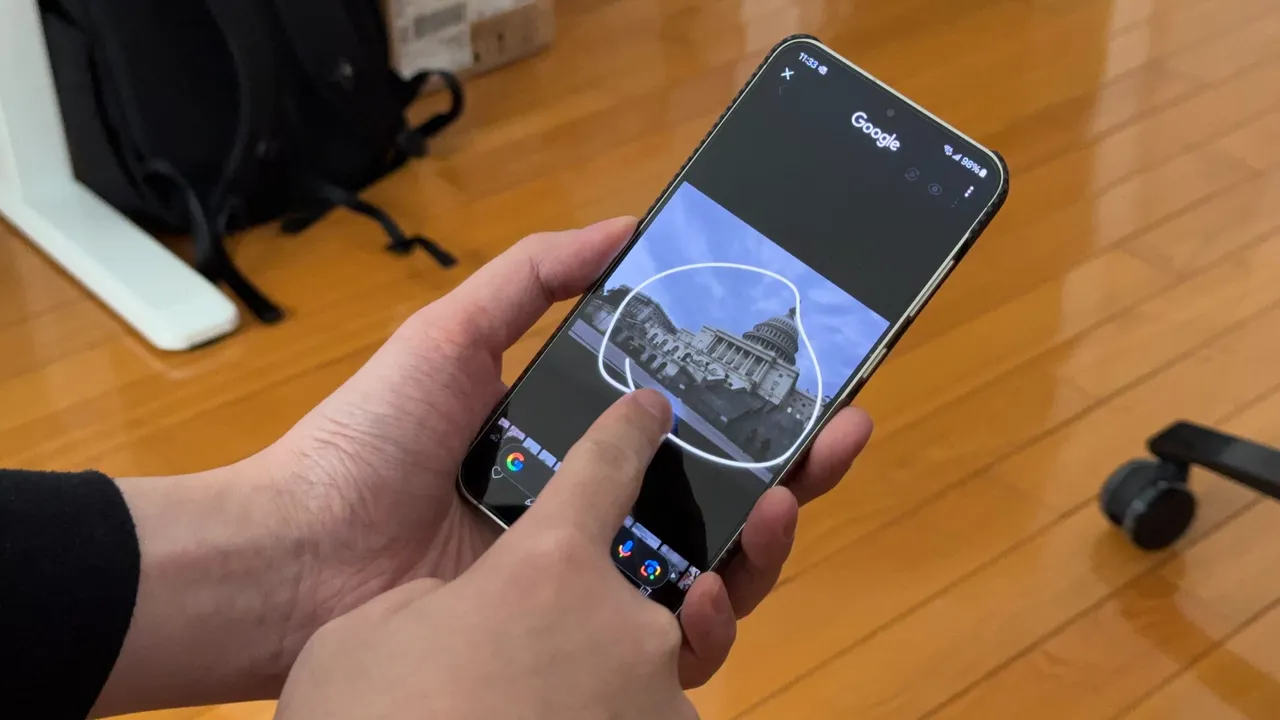
    Circle to Search, a highly favored feature among Android users, offers a user-friendly interface for knowledge acquisition. By simply long-pressing the navigation bar, users can initiate a Google Search pop-up from the bottom of their screens. Upon seeing the pop-up, users can circle an item on the screen to generate search results.

    Improvements in Translation

    Google has recently revealed enhancements in the translation functionality of Circle to Search. The feature, which is among the most frequently used in Circle to Search, enables users to translate words while scrolling. However, translating a lengthy page could be frustrating, requiring users to repetitively restart the process each time they scroll down for further content.

    The team at Google has proposed a solution, allowing users to translate content without interruption while scrolling. By simply long-pressing the navigation bar and clicking on the Translate icon, users can select the “scroll and translate” option. This feature ensures that the translation process continues, even when switching between different applications.

    Rolling Out Updates

    Plans for disseminating these updates on Android devices are underway and will commence with select Samsung Galaxy models. The new feature facilitates seamless translation of content, such as menus, eliminating the need to reset the translation function between various sections.

    Circle to Search was originally launched on Google Pixel 8, Google Pixel 8 Pro, and the Samsung Galaxy S24 series in January 2024. Since then, Google has introduced new features to Circle to Search, including a song recognition feature and a tool for translating an entire webpage.

    Questions & Answers

    What is Google’s Circle to Search?
    Google’s Circle to Search is a feature for Android users that allows them to quickly search for items on their screen by drawing a circle around them.

    What is Google’s recent update for Circle to Search?
    Google has improved the translation feature in Circle to Search. It now allows continuous translation while scrolling, even when switching applications.

    Which devices support Circle to Search?
    Circle to Search was first launched on Google Pixel 8, Google Pixel 8 Pro, and Samsung Galaxy S24 series. The feature’s updates will initially roll out on select Samsung Galaxy handsets.

  • Apple’s Possible Shift To Esim-only Iphones: Impact On Global Connectivity And Travel

    Apple’s Possible Shift To Esim-only Iphones: Impact On Global Connectivity And Travel

    Apple’s smartphones in the United States have not had a SIM card slot since the release of the iPhone 14. Instead, these devices have supported a mix of physical and eSIM technology. However, a recent rumor implies that Apple may soon discontinue the physical SIM card tray for the iPhone 17 in additional countries.

    Retail staff at Apple Authorized Resellers throughout the European Union are required to undergo training related to eSIM technology. Those in the know have disclosed that the deadline for course completion is Friday, September 5.

    Significant Event on the Horizon

    Just four days after this deadline, Apple is set to host its “Awe dropping.” event on Tuesday, September 9. The tech giant is anticipated to unveil the iPhone 17, iPhone 17 Pro, and iPhone 17 Pro Max, along with a new slim model potentially dubbed the iPhone 17 Air.

    Yet, this shift may not be confined to the European Union. The training material is accessible to European retail staff via Apple’s SEED app. This platform is utilized by employees of official Apple Stores and Apple Authorized Resellers globally, and it is not exclusive to Europe.

    Adapting to New Technologies

    It would be logical for Apple to roll out this change to other countries, particularly given the rumors circulating over the past year. Speculation that the iPhone 17 Air may be too thin to accommodate a SIM card slot began as early as last October. There have also been suggestions that the change could apply to the entire iPhone 17 range across all markets.

    However, it is probable that Apple will maintain the physical SIM option in certain countries, including China. Although iPhones in most countries support both eSIM and physical SIM, in China and a few other markets, they offer dual SIM with two physical cards.

    Notably, other tech companies are also following this trend. Google recently launched the eSIM-only Pixel 10 in the US, while Samsung’s Galaxy S25 offers a mix of eSIM and physical SIM support, including in the US. However, in some regions outside of the US, Samsung’s phones feature dual physical SIMs, and the Pixel 10 integrates both physical and eSIM technologies.

    Travel and Connectivity

    As a global traveler, having a variety of connectivity options is beneficial, therefore losing the physical SIM slot could be disappointing. While purchasing a local SIM can be cheaper and more convenient, there are a variety of international eSIM services that can sometimes offer more affordable and convenient options for travelers. Here’s hoping that Apple will continue to offer both options in my region.

    Questions & Answers

    Why is Apple potentially moving away from physical SIM cards?
    It is rumored that Apple may be entertaining this notion in order to make devices thinner and more streamlined, thereby improving the user experience.

    Will all countries lose the physical SIM option on the iPhone 17?
    While it seems likely that more countries will be affected by this change, it is currently unclear if this will be a global shift. Some regions, such as China, may continue to have the physical SIM option.

    How will the lack of a physical SIM card impact travelers?
    While the absence of a physical SIM card could initially prove inconvenient, the rise of international eSIM services could provide an alternative, and potentially more affordable, option for travelers.

  • Snapchat+ hits 1 million subscribers, announces new exclusive features

    Snapchat+ hits 1 million subscribers, announces new exclusive features

    Launched less than two months ago, Snap’s premium service has already amassed 1 million subscribers, the company announced today. Snapchat+ is available for $3.99/month and offers exclusive features that aren’t otherwise available.

    When it launched Snapchat+ back in June, Snap promised to add new features for premium users quite often. Today, the social network revealed a new batch of Snapchat+ features are now available for the service’s subscribers.

    First off, Snapchat+ subscribers are getting “Priority Story Replies,” meaning their replies will be more visible to Snap Stars. “Post View Emoji” is another new feature coming to the premium side of the service today. It allows paying customers to pick an emoji they want friends to see after they view their Snaps. Basically, it acts as a signature to sign-off you Snaps.

    Another interesting new premium feature coming to Snapchat+ is the ability to customize further Bitmoji backgrounds with “special backgrounds” like gleaming gold and a beach paradise. Last but not least, Snapchat+ subscribers are getting new icons for the app to put on their home screens.

    If you want to subscribe to Snapchat+, keep in mind that the service is only available in the United States, Canada, the United Kingdom, France, Germany, Australia, New Zealand, Saudi Arabia, United Arab Emirates, India, Kuwait, Qatar, Oman, Bahrain, Egypt, Israel, Sweden, Denmark, Norway, Netherlands, Switzerland, Ireland, Belgium, Finland, and Austria.

  • WhatsApp working on a useful Telegram-like poll feature for groups

    WhatsApp working on a useful Telegram-like poll feature for groups

    A feature that Telegram has had for years is now going to be present in WhatsApp. The ability to create polls in group chats is something that WhatsApp is currently working on, and should make its way to a future WhatsApp version.

    Polls are a great way to interact with a large group of people and are quite helpful to reach a decision or to know what your group of friends thinks about an idea. Telegram, another popular instant messaging app, has had this feature for a while now, and WhatsApp is finally testing it to implement it to WhatsApp users.

    WABetaInfo was the first to discover the feature in WhatsApp for iOS beta version v2.22.6.70. The feature is still under development, so it is not available for public beta testers right now.

    The poll option will be available only for WhatsApp groups, and it will be end-to-end encrypted, including the answers the other users give to it. Basically, end-to-end encryption is something WhatsApp is quite popular with, and it will be present for the poll feature as well. This pretty much means only the people in the group will be able to get access to the poll and its results.

    As you can see on the screenshot, there will be a new user interface with a text field for your question, accompanied by a Create button, as well as a Cancel button. However, as this feature is still under development, it is still unknown what the maximum number of options will be if there will be any restrictions on the number of responses or how long you will be able to vote on a poll.

    And as this is a feature in beta, an official release date is not yet announced for it. As usual, beta testers will get to see how this feature works first, as WhatsApp works to get rid of any bugs and improve on it before it launches it for the general public.

    The poll option has currently been spotted in the iOS version of the popular chat app, but that doesn’t mean it won’t be coming to Android. In the meantime, WhatsApp has also been testing many other useful features. Let’s see what the most recent features currently in testing for the chat app are.

    Currently, you have a somewhat lengthy process to follow if you wish to search from your messages in WhatsApp, which includes locating a specific chat or group chat window, then tapping on the three-dots menu and searching. However, it seems that the app will be getting a simpler way to search for a message in a future update.

    WhatsApp beta for Android version 2.22.6.3 brings a new search shortcut to solve this issue. Although it sounds similar to WhatsApp’s current solution for searches, it is different in the way that it allows you to search right from the info page of personal contacts and groups, without having to go to a specific group or chat where you think the message was sent.

    Apart from that, WhatsApp is also working on the long-awaited message reactions, which will allow you to express your reaction to a message with an emoji.

    Another feature that WhatsApp is working on is a redesigned voice call user interface. Beta version 22.5.0.70 is showing a revamped user interface that should be coming to the app. With the new improved voice call UI, you will be able to see real-time voice waveforms are going to come to calls. The app has recently rolled out similar waveforms for audio messages.

    Keep in mind that, as these features here are in beta, which they may change as they undergo development before they get their official global release.