Retail News CRM

Tag: features

  • Apple Preps for Stable iOS 26.3 Update as iOS 26.4 Beta 2 Launches: No Siri Overhaul, but Exciting New Features Await

    Apple Preps for Stable iOS 26.3 Update as iOS 26.4 Beta 2 Launches: No Siri Overhaul, but Exciting New Features Await

    Upcoming iOS Updates to Include Minor Improvements

    Apple users who are currently using stable iOS 26.3 might have noticed that a minor update, iOS 26.3.1, is currently under testing. This update is projected to roll out within the next fortnight. Primarily, it’s expected to be a minor adjustment aimed at rectifying a bug or patching a potential software vulnerability.

    The release of iOS 26.3.1 might coincide with the launch of the lower-priced iPhone 17e model, which is expected to hit the market during the first week of March. In anticipation of the release of some Siri 2.0 features in iOS 26.4, as previously stated by Apple, some iPhone users installed iOS 26.4 Beta 1 in hopes of getting an early preview of an enhanced Siri. However, this move was unfruitful as Apple launched iOS 26.4 Beta 1 without any Siri AI improvements.

    Regrettably, I was one of the iPhone users who installed iOS 26.4 Beta 1 only to find that the advancements to Siri 2.0 had been delayed. The expectation now is that some of the new features for Siri will be introduced with iOS 26.5, which is due in May. The significant upgrade to Siri that will transform the digital assistant into a chatbot akin to ChatGPT and Gemini, however, is expected to land later in the year with the release of iOS 27 in September.

    The Playlist Playground

    The next stable update, iOS 26.4, is projected to arrive in late March or early April. Despite the likely absence of major changes to Siri, this update will introduce some exciting features like the Playlist Playground, a feature that debuted with iOS 26.4 Beta 1. This feature will allow users to generate a 25-song playlist based on a text prompt. The chip containing Apple’s recommended playlist requests can be tapped by users. If the generated playlist doesn’t meet your liking, there are options to refine it further by adding instructions, such as excluding a particular genre or enhancing a certain sound.

    End-To-End Encryption for Cross-Platform Messaging

    Apple has also begun testing end-to-end encryption (E2EE) for RCS. Initially, when iOS 26.4 Beta 1 was released, E2EE RCS testing was restricted to messages sent between two iPhones with iMessage disabled. However, with the release of iOS 26.4 Beta 2, Apple has started allowing cross-platform RCS messaging between iOS and Android devices, protected with E2EE. Users of the latest Beta 2 release are now seeing a “lock icon” while texting a compatible Android phone. However, E2EE cross-platform RCS messaging is not expected to arrive on a stable iOS build until the release of iOS 26.5 or iOS 26.6.

    Questions & Answers

    When is the release of iOS 26.3.1 expected?
    The release is expected to happen sometime within the next two weeks.

    What are the new Siri 2.0 features expected in iOS 26.4?
    Despite initial expectations, it appears that major changes to Siri have been delayed and are now expected to be introduced in iOS 26.5.

    What is the Playlist Playground feature in iOS 26.4?
    This feature allows users to generate a 25-song playlist based on a text prompt, with options for further refinement based on user instructions.

  • New features make the Google Translate app more useful and easier to use

    New features make the Google Translate app more useful and easier to use

    Google Translate, as per the company’s claim, processes a staggering one trillion words every month. Due to the sheer volume and diversity of languages and words, inaccuracies in translation are inevitable. However, Google is testing a new feature for its Google Translate app that could provide more transparency and functionality in its translation process.

    New Features for Google Translate

    Google Translate is experimenting with two new buttons named “Understand” and “Ask,” replacing the existing “Ask A Follow-up” feature that currently doesn’t exist in the iOS version of the app.

    The “Understand” button aims to shed light on the rationale behind a given translation, offering context and insight about the translated text. This information includes in-depth grammar explanations that delve into sentence structure, explanations of word sense and idioms used in translation, and cultural notes highlighting how cultural nuances such as politeness levels or gender influences have factored into the translation.

    The “Ask” button, on the other hand, empowers users to request AI assistance for a customized or improved translation. Users can request a translation with a specific tone – formal, casual, or simplified, alternative translations, regional variants of the translation, or usage of a particular phrase or word in a sentence. These AI-powered buttons are still considered experimental, though.

    Enhancing Accessibility

    Google is also testing another feature in its Android app that displays translated text in a larger font size, improving accessibility for users with less than perfect vision. This larger font is also visible in the full-screen mode of the app.

    This feature is already available in the iOS version of Google Translate and is expected to arrive on the Android version soon.

    Transforming Language Learning

    Google Translate is expanding its horizons beyond basic language translation, according to product manager Matt Sheets. He added that users can now “listen and speak with confidence on the topics you care about.” These statements align with Google’s earlier announcement that Google Translate would become more educational, offering language-learning features similar to Duolingo.

    In the app, a “Practice” button at the bottom right of the display allows users to select English, Spanish, French, or Portuguese to learn either Spanish or French. Users can also pick their current proficiency level in the language they wish to learn, with options for Basic, Intermediate, or Advanced.

    Questions & Answers

    What are the new features being tested in the Google Translate app?
    Google is experimenting with two new buttons, “Understand” and “Ask,” which aim to provide the reasoning behind a translation and allow users to request a customized translation, respectively.

    What is the purpose of the larger font size being tested in Google Translate for Android?
    The larger font size is designed to improve accessibility for users with less than perfect vision, making it easier for them to see the translation.

    What language learning features does Google Translate offer?
    Google Translate offers a “Practice” feature where users can choose to learn Spanish or French in English, Spanish, French, or Portuguese. They can also select their current proficiency level in the language they’re learning.

  • Baidu Unveils Musesteamer: Ai-driven Video Generator And Enhances Search Engine Capabilities

    Baidu Unveils Musesteamer: Ai-driven Video Generator And Enhances Search Engine Capabilities

    Baidu Introduces AI-Driven Video Generator and Revamps Search Engine

    Baidu, the Chinese technology company, unveiled a new artificial intelligence (AI) tool called MuseSteamer and launched a significant upgrade to its search engine on Wednesday.

    The MuseSteamer: A Revolutionary AI Tool

    MuseSteamer, an AI-driven video generator, can produce videos up to ten seconds long. The model is designed especially for businesses and is available in three different versions: Turbo, Pro, and Lite.

    This business-oriented tool marks a departure from the prevalent approach, with most AI video generators targeting individual consumers via subscription-based models. Interestingly, Baidu has yet to reveal a consumer-oriented application for MuseSteamer.

    The recent trend within the AI community has seen significant advancements in the realm of text-to-video or image-to-video generators. Leading AI firms and major technology companies, including ByteDance, Tencent, and Alibaba, have all introduced their models to the market.

    Enhancements to Baidu’s Search Engine

    Aside from the launching of MuseSteamer, Baidu unveiled a significant upgrade to its search engine. The update includes a redesigned search box capable of handling more extended queries. It also supports voice and image-based searches. Employing Baidu’s advanced AI technology, the platform now delivers more targeted content to its users.

    This search engine overhaul comes as Baidu faces stiff competition from AI-based chatbots like ByteDance’s Doubao and Tencent’s Yuanbao, which are gaining popularity among users.

    Questions & Answers

    What is Baidu’s new AI tool called?
    The new AI tool launched by Baidu is called MuseSteamer.

    What is the primary purpose of the MuseSteamer?
    MuseSteamer is an AI-driven video generator designed primarily for business use. It can create videos up to ten seconds long.

    What improvements has Baidu made to its search engine?
    Baidu has redesigned its search box to accept longer queries and support voice and image-based searches. The platform now also displays more targeted content using Baidu’s AI technology.

  • Google announces new Android features including a trio of useful new widgets

    Google announces new Android features including a trio of useful new widgets

    Google today announced new features for Android devices that are designed to get information to you faster, protect your devices, and more importantly, allow you to have fun. First, for those learning to read, is a new feature in Google Play Books available now called Reading practice. You’ll find Reading practice on Children’s ebooks marked with a “practice” badge in the Google Play Books app and it will read aloud certain hard-to-pronounce and unknown words. The child reading the book gets to say the word and receives feedback from the device in real-time.
    Hey widget fans, Google is adding a trio of new widgets to Android phones and tablets that are designed to help you track your stocks through Google Finance, view headlines from Google News, and get recommendations for movies and television shows to view from Google TV. I’m looking forward to adding all three to my Pixel 6 Pro home screen. To install a widget on your Android device, long-press on an empty bit of your home screen, tap Widgets, find the one you want, and add it to your home screen.
    You’ll soon be able to press play on your Wear OS-powered watch and hear Spotify’s DJ “spin” your favorite music, play episodes of your favorite podcasts, and more thanks to new tiles from Spotify for Wear OS. In addition, commuters in Washington D.C. and San Francisco can access their SmarTrip and Clipper cards via Google Wallet via their Wear OS smartwatch. All they need to do is “tap and ride” to start their commute.
    Speaking about Wear OS smartwatches, the always useful Google Keep app is being made available for your wrist with Google Keep for Wear OS. You’ll swipe through your tiles until you come to a shopping list, or anything else you’ve pinned from the app.
    I don’t know about you, but I enjoy using the Emoji Kitchen which mixes up two different emoji to create a weird-looking new sticker. Google is adding aquatic-themed combinations that will have you screaming “shark” on a hot day at the beach.
    Lastly, most Android users with Google Accounts in the U.S. can now use the Google One website or app to see whether their email address has been exposed on the dark web. Google will also advise you on what to do if a scan shows that your email address is part of a data breach. Google says that “Google One members in the U.S. are able to scan for additional personal information, such as their social security number. Access will also expand to more than 20 countries in the coming months.”
    And Pixel users should be looking forward to next Monday when the next Pixel Feature Drop is due. Those running the QPR3 Beta will be able to exit the Beta program without a penalty once they have installed the final version of the June Feature Drop on their compatible Pixel handset.
  • WhatsApp adds new features to your status updates

    WhatsApp adds new features to your status updates

    Although an app with a very large and broad user base, WhatsApp can still leave a lot to be desired when it comes to its features. Competing apps such as Signal and Telegram have, for years, outshined the Meta-owned application in that respect; However, WhatsApp is now stepping things up and adding

    WhatsApp announced via a blog post that the company will be adding more options to the status section of the app, which is often used to convey fleeting information with friends and close contacts. These statuses are available for 24 hours and can contain a variety of media, including photos, videos, animated GIFs, etc. Here’s a summary of the new features you can expect:

    • Private Audience Selector: Every status update you post might not be appropriate for all of your contacts all of the time, so WhatsApp will now have the ability to update your privacy settings on a per-status basis so that you can choose who sees each new version of the status that you post. The audience that you most recently selected will be remembered and used as the default for your subsequent status update.
    • Voice Status: You will soon be able to record and share voice messages on WhatsApp status that are up to 30 seconds long. Voice status allows for sending more personal updates, which is especially useful if you find that expressing yourself verbally rather than through typing is more comfortable for you.
    • Status Reactions: You can now respond to any status in a flash by swiping up and selecting one of eight different emojis from the menu that appears. It goes without saying that you can still respond to a status update with a text message, voice message, stickers, or any number of other options. Status reactions have been one of the most requested features since the debut of Reactions a year ago.
    • Status Profile Rings for New Updates: When a contact of yours shares an update to their status, a ring will appear around their profile picture. This will be viewable in the chat lists, the participant lists for groups, as well as the contact information, thus making it easier to never miss a status update from a friend or family member again.
    • Link Previews on Status: When you send a message or post a link on your status, you will now see an automatic visual preview of the message or link’s content, just as you do when you send a message. Visual previews not only improve the appearance of your status updates but also provide your contacts with a clearer picture of the link’s content before they click on it.

    These updates have begun to be made available to users all over the world, and they will be accessible to absolutely everyone in the coming weeks. As usual, just like your personal chats and calls, your WhatsApp status is protected by end-to-end encryption so that you can share in a private manner without compromising your safety.

  • Apple reveals software to make its products more inclusive

    Apple reveals software to make its products more inclusive

    Apple has unveiled new software features aimed at helping make it easier for users with disabilities to navigate, connect and get the most out of its products.

    The tech giant said the updates combine the company latest technologies to deliver customizable tools for users and build on Apple’s long-standing commitment to ensuring the products work for everyone.

    The company says it has advanced its hardware, software and machine learning to match the demands as well as support people with different disabilities. For example, blind people or those with limited vision can use their iPhone and iPad to navigate the last meter to their destination with Door Detection.

    Users with physical and motor disabilities, who rely on Voice Control and Switch Control will now be able to fully control their Apple Watch from their iPhone using Apple Watch Mirroring.

    Meanwhile, the deaf and hard of hearing community can follow Live Captions on iPhone, iPad and Mac. Apple also developed its screen reader VoiceOver with more than 20 new languages ​​and locales.

    “Apple embeds accessibility into every aspect of our work, and we are committed to designing the best products and services for everyone,” said Sarah Herrlinger, Apple’s senior director of accessibility policy and initiatives.

    Additional features such as Buddy Controller, Siri Pause Time or Voice Control Spelling Mode will be added later this year with software updates across Apple’s various platforms.

  • Upgrade to Apple Pay tightens fraud prevention features

    Upgrade to Apple Pay tightens fraud prevention features

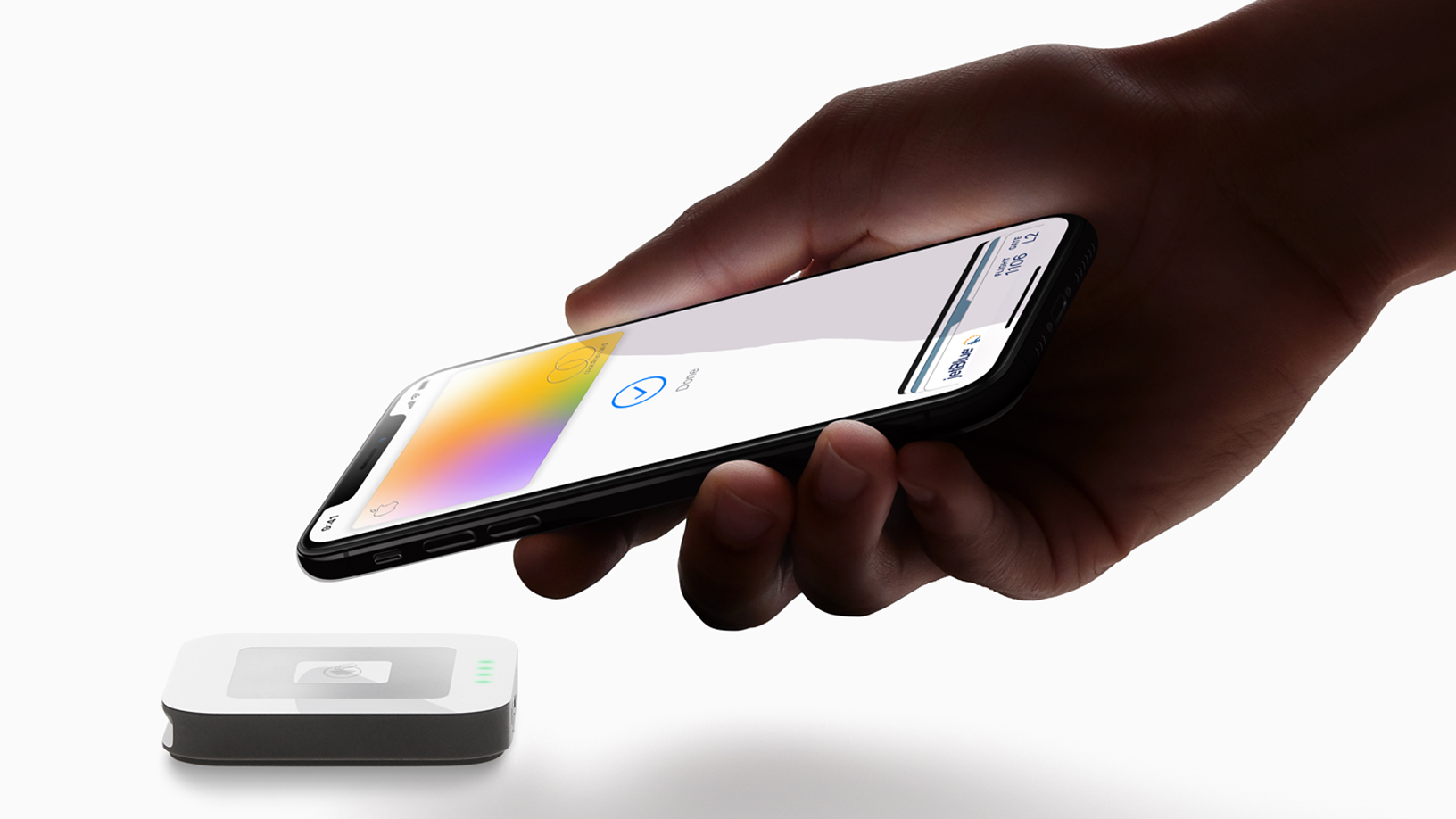
    Apple Pay is the company’s mobile payment platform. It’s a brilliant money-making scheme because Apple receives a cut of .15% of the value of each transaction that uses the feature (15 cents for each $100 purchase). With more than a million retail stores, gas stations, supermarkets, and restaurants accepting Apple Pay in the U.S. alone at the start of this month, the volume of transactions that run through the platform is large enough to generate big bucks for Apple.
    Some Twitter users noted that a notification badge showed up on their payment credit card inside the Wallet app today. That is because Apple has upgraded Apple Pay to improve the fraud prevention for some credit cards. According to Apple, “For cards with certain enhanced fraud prevention, when you attempt an online or in-app transaction, your device will evaluate information about your Apple ID, device, and location (if you have enabled Location Services), to develop fraud prevention assessments which are used by Apple to identify and prevent fraud.”
    Apple adds that it will share “fraud prevention assessments as well as information about your transaction (such as purchase amount, currency, and date) with your payment card network for fraud prevention.” You can avoid having to share this data with your payment card’s network by changing the payment card that you use for purchases made with Apple Pay to one that doesn’t sport the notification.

    To remove your payment card on the Wallet app, open the app and tap on the image of that card. Press on the three dots in the upper right of the display and when the new page loads, scroll to the bottom and tap on Remove This Card to well, remove this card. To add a new card, open the Wallet app and tap the “+” icon on the upper right of the display. You then scan the card and follow the directions to add it to the Wallet app.

    While this writer doesn’t see the notification badge on a Visa card placed in the Wallet app, some Visa users worldwide have started to see the badge. With so much cash tumbling into Apple’s coffers from Apple Pay, anything that Apple can do to get more users to pay using the platform brings more money to Apple’s bottom line. If that means making the card used for Apple Pay transactions safer to use thanks to enhanced fraud notification, so be it.


  • Important new features are finally coming to Instagram

    Important new features are finally coming to Instagram

    I don’t think I’m exaggerating saying that Instagram is overwhelmed with requests from users with hacked accounts. Although the company has been trying to make the process of recovering a hacked account easier, there’s no better defense against hackers than prevention, something that Instagram has been lacking lately.

    Lately, the social network giant has been pushing out security tools that help prevent your Instagram account from being hacked. They’re probably not foolproof, but it’s definitely a step in the right direction. After introducing Security Checkup for Instagram users who believe their accounts have been hacked last year, this feature is now rolling out to everyone on all platforms.

    It’s a nifty feature that teaches Instagram users to secure their accounts including checking login activity, reviewing profile information, confirming the accounts that share login information and updating account recovery contact information (i.e., phone number, email address). The new feature can be found in the Profile menu / Settings / Security / Security Checkup.

    To make your Instagram account more secure, we also recommend enabling two-factor authentication via WhatsApp, which is already available on certain countries. The 2FA feature can also be used with a phone number or an authenticator app like Duo Mobile and Google Authentication.

    Another important new feature coming to Instagram today is the ability to delete posts in bulk. It might seem a simple feature to have, but Instagram didn’t have it until recently. You can also archive/delete stories, IGTV and Reels, as well as your entire interactions such as comments, likes, story sticker reactions, etc.

    Along with the ability to delete and archive content in bulk, Instagram also added the option to sort and filter content and interactions by date and search for past comments, likes and stories replies from specific date ranges. All these tools to manage your accounts can be found in the Profile, just make sure to tap in the upper right corner and then choose “Your activity.

    Finally, there’s a new feature that Instagram is now testing, which will allow people who have lost access to their account to ask their friends to confirm their identity and regain access to their account. No word on when exactly we will have access to this feature, but more details are promised soon.

  • See which five new features Instagram is rumored to be working on

    See which five new features Instagram is rumored to be working on

    It looks like Instagram is working on a few new features. Leaker Alessandro Paluzzi, a mobile developer, and a reverse engineer shared on Twitter that Instagram could be working on:

    • An option to share Reels directly on Facebook
    • Improving the Story and Reels editor’s guidelines
    • Enabling you to leave a message if you can’t answer a video or audio call
    • Business users to be able to receive audio calls without a visible phone number
    • The ability to share upcoming live videos as a Story and outside Instagram

    An option to share Reels directly on Facebook

    From the tweet below, we can see that a new “Share to Facebook” option would be available in the Reel’s sharing menu, possibly enabling you to share your Reel directly to Facebook without the need for additional steps.
    Currently, if a user wants to share a Reel on Facebook, they have to enable the “Recommend on Facebook” option, then they have to choose “Turn on for this Reel,” and then the user has to return and try sharing the Reel on Facebook.

    Apparently, Instagram wants to make its platform as easy as possible to use.

    As we can see from the shared Tweet, Instagram has been working on improving its guidelines in the Story and Reels editor. When the user tried to move the written text to the bin icon, a guideline appeared, which told the user how to delete the text.

    As demonstrated in the Tweet, Instagram is working on a “Reply” button that would appear along with the “Accept” and “Decline” call options when a user receives a video or audio call and can’t take the call at that moment. When a user taps the new “Reply” button, a few default responses would appear, along with the option to send a custom reply message.

    Currently, if a business user wants to be reachable through audio calls on Instagram, they must reveal their phone number. From the Tweet, we see that this may become a thing of the past, and everyone may be able to start a call with a business account without the need for a phone number.

    Want to share a live video as a Story? It looks like Instagram is working on a way to make it possible. From the tweet below, we see two new possible options for sharing a live video: “share to Story” and “share externally.”

    The “share externally” feature would possibly enable you to share your live video outside of Instagram, but currently, there is no information on how exactly this feature would work.

    There you have it, not one, not two, but five new features that may come to Instagram. Sadly, there is no information on when we could expect them to be released.

    Something that we do know, however, is that Instagram has begun rolling out the ability to express yourself via your own virtual avatar in direct message chats and in Stories. Currently, this new feature is available only in the US, Canada, and Mexico, but in the coming months, it will be available in more countries as well.

  • Samsung Internet gets a bucketload of new features after latest beta update

    Samsung Internet gets a bucketload of new features after latest beta update

    Samsung Internet has become a very decent mobile browser thanks to the many updates Samsung released in the last year or so. Less than a month ago, the South Korean giant released Samsung Internet 14.0, but work on the next version of the browser has already begun.

    Those of you who don’t mind installing beta apps can now download Samsung Internet 14.2 beta, a new version of the browser that brings a wide range of new features and improvements.

    An important new feature involves site permission. This beta version of Samsung Internet lets users customize individual site permission, as they can now activate or deactivate permissions by switching on/off at the sites list. For the time being, permissions are available for Location, Camera, and Mic.

    A Bookmark Bar now shows up in the upper toolbar area in DeX mode and on tablets. You’ll need to enable the “Show bookmark bar” menu so that the bookmark bar is shown. Context menus like “Open in new tab” and “Edit bookmark” are supported too.

    The “Continue Apps on other devices” feature is getting a couple of improvements. For example, you can now use Samsung Internet on a different Samsung device and automatically sync clipboards across devices for copying and pasting text and images. However, for the feature to work, devices will need to be on the same Wi-Fi network with Bluetooth enabled to use Continue Apps.

    Several other features and enhancements have been included in Samsung Internet beta 14.2, such as S Pen Air Action, tab bar GUI enhancement, update popup for new password fill, quick access page at fresh launch, and tip card for desktop view setting.

    The new beta version of Samsung Internet Browser is available for download via Galaxy Store and Google Play Store.

  • Instagram introduces Live Rooms

    Instagram introduces Live Rooms

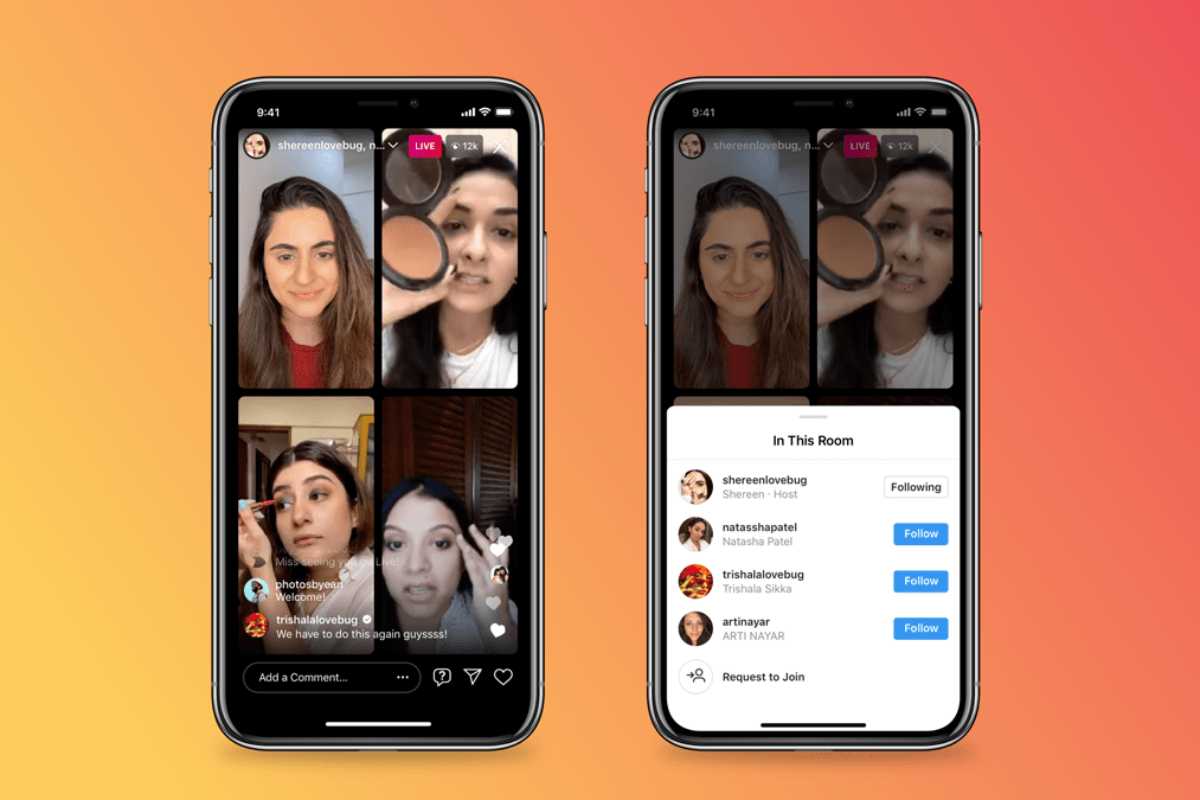
    Instagram is further improving the live features of its app with new functionalities that allow up to four people to go live at the same time. The new feature is called Live Rooms and bumps up the number of Instagram users that could go live at the same time from two to four.

    Furthermore, Instagram revealed that Live Rooms offers creators additional ways to earn money and built their businesses. For example, Live viewers will now be able to purchase badges for the hosts and use other interactive features like Shopping and Live Fundraisers.

    At the moment, Live Rooms lacks any moderation controls, but Instagram announced that it’s “exploring more interactive tools such as offering moderator controls and audio features.” However, these won’t be available until at least a few months from now.

    Instagram users who’d like to take advantage of the new Live Room feature can easily swipe left and pick the Live camera option. Next, simply add a title and click on the Rooms icon to add your friends who you wish to join the live chat. As mentioned earlier, you can add up to three other people when you start a Live Room, but you don’t have to add them all at once.

  • YouTube TV updated with new Features

    YouTube TV updated with new Features

    YouTube TV is getting an important update this week, which brings a lot of visual changes that should be beneficial for the vast majority of users. The most important change is progressive fast-forward, a new feature that lets YouTube TV users to skip ahead when they tap and hold the fast-forward button.

    For starters, you’ll be able to skip a minimum of 15 seconds per second, and a maximum of 1 minute per second. Aside from the progressive fast-forward improvement, the latest update brings a much cleaner Now Playing user interface, larger thumbnails and better suggestions.

    According to YouTube, the update should be available for 50% of the users, but apparently, there’s a way for those who aren’t among those selected to get the update to benefit from the new improvements.

    The workaround requires users to uninstall the app and reinstall it to get a new visitor ID, which might enroll them in the experiment. And the beautiful part is that you can do that more than once until you finally get the update.

    Obviously, the new YouTube TV app is rolling out to all platforms, so regardless of what device you’re using for Google’s service, you should be eligible for the latest update.

  • New feature in iOS 13 could save money

    New feature in iOS 13 could save money

    Ever delete an app from your iOS device, not realizing that you’re still paying a monthly fee to use it? It appears that Apple feels your pain. In iOS 13, if you delete an app, you will see a pop-up reminder if you have an active subscription to that app. A screenshot taken from an iPad running the second beta preview of iOS 13; the pop-up reminder can be seen on the screen asking, “Do you want to keep your subscription for this app?”

    The reason why this feature comes in handy is because you might delete an app and forget that you re paying a monthly subscription fee to use it. If you don’t cancel the subscription, you’ll continue paying monthly for a service that you no longer want. And to make sure that you don’t get charged for another month, the pop-up message tells you the next date when your credit card will be automatically used to renew the subscription. Of course, you can cancel your subscription no later than the day before your renewal date. The reminder also notes that if you delete the app but keep the subscription, the service can still be used on other devices.

    So let’s say that you subscribe to Hulu, paying $5.99 a month. You’re going through your iOS device and decide to delete the app, forgetting that you’re making that monthly payment automatically. If Apple keeps this new feature, before you tap that button to uninstall the app, you will see the pop-up reminding you that if you’re really cutting ties with the service, you might want to cancel your subscription. And the reminder also includes a link that takes you to your iOS subscriptions.

    Even though the iPad will have its own OS later this year, we would imagine that this feature will most likely be available for both iOS and iPadOS.

  • Google Maps is Adding Yelp Features

    Google Maps is Adding Yelp Features

    Over the past couple of years, Google Maps has transformed from a simple navigation app to one of the most powerful information databases for travelers and commuters around the world. Booking a hotel room, reserving a table at a restaurant, or simply checking working hours are all things made increasingly easy through Google Maps with its community-driven spirit. Soon, a new feature will be added to that ever-expanding list that will challenge Yelp.

    Crowd-sourced reviews are nothing new on Maps. As is, the app sends notifications to users, prompting them to rate places they’ve visited, and encourages them to share pictures. However, Google is looking to implement a new, dedicated food review system into the app, thus allowing users to rate individual dishes when visiting restaurants. The system will take a few factors into consideration, such as pricing, quantity, and quality, and will ask users whether they’d recommend the dish or not. And, of course, everyone will be encouraged to snap some photos of the impressive (or otherwise) dishes that they got served.

    Select venues on Google Maps already offer a “Menu” tab that can give you a rough idea of what to expect and how much it will cost, but the update aims to expand this functionality and put crowd-sourced reviews at the forefront. Ultimately, the goal is to have detailed menus for each venue, divided into sub-tabs based on popularity and the type of dish.

    Currently, dishes in the “Menu” tab are presented in a simple list form, but in the future, they will appear in card form alongside user-made photos. You will be able to tap on them to see others’ reviews, leave your own, suggest edits, and so on. Google has already started an initial testing phase of the feature. A wider roll-out can probably be expected in the coming months.

    With the implementation of food reviews in Maps, Google has Yelp in its sights. Both apps have long offered similar features, including restaurant reservations and user reviews, but Yelp had the edge when it came to detailed, crowd-sourced food reviews. With Maps adding this feature to its roster, it has the potential of becoming a viable Yelp competitor on all fronts.

  • Instagram just Added Three New Features

    Instagram just Added Three New Features

    Over 500 million Instagram users now use Stories on a daily basis to freely express themselves and check in on the lives of friends, family, and influencers. Today, with the goal of keeping these users hooked, some additional features have been announced.

    Unless you select the dedicated ‘Type’ mode in Stories, currently the only way of sharing something to Instagram Stories is by taking a picture or filming a short video. But pretty soon this is about to change.

    As part of a new UI, Stories will soon be divided into three separate modes dubbed ‘Live,’ ‘Camera,’ and ‘Create.’ The first, as its name indicates, will offer Instagram’s current live streaming option while the new ‘Camera’ mode will encompass all other features that are available at the moment. This means that Boomerang, Superzoom, Focus, Rewind, and all other quirky options can be found here.

    As for ‘Create,’ this will encourage sharing without taking photos or videos. It’ll offer colorful backgrounds and include features such as Type and Archive, interactive stickers like Polls and Questions, and much more.

    Instagram has confirmed that the new Stories UI and Create mode will be rolling out globally to users in the near future. Joining the revamped Stories are new Donation Stickers. Starting today in the US, Instagram users can raise money for nonprofit organizations by simply adding a sticker to their posts.

    Users will be given a list of nonprofit organizations which displays the ones they currently follow along with a bunch of other organizations that are popular at the moment. If you can’t find the one you’re looking for, a search bar will also be available.

    Once posted, users will be able to swipe up on the Story to view how much money has been donated. According to Instagram, the amount displayed will be donated in full to the chosen nonprofit.

    On an unrelated note, Instagram is also introducing a new feature called Shopping from Creators. As the name suggests, it’ll allow users to purchase products from influencers such as Kim Kardashian, Kylie Jenner, and Gigi Hadid directly. In order to do so, Instagram users simply need to tap on a post and click one of the tagged items. Then it’s as simple as using the built-in checkout process to buy it.

    This new feature will begin rolling out to users next week but will initially be limited to a small group of creators. In addition to the three mentioned above, Kris Jenner, Chiara Ferragni, Camila Coelho, and Katie Sturino will all have access to the tools. Publishers Elle, GQ, HypeBeast, and Refinery29 will also be able to tag products.

    Tagged items can only be from the brands that are participating in the Instagram checkout beta. These include Adidas, Nike, Burberry, Prada, Michael Kors, Mac, Kylie Cosmetics, H&M, and Zara at the moment