Tag: gmail

  • Gmail will soon give you more control over how your personal data is used

    Gmail will soon give you more control over how your personal data is used

    Google, through the Gmail app, has been working at making it safer and easier for people to communicate via email since 2004. And when it comes to security, Google says that Gmail blocks more than 99.9% of “spam, phishing and malware” from reaching your inbox. Google also lets you know about the data it collects “to provide you with helpful experiences.” And by making auto-delete the default setting this year, it means that Android users won’t have to consciously change the settings to automatically get rid of data that they don’t want to share with others, including advertisers.

    In the coming weeks, Google will add settings to Gmail that will allow users to continue using some smart features such as the automatic filtering that allows emails to be placed in different categories such as primary, social and promotions. Other smart features that users will be able to enable or disable include Smart Compose. The latter suggests what a user might want to write in an email. Summary cards can remain enabled; these show package tracking numbers, travel plans, and more. In addition, information collected from Google that includes Event details can be used to create entries in the user’s calendar. If a user is concerned that he is allowing Google to collect oo much personal data, these smart features can be turned off and disabled. Not to worry though; they can be turned back on in Gmail.

    Other controls will allow a user to personalize Google products with data from Chat, Meet, and Gmail. In other words, Google products like Assistant, Travel, and Maps can use personal data gathered from Chat, Meet, and Gmail to improve the experience of using those products. For example, users can get reminders about the bills they owe via Google Assistant, Google Maps will show restaurant reservations, itineraries can be bundled in Travel, and loyalty cards and tickets can be used quickly with GPay. Users can also choose to disable the above features while using limited versions of other Google products.

    Google is trying to continue offering useful features that improve the experience and ease of using Gmail and other Google products. At the same time, the company is giving users the ability to prevent too much personal data from getting into the wrong hands.
  • Google makes Gmail Go available to all Android users

    Google makes Gmail Go available to all Android users

    Just like many other popular mobile apps, Gmail has its own lighter version, which is mostly recommended for those using low-end smartphones. Gmail Go has been available to a certain category of Android users in select regions for quite a while, but that’s about to change starting today.

    Google released Gmail Go in the Play Store so that anyone can download and use it. Gmail Go offers the same email experience as the full-fledged app, it’s just that it does away with some visual elements.

    For starters, it doesn’t have the “Meet” button at the bottom of the screen. Also, the overall aspect of the app is slightly “cleaner” in the sense that it doesn’t make use of shadows. Truth be told Gmail users can set up their app’s UI so that the Meet button won’t appear at all, but that’s another discussion.

    The bottom line is if you want to try out a lighter version of Gmail, supposedly optimized to work on devices with less RAM, you should be able to download Gmail Go via the Google Play Store right now.

  • You might not notice Google’s upcoming change to Gmail

    You might not notice Google’s upcoming change to Gmail

    Google is making a change to Gmail, the company’s extremely popular email service. But this change isn’t adding a new feature or even taking one away. In fact, the effect of this news won’t change the way you use Gmail at all. As it announced, Google is about to change the name of its enterprise-focused G Suite offering. These are apps like Gmail, Calendar, Drive, Docs, Sheets, Slides, Meet, and many more that soon be under the Google Workspace umbrella. Google said today, “Whether you’re returning to the office, working from home, on the frontlines with your mobile device, or connecting with customers, Google Workspace is the best way to create, communicate, and collaborate.”

    In July, Google integrated its video conferencing service Meet with the Gmail app calling it “your new home for work.” Today, the company introduced a brand new logo for Gmail that will bring it more in line with Google’s branding. Instead of the current logo, which uses red lines to create the letter “M” on the back of a white envelope, Google is removing the envelope and is replacing the colors of the four lines. The four colors used in the revised logo, blue, red, yellow, and green, are the colors used by Google for its icons and corporate logo.

    Besides the new Gmail logo, the company is adding a touch of red to the Drive icon so that all four Google colors are included. Other apps, like Duo and Docs, are also getting an icon makeover. Currently, those two have a blue and white color scheme for their icons. But after undergoing their beauty treatment, the Duo and Docs icons will incorporate Google’s colors only. You can also expect the Google Calendar icon to change from blue, white, and gray to blue, red. yellow and green. The accompanying video will show you the changes.

    Google says, “Google Workspace embodies our vision for a future where work is more flexible, time is more precious, and enabling stronger human connections becomes even more important. It’s a vision we’ve been building toward for more than a decade, and one we’re excited to bring to life together with you.” Keep an eye open for the logo and icon changes on your devices.

  • Gmail update for iOS 14 brings a long-awaited feature for iPhones

    Gmail update for iOS 14 brings a long-awaited feature for iPhones

    A small but meaningful part of the iOS 14 update is the ability to change the default mail and internet browser apps, finally giving iPhone users the option to break free from the confines of Apple’s own Safari and Mail apps. Now, Gmail is making full use of the ability with its latest update on iOS.

    The latest version 6.0.200825 of the Gmail app for iPhones and iPads now features the ability to set it as the default email app, meaning all Mailto: links will automatically open in Google’s email client.

    In order to use this function, you’ll need your iOS device and Gmail app to both be up to date. Then, you can go to Settings > Gmail to switch it to default. This is a major change in tune for the Cupertino-based tech firm, which is famous for its ‘walled garden’ principle of maintaining tight control over all parts of its ecosystem.

    So why switch to Gmail? It’s the most popular email client worldwide, for one, and the enhanced syncing with non-Apple devices could be an attractive proposition to some. Plus, while Apple’s software is renowned for its security, April’s news concerning major weaknesses in the Mail app has proven that it isn’t perfect. The Google vs. Apple debate is really a whole different debate, but the important thing is that Apple is now offering the choice.

  • Google makes Gmail work with iPad multitasking

    Google makes Gmail work with iPad multitasking

    Gmail is working great on either iPhones or iPads, but there was just one useful feature that was missing from the iPad version of the app – the ability to multitask with Gmail and other iOS applications.

    You can indeed make use of Apple’s so-called Split View feature and switch between Gmail and other apps, but the functionality doesn’t work flawlessly all the time. Although it took Google several years to implement multitasking within Gmail, the option is finally here.

    Google announced today that all Gmail accounts – G Suite and personal, can now make use of the multitasking feature with Gmail and other iOS applications. It works the same way as Split View, but it’s better to implement and specifically designed for Gmail.

    You’ll have to turn on Multitasking on your iPad before you’ll be able to use the new feature by heading to Settings app / Home Screen & Dock / Multitasking. From there, make sure to enable the “Allow Multiple Apps” option to be able to switch between apps.

    After you’ve enabled Multitasking, you can enter split view when in Gmail by swiping up from the bottom of the screen to open the dock. Then, touch and hold the app you wish to open and drag it to the left of the right edge of the screen.

  • Google adds support for multiple signatures in Gmail

    Google adds support for multiple signatures in Gmail

    Google revealed earlier today that a new feature is coming to Gmail that allows users to create and use multiple signatures. It’s a nifty feature that makes it easier for Gmail users to adapt to any situation when it comes to sending emails that require different signatures.

    To make use of the new feature, which Google says will be available by default, simply create multiple signatures by heading to Gmail’s Settings / General. From there, choose Signature / Create New, and you should be able to create multiple signatures.

    Creating multiple signatures is easy, but let’s see how you can put them to good use. After you create at least two signatures, you’ll be able to switch between them by opening the signature menu in the compose action toolbar.

    Google announced the support for multiple signatures in Gmail will be rolled out starting today and may take up to two weeks to reach all devices. The new feature is available for all G Suite users, as well as Gmail users with personal Google Accounts.

  • Google further improves Gmail’s security on all platforms

    Google further improves Gmail’s security on all platforms

    Gmail is already a safe email app, but it’s far from being perfect and Google is aware of that. The most recent update introduces a brand-new technology that Google is still refining, which further improves malicious document detection.

    Google’s security technology is using deep learning, a term that’s been tied by many software developed in the last couple of years. In a fairly technical blog post, Google explains how the new changes will affect Gmail and what other improvements are expected to be added in the future.

    First off, Gmail already protects its users from malicious software that’s usually transmitted via Office documents, but thanks to Google’s new technology, the app can do that even better. Google launched a new scanner at the end of last year, which is supposed to increase the detection of Office documents packed with malicious scripts by 10 percent.

    According to Google, nearly 60 percent of the malware targeting Gmail users is represented by malicious documents, which is why the Mountain View company is so determined to find a way to prevent these emails to reach your Inbox.

    Gmail’s new scanner is an extra layer of security and will run at the same time with the already existing detection capabilities. Google’s approach to the problem seems to be the development of multiple scanners, each dedicated to particular tasks and working in parallel to find and remove all malicious content targeting Gmail users.

    These scanners use artificial intelligence, another piece of technology that’s been the cornerstone of developing faster and better software. Google will continue to use artificial intelligence with the purpose of protecting Gmail users’ inboxes, so this is probably a taste of what’s to come.

  • Gmail update lets users send emails as attachments

    Gmail update lets users send emails as attachments

    Google is making it easier to forward emails to multiple recipients via Gmail. The latest update lets you attach emails to other emails in Gmail without having to download them. Simply drag and drop the email you want to forward inside your email. In fact, you can drag multiple emails into a new thread, which makes the new feature even more useful.

    Another method to insert emails in a new thread to select the emails from the Gmail inbox and then choose to “Forward as attachment” from the three-dot menu. You can even reply to an email by adding multiple emails in the compose window via drag and drop.

    There are a couple of important details that Google mentions in the announcement. First off, all attached emails become .eml files. Secondly, you can attach as many emails as you want. Last but not least, every attached email will open in a new window.

    The new feature revealed by Google today will be available to all Gmail users, not just Gsuite members. However, according to Google, the rollout may take up to 15 days starting on December 9, so everyone should get it by the end of the year.

  • Google adds dynamic email support to Gmail on Android and iOS

    Google adds dynamic email support to Gmail on Android and iOS

    Google Docs is not the only app the Mountain View company is improving this week. As the title says, Gmail, Google’s email app is getting important upgrades on both Android and iOS platforms.

    The highlight of the latest update is dynamic email, new functionality that is now rolling out to Gmail on Android and iOS. Dynamic email lets Gmail users take action directly within a message. For example, you can respond to a comment, RSVP to an event, or manage subscription preferences directly within the email.

    Another advantage of having support for dynamic email is that the functionality can be kept up to date so that when you open an email you’ll see the most up-to-date information about the subject.

    Now, according to Google, the rollout is starting today, but it may take more than two weeks for everyone to see the functionality on their Android and iOS devices. It’s also worth mentioning that dynamic email support will be turned on by default when the functionality arrives on a compatible device.

  • Google brings new spelling and grammar correction capabilities to Gmail app

    Google brings new spelling and grammar correction capabilities to Gmail app

    Google has announced a couple of nifty features will soon be rolled out to Gmail on all platforms. Although the app does feature predictive text, users are still prone to typos or grammar mistakes.

    To correct that issue, Google announced it will introduce new spelling and grammar correction capabilities for Gmail which are meant to help users with G Suite accounts compose emails faster.

    The new capabilities will trigger ones you start typing a message and will use artificial intelligence to make smarter spell-check suggestions while detecting potential grammar issues at the same time. Moreover, Google mentions that it has added as-you-type autocorrect.

    Google says these new features will be rolled out gradually to all G Suite accounts starting today, but the full deployment will last until mid-September. Unfortunately, the new features are not yet available for regular users, although we can safely assume they will be made available to all Gmail users at some point, just like it happened with the Smart Compose function.

  • Dark mode starts showing up in Gmail for Android

    Dark mode starts showing up in Gmail for Android

    Gmail is one of the not so many Google apps that hasn’t yet received a proper dark mode. Meanwhile, Drive, Keep and Google’s app have all received the highly-anticipated dark theme so that everyone can enjoy it.

    Well, it looks like Google is working hard to make Gmail users happy as well. The long overdue dark mode is starting to show up in Gmail for Android. Unfortunately, it’s not yet correctly implemented and lacks a toggle that would allow users to disable or enable it.

    The dark mode seems to be available in settings only for the time being and pops up randomly whenever it wants. This is more of an indication that Google is close to nailing it down rather than an official release, but it’s what we have at the moment to keep you hyped.

    Gmail is probably one of the most popular Google apps for Android devices, so it’s kind of a bummer that the Mountain View company didn’t think that it should implement a dark theme yet, while other less used apps have been treated with a dark mode a long time ago.

    Apparently, the dark mode appears in Gmail v2019.06.09, so if you have this specific version installed on your Android smartphone, you might sporadically enjoy the new implementation of dark mode, at least until a full-fledged version will be released.

  • Gmail on Android gets Google Tasks integration

    Gmail on Android gets Google Tasks integration

    Google Tasks has been around for years, though it was largely neglected and forgotten by both its creators and users alike. This, however, changed last year, when Google realized that it needs an up-to-date “to-do” platform that puts the focus on getting things done. That’s when the company revived Tasks as a mobile app, alongside the big redesign of the web version of Gmail.

    Said redesign also brought Tasks integration to Gmail for web, which proved to be a very convenient feature, indeed, but it didn’t appear in the Gmail app for reasons unknown. This changes with the latest update, which finally introduces Google Tasks integration to the Android Gmail app.

    Adding important emails to Tasks is quite easy. All you need to do is open the email you want to add, tap the three-dot menu in the top right corner of the screen, and select “Add to Tasks.” If you don’t have the Tasks app installed on your device, doing this will send you to the Google Play Store page of the app. If you already have and use Tasks, this will add the email to your to-do list. You can also add details, change the date and time for reminders, and include subtasks on a per-email basis, which is pretty neat.

    Tasks integration should be going live in the latest update for the Gmail app on Android, though as we’ve come to expect from Google, it’s likely going to be a staged roll-out, which means that not everyone is going to get it on the same day. We’ve already received the update, but you may have to wait a bit longer, depending on your region.

  • Google Pay update brings Gmail integration

    Google Pay update brings Gmail integration

    Google is trying to build an entire ecosystem that will allow users to access any important information from just about every Google app. Gmail has been integrated with many other Google apps, but other developers noticed the benefits and added integration with the email app.

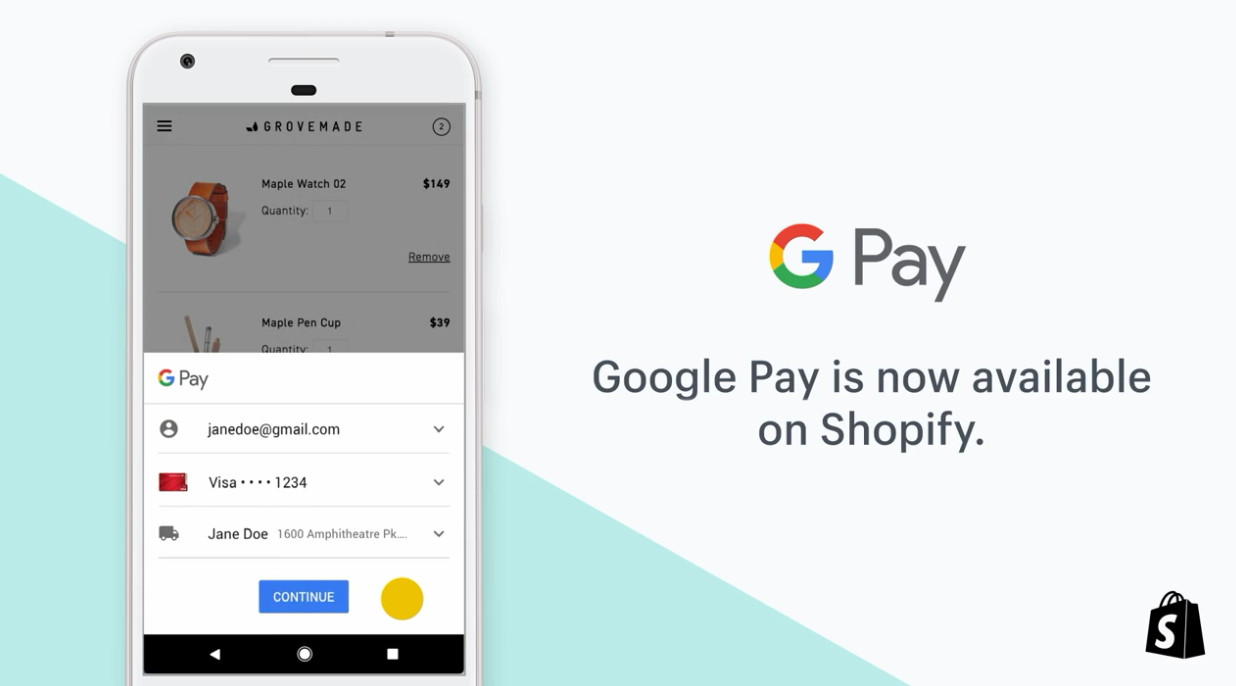
    The newest app that benefits from Gmail integration is Google Pay, which doesn’t come as a surprise since the changes were spotted a few months ago. Now, Google Pay has been updated with Gmail importing, which means that the mobile payment app will browse through your emails and add the relevant information to its system.

    For example, whenever you receive loyalty cards, movie tickets, and boarding passes in the Gmail inbox, they will be automatically added in Google Pay. Keep in mind though that if you delete the email containing the information, it will disappear from Google Pay as well.

    The improvement makes it easier to access loyalty cards, tickets, and more without having to go through your emails every time you want to know something about them. It’s also easier to find coupons and boarding passes that are being sent to your Gmail inbox and make use of them.

    It’s worth mentioning that the new Gmail import feature is disabled by default, so you’ll have to enable it in Google Pay by heading to Settings / General / Gmail Imports and using the toggle available after the latest update.

  • Google Pay update brings Gmail integration

    Google Pay update brings Gmail integration

    Google is trying to build an entire ecosystem that will allow users to access any important information from just about every Google app. Gmail has been integrated with many other Google apps, but other developers noticed the benefits and added integration with the email app.

    The newest app that benefits from Gmail integration is Google Pay, which doesn’t come as a surprise since the changes were spotted a few months ago. Now Google Pay has been updated with Gmail importing, which means that the mobile payment app will browse through your emails and add the relevant information to its system.

    For example, whenever you receive loyalty cards, movie tickets, and boarding passes in the Gmail inbox, they will be automatically added in Google Pay. Keep in mind though that if you delete the email containing the information, it will disappear from Google Pay as well.

    The improvement makes it easier to access loyalty cards, tickets, and more without having to go through your emails every time you want to know something about them. It’s also easier to find coupons and boarding passes that are being sent to your Gmail inbox and make use of them.

    It’s worth mentioning that the new Gmail import feature is disabled by default, so you’ll have to enable it in Google Pay by heading to Settings / General / Gmail Imports and using the toggle available after the latest update.

  • Gmail is getting scheduled send time and Smart Compose is now on more devices

    Gmail is getting scheduled send time and Smart Compose is now on more devices

    Amidst all the absurd products Google is “announcing” as part of its April Fools campaign, there is also legitimate news coming from the company. With a post on its blog, Google is making official its Smart Compose functionality available for all Android devices with Gmail (iOS support “coming soon”). The feature had already appeared with an update on some devices besides Pixel smartphones, but today marks its broader release.

    For those unfamiliar with Smart Compose, it helps you type in your emails faster by suggesting phrases with which you can autocomplete your sentences. Unsurprisingly, the feature is powered by Google’s AI and its suggestions are based not only on the context of the email but on your writing style as well. So if you’re commonly using certain phrases in your emails, it shouldn’t take long before Smart Compose starts offering them as soon as you type in the first word or two.

    Another, this time “brand new” feature coming to Gmail is scheduled email sending. Once it’s available to you, there will be an arrow next to the send button through which you can select “Schedule send” and choose a date and time when you want your email to be sent. We assume the implementation for the Gmail app will be similar.

    This is a very convenient feature that has many use cases: preparing emails for when you’re going to be out of the office, on a plane or on vacation. Of course, you’ll also have the option to cancel the email at any point before its departure date and time. Considering it’s not a very complex one, we’re surprised it took so long for Google to implement it.

    It matters not, however, as now your Gmail client is gaining new features to make your life easier. How long will it be before we can just say “OK, Google, reply to all my emails.” and not have to bother at all?