Retail News CRM

Tag: Google Assistant

  • Google’s Gemini Vs Google Assistant: Exploring The Hotword Controversy On Pixel Phones

    Google’s Gemini Vs Google Assistant: Exploring The Hotword Controversy On Pixel Phones

    A loyal consumer recently expressed curiosity regarding Google’s decision to replace Google Assistant with Gemini, the new AI model, on Pixel phones. The user queried the need to continue using “Hey Google” as the activation hotword, despite the shift to Gemini. The question arises as even after replacing Google Assistant with Gemini, the hotword remains the same, causing some confusion among users.

    Exploring the “Hey Gemini” Hotword Debate

    The suggestion of a hotword change to “Hey Gemini” appears to be a reasonable request as it is more syllable-friendly in comparison to its predecessor. Even though it has more syllables (four) than “Hey Google” (three), users may find it easier to pronounce, eliminating the tongue-twister effect some experience with Google. This alteration could also minimize the cognitive dissonance created when activating Gemini but having to say “Hey Google.”

    Understanding the Current Assistant Activation

    For clarity, if you have set Gemini as your assistant on your Pixel, saying “Hey Google” will activate Gemini. Similarly, if you have the Google Assistant set, using the same hotword will activate Google Assistant. Switching between the two can be done through the Settings > Apps > Assistant pathway, followed by selecting your preferred digital assistant. Regardless of the choice made, the activation hotword remains as “Hey Google.”

    Alternate Activation Methods

    A potential solution to bypass the hotword confusion is the Quick Tap feature. This function allows users to activate their chosen assistant by double-tapping the back of the phone. To use this feature, one must navigate to Settings > System > Gestures > Quick Tap and activate the “Access your digital assistant” option. This way, users can avoid using the power button or saying “Hey Google” to activate their assistant.

    Disabling Power Button Activation

    If users find long-pressing the power button bothersome or confusing, this shortcut can be deactivated. This can be done through Settings > System > Gestures, with the Press & Hold power button toggled off. Users can then opt for a long press of the power button to open either the Power menu or the Digital assistant. The sensitivity of the long press can also be adjusted according to user preference.

    Impact of Google’s Shift to Gemini

    Regardless of the available activation techniques, the optimal way to access either Gemini or Google Assistant is no longer present on Pixel phones. Earlier models, such as the Pixel 2, featured an Active Edge function, which allowed users to squeeze the sides of their phone to activate Google Assistant. However, this feature was removed on later models, starting with the Pixel 5.

    The current debate emphasizes the need for Google to consider a hotword change for Gemini, perhaps to “Hey Gemini” or simply “Gemini.” As Google continues to substitute Google Assistant with Gemini on Android, this is likely to happen. Users are encouraged to make the switch to Gemini on their Pixel for a more seamless experience.

    Questions & Answers

    1. Why do users still have to say “Hey Google” to activate Gemini?
    This is due to Google not yet implementing a hotword change following the shift from Google Assistant to Gemini.

    2. What is the Quick Tap feature on Pixel phones?
    Quick Tap is a feature on Pixel phones that lets users double tap the back of their device to activate their digital assistant, bypassing the need to say the hotword.

    3. What was the Active Edge feature on previous Pixel models?
    The Active Edge feature allowed users to squeeze the sides of their Pixel phone to call up Google Assistant. However, this function was removed in later models, starting with the Pixel 5.

  • Google Assistant is secretly listening to you, it turns out

    Google Assistant is secretly listening to you, it turns out

    In a strange turn of events, Google allegedly confirmed that Google Assistant on your phone or smart speaker may be recording your audio without your knowledge, but just “at times”.

    Google representatives on Tuesday told the Parliamentary Standing Committee on Information Technology that Google employees listen to some recordings of conversations between users and Google Assistant.

    Back in 2019, Google confirmed that its employees occasionally listen to conversations between users and Google Assistant. “We take a number of precautions to protect data during the human review process-audio snippets are never associated with any user accounts and language experts only listen to a small set of queries (around 0.2 percent of all user audio snippets), only from users with VAA turned on,” Google stated at the time.

    That’s all in the fine print but as it turns out, sometimes audio was recorded by the Google Assistant on a smartphone or smart speaker even when a user had not triggered the AI by saying Ok Google. IndiaToday sources claim that in response to a question from BJP MP Nishikant Dubey, the Google team confirmed the aforementioned.

    Google’s privacy policy states, “Occasionally, the Assistant will activate when you didn’t intend it to because it incorrectly detected that you wanted its help. If that happens, just say Hey Google, that wasn’t for you, and the Assistant will delete the last thing it sent to Google.”

    That’s all fine and dandy but there’s nothing about the times when Google Assistant is secretly listening to your conversations. How would you know in the first place? It’s a major scandal that has the potential to blow way out of proportion! We’re monitoring the situation closely and we’ll keep you posted if there’s any further information.

  • Google Assistant driving mode now rolling out to more countries

    Google Assistant driving mode now rolling out to more countries

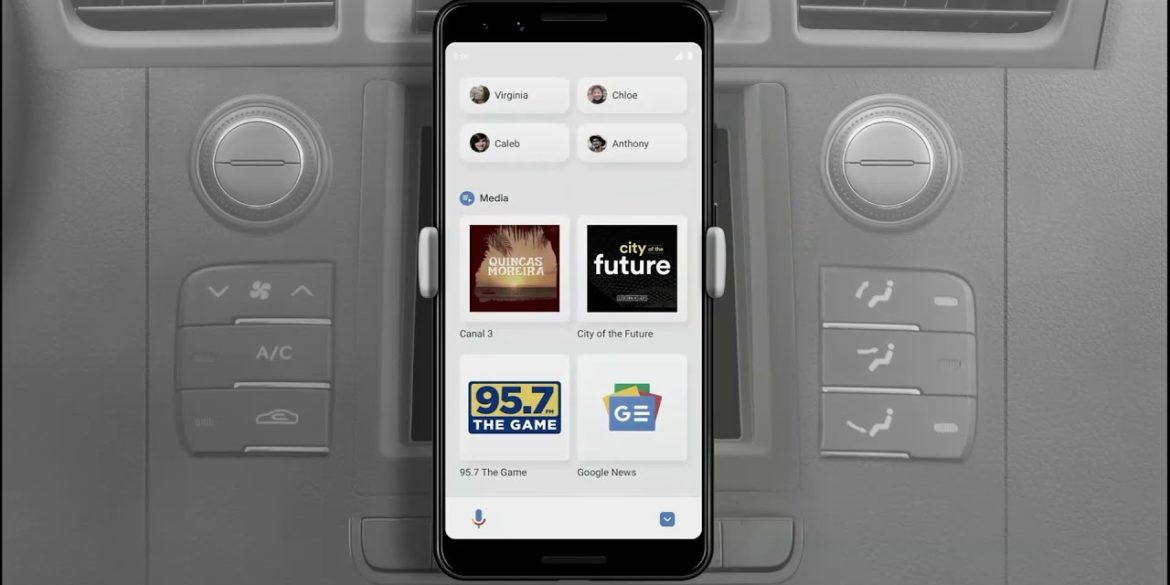
    If you live in the United States and use an Android smartphone, chances are that you’ve already seen Google’s new Android Auto-like experience for mobile devices. Although not a full-fledged experience yet, the new Assistant driving mode meant to replace Android Auto was limited to just one market: United States.

    After several months in development, it looks like Google is confident that the Assistant driving mode is ready to be shared with more audiences. Beginning this week, Android users in more countries will start seeing the new Android Auto-like experience.

    Google’s support page mentions that this preview of Google Assistant driving mode will now be available to Android users in the following countries: Australia, Great Britain, Ireland, India, and Singapore.

    Just like Android Auto, Google Assistant driving mode should let you use voice to send and receive calls and texts, as well as alert you to an incoming call to allow you to answer or decline it with voice. Naturally, you can also use the driving mode to play your favorite music from whatever streaming service you’re subscribed to (i.e. Spotify, YouTube Music).

    Keep in mind that if you live in one of the countries where Google is now rolling out the Assistant driving mode, you’ll need a smartphone running Android 9.0 or higher with at least 4GB RAM.

  • Google Assistant driving mode slowly rolling out to more countries

    Google Assistant driving mode slowly rolling out to more countries

    After introducing the Assistant Driving Mode in the United States last year, Google has decided that it’s finally time to make the feature available to users in other countries too. If you’re not living in the US, chances are that you don’t know what’s this Google Assistant Driving Mode.

    Google launched the Assistant Driving Mode as a replacement solution for Android Auto’s mode from smartphones. The feature is meant to allow drivers to get their notifications read to them out loud, so they can continue to drive without having to check their phones.

    Google Assistant’s driving mode can not only read messages to drivers, but it can also send messages and make calls for you. Not to mention that you’ll be able to control your music by simply using your voice.

    Currently, we know for sure that the Assistant’s driving mode is slowly rolling out to users in the UK, but it’s safe to assume that the feature will soon be available in other countries too. As per Google’s support page, some of the features of Assistant’s driving mode “aren’t available in all languages or countries,” whereas previously it stated that it’s only live in the US.

    Of course, Google Assistant’s driving mode is limited to just one language at the moment: English. As far as the hardware requirements go, you’ll need a smartphone powered by Android 9.0 or higher, which packs 4GB RAM or more. Also, Google’s Assistant driving mode only works in portrait mode.

  • “Memory” feature for Google Assistant is being tested

    “Memory” feature for Google Assistant is being tested

    Some new features are being created by Google for the latter’s Assistant virtual helper. While the original version of Assistant was designed to work with voice commands, eventually smart display-styled visuals were included and now Google wants Assistant to take advantage of the smartphone’s form factor to help improve the virtual assistant. Google is reportedly working on a feature for Assistant called “Memory.”

    Memory is “an easy, quick way to save and find everything in one place” says Google and the tech giant gave four examples of what this feature brings to the table. Any screen content can be saved to “Memory” including links to original sources. Additionally, real-world stuff such as objects, posters, and handwritten notes can be saved to Memories along with thoughts and reminders. And all of this information can be found over and over again in the same place offering smart search and organization.

    Google says that “Memory can save: articles, books, contacts, events, flights, hotels, images, movies, music, notes, photos, places, playlists, products, recipes, reminders, restaurants, screenshots, shipments, TV shows, videos, and websites. You store things using a verbal Google Assistant command or home screen shortcut. Memory will be smart about preserving the surrounding context. For example, it can include screenshots, URLs, and location.”

    Afterward, everything is viewable in a new “Memory” feed that is found alongside Snapshot. There are special cards that surface when you save content from Google Docs, Sheets, Slides, Drawing, Forms, Sites, and other uploaded Drive files.

    As Google notes, “Memory is an easy, quick way to save and find everything in one place.” Saved in reverse chronological order, Google will display cards with “older memories” and memories from “today.” Swiping inward from either bottom corner will open Assistant. And thanks to a shortcut, Memory is always just a tap away.

  • New feature for Google Assistant borrows heavily from Siri

    New feature for Google Assistant borrows heavily from Siri

    Siri Shortcuts is a feature that allows you to create a shortcut to activate certain actions with specific apps.. Here’s a good example. Let’s say that you are totally frustrated with Siri. What you can do is download the Google Assistant app for iOS, found in the App Store. However, if you’ve moved from an Android phone to an iPhone, you might be appalled to discover that you can’t activate Google Assistant by saying a hotword unless you use Siri Shortcut.

    For example, you can set up Siri Shortcut to activate Google Assistant by stating “Hey Siri, O.K. Google.” Sure, it sounds crazy and someone overhearing the command might try to have you committed to Bellevue. But when you break it down, you’re simply activating Siri and then giving Siri the “O.K. Google” verbal shortcut that opens up Google Assistant. Now, Google is said to be working on its own shortcuts feature for Google Assistant that is very similar to Siri Shortcuts.

    For example, if you have Twitter installed on your Android phone you can go into Shortcuts and create a shortcut. When you’re ready to create a new Tweet, say “O.K. Google, new tweet” to start composing. Similarly, you’ll be able to say, “O.K. Google, new Gmail” to create a new email in the Gmail app. Shortcuts also appear in your Assistant Routines menu where you can edit them using a different UI.

    For Android users to take advantage of Assistant Shortcuts, developers will have to improve the functionality of their apps. For example, Shortcuts currently cannot be chained together and they can only get you to a specific screen on an app. Neowin points out that while you can’t open a specific keyword on Instagram, you can open the Explore Tab on the app.

    The new Assistant Shortcuts is rolling out as a server-side update. You can see if you have it on your phone by going to Assistant Settings. There, you can find the aforementioned Assistant Routines menu where Shortcuts can also be found.

  • Hidden code reveals Chat Heads for Google Assistant

    Hidden code reveals Chat Heads for Google Assistant

    One of the new features coming to Android 11 is “Bubbles.” This feature allows you to multitask from anywhere on the phone. Similar to the Chat Heads feature found in the Facebook Messenger app, with “Bubbles” you can continue to engage in a chat while looking at another app without having to switch back and forth between the Messages app and, for argument’s sake, a sports app.

    For example, let’s say that you are texting your girlfriend but at the same time you’re following your favorite team on ESPN. Instead of having to move from app to app, a floating avatar will appear on ESPN. It shows the image of your girlfriend, the icon of the Messages app, and a preview of her message. The message turns into a blue dot on the “Bubble.” Tap on it and it expands to give the user the full capabilities of the Messages app. That means that the user can access video, photos, emoji, Assistant suggestions, and other Messages feature.

    Version 11.21 of the Google app includes two new strings of code. One string name that cites a “Chat Head” tutorial goes on to say, “Tap to talk to your Assistant.\nDrag to move or dismiss.” The second string of code says, “Assistant Chat Head dismissal area.” 9to5Google enabled the Assistant Chat Head on the aforementioned version of the Google beta app. It is the current Assistant logo against a white background.

    Now you might be curious as to why on earth would you need a Chat Head for Google Assistant. Messages, you can understand, but a digital assistant, well that’s another story. But if you are using Google Assistant, the conversation that you’re having is with the digital assistant and you might want to ask a follow-up question to a response you’ve received from it. Instead of switching from another app to do so, with Chat Heads, you can remain on the other app while Google Assistant’s Chat Head responds to your inquiry.

    Right now, tapping on the Assistant’s Chat Head merely reveals the current Google Assistant panel at the bottom of the screen. When the final version of Android 11 drops, we’d expect to see the Chat Head expand as it does for Messages with a full-sized page sporting an optimized UI.

  • Google Assistant Will Come Up with a Fresh New Look

    Google Assistant Will Come Up with a Fresh New Look

    It appears that Google is testing a new UI for Google Assistant. Instead of the white box that pops up when the virtual personal assistant is activated, a transparent overlay with the words “Hi, I’m listening” covers the bottom third of the screen. That tells you that Google Assistant is ready to hear your question or request. At the bottom of the overlay are icons for the Update page and the virtual QWERTY keyboard, with the Google Pixel light bar underneath. Once the user gives his command to Google Assistant or swipes up, the currently used full page in white is displayed.

    Google is running a limited A/B test of the new UI, which is offered with version 9.84.10.21 of the Google app. It is unclear whether Google plans to roll this redesign out to all users, but it is interesting that no mention of this was made at Google I/O last week. It is possible that feedback generated by the A/B testing will be the final piece of the puzzle used to help Google determine whether to keep this new look for the feature.

    Google Assistant is considered by many to be the top virtual helper available with Amazon’s Alexa second and Apple’s Siri in third. Google announced last week that the next-generation version of Assistant will be able to handle tasks up to 10 times faster than the current version. There is some bad news to current Pixel owners; the next-gen Google Assistant could be exclusive to the Pixel 4. If Google sticks to tradition, the latter will be introduced in the fourth quarter of this year.

  • Get incredible Google Home Hub discounts

    Get incredible Google Home Hub discounts

    Even though it earned pretty good reviews after seeing daylight just six months ago and presumably contributed to Google’s thriving smart speaker sales numbers during the final quarter of 2018, the Home Hub has been massively discounted lately more times than we can count on the fingers of one hand.

    Right now, the Google Assistant-powered smart display is back up to its $149 list price at both its manufacturer’s official US e-store and third-party retailers like Best Buy, but one self-described “social shopping marketplace” has this extremely versatile and convenient product on sale at a big markdown yet again.

    The “catch” is you need to purchase two units to save a frankly unbelievable amount of money. Basically, you’re looking at a two-for-one or buy-one-get-one-free type of deal, as this heavily discounted Google Home Hub two-pack in black currently costs $153.95, or a hair over the aforementioned regular price of a single device. You’ll want to hurry, though, as the promotion, also known as a power deal in MassGenie user lingo, is set to expire within just four hours of the time of this writing.

    If you’d like to get something nice for yourself and a friend, a family member, or a special someone, today’s super-limited offer effectively brings the price of a Google Home Hub down to $77. Meanwhile, for only three extra bucks, you can purchase just the one smart display in your choice of Chalk or Charcoal paint jobs, although you have even less time to jump on that particular deal.

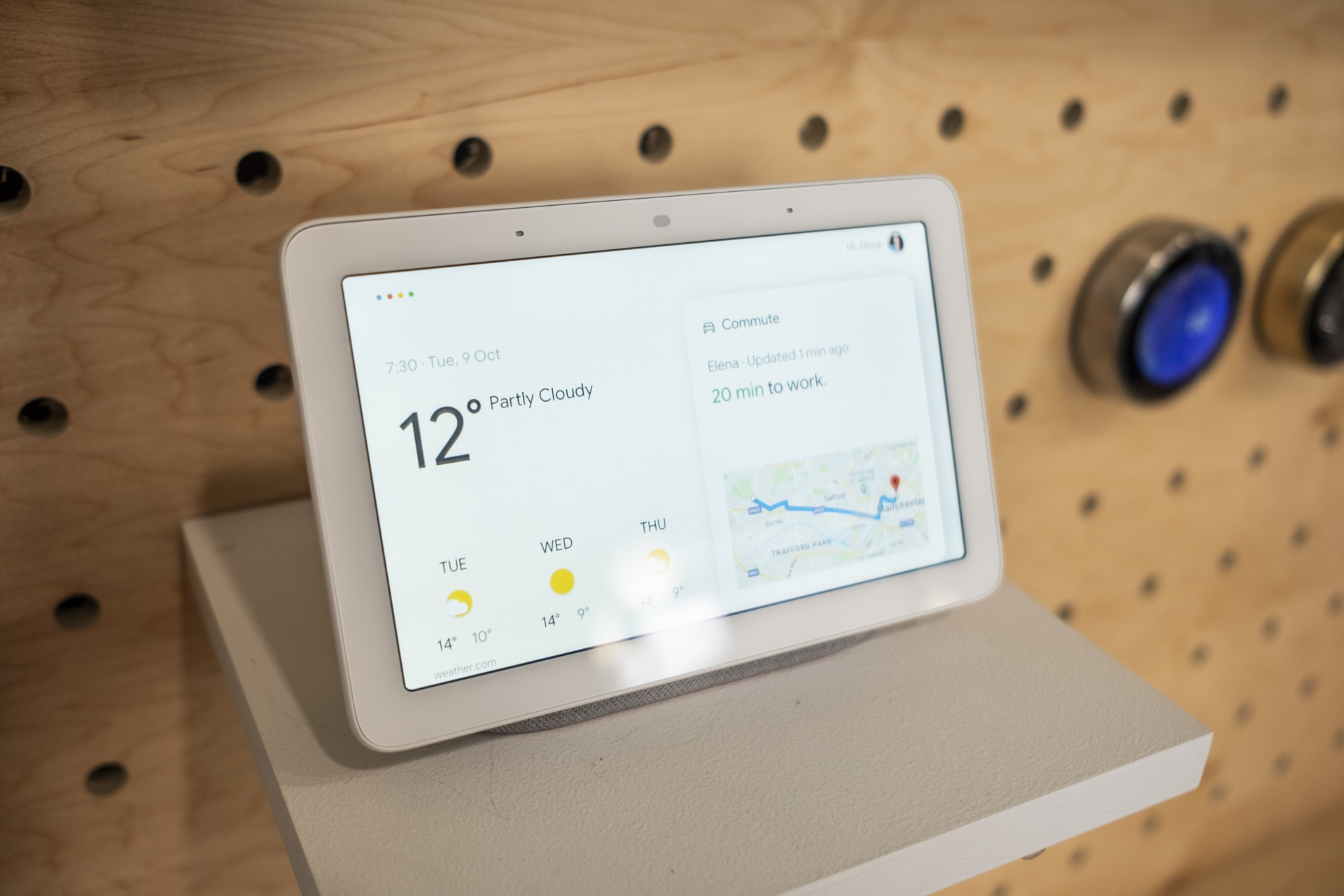
    For those unfamiliar with what this bad boy can do, suffice to say it’s essentially a smart speaker with a touchscreen… and smart home hub capabilities. You can watch YouTube videos, stream music, control various smart home accessories, and get answers to your most burning questions, all without ever lifting a finger.

  • Google Assistant finally gets the celebrity voice

    Google Assistant finally gets the celebrity voice

    Back at Google I/O in May of 2018, Google promised users a special treat with Google Assistant — the addition of John Legend’s voice as an option for Google Home products and the Assistant on your phone. We’re now just about one month away from Google I/O 2019 and that promise has finally become a reality.

    All you have to do to get John Legend’s voice is to ask your Assistant to “talk like John Legend.” After that, you’ll have John Legend’s voice for a limited selection of things like giving weather updates, answering questions, and telling jokes, while “the regular Assistant” does everything else. We tested it out for a couple minutes and the general voice does sound like John Legend, even if it is a bit robotic, and there are fun Easter eggs to find, like when you ask “Do you like Chrissy Teigen?” or “What’s your middle name?” or “What’s your favorite song?” or “Serenade me.” In generally, questions about music will get something good from the voice.

    The one thing to remember is that Google has said this special voice will only be available for a limited time, although there’s no indication what that actually means. However, it seems like John Legend won’t be the only celebrity voice for the Google Assistant because this is Google’s way of showing off its WaveNet voice synthesis engine. The idea is that with a certain amount of data, it can impersonate anyone, so maybe at next month’s Google I/O we’ll hear about new voices in the works.

    https://www.youtube.com/watch?v=AgHghcYqeto&feature=youtu.be