Tag: google wallet

  • Unlock Personalized Deals and Tailored Ads with Google Wallet’s Latest Update: Here’s How

    Unlock Personalized Deals and Tailored Ads with Google Wallet’s Latest Update: Here’s How

    Google has been improving its Google Wallet app, making it a convenient hub for Android users to digitally store items such as credit and debit cards, passports, tickets, and transit passes. Despite these features, Google Wallet may not be as frequently used as other Google apps, such as YouTube, Messages, Keep, Drive, Email, Chrome, and the Google app.

    Upcoming Changes to Google Wallet

    However, Google Wallet should not be disregarded. Reports suggest that Google has been undergoing modifications to enhance the app’s utility. Insights from a recent teardown of the Wallet app indicate that Google is developing the Google Transit Card. This feature will enable users to pay for public transportation using a specific card without the necessity to unlock their phone, an addition that will undoubtedly be beneficial and time-saving for daily commuters.

    Additionally, the Wallet app is set to offer unique deals based on the loyalty cards stored within the app, provided certain settings are enabled.

    Data Management and Privacy Settings

    A forthcoming update to the Google Wallet app will allow U.S. users to manage their data and privacy settings. These settings can be utilised to create personalised experiences across Google. With your Google Wallet payment information and activity enabled for personalising content and experiences across Google, you will be able to view recommendations or deals based on the loyalty cards in your wallet.

    Google can utilise your purchasing information and details about the loyalty cards in your wallet to provide special deals and personalised ads that may be of interest to you. If you are uncomfortable sharing information about your wallet’s loyalty cards and purchases with Google, these settings can be disabled.

    Enabling Personalisation Settings

    To enable this setting in the app, open the Google Wallet app and tap on the profile icon in the upper right corner. Navigate to Your data in Wallet > Manage data from Wallet and payments services, then toggle on or off the setting Use Wallet to personalise experiences across Google.

    If you’re using a desktop computer, go to wallet.google.com, select Settings from the left sidebar, then under “Data & Privacy,” toggle on or off Use Wallet to personalise experiences across Google.

    Wallet History for Personalised Ads

    The Wallet History feature uses information from Google Wallet and payment services to help Google serve you more customised and useful ads. This setting can be turned on within the app by navigating to Your data in Wallet > Manage data from Wallet and payments services > Use Wallet to personalise Google Ads. Users can toggle this setting on or off at My Ad Center.

    This setting can also be activated via desktop by going to wallet.google.com, selecting Settings on the left, then under “Data & Privacy,” toggling on or off Use Wallet to personalise Google Ads. Users will be directed to My Ad Center to complete the process.

    When both settings are enabled, Google will utilise the data from your purchases, loyalty cards, event tickets, and boarding passes to offer more personalised services. These can manifest as personalised ads, promotions, and recommendations.

    Rolling out the Update

    Google has stated that the update to Google Wallet will be gradually rolled out. Users who do not yet see these settings in the Google Wallet app should expect to receive them in due course. When the settings become available in your Google Wallet app, you will receive a notification from Google.

    Questions & Answers

    What updates are being made to the Google Wallet app?
    In addition to the existing features, Google is reportedly developing a Google Transit Card to simplify payments for public transportation, and is also enhancing data and privacy settings to offer personalised experiences based on stored loyalty cards.

    What is the Google Transit Card?
    The Google Transit Card is a new feature being developed for the Google Wallet app. It will allow users to pay for public transportation using a specific card, without having to unlock their phone.

    How can I personalise my experience on Google Wallet?
    With the upcoming update, users can manage their data and privacy settings, which will then be used to offer personalised deals and recommendations based on the loyalty cards stored in your wallet. You can also enable Wallet History to receive more customised ads.
  • Google Wallet Enhances Travel Experience With Real-time Updates And Card Integration

    Google Wallet Enhances Travel Experience With Real-time Updates And Card Integration

    Google Wallet is set to become more convenient for globetrotters as it integrates Android 16’s latest feature, “Live Updates”. This innovative function will make flight and train status readily accessible, delivering this crucial information precisely when it’s needed.

    Travel Upgrade for Google Wallet

    Google Wallet is undergoing not just a visual transformation with its Material 3 redesign, but also a functional enhancement. The new “Live Updates” feature, initially showcased at the I/O 2025 keynote for Maps and Uber Eats, is now branching out to Google Wallet. This will cover real-time updates for flights, train journeys, and events.

    Imagine a dynamic update system where static notifications are replaced with live progress bars tracking your flight duration or immediate alerts about gate changes. These updates will be constantly available on your display, your lockscreen, or discreetly tucked into your status bar.

    These developments were revealed in the release notes for Google Play services version 25.41. The rollout process is expected to be gradual, and it may take several weeks or even months for this feature to appear on your device.

    Additional Updates on Google Wallet

    Google Wallet is also introducing two minor but useful updates. Firstly, older phone models that operate on Android 12 or earlier will now receive notifications when a loyalty pass is imported from Gmail. Secondly, users will find it convenient to directly add credit or debit cards from their bank’s app, without needing the actual plastic card.

    While these updates may appear to be Google’s attempt at keeping up with its competitors, they are undeniably important. Apple Wallet, for instance, has been lauded for its real-time integration of live updates such as flight delays or gate changes directly on the lock screen. Google Wallet is now gearing up to match Apple Wallet’s “Live Activities”, shifting from a digital wallet that merely holds cards and passes to a proactive travel assistant.

    Improving User Experience

    These updates, although overdue, are a welcome change. The ability to have real-time updates directly on the lock screen eliminates the stress associated with travel, such as keeping track of gate changes or flight schedules.

    Moreover, the integration of bank cards is a significant improvement. The added convenience of not having to scramble for a physical card when adding it to the phone enhances the user experience. This smart, integrated feature enhances the overall cohesion of the Android ecosystem.

    Questions & Answers

    What is the new feature in Google Wallet?
    The new feature in Google Wallet is the integration of Android 16’s “Live Updates”, which provides real-time updates for flights, train journeys, and events.

    What are the other updates in Google Wallet?
    Google Wallet’s other updates include notifications for loyalty pass imports from Gmail for older Android versions, and the ability to add credit or debit cards directly from the bank’s app.

    How does the new update enhance the user experience?
    The new update enhances the user experience by providing live updates directly on the lock screen, eliminating the stress of travel. Additionally, the integration of bank cards removes the need for a physical card when adding it to Google Wallet.

  • Google Wallet now brings even more notifications to your lock screen

    Google Wallet now brings even more notifications to your lock screen

    Google Wallet is getting new features and improvements all the time, which is quite surprising for an app that was initially designed as a simple digital wallet. Over the years, Wallet has become so much more than just a digital wallet, as Google thoroughly added dozens of new functionalities that allow users to manage not just their payments cards, but also pass tickets, keys, and even IDs.

    The most recent Google Wallet update adds new features that are especially important for commuters. Starting today, Google’s Wallet digital wallet app will show in real-time the status of your train ride.

    You’ll be notified directly on your phone’s lock screen whether your train will be arriving on time or if it’s delayed. In order for these notifications to happen, users will first have to add their train tickets to the Google Wallet app.

    The bad news is this is not available for all railroad companies and, more importantly, only live in two countries: India and Canada. For the time being, Google Wallet users in these countries will be able to add their train tickets in the app if they’re from Indian Railways or Via Rail.

  • Google Wallet will soon be available for kids with Family Link-managed Android devices

    Google Wallet will soon be available for kids with Family Link-managed Android devices

    According to a new report, Google Wallet will be expanding to Android devices managed by Family Link, allowing kids to make tap-to-pay transactions in stores. This move comes after the positive response to tap-to-pay on Fitbit Ace LTE devices. Google emphasizes that the new experience is built with safety in mind.

    This feature will reportedly be available next year for some Google Wallet users in several countries, including the US, before a wider expansion over time. Google built a lot of this infrastructure for its Wear OS-powered kids smartwatch earlier this year, noting the positive response of tap-to-pay on Fitbit Ace LTE. Here’s how it works:

    Parents will need to approve every credit or debit card added to their child’s phone, similar to how it works with the Fitbit Ace LTE watch. They can also view recent transaction history and remotely remove a card or block passes through their Family Link app. Additionally, any existing payment card can be added to a kid’s Wallet. This could be very helpful in situations when a child will need to purchase something but the card to be used needs to be swapped.

    To authenticate NFC payments, a device PIN, password, fingerprint, or facial recognition is required. Google Wallet for kids will also support gift cards and event tickets, but private passes like IDs and health cards will not be supported at launch. Kids will not be able to use cards saved in Google Wallet for online payments, only tap to pay.

    Google emphasizes how this new experience is built with safety in mind and is taking a cautious approach to rolling out this feature, starting with a limited release before expanding to more users over time. This is a good approach, as it will allow Google to gather feedback and make any necessary adjustments before making the feature widely available.

    I am curious to see how this feature will evolve over time and what other features will be added. I believe that this is a great way to introduce kids to the world of digital payments while also giving parents peace of mind. It will be interesting to see how this feature is received by parents and kids alike. I am also curious to see how this will impact the future of digital payments for kids.

  • Google Wallet will now automatically add your tickets and passes from Gmail

    Google Wallet will now automatically add your tickets and passes from Gmail

    Google Wallet is receiving a set of small quality of life updates designed to enhance the user experience and make it your go-to digital home for essential passes, tickets, and more. The updates include tighter integration with Gmail to eliminate the extra step of manually adding passes and movie tickets to your wallet.

    If you’ve ever purchased a movie ticket or booked a flight online, you’ve likely encountered the inconvenience of having to scramble through your Gmail in order to find the confirmation. Only to find out that the cellular signal is very weak, and your email won’t load. This is a perfect use case for Google Wallet, which Google just announced now directly integrates with Gmail, automatically surfacing movie tickets and boarding passes from participating airlines and movie chains.

    Google states that this feature is currently available with select global chains, but that the company is working hard to expand its reach. This will likely save you some time and fuss, as you can now have your tickets and passes readily available in one spot with you need them.

    Managing your collection of passes within Google Wallet just got more convenient. You now have the ability to manually archive most passes. Archiving a pass places it in the “Archived Passes” section of the app.

    If you ever need to unarchive any of these previous passes, you can do so as well by tapping on the pass and selecting “Unarchive Pass.” Furthermore, the ability to archive passes extends to your Wear OS devices for more efficient organization, no matter where you are.

    Google Wallet is further blurring the lines between your digital life and the real world. For US-based users, there’s a new beta feature out: loyalty cards saved in Wallet are now cleverly linked with Google Search and Shopping. This means that your membership benefits can be highlighted as you browse for products online, potentially unlocking special offers and discounts. Businesses interested in taking part in this beta test will need to reach out to Google support in order to enroll.

    Lastly, Google Wallet is becoming more accessible around the globe. Back in November, Google Wallet became available to residents of the Dominican Republic, Monaco, and Peru. This means that Google Wallet is now available in 74 countries worldwide for both Android and Wear OS.

  • Google is allegedly resurrecting Google Wallet, but not the way we think

    Google is allegedly resurrecting Google Wallet, but not the way we think

    Google Wallet could be making a comeback, but it won’t be the way we think On Twitter, Esper’s Senior Technical Editor, Mishaal Rahman, posted that Google Wallet is coming back from the dead, not as a standalone app, but as a “Wallet” interface within Google Play Services. The goal of the change is to provide a way to access and manage your payment, transit, and other cards that are part of your digital wallet.

    But wait, isn’t Google Pay already doing that? Yeah, it does. According to Rahman, you will continue to use Google Pay to make payments, and Wallet will be where you will keep your cards.

    But how will you access this Wallet interface? From Rahman’s screenshots, we assume that the new UI will be accessible directly from the Google Pay app. Also, one of the screenshots says, “learn how passes in your Wallet will appear across Google.” This may mean that the cards stored in Wallet could be accessible on other Google services as well.

    In 2011, Google created Google Wallet to function as an NFC payment app and as a place to store your digital cards. But in 2018, it combined Google Wallet and Android Pay and created Google Pay. From there on, Google Pay became the app for making NFC payments and the place from which you can manage your digital wallet.

    So, if Google Pay already does this, then why bring Wallet back? It seems like a branding choice to make it more obvious which UI does what. Google Pay would be strictly the service we use for payments. And there will be the Google Wallet, where we can manage payment cards, loyalty cards, vouchers, and tickets.

    This push to bring back the Wallet branding may also indicate that Google is planning to enhance its functionality — who knows, maybe support for driver’s licenses a-la Apple Wallet?

  • Google Wallet partners up to battle Apple Pay

    Google Wallet partners up to battle Apple Pay

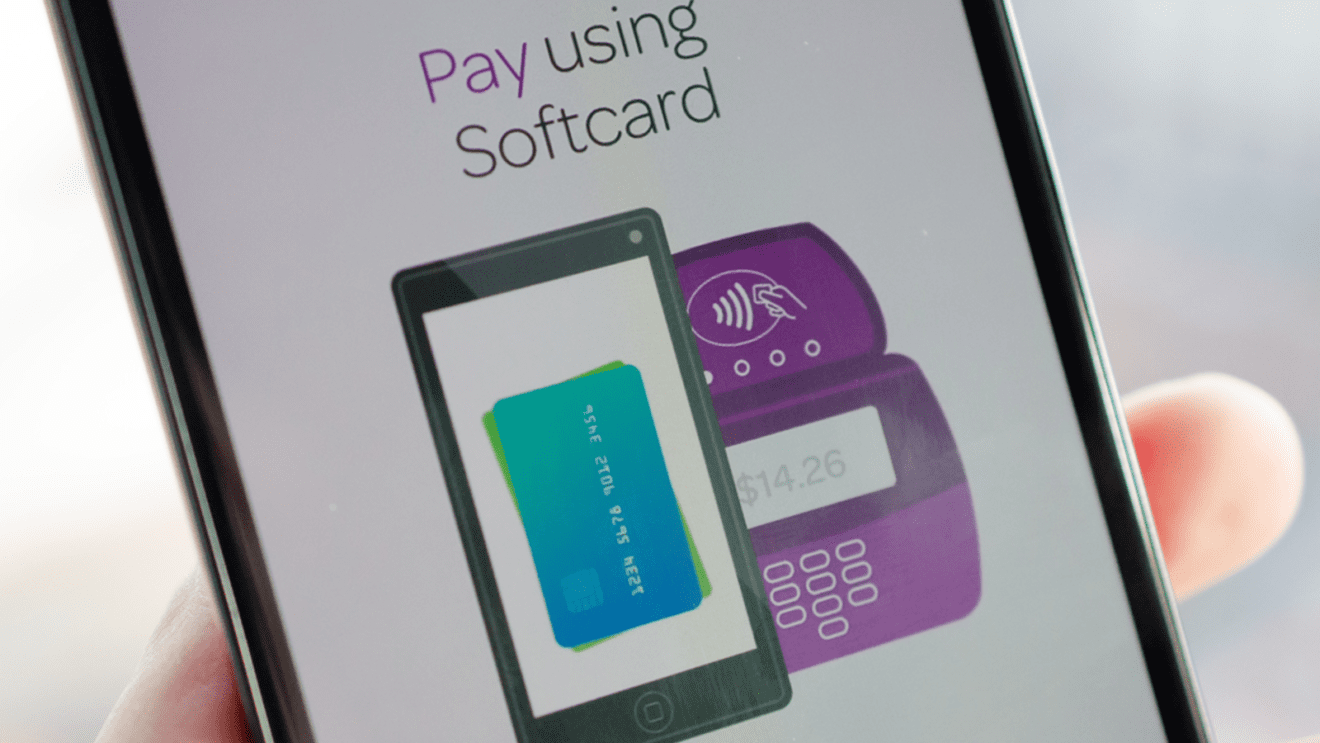
    Google said on Monday it was teaming up with the mobile phone payment firm Softcard to ramp up its efforts to counter Apple Pay in the emerging sector.

    The California tech giant announced Google Wallet would become a pre-installed “tap to pay” app on Android smartphones sold in the US market by AT&T, T-Mobile and Verizon, as part of the deal with the carriers’ mobile payments company Softcard.

    The aim is “to help more Android users get the benefits of tap and pay,” said Google Payments vice president Ariel Bardin.

    “We’re also acquiring some exciting technology and intellectual property from Softcard to make Google Wallet better.”

    The move gives Google and its large base of Android smartphones a stronger position to challenge Apple Pay, the mobile payments system introduced on the latest iPhones last year.

    A statement from Softcard — which was founded by the three carriers last year in a push for mobile payments — said the deal with Google would “bring together leading technologies to advance mobile wallets.”

    “For now, Softcard customers can continue to tap and pay with the app,” the statement said.

    “Today’s announcement is a positive step forward for the mobile payments industry and wireless consumers.”

    Bryan Yeager, analyst at the research firm eMarketer, said the deal “will help get Google Wallet in front of more potential users, but the mobile payments space in the US will continue to be competitive and fragmented for at least the next few years.”

    Yeager noted that Samsung’s announcement last week that it was buying digital wallet firm LoopPay “shows that deal activity doesn’t necessarily equate to market consolidation.”

    LoopPay technology is compatible with approximately 90 percent of retail terminals to let customers tap their phones for payment with registered credit cards, according to Samsung.

    LoopPay has been built into smartphone cases as well as into fobs, or dongles, and transmits credit card data using magnetic fields to point-of-sale terminals to effectuate transactions.