Tag: imessage

  • Beeper halts iMessage integration after reported user bans on Macs

    Beeper halts iMessage integration after reported user bans on Macs

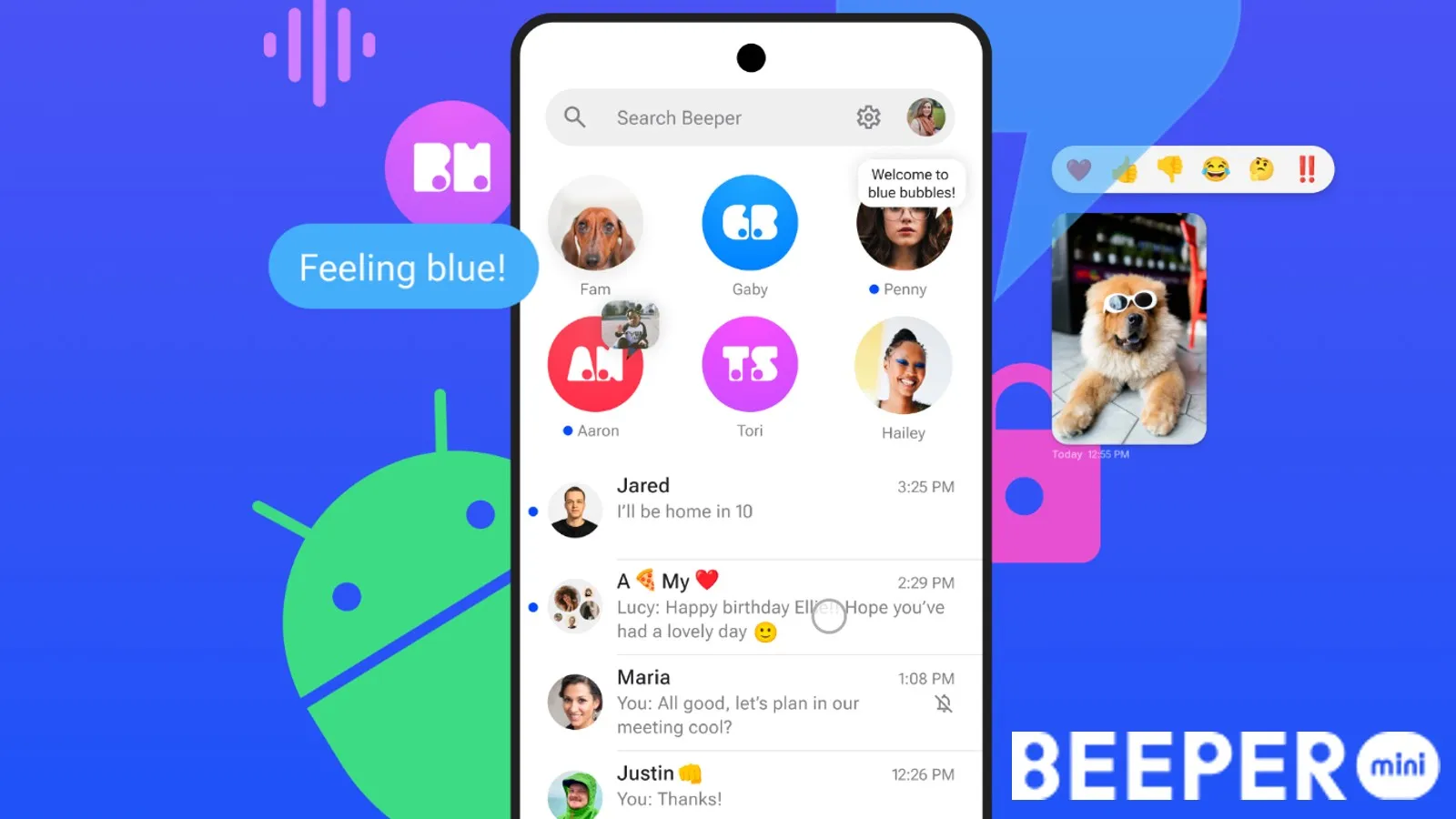
    In its ongoing dispute with Apple for access to iMessages, Beeper, the universal messaging app, appears to have given up. In a recent announcement, the company revealed their decision to disable new iMessage connections on their main app, Beeper Cloud. This move effectively marks the complete shutdown of the service, at least for now.

    Following user reports, it came to light that Beeper users that were using the workaround method of the connecting the “Cloud” or “Mini” app to iMessage via their Mac computers, were somehow being banned from using iMessage altogether. Despite this only affecting a minority of Beeper users (about 30 out of 3,500), the bans were enough to spark worries about Apple’s aggressive approach when it comes to unauthorized third-party access to its messaging service.

    According to Beeper, the bans began shortly after the app pushed an update last month, which coincided with the company’s transition from relying on its own servers and instead having users seek authorization using their owned Macs. This worked for a little while, but apparently Apple eventually caught on and reportedly banned some of these connections.

    Beeper effectively reached out to Apple directly, but never received a response or any explanation for the bans. Nevertheless, after receiving media attention from The New York Times, Apple seemingly quickly resolved the issue and lifted the ban on affected users within a span of two days. This was documented in great detail on an X/Twitter post the company published.

    Apple claimed that the bans were due to “spam,” but Beeper and the affected users argue that they did not receive any warnings or notice any suspicious behavior. As a result, Beeper has decided to disable new iMessage connections on its platform completely. While the company does not completely rule out the possibility of reactivating iMessage accessibility through Beeper in the future, the current situation effectively puts an end to it.

    Beeper had previously announced its intentions to refocus its efforts into improving their desktop and mobile apps, as well as adding support for more messaging services down the line. Beeper’s desktop and mobile apps (except Beeper Mini) remain fully operational, offering a convenient solution for multiple messaging services, and currently supporting an impressive range of 14 different platforms. This is what Beeper will become from now on, a universal messaging app, without iMessage, of course.
  • YouTube may have removed the iMessage mini-app for iOS devices

    YouTube may have removed the iMessage mini-app for iOS devices

    It appears that YouTube might have removed the iMessage mini-app that allows iPhone and iPad users to send videos directly from chat without leaving the Messages app.

    The latest YouTube app update released earlier this week mentions changes like improved performance and bug fixes, but it may have also removed the iMessage mini-app.

    The folks at 9to5mac confirm that the iMessage mini-app for iPhone and iPad is no longer available after the latest YouTube update, but at this time it’s impossible to tell whether or not this is something temporary.

    It’s been nearly seven years since the iMessage mini-app has been added to YouTube. Unfortunately, it never became popular among iOS users, even though the app allowed them not just to send YouTube videos directly from the chat without leaving the Message app, but they could also watch videos using the native YouTube app.

    Let us know in the comments if the feature disappears for you after updating the YouTube app to version 19.01.1. Although it might be hard to guess YouTube’s plans about the iMessage mini-app without an official statement.

  • Beeper Mini is a new app for iMessage on Android that turns your phone number into a blue bubble

    Beeper Mini is a new app for iMessage on Android that turns your phone number into a blue bubble

    Blue bubble mania continues with the release of a new app that lets you use iMessage on Android. However, this app differs from the rest in that it allows you to use your actual phone number, instead of an email address, so you can really fool your iPhone friends into thinking you’re part of the same ecosystem.

    Beeper Mini is a new app from the folks at Beeper, the unified chatting app with a mac app companion, which lets you use iMessage, Telegram, Discord, RCS, and others on your Android device. Beeper Mini, however, allows Android users to send and receive only iMessages without having to provide their Apple ID credentials. The app is still in its early stages, but it already supports many of the most important iMessage features, such as group chats, high-resolution media sharing, emoji reactions, voice messages, and more.

    Setting up Beeper Mini is simple. Just download the app from Google Play, tap on “continue with Google” to sign in with Google, grant the app permission to access your SMS conversations and contacts list, and then you’re on your way. Once you’ve finished setting things up, the app will seamlessly pull in your previous SMS conversations with iPhone users and upgrade them to iMessage.

    These conversations will be arranged in a list like most chat apps, though you can pin certain conversations to the top. From the home screen, you can tap on the “New chat” button, swipe right to mark a conversation as unread, or swipe left on a conversation to mute it. From the top bar, you can change your display name and profile picture or access the app’s settings, where you can modify the theme, toggle read receipts, mute sounds, toggle push notifications, or connect your Apple ID — a step that is not completely necessary.

    After the Nothing Chats and Sunbird debacle, you would be one hundred percent justified in questioning the security of this app, and so Beeper has taken several steps to gain the trust of its security-conscious users. The Beeper Mini team published a deep technical dive into how the app works, along with other technical documents and source code shared by the developer.

    It is the opinion of those who know more about code than yours truly, such as Journalist and Android expert Mishaal Rahman, that the app is the first truly successful reverse-engineering of iMessage that doesn’t relay messages from a Mac Mini server farm or that requires you to sign in to your iCloud account.

    In fact, the Beeper Mini team is so sure that their app is air-tight that they’ve even extended an invitation to security researchers to verify all of their claims. Boldly claiming the below and stating that they’re different from those “other apps”.

    Unlike every other attempt to build an Android app like this, Beeper Mini does not use a Mac relay server in a data center. Instead, the app connects directly to Apple servers to send and receive end-to-end encrypted messages. Encryption keys never leave your device. No Apple ID is required. Beeper does not have access to your Apple account.

    Beeper Mini will be free for the first seven days. After the 7-day free trial expires, the app will cost $1.99 per month. Beeper says the monthly cost of the app is so that the team can continue to improve the app by adding new features, and of course, to earn money since the app will be ad-free. This is a small price to pay if having the ability to use iMessage on Android is important to you.

    Beeper Mini can work alongside the Messages app on your Android device. Beeper Mini will only handle iMessage conversations and anything that is not iMessage will continue to come in through your default SMS/RCS app. This means that you might need to use two apps — one for RCS and one for iMessage — on your Android device for now.

    If this is an issue for you, you can always use Beeper Cloud, which is the new name for the original Beeper app. This app can incorporate iMessage, RCS, and many other messaging apps you may be using. However, please note that the cloud app will require you to sign in with your Apple ID and to have access to a Mac or PC for the initial setup. These extra steps are not needed on the Beeper Mini app since it connects directly to the remote network instead of using a server.

    However, Beeper’s product roadmap states that Beeper Mini will continue to expand by adding more iMessage features such as importing past chat history, Facetime audio and video calls, and scheduled messages. Additionally, the app will gain support for Android OS chat bubbles, SMS, WhatsApp, and Signal, plus the other 10 non-encrypted chat networks that are currently supported on the Beeper Cloud app — among other planned features.

  • Google adds profile pictures from the Contacts app to the Messages UI

    Google adds profile pictures from the Contacts app to the Messages UI

    Google loves to add little things to its apps that might not seem like a big deal but are useful. The latest update to the Google Messages app adds the profile picture from the Contacts listing of the person you’re messaging to the top of the screen. Tapping on the profile picture will take you to that person’s Contact card. To make room for the avatar, Google removed the search function from the top of the display and deleted the magnifying glass icon. If you need the Search tool, tap on the three-dot overflow menu icon to find it as an option.

    To be clear, we are talking about the Google Messages app, which includes the Rich Communication Services (RCS) platform. The latter has the same features as the highly-touted (by iPhone users) iMessage platform. Both include end-to-end encryption, higher-quality images, read receipts, typing indicators, and more.

    Now here’s the thing. What happens in an RCS group chat when an iPhone user joins it? Those lovely features go away which is exactly what happens when an Android user joins an iOS group chat. Yet, you never hear about Android users bullying iPhone users to the brink of emotional distress. And Google has been more than willing to allow Apple to add the RCS platform to Apple’s Messages app. However, Apple CEO Tim Cook would probably prefer hearing his sink drip all night rather than allow a cross-platform messaging app to be developed.
    Also, and this is important for Android users to understand, RCS is available on the Google Messages app. It is NOT available on the messaging apps that your carrier might have pre-installed on your Android phone. For example, if you are using the Verizon Messages app, T-Mobile Messages app, or any other Android messaging app outside of Google Messages, you are not getting the RCS platform.
    For RCS to work, you and the rest of the chat group must all be using the Google Messages app. You can tell if others you are chatting with are using Google Messages by the color of the text balloon that appears when you send a message. If it is a dark blue, you are engaged in a chat over RCS. Also, look at the text field. If it says Text message, you are about to message an iPhone user or an Android user employing a messaging app that is not Google Messages. Instead of using the RCS platform, such messages use old-school SMS.
    If the text field says RCS message, then you are messaging another Android user with the Google Message app and will have all of the RCS features available to you. If you don’t have the Google Messages app on your Android phone, you can install it by tapping on this link.
    The new Google Messages feature that shows the profile picture of the person you are messaging. To see the profile pictures you must be using version version 20230313_01_RC00.phone.openbeta_dynamic of the Google Messages app or later. To see which version you’re running, open the Google Messages app and tap on your profile picture at the right of the search filed at the top of the display. Press on Messages settings and scroll all the way to the bottom.
    The very last option reads About, terms & privacy. Tap on it and the Version info will be the first thing listed on the page that you are sent to. If you haven’t seen the profile pictures on your Google Messages app yet, it might be available to Google Messages beta testers at the moment. To join the beta, go tot he Play Store, open it, and type in Google Messages in the search field. Once you see the listing for Google Messages, scroll down and if Google is accepting more beta testers for the app, you will see a button to press to join.
    Even if you aren’t a beta tester for the app, you should see the profile pictures appear on an upcoming stable version of Google Messages.
  • Microsoft is testing an app that will allow the iMessage platform to be used on your PC

    Microsoft is testing an app that will allow the iMessage platform to be used on your PC

    Imagine using Apple’s highly-regarded iMessage messaging platform on your Windows computer. Microsoft is making this happen via an update to its Phone Link app, which will allow you to send messages to your PC contacts (who also use an iPhone) through your Windows computer although there are some caveats. Phone Link cannot enable group messaging nor allow photos or videos to be sent.
    Yusuf Mehdi, Microsoft’s head of consumer marketing, said, “We send the messages back and forth via Bluetooth, Apple, I think in turn, sends those as iMessage once it gets onto their system.” The version of the iOS Messages app that is brought to your Windows computer is basic and you won’t see the entire history of a conversation. Only messages sent or received using the Phone Link app will appear.
    Because Phone Link can’t tell the difference between a regular text message and one sent using iMessage, there are no blue or green text bubbles. On an iPhone, blue bubbles indicate a conversation where everyone is using an iPhone and thus it is handled on the iMessage platform. A green bubble reveals that at least one of the parties in the conversation is using an Android phone and all of those great iMessage features (like higher-quality images, read receipts, typing indicators, and more) are not available.
    But as we said, group messaging is not allowed using the Phone Link app and with no difference between texting and sending an iMessage, there is no reason to use different colored text bubbles. While on the subject of Android, the version of Phone Link for this platform has more capabilities. With the Phone Link app on your PC and an Android phone, you can get “instant access to everything you love on your phone, right from your PC,” says Microsoft.
    Linking your Android phone and your PC with this app will allow you to read and reply to text messages, make and receive calls (requires a Windows 10 computer with Bluetooth connectivity), view your notifications, and more. Instead of sending emails to yourself to save content, you can easily share content between your PC and phone. “Copy, edit, and even drag and drop photos without ever touching your phone.” You can even see your phone apps on your PC with a Surface Duo phone, certain Samsung handsets, and some Honor devices.
    Phone Link is bundled with Windows 11 and the new support for the app comes with a major Windows 11 update that includes the new AI-powered version of Bing on the taskbar, improved touch capabilities, and a new feature that records the screen.
    The version of Phone Link with iOS support will be available for Windows Insiders in the Dev, Beta, and Release Preview channels, but only for a small percentage of users. Microsoft says, “We will increase the availability of the preview to more Insiders over time and based on feedback we receive with this first set of Insiders.”
    Microsoft’s Medi explains why Microsoft has added iPhone support for the Phone Link app. He says, “It’s something we’ve been wanting to do for a long time. The experience with Android is quite good, and we felt like we needed to get something out [for iPhone].”
  • Apple still reluctant to introduce iMessage interoperability

    Apple still reluctant to introduce iMessage interoperability

    Few things are as dreadful to an Apple user as the green bubbles that appear when their messages hit a non-iPhone recipient. The lack of iMessage interoperability has been a pet peeve for quite some time, with Apple refusing to cave into the demands of users.

    Nevertheless, even as the Cupertino company is forced to make concessions in the face of mounting legislation, cross-platform support for iMessage remains unlikely in the foreseeable future. For now, Apple will not be integrating RCS, the standard which could potentially enable interoperability.

    This information was first brought forward by Bloomberg in a dedicated article, which was subsequently. The original source stipulates that Apple has not decided on how to open up iMessage to third-party services.

    Love it or hate, however, the Apple ecosystem works. Well, maybe not for all Apple consumers, but rather for the Cupertino company itself. The figurative ‘bubble’ (pun intended) in which most users are placed tends to be one of the most significant sources of revenue for the American tech giant.

    But so is Europe, and the EU in particular. But the latter has found ways to challenge some of Apple’s business strategies. Earlier this year, a law was passed which threatens the proprietary Lightning port. If Apple does not comply, and fails to transition to USB-C, the iPhone might be kicked out of the European market.

    But hardware is only one part of Apple’s monopoly over its users. A much more disconcerting aspect is the software side of the equation as demonstrated by the iMessage conundrum.

    Luckily, legislators throughout the world are working on that front as well. According to the original report by Bloomberg, Apple has committed to allowing third-party app stores to function alongside its own App Store. Whether that is only the beginning remains to be seen.

  • Google will soon allow Messages users to react using any emoji

    Google will soon allow Messages users to react using any emoji

    If you are messaging a fellow Android user who, like you, uses the Rich Communication Services (RCS) platform that is part of the Google Messages app, you can exchange longer messages, share larger video and image files, get a read receipt, enjoy end-to-end encryption, see a typing indicator, and more. Like Apple’s iMessage, none of these features will work when someone using another platform (like iMessage) is part of a group chat.
    But one thing that Google Messages users can do when talking among themselves, or even texting an iOS user, reacts to a message by sending one of seven emoji: thumbs up, smiley face with heart-shaped eyes, laughing with tears, surprised look, sad face with a tear, frowning face, and thumbs down. While those seven emoji will allow you to respond to many different messages, wouldn’t you prefer a wider range of possible options?
    Before we continue, let’s explain how Android users with the Google Messages app can respond to an RCS or Text message with an emoji. Long press on a chat bubble and you’ll see a pill-shaped popup containing the seven emoji mentioned above. Just tap on the one that best expresses how you react to a comment.

    For example, this writer is a beta tester for the Google Messages app yet the new feature is not showing up on my Pixel 6 Pro. If you are unable to access the emoji picker on your Android phone, don’t worry. Eventually, it will roll out for all Google Messages users.

    You can constantly check for an update by opening the Play Store app. Tap your profile pix or avatar or initials found in a circle on the right of the search bar at the top of the screen. From there, go to Manage apps & device and tap on the green See recent updates link. That takes you to a list of recently updated apps. At the top of the display, there is a tab reading Updates available. Tap on it and then tap on the Update all button.
    Google might end up using a server-side update which means that the company itself will flip the switch and you’ll never know until after it happens. We have no idea when you will receive the update containing the new feature but we have a gut feeling that it won’t be terribly long. Unless, of course, it is.
    You might recall that during the summer Google tried to pressure Apple into supporting RCS in a bid to stop the green bubble bullying that goes on when an Android user joins what was an all iOS group chat. When an Android user joins an all-iOS chat, many of the features of iMessage are no longer available and text bubbles turn green instead of blue. The interesting thing is that the same thing applies to iOS users who join an all RCS group chat on Android.

    The only difference seems to be that Android users don’t insult and bully those iPhone users who join their group chat which disables the RCS features in the same way that an Android user can disable iMessage features.

  • EU wants to force iMessage and WhatsApp to be able to chat with smaller chat apps

    EU wants to force iMessage and WhatsApp to be able to chat with smaller chat apps

    In the last couple of years, lawmakers, especially in the European Union, have been scrutinizing big tech companies. The latest proposal this time is related to instant messaging apps like iMessage, WhatsApp, and Facebook Messenger. The EU wants to make those apps forced to send and receive messages, calls, videos, and files from smaller chat apps.

    As you can see, this is a part of the European Union’s attempts to give space to competition in the tech world, as the EU Parliament has several antitrust proposals going on right now that address this issue. This rule is actually a part of a larger proposal for legislation that is called the Digital Markets Act (DMA) that we’ve reported on previously.

    Interestingly enough, the DMA wants major messaging platforms (like the ones we listed above) to allow their services to work with smaller messaging platforms – pretty much like Google Messages and iMessage can receive and send texts between Android and iPhone users.

    This rule, if the DMA gets accepted and turned into law, would apply to any company that sports at least 45 million monthly active users, and 10,000 annually active corporate users. Of course, this is only going to apply in Europe.

    And, when we’re talking about legislation, it’s also key to address what happens to companies that choose not to comply with it (if it becomes law). Pretty much, companies like Apple and Meta, among other tech giants, could be fined up to 10% of their global annual turnover if they fail to comply. If they continue to not comply, the fine can get up to a staggering 20% for repeated violations.

    Okay, that’s all fine but you may be asking yourself how can an interoperable platform like that address the issue of security. Well, the European Union thinks that this can be done safely, at least so does Andreas Schwab, the European Parliament’s Rapporteur for the file believes.

    He stated that the Parliament had always envisioned interoperability for messaging. He adds that if the Telecoms Regulators say that it is not possible to deliver end-to-end encrypted group chats within a certain time frame, it will come as soon as it becomes possible. Basically, the EU is willing to wait until end-to-end encryption is put in place to ensure the security of different messaging apps when they exchange messages, photos, videos, and files.

    But, as many of you may know, the DMA is not only about messaging. It would also force platforms to give users choice in terms of web browsers, search engines, and even virtual assistants that they use on their devices.

    So far, the DMA has not been made final yet. However, it is progressing to becoming law. The act is now awaiting approval for the legal text by the European Parliament and Council, and so far, there is no concrete timeline for when the messaging changes we mentioned above would occur.

    In 2020, the EU Parliament invited tech giants such as Apple and Google to participate in talks about the Digital Markets Act.

    All in all, the DMA aims to fight against anti-competitive practices that limit innovation and aims to give smaller developers more chances in competing with the big boys. Another thing that the legislation suggests is for Apple to allow alternate app stores on iPhones and iPads, again, for the sake of fair competition.

    Recently, there were expectations that the DMA will make it into reality by the end of March. We might be seeing what will happen and if the proposal will become law pretty soon.

  • Update for Google Messages rolls out now turning iMessage reactions into emoji

    Update for Google Messages rolls out now turning iMessage reactions into emoji

    It’s the modern, digital version of the Hatfields and McCoys. We are talking about the blue text bubble vs. the green text bubble. When an Apple iPhone user is sending iMessages to another iPhone user, the text is inside a blue “balloon.” But if even just one Android user joins a group chat, the bubbles turn green and outrage follows. Yes, iMessages and Google Messages are not compatible.

    Just a few days ago we told you that Google was planning on sending out an update to Google Messages that will allow reactions from iPhone users using iMessages to appear as an emoji on Android Messages. Currently, a reaction sent by an iPhone user appears as words on Google Messages such as “Liked an image” or “Emphasized “We’re on our way”.

    According to 9to5Google, the update has slowly been rolling out. Screenshots provided by Twitter user jvolkman (@jvolkman) show that reactions sent from an iPhone user resulted in the appearance of the same emoji showing up in Google Messages as though the reaction was sent from an Android user messaging from the RCS platform. Tapping on the reaction on an Android phone shows that it was “Translated from iPhone.”

    Not all reactions from iMessages can be perfectly matched to an RCS emoji. For example, the “love” reaction on iMessage becomes the heart-eyes emoji on RCS and the laugh reaction sent from iMessages becomes the laughing face emoji.

    RCS or Rich Communication Service is Google’s attempt to provide the iMessages experience for Android users. Instead of using a cellular network, RCS runs through the data network which means that it can be used on Wi-Fi  even if there is no internet connection. Because RCS uses a data connection, messages can contain as many as 8,000 characters as opposed to the 160 character cap on SMS.

    With RCS, users can send longer video files and GIFs. They also get read receipts and can see when someone is in the process of typing a message to the. RCS to RCS messages also use blue text bubbles similar to iMessages and end-to-end encryption has been added. Right now, only one-to-one RCS messages can be encrypted which means that group RCS messages are not covered.

    Another new feature reportedly being worked on for Google’s Messages app is a birthday reminder that will alert you if the person you are having a conversation with is celebrating his or her birthday on this very day.
    It is important for Android users to know that the messaging and texting apps offered by carriers do not have RCS features. To have RCS on your Android phone, you must go to the Google Play Store and install the beta version of the Messages app from there.

    With the update beginning to roll out now, you might want to give a call to one of your iPhone-wielding friends and ask them to react to a message that you send them. If you see an emoji attached to that message, the update has reached your Android phone (assuming that you are using the Google Messages app in the first place). If not, you can reinstall the Google Messages app from the Play Store and check with your friend again to see whether the emoji appear when your buddy sends a reaction to a message that you’ve sent.

    Is the start of some sort of cooperation between Apple and Google that could lead to a universal iOS and Android messaging platform? Probably not. Apple relies on iMessage as a differentiator and there are some iPhone users who selected iOS over Android-primarily on the strength of its messaging system.

  • Giphy’s Clips now integrated with Apple’s iMessages

    Giphy’s Clips now integrated with Apple’s iMessages

    GIF database and search engine Giphy announced today that its “Clips” content (short GIFs with sound) will be supported by Apple’s iMessage and in the Android Keyboard. In a press release disseminated today by Giphy, the company said, “You know that moment when someone sends you the perfect GIF and you can practically hear it. Whether it’s a familiar character or simply the perfect visual representation of your emotions, there is a very specific sound you associate with it. At Giphy, we definitely know the feeling.”

    Giphy says that it has been working hard to bring Clips to every platform where conversations happen. The company adds that “You can already share Giphy Clips anywhere using the video’s URL and can even access them in places like Slack and Medium. But, starting today, you can find and share Clips even more easily in messaging via Giphy’s iMessage Extension and in the Android Keyboard.”

    Version 4.2.5 of the iOS and Android Giphy apps have just been launched from the App Store and Google Play Store respectively. Giphy says that “it is the fastest, simplest way to search and share GIFs and stickers across all of your favorite social channels. Enjoy our powerful GIF Keyboard and iMessage extensions that put Giphy at your fingertips. Spruce up boring conversations with our Emoji and Text libraries – exclusively available in the mobile app.”

    Giphy states that Clips brings a whole new dimension to self-expression. The world’s largest library of free GIFs, Clips, & Stickers, Giphy for iOS is the fastest, simplest way to search and share short-form content and animated reactions across all of your favorite social channels such as Facebook Messenger, Instagram, Snapchat & more.”

  • New app allows Apple’s iMessage to run on an Android phone

    New app allows Apple’s iMessage to run on an Android phone

    While there are Android users who are always putting down iOS for its notification system, Siri’s aggravating weak points, and for other issues, one thing that is off-limits for discussion is the iOS iMessage app. Even those who have updated to Google’s Rich Communication Service (RCS) based Message platform still would prefer Apple’s messaging system instead. A new app launching today called Beeper can make it happen. It isn’t a streamlined process as you will see. But it does deliver iMessage capabilities to Android users while at the same time creating a unified inbox that covers a number of messaging apps.

    For example, Beeper will create one in box with all of the unread messages from apps such as:

    • Whatsapp
    • Facebook Messenger
    • iMessage
    • Android Messages (SMS)
    • Telegram
    • Twitter
    • Slack
    • Hangouts
    • Instagram
    • Skype
    • IRC
    • Matrix
    • Discord
    • Signal
    • Beeper network

    All of the messages look the same since the idea is to use a single interface for all of your chats. And yes Virginia, Beeper says that it can connect with Apple’s iMessage even if you are using an Android phone. But for this to take place, you need to use an Apple device as a bridge. This can be done using one of two options. One method requires that you keep a Mac awake and continually connected to the internet. Using the Beeper Mac app, your Android phone can be connected to iMessage. With the other method, Beeper will send you a jailbroken iPhone 4s with the Beeper app installed to connect you with the iMessage app. “This is not a joke,” says Beeper’s website.

    Using Beeper will cost you $10 per month and with the last update received by the iPhone 4s taking place 17 months ago, you have to wonder how secure your iMessages will be. If you’re trying to figure out how Beeper got iMessage to work on Android and Windows, here is the response:

    “This was a tough one to figure out! Beeper has two ways of enabling Android, Windows and Linux users to use iMessage: we send each user a Jailbroken iPhone with the Beeper app installed which bridges to iMessage, or if they have a Mac that is always connected to the internet, they can install the Beeper Mac app which acts as a bridge. This is not a joke, it really works!”

  • Google testing iMessage feature for RCS Chat

    Google testing iMessage feature for RCS Chat

    The four major U.S. carriers are planning to roll out a Rich Communication Services (RCS) app later this year. This allows Android users to send and receive messages via a phone’s data connection instead of its cellular connection. However, Google has already updated its Android Messages app by enabling RCS Chat on all Android phones. Messages between two RCS users can be as long as 8,000 characters instead of 160. Additionally, a user will know if his messages have been read thanks to read receipts that he will receive.
    Other improvements that Android users will see is the ability to share larger video files, host group chats with as many as 100 participants, and have RCS chats run through a Wi-Fi network. Android users have long wanted a messaging platform with some of the advanced features that iOS users have enjoyed with the Messages app. And the carriers plan on monetizing RCS by using the platform to allow companies to reach Android users. We could even see Android users order a Lyft or Uber rideshare through their RCS Chat app.
    Google is testing one feature found in iMessages for its RCS Chats. An Android user sporting a OnePlus 7 Pro on T-Mobile has the beta version of Google’s Messages app installed and discovered that he could respond to a Chat with an emoji reaction. That is a feature available to iOS users via iMessage. Android users engaged in an RCS chat (again, both sides of the convo must be using RCS) long-press on the last message received and they will see seven different emoji that they can choose from for their emoji reaction. The one they select will end up on the lower right side of the last message sent by the other party.
    While Google just sent out a beta update to the Messages app, the emoji reaction has not appeared on all Android phones that were updated. This would seem to indicate that a server-side update is at play here. You can check out whether you have this feature the next time that you’re in the middle of an RCS Chat by long-pressing on a message you’ve received. If you don’t see the options for an emoji response, you do not have it yet. If Google decides to add this as a permanent feature you will eventually have the ability to use an emoji to convey your emotions about a message that was sent to you.
    One thing to keep in mind is that you cannot use RCS Chat if the texting platform you use now is one provided to you by your carrier. For example, Verizon Messages will not work with RCS. If you don’t have the Google Messages app on your Android handset, you can install it from the Google Play Store.
    There are some things that are not perfectly clear from the testing. One is whether there are only seven emojis that will be made available for the user’s reaction. The seven that were seen in the screenshot shared by a Redditor include ThumbsUp, HeartEyes, Laughing so hard you’re crying, Surprised, Sad (with one lonely tear), Anger, and ThumbsDown. That pretty much covers a wide multitude of emotions.
    If you are an Android user, you’ll know whether you are messaging someone using RCS because of the dark blue background of the text balloons. If you’re exchanging messages with someone who is not a phone enthusiast, it is possible that even if you ask them outright, they might have no idea what platform they are using and whether they have RCS.
  • Apple might soon let you unsend iMessages

    Apple might soon let you unsend iMessages

    According to rumors, Apple is testing a bunch of useful iMessage features that could potentially make it to iOS 14. One of those will reportedly let you retract already sent messages, with some fine print visible to both the sender and the recipient indicating that a message has been retracted from the conversation thread.

    How is that different from simply deleting a message you’ve sent over iMessage? Simple – that one deletes it just for you and for none of the recipients. Retracting, however, essentially allows you to “unsend” the message, deleting it from both your and the recipient’s respective chat threads. A godsend feature that could potentially save you from for those times when your brain tricks you into sending gibberish or… the most embarrassing of situations. Oops!

    Another new iMessage that’s allegedly in the testing face will let you tag or mention specific contacts in a Slack-like manner by using the @ sign. Upon typing that one with your keyboard, your iPhone will suggest a list of contacts for you to choose from and mention. The tagged individual will reportedly be alerted even if they disabled alerts for the specific chat thread, which more often than not applies to group conversations.

    But that’s not all: it seems iMessage could score even more features. In particular, a “/me” command is reportedly being tested. It would allow you to share custom status updates inside the chat thread, which is similar to what Skype and Slack allow you to do. There would also be typing indicators for group chats, which is becoming a common trope of most messaging clients, especially ones with desktop clients. You will seemingly be able to mark the last message in a conversation as “unread” even after opening it.

    All of these point out that Apple is very likely preparing to improve the Messages app with a slew of features that will make it a direct competitor to Slack and Skype, two predominantly work-oriented messaging services. Most of these will most likely make it to the Mac version of Messages as well, allowing Apple to take on Slack and Skype on the desktop as well.

    When will these features be released, if at all? Supposedly, at the next WWDC developer summit, provided that it doesn’t get canceled due to the coronavirus outbreak that’s sweeping around. And that one could be the least of Apple’s problems right now.

    However, evidence of cross-platform support is still nowhere to be seen, but let’s be honest – it might never happen.

  • Twitter is adding a major messaging feature to its apps

    Twitter is adding a major messaging feature to its apps

    Perhaps some of you already heard that Twitter is working on a messaging feature that somewhat mimics Apple’s iMessage reactions. The feature was in development and testing for a while now, which is why some of you might already know what’s this all about.

    Today, the social media platform announced that new emoji reactions for Direct Messages are available on the web, Android and iOS. Twitter also explains how to use the new messaging feature and advises users to update to the latest version to get it if they didn’t already.

    You can add an emoji reaction to any type of Direct Message be it text or media attachments. And yes, every time your Direct Message will get a reaction, you will be notified via Twitter. If you don’t like that, you can simply mute these notifications for 1 hour, 8 hours, 1 week, or Forever. This means that you will continue to receive new messages, it’s just that you won’t receive any notifications each time you get them.

    Now, it’s important to note that if you’re using an older version of Twitter that doesn’t support the new messaging feature, you will still get them but they will be displayed as text-based messages.

  • New iMessage exploit allows hackers to hijack your iPhone by simply sending you a message

    New iMessage exploit allows hackers to hijack your iPhone by simply sending you a message

    A new, “interaction-less” bug in iMessage was recently discovered that could allow hackers to gain access to your iPhone. The exploit being interaction-less means that you don’t need to do anything—download any files or click any suspicious links—to get your device compromised. What’s even worse, you don’t even need to open the iMessage app for the exploit to work.

    At the Black Hat security conference in Las Vegas this week, Google Project Zero researcher Natalie Silvanovich showed off a number of these so-called interaction-less bugs in iMessage that could be used to gain remote access to an iPhone. Apple has already patched five of them, but there are a handful that are yet to receive the company’s attention.

    Following the recently uncovered vulnerabilities in WhatsApp, Silvanovich and her colleague Samuel Groß started investigating for similar exploits in SMS, MMS, and voicemail but found none. Then, they shifted their attention to iMessage and started reverse-engineering the app, which lead to some worrisome discoveries.

    According to the researchers, the vulnerabilities that they uncovered in iMessage are likely a result of the complex (and ever-expanding) nature of the app. Apple’s messaging client not only allows users to send each other files, voice messages, photos, and Animojis, but also has many integrations with third-party apps, like OpenTable and Airbnb. This makes securing every potential backdoor increasingly difficult, though the researchers claim that Apple is actually doing a good job.

    Silvanovich says that iOS has many security checks in place, but the bug she and Groß discovered takes advantage of the underlying logic of the operating system, which makes it possible to bypass the security net. A potential attacker could send a targeted iMessage with specific content in it that Apple’s servers would interpret in a certain way and send the target a message that would then automatically trigger the exploit, granting the attacker access to the phone.

    Interaction-less bugs are highly sought after in the hacking community, as they don’t require the target to do anything. The iMessage vulnerabilities discovered by the Google Project Zero members could fetch prices in the vicinity of “millions or even tens of millions” on the exploit market.