Tag: ios14

  • Apple Music update brings some iOS 14 features to Android devices

    Apple Music update brings some iOS 14 features to Android devices

    Apple briefly tested some iOS 14 features for its Music app for Android devices last month, but they were only available for those able to access the beta version of the app. Starting this week, just about all the important changes that were spotted last month are now making it to the stable version of the Apple Music app.

    If you’re using Apple’s music streaming service on an Android phone, here is what you’ll get in the latest update. First off, the update adds Listen Now, a new section that replaces the For You tab, a brand-new search experience, which involves relocating the search icon to the bottom bar, and, finally, an enhanced playback experience.

    Under the “enhanced playback experience” tag, you can include important new features like Autoplay, Crossfade, as well as the possibility to share on Instagram, Facebook, and Snapchat Stories. All of these new features are now available to all Apple Music users on Android devices.

    Besides the most obvious stuff, Apple mentions that the update also improved the app’s performance, which means a lot of under-the-hood changes were made too. To get the most out of your Apple Music app, you can download the latest update right now via the Google Play Store.

  • Apple releases final versions of latest iPhone, iPad, and Apple Watch updates

    Apple releases final versions of latest iPhone, iPad, and Apple Watch updates

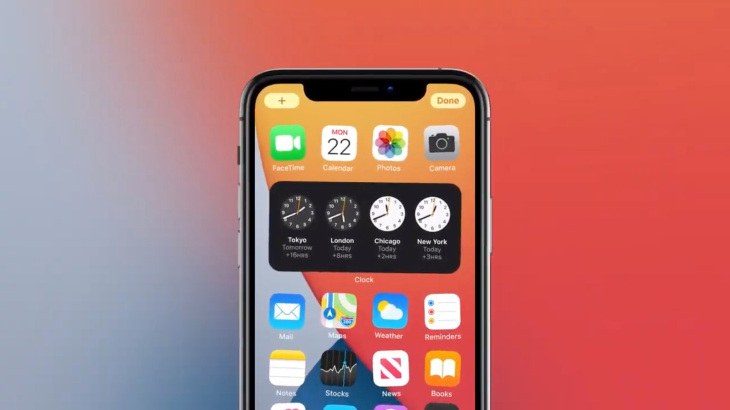
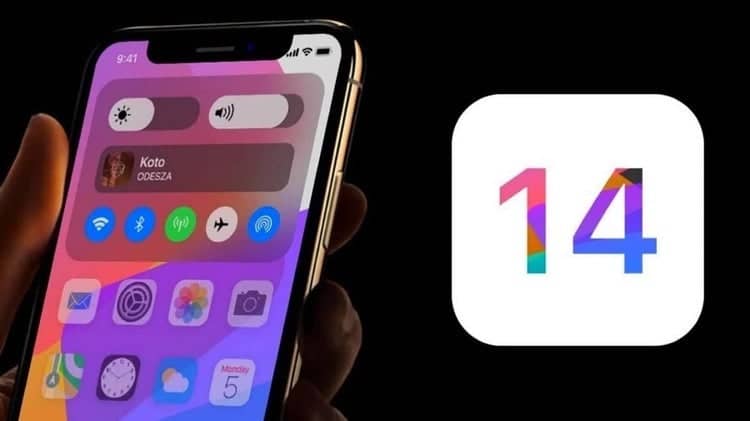
    Apple today released an update to iOS 14.0.1 that exterminates some bugs and more. This isn’t the first public update released by Apple over the last week. On September 16th, the final public build of iOS 14 was introduced bringing changes to the home screen, Android-style widgets, picture-in-picture capabilities, App Clips, and more. The latter allows a user to take advantage of an app’s feature set to take care of tasks without having to completely install the app.

    So what are the issues that iOS 14.0.1 fixes? One causes the default browser or Mail app you’ve selected to reset to Safari or Mail when your iPhone or iPad is rebooted. With today’s update, this problem is erased which means that once you’ve selected your default browser or mail app, you won’t have to select it again. The update also corrects a problem with the Apple News widget that prevents images from showing up on the screen. Other bug fixes are related to Wi-Fi connectivity, and the sending of email through certain mail providers. And there is even an issue specific to the iPhone 7 and iPhone 7 Plus related to camera previews that Apple repairs with iOS 14.0.1. Also being pushed out today update to iPadOS 14.0.1, and watchOS 7.0.1. The latter “fixes an issue where some payment cards in Wallet were disabled for some users.”

    To update your devices, on your iPhone and iPad go to Settings > General > Software Update. To update your Apple Watch, on the device itself go to General > Software Update. If an update is ready, tap on Install and follow the directions on the device. The Apple Watch must be within the range of your iPhone’s signal and must have a Wi-Fi connection. The installation will begin once the timepiece is charged to 50% or higher. Keep the watch connected to the charger until the update is completed.

    The update to iOS 14.0.1 weighs in at approximately 171.MB and the watchOS update to version 7.0.1 weigh in at 1GB. Updates to macOS Catalina 10.15.7, and tvOS 14.0.1 have also been made available by Apple today.

  • Apple is reportedly livid as iOS 14 leaks earlier than usual

    Apple is reportedly livid as iOS 14 leaks earlier than usual

    Even though the final version of iOS 14 isn’t expected to drop until September, Motherboard reports that leaked versions of Apple’s mobile operating system have been in the hands of some hackers, bloggers, and researchers since February. Unlike past leaks which consisted of segments and screenshots of the upcoming iOS release, in this case an entire version of the software has leaked.

    How the leak happened isn’t clear, but the report indicates that someone was able to get his hands on a developmental iPhone 11 with a version of iOS 14 dated last December. As you might expect, another person purchased the phone with the software for thousands of dollars. After the phone changed hands, the buyer was able to isolate and remove iOS 14 from the phone and he passed it along to hackers and jailbreakers (which for Apple has become ballbreakers).

    Motherboard brought a copy of the leaked software to the cybersecurity firm SIXGEN. Ryan Duff, Director of Cyber Products at the firm noted the final version of iOS 14 could be much different, but the amount of information that leaked out of Apple was impressive. Duff stated that “It gives insight into a decrypted copy of the iOS file system months before release so it could be very useful. It’s pre-release, lots could change, but it’s a trove of information. I can’t say this will give an easy jailbreak or anything like that, but it’s way more information about an upcoming iOS than we ever see normally.” At least one other cybersecurity firm has this version of iOS 14 in its possession and is studying it.
    There is a hashtag on Twitter for those who trade in leaked Apple software and hardware and it is #AppleInternals. For obvious reasons, no one uses their real name when working out a deal, but the Apple software and hardware that changes hands is usually legitimate. And the existence of this marketplace doesn’t make Apple employees feel good. One employee said succinctly “that sucks” after hearing about the iOS 14 leak for the first time. Others have reportedly been offered the leaked software but stayed away from it because they were concerned about what Apple’s response might be.
    The motherboard did check with three people who claim that they had a copy of iOS 14. One of the three said, “There’s a network of people who have access to such things.” And some of those looking to sell a copy of iOS 14 are doing so right out in the open. One Twitter user posted under the #AppleInternals hashtag, “Looking for iOS 14? Send me a DM.” He shared a copy of the OS with Motherboard and the latter was able to verify that the three people who had the software all have the same version.
    With the first public beta of iOS 14 expected to be released on June 22nd, this is the earliest that an iOS build has leaked. The copy that has been circulating is dated December 10th, 2019, and has been offered on the internet since February. And Apple is ready to crack down on those who are involved in leaking iOS 14. Will Strafach, a former jailbreaker who founded iOS security app Guardian Firewall, explains how laser-focused Apple is on the situation. “Shit is wild,” said Strafach. “I feel a bit bad for whoever is messing around as Apple does not take kindly to this.”
    Apple does have a history of seeking retribution in situations where it has been unable to keep its unannounced software or hardware under wraps. In 2011 a man named Sergio Calderon found an iPhone prototype on the floor of a San Francisco bar. Apple not only sent the cops to Calderon’s house to track it down, it reportedly had members of its security team dress as San Francisco cops to find the device. Calderon claimed that one of the cops threatened him and it was later discovered that the man wasn’t a cop after all but a member of Apple’s security team.
    Apple has declined comment about the iOS 14 leak.
  • Leak reveals that iOS 14 will include Android features that iPhone users have long wanted

    Leak reveals that iOS 14 will include Android features that iPhone users have long wanted

    In the long-running smartphone OS war known as iOS vs. Android, one of the biggest complaints about Apple’s mobile OS is that it is not as customizable as Android. But Twitter tipster @DongleBookPro has shared some screenshots allegedly showing some changes to iOS 14. These changes could be included in the next version of the software that could drop this coming September. Google gave its Pixel phones a huge advantage over iOS in this department by adding its Styles & wallpapers feature last year. This allows Pixel users to change the shape and color of the icons on their phone.

    Will iOS 14 brings more customization to iPhone users? It appears from the screenshots that iPhone users will be able to browse through default wallpaper separated into collections with choices like “Classic Stripes,” “Earth & Moon,” and “Flowers.” Another screenshot shows a “Home Screen Appearance” feature similar to the one found on the Apple Watch. Users will be able to create smart dynamic wallpaper for the home screen. But even more exciting for iPhone users is the possibility that Android-style widgets could be coming to the iPhone.

    Another feature on iOS 14 that is being called “Avocado” internally and is related to the SpringBoard app that controls the Home screen on iOS. If Apple decides to implement this on iOS 14, iPhone and iPad users will be able to select widgets from selected apps and add them to the Home screen, moving them around at will. And this would also suggest that at last iOS users will be able to move around app icons at will rather in a left to the right format. Otherwise, you would see app icons on the Home screen placed around widgets, some of which might take up a more significant portion of the screen than others.

    It’s not like Apple hasn’t listened to its customers-eventually. Remember, iOS 13 finally got rid of that clunky volume heads-up display (HUD) that covered much of the center of the screen. The point being, of course, that while iOS users might have been hoping for more app icon customization and Android-style widgets for some time, eventually the complaints do make it through to the ears of the appropriate people in Cupertino.

    Keep in mind though, that there is always the possibility that Apple will decide not to keep any of the aforementioned features in the final version of iOS 14. If that is the case, it simply could mean that Apple plans on offering all of this customization in a future version of the operating system. Speaking of iOS 14, we probably will see Apple introduce it online during its annual WWDC Developers Conference. Held every June in San Jose, Apple had no choice but to move the conference online after the coronavirus outbreak.

    With a redesign for the iPhone and the addition of 5G connectivity, this might be a good time for Apple to add some long-desired customization features to iOS. Still, some iOS users might not be terribly happy to see blank icon slots on their iPhone screens. On Android, this is quite common because when an app is uninstalled, it doesn’t call for a seismic shift with all of the remaining app icons. When an app is uninstalled on the iPhone, the remaining icons all move in order to prevent that one blank spot from appearing on the display. If Apple does add “Avocado” to iOS 14, blank spots just might be the price that users have to pay to get that customizable app icon grid that they have been jealously watching Android users mess around with with going back so many years.