Retail News CRM

Tag: meetings

  • Google Meet update adds full HD support for recorded meetings

    Google Meet update adds full HD support for recorded meetings

    Great news for Google Meet users, as the app’s latest update brings high definition video support for meeting recording and devices. Google has just announced that full HD video content is now available for recorded meetings in the Meet app.

    This means that Google is increasing the maximum resolution for the speaker’s video feed from 720p to 1080p. Although Meet already supported 1080p recording for presented content, this feature was not available for the speaker’s video feed until this update.

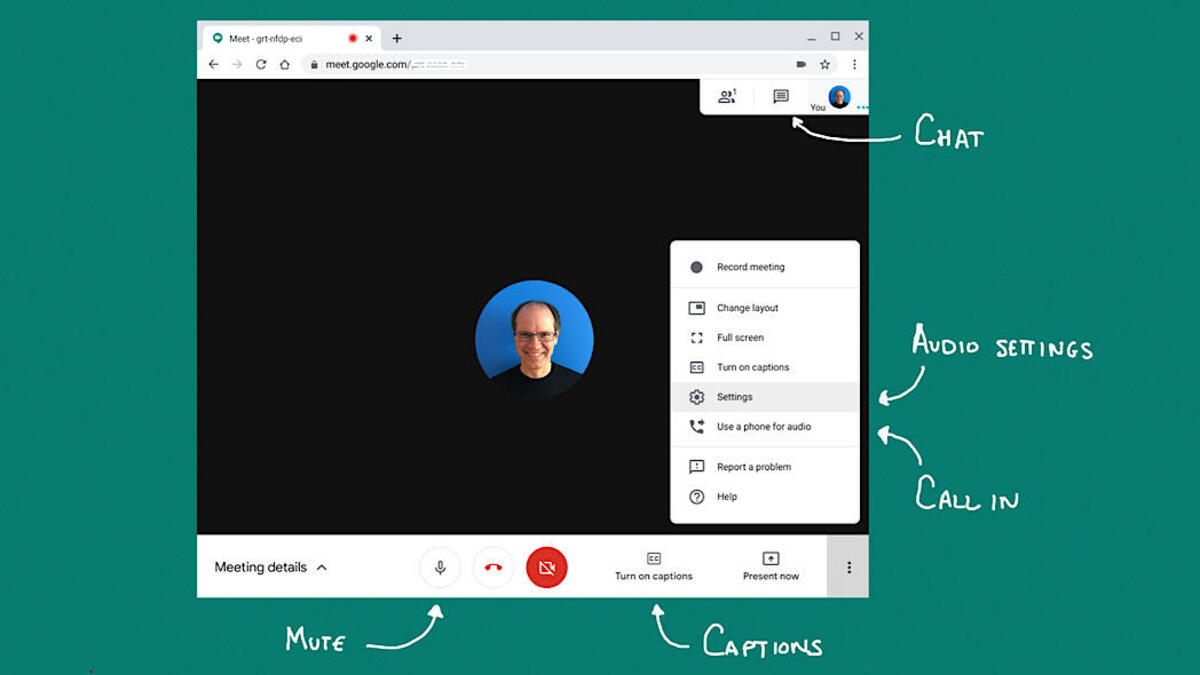
    Besides full HD video content for recorded meetings, the latest update also brings the ability to send full HD video on all computers with 1080p cameras. Keep in mind though that this is disabled by default and requires the user to enable it via the settings menu.

    According to Google, full HD video is only sent when recording is enabled or when one or more users have pinned the 1080p-enabled user on a screen large enough to render the 1080p video feed.

    Google Meet will automatically adjust the resolution if the device is bandwidth constrained, which is important to mention considering that additional bandwidth will be required to send 1080p video.

    The full HD video for meeting recordings is now available for Google Workspace customers with Business Standard and Plus, Enterprise Essentials and Essentials Plus, Enterprise Starter, Standard, and Plus, as well as Education Plus and the Teaching & Learning Upgrade.

    On the other hand, the ability to send full HD video on computers with 1080p cameras is available for Google Workspace customers with Business Standard and Plus, Enterprise Starter, Standard, and Plus, Education Plus and the Teaching and Learning Upgrade, Enterprise Essentials and Essentials Plus, as well as Google One subscribers with 2TB or more storage space.


  • Google Meet update adds 1080p video resolution for groups calls

    Google Meet update adds 1080p video resolution for groups calls

    After bringing the ability to install third-party add-ons directly within the app last month, Google Meet is now getting another useful feature that’s not really related to productivity: 1080p support for group calls.

    Previously only available for 1:1 Google Meet calls, full HD support is now being expanded to meetings with three or more participants. Those with 1080p cameras must select the higher resolution option before entering a meeting because it’s off by default.

    According to Google, 1080p is only sent when one or more users are pinning the 1080p-enabled user on a screen large enough to render the high-resolution video feed.

    For this to work smoothly, additional bandwidth will be needed to be able to send 1080p video. As expected, if the requirements aren’t met, the app will automatically adjust the resolution. Support for 1080p streaming in groups calls is now available on both Rapid and Scheduled Release domains.

    Google confirmed that the new feature is available for free to Google Workspace Business Standard, Business Plus, Enterprise Plus, Enterprise Essentials, Enterprise Standard, Enterprise Starter, Education Plus, and the Teaching and Learning Upgrade.

    The new feature is also available to Workspace Individual subscribers, but not to users with personal Google Accounts, at least for the moment.

  • Google Meet update adds new ways to create meetings

    Google Meet update adds new ways to create meetings

    Unsurprisingly, a tragic event like COVID-19 led to a surge in virtual meetings with employees being stuck at home. Moreover, families and friends forced into isolation needed to remain in touch, and apps like Google Meet, Zoom, as well as others, had to evolve to provide these kinds of services.

    Google Meet went through a lot of changes in the last few months, but the transformation isn’t over yet. Mostly used by companies, Google Meet is now being updated to offer users easier ways to create new meetings.

    For example, once you tap on the “New meeting” button, you’ll now have three options at your disposal, each allowing you to create a new meeting at different times: Create a meeting for later, Start an instant meeting, and Schedule in Google Calendar.

    If you choose the third option, you’ll have to go to Calendar in a new tab to create an event with Meet conferencing details automatically populated. Of course, users will still be able to enter a meeting code or nickname to join a meeting.

    The update went live this week, but the rollout may take up to 15 days. The new Google Meet changes will be available to all users, regardless of whether they have a Google business or personal account. It’s important to add that Workspace Essentials users will not see the “Schedule in Google Calendar” option but will have the two options available.

  • Singapore Open to Virtual Shareholder Meetings

    Singapore Open to Virtual Shareholder Meetings

    Currently, companies are allowed to conduct their general meetings via alternate non-physical means until June 2021.

    The Monetary Authority of Singapore (MAS) and Singapore Exchange Regulation (SGX RegCo) are open to allowing hybrid or fully virtual shareholder meetings after social distancing measures are eased, post-Covid-19, if active participation can be ensured.

    The regulatory bodies are currently closely monitoring the experiences of issuers and investors during virtual meetings, Ong Chong Tee, MAS deputy managing director, said on Monday.

    What is important is that such new meeting formats should not compromise effective shareholder engagement, allow proper verification of attendees and voters, and facilitate accurate and secure voting processes, Ong said.

    Covid-19 safe distancing measures and travel restrictions have limited the conduct of physical meetings. In April, MAS, ACRA and MinLaw worked with SGX RegCo to fast-track legislation to provide legal certainty to listed issuers so that they may implement safe distancing measures imposed by the Ministry of Health and hold virtual general meetings.

    MAS also published a checklist of measures to ensure informed and effective participation, which include requirements for a live broadcast, proxy voting, allowing shareholders to ask questions and having them addressed ahead of the meeting.

  • Zoom changes its mind giving a big win to its non-paying subscribers

    Zoom changes its mind giving a big win to its non-paying subscribers

    Last month, video-conferencing app Zoom announced that its acquisition of Keybase would allow it to offer end-to-end encryption. That means that those on the sending and receiving end of a Zoom video session would be able to escape scrutiny by law enforcement and hackers. But at the time, Zoom said that only those paying $14.99 a month for its premium tier of service would be in line for what is called E2EE (end-to-end encryption).

    Zoom said that it was unable to offer E2EE to its free users in case the app was used to help run an illegal business and the FBI or other law enforcement needed to cut into a Zoom conference to gather information. At the time a company spokesman said, “Zoom does not proactively monitor meeting content, and we do not share information with law enforcement except in circumstances like child sex abuse. We plan to provide end-to-end encryption to users for whom we can verify identity, thereby limiting harm to these vulnerable groups. Free users sign up with an email address, which does not provide enough information to verify identity.”

    But a blog post today revealed a change in Zoom’s thinking. The company wrote that “Today, Zoom released an updated E2EE design on GitHub. We are also pleased to share that we have identified a path forward that balances the legitimate right of all users to privacy and the safety of users on our platform. This will enable us to offer E2EE as an advanced add-on feature for all of our users around the globe – free and paid – while maintaining the ability to prevent and fight abuse on our platform.”

    To make this work, free/basic Zoom users will have to follow a one-time process that includes verification of a phone number via a text. Zoom said, “Many leading companies perform similar steps on account creation to reduce the mass creation of abusive accounts. We are confident that by implementing risk-based authentication, in combination with our current mix of tools — including our Report a User function — we can continue to prevent and fight abuse.”

    Zoom says that an early beta of the end-to-end encryption feature will start next month. The app is available from the Apple App Store and the Google Play Store.