Tag: messages

  • Google will soon allow Messages users to react using any emoji

    Google will soon allow Messages users to react using any emoji

    If you are messaging a fellow Android user who, like you, uses the Rich Communication Services (RCS) platform that is part of the Google Messages app, you can exchange longer messages, share larger video and image files, get a read receipt, enjoy end-to-end encryption, see a typing indicator, and more. Like Apple’s iMessage, none of these features will work when someone using another platform (like iMessage) is part of a group chat.
    But one thing that Google Messages users can do when talking among themselves, or even texting an iOS user, reacts to a message by sending one of seven emoji: thumbs up, smiley face with heart-shaped eyes, laughing with tears, surprised look, sad face with a tear, frowning face, and thumbs down. While those seven emoji will allow you to respond to many different messages, wouldn’t you prefer a wider range of possible options?
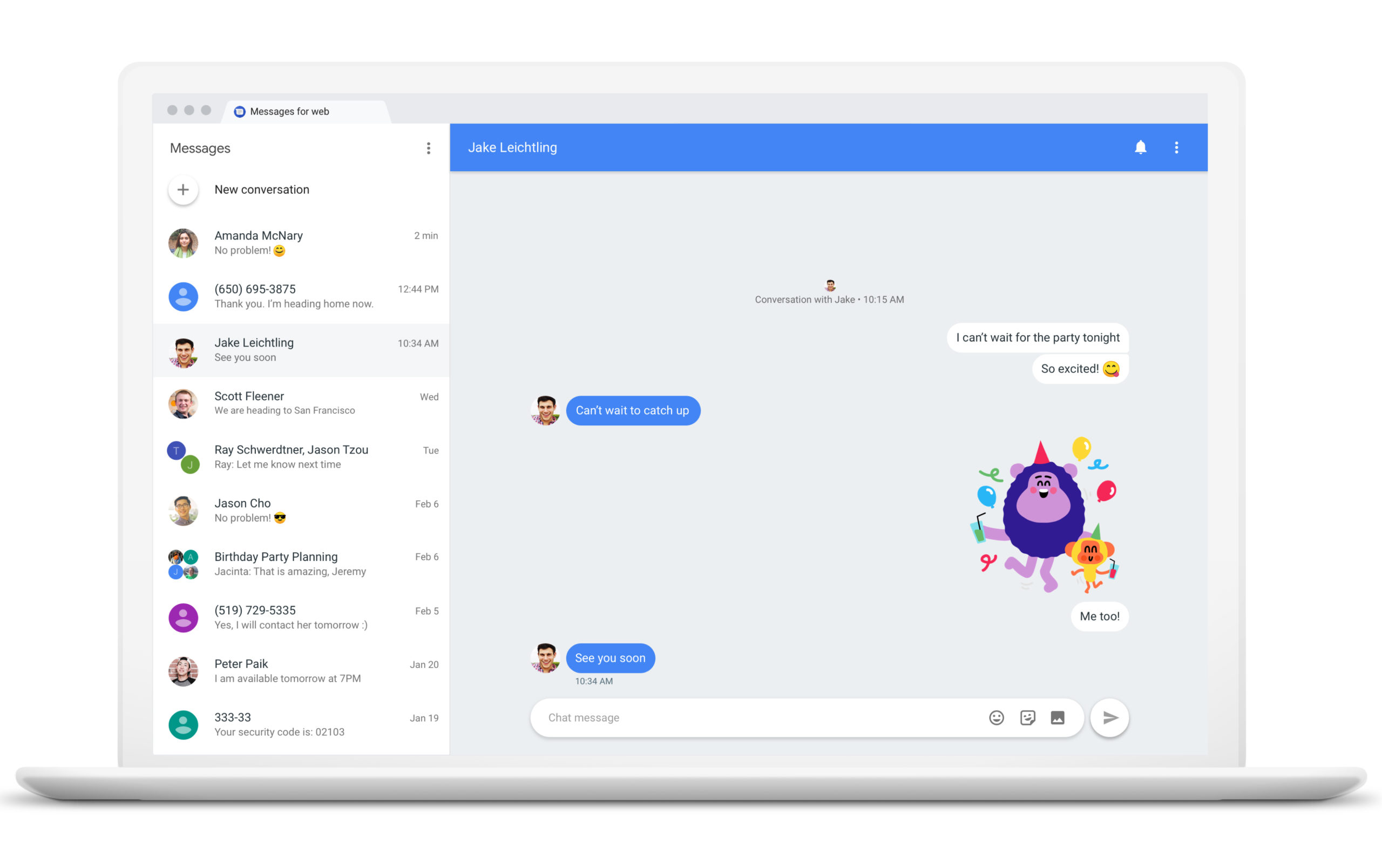
    Before we continue, let’s explain how Android users with the Google Messages app can respond to an RCS or Text message with an emoji. Long press on a chat bubble and you’ll see a pill-shaped popup containing the seven emoji mentioned above. Just tap on the one that best expresses how you react to a comment.

    For example, this writer is a beta tester for the Google Messages app yet the new feature is not showing up on my Pixel 6 Pro. If you are unable to access the emoji picker on your Android phone, don’t worry. Eventually, it will roll out for all Google Messages users.

    You can constantly check for an update by opening the Play Store app. Tap your profile pix or avatar or initials found in a circle on the right of the search bar at the top of the screen. From there, go to Manage apps & device and tap on the green See recent updates link. That takes you to a list of recently updated apps. At the top of the display, there is a tab reading Updates available. Tap on it and then tap on the Update all button.
    Google might end up using a server-side update which means that the company itself will flip the switch and you’ll never know until after it happens. We have no idea when you will receive the update containing the new feature but we have a gut feeling that it won’t be terribly long. Unless, of course, it is.
    You might recall that during the summer Google tried to pressure Apple into supporting RCS in a bid to stop the green bubble bullying that goes on when an Android user joins what was an all iOS group chat. When an Android user joins an all-iOS chat, many of the features of iMessage are no longer available and text bubbles turn green instead of blue. The interesting thing is that the same thing applies to iOS users who join an all RCS group chat on Android.

    The only difference seems to be that Android users don’t insult and bully those iPhone users who join their group chat which disables the RCS features in the same way that an Android user can disable iMessage features.
  • A new leak suggests that WhatsApp might soon let you edit your sent messages

    A new leak suggests that WhatsApp might soon let you edit your sent messages

    If you do a lot of typing on your phone, you know how embarrassing it is to send a message with misspelled words. Sometimes you see that you have typed the wrong key after you have sent the message. There are even instances when the autocorrect feature might replace some of your words without you even noticing. This is why every messaging app should have an edit message feature.

    The latest messaging app that has received such a feature is iMessage. With iOS 16, Apple added the functionality for iPhone users to edit their already sent messages, and — soon — another widely used app might also enable you to do the same.

    Back in June, we reported that WhatsApp is working on a new way to let you edit already sent messages. Now, a new leak from WABetaInfo suggests that WhatsApp hasn’t abandoned the project.

    In version 2.22.20.12 of the WhatsApp beta for Android, the folks from WABetaInfo found that WhatsApp is currently working on a way to let the app replace your sent messages with their edited counterparts. Furthermore, in order to read a received edited message, WhatsApp will prompt you to install the latest version of the app — once the edit function comes out, of course.

    At the moment, it’s still a mystery how much time WhatsApp will give you to edit your already-sent messages. We should also note that the feature is currently in development, and sadly, there is no information on when WhatsApp will release it to the public. However, we can be sure that it is coming.

  • Twitter now lets you search your direct messages

    Twitter now lets you search your direct messages

    Good news for all people who like to track their online history to the last letter of the last message. Twitter has rolled out a new feature in its DM search bar, which allows you to search for specific messages using keywords.

    The search option has been present for quite some time but up until now it only allowed users to find a specific person or a group chat. With the latest improvement, Twitter allows people to granulate their searches and find content in their message history.

    We know you’ve been waiting for the option to search your DMs. Now you can use the search bar in your inbox to find specific messages using keywords and names.

    The new feature has been added to the Twitter mobile app – when you type something in the search bar at the top of your inbox, you’ll see additional filtering options – people, groups, or messages. If you chose messages, then the search will return DMs containing that particular keyword.

    This new search option can go way back in time and return results from up to three years in the past. However, it seems that this is the threshold, and older messages won’t appear in the results.

    Twitter keeps on adding interesting new features, last month the company added the option to tip creators with Ethereum, and back in November last year, Twitter started showing previews for Instagram links.

  • WhatsApp now lets you react to messages

    WhatsApp now lets you react to messages

    Last month, we reported that WhatsApp was working on several new features, including search message shortcuts, and message reactions, and now the latter has finally started rolling out to users.

    The feature was first uncovered by WABetaInfo, and it seems that WhatsApp is ready to push message reactions to users running version 2.22.8.3. It is worth mentioning that this version is not the official stable one, and it is only available to Beta testers.

    Nevertheless, the fact that the feature is entering the beta version means that we would probably see it in the final stable release pretty soon. The reactions themselves are pretty similar to what other chat apps have been doing in the past couple of years, the likes of Telegram, Discord, and Slack

    According to WABetaInfo, there are six reactions to choose from – Like, Love, Laugh, Surprised, Sad, and Thanks. Even though message reactions are only available to beta testers at the moment, every WhatsApp user should be able to see them in chats.

    Have you noticed these reactions in your WhatsApp everyday chit-chat?

  • WhatsApp for iOS has a redesigned voice call UI in the works

    WhatsApp for iOS has a redesigned voice call UI in the works

    WhatsApp has been working quite hard on improving the user experience in the app amidst all its rising rivals such as Signal and Telegram. Now, the app is working on a redesigned user interface for voice calls for iPhones, a feature that’s currently rolling out to WhatsApp beta testers on iOS.

    For a while now, WhatsApp has been working to improve the voice call experience, and now, the beta version 22.5.0.70 is showing a revamped user interface that should be coming to the app.

    Keep in mind that, as this is beta, the feature may change as it undergoes development before its official global release. With that being said, let’s explore what WhatsApp is working on to make your voice call experience on its app a better one.

    Here’s an image from version 22.5.0.70 (beta of WhatsApp for iOS), which shows the improved interface for group calls. It seems that real-time voice waveforms are going to come to calls. The app has recently rolled out similar waveforms for audio messages.

    This change will help you see who is currently talking, and also could be useful to determine who needs to mute their microphone (yeah, we all know those group call situations when someone has left their mic on and therefore distracts you from whatever the speaker is saying).

    On top of that, WhatsApp will be getting wallpapers for voice calls; however, they are not currently editable with this beta.

    Earlier, WhatsApp started working on a redesigned voice call interface that should look more modern and neatly organized. It is still under development, and at least at first glimpse, looks quite familiar to the current one. The point of this redesign is to make the UI more user-friendly and modern. On the other hand, there will be some more UI tweaks that are not visible in the screenshot below that could make their way to the official release.

    WhatsApp has been working hard to make its chat app as good as it could be, and as feature-rich as it could get for the best user experience. The app will soon be getting indicators for end-to-end encryption (as you may probably know, WhatsApp messages are end-to-end encrypted for a few years).

    With an update coming sometime in the future, the app will be getting new visuals to assure you that everything you say stays between you and the people you’re chatting with.

    Additionally, recently we reported on the fact that WhatsApp could finally be getting a dedicated iPad app. WhatsApp CEO Will Cathcart recently hinted at a possible WhatsApp for iPad release and the company seems to be working on it.

    The thing is that the data encrypted on WhatsApp wasn’t allowing for the company to safely sync it across multiple devices so far. However, as data encryption technology evolves, WhatsApp is working to make an iPad app a reality.

    “Our web and our desktop apps now have that. If I have multi-device on, I can turn my phone off or lose my network connection and still get messages on my desktop. That would be really important for a tablet app, to be able to use the app even if your phone isn’t on. So the underlying technology is there.”, stated Cathcart, giving some hope to users who have been wanting an iPad WhatsApp app.

    The beta version of multi-device support that was created last year allows users to link up to four devices at a time to their account. However, the downside of this feature was that it needed your phone to be connected to the internet the whole time for it to work. Last fall, WhatsApp introduced a new multi-device beta for iOS that can work without your iPhone connected to the internet.

  • Twitter’s latest update is all about Direct Messages

    Twitter’s latest update is all about Direct Messages

    Twitter is making all sorts of changes to its app almost on a weekly basis. Some of them are less important, while others are really useful even though they don’t get under the spotlight too often. After delivering the so-called “Good Bots” labels for all bot developers earlier this week, Twitter announced a much more important feature is making its way to users: the ability to pin Direct Messages.

    It’s a nifty feature that will allow Twitter users to put their conversations via Direct Messages up and center. Not only that, but Twitter lets users pin up to six conversations to stay on top of the Direct Message inbox.

    To pin a DM conversation simply swipe to the side and tap the pin to move the conversation to a new section called “Pinned conversations” that’s visible at the top of the DM inbox.

    According to Twitter, the new feature will be rolled out in waves to Android and iOS users, as well as on the web. If you don’t see it right away, be patient since it’s probably going to take a few days for everyone to have access to the ability to pin their DM conversations.

  • Google Messages update allows users to send Photos links for sharper videos and pictures

    Google Messages update allows users to send Photos links for sharper videos and pictures

    Some changes are rolling out to the Google Messages app and it appears that hamburger is back on the menu. Or perhaps we should say that the hamburger menu is back. The redesign has surfaced for some who are using the beta version of the Messages app and it replaces the three-dot menu in the upper right corner with a hamburger menu on the left side of the display.

    Options currently found in the three-dot menu will be moved to the hamburger menu such as “Messages,” “Starred,” “Archived,” and “Spam & blocked.” Other options such as “Device Pairing” and “Choose Theme” will be listed in a separate section at the bottom of this menu.

    You’ll know when the change has hit your phone because the first time you open the app after the update, you’ll be prompted to enable Google Photos integration for the Messages app. “Share videos as they’re meant to be seen” reads the prompt follow-up with “Preserve sharp video clarity when you sign in and send Google Photos links.” A link at the bottom of the page allows for the use of the Messages app without a Google account.

    You will have a couple of choices that you can toggle on including one that will always send a link to Google Photos when you use Messages to share a video by text (SMS/MMS), and another option that will always send a Google Photos link when you text images via SMS/MMS. By allowing the Google Photos link to be sent with videos and images, you are giving the recipients of such content via Google Messages the ability to view them in a higher quality than if you sent them via MMS.

    While the update is being disseminated to some of those who are members of the app’s beta program, not all beta members are currently receiving it. Certainly, Google will widen the distribution of the update once it hears feedback from users.

    If you’ve received complaints about the quality of the videos and pictures that you’ve shared via Google Messages, this is a clever way to send higher quality content using that app with an assist from Google Photos.

  • Google fixes the issue of Android Auto not displaying messages

    Google fixes the issue of Android Auto not displaying messages

    Google has fixed an issue preventing Android Auto from displaying messages on a car’s screen. To receive the fix, you need to update your Android Auto and Messages app to the latest versions. Google did not explain what the cause of the problem was.

    Google’s fix comes in response to several customer complaints on Android Auto’s support page. Several users reported that after updating their phones to Android 12, their cars stopped showing the received messages.

    A user shared in a post: “For the past three weeks, Android Auto has stopped showing new text or other messages. If music is playing and a new message comes in, the music is turned down briefly as if to allow the new message notification to sound, but no sound and no message comes to the auto display, even though new messages have arrived on the phone.”

    Not showing received messages isn’t the only issue Android Auto users have encountered recently. As we previously reported, users who had updated their Android Auto app encountered a problem with Google Maps not appearing on their cars’ screens when they had their phones connected to their vehicles. Although the issue has been reported, it still remains for Google to roll out a fix for that problem too.

  • Send Read Receipts can’t be turned off in Messages for some users

    Send Read Receipts can’t be turned off in Messages for some users

    It’s sometimes useful to see whether someone has read your message or not but then again some people find this functionality a bit much. And it’s true, waiting to see if your precious message has reached its recipient can encourage obsessive and stalking behavior.

    Now, it seems that a nasty bug is preventing some users from turning this feature off on their iPhones and iPads. Apple offers the option to turn on and off Send Read Receipts in Messages in iOS, iPadOS, and macOS, and if your devices are synced to the same iCloud ID, this feature will be toggled on or off on all of them.

    This can be done by going to Settings > Messages and then toggling the Send Read Receipts switch (iOS and iPadOS), or going to Settings > Preferences > iMessage and checking or unchecking “Send read receipts” for Mac users.

    However, toggling Send Read Receipts on or off does nothing for some users, and people can still see when they read messages. The same issue was present briefly on previous iOS and iPadOS releases but now the problem can be seen in the latest software releases.

    Apparently, there’s no resolution at this time, although there’s a workaround. Some people found that restarting their iPhone or iPad does the trick temporarily. And while we wait for a fix to be released, share your experience with Messages. Can you turn off Send Read Receipts?

  • WhatsApp is crashing on iOS

    WhatsApp is crashing on iOS

    Several tweets on Twitter today were about issues that some iPhone users were having with the WhatsApp app. Those suffering from this bug just could not open the messaging app on their iOS-powered handset as it would crash immediately after the icon was tapped on their iPhone home screen. With no recent WhatsApp updates to speak of, and with the beta version of the app crashing on Test Flight, the problem could be Facebook’s fault (the company is the parent of WhatsApp, Instagram, and Facebook Messenger).

    While some users made a connection between the bug and yesterday’s release of iOS 15.2, WhatsApp has been having problems with previous iOS versions putting the kibosh to that theory. Regardless of what is causing it to crash on iOS, WhatsApp hasn’t even made a public statement of any kind regarding the app’s inability to stay open for iPhone users. The bug is affecting both the regular version of WhatsApp and WhatsApp Business.

    With end-to-end encryption maintaining your privacy, WhatsApp sends texts through your phone’s internet connection similar to how Apple’s iMessages and Google’s Rich Communication Service (RCS) works. The ability to send larger video files and messages, support for large group chats, Read Receipts, and more features have made WhatsApp the most popular messaging app in over 100 countries. The app has been installed over 5 billion times.

    While Facebook doesn’t break out financials by individual apps, “experts” believe that WhatsApp helped generate between $5 billion and $10 billion in revenue for Facebook last year. It is estimated that the app has 2.3 billion daily active users (DAU), second behind parent Facebook’s 2.9 billion daily active users. As of this past July, the number of Monthly Active Users on WhatsApp was calculated at 2 billion.

    If you’ve been experiencing these same problems with WhatsApp on your iPhone, let us know by dropping your comment in the comment box below.

  • Truecaller drops the biggest update in a while

    Truecaller drops the biggest update in a while

    Truecaller, one of the older messaging apps for mobile has just received major update that significantly enhances the calling experience. Although the app is available on both iOS and Android platforms, this specific update is aimed at those who use smartphones running Google’s operating system.

    The highlight of the update is the addition of Video Caller ID, which allows users to set up Truecaller to show a video to their contacts whenever they call them. Additionally, the team behind the app announced that Call Recording is making a comeback. More importantly, the feature is now available for free to everyone using Android devices.

    Since users have been asking for it, Truecaller is bringing back separate Calls and Messages tabs in the latest version of the app. Another interesting new feature is reserved to Premium users: the ability to announce your calls. It will allow Truecaller to automatically check whether a call is from a friend or a scammer.

    Last but not least, Truecaller Ghost Call is another feature for Premium users, which allows them to schedule a time for a call. Simply open the Premium tab and choose the Ghost call setting option. Then, set a name and number you want to appear on the screen along with the time.

    Also, you’ll be able to choose an existing contact in your phonebook using the “pick a contact” option. Finally, tap the “schedule call” and at the set time, your phone will ring and show the usual calling screen on your phone. The feature is meant to get you out from weird situations, or you can use it for fun.

  • Google tests new notification dots inside the Google Messages app

    Google tests new notification dots inside the Google Messages app

    Android’s notification dots allow users to see which of their apps has a notification that they have yet to open. With iOS, the number of unread notifications is placed inside the dots. A tipster named Nick Cipriani has revealed how Google is looking to use notification dots inside Google Messages to highlight the messages that the user has yet to open.

    In the latest beta version of Google Messages (version 10.6.240), a bright blue dot can be seen to the right of the time when a message has not been opened. At the same time, the unread message is in bold type similar to how the subject line of unread emails appears in bold print in the Gmail app. The update is apparently being sent out via server-side update so it will be up to you to see if you notice this change when you open the Google Messages app.

    It isn’t clear when or even if this will roll out to all Android users. It might not be a very important new feature since you will still see the notification dot on the home page next to the Google Messages icon alerting you to at least one unread message. That alone should give you the motivation to open the app whether or not you know how many messages are unread.

    Sometimes if the number of unread notifications in an iOS app is too large, you could get overwhelmed with the number of notifications to read and you might decide to skip opening that app completely. Google is known for running through a number of tests which means that not everyone will end up making it to a future build of Android.

  • WhatsApp gets View Once messages in its beta version

    WhatsApp gets View Once messages in its beta version

    Last year, Facebook introduced Vanish Mode to Messenger and Instagram, a feature that allows users to send ephemeral messages. Now, the company is extending the feature to WhatsApp, and it is already available in the app’s beta version.

    The Vanish Mode in WhatApp has been dubbed “View Once”. Before you send a photo, video, or text, you have the option to tap on a little circle icon with the number one inside. That way, your message will automatically delete itself once viewed by the recipient. Additionally, you will receive a notification when your media has been opened.

    However, there is a crucial caveat to take note of. Unlike Messenger’s vanish mode, if the person on the other end of the conversation decides to screenshot or screen record your message, you will not be notified. Unfortunately, in its beta WhatsApp still does not support screenshot detection. We will have to wait and see if it gets added.

    There are also a couple of details in regards to disabling read receipts. Firstly, if read receipts are disabled, the person you’re chatting with will still be able to see whether you’ve opened View Once content. However, you won’t know if they have opened yours.

    On the other hand, you will still have the ability to see who has opened your message in group chats despite having read receipts disabled. Another important detail for group chats to remember is that blocked users can open the photos and videos you send to them. You can view who’s looked at the content by going to “Message Info”.

    View Once will work even for those who haven’t received it yet. Facebook hasn’t reported when View Once will graduate from the beta version to the stable one. Currently, it is available only on Android and will be introduced to iOS at a later date.

  • Google rolls out Messages end-to-end encryption to everyone

    Google rolls out Messages end-to-end encryption to everyone

    Google Messages is finally getting end-to-end encryption, which means your messages will be secure from prying eyes. Google has been testing improved security for its Messages app since last year, but only a limited number of users had access to end-to-end encryption.

    Starting this week, Google is rolling out end-to-end encryption to all Messages users. However, to take advantage of the new feature, a few aspects are required. First off, you and the person you message must both use the Messages app and have chat features enabled.

    Secondly, you must use data or Wi-Fi for RCS ( messages. Keep in mind though that end-to-end encryption does not cover SMS/MMS messages and group messages. You’ll be able to tell when end-to-end encryption is enabled if you have an arrow icon with a lock on it on the send button when you write a message.

    When you lose chat features and end-to-end encryption will no longer be enabled, you won’t have a lock icon next to the timestamp of the conversation’s latest message or on the send button when you write a new message.

    According to Google, this type of encryption converts data into scrambled text, which can only be decided with a secret key. The latter is a number created only on your phone and the device you message. The secret key is not shared with Google, anyone else, or other devices, and it’s generated again for each message.

    Last but not least, the secret key is always deleted from the sender’s device when the encrypted message is created, as well as from the receiver’s device when the message is decrypted.

  • Update rolling out now adds useful new feature to Google Messages app

    Update rolling out now adds useful new feature to Google Messages app

    Google has started rolling out an update for the Google Messages app that might make it faster to find certain messages. The update adds a new feature that places SMS messages into one of five different categories: personal, transactions, OTP (one-time passwords), offers, and more. The feature can be enabled or disabled through the use of a toggle switch found in the Google Messages app settings.

    If your Google Messages app has been updated, you will see the different categories just below the app’s search bar on the top part of the UI. If you’re not happy with the category that a certain message has been assigned to, you will have the opportunity to do so and even share the message with Google. This will help similar messages get categorized correctly in the future.

    Google has been beefing up the Messages app allowing it to work with many of the features available with Rich Communication Services (RCS). This means that messages are sent through data networks instead of a carrier’s cellular network allowing messages to be sent over Wi-Fi. At the same time, users can fill each message with as many as 8,000 characters instead of the previous limit of 160. And Android device owners will get a read receipt to confirm that their messages have indeed been read.

    Google starts to roll out a new feature that places SMS messages in different categories.

    Not all Android users have received the update. It appears to be disseminated to Android users via a server-side update so just keep your eyes peeled.