Retail News CRM

Tag: updates

  • WhatsApp’s Major Redesign: Status Updates to Take Centre Stage in Latest Android Beta

    WhatsApp’s Major Redesign: Status Updates to Take Centre Stage in Latest Android Beta

    As social media evolves, two prominent trends have emerged: the prevalence of private chats and the popularity of temporary “stories,” which allow users to share snippets of their lives without leaving a permanent digital footprint. This shift towards more intimate and transient forms of communication is evident in the recent changes that WhatsApp is implementing.

    WhatsApp’s Interface Revamp

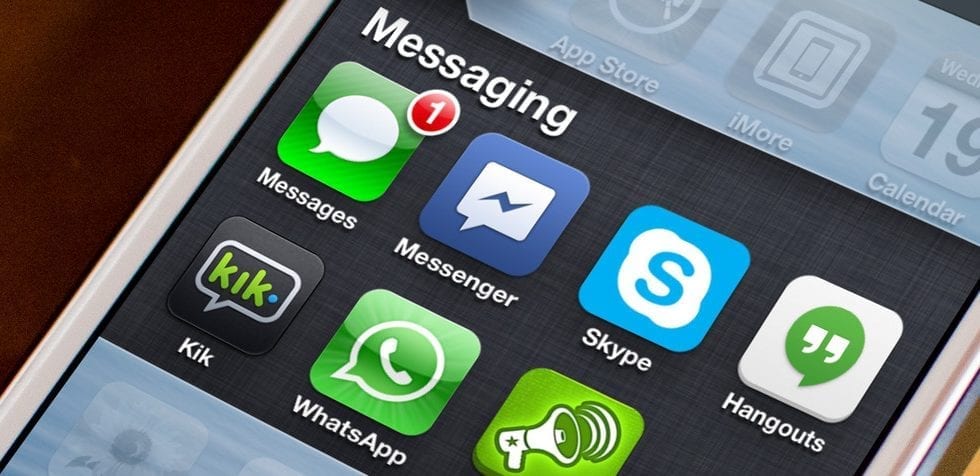
    WhatsApp, a widely-used messaging platform, is piloting an updated design that prioritizes status updates, or “stories.” The latest beta version of the Android app showcases a new approach to these status updates. The most recent updates from a user’s contacts now appear at the top of the Chats tab, presented alongside the profile pictures of those who have posted them.

    The stories that populate the top of the Chats tab reflect the user’s most frequent interactions. In other words, the status updates of those contacts the user frequently communicates with and who have shared a status update will be prominently displayed. However, the traditional Updates tab, typically found at the bottom of the screen, remains intact. This suggests that WhatsApp may not be planning to discard it entirely, although as this is an early beta version of the feature, the final outcome could potentially differ.

    The new design maintains one key feature from its predecessor: the ability to mute status updates. If a user has muted updates from a specific contact in the Updates tab, these updates will not appear in the new top bar. As of now, this redesign has been seen only in the Android beta version, and it is not yet clear whether it will be rolled out to iOS platforms.

    Transitioning towards a Social Media Platform

    While WhatsApp initially positioned itself as a simple chat service, it is rapidly expanding its offerings and pushing into the realm of social media with this new feature. Regardless of the fact that there are currently no banner ads within the app, WhatsApp’s parent company, Meta, could potentially generate revenue by users swiping through these stories, paralleling strategies employed by its other applications.

    Questions & Answers

    What significant change is WhatsApp experimenting with?
    WhatsApp is testing a new interface that prioritizes status updates, or “stories,” from users’ most frequently interacted contacts at the top of the Chats tab.

    Will the traditional Updates tab be removed with the new design?
    At this stage, the Updates tab appears to be preserved in the new design. However, as this is an early beta version of the feature, the final version could potentially differ.

    Could this change allow WhatsApp’s parent company, Meta, to generate revenue?
    While WhatsApp currently does not host banner ads, Meta could potentially monetize users’ interactions with their friends’ stories, in a manner similar to its other applications.


  • Samsung Internet gets a bucketload of new features after latest beta update

    Samsung Internet gets a bucketload of new features after latest beta update

    Samsung Internet has become a very decent mobile browser thanks to the many updates Samsung released in the last year or so. Less than a month ago, the South Korean giant released Samsung Internet 14.0, but work on the next version of the browser has already begun.

    Those of you who don’t mind installing beta apps can now download Samsung Internet 14.2 beta, a new version of the browser that brings a wide range of new features and improvements.

    An important new feature involves site permission. This beta version of Samsung Internet lets users customize individual site permission, as they can now activate or deactivate permissions by switching on/off at the sites list. For the time being, permissions are available for Location, Camera, and Mic.

    A Bookmark Bar now shows up in the upper toolbar area in DeX mode and on tablets. You’ll need to enable the “Show bookmark bar” menu so that the bookmark bar is shown. Context menus like “Open in new tab” and “Edit bookmark” are supported too.

    The “Continue Apps on other devices” feature is getting a couple of improvements. For example, you can now use Samsung Internet on a different Samsung device and automatically sync clipboards across devices for copying and pasting text and images. However, for the feature to work, devices will need to be on the same Wi-Fi network with Bluetooth enabled to use Continue Apps.

    Several other features and enhancements have been included in Samsung Internet beta 14.2, such as S Pen Air Action, tab bar GUI enhancement, update popup for new password fill, quick access page at fresh launch, and tip card for desktop view setting.

    The new beta version of Samsung Internet Browser is available for download via Galaxy Store and Google Play Store.

  • Google updates Google app with a shortcut for Chrome incognito mode

    Google updates Google app with a shortcut for Chrome incognito mode

    The Google app’s default option for browsing incognito has been around for nearly a year. However, the feature contained one major flaw that made going incognito meaningless – when clicking on a search result from the incognito tab, the window that opens is not incognito and all activity is saved to your Google account’s history.

    However, according to Android Police, Google is going to provide a solution to this issue. Some users have noticed a new option added to the Google app – the possibility to open a new Chrome incognito tab.

    Apparently, the feature is a shortcut which reportedly will lead you to Chrome to browse in incognito there. When tapping on the option, you get the usual disclaimer for an incognito window, advising you that data might still be visible to carriers, websites and employers or schools.

    Unfortunately, this is another server-side update from Google, as the one for Google Photos, and it cannot be manually installed, even if you have a beta version of the Google app. So, we will wait and see when this feature will be rolled out to all the users.

  • Update allows Android users to quickly rate their apps and add reviews

    Update allows Android users to quickly rate their apps and add reviews

    Rolling out to some Android users starting today, is a server-side update that adds a dedicated review section. This will show up in the Play Store under My apps & games under the Installed tab. There, a section called Reviews opens up a page with a pair of new tabs, Unreviewed and Posted. The former shows apps that you have yet to review and gives you the opportunity to quickly do so.
    The Posted tab will show you reviews that you’ve already published. There are some things that you might not like about this new system. The Unreviewed list will show some apps that are no longer on your phone, and the order that these apps are listed in appears to be haphazard.
    We have yet to have this new feature appear on our Pixel 2 XL running Android 10, but we hope to see it added soon. Since it is a server-side update, all you can do is sit back and wait for the update to hit your phone.
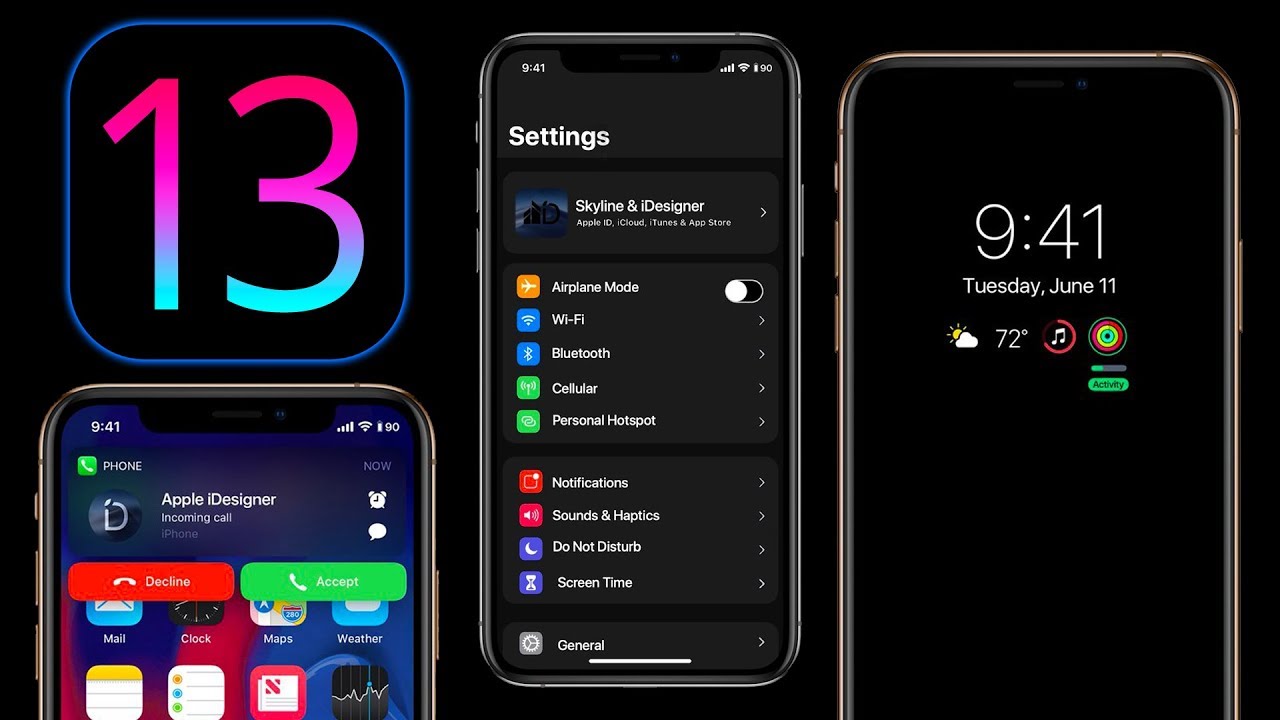
  • Apple drops iOS 13.3, iPadOS 13.3, tvOS 13.3 and more

    Apple drops iOS 13.3, iPadOS 13.3, tvOS 13.3 and more

    Today is a day of operating system updates for Apple as the company dropped iOS 13.3, iPad OS 13.3, HomePod 13.3, tvOS 13.3 and watchOS 6.1.1. The update to iOS 13.3 for the iPhone and iPad OS 13.3 for, well, you know, adds Communication Limits support in Screen Time. The latter measures how long you use your phone or tablet, what apps you use the most, and allows parents to limit their children’s use of certain apps.

    With the new feature, users can decide who they can communicate with and when they can communicate with them during “Downtime.” This is a setting on Screen Time that when enabled, prevents the user from opening certain apps, receiving notifications and getting phone calls during certain time periods except for apps and callers that are selected as “Always Allowed.” By default, Downtime, when enabled, will run from 10 pm to 7 am local time. With the new Communication Limits, parents can prevent their kids from calling, texting or using FaceTime with anyone else but them after a certain time of day.

    With the update, Apple answered complaints from users about Memoji and Animoji stickers. The stickers were showing up alongside the emoji keyboard and users went into a conniption. But after installing iOS or iPad OS 13.3, users can disable this feature by going to Settings > General > Keyboard > Emoji.  In Apple News+, stories from The Wall Street Journal and other newspapers now have a new layout and stories can be liked or disliked with a tap. In Canada, articles in the Stocks app are now available in both English and French. Top stories can now have a “Breaking” or “Developing” label to users find the latest and most important content.

    Several bug fixes and improvements are part of the new update. When trimming a video in Photos, users will be able to create a new video clip. Bugs have been exterminated that prevented a message from being deleted in Gmail and prevented new messages from loading in Mail. With the update, screenshots shouldn’t look blurry any more when disseminated via Messages, and if you cropped or used Markup on a screenshot, it will save with the changes that were made. Missed call badges should now disappear, and Voice Memo recordings can now be shared with other audio apps. In addition, Apple says that the update addresses an issue that made some wireless chargers charge more slowly than expected. It also corrects an issue that had the Cellular Data setting incorrectly show as being “off,” and one that prevented users from turning off Dark Mode when Smart Invert was enabled. The update also takes care of an issue that caused incorrect characters to show up in Messages and duplicate sent messages in Exchange accounts.

    In tvOS 13.3, Apple gives users the option to bring back the “Up Next” queue in the Top Shelf app. Apple had changed this to show clips of previews and trailers called “What to Watch.” This is found in the Home Screen section and after updating to tvOS 13.3 users can go to Settings > Apps > TV to make the change. Apple is also disseminating watchOS 6.1.1 for Apple Watch users. There are no new features in the update, but it does contain some bug fixes and performance improvements.

    And HomePod OS 13.3 has also been released.  With the update, Apple’s smart speaker will do better at recognizing the voice profile of family members. It also will allow family members to enable or disable personal requests and fixes an issue that could prevent music playback from resuming on a stereo pair after a phone call.

  • Android updates don’t matter anymore

    Android updates don’t matter anymore

    There was a time when waiting for the next big Android update meant getting new and exciting features coming to the most popular and widespread mobile OS in the world, but things have cooled off in the past two or three years and Google has been coming up with some pretty forgettable Android updates.

    In my opinion, it doesn’t really matter if your Android device isn’t running on the latest major Android version at hand. I feel that Android has already peaked and the rate of software innovation has been declining for a few years now. Google is seemingly scraping the barrel as far as innovative software features are concerned. In fact, most of the “new” features that are coming to Android Q are inspired from iOS and other custom Android skins, while others are quite irrelevant. I’m sorry, but as far as my personal excitement list is concerned, Digital Wellbeing doesn’t exactly cut it.

    It doesn’t really matter if you’re running Android Nougat, Oreo, or Pie anymore – you’re not really missing any groundbreaking new feature or functionality. Actually, ever since the Android 5.0 Lollipop update, you can probably count the really important features Android has scored on your hands, with the rest being easily forgettable fluff. Let me do this real quick:

    – Doze Mode (Android Marshmallow);
    – ART runtime (Android Marshmallow);
    – Vulkan API (Android Nougat);
    – Bundled notifications (Android Nougat);
    – Picture-in-Picture (Android Oreo);

    – Project Treble (Android Oreo);
    – Gestures (Android Pie).A much, much more important thing to fluster about are the essential monthly security patches. Now, these are key for worry-free smartphone experience. I’m pretty far from the thought that once you get the latest security patch you’re effectively invulnerable to any security breach – whatever you do, you can never really be 100% certain of your digital safety while using your phone, just like your data is never secure on the Internet. Whatever security features get implemented, there always be some deep exploit that would allow wrongdoers to gain access to people’s most sensitive data. It has happened in the past, and it will most certainly happen again.  Still, having a phone that’s up-to-date in terms of monthly security patches can help achieve a certain peace of mind.

    OEM skins have long surpassed stock Android anyway

    I feel there’s another important point to be made here – custom Android skins have surpassed stock Android in terms of features and functionality a long time ago. Samsung, Huawei, and OnePlus have all developed much more useful and feature-packed Android spin-offs. In fact, most of the major new features that you see added to stock Android have debuted and thrived on custom Android versions for longer. Split-screen, gestures, dark mode, and many others were only implemented into stock Android after Samsung, Huawei, LG, OnePlus, Xiaomi, and the others had experimented with these features for some time.

    Those manufacturer updates are the ones we really should keep our collective breath for – not only do they introduce major new features, but also your manufacturer’s major software updates are a much more important thing to hold your breath for. These might have a much bigger impact on your smartphone experience – not only do these deliver full interface overhauls (like with Samsung’s OneUI), but they could also bring important improvements to the camera performance, battery optimization, and other beneficial updates. Such updates of such caliber are more often than not tied to a major Android update, but it’s not a requirement set in stone.

    Personally, I stopped caring about Android updates a couple of years ago, sometime in the Android Nougat-Oreo interim. The only software update I’ve legit been hyped about ever since has been Samsung’s OneUI update, which is the best Android skin in my humble opinion.

  • Google Calendar update adds Dark Mode for Android users

    Google Calendar update adds Dark Mode for Android users

    Google has just announced that the long-awaited dark mode is now rolling out on Android for two of its apps: Calendar and Keep. Ahead of Android Q’s release, Google has decided to bring dark mode to many apps. We learned last week that Google Keep will be getting the feature, but Calendar is a bit of a surprise.

    The announcement contains a couple of screenshots showing both Calendar and Keep apps with dark mode enabled. If you want to start using it on Google Calendar, you should head to Settings / General / Theme, and select Dark mode. It’s much easier to enable it in Google Keep; simply go to Settings and choose Enable Dark Mode.

    Now, it’s worth mentioning that dark mode for Calendar is only supported on device running Android Nougat and higher. Also, if you have Android Q preview installed on your phone, you’ll be able to set the entire OS in dark mode by default. The same goes for Google Keep with one exception, dark mode will work on all devices powered by Android Lollipop and later.

    According to Google, the update that brings dark mode to Calendar and Keep apps will be rolled out to compatible Android devices over the course of 15 days. The rollout has already begun on May 16 for Google Calendar, while Google Keep will get it starting today, May 20.

  • How updating Privacy Settings will affect Businesses

    How updating Privacy Settings will affect Businesses

    You may have suddenly started receiving privacy updates from all the internet sites, apps and services you use. That’s because the European Union’s General Data Protection Regulation becomes law on May 25, 2018. It’s the clearest statement yet from any regulator on what consequences companies could face in dealing with their customers’ personal data.

    The regulation has been introduced to counter the power and prevalence of data collection and online surveillance techniques. It contains strict new rules of data protection, and severe penalties for breaches.

    The regulations apply to the data processing activities of any business that is a data processor (like US-based Amazon Web Services or India-based Habiledata) or data controller (like Ebay and Facebook) with an establishment in the EU.

    It also applies to any processor or controller, wherever they are located, that is processing the personal data of EU residents. This is regardless of where that data is processed and is irrespective of whether payment is required.

    By forcing non-EU companies to comply, the EU is ensuring that EU and non-EU businesses compete on the same terms.

    How it will affect businesses

    Australian businesses will not be forced to comply with or fall foul of the new data regulation merely because they maintain websites accessible in the EU. However, those with an office in the EU, or whose website is aimed at or tracks the data of EU residents, will be affected.

    These include businesses with an EU footprint, for example retailer Harvey Norman operates in Ireland, Croatia and Slovenia. It also covers data processors in Australia whose business includes EU or EU based clients, and startups which trade globally.

    Australian businesses may benefit from the fact that the new rules are consistent with the Australian Privacy Principles. Both promote transparency and accountability in information handling and require businesses to notify of any privacy breaches.

    By contrast, businesses in countries where data handling requirements are less comprehensive (notably the US) will have to make changes to become compliant.

    Nevertheless, the new EU law will impose new burdens on Australian businesses. For example, the EU laws specify encryption and pseudonymisation – where personally identifiable information is replaced by one or more pseudonyms – to ensure data is not identifiable.

    The new EU law will also change the standard practices of online businesses by outlawing pre-ticked boxes, required consent and bundled consent. Businesses must now seek (in clear and plain language), and individuals must give, active, specific, free and informed consent to each purpose for which their data is collected.

    The data law also require all businesses to demonstrate that they have procedures for notifying regulators and customers of data compromises: within 72 hours in the case of high risk breaches and without undue delay in all cases.

    How it will affect consumers

    The EU law includes new or enhanced rights for individuals. Many have no equivalents in other jurisdictions, including Australia.

    People have a right to demand that businesses erase and cease disseminating personal information, and to halt its processing. However, this “right to be forgotten” is balanced against the public interest in the information remaining available.

    The right to data portability in the legislation enables individuals to obtain personal information they have given by consent to one controller in a “structured, commonly used, machine-readable format” and transfer it to another. This will make it easier for customers to switch between businesses.

    However these rights impose regulatory burdens on businesses. It may be technically and organisationally difficult without sophisticated and expensive data handling processes.

    For businesses that rely on things like cloud backup and third party customer support, deleting or making copies of transferable data will be difficult.

    The commercial value of data is such that some companies may simply try to avoid the consequences of the new EU laws by processing information outside the EU, and applying different standards of data protection to customers depending on their location. Facebook has done this.

    On the other hand, given how complex double standards can be to apply in practice, they may simply make the EU rules the new normal of global privacy. In that case businesses should be using it as an opportunity to build more sustainable business models in the emerging era of respect for privacy.

  • Honda plans North American production shifts to make more SUVs

    Honda plans North American production shifts to make more SUVs

    Honda Motor Co is shifting around its North American vehicle production mix and may raise imports from Japan to squeeze out more SUVs as it struggles to keep up with strong U.S. demand for larger models, a factor which has prompted the automaker to trim its annual sales forecast.

    From early next year, Honda will dedicate production at its Alabama plant to its Pilot SUV, Ridgeline pick-up truck and Odyssey minivan, shifting production of its luxury Acura MDX SUV to its plant in Ohio as part of efforts to align its overall production of popular models to better reflect market demand.

    Demand for multi-tasking vehicles from cost-conscious consumers and historically low gasoline prices have ramped up demand for SUVs and other larger models over that of passenger cars.

    So far this year, roughly 59 percent of all new vehicles sold in the world’s No.2 auto market have been light trucks, versus 41 percent passenger vehicles, compared with 55 percent and 45 percent, respectively, a year earlier.

    In comments scheduled for release on Thursday, American Honda Motor Co CEO Toshiaki Mikoshiba told reporters that by also shifting more production of its popular CR-V model to its Indiana plant from Mexico, and producing more of its HR-V models in Mexico, the company planned to lift its production weighting between light trucks and passenger cars more in favor of light trucks, from an even balance currently.

    “While maintaining our current overall capacity (in North America), we’d like to also consider our production options in Japan … to produce more light trucks to respond to strong demand,” Mikoshiba said.

    “So long as we don’t see a sudden reversal in gasoline prices, we believe this would be the right move for the market.”

    Japan’s third-largest automaker by vehicle sales also said that it was considering producing the CR-V and the Civic sedan in Japan to be exported to North America to fill any gaps in local production.

    Honda is planning to market the recently revamped Civic in Japan, which a company spokeswoman said would add to production capacity, while it is also considering marketing the latest CR-V at home.

    Last month, Honda lowered its annual North American vehicle sales forecast to 1.985 million, from its previous expectation for 1.990 million, due in part to the skew in market demand.