Retail News CRM

Tag: upgrade

  • Google Photos Upgrade: New Toggle Empowers User Control over Fast or Intelligent Searches

    Google Photos Upgrade: New Toggle Empowers User Control over Fast or Intelligent Searches

    In response to user feedback, Google has announced modifications to the Google Photos app, providing users with greater control over their search results. Users can now opt between the traditional ‘fast search’ function and the more advanced ‘Ask Photos’ results. To facilitate this choice, a new toggle feature has been incorporated into the Google Photos app, allowing users to effortlessly switch between the two options.

    Enhanced Search Options

    Fast Search, also known as ‘Classic Search,’ employs a keyword-based tool, providing users with instant responses. Google cites this search mode as the optimal choice for straightforward inquiries such as “beach 2022” or “cat photos.”

    On the other hand, the ‘Intelligent mode’ or ‘Ask Photos’ utilizes the more advanced Gemini 3 AI models. This makes it a powerful search option, albeit slower than Classic Search, as the models must analyse your entire photo library. This search mode is more suitable for complex queries such as “Show me the day we brought our puppy home” or “What was the name of that street in Manhattan we walked across after the blizzard in New York?”

    Google assures that it will provide results using the search method most suitable for your specific query. However, the new toggle feature allows users to switch views at will, ensuring they receive the desired search results. The Google Photos app, available on both Android and iOS, will soon include this new toggle feature.

    Recognizing the Toggle Feature

    The new toggle feature can be easily identified on the left side of the display, just under the “Back” arrow. When Classic Search is active, the toggle is off and the AI Mode icon (depicted as a magnifying glass with a Gemini spark) appears in white on a gray button. Conversely, when the Ask Photos function is activated, the toggle is white, with the AI Mode icon appearing in blue on a button encased in a blue pill.

    Questions & Answers

    What is the new feature in the Google Photos app?
    Google has introduced a new toggle feature in its Photos app that allows users to switch between ‘Classic Search’ and ‘Ask Photos’ modes.

    How does the ‘Classic Search’ function work in Google Photos?
    ‘Classic Search’ is a keyword-based tool that provides users with instant responses, ideal for straightforward searches.

    What makes the ‘Ask Photos’ function different from ‘Classic Search’?
    The ‘Ask Photos’ function utilizes the Gemini 3 AI models, making it a powerful but slower search option. It’s designed for more complex queries that require an analysis of the entire photo library.

  • Gong Cha Launches ‘Super Wu’ Automated System in Revolutionary 2.0 Global Model Upgrade

    Gong Cha Launches ‘Super Wu’ Automated System in Revolutionary 2.0 Global Model Upgrade

    Gong Cha, a globally recognized tea brand, is introducing significant updates to its business model, labeled Gong Cha 2.0, that will enhance efficiency across its franchise locations.

    The New Operating Model

    The highlight of Gong Cha 2.0 is Super Wu, an innovative, automated beverage-making system designed for repetitive duties and real-time operation tracking. Following a successful trial period of over two years at 40 outlets in 13 different countries, the company is ready to roll out Super Wu on a larger scale.

    The upgrades are not just confined to the beverage-making system. Newly built and remodeled stores will also implement self-ordering kiosks and updated store layouts, aiming to quicken service, alleviate labor pressures, and boost digital ordering and customer loyalty programs.

    Redesigned Stores and Enhanced Efficiency

    The brand’s revamped store designs will embody open layouts, digital menu displays, and more streamlined configurations at the back of the house. Despite the changes, the brand assures that their focus will remain on offering customized tea beverages.

    Super Wu and the digital kiosks are expected to improve efficiency significantly, enabling staff to shift their attention from monotonous tasks to engaging with customers. Geoff Henry, president of Gong Cha Americas, explained how the new technology has made onboarding easier for franchisees, reduced pressure during peak times, and freed up more time for customer interaction.

    About Gong Cha

    Established in Taiwan in 2006, Gong Cha has rapidly expanded its footprint to almost 2200 outlets in 33 markets worldwide, including over 240 locations in the United States.

    Questions & Answers

    What is Gong Cha 2.0?
    Gong Cha 2.0 is a global update to the operating model of Gong Cha, aiming to improve efficiency across its franchise network with enhanced technology and revamped store designs.

    What is Super Wu?
    Super Wu is an automated drink-making system that performs repetitive tasks and provides real-time operational data. It is a part of the Gong Cha 2.0 update.

    What changes will Gong Cha 2.0 bring to the stores?
    Gong Cha 2.0 will introduce self-ordering kiosks, updated store layouts, digital menu displays, and a more efficient back-of-house configuration. These changes aim to speed up service, ease labor demands, and support digital ordering and customer loyalty programs.

  • Apple Taps Google’s Gemini AI for Long-Awaited Siri Upgrade: A Game-Changing Partnership Unveiled

    Apple Taps Google’s Gemini AI for Long-Awaited Siri Upgrade: A Game-Changing Partnership Unveiled

    Several years ago, Apple assured its customer base of an improved, more intelligent Siri. While some loyalists might have lost hope, the company has now confirmed its speculated collaboration with Google, a move that could potentially transform Siri into a highly competent personal assistant.

    Google’s Gemini AI Powers Siri’s Significant Upgrade

    Apple has declared that Google’s Gemini AI model will be the driving force behind the long-awaited, more personalized iteration of Siri. The company stated that Google’s technology forms the most suitable basis for their model.

    Following a thorough evaluation, Apple determined that Google’s technology offers the most capable foundation for Apple’s foundation models. Apple expressed excitement about the innovative new experiences that this partnership could unlock for its users.

    Though Apple has not divulged further details about the agreement or given a precise timeline for the Siri update, reports suggest that its pact with Google forms part of a multi-year deal.

    A Much-Anticipated Update

    Nearly a year ago, Apple postponed the AI-enhanced version of Siri, initially promised at WWDC 2024. The company admitted that the development of a more personalized Siri was taking longer than anticipated.

    In June of the previous year, speculations suggested Apple was exploring partnerships with OpenAI and Anthropic. A few months after, rumors of a prospective partnership with Google started to make rounds. Later, it was reported that Apple planned to use a custom variant of Gemini to develop the new Siri and pay Google $1 billion annually for it.

    Apple is predicted to launch the new Siri with iOS 26.4 in a matter of weeks. The AI-powered assistant is rumored to comprehend the context of what is displayed on the iPhone’s screen, sift through personal data, and manage complex tasks based on this information. The update is likely to be released in March, potentially eclipsing any AI enhancement Samsung might introduce with One UI 8.5 and the Galaxy S26 series.

    The Right Decision for Apple

    Last year, Google made waves with the release of Gemini 3, now the leading AI model. Despite the unpredictability of LLM development, this was a significant triumph for the company. It also suggests that Apple might have picked the right partner. While it’s too early to get overly excited about the final version of the AI-powered Siri, it wouldn’t be surprising if it performs exceptionally well.

    Questions & Answers

    What does the partnership with Google mean for Apple’s Siri?
    The partnership means that Siri will be powered by Google’s Gemini AI model, making it more intelligent and personalized.

    When is the AI-powered Siri expected to be launched?
    The upgraded Siri is expected to be introduced with iOS 26.4, rumored to be released sometime in March.

    What enhancements can users expect from the new Siri?
    The new Siri is expected to understand the context of what’s displayed on the iPhone’s screen, navigate through personal data, and perform complex tasks based on that information.

  • App Lock Security Coming to Android 17: A Much-Anticipated Upgrade for User Privacy

    App Lock Security Coming to Android 17: A Much-Anticipated Upgrade for User Privacy

    In a rapidly digitalizing world, smartphones have become the vaults of our sensitive data, often stored within various applications. These applications, at times, require an additional layer of security for optimal safeguarding. Android, despite its Private Space feature, lacks a user-friendly method to secure these apps. However, this could potentially change with the forthcoming major update of Google’s mobile operating system (OS).

    App Lock Feature in Android 17

    In a bid to enhance the security on its platform, Google might finally incorporate a native app lock feature in its Android 17 update. This function is expected to operate at the system level of the OS. Recent investigations into the code of an Android Canary release revealed indications of this feature.

    The code introduced a fresh App Lock Application Programming Interface (API), compatible with any default launcher. This implies that the function will not be exclusive to Pixel phones but will be available across all Android devices.

    Bridging the Gap

    Android users may already be using app locks and might be puzzled by this update. However, it’s essential to note that these locks are not native to the OS. Instead, they are solutions developed independently by Original Equipment Manufacturers (OEMs), such as OnePlus.

    Google’s indigenous solution, known as Private Space, differs significantly from elementary app locking. Apps within Private Space are entirely segregated from the rest of the OS, function under a separate user profile, and are challenging to access.

    On the contrary, an app lock feature merely secures apps, necessitating face unlock, fingerprint authentication, or a passcode for access. Apart from this, the apps stay connected to the rest of the operating system and can be placed on the home screen. Google already provides a similar feature with its Google Photos app.

    Tech giant Apple was one of the first major brands to introduce an app lock feature with its iOS 18. In contrast, Samsung, Google, and Motorola don’t have this feature. Samsung supports a Secure Folder, and Motorola has its own Moto Secure menu containing folders, both of which function similarly to Google’s Private Space.

    A Much-needed Feature

    The introduction of an app lock feature is a move many find surprising it wasn’t implemented earlier in more devices. It strikes the ideal balance between security and convenience, potentially serving a broader user base than any isolated space.

    Questions & Answers

    What is the new feature expected in Android 17?
    There are indications that Android 17 may include a native app lock feature.

    How does the app lock feature differ from Google’s Private Space?
    Unlike the Private Space, which completely isolates certain apps from the rest of the OS, an app lock merely requires face unlock, fingerprint authentication, or a passcode for access, while the apps remain connected to the rest of the operating system.

    Which other major brand has an app lock feature?
    Apple was one of the first major brands that introduced an app lock feature with iOS 18.

  • WhatsApp Unveils Full-Fledged Native App for Apple Watch: Upgrade Your Messaging Experience Now!

    WhatsApp Unveils Full-Fledged Native App for Apple Watch: Upgrade Your Messaging Experience Now!

    WhatsApp has made a long-awaited move by releasing a specialized, native application designed specifically for the Apple Watch. This significant development includes voice messages and comprehensive chat history, effectively bringing key features to users’ fingertips.

    WhatsApp for Apple Watch: A Fresh Look

    Previous versions of WhatsApp for the Apple Watch left much to be desired, functioning essentially as a rudimentary notification center. Users would receive alerts and possibly view the first line of a message, but anything more involved required using an iPhone.

    The recent update signals a shift in this dynamic. WhatsApp’s parent company, Meta, announced the launch of a completely new, native application built specifically for watchOS. This isn’t merely a slight tweak, but a comprehensive application designed to enhance the usability of the watch application.

    Key Features of the New Application

    With the new application, users can expect a variety of features including:

    – Reading complete messages, irrespective of length
    – Recording and sending voice messages
    – Identifying incoming calls with call notifications
    – Responding with emojis
    – Viewing better quality images and stickers
    – Accessing an extensive chat history

    While these features present exciting prospects, it’s important to note that they require the latest software. Users will need an Apple Watch Series 4 or later model and must run watchOS 10 or a newer version.

    For the millions of users, particularly outside the United States, who rely on WhatsApp as their primary mode of communication, this update represents a significant improvement on the Apple Watch’s functionality, which previously felt restricted by its iMessage-centric design.

    However, when compared to its competition, WhatsApp has been slow to adapt. For example, Telegram, one of WhatsApp’s main competitors, has long had an efficient native watch application. This allows users to browse chats, send voice messages, and even view stickers. The new WhatsApp application seems less like an innovative move and more like an attempt to catch up with the advanced features provided by its competitors.

    Despite these shortcomings, the arrival of the new application enhances the overall functionality of the Apple Watch, especially in terms of enabling quick replies without relying on an iPhone.

    Final Thoughts

    For users who regularly communicate overseas where WhatsApp maintains a stronger presence than iMessage, the update is a welcome development. The ability to swiftly send voice messages, a preferred method of communication for many, remedies a significant inconvenience previously experienced on the Apple Watch. This update single-handedly addresses this issue, making the Apple Watch a more comprehensive device.

    Questions & Answers

    What are the key features of the new WhatsApp application for the Apple Watch?
    The new application allows users to read complete messages, record and send voice messages, identify incoming calls with notifications, respond using emojis, view high-quality images and stickers, and access an extensive chat history.

    What is required to access the new WhatsApp application on the Apple Watch?
    To use the new WhatsApp application, users must have an Apple Watch Series 4 or later model and must run watchOS 10 or a newer version.

    Does the new application make WhatsApp more competitive?
    While the new features bring WhatsApp closer to its competitors, the update could be viewed as an effort to catch up with existing features offered by apps like Telegram rather than a groundbreaking innovation.

  • Revolutionizing Tunes: Spotify Unveils Massive Upgrade for Apple TV App Experience

    Revolutionizing Tunes: Spotify Unveils Massive Upgrade for Apple TV App Experience

    Spotify has decided to give some much-needed attention to its Apple TV application by conducting a comprehensive revamp. The upgraded experience boasts improved speed, a significantly better aesthetic, and incorporates vital features that have been absent for a considerable amount of time.

    Revamping Spotify on Apple TV

    Previously, using Spotify on an Apple TV could be described as adequate at best. It functioned, but it seemed more like an afterthought and an awkward adaptation of the original. Spotify is now changing the narrative.

    The company has unveiled a freshly enhanced experience, totally reconstructed from scratch exclusively for tvOS. The reconstruction is not merely a superficial makeover. It’s a fundamental refurbishment based on user feedback, primarily criticisms. The aim is to provide a “faster, smarter, and more visually appealing experience.” The update is currently being rolled out worldwide via the App Store and is expected to reach all users with automatic updates by mid-November.

    What’s New in the Upgraded Spotify Apple TV App

    The revamped app comes with several new features:

    Smarter listening: Users will experience uninterrupted playback, superior remote control via Spotify Connect, and recommendations from an AI-powered DJ.

    Designed for the big screen: A modern interface that genuinely seems at home on tvOS, rather than a magnified phone app.

    Video improvements: Music videos and video podcasts can now be viewed directly on the TV.

    Additional notable features: At last, proper queue management is available. Users can also see lyrics and adjust the playback speed for podcasts.

    The primary motive behind the revamp is to catch up with the competition. The older version of Spotify’s app was not just awkward; it was subpar compared to native rivals. Apple Music on Apple TV is deeply integrated, visually appealing, and comes with features such as Apple Music Sing (the karaoke mode), which maximizes the use of the large screen.

    For quite some time, Spotify subscribers who also used Apple TV were subjected to a substandard experience. It seemed like Spotify had disregarded the platform. This update signifies Spotify’s commitment to improving the user experience and not conceding its position in the market.

    This is particularly relevant for the large number of users who are part of Spotify’s ecosystem but prefer Apple’s hardware. Users no longer have to feel disadvantaged for not using Apple Music.

    Spotify users who primarily use Apple TV for streaming have been eagerly waiting for this upgrade. The old app was reportedly quite poor, slow, unattractive, and lacked basic features such as queue management. Hopefully, this update will elevate the app to a satisfying status.

    Questions & Answers

    What is the goal of the Spotify Apple TV app revamp?
    The goal is to provide a “faster, smarter, more visually appealing experience” for Apple TV users.

    What are the new features in the revamped Spotify Apple TV app?
    The new features include smarter listening, a modern interface designed for a big screen, video improvements, and additional features such as proper queue management, viewing lyrics, and adjustable playback speed for podcasts.

    Why was this update necessary?
    The previous version of the Spotify Apple TV app provided a substandard user experience compared to native apps like Apple Music. The update aims to improve the user experience and make the app competitive in the market.

  • The final version of iOS 16.6 is just days away

    The final version of iOS 16.6 is just days away

    Apple can’t wait to get iOS 16.6 out, especially in light of the issues that caused it to try three times to patch a serious WebKit vulnerability in iOS and iPadOS 16.5. Apple was aware of reports that said the flaw was being actively exploited and could cause arbitrary code execution which would allow an attacker to steal your personal data. So out went iOS 16.5.1 and iPadOS 16.5.1. But before you could spell Cupertino, Apple pulled both releases because of some bugs found in the software.
    Using its Rapid Security Response system, instead of developing iOS 16.5.2 and iPadOS 16.5.2, Apple released iOS 16.5.1 (a) and iPadOS 16.5.1 (a). But the two updates changed the user agent for mobile Safari. The user agent tells the server all about a device’s browser so it knows what version of the content to serve. For example, it tells the server whether to show the mobile or desktop version of a website or the U.S. or U.K. version of a site. The bugs also prevented iPhone and iPad users from accessing sites like Zoom, Facebook, and Instagram.
    Knowing how serious the vulnerability affecting WebKit was, Apple pulled iOS 16.5.1 (a) and iPadOS 16.5.1 (a) and quickly replaced them with iOS 16.5.1 (c) and iPadOS 16.5.1 (c) and that is where we stand at the moment. However, the Release Candidate for iOS 16.6 was released to developers today which means that update is probably less than a week away. The Release Candidate builds give beta testers the opportunity to test the final build of an update before it is released to most users. Apple continues to split its resources between the remaining builds of iOS 16 and the iOS 17 beta which should end in September with the release of stable iOS 17.
    Besides the Release Candidates for iOS 16.6 and iPadOS 16.6, Apple dropped the Release Candidates for watchOS 9.6, macOS Ventura 13.5,  and tvOS 16.6. All of the updates’ release notes indicate that they will fix minor bugs found on the various OS builds.
    You can check for the new update on your iPhone or iPad by going to Settings > General > Software Update. When the update arrives, you will be prompted to press the appropriate buttons. For the Apple Watch, open the Watch app on your iPhone and tap the My Watch tab at the bottom of the screen. Go to General > Software Update. On Apple TV go to Settings > System > System Update.
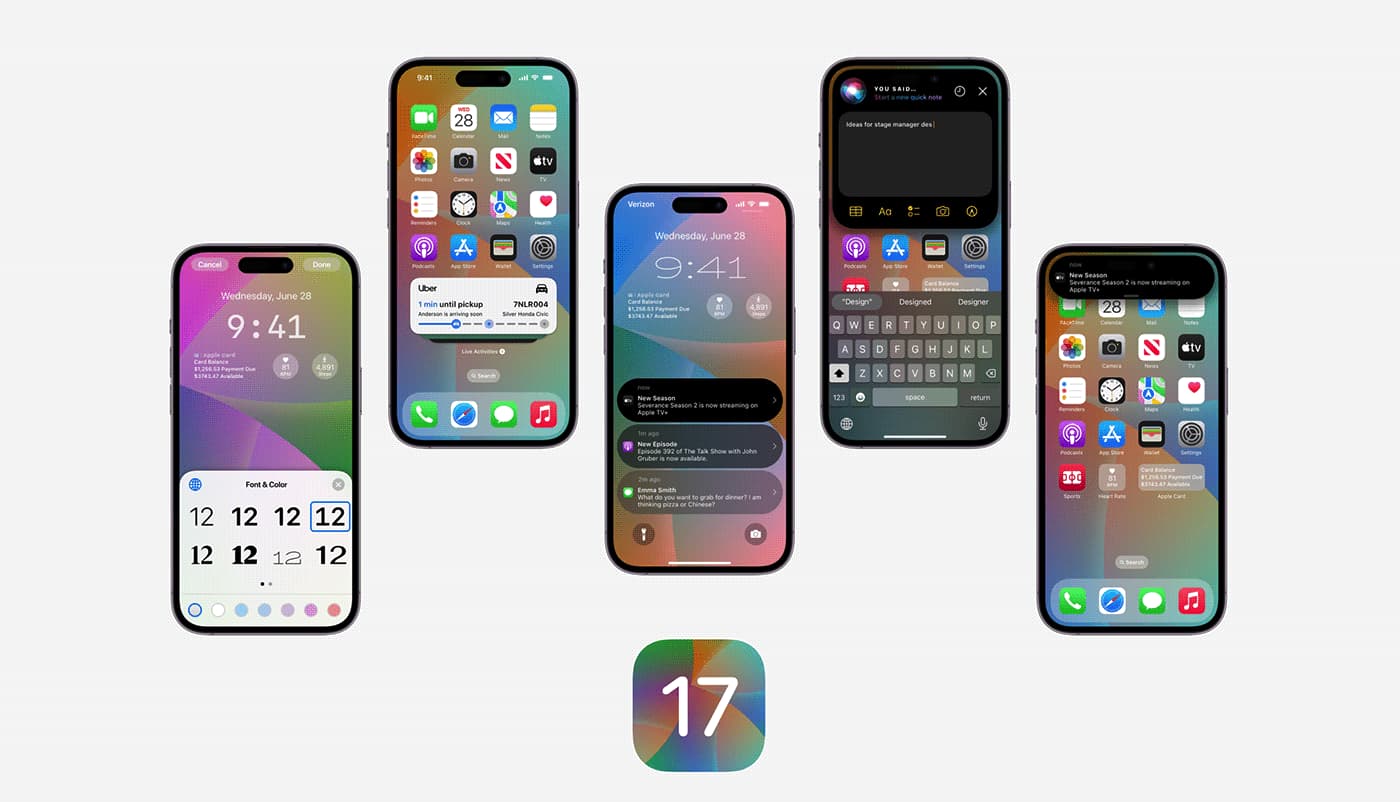
  • iOS 17 could end software support for the iPhone X and other Apple devices

    iOS 17 could end software support for the iPhone X and other Apple devices

    Apple’s iPhones have a general reputation for being considerably more future-proof than the average smartphone, to the extent such a concept is possible in the mobile tech world. This sentiment is partly based on the fact that the Cupertino company commits to ensuring the long-term software support of all of its devices.

    But all good things must come to an end… even software support for smartphones as iconic as the iPhone X. According to a new leak, iOS 17 will be dropping the support for a number of iPhones, including the iPhone X, and the iPhone 8 and iPhone 8 Plus. All three of the aforementioned devices were launched in late 2017.

    Similarly, several iPads are also on the chopping block with iPadOS 17 – namely, the original 12.9” iPad Pro (1st generation), the 9.7” iPad Pro (1st generation) and the fifth-generation vanilla iPad. All devices listed by MacRumors were released between 2015 and 2017.

    For reference, iOS 17 and iPadOS 17 are expected to debut at WWDC 2023, alongside the Apple AR/VR headset. The conference will take place between June 5 to June 9. Beyond the recent leak, we know relatively little about the new iterations of Apple’s operating systems.

    Most reports indicate that iOS 17 will be a somewhat incremental update, focusing more on Apple’s commitment to complying with European legislation. The Cupertino company will likely roll out support for third-party App Stores for the first time.

    On the other hand, we know absolutely nothing about iPadOS 17. In all likelihood, Apple will continue implementing sophisticated multitasking features to facilitate a better 2-in-1 fantasy on its high-end ‘Pro’ iPads.

  • Apple wants you to install iOS 15.0.2, iPadOS 15.0.2 and watchOS 8.0.1

    Apple wants you to install iOS 15.0.2, iPadOS 15.0.2 and watchOS 8.0.1

    On Monday, Apple released iOS 15.0.2, iPadOS 15.0.2 and watchOS 8.0.1. The update for both the iPhone and iPad fixes a couple of bugs related to the Find My app. It also includes a major security fix for a flaw that Apple says is already under attack by hackers.

    Discovered by an anonymous researcher, CVE-2021-30883 “may be able to execute arbitrary code with kernel privileges. Apple is aware of a report that this issue may have been actively exploited.” Keep in mind that CVE-2021-30883 could allow an attacker to exploit the IOMobileFrameBuffer and “execute arbitrary code with kernel privileges” and take over your device.

    The bug fixes cited by Apple in iOS 15.0.2. will take care of the following issues:

    • Photos saved to your library from Messages could be deleted after removing the associated thread or message.
    • iPhone Leather Wallet with MagSafe may not connect to Find My.
    • AirTag might not appear in the Find My Items tab.
    • CarPlay may fail to open audio apps or disconnect during playback.
    • Device restore or update may fail when using Finder or iTunes for iPhone 13 models.

    Apple drops iOS 15.02 to add a needed security patch and some bug exterminations

    The iPadOS 15.0.2 update helps users with the following problems:

    • Photos saved to your library from Messages could be deleted after removing the associated thread or message.
    • AirTag might not appear in the Find My Items tab.
    • Device restore or update may fail when using Finder or iTunes for iPad mini (6th generation).

    And watchOS 8.0.1 helps patch these issues for Series 3 users:

    Apple releases an update to watchOS 8.0.1 beta

    Software update progress may not be displayed accurately for some Apple Watch Series 3 users

    Accessibility settings may not have been available for some Apple Watch Series 3 users.

    To install iOS 15.0.2. go to Settings > General > Software Update. Follow the same directions for iOS 15.0.2. For watchOS 8.0.1, open the Watch app on your iPhone and tap General > Software Update. Make sure your iPhone is at least 50% charged and that it is connected to Wi-Fi. The handset must be within close range of the Apple Watch in order for the update to download and install.

    Apple originally released iOS 15 on September 20th and followed that up with iOS 15.0.1 which exterminated a bug preventing iPhone users wearing a face mask from unlocking their devices using Face ID. With iOS 15.0.1, users wearing an unlocked Apple Watch that they have signed into can unlock their handsets without using their passcodes.

    The company is beta testing iOS 15.1 which will return SharePlay to the operating system. SharePlay allows users to share video and audio content with other FaceTime users on the same chat. It also allows users to store a digital copy of their vaccination card in Apple Wallet and adds certain features to the iPhone 13 Pro camera including ProRes. The latter compresses video but does so on a lossless basis.

    All you need to know about ProRes is that it improves the quality of the videos you shoot with your iPhone. ProRes is available only for the iPhone 13 Pro and iPhone 13 Pro Max. To enable ProRes, go to Settings > Camera > Formats > and enable the Apple ProRes toggle. Keep in mind that ProRes video capture will use plenty of your storage. Apple reminds users that one minute of 10-bit HDR ProRes uses 1.7 GB of storage for HD and 6 GB for 4K.

    ProRes capture supports up to 30fps at 4K and up to 60fps at 1080p for iPhone 13 Pro devices with 256GB of storage and higher. Devices that top out at 128GB of storage are limited to 1080p capture at 30fps.

    And with iOS 15.1, users will be able to disable the auto macro mode feature. This will allow users to turn off the feature that automatically enables a macro shot when using the ultra-wide-angle lens to zoom in real tight on a subject.

  • Firmware update kills bug draining Apple AirPods Max battery

    Firmware update kills bug draining Apple AirPods Max battery

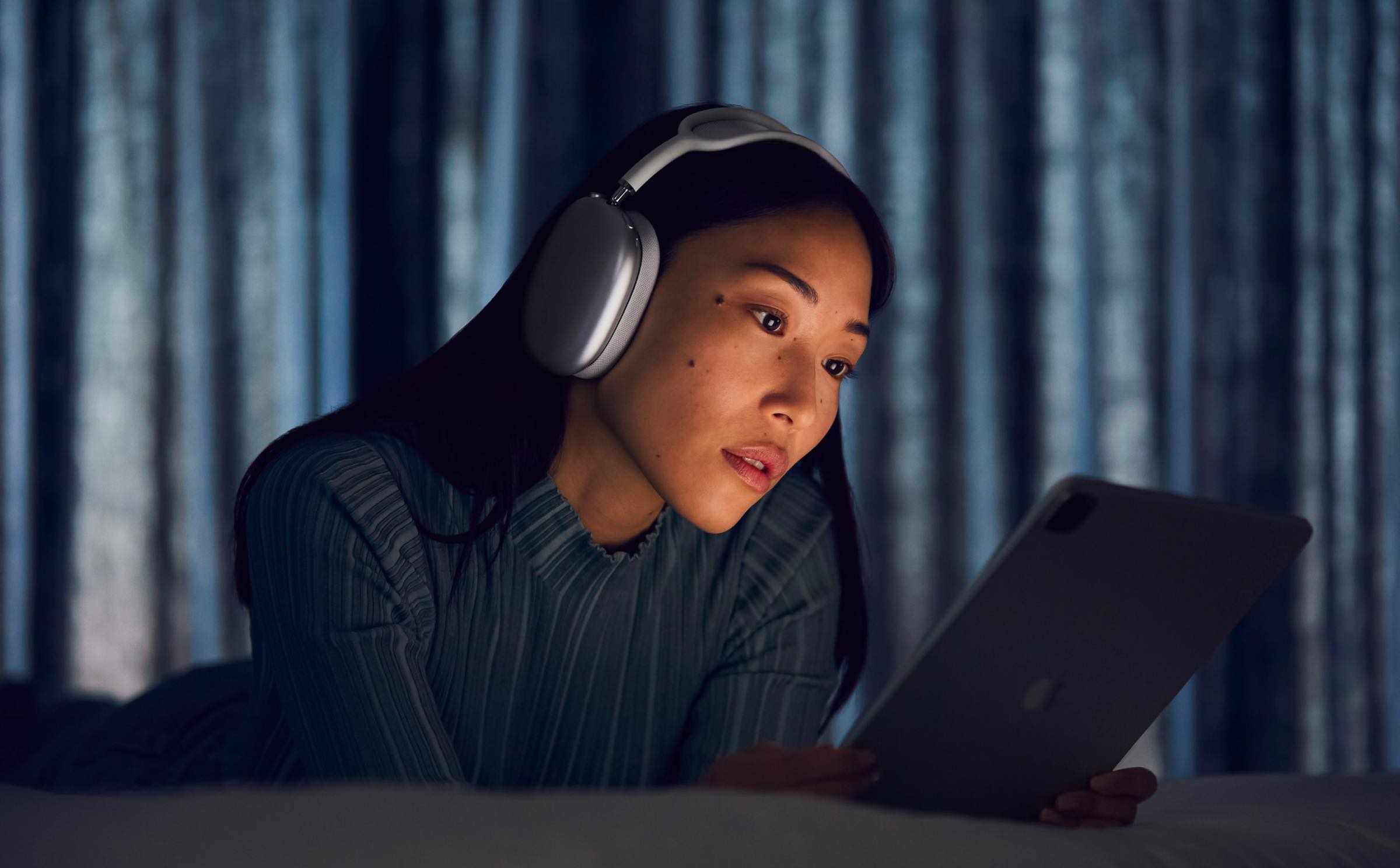
    The Apple AirPods Max is an over-ear headphone that turns on automatically when it detects that they are over the user’s ears. Each ear cushion uses memory foam to create a seal that Apple calls an important factor in creating immersive sound. The AirPods Max also borrows the Digital Crown from the Apple Watch to allow for precise volume control, to activate Siri, play or pause music tracks, and answer or end phone calls.

    This past Tuesday Apple released firmware version 3C39 for the AirPods Max. Since Apple did not include any release notes with the update, many were forced to blow the dust off of their Magic 8 Ball to find out what good the update did for their AirPods Max. Some believe that the update exterminated a bug that causes the battery to drain rapidly whenever the device is placed in its Smart Case.

    When the AirPods Max is placed in their Smart Case, they are supposed to go immediately into “low power mode” followed18 hours later by moving into “ultra-low-power mode.” But since the wearable was released in December, some users have complained that the battery life on their AirPods Max drops from 100% to 1%-or even down to 0%-overnight even when the device was sitting in the Smart Case all night. A pair of graphs depicting battery usage on the AirPods Max prior to and then after the update to 3C39 reveals that before the update, the AirPods Max battery was draining every 30-minutes. The graph covering the battery drain following the update showed a very little drop in battery life for the over-ear headphone every half-an-hour.

    The reason for the improvement can be traced back to one big adjustment. Prior to the update, with the AirPods Max in their Smart Case, it would take 18 hours for the “ultra-low-power mode” to kick in. However, after installing the firmware update, it takes only 30-minutes for the “ultra-low power mode” to start working. That means that the battery stops draining too fast 17 and a half hours earlier than before. The update also exterminates a bug that causes the AirPods Max to crash when connected to a device running iOS 14.5.

    So how can you install the firmware update on your AirPods Max. What would you say if we told you that it is not possible to do it manually? The headphones update automatically when connected to a power source while located right near your iPhone.

    It is always good to know exactly which firmware version your AirPods Max are running. To find out, open the Settings app on your iPhone and go to your Bluetooth menu. In the list of your Bluetooth-connected devices, look for the listing for the AirPods Max and tap on the i next to that listing. You will then see the firmware version of the Apple AirPods Max that your headphones are running. The most current version is 3C39. If this is the firmware version that shows up after following the above steps, you have nothing to change as your AirPods Max is completely up to date.

    The Apple AirPods Max are available in Space Gray, Silver, Green, Sky Blue, and Pink. If purchased from Apple, you can have the device engraved for free with a combination of emoji, text, and numbers. The price of the device is $549 or six monthly payments of $91.50.

    If you feel as though the battery is draining too rapidly on your AirPods Max, make sure that you install the new update. Allowing the “ultra-low-power mode” to kick in earlier could be the difference between having enough battery life to use the over-ear headphone with your iPhone and enjoying its Active Noise Cancellation.

  • Ford recalls nearly 2,500 vehicles to update engine software

    Ford recalls nearly 2,500 vehicles to update engine software

    Ford Vietnam has issued a recall order of 2,470 Ranger and Everest vehicles to update the software in the transmission control module (TCM) and powertrain control module (PCM).

    The recall program will begin on March 16 this year and last until March 15, 2023.

    The affected vehicles were produced between September 2019 to February 2020 in Thailand and imported by Ford Vietnam for distribution in the local market.

    According to the company, the issues could cause problems for transmission oil pumps, which can lead to torsional vibrations while the engine accelerates and decelerates and lead to transmission malfunction, increasing the risk of collision.

    Authorized dealerships will provide free inspection and repair and the whole process will take about two hours to complete.

    Ford Vietnam said it will still carry out the replacement for drivers of Ford Ranger and Ranger Raptor models imported to the country by the Ford Motor Company.

    Ford sold 24,663 vehicles last year, accounting for 8.7 percent of total car sales, according to the Vietnam Automobile Manufacturers Association.

  • Time to update your Apple iPhone, iPad, and Apple Watch

    Time to update your Apple iPhone, iPad, and Apple Watch

    Apple today released several updates including iOS 14.4, iPadOS 14.4, and watchOS 7.3. With the iPhone and iPad updates, the “Find My” app adds a feature called “Find My Items.” This allows users to find misplaced accessories made by third-party manufacturers who build this capability into their products. The only compatible device available at the moment is Belkin’s SoundForm Freedom true wireless earbuds.

    In addition, the update allows smaller QR codes to be read by the iPhone’s camera, the ability to put Bluetooth connections into categories and headphone type in order to prevent eardrums from getting blown out with audio notifications and delivers a notification when the camera on your iPhone 12 series model cannot be verified as a genuine Apple camera. It also uses the U1 chip in the iPhone 11 series and iPhone 12 series to determine the distance between your iPhone and HomePod mini to allow an improved transfer of music between devices.

    The update also exterminates several bugs including one that allowed image artifacts to appear on photos snapped with an iPhone 12 Pro model using HDR. Another bug fixed by the update prevented the Fitness+ widget from including updated Activity data. One issue that the new iOS 14.4 update solves is one in which the keyboard would appear with the wrong language in the Messages app. A pair of bugs that prevented word suggestions from appearing on the keyboard and delayed the results of typing on the keyboard are both gone after the installation of iOS 14.4.

    The latest iOS build also eliminates an issue that prevented phone calls from being answered on the Lock Screen when Switch Control in Accessibility was enabled. And lastly, iOS 14.4 gets rid of a bug that did not allow stories from CarPlay’s News app to resume after being placed on pause to hear spoken directions or a response from Siri. The update is available to compatible iPhone and iPad models and can be received by going to Settings > General > Software Update. It weighs in at 344.3MB.

    Apple also pointed out that the iOS and iPadOS updates include security patches that eliminated three zero-day security flaws. Apple believes that these flaws might have been exploited in the wild. A Kernel flaw might have allowed attackers to give permission for the affected phone to run certain apps. A WebKit flaw could have allowed the hackers to make an iPhone do just about anything. The watchOS update rid the device of a security flaw that could have elevated privileges on a unit under attack.

    Apple also released watchOS 7.3 today which includes a new Unity watch face based on the colors of the Pan-African flag (Black, Red, Green, and the Pan-African colors which includes the prior three hues and yellow). The shapes of the colors change throughout the day as you move thus creating a unique look. Apple Fitness+ subscribers will receive the “Time to Walk” feature that plays inspirational audio in the Workout app as you walk. The electrocardiogram (ECG) monitor that checks for abnormal heart rhythms on the Apple Watch Series 4 and later is good to go in Japan, Mayotte, Philippines, Taiwan, and Thailand following the update. Those with abnormal readings in those countries will receive a notification. And a bug that makes the Control Center and Notification Center unresponsive when Zoom is enabled will be exterminated.

    To update your Apple Watch, open the Apple Watch app on your iPhone and tap on My Watch > General > Software Update and Install. The timepiece needs to be on the charger for the update to take place and the watch needs to be in the range of your iPhone connected to a Wi-Fi signal.

  • New WhatsApp beta reveals a long-awaited advanced search option and more secure backups

    New WhatsApp beta reveals a long-awaited advanced search option and more secure backups

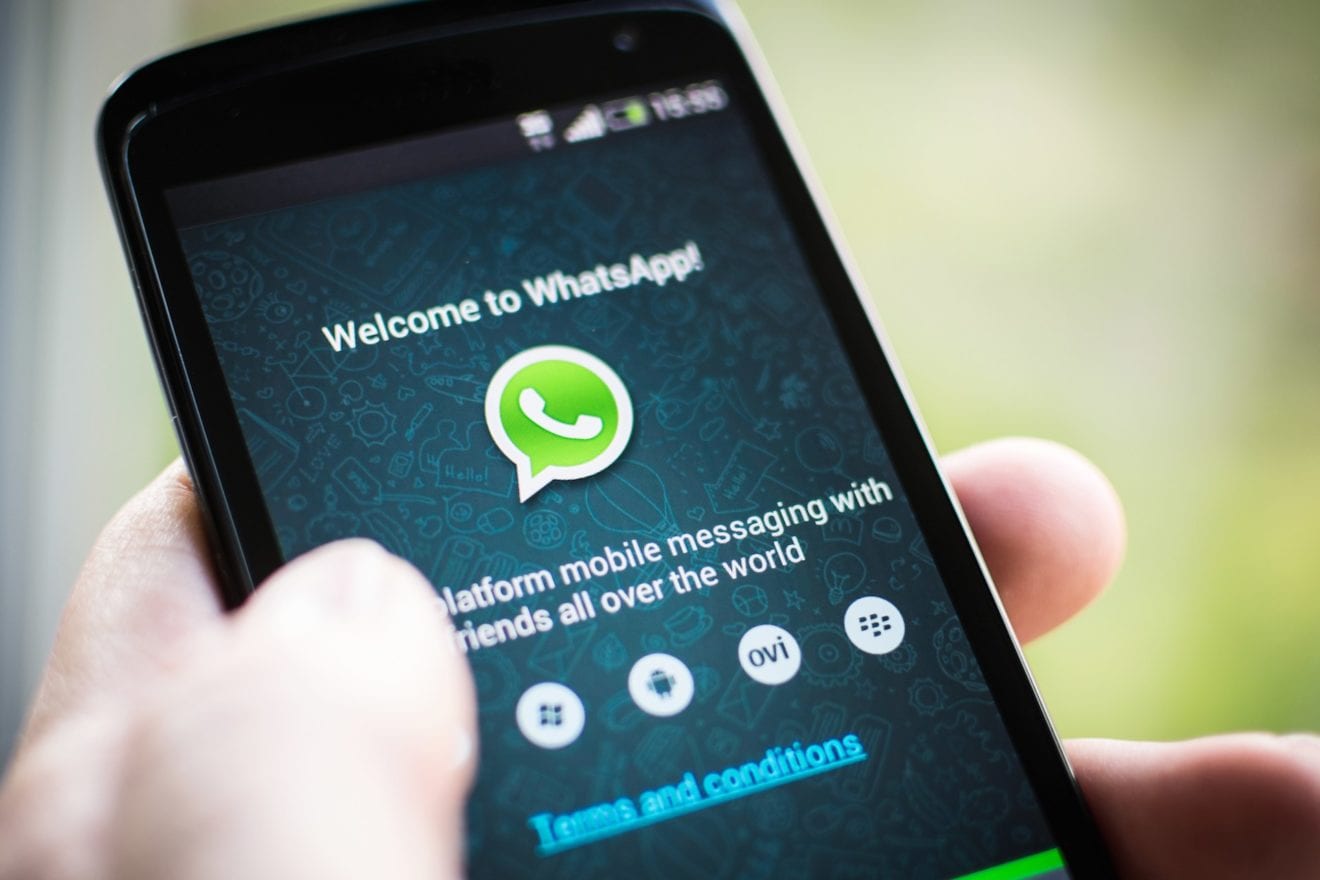
    Recently, WhatsApp has been getting a lot of features, most of which are related to the fight against the coronavirus misinformation spread. However, this time, the new features are not COVID-19 related. There is a new beta for WhatsApp Android that has been revealed and WABetaInfo reports that it is offering us some appealing functionalities.

    Firstly, there is a feature referred to as “Advanced Search Mode” which will offer a possibility to easily search for media, such as photos, videos, GIFs, links and audio, as well as documents, in the messages. The search feature is still under development for Android users and already available in the beta for iOS, but there is no official information when it will be rolled out and if it will be available at all. However, it will be very helpful for people who have a lot of messages to filter in order to find that one link.

    Another feature in WhatsApp’s beta for Android is related to the automatic download. When enabled, which will be by default, the option will not automatically download frequently forwarded images, videos, documents and voice messages and will, therefore, help you save data.

    Last but not least: here comes the more secure password-protected backup option. The feature to backup your chat history is already available for WhatsApp users and the data is saved to Google Drive, but with the new update, you will be able to protect your backups with a password. However, the password will not be stored on Google Drive, neither will it be synced to Facebook’s servers, so if you forget it, you won’t be able to access your data.

    The aforementioned features are not available globally yet, they are a part of the beta version of WhatsApp. If you would like to test future versions of WhatsApp, you can register from this page on Google Play, even though, currently, the page says that no more testers are allowed at the time being.

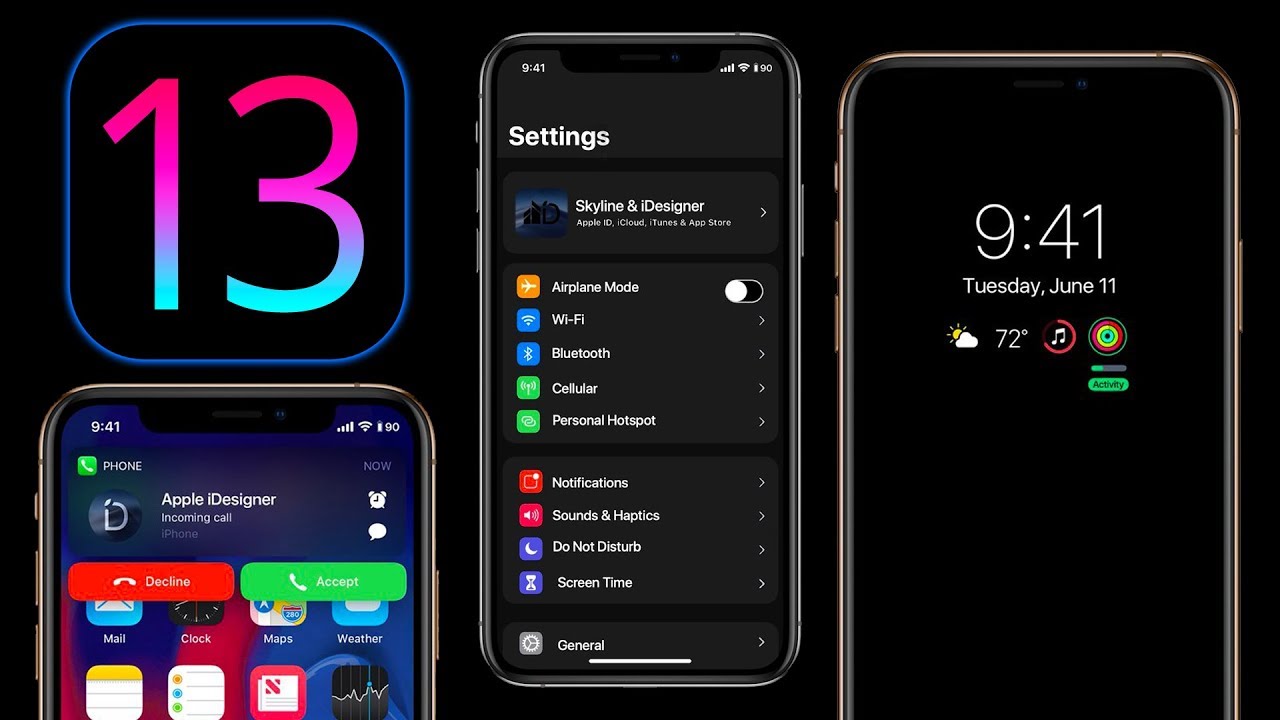
  • New feature in iOS 13 could save money

    New feature in iOS 13 could save money

    Ever delete an app from your iOS device, not realizing that you’re still paying a monthly fee to use it? It appears that Apple feels your pain. In iOS 13, if you delete an app, you will see a pop-up reminder if you have an active subscription to that app. A screenshot taken from an iPad running the second beta preview of iOS 13; the pop-up reminder can be seen on the screen asking, “Do you want to keep your subscription for this app?”

    The reason why this feature comes in handy is because you might delete an app and forget that you re paying a monthly subscription fee to use it. If you don’t cancel the subscription, you’ll continue paying monthly for a service that you no longer want. And to make sure that you don’t get charged for another month, the pop-up message tells you the next date when your credit card will be automatically used to renew the subscription. Of course, you can cancel your subscription no later than the day before your renewal date. The reminder also notes that if you delete the app but keep the subscription, the service can still be used on other devices.

    So let’s say that you subscribe to Hulu, paying $5.99 a month. You’re going through your iOS device and decide to delete the app, forgetting that you’re making that monthly payment automatically. If Apple keeps this new feature, before you tap that button to uninstall the app, you will see the pop-up reminding you that if you’re really cutting ties with the service, you might want to cancel your subscription. And the reminder also includes a link that takes you to your iOS subscriptions.

    Even though the iPad will have its own OS later this year, we would imagine that this feature will most likely be available for both iOS and iPadOS.

  • Apple iOS 12.3.1 update released to fix iMessage and VoLTE issues

    Apple iOS 12.3.1 update released to fix iMessage and VoLTE issues

    Apple has just released another iOS update, which addresses a couple of issues that many iPhone users have complained of lately. If you’re rocking an iPhone as your daily driver, you should be able to see a notification on your device letting you know that you can download iOS 12.3.1, the latest firmware software released by Apple.

    As far as the contents of the update go, Apple says that iOS 12.3.1, which was released just two weeks after iOS 12.3, addresses an issue that could prevent iPhone users from making or receiving VoLTE (voice over LTE) calls.

    Also, the update fixes many of the problems in the Messages app, including those that could cause messages from unknown senders to pop up in one’s conversation list even though the Filter Unknown Senders option is enabled.

    Another Messages fix should solve another bug with Messages, which could prevent the Report Junk link from appearing in the app’s threads from unknown senders.

    In other news, Apple is gearing up for the next major iOS 13 updates. Keep in mind though that Apple hasn’t yet confirmed anything about iOS 13, so take it with a tint of salt until the update is announced.