Retail News CRM

Tag: windows

  • Microsoft Bridges Android-Windows Gap: Seamless Transition across Devices Now Possible with Windows 11

    Microsoft Bridges Android-Windows Gap: Seamless Transition across Devices Now Possible with Windows 11

    Microsoft continues its quest to enhance Android compatibility with Windows 11, introducing exciting updates that aim to facilitate a smoother interaction between the two platforms.

    Expanded App Integration

    Previously, Microsoft had introduced the capability to resume playing Spotify tracks on Windows 11 from the exact point where users had paused on their Android phones. Now, this functionality is being expanded to include a wider range of applications. The integration is currently being rolled out incrementally, starting with the Windows 11 Insider Preview Build 26220.7271 (KB5070307). While it remains in its beta stage, with positive user feedback, it is expected to become available to all Windows 11 users in the near future.

    This expanded feature means integration is no longer limited to Spotify alone. For instance, users of vivo Android phones can now pick up their web browsing on their PC from where they left off on their mobile’s vivo browser.

    Moreover, owners of Samsung, Oppo, Huawei, Honor, or vivo devices can open files from the M365 Copilot apps, including Word, Excel, and PowerPoint, on their PCs. Depending on whether the app is installed, the files will either open within the app or in the user’s default browser. However, it is important to note that offline files stored on the phone are currently not supported.

    Closing the Android-Windows Gap

    The integration also allows users to resume using other applications on their PCs from where they left off on their Android devices, similar to the Spotify feature. This is a significant step forward in bridging the gap between Android and Windows, a challenge that has long been frustrating due to the numerous variations of Android and different device manufacturers involved.

    The challenge is further amplified when compared to the seamless cross-device continuity enjoyed by Apple users, who can start a task on an iPhone and continue on a MacBook or iPad. However, Microsoft’s recent efforts to emulate this seamless transition, albeit across different brands within the ecosystem, are quite promising and could prove to be a game changer for both Windows and Android users.

    Improved Mobile Experience

    Once this feature is accessible to all, it is expected to significantly enhance the user experience. The ability to transition seamlessly between an Android phone and a Windows laptop without losing one’s progress is a minor convenience that could make a major impact.

    Questions & Answers

    What is the main update provided by Microsoft for Windows 11?
    The key update allows users to resume their activities on Windows 11 from where they left off on their Android phones across a wider range of apps, not just Spotify.

    What are the M365 Copilot apps and how are they integrated into this feature?
    The M365 Copilot apps include Word, Excel, and PowerPoint. Users with certain Android devices can now open files from these apps on their PCs.

    What does this update mean for Android and Windows users?
    This update signifies a major step towards bridging the gap between Android and Windows, offering users the potential for a more seamless cross-device experience.
  • Microsoft is changing how your Windows laptop tells you it’s crashing

    Microsoft is changing how your Windows laptop tells you it’s crashing

    Microsoft is shaking things up with some new changes to Windows and while some are aimed at making your experience smoother and faster, others, like the removal of the option to set up a new PC without signing in with a Microsoft Account, might ruffle the feathers of Windows 11 users who prefer a bit more freedom. And there is another change that might not sit well with everyone.

    Microsoft has announced it is revamping the infamous Blue Screen of Death (BSOD). The classic blue background, frowning face and QR code are gone, replaced by a simpler error screen in black.

    However, it is still unclear whether the black screen will stick around in the final update or if it will eventually turn green, as users on the beta, dev and canary channels are seeing the test builds with a green background instead. Time will tell, but one thing’s for sure – BSOD is getting a makeover.

    We’re previewing a new, more streamlined UI for unexpected restarts which better aligns with Windows 11 design principles and supports our goal of getting users back into productivity as fast as possible. We’ve simplified your experience while preserving the technical information on the screen. As a reminder, for Windows Insiders this appears as a “green screen”.

    This marks the biggest change to the BSOD since Microsoft first added the sad face back in Windows 8. The redesigned error screen still shows the faulty driver or error message but keeps things simple with just a “your device ran into a problem and needs to restart” message.

  • Drag and drop files between a Samsung phone and Windows 10 via the Your Phone app

    Drag and drop files between a Samsung phone and Windows 10 via the Your Phone app

    Your Phone is a Windows 10 app that links text messages, photos, notifications and even phone calls between your smartphone and PC. Recently, Microsoft quietly made it non-removable from Windows 10, making it clear that the company has big plans for it, hoping to get their users to adopt it, as long as they own a compatible Android 7+ or iOS device.

    As announced by Microsoft, the newest Your Phone app update gives compatible Samsung phones and tablets the ability to drag and drop files to a PC, and the other way around. The files need to be no more than 512 MB in size, each, and 100 or less at a time.

    The feature is currently only available to compatible Samsung Galaxy devices which have the Link to Windows feature, version 1.5 or newer. Both the Galaxy device and the PC need to be connected to the same Wi-Fi network. Right now, WIndows 10’s latest insider build is also required, though the feature will be rolling out to all Windows 10 users eventually.

    On the Samsung device, transferring works similarly to how moving files around does. Inside of the Gallery or My Files app, press and hold a file until it gets selected, after which either select more or press and hold again to enable drag and drop. That’s when the selected file/s can be dragged into a folder on your PC. If transferring files that are already on the receiving device, duplicates will be made. Microsoft also notes that minimizing the Your Phone app on your PC will cancel any transfer processes.

    On Windows 10, simply select the files you’d like to transfer to your phone and drag them over the Your Phone app’s windows, after which the files will appear on the Samsung device’s Downloads folder.

    This partnership between Microsoft and Samsung was already rumored to happen earlier this year. There are no reports on when all other Android and iOS devices will get support for this feature.

  • Microsoft does something Unexpected

    Microsoft does something Unexpected

    You didn’t have to be a techie, a fan boy or wealthy investor to enjoy the two-horse race last year between Apple and Amazon. Both companies were neck and neck in a race to be the first publicly traded U.S. firm to reach a trillion dollar valuation. Last August 2nd, Apple hit the milestone first, followed by Amazon almost exactly one month later. And that’s why it was such a surprise when Microsoft finished 2018 as the most valuable public company in the U.S.

    Even though Microsoft finished on top as last year ended, it was the beneficiary of a sharp market correction that took Apple and Amazon down 32% and 27% from their 2018 highs, respectively. But the software giant had never actually joined Apple and Amazon in the trillion dollar club; that is, until today. A positive earnings report released by the gang in Redmond after the market closed last night has propelled the stock sharply higher. This morning, Microsoft’s shares reached a high of $131.37 and at that point, the company was worth $1.007 trillion dollars.

    Microsoft investors have taken some profits, allowing the stock to drift back to $129.64 as we write this. That takes the company under the $1 trillion mark but doesn’t remove the accomplishment from the history books. Meanwhile, Apple and Amazon’s shares have recovered enough from last winter’s drubbing to make another run at a $1 trillion valuation. Apple, which reports earnings next week, is currently worth close to $975 billion. Amazon reports earnings later today and is currently worth $944 billion.

    While some might say that Microsoft has failed miserably in the mobile industry with Windows Mobile and Windows Phone, others might point out the success it has had with the Surface Pro high-end tablets. And more importantly for Microsoft, it owns a slew of Android-related patents that bring in a huge sum of money every year.

  • View Android Notifications on your Windows 10

    View Android Notifications on your Windows 10

    Last month, we told you that Microsoft was testing phone screen mirroring between Windows 10 and a limited number of Android handsets. The feature uses Wi-FI and Bluetooth to allow Android apps to appear on your Windows 10 PC. Originally, mirroring apps was a function available only for the Samsung Galaxy S8, Samsung Galaxy S8+, Samsung Galaxy S9, and the Samsung Galaxy S9+. Microsoft said that it would expand the list, and they weren’t lying.

    Before we tell you the additional handsets that now support this feature, we do need to tell you that it requires you to install the Your Phone Companion app from the Google Play Store. Microsoft says that the additional phones that now support the mirroring include the OnePlus 6, OnePlus 6T, the Samsung Galaxy S10e, Galaxy S10, Galaxy S10+, Galaxy Note 8 and Galaxy Note 9.

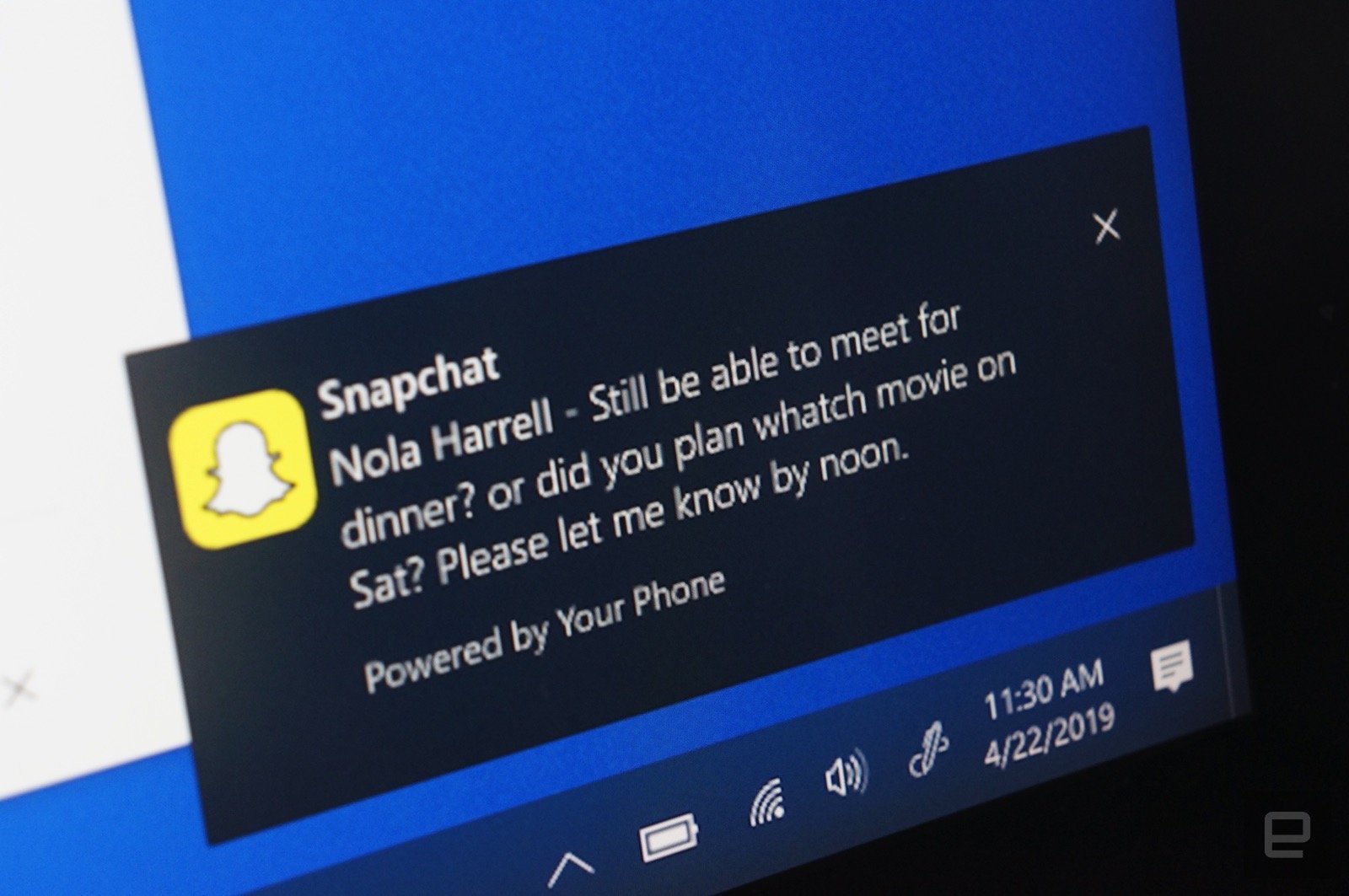
    Besides the mirroring available with the aforementioned phones, the Your Phone Companion app allows your PC to get texts, documents, and photos from any phone running Android 7 and higher. And now, the app will allow you to see phone notifications on your PC screen. Microsoft says that insiders on the 19H1 build will soon receive a preview that brings these notifications from your phone to your desktop in real time. You can decide which apps you will see notifications from on the computer screen, and if you dismiss one from the desktop, it will also disappear from your phone. These new features also will soon appear in the Your Phone Companion app.

    To see phone notifications on your Windows PC, your Android device running Android 7.0 or higher must have 1GB of RAM or more. and the Windows 10 PC must be using build 1803 (RS4) or newer. If notifications are disabled on the computer due to work policies, this feature will not work.

  • Microsoft app works in reverse sending content links to your Phone

    Microsoft app works in reverse sending content links to your Phone

    Instead of having to email content from your Android phone to your Windows PC, Microsoft’s Your Phone app automatically shares photos, texts and other content from your handset to that box on your desk. And according to MS Poweruser, you can send content links the other way from your PC to your phone. Doing this requires the use of the native share button on Microsoft Edge and Firefox.
    You will receive a notification when the link hits your phone. Tap it, and the content will open in the Microsoft Edge browser for Android. To arrange this, you need to install Microsoft’s Your Phone Companion app on your Android handset and the Microsoft Edge browser app. You then need to install the Your Phone app on your Windows 10 PC. Sign in using a Microsoft account, agree to some permission requests, and you have helped your PC and Android phone become friends.
    Suppose you were on your PC, watching one of our reviews on YouTube, and wanted to send a link to your phone so you can quickly find it later when you’re out. While the video is up on the PC, click on the three dot overflow menu on the right side of the address box. From there, tap on share and then Your Phone. You will receive the aforementioned notification on your phone. Tap on it, and the content will open in the Edge app on the handset.
    This setup will also allow you to send web pages from your desktop to your phone, along with some other content that you are viewing on the desktop Edge browser. And don’t forget that the original idea of the Your Phone hook up is to send texts and photos from your phone to your Windows 10 PC.
  • India to capture 13.5% of smartphone sales by 2019

    India to capture 13.5% of smartphone sales by 2019

    India is on track to corner a 13.5% share (approximately 180 million smartphones in circulation) of the total global smartphone market by 2019, up from 7.5% today.

    This was revealed by a joint study conducted by the Associated Chambers of Chambers of Comerce & Industry of India (ASSOCHAM) and KPMG.

    The study noted that the advent of affordable smartphones designed for the Indian user and low-cost data connectivity options, more people are shifting to smartphones and mobile Internet.

    The average selling price of a smartphone in India in 2015 was 12,285 rupees ($183.70), a 25% year-on-year increase. The affordable models sell between 3,000 rupees and 10,000 rupees ($44.80 to $149.50).

    “The smartphone shipments in India grew a healthy 23% annually in the first quarter of 2016 compared to the global growth, which stalled for the first time ever since smartphones first began to sell,” ASSOCHAM said in a report posted in its website.

    “The increase in smartphone sales has changed the face of e-commerce industry in India in the last two years,” it added. “Mobile transactions accounted for 41% of total e-commerce sales in 2014. Developing a mobile (sometimes mobile only) strategy has been an important agenda for many of the leading e-commerce players in the country over the last two to three years.”

    The government has launched its ‘Digital India’ initiative in July 2015 for the different stakeholders to work together to transform the economy. Several international device vendors have also set up manufacturing facilities in India, supporting the government’s ‘Make in India’ initiative aimed at boosting local manufacturing.

  • Opera ramps up video multitasking for computers

    Opera ramps up video multitasking for computers

    Opera has updated its software for computers, revamping the video pop out feature to enable users to continue watching while working, playing or doing research — in the browser or any other program.

    The “picture in picture” feature now lets users pop out video from even more websites, including Vimeo, and play/pause with a single click. There is also an option to disable the feature, for those who do not need it.

    Users can simply go to a favorite video page, such as YouTube, and run a video. They will see an icon in the middle of the top border of the video. By clicking on it, they can pop out the video and continue watching it even while using other programs on their computer.

    Opera took a deeper look into how people multitask while watching with the video pop out feature in different geographies. The results of this research show the geography of online video preferences around the globe.

    Results are based on aggregated data coming from users of Opera 38 for computers. Data on the individual level or about video content is not collected.

    The top-10 countries for video pop out usage span four different continents, clearly showing that the online video boom is a global phenomenon. It’s also interesting to see that people in some countries – such as Italy, UK and Germany – multitask with video more on weekends, while others, such as China, spend more time watching pop out videos during working days.

    videopopout-infographic-630

  • More than 1 in 4 cloud apps are high risk

    More than 1 in 4 cloud apps are high risk

    More than a quarter (27%) of third-party apps can be classified as high risk, according to research from CloudLock Cyberlab.

    Analysis conducted across 10 million users, 1 billion files, and nearly 160,000 unique applications found that cybercriminals can exploit weaknesses in high-risk apps to gain programmatic access to corporate platforms impersonating end users. 

    The shadow IT dilemma is meanwhile only becoming more challenging as usage is increasing exponentially year over year, the company said.

    The past three years saw nearly a 30 times increase in the number of apps detected, from 5,500 to nearly 160,000. Each application instance represents a backdoor through which hackers can infiltrate and externalize sensitive corporate assets.

    CloudLock Cyberlab said an organization may embrace its employees’ “shadow” exploration of innovative technology solutions and sanction a subset of these apps as Productivity IT, but it’s essential to closely monitor the connected third-party apps and identify cloud native malware in real time.

    Security conscious enterprises recognize the high risk associated with connected third-party apps and take immediate action. While apps can be banned for any number of reasons, including concerns around productivity, a clear majority are banned because of the security vulnerabilities they introduce. 

    The key recommendation is to reduce cloud app risk by establishing an acceptable use policy, with which organizations can significantly reduce the application risk level organization-wide. Automating whitelisting or banning of potentially risky applications is an effective strategy. 

    “The shift to the cloud creates a new, virtual security perimeter that includes third-party apps granted access to corporate systems,” said Ayse Kaya Firat, CloudLock director of customer insights and analytics.

    “Today, most employees leverage a wide variety of apps to get their jobs done efficiently, unwittingly exposing corporate data and systems to malware and the possibility of data theft.”