Tag: your

  • Embrace the Digital Detox: Join KitKat’s Rawdog Your Commute Challenge for a Chance to Win a Weekend Escape

    Embrace the Digital Detox: Join KitKat’s Rawdog Your Commute Challenge for a Chance to Win a Weekend Escape

    KitKat, the renowned confectionery brand, is inviting Australians to embrace the growing trend of going entirely phone-free during their daily commute. This trend, aptly named ‘rawdogging’, has rapidly permeated everyday culture, with evidence of its popularity evident in the over 45 million posts on the social media platform, TikTok.

    KitKat ‘Rawdog your Commute’ Challenge

    In a bid to encourage individuals to take a break from their phones, KitKat has introduced the ‘Rawdog your Commute’ Challenge. This initiative involves a game that challenges commuters to see the length of time they can go without using their phones. Participants stand a chance to win one of 10 Unyoked 2-night weekend getaway e-gift cards, valued up to $626, which can be used anywhere in Australia. The longer the phone-free period, the higher the probability of winning.

    To participate in the game, individuals can scan a QR code on billboards positioned near commuting locations. Alternatively, they can visit the campaign’s website to start a timer that tracks the duration they can abstain from using their phone.

    Australians Crave a Break from Their Phones

    The launch of this campaign is timely as recent research commissioned by KitKat reveals that a significant 84% of Australians desire a break from their mobile devices. Additionally, 23% of respondents expressed that being phone-free would make their commute more enjoyable. Among those who have inadvertently been without their phones, 40% reported feeling happier, liberated, relieved, and more present.

    Shannon Wright, Nestlé Oceania’s Head of Marketing for Confectionery, commented on the campaign, stating, “KitKat has always been about aiding Australians in taking better breaks. However, disconnecting has become increasingly challenging in today’s digital age. This is why we’re encouraging commuters to rawdog their commutes via our new Phone Break game. We aim to make it achievable by rewarding those small, everyday moments that are transformed into a proper break.”

    KitKat asserts that this campaign is a contemporary take on its longstanding efforts to promote healthier breaks. It taps into the burgeoning consumer interest in digital well-being.

    Questions & Answers

    What is the aim of the KitKat ‘Rawdog your Commute’ Challenge?
    The challenge aims to encourage commuters to take a break from their phones during their daily journeys, making their commute more enjoyable and relaxing.

    How can one participate in the ‘Rawdog your Commute’ Challenge?
    Participants can join the challenge by scanning a QR code on billboards near commuting locations or by visiting the campaign’s website.

    What are the rewards for the challenge?
    Participants stand a chance to win one of 10 Unyoked 2-night weekend getaway e-gift cards, valued up to $626, to be used anywhere in Australia. The longer one goes without using their phone, the higher the probability of winning.

  • Ease Your Cost-of-Living: Singaporean Households Grab $390 Support Vouchers!

    Ease Your Cost-of-Living: Singaporean Households Grab $390 Support Vouchers!

    From June 11, all Singaporean households will be eligible to receive S$500 (US$380) in Community Development Council (CDC) vouchers. This initiative is set to ease the financial burden of living costs for approximately 1.38 million households across the country.

    Voucher Validity and Usage

    The CDC vouchers can be claimed online via the official website and remain valid until the end of 2027. They can be used across a broad range of establishments, half of which are participating local merchants and hawkers. The remaining vouchers are applicable at around 400 outlets run by eight major supermarket chains throughout Singapore. These include Ang Mo Supermarket, Cold Storage, Giant Singapore, HAO Mart, NTUC FairPrice, Prime Supermarket, Sheng Siong, and U Stars Supermarket.

    This allotment of vouchers was originally set to be distributed in January 2027, as per Singapore’s 2026 national budget. However, it was advanced by six months to help households manage the cost-of-living pressures exacerbated by the ongoing Middle East conflict.

    About the Voucher Scheme

    The CDC voucher program was established in 2020 and expanded the following year. It was devised to aid households in managing living expenses while simultaneously supporting businesses hit by the COVID-19 pandemic. These vouchers have been distributed annually, with this latest disbursement marking the ninth cycle.

    As of June 3, more than $4.64 billion has been utilized through the previous eight CDC voucher rounds and two rounds of SG60 vouchers. The SG60 vouchers were similarly designed and distributed last year in celebration of Singapore’s 60th anniversary. About $2.43 billion, or 52% of the total sum, was spent at local merchants and hawkers, while the remaining was used in supermarkets.

    Over 94% of the 1.36 million eligible households claimed the most recent S$300 voucher tranche disbursed in January. More than 80% of these claimed vouchers have already been spent, indicating a high utilization rate. The CDC voucher scheme has proven to be both practical and accessible to the Singaporean populace.

    Alongside the CDC vouchers, a S$200 increase to a cash handout scheme known as the Cost-of-Living Special Payment was announced in April. Consequently, qualifying Singaporean adults will receive a payout of S$400-600 in September, an increase from the previous S$200-400.

    Questions & Answers

    What is the purpose of the CDC voucher scheme?
    The CDC voucher scheme was designed to assist households in coping with living costs while also supporting local businesses affected by the COVID-19 pandemic.

    Where can the CDC vouchers be used?
    Half of the vouchers can be used at participating local merchants and hawkers, while the remainder can be spent at around 400 outlets run by eight major supermarket chains throughout Singapore.

    When will eligible Singaporean adults receive the Cost-of-Living Special Payment?
    Eligible Singaporean adults will receive the Cost-of-Living Special Payment, which has been increased to S$400-600, in September.

  • Heinz Unveils Squeezable Leftover Gravy: The Secret Sauce to Level Up Your Thanksgiving Leftovers

    Heinz Unveils Squeezable Leftover Gravy: The Secret Sauce to Level Up Your Thanksgiving Leftovers

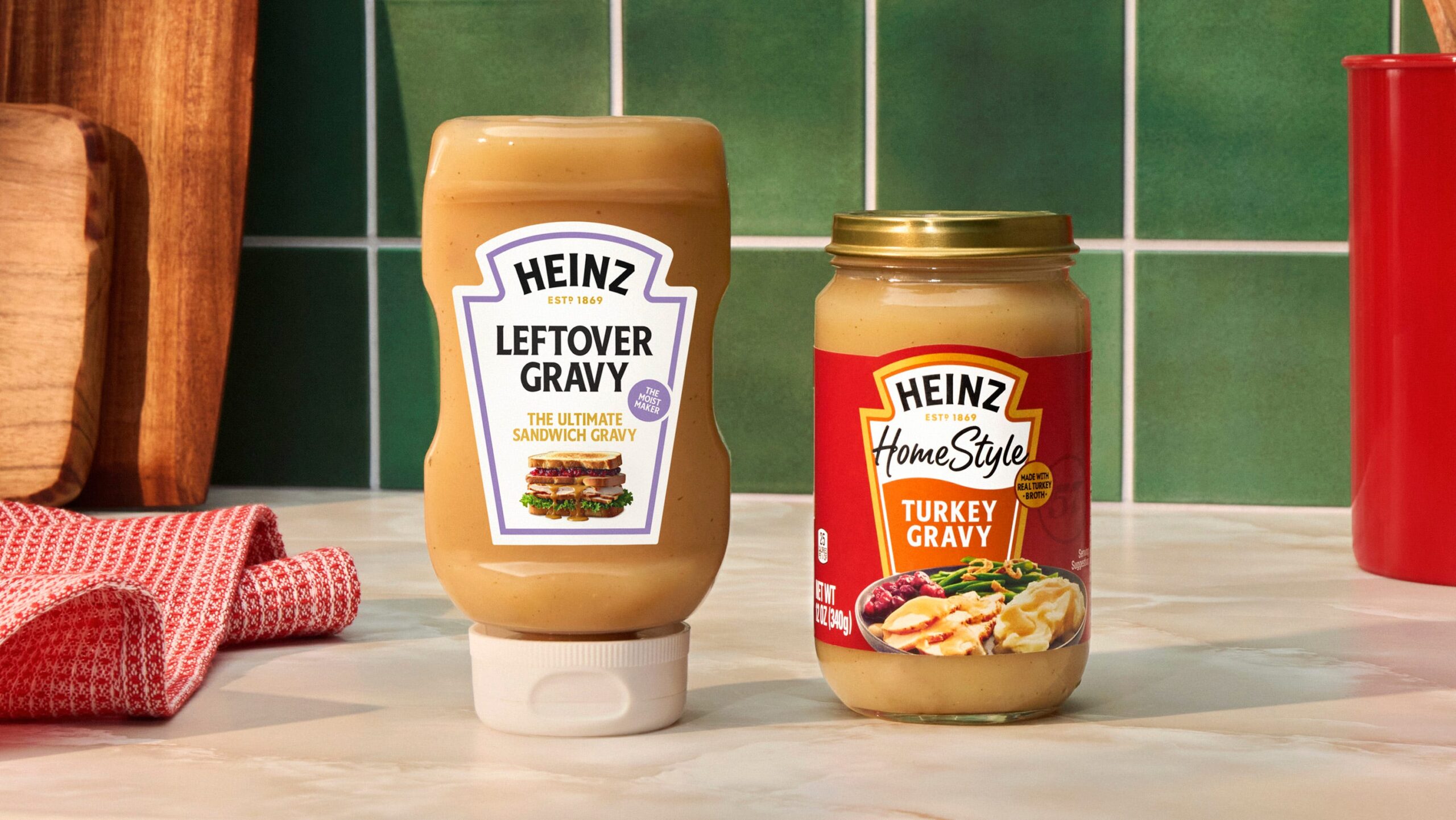
    Heinz, the renowned food processing company, has recently unveiled its Leftover Gravy, marking the debut of Homestyle Turkey Gravy in a squeezable format, a first-of-its-kind initiative ideal for enhancing Thanksgiving leftovers.

    During the protracted Thanksgiving celebrations, it is estimated that 94% of Americans craft sandwiches from their leftovers. Half of these sandwich makers regard gravy as a vital ingredient. With these statistics in mind, Heinz Leftover Gravy was conceived. The product takes its cue from the iconic “Moist Maker” sandwich, popularized by a much-loved sitcom from the 1990s, and serves as the perfect addition to next-day sandwiches.

    Jamie Mack, Associate Director of Brand Communications for Heinz US, shed light on the company’s decision to create this innovative product. “Although Heinz Gravy has been a longstanding crowd-pleaser at Thanksgiving feasts, we chose to shift our focus towards the day-after custom – given that leftovers are typically seen as the highlight, and our distinctively rich and creamy gravy only enhances the experience,” Mack explained.

    Heinz’s Leftover Gravy has been well-received on social media, particularly among millennial fans of the sitcom that inspired its creation. The “Moist Maker” sandwich symbolizes the meticulous and heartfelt preparation associated with holiday meals. Heinz is now paying tribute to those enthusiasts who harbor an inexplicable affection for this nostalgic sandwich, offering them the secret to a tasteful day-after sandwich – Heinz Leftover Gravy.

    The introduction of this product aligns seamlessly with Heinz’s ongoing emphasis on gravy during the high-demand holiday season. The company aims to appeal to millennial consumers, a demographic known for reshaping Thanksgiving traditions.

    Questions & Answers

    What is Heinz’s new product?
    Heinz has introduced Leftover Gravy, a squeezable version of Homestyle Turkey Gravy, designed to enhance Thanksgiving leftovers.

    What inspired the creation of Heinz Leftover Gravy?
    The product was inspired by the “Moist Maker” sandwich from a popular ’90s sitcom. It caters to the fact that 94% of Americans use their Thanksgiving leftovers to make sandwiches, with half of them considering gravy a crucial component.

    Who is the target demographic for Heinz Leftover Gravy?
    Heinz Leftover Gravy is aimed at millennial consumers, particularly those who are known to redefine traditional Thanksgiving celebrations.

  • WhatsApp Unveils Full-Fledged Native App for Apple Watch: Upgrade Your Messaging Experience Now!

    WhatsApp Unveils Full-Fledged Native App for Apple Watch: Upgrade Your Messaging Experience Now!

    WhatsApp has made a long-awaited move by releasing a specialized, native application designed specifically for the Apple Watch. This significant development includes voice messages and comprehensive chat history, effectively bringing key features to users’ fingertips.

    WhatsApp for Apple Watch: A Fresh Look

    Previous versions of WhatsApp for the Apple Watch left much to be desired, functioning essentially as a rudimentary notification center. Users would receive alerts and possibly view the first line of a message, but anything more involved required using an iPhone.

    The recent update signals a shift in this dynamic. WhatsApp’s parent company, Meta, announced the launch of a completely new, native application built specifically for watchOS. This isn’t merely a slight tweak, but a comprehensive application designed to enhance the usability of the watch application.

    Key Features of the New Application

    With the new application, users can expect a variety of features including:

    – Reading complete messages, irrespective of length
    – Recording and sending voice messages
    – Identifying incoming calls with call notifications
    – Responding with emojis
    – Viewing better quality images and stickers
    – Accessing an extensive chat history

    While these features present exciting prospects, it’s important to note that they require the latest software. Users will need an Apple Watch Series 4 or later model and must run watchOS 10 or a newer version.

    For the millions of users, particularly outside the United States, who rely on WhatsApp as their primary mode of communication, this update represents a significant improvement on the Apple Watch’s functionality, which previously felt restricted by its iMessage-centric design.

    However, when compared to its competition, WhatsApp has been slow to adapt. For example, Telegram, one of WhatsApp’s main competitors, has long had an efficient native watch application. This allows users to browse chats, send voice messages, and even view stickers. The new WhatsApp application seems less like an innovative move and more like an attempt to catch up with the advanced features provided by its competitors.

    Despite these shortcomings, the arrival of the new application enhances the overall functionality of the Apple Watch, especially in terms of enabling quick replies without relying on an iPhone.

    Final Thoughts

    For users who regularly communicate overseas where WhatsApp maintains a stronger presence than iMessage, the update is a welcome development. The ability to swiftly send voice messages, a preferred method of communication for many, remedies a significant inconvenience previously experienced on the Apple Watch. This update single-handedly addresses this issue, making the Apple Watch a more comprehensive device.

    Questions & Answers

    What are the key features of the new WhatsApp application for the Apple Watch?
    The new application allows users to read complete messages, record and send voice messages, identify incoming calls with notifications, respond using emojis, view high-quality images and stickers, and access an extensive chat history.

    What is required to access the new WhatsApp application on the Apple Watch?
    To use the new WhatsApp application, users must have an Apple Watch Series 4 or later model and must run watchOS 10 or a newer version.

    Does the new application make WhatsApp more competitive?
    While the new features bring WhatsApp closer to its competitors, the update could be viewed as an effort to catch up with existing features offered by apps like Telegram rather than a groundbreaking innovation.

  • Revolutionize Your Storage: WhatsApp Unveils New Granular Control Feature

    Revolutionize Your Storage: WhatsApp Unveils New Granular Control Feature

    Many active WhatsApp users often find their storage space being consumed by the voluminous shared files from the platform. To address this, WhatsApp is currently developing a feature that offers users detailed control over the storage space each chat occupies, in addition to improvements on clearing large and redundant files.

    New Ways to Manage Storage

    WhatsApp is developing a novel feature that will allow users to effectively manage the storage space each chat occupies on their device. Present in the information page of individual chats, the “Manage Storage” function enables users to view an array of files shared within a chat and sort them based on their size.

    The new feature will offer users the capability to monitor the contents of all chats and delete large, unnecessary files. The feature will enable the sorting of shared files such as images, videos, and documents according to the time shared.

    An Update to Enhance User Experience

    At first glance, this feature may not appear significant, given that users can already access the global “Manage Storage” menu in the settings and view files and media from all conversations. However, placing this information in a more accessible location within each chat’s settings makes this feature more user-friendly.

    Currently, this new feature is only accessible to a limited number of iOS beta users of WhatsApp. However, the roll-out of this feature is ongoing and is expected to be available to more users soon.

    Improvement for Group Chat Users

    For many users who are active in several WhatsApp groups, this feature is a welcome development. These groups often flood storage with unnecessary files, making it difficult for users to manage their digital space. The new feature targets this problem, providing users with an efficient way to declutter files from these chats.

    Questions & Answers

    What is the new feature WhatsApp is working on?
    WhatsApp is developing a feature that allows users to manage and control the storage space each chat occupies on their device.

    How does the new feature work?
    The “Manage Storage” function enables users to view and sort shared files within a chat based on their size. It allows users to delete large unnecessary files, improving the management of their storage.

    Who can access this new feature currently?
    As of now, the feature is only available to a limited number of iOS beta users of WhatsApp. However, a broader roll-out of the feature is expected soon.

  • Google To Enhance Photo Access And Privacy In Messages App With Android 16 Update

    Google To Enhance Photo Access And Privacy In Messages App With Android 16 Update

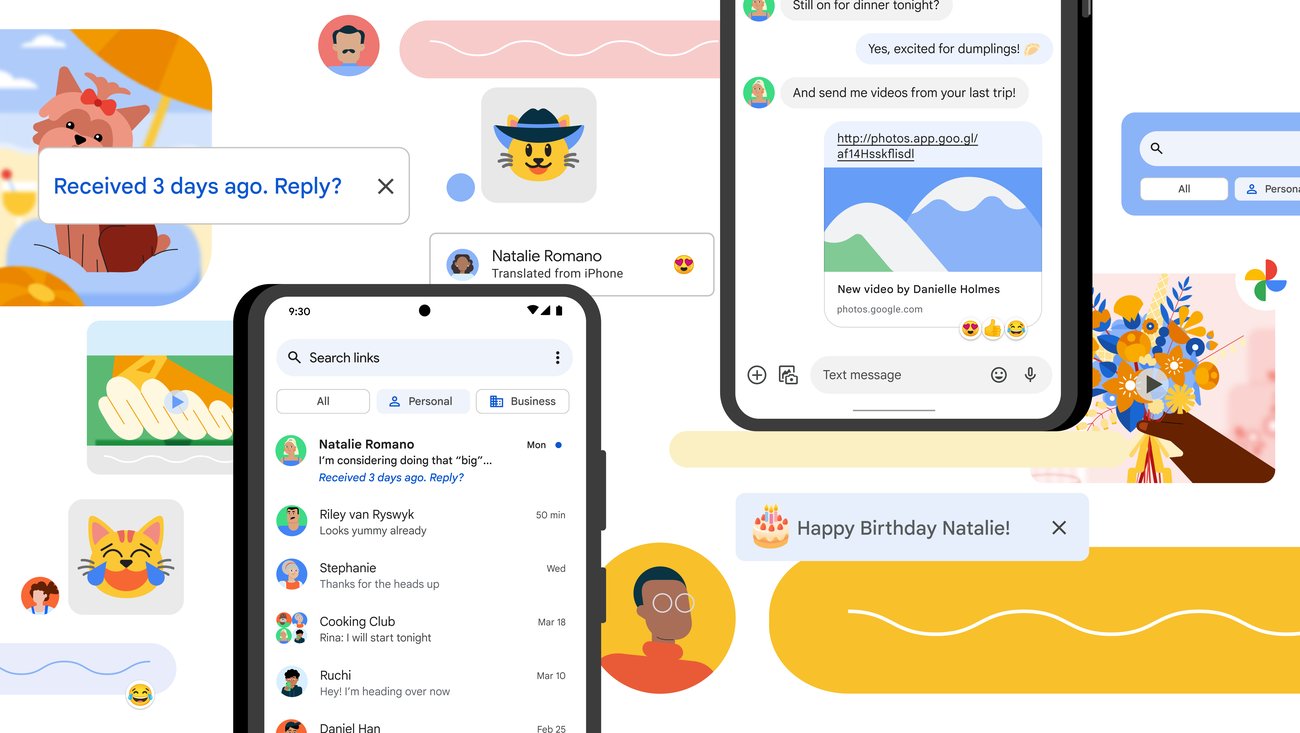
    Navigating to your photos in the Google Messages app for Android is simple, though it could be more streamlined. To begin, you’ll have to open Google Messages and select any prior message. A round button with a “plus sign [+]” icon is located to the left of the text input area. Clicking on this button reveals a range of options, including:

    – Gallery
    – Camera
    – GIFs
    – Stickers
    – Files
    – Location
    – Contacts
    – Schedule Send

    When you choose the Gallery option, the most recent images and videos stored locally on your device, as displayed by the Google Photos customized media selector, will be visible. However, if you need to access your photos via the Google Photos app using the Android System photo selector, you’ll have to press the Folders button situated at the bottom of the screen. This represents an additional step if you want to see the photos stored in the cloud rather than just on your device.

    Google is reportedly developing a solution to this issue, aiming to erase the additional step required to access your photos from the Google Photos app within Google Messages.

    Security and Access Concerns

    While the additional step may not bother some, it does raise a significant security concern. Google’s custom picker requires access to your full media gallery to function effectively. In contrast, Android’s photo picker allows applications to access only the photos and videos that you select. However, there is promising news — Google is said to be working on a way to allow users to access their photos from the Photos app via Google Messages without the need for the extra tap on the Folders button.

    New Developments in Android 16

    Android 16 introduces a new integrated photo picker equipped with its APIs, enabling apps to incorporate this photo picker directly into their interface. This provides app developers with a media gallery that feels native to their app, while also offering the security and privacy inherent in the Android system photo picker. This is because comprehensive media permissions no longer need to be sought. It was discovered that this embedded photo picker was present on a OnePlus 13 running OxygenOS 16.

    The Gallery button, when pressed, displays cloud-hosted photos and videos together with photos and videos stored on the local device. Before the introduction of the embedded photo picker with Android 16, users would have had to take the extra step and tap the Folders button to see their cloud-hosted photos and videos from the Google Photos app.

    Privacy Improvements

    Once the embedded photo picker is rolled out, there will be no need to grant the Google Messages app “Photos and videos” permission to share photos or videos. In fact, this permission can be revoked once the embedded photo picker is available.

    Questions & Answers

    What is the embedded photo picker in Android 16?
    The embedded photo picker in Android 16 is a new feature that allows apps to integrate a photo picker directly into their interface. This provides a media gallery that feels native to the app while also offering improved security and privacy.

    Does the Google Messages app require access to all my photos and videos?
    Currently, to function effectively, Google’s custom picker requires access to your entire media gallery. However, with the forthcoming embedded photo picker feature in Android 16, this will no longer be necessary.

    What is the benefit of the embedded photo picker?
    The embedded photo picker will eliminate the need for users to make an extra step when accessing cloud-hosted photos and videos from the Google Photos app. Additionally, it will enhance privacy as broad media permissions will no longer be required.

  • Apple Maps May Integrate Paid Advertisements: Implications And User Reactions

    Apple Maps May Integrate Paid Advertisements: Implications And User Reactions

    Recent reports suggest that Apple is considering the integration of paid advertisements within the Apple Maps application. Businesses would be able to pay for more visible placement in search results, potentially from as early as next year.

    Apple Maps and Advertising

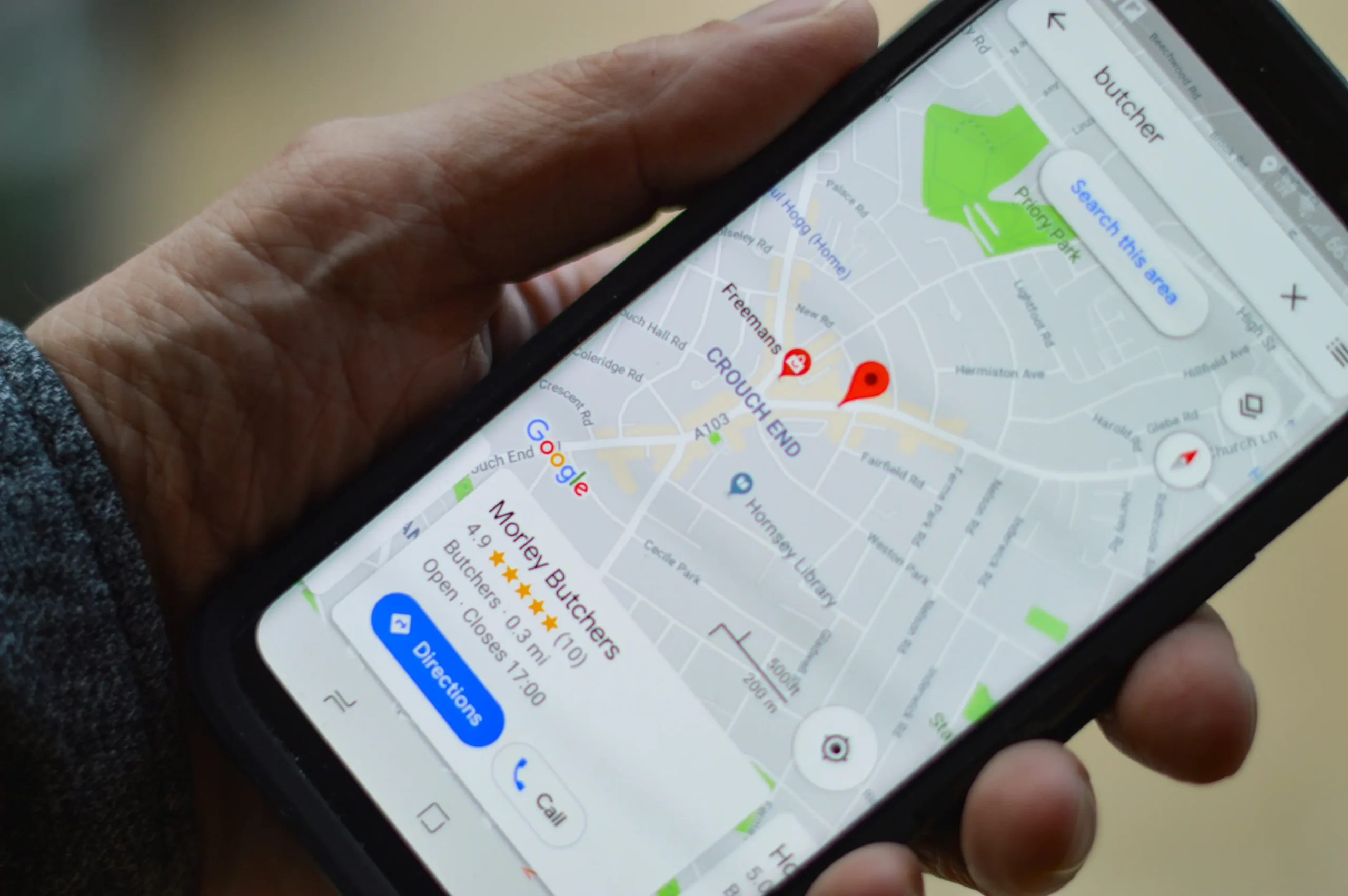
    Apple’s ecosystem, previously thought to be a safe haven from direct advertising, may soon see a shift. The tech giant is reportedly making progress on its plan to introduce paid advertisements to Apple Maps. However, this move is not about intrusive pop-up banners; instead, businesses such as shops and restaurants would pay to have their listings highlighted when users conduct searches within the app. This concept closely mirrors the Search Ads seen in the App Store, where app developers pay for top placement in search results.

    The Implications

    It’s well-known that Google has been using this advertising approach for some time in Google Maps. Searches often result in “Sponsored” pins appearing at the top of the list. However, Apple’s brand identity isn’t typically associated with advertising. Instead, it’s known for selling premium, high-cost hardware and being a privacy-focused, user-centric alternative.

    If Apple were to start integrating third-party advertisements into a core feature like Maps, it could invite significant backlash. Customers are already expressing annoyance at the constant upselling of Apple’s own services, such as Apple TV+ and AppleCare+, especially on devices they have paid a premium for. The addition of advertisements could be perceived as a money-making move that detracts from the premium experience.

    A Personal Perspective

    While this move may seem inevitable to some, it doesn’t make it any less disappointing to others. Many users appreciate Apple Maps for its simple and user-friendly interface, uncluttered by constant advertisements. Google Maps, while powerful and accurate, often frustrates users with its persistent advertising presence.

    Even though sources suggest that Apple’s advertising approach will be “better” and use artificial intelligence to deliver “relevant” ads, an ad is still an ad—it can distract users from their primary objective of getting from point A to point B.

    Questions & Answers

    What are the potential implications of Apple integrating paid advertisements into Apple Maps?
    This move could face backlash from users who chose Apple for its premium, ad-free experience. The integration of paid advertisements could be perceived as a commercial maneuver that undermines Apple’s user-centric ethos.

    How will the paid advertisements work on Apple Maps?
    Businesses, such as shops and restaurants, would be able to pay for their listings to appear more prominently in search results within the app.

    Why are some users disappointed with this potential change?
    Many users appreciate Apple Maps for its clean, user-friendly interface without the presence of advertisements. With the introduction of ads, users might feel that the primary function of the app—navigation—is being overshadowed.

  • Google Bolsters Security Measures Amidst Rising Pixnapping Attacks Targeting Two-factor Authentication

    Google Bolsters Security Measures Amidst Rising Pixnapping Attacks Targeting Two-factor Authentication

    A cutting-edge threat known as Pixnapping has the ability to illicitly take your two-factor authentication (2FA) code within a mere 30 seconds, all without your knowledge. This is a significantly hazardous variety of cyber attack. In response, Google has ramped up its security measures, which are specifically engineered to assist users in accessing their Gmail accounts should they find themselves locked out. Some common reasons for such occurrences include losing one’s device, forgetting their password, or falling prey to a malware attack.

    Rising Threats to Google Apps

    There has been an 84% surge in attacks targeting Google apps such as Gmail over the previous year, as per Google’s own data. The most perilous security risk to users of Google’s apps is emails engineered to steal their passwords. This is where the feature of Account Recovery can prove instrumental. However, even Google itself concedes that Account Recovery may not always successfully facilitate access to a locked Gmail account. Claire Forszt and Sriram Karra, both of whom are part of Google’s Identity and Engagement team, express concerns over relying on Account Recovery to regain access to a locked Gmail account.

    Google’s feature known as ‘Sign in with Mobile’ employs your phone number to log into your account. Forszt and Karra highlight the difficulties of recovering a locked Gmail account using a one-time SMS code, especially in situations where the user has lost their phone or failed to update their recovery phone number.

    New Recovery Contacts Setting

    In order to tackle such issues, Google has introduced a fresh Recovery Contacts setting. This new feature empowers Gmail users to nominate family members or trusted contacts to help them regain access to their Gmail account. Forszt and Karra view this as a simple and secure solution to rely on trusted individuals when other recovery options are not feasible.

    To implement this feature, it’s essential to set up Recovery Contacts before losing access to your account. Users can do this by visiting the Security tab on myaccount.google.com/security and following the directions to confirm their identity. This will guide them to a page where they can add Recovery contacts. Users can assign up to 10 trusted people who can help them regain access to their locked Gmail or Google app account.

    Sign in with Mobile Number Feature

    Moreover, Google has rolled out a new mechanism for Android users to validate their identity and reclaim Gmail access solely using their mobile number. Google’s ‘Sign in with Mobile Number’ process is straightforward. Upon entering their phone number, users will be presented with accounts linked to that number. They can then select the account they wish to access and input their lockscreen passcode. The unique aspect of this feature is that it allows account access without a password.

    Eugene Liderman, Google’s Director of Android Security and Privacy, informed that this feature would be introduced gradually across the globe.

    Questions & Answers

    What is the new threat called Pixnapping?
    Pixnapping is a new form of cyber attack that can stealthily take your two-factor authentication (2FA) code within 30 seconds without your awareness.

    What is Google’s response to rising threats to its apps?
    In response to the rising threats, Google has enhanced its security measures with features like Account Recovery and Recovery Contacts setting, designed to help users regain access to their locked Gmail accounts.

    How does ‘Sign in with Mobile Number’ feature work?
    ‘Sign in with Mobile Number’ is a new feature from Google that allows Android users to verify their identity and regain access to their Gmail accounts using their mobile number. The users can select the account linked to their number and enter their lockscreen passcode to access the account, even without a password.

  • Revolutionizing Photo Editing: Google Photos Unveils Voice-commanded Tool

    Revolutionizing Photo Editing: Google Photos Unveils Voice-commanded Tool

    Google has unveiled a new tool within its Google Photos application, allowing users to alter and enhance their photos with simple voice or typed commands. Equipped with the ability to understand conversational English, the feature offers users a user-friendly and innovative way to edit their photos.

    Using Google Photos’ New Feature

    To access this new tool, Android users can open the Google Photos app and select the image they wish to modify. Once the photo is chosen, tapping on the “Help me edit” option in the editor will prompt the user to either speak or type their desired changes. No need for complicated photo editing terms or jargon; the feature responds to plain English instructions.

    Google provided several examples showcasing the potential of this new tool. In one instance, a photo was marred by an unwanted window reflection. By simply telling the app to “Remove the reflection on the window,” the user could effortlessly rectify this issue, resulting in an improved image.

    Transforming Photos Using Conversational English

    In another scenario, a photo depicted a child standing before an unsightly fence. To remedy this, the user could instruct the app to “Erase the text and the fence in bottom, zoom out, and sharpen.” The outcome was a vastly improved photo where the child, not the fence, took center stage.

    The feature is not limited to landscape or portrait photography and can be applied to selfies as well. If a user desires to brighten a shadowy selfie, they can instruct the app to “Add studio lighting to make me stand out.”

    Expanding the Frame with Imagination

    Users can also manipulate the composition of their photos using this feature. By saying, “Expand the composition and make it better,” the tool can effectively broaden the photo’s borders, enhancing the overall aesthetic. If a user wishes to add elements to an otherwise empty background, they can instruct the tool to “Reimagine this room with a bookshelf and lights.”

    Google’s new feature demonstrates how the use of conversational English can significantly alter an image. A simple command such as “Fill the grass with beautiful sunflowers” can completely transform a photo, adding an entirely new dimension to the image.

    Questions & Answers

    Does the Google Photos feature work on selfies?
    Yes, the tool can be used to enhance any type of photo, including selfies.

    Can the tool add elements to a photo’s background?
    Yes, the tool can add elements to a photo’s background. For example, a user can instruct the tool to add a bookshelf and lights to an empty room.

    Is it possible to remove unwanted elements from a photo using this tool?
    Yes, the tool allows users to remove unwanted elements. For instance, a reflection on a window or an unsightly fence can be removed with a simple instruction.

  • Google will allow you to hide ads in your search results, but only after scrolling

    Google will allow you to hide ads in your search results, but only after scrolling

    Google is modifying the display and functionality of text advertisements in search results. The biggest development is that Google will now give users the option to hide sponsored search results if they are uninterested. However, there is a small caveat to this new feature.

    Scroll to Hide Sponsored Results

    At present, paid search results on Google are individually tagged as “Sponsored”. Google has revealed that moving forward, text ads in search results will be collectively displayed in a collapsible section at the top of the search page. This section will carry a single, more noticeable label that remains apparent as you scroll through the results.

    Arguably the most significant change is a new feature that allows users to hide all sponsored results with just a single click. This button is located at the base of the text ad section. Once clicked, the advertisements will hide under the sponsored heading. With another tap, users can reveal these ads again if they choose.

    Changes to Search Result Appearance

    Over time, Google has made a series of adjustments to the appearance of paid search results, making them look similar to organic results. While these changes were not always popular among users, the new update is unlikely to elicit negative responses. Google’s aim, it says, is to “make navigation even easier”. However, this goal seems somewhat counterintuitive given the placement of the hide button at the bottom of the sponsored links.

    A constant feature in these developments is the escalating influence of artificial intelligence (AI) in Google Search results. Google has pointed out that the Sponsored results label will now appear above or below the AI Overviews. This means users might have to scroll even further to hide the ads.

    Global Rollout of Google Search Update

    The update to Google Search is already being rolled out worldwide to both desktop and mobile users.

    While hiding ads may improve the scrolling experience in search results, it does not address a central issue some users have: the diminishing usefulness of Google Search. This has led some to experiment with other search engines and AI tools to find the required information.

    Questions & Answers

    What is the main change in Google’s ad display?

    Google is grouping text ads into a collapsible section at the top of the search page with a single, noticeable label. Users can hide or reveal these sponsored results with a single click.

    How is AI affecting Google Search results?

    AI is playing an increasingly important role in Google Search results. The Sponsored results label will now appear above or below the AI Overviews, which may cause users to scroll further to hide ads.

    Are there any concerns with the new update?

    The main concern is that while hiding ads may improve the scrolling experience, it does not enhance the overall usefulness of Google Search, causing some users to explore other search engines and AI tools.

  • Google’s Android Auto Enhances Driver Safety With Innovative Call Screening And Notes Features

    Google’s Android Auto Enhances Driver Safety With Innovative Call Screening And Notes Features

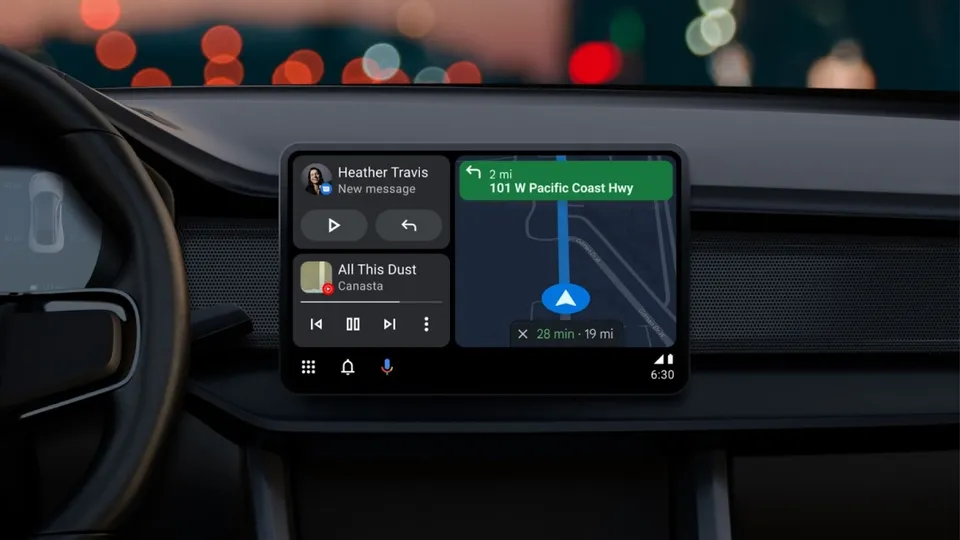
    Google has announced the implementation of new features to Android Auto, designed to augment safety and convenience for drivers. The recent update incorporates Call Screening and Call Notes, enabling drivers to handle calls in a more sophisticated way, without diverting their attention from driving.

    Call Screening in Your Car

    The latest update allows Android Auto to screen incoming calls, particularly from unknown or unsaved numbers, on behalf of the driver. When a call is received, the system prompts the caller to identify themselves and state the purpose of the call. The driver is then relayed the responses, providing them the choice to accept or reject the call without having to answer it manually.

    This innovative feature helps to deter unwanted interruptions while driving, ensuring that drivers only receive pertinent calls. By reducing distractions, it offers a smart safety solution.

    Call Notes: Keep Track of Key Points

    Android Auto plans to support Call Notes later this year. This tool automatically generates a summary of your calls in text format. It proves particularly beneficial for business or crucial conversations that cannot be recorded while driving.

    Call Notes was initially introduced with Google’s Pixel 9 phones. Now, by incorporating it into Android Auto, it aims to enhance productivity on the move.

    Why These Additions Matter

    These two enhancements offer tangible benefits for drivers:

    Reduced Distractions: Drivers no longer need to physically manage each incoming call while driving.

    Better Context: Call Notes enables drivers to capture key points from calls without the necessity of manually taking notes.

    Keeping Up with Competition: Apple’s iPhones already provide call screening within CarPlay. Google is maintaining its competitive edge by integrating this feature into Android Auto.

    Questions & Answers

    What are the new features introduced in Android Auto?
    The new features introduced are Call Screening and Call Notes, aimed at reducing distractions and improving convenience for drivers.

    What is the purpose of the Call Screening feature in Android Auto?
    Call Screening allows Android Auto to screen incoming calls on behalf of the driver. The system prompts the caller to identify themselves and state their reason for calling, giving the driver the option to accept or reject the call without manually answering it.

    What is the function of Call Notes in Android Auto?
    Call Notes is a feature that automatically creates a text summary of your calls. It assists drivers in keeping track of important points from calls without having to manually take notes.

  • Ios 26 Update Revolutionizes Apple Wallet With Enhanced Card Information Storage

    Ios 26 Update Revolutionizes Apple Wallet With Enhanced Card Information Storage

    The recent iOS 26 update has unveiled a host of minor enhancements, including a significant upgrade to the Apple Wallet. The digital wallet can now store detailed information about all your credit and debit cards, enhancing the user experience and accessibility.

    Storing Card Details in the Wallet App

    The iOS 26 iteration of Apple Wallet now allows detailed storage of physical card information alongside their digital counterparts within the app. This empowers users to access essential information such as the card number, expiry date, and other specifics, even in the absence of the physical card.

    Previously, the Wallet was somewhat limiting, offering no option to store comprehensive physical card information for debit and credit cards—a feature exclusive to the Apple Card. This update simplifies and enhances the user experience, positioning the Wallet app as a comprehensive replacement for a physical wallet—a functionality competitor apps like 1Password have been offering for a while.

    Manual Data Entry

    However, while this feature enhances convenience, Apple Wallet does not automatically store all card details. Users must manually input the information into the app. This can be done through a straightforward process:

    1. Open Wallet and select a card.
    2. Click on the ‘123’ button in the upper right corner and authenticate with FaceID or a passcode.
    3. Select “Add Physical Card information.”
    4. Scan the card or manually input the details to be saved.
    5. Confirm by tapping ‘Done.’

    Users can store the card number, expiration date, security code, cardholder’s name, and even add a specific description. Aside from the card number, all other details are optional, allowing users to customize what gets stored. This feature is particularly useful for cards with dynamic security codes.

    Apple has assured users that the saved data is both encrypted and stored in the user’s iCloud Keychain, accessible only by the particular user. Importantly, this information does not get used for Apple Pay transactions.

    A Competitive Edge

    The addition of detailed card information storage to Apple Wallet effectively eliminates the need for many users to stick with 1Password instead of transitioning to Apple’s own Passwords app. This development underlines Apple’s strategy of integrating features of utility apps into its operating systems, rendering separate apps superfluous.

    Questions & Answers

    What new features does the iOS 26 update bring to the Apple Wallet?
    The iOS 26 update allows users to store detailed information about their physical credit and debit cards within the Wallet app.

    How does one add physical card details to the Apple Wallet?
    Physical card details can be added manually by selecting a card within the Wallet app, clicking on the ‘123’ button, selecting “Add Physical Card information,” scanning the card or manually entering the details, and confirming the action.

    Is the card information stored in Apple Wallet secure?
    Yes, Apple assures users that all stored data is encrypted and kept in the user’s iCloud Keychain, accessible only to the user. The stored card information is not used for Apple Pay transactions.

  • Google Unveils Enhanced Image Editor For Google Photos: A Closer Look At User-friendly Features

    Google Unveils Enhanced Image Editor For Google Photos: A Closer Look At User-friendly Features

    Google has just released a revamped image editor for its Google Photos application on Android. This newly designed feature, which users might find more user-friendly, can be accessed by selecting a photo from your Google Photos gallery and then hitting the Edit option located on the bottom bar of the screen.

    On the lowest part of the screen, a carousel featuring six options is now available: Auto, Actions, Markup, Filters, Lighting, and Color. Each of these options opens up a variety of editing tools that you can utilize to perfect your image.

    Further Editing Options

    Additional editing tools are available above the image preview. Here, you’ll find icons such as Auto frame, a dropdown menu with various aspect ratio choices, an icon to flip the photo, and another to rotate the image. The top left corner of the screen houses the exit button, labeled “X”, while on the right, there’s a Save button and a three-dot icon that opens a pop-up, which can be used to provide feedback to Google.

    Interactive Image Manipulation

    Once a photo is selected for editing, users can tap, brush, or draw a circle around any portion of the image they wish to edit. This action prompts a menu to appear, presenting all the relevant editing options you have at your disposal.

    For instance, after enclosing a squirrel in a photo with a circle, I was provided with options to Erase the squirrel, Move it to a different location within the photo, or use AI to Reimagine the image. After opting for the last choice and indicating my desire for the squirrel to be holding a baseball cap and wearing a hat, the software generated the requested image.

    Availability of the Feature

    This feature is currently being deployed on version 7.44 of the Google Photos app for Android, following a server-side update initiated by Google. If you haven’t received it yet, you can manually update by navigating to Settings > Apps > See all apps and scrolling to Photos. Tap on Photos, and when you see the App info page, press on Force stop.

    Questions & Answers

    What are the new editing options available on the Google Photos app?
    The redesigned Google Photos app offers a variety of editing tools including Auto, Actions, Markup, Filters, Lighting, and Color.

    How can users manipulate a specific part of an image?
    Users can tap, brush, or draw a circle around the part of the photo they wish to edit, prompting a menu with relevant editing options to appear.

    How can users access the redesigned image editor if it hasn’t automatically updated?
    Users can manually update by navigating to Settings > Apps > See all apps and scrolling to Photos. After tapping on Photos, they can press Force stop on the App info page.