Tag: messaging

  • WhatsApp’s latest update brings Focus mode support to iPhones and iPads

    WhatsApp’s latest update brings Focus mode support to iPhones and iPads

    Although WhatsApp typically rolls out updates simultaneously on both Android and iOS platforms, the latest update is one of the exceptions since it brings specific features aimed at iPhone and iPad users. Two important new features are now making their way to iOS users and are expected to be generally available over the coming weeks.

    The first one is the ability to pause and resume while recording voice messages. Surprisingly, such a nifty feature wasn’t available until the latest update, so if you’re downloading WhatsApp v22.2.75, you can try it out by swiping up to lock a recording and then tap the “pause” and “resume” buttons.

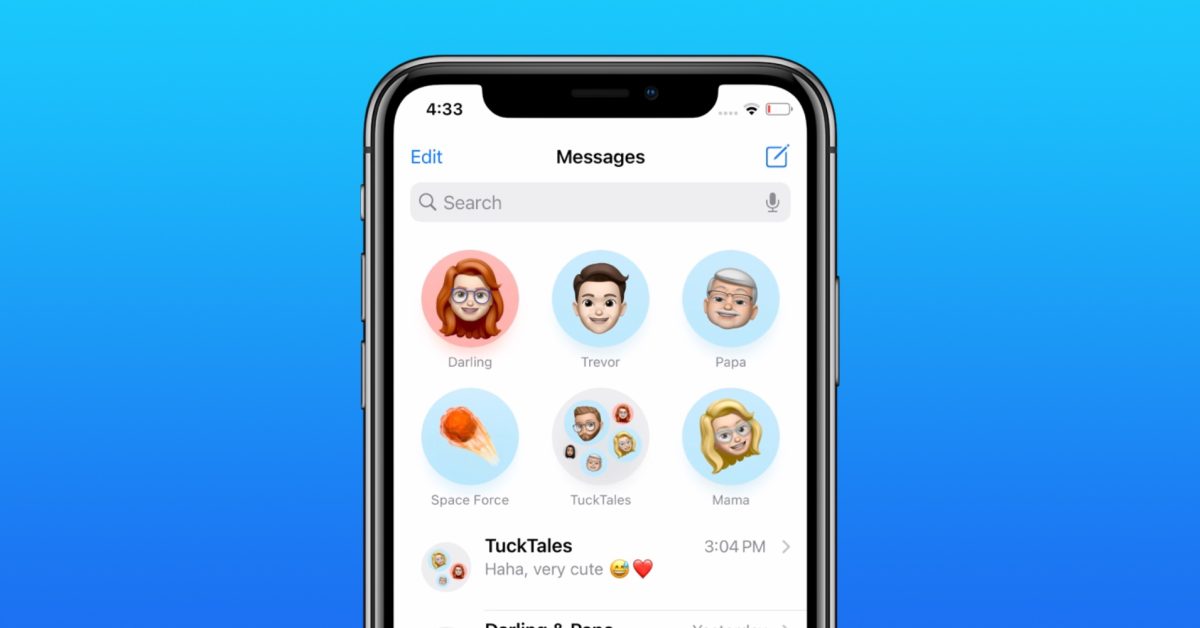
    Another important new feature rolling out to iOS users is support for Focus mode. This has been added in iOS 15 and allows selected users to message you when you have set a Focus mode. When this mode is enabled, you can set notification, call, and message filters, as well as auto-reply to others when you’re not available. Think of it as a more efficient Do Not Disturb feature.

    In other news, WhatsApp is gearing up for yet another important new feature for its users: the ability to transfer Android chats to iOS. However, the feature is still being tested internally, so it might take a while until WhatsApp will be ready to make it available to everyone.

  • Snapchat announces changes to protect teens from strangers, drugs

    Snapchat announces changes to protect teens from strangers, drugs

    It’s a jungle out there, and in the 21st century, it’s a cyber jungle we’re talking about. According to research done by Pew Research Center back in 2018, “95% of teens have access to a smartphone, and 45% say they are online almost constantly.”

    The most popular platforms among teenagers are YouTube, Instagram, and Snapchat, and the companies behind these services are constantly launching new features in order to protect the youth.

    Instagram, for example, introduced a slew of features back in December last year that let parents set time limits, and urge teens to “take a break.” And now it’s time for Snapchat to follow suit. The company announced on its official blog a couple of changes aimed to protect teens from strangers, potential harassment, and drugs. A new feature has been added to Quick Add –
    Snapchat will no longer show users aged 13-17 as friend suggestions to other people unless they have a certain number of friends in common.

    “We recently added a new safeguard to Quick Add, our friend suggestion feature, to further protect 13 to 17-year-olds. In order to be discoverable in Quick Add by someone else, users under 18 will need to have a certain number of friends in common with that person — further ensuring it is a friend they know in real life,” reads part of the official announcement.

    Another sensitive topic when it comes to minors is drugs. Eight teens lost their lives after overdosing on drugs allegedly bought on Snapchat during the past two years, and the company faced heavy criticism and demand to up its drug-fighting game.

    In the latest update, Snapchat shared the progress it made with its drug-detecting algorithms, and also introduced two new partners to the Heads Up portal – Community Anti-Drug Coalitions of America (CADCA), and Truth Initiative.

    “88% of drug-related content we uncover is now proactively detected by our machine learning and artificial intelligence technology, with the remainder reported by our community. This is an increase of 33% since our previous update. When we find drug dealing activity, we promptly ban the account, use technology to block the offender from creating new accounts on Snapchat, and in some cases proactively refer the account to law enforcement for investigation,” wrote the company.

    Snapchat is also working on new parental control features that will allow parents to monitor their children’s activity on the app. These tools have been in the making since last Fall, and according to Snapchat, they will be rolling out in the coming months.

    “In the coming months, we will be sharing more details about the new parental tools we are developing, with the goal of giving parents more insight into who their teens are talking to on Snapchat, while still respecting their privacy.”

    Snapchat started the year with a slew of new features – including Bitmoji reactions, Poll Stickers, Chat Reply, and an improved Calling interface, although they are all related to the user experience on the platform. It’s nice to see that the company is also trying to make the popular chatting app a safer place for teens.

  • Security Hot Spot: Bankers’ Phones

    Security Hot Spot: Bankers’ Phones

    Uncertainty over the use of private mobiles for work is rife as banks request access to employees’ phones and authorities clamp down on documentation lapses.

    It’s time to look at where the dangers lie in using our personal phones for work after recent events, including J.P.Morgan’s $200 million dollar fine for not documenting conversations conducted on private mobiles, Credit Suisse asking to access employees’ devices, and the Swiss army ‘s military-wide switch from Whatsapp to Swiss-made messenger service Threema.

    Yet, pinpointing the danger to a single area is impossible. The combination of hardware, operating system, and apps installed on our phones, determines how safe our personal devices are, Urs Kuederli, PwC Switzerland’s cybersecurity and privacy lead said. For someone who works in a bank the sheer act of installing Whatsapp for example on an unprotected phone can pose more than just a data breach, he says.

    Given that the messaging service goes through a user’s entire phonebook and uploads all contacts – potentially including client contact information – to a server located abroad, installing the chat app can represent a violation of the banking act and banking secrecy laws.

    The storage of data on U.S. servers, which U.S. authorities can access, was also the reason behind the Swiss Army’s recent decision to shift internal communication from Whatsapp to Swiss-based messenger service Threema, as Tagesanzeiger reported last week.

    Companies should ensure that employees can split functionalities and data used privately from those used for business purposes, by using device management systems, such as Microsoft Intune, MobileIron, or Blackberrywork, Kuederli says. These have so-called container solutions.

    While these do not provide a one hundred percent guarantee, they offer a good balance between security and usability, Kuederli adds.

    There is also the option of carrying around two devices, one strictly for work and one for private use. While this might not very convenient, it is more data-secure.

    It could also be a better solution for those Credit Suisse employees who find that giving their employer access to their mobile phones is an intrusion into their privacy, as we reported last month.

    However, most of the Credit Suisse staff don’t use an additional work phone but receive a monthly reimbursed sum to cover work calls on their personal mobile phones, the outlet wrote.

    Although the Swiss Financial Authority (Finma) prescribes that all communication related to securities trading or information with supervisory relevance must be recorded for two years, it leaves it up to the banks themselves to determine their own communication policies.

    The financial watchdog supervises that internal requirements are adhered to and if it finds that an individual has breached an employer’s policies, it can take action against the bank as well as against the individual.

    Extra caution is now required as Swiss companies revert back to remote working.

    Financial institutions have adapted their processes to the new way of working as well as improving their data security efforts since the first COVID-19 lockdown, yet «there are still lapses and the

  • Send Read Receipts can’t be turned off in Messages for some users

    Send Read Receipts can’t be turned off in Messages for some users

    It’s sometimes useful to see whether someone has read your message or not but then again some people find this functionality a bit much. And it’s true, waiting to see if your precious message has reached its recipient can encourage obsessive and stalking behavior.

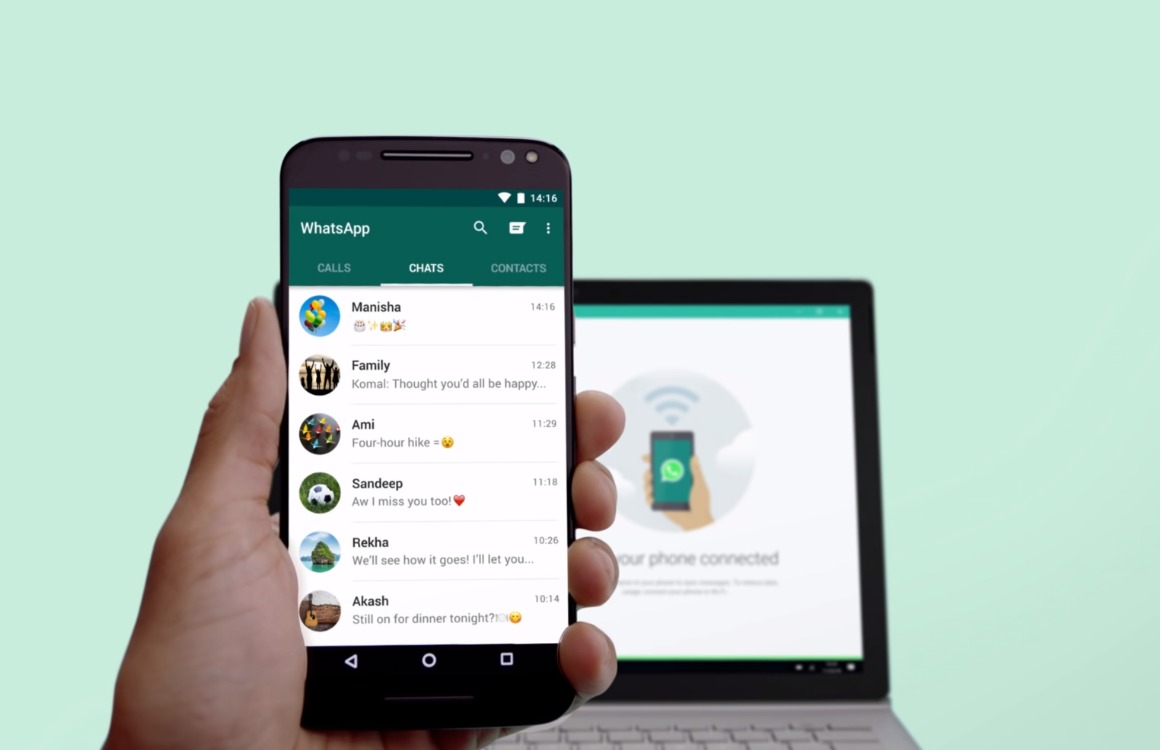
    Now, it seems that a nasty bug is preventing some users from turning this feature off on their iPhones and iPads. Apple offers the option to turn on and off Send Read Receipts in Messages in iOS, iPadOS, and macOS, and if your devices are synced to the same iCloud ID, this feature will be toggled on or off on all of them.

    This can be done by going to Settings > Messages and then toggling the Send Read Receipts switch (iOS and iPadOS), or going to Settings > Preferences > iMessage and checking or unchecking “Send read receipts” for Mac users.

    However, toggling Send Read Receipts on or off does nothing for some users, and people can still see when they read messages. The same issue was present briefly on previous iOS and iPadOS releases but now the problem can be seen in the latest software releases.

    Apparently, there’s no resolution at this time, although there’s a workaround. Some people found that restarting their iPhone or iPad does the trick temporarily. And while we wait for a fix to be released, share your experience with Messages. Can you turn off Send Read Receipts?

  • WhatsApp adds more options for disappearing messages on iOS and Android

    WhatsApp adds more options for disappearing messages on iOS and Android

    WhatsApp introduced disappearing messages last year. The feature was further improved not long ago with the option to make photos and video disappear immediately after being viewed once. Today, WhatsApp announced a new set of control options for those using disappearing messages.

    Starting this week, iOS and Android users will be able to control their messages and how long they will remain visible thanks to two new features: default disappearing messages and multiple durations.

    The latest version of WhatsApp adds the option to turn on disappearing messages by default for all new chats. This means that all individual chats will be set to disappear at your chosen duration. Furthermore, WhatsApp added a new option when creating a group chat that lets users enable default disappearing messages for groups. Obviously, this is an optional feature that’s not enabled by default.

    Also, the update includes two new durations for disappearing messages – 24 hours and 90 days, in addition to the existing option of 7 days. You can set durations for disappearing messages from the Privacy settings and choose “Default Message Timer.”

  • WhatsApp to add built-in sticker maker on the web

    WhatsApp to add built-in sticker maker on the web

    WhatsApp is always improving in order to remain competitive. Although new features aren’t always coming to all platforms, sooner or later all WhatsApp users get to benefit from them. The most recent improvement added to the messaging app, a built-in Sticker Maker, is only available on WhatsApp’s web version.

    It will allow WhatsApp users to quickly create stickers directly within the app, thus removing the need to use third-party apps. The new Sticker Maker can be accessed via the paperclip icon. Simply select Sticker and choose an image to upload.

    The images uploaded can then be edited to your heart’s desire. The picture can be cut and cropped, but you can also add emoji, text, as well as more WhatsApp stickers on top of the ones you create.

    Of course, Android and iOS users must continue to use third-party apps to make their own stickers. Keep in mind that the built-in Sticker Maker announced today won’t be available on the web until next week.

  • WhatsApp will introduce Communities, evidence suggests

    WhatsApp will introduce Communities, evidence suggests

    WhatsApp has been adding new features by the numbers in the past few months, and now the guys at WABetaInfo have dug up yet another upcoming change to the popular messaging app.

    The new feature is called Communities and it was first spotted by XDA Developers as a simple reference in the code of the latest beta version of WhatsApp. Now there are some more details about the upcoming feature, along with screenshots, courtesy of WABetaInfo.

    Judging from the aforementioned screenshots, a Community is a place similar to a group but with a tad more options for the admins. At the moment a Community chat looks much like a group chat, and it’s still a private, encrypted place – not a social network-like feed.

    There are some visual differences too – community icons seem to be more square to distinguish the new feature from group chats. The layout leaked when WhatsApp briefly enabled it by mistake only to remove it soon after.

    The Community feature will offer the ability to host different groups under its hat, and admins will have extended tools to manage those groups. The new feature is still under development for Android and iOS, and there’s no clear rollout schedule yet. More details will become available when Communities hit the Beta version of WhatsApp.

  • WhatsApp removes online requirement for use on multiple devices

    WhatsApp removes online requirement for use on multiple devices

    WhatsApp is finally introducing an important feature that’s been promised since July, the option to remove the online requirement for use on multiplayer devices. As some of you may already know, if you want to use WhatsApp on a desktop, you must have your smartphone connected to the internet to have your conversations synced.

    The new feature that’s been in beta testing for several months allows WhatsApp users to disable the requirement and have WhatsApp run on any linked device without your smartphone being connected to the internet.

    For the time being, there’s a limit of four devices that can be connected to WhatsApp at the same time. Those who received the update should find the new feature under the “Linked devices” tab. Once enabled, WhatsApp will remove all previously connected devices, so you’ll have to add them again following the app’s instructions.

    After adding all devices that you’d like to use with WhatsApp, you won’t be needing your smartphone to be connected to the internet to sync the conversation or have access to the app. Keep in mind that the feature will not work on tablets and that there are some limitations on iPhones, such as the fact that you can’t clean or delete conversations on connected devices if your main device is an iPhone.

    Last but not least, for security reasons, if you don’t open WhatsApp on your phones for 14 days, the app will automatically disconnect all other devices and you will have to add them again.

  • Telegram brings global chat themes to iPhones, hyper-speed scrolling

    Telegram brings global chat themes to iPhones, hyper-speed scrolling

    Telegram has gained a lot of users after the Facebook/WhatsApp outage a few weeks ago, and that probably affected the developer’s update roadmap, hopefully, for the better. Today’s update doesn’t bring too many new features, but it does improve some of the existing ones.

    For example, a new date bar has been added on the side of the Shared Media page to faster scrolling. Users can even pinch to zoom in and out to have a better look at anywhere from two big thumbnails to a dozen small squares per row.

    Additionally, Calendar View for Shared Media is now available for Telegram users so that they can quickly find media from a specific time. Simply tap on the date bar to open a calendar window with media previews, then tap to see all the media from that date. New filters also available for shared media to show only photos, only videos, or both.

    As far as iOS users go, Telegram is getting global chat themes. The same 8 themes that could be set for individual chats are now available for the entire app on iOS. The themes can be personalized, their colors tweaked, and the pattern changed.

    Also, Settings on iOS have been redesigned to match the style of iOS 15. Finally, the update brings new interactive emoji on both Android and iOS versions of the app.

  • WhatsApp rolls out end-to-end encryption for backup services

    WhatsApp rolls out end-to-end encryption for backup services

    Although WhatsApp already offers end-to-end encryption for messages sent, received, and stored on a device, many users are taking advantage of the backup functionality to save the history of their chats in case they lose their phones.

    Up until today, these backups did not feature end-to-end encryption like the messages stored on the phone but going forward that will no longer be the case. WhatsApp announced that it’s now rolling out an extra, optional layer of security meant to protect backups stored on two specific services with end-to-end encryption: Google Drive and iCloud.

    Those who’d like to start using the new feature and secure their end-to-end encrypted backup with either a password or a 64-digit encryption key can do so now. Obviously, neither WhatsApp nor the backup service provider will be able to read backups or access the key required to unlock it.

    End-to-end encryption for backup stored on Google Drive and iCloud will be rolled out gradually to those using the latest version of WhatsApp. Once you update your app, head to Settings / Chats / Chat Backup / End-to-end Encrypted Backup, tap Continue and follow the prompts to create a password or key.

    Keep in mind that you won’t be able to restore your backup if you lose your WhatsApp chats and forget your password or key. WhatsApp won’t reset your password or restore the backup for you, so keep them safe.

  • WhatsApp to get iPad, multi-phone support

    WhatsApp to get iPad, multi-phone support

    WhatsApp has been the number one messaging in the world for a while—which is no small thing—but it isn’t without its own set of drawbacks.

    For one, it can only be activated on one phone at a time, despite the beta version allowing a limited pool of testers to download it to 3 other devices (not including phones or tablets). Another nuisance is that it has never been supported on iPads or other tablets—making this one less way you can communicate on your brand new iPad mini 6, unfortunately.

    However, both of these things may be about to change, if a new rumor by WaBetaInfo is to be believed. The media outlet reports, based on exclusive screenshots provided by WhatsApp, that the company is actively working on integrating iPad support for the messaging app, as well as a second phone.

    So far, users have only had the ability to link up to 4 devices to their WhatsApp account, but only a single phone. The new screenshot provided by WaBetaInfo shows the syncing screen of WhatsApp messages being downloaded to a second device, which is clearly a phone by its rectangular shape.

    Anyone who is already a lucky beta user of the multi-device support feature that’s being developed right now may have seen this screen before on WhatsApp for desktop or WhatsApp Web, but never before on a second phone.

    As is visible in the screenshot, just like any other WhatsApp chat history backup or transfer, the whole syncing process of the messages is protected with end-to-end encryption.

    If you are one of the millions of people who both own a tablet and regularly use WhatsApp, the lack of this important feature has probably annoyed you at some point as well.

    But another screenshot by WaBetaInfo doubtlessly points to the fact that WhatsApp is hard at work creating a compatible version of the app for iPadOS and, by the looks of it, making progress.

    Although it’s an iPad in the screenshot, WaBetaInfo has tweeted that the Android tablet version is also definitely in the works.

    Competing messaging app Telegram already supports the addition of as many phones, and tablets, as you own—which has been one of the reasons some WhatsApp users have turned towards that platform instead, despite it ranking lower on the popularity tier.

    It’s definitely about time that WhatsApp got to work on including multi-phone and tablet support and, as it does currently sit at the top of the hill when it comes to messaging apps, it can hardly afford to lag behind in such important features for its users.

  • Telegram update brings a bunch of video-oriented improvements, new features

    Telegram update brings a bunch of video-oriented improvements, new features

    Telegram is becoming a better messaging app with each new update deployed by developers. The COVID-19 pandemic made video chatting one of the most popular methods of communication, and apps like Telegram tried to accommodate as many new users as possible to their servers.

    Since we’re not yet out of the woods and many companies still required their employees to work remotely, it’s not too late for Telegram to add even more new features and improvements that focus on the video aspect of the app.

    The highlight of the latest update is Group Video Calls 2.0, an upgrade to the previous version of the feature, which brings support for 1000 people. It might sound unreal, but Telegram’s group video call can now have up to 1000 viewers, and this number will be further increased in future updates, according to developers.

    Another important improvement added is Video Messages 2.0, an upgrade to the video messages feature that adds enhancements such as higher resolution, the option to expand them and watch any videos at 0.5 or 2x speed.

    Also, the latest update adds screen sharing to 1-on-1 calls with sound. Telegram users can now swipe to choose a camera or share their screen instead when switching on video during any call.

    For those who value their privacy, Telegram introduced a new feature that automatically erases messages in any chat after 1 month. Up until now, you could set the app to delete your messages after 1 day or 1 week.

    The iOS version of Telegram received some improvements such as the option to choose multiple recipients for forwarded messages, as well as the ability to scroll with two fingers in chat list to quickly select several chats for bulk actions. Also, provide pictures now follow the messages as users scroll in group chats.

  • WhatsApp makes it possible to move chats from iOS to Android using Android’s Data Restore Tool

    WhatsApp makes it possible to move chats from iOS to Android using Android’s Data Restore Tool

    The standard Android tool for transferring data from one device to another, Google’s Data Restore Tool, is preparing a nice addition to its transferring arsenal. The Tool might soon be getting the capability to transfer WhatsApp chats from iOS to Android.

    WhatsApp has a sometimes inconvenient limitation that it can be installed on only one smartphone per account. Despite the multi-device support that got recently introduced in a beta version of the app, the limitation for only one smartphone still stayed. This means there is no easy way for you to transfer your WhatsApp messages from iPhone to Android.

    However, Android’s built-in transfer app Data Restore Tool is getting ready to obtain the capability to do just that. The Data Restore Tool app’s version 1.0.382048734, available on the Google Play Store, will soon be able to transfer WhatsApp chats and history from iOS to Android.

    This feature does not currently work because WhatsApp first needs to launch the needed migration settings. This might happen sooner than later as WhatsApp has been spotted to be working on transfer options.

    When WhatsApp introduces the needed changes, in order to start the WhatsApp chats’ transfer between iOS and Android using the Tool, you need to follow these steps from the app itself:

    Transfer WhatsApp Chats > Scan the QR code with your iPhone to open WhatsApp > Start > Keep your iPhone unlocked and WhatsApp open.

  • WhatsApp is working on a simpler way to request a banned account review

    WhatsApp is working on a simpler way to request a banned account review

    WhatsApp has been suffering from some intensive spam, and for that reason, it has been taking banning accounts seriously. With this, though, some users might have actually gotten their account banned without spreading spam. Now, a new feature, currently under development, will make un-banning your account easier.

    The feature is currently seen as a hidden one in the beta version of WhatsApp and is yet to become publicly available. It will allow a user with a banned account to request a review of the situation from WhatsApp’s team.

    Once you have submitted a request, you will receive an in-app notification once it has been reviewed and whether your account has been restored. Reviews typically would take up to 24 hours, while, in the meantime, chats will not be deleted.
    As you may probably know, to battle spam and illegal activities, WhatsApp has automated systems for banning suspicious accounts. However, these systems aren’t always accurate and your account might get banned without any wrong activity whatsoever. Although this is a very rare occasion, it still can happen. If that’s the case, the reviewing of the ban will restore your account.

    Of course, if WhatsApp finds the ban was accurate, it will not remove it and you will need to register another phone number if you want to use the chat service. The feature has been spotted in the beta for iOS, but it will most likely be developed for Android as well.

    At the moment, it is unclear when this feature will make its way to the general public.

  • WhatsApp gets View Once messages in its beta version

    WhatsApp gets View Once messages in its beta version

    Last year, Facebook introduced Vanish Mode to Messenger and Instagram, a feature that allows users to send ephemeral messages. Now, the company is extending the feature to WhatsApp, and it is already available in the app’s beta version.

    The Vanish Mode in WhatApp has been dubbed “View Once”. Before you send a photo, video, or text, you have the option to tap on a little circle icon with the number one inside. That way, your message will automatically delete itself once viewed by the recipient. Additionally, you will receive a notification when your media has been opened.

    However, there is a crucial caveat to take note of. Unlike Messenger’s vanish mode, if the person on the other end of the conversation decides to screenshot or screen record your message, you will not be notified. Unfortunately, in its beta WhatsApp still does not support screenshot detection. We will have to wait and see if it gets added.

    There are also a couple of details in regards to disabling read receipts. Firstly, if read receipts are disabled, the person you’re chatting with will still be able to see whether you’ve opened View Once content. However, you won’t know if they have opened yours.

    On the other hand, you will still have the ability to see who has opened your message in group chats despite having read receipts disabled. Another important detail for group chats to remember is that blocked users can open the photos and videos you send to them. You can view who’s looked at the content by going to “Message Info”.

    View Once will work even for those who haven’t received it yet. Facebook hasn’t reported when View Once will graduate from the beta version to the stable one. Currently, it is available only on Android and will be introduced to iOS at a later date.