Tag: search

  • Versace in Search of New Leader as CEO Emmanuel Gintzburger Steps Down

    Versace in Search of New Leader as CEO Emmanuel Gintzburger Steps Down

    After nearly four years of guiding the iconic Italian luxury fashion house, Versace’s CEO, Emmanuel Gintzburger, has decided to step down from his role.

    A Leadership Transition at Versace

    Gintzburger took the reins at Versace in September 2022, following his tenure as the CEO of Alexander McQueen, where he served for approximately six years. Gintzburger also boasts an impressive resume with leadership roles at Saint Laurent, Jeanne Lanvin, and Sephora under his belt.

    His time at Versace was marked by significant changes, notably the brand’s acquisition by the Prada Group last year. The Group, another Italian luxury titan, purchased Versace in a significant transaction valued at US$1.375 billion from US-listed Capri Holdings, effectively “bringing the brand back home.”

    Subsequent to this acquisition, Lorenzo Bertelli, the Chief Marketing Officer at Prada Group, was appointed as the executive chair of Versace.

    The Future of Versace

    The Prada Group confirmed that Gintzburger’s resignation became effective on June 23, and assured that an announcement regarding his successor will be made when the time is right.

    Earlier this year, Versace named Pieter Mulier as the new chief creative officer, effective from July 1, replacing Dario Vitale, who had a brief stint with the company, departing in December.

    As Mulier prepares to unveil his debut collection for Versace next February, the company is working diligently to finalize its management team, which includes Bertelli and the forthcoming CEO. This is a critical step as the brand gears up for its next growth phase.

    Questions & Answers

    Who is the outgoing CEO of Versace?
    Emmanuel Gintzburger was the CEO of Versace, leading the company for nearly four years before announcing his resignation.

    Who acquired Versace recently?
    The Prada Group, an Italian luxury company, acquired Versace last year in a deal worth US$1.375 billion.

    Who is the new Chief Creative Officer for Versace?
    Pieter Mulier was named the new Chief Creative Officer for Versace, with his tenure starting from July 1.
  • Google Moves To Rectify Ios-android Disparity: Incognito Search Feature Coming To Android App

    Google Moves To Rectify Ios-android Disparity: Incognito Search Feature Coming To Android App

    It’s a well-worn stereotype that iOS applications tend to receive upgrades before their Android equivalents. Surprisingly, even Google’s app, a tool one might expect to transcend such norms, has perpetuated this trend. For years, a particularly useful feature has been available exclusively to iOS users. However, Google is now reportedly taking steps to rectify this inexplicable disparity.

    Android to Receive Incognito Search Access

    In the past, the Google app on iOS has enabled users to switch their search to incognito mode directly from the in-app search bar. This capability has been conspicuously absent from the Android version of the app, until now. An incognito feature has been detected in a beta version of the Google app for Android, indicating that this functionality will soon be implemented.

    Similar to the iOS app, when a new search is initiated, a toggle appears above the keyboard. In the Android version, this toggle is labelled “History Off Search”, as opposed to “Incognito Mode” on iOS. Activating the toggle ensures that the search results don’t open within the Google app, but via a Chrome Custom Tab, which is already in incognito mode.

    Once engaged, this mode allows for continued browsing and link clicking, all activities are conducted in incognito mode. Should a link be opened in Chrome, the browser will also automatically launch in incognito mode.

    Features Still Lacking on Android

    This is not the only feature Android users have been missing out on. Another less apparent iOS functionality allows users to switch the Google app to incognito mode by tapping and holding on their avatar. Unfortunately, this is yet another feature unavailable for Android users.

    While the new incognito toggle has not yet been activated on the Google app for Android, it is expected to become available in an upcoming update.

    Google’s Room for Improvement

    Given the prevailing stereotype, it is perplexing that Google would initially launch an incognito feature on a competitor’s operating system. If Android users were aware of this discrepancy, they might feel frustrated, especially considering this is not the first time Google has prioritized iOS over Android.

    Questions & Answers

    What is the unique feature that the Google app has on iOS but not on Android?
    The feature that allows users to switch a search to incognito mode directly from the search bar within the app had been exclusive to iOS.

    Has Google taken steps to correct this disparity?
    Yes, Google plans to implement this feature on Android. The functionality was recently spotted in a beta version of the Google app for Android.

    Is there any other unique feature on the Google app for iOS?
    Yes. iOS users can tap and hold on their avatar to switch the Google app to incognito mode, a feature not available to Android users.

  • Google will allow you to hide ads in your search results, but only after scrolling

    Google will allow you to hide ads in your search results, but only after scrolling

    Google is modifying the display and functionality of text advertisements in search results. The biggest development is that Google will now give users the option to hide sponsored search results if they are uninterested. However, there is a small caveat to this new feature.

    Scroll to Hide Sponsored Results

    At present, paid search results on Google are individually tagged as “Sponsored”. Google has revealed that moving forward, text ads in search results will be collectively displayed in a collapsible section at the top of the search page. This section will carry a single, more noticeable label that remains apparent as you scroll through the results.

    Arguably the most significant change is a new feature that allows users to hide all sponsored results with just a single click. This button is located at the base of the text ad section. Once clicked, the advertisements will hide under the sponsored heading. With another tap, users can reveal these ads again if they choose.

    Changes to Search Result Appearance

    Over time, Google has made a series of adjustments to the appearance of paid search results, making them look similar to organic results. While these changes were not always popular among users, the new update is unlikely to elicit negative responses. Google’s aim, it says, is to “make navigation even easier”. However, this goal seems somewhat counterintuitive given the placement of the hide button at the bottom of the sponsored links.

    A constant feature in these developments is the escalating influence of artificial intelligence (AI) in Google Search results. Google has pointed out that the Sponsored results label will now appear above or below the AI Overviews. This means users might have to scroll even further to hide the ads.

    Global Rollout of Google Search Update

    The update to Google Search is already being rolled out worldwide to both desktop and mobile users.

    While hiding ads may improve the scrolling experience in search results, it does not address a central issue some users have: the diminishing usefulness of Google Search. This has led some to experiment with other search engines and AI tools to find the required information.

    Questions & Answers

    What is the main change in Google’s ad display?

    Google is grouping text ads into a collapsible section at the top of the search page with a single, noticeable label. Users can hide or reveal these sponsored results with a single click.

    How is AI affecting Google Search results?

    AI is playing an increasingly important role in Google Search results. The Sponsored results label will now appear above or below the AI Overviews, which may cause users to scroll further to hide ads.

    Are there any concerns with the new update?

    The main concern is that while hiding ads may improve the scrolling experience, it does not enhance the overall usefulness of Google Search, causing some users to explore other search engines and AI tools.

  • Google Enhances Circle To Search Feature, Offering Continuous Translation Even While Scrolling

    Google Enhances Circle To Search Feature, Offering Continuous Translation Even While Scrolling

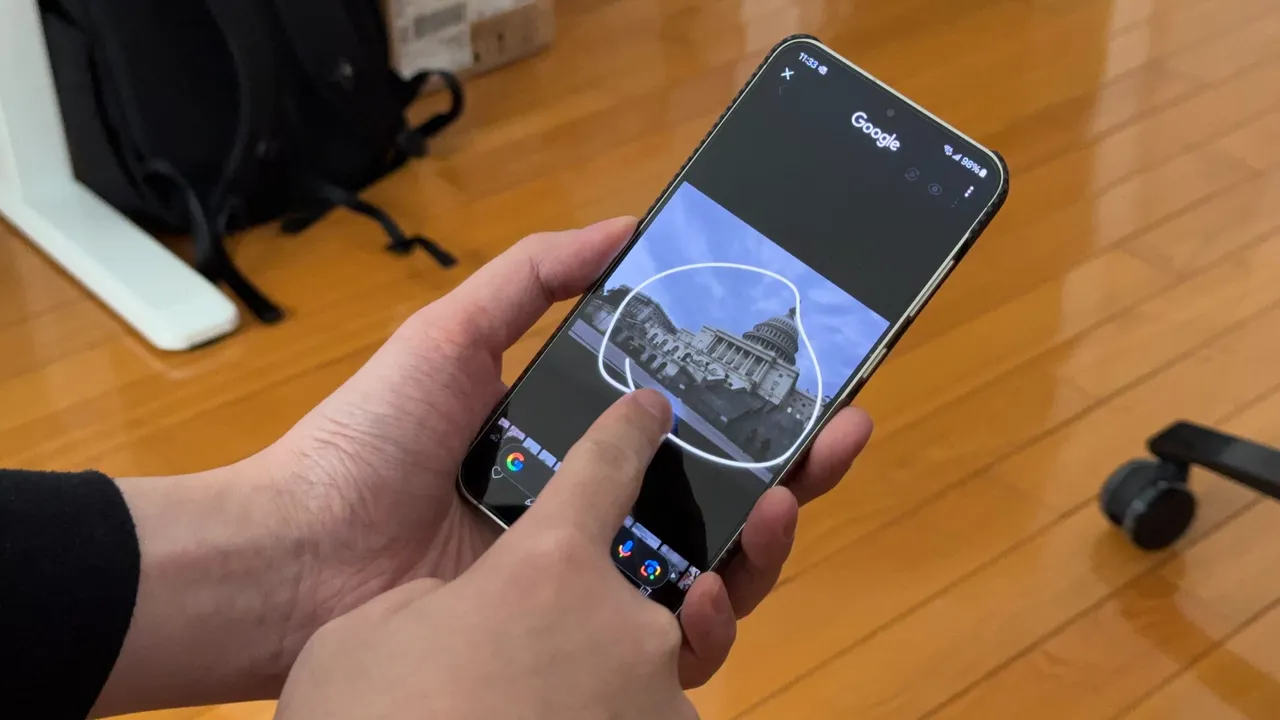
    Circle to Search, a highly favored feature among Android users, offers a user-friendly interface for knowledge acquisition. By simply long-pressing the navigation bar, users can initiate a Google Search pop-up from the bottom of their screens. Upon seeing the pop-up, users can circle an item on the screen to generate search results.

    Improvements in Translation

    Google has recently revealed enhancements in the translation functionality of Circle to Search. The feature, which is among the most frequently used in Circle to Search, enables users to translate words while scrolling. However, translating a lengthy page could be frustrating, requiring users to repetitively restart the process each time they scroll down for further content.

    The team at Google has proposed a solution, allowing users to translate content without interruption while scrolling. By simply long-pressing the navigation bar and clicking on the Translate icon, users can select the “scroll and translate” option. This feature ensures that the translation process continues, even when switching between different applications.

    Rolling Out Updates

    Plans for disseminating these updates on Android devices are underway and will commence with select Samsung Galaxy models. The new feature facilitates seamless translation of content, such as menus, eliminating the need to reset the translation function between various sections.

    Circle to Search was originally launched on Google Pixel 8, Google Pixel 8 Pro, and the Samsung Galaxy S24 series in January 2024. Since then, Google has introduced new features to Circle to Search, including a song recognition feature and a tool for translating an entire webpage.

    Questions & Answers

    What is Google’s Circle to Search?
    Google’s Circle to Search is a feature for Android users that allows them to quickly search for items on their screen by drawing a circle around them.

    What is Google’s recent update for Circle to Search?
    Google has improved the translation feature in Circle to Search. It now allows continuous translation while scrolling, even when switching applications.

    Which devices support Circle to Search?
    Circle to Search was first launched on Google Pixel 8, Google Pixel 8 Pro, and Samsung Galaxy S24 series. The feature’s updates will initially roll out on select Samsung Galaxy handsets.

  • Baidu Unveils Musesteamer: Ai-driven Video Generator And Enhances Search Engine Capabilities

    Baidu Unveils Musesteamer: Ai-driven Video Generator And Enhances Search Engine Capabilities

    Baidu Introduces AI-Driven Video Generator and Revamps Search Engine

    Baidu, the Chinese technology company, unveiled a new artificial intelligence (AI) tool called MuseSteamer and launched a significant upgrade to its search engine on Wednesday.

    The MuseSteamer: A Revolutionary AI Tool

    MuseSteamer, an AI-driven video generator, can produce videos up to ten seconds long. The model is designed especially for businesses and is available in three different versions: Turbo, Pro, and Lite.

    This business-oriented tool marks a departure from the prevalent approach, with most AI video generators targeting individual consumers via subscription-based models. Interestingly, Baidu has yet to reveal a consumer-oriented application for MuseSteamer.

    The recent trend within the AI community has seen significant advancements in the realm of text-to-video or image-to-video generators. Leading AI firms and major technology companies, including ByteDance, Tencent, and Alibaba, have all introduced their models to the market.

    Enhancements to Baidu’s Search Engine

    Aside from the launching of MuseSteamer, Baidu unveiled a significant upgrade to its search engine. The update includes a redesigned search box capable of handling more extended queries. It also supports voice and image-based searches. Employing Baidu’s advanced AI technology, the platform now delivers more targeted content to its users.

    This search engine overhaul comes as Baidu faces stiff competition from AI-based chatbots like ByteDance’s Doubao and Tencent’s Yuanbao, which are gaining popularity among users.

    Questions & Answers

    What is Baidu’s new AI tool called?
    The new AI tool launched by Baidu is called MuseSteamer.

    What is the primary purpose of the MuseSteamer?
    MuseSteamer is an AI-driven video generator designed primarily for business use. It can create videos up to ten seconds long.

    What improvements has Baidu made to its search engine?
    Baidu has redesigned its search box to accept longer queries and support voice and image-based searches. The platform now also displays more targeted content using Baidu’s AI technology.

  • Eighty Percent of Consumers Embrace AI Search for Everyday Information Needs

    Eighty Percent of Consumers Embrace AI Search for Everyday Information Needs

    The landscape of online search is undergoing a seismic shift. According to a recent report from Bain & Company, strikingly, about 60% of searches now conclude without a single click. This statistic reflects a growing reliance on AI-generated results, with approximately 80% of consumers turning to these automated answers for at least 40% of their queries. As a consequence, organic web traffic has plummeted by an estimated 15% to 25%, throwing traditional digital marketing strategies into disarray.

    AI Takes Center Stage

    Generative AI is transforming how users interact with search results. Rather than sifting through numerous pages, many find their questions answered directly on search engines, reducing the incentive to click through to external sites. This trend persists even among those who remain cautious about AI’s capabilities.

    Embracing Change in Consumer Behavior

    The shift is notable: approximately 68% of users now rely on large language models (LLMs), such as AI chatbots, for tasks ranging from research to seeking shopping advice. About 48% consult these tools for news and weather updates, while 42% use them for purchase recommendations. Natasha Sommerfeld, a partner at Bain, emphasizes the necessity for brands to adapt: “Traditional SEO is no longer sufficient. Brands must evolve or risk losing visibility in their customer journey and control over their brand positioning in a world where clicks are disappearing.”

    Strategies for the New Era

    To navigate this new reality, marketers are urged to optimize their content for AI crawlability by focusing on semantic search and high-intent, long-tail keywords. Diversifying content formats by integrating video and interactive elements is also key to capturing attention in AI-dominated search landscapes. Furthermore, brands must redefine success metrics; instead of focusing solely on click-through rates, they should measure search impressions, AI reach, and overall influence, moving beyond the narrow lens of direct conversions.

    It seems in the era of AI, even clicks are taking a backseat—talk about a change in the digital fast lane!

    Questions & Answers

    How is AI impacting online searches?
    AI is reshaping the search landscape, with many queries ending without clicks as users find answers directly on search engines.

    What should brands focus on to adapt to these changes?
    Brands need to optimize their content for AI, embrace diverse content formats, and shift their success metrics beyond traditional click-through rates.

    What percentage of consumers rely on AI for their queries?
    Approximately 80% of consumers now utilize AI-generated results for at least 40% of their search queries.

  • Google Maps and Search expand wildfire tracking to 15 countries

    Google Maps and Search expand wildfire tracking to 15 countries

    Google Maps and Search are expanding their wildfire tracking features to 15 new countries across Europe and Africa, bringing the total to 22 countries where users can access this potentially life-saving information. This update comes after the successful implementation of wildfire boundaries and information in regions like the US, Canada, Mexico, and Australia.

    The newly added countries include popular tourist destinations and regions prone to wildfires:

    • Andorra
    • Bosnia & Herzegovina
    • Croatia
    • Cyprus
    • France
    • Greece
    • Italy
    • Kenya
    • Monaco
    • Montenegro
    • Portugal
    • Rwanda
    • Slovenia
    • Spain
    • Turkey
    Google’s AI-powered wildfire tracking has already proven its worth by mapping over 40 wildfires in Southern Europe this summer. By providing wildfire boundaries and information in Search and Maps, as well as sending out notifications, Google aims to complement existing on-the-ground efforts to help people access crucial information and stay safe during wildfire events.
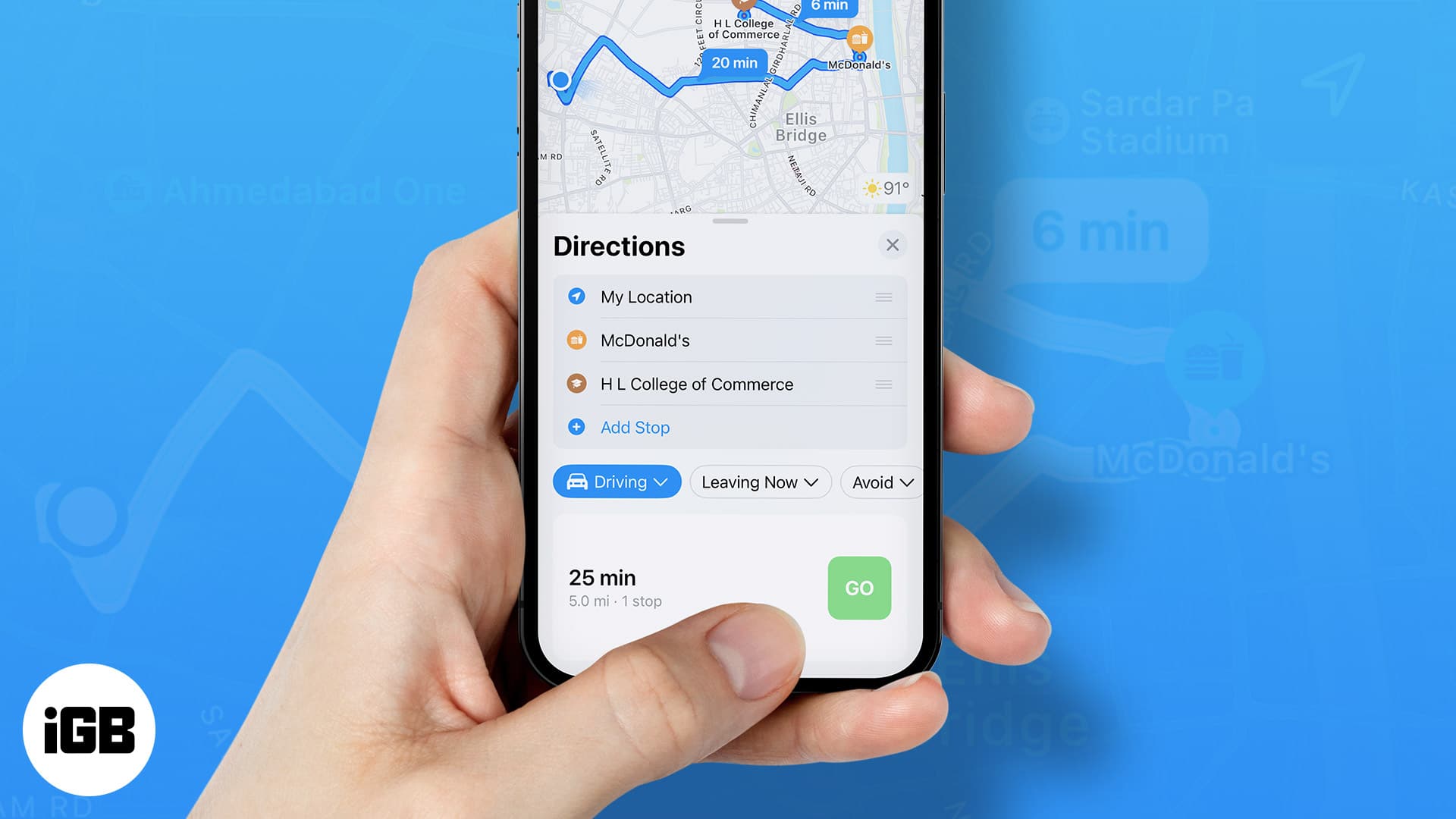
    In just the first week of July, an estimated 1.4 million people utilized Google’s wildfire information, demonstrating the significant impact this feature can have in regions experiencing wildfires. Users in affected areas can receive alerts through notifications on their phones, as well as while using driving directions in Google Maps.

    This expansion of Google’s wildfire tracking features is a welcome development, providing valuable information to a wider range of users and potentially contributing to greater safety and awareness during wildfire events. By leveraging AI and existing infrastructure, Google continues to demonstrate its commitment to utilizing technology for the greater good.

    The inclusion of Kenya and Rwanda in the list of countries with wildfire tracking is particularly noteworthy, as these regions often face unique challenges in terms of wildfire management and access to information. By expanding its wildfire tracking capabilities to these countries, Google is helping to address a critical need and potentially saving lives.

    Furthermore, the ability to access wildfire information through Google Maps and Search can be especially beneficial for travelers, as it allows them to stay informed and plan their routes accordingly. By providing real-time updates on wildfire locations and boundaries, Google can help travelers avoid dangerous areas and make informed decisions about their itineraries.

    Overall, Google’s expansion of wildfire tracking features is a significant step forward in the fight against wildfires. By providing accessible and up-to-date information to a wider audience, Google is empowering people to stay safe and protect their communities.

  • Google is about to make posting Notes for search results easier

    Google is about to make posting Notes for search results easier

    We’re currently more and more reliant on AI for searching and solving all kinds of problems. However, human opinion still matters, and it’s the best way to get reliable input. Since last fall, Google has been experimenting to offer a more human touch to people with Notes – a commentary on the search results a person got that other users can view.

    Now, the folks at Android Authority have dug into some code and have discovered that Google is working on making posting Notes easier for its Android app.

    Right now, Notes in Search is an opt-in feature part of Search Labs, and it’s currently available only to users in the US and India. Code in version 15.26.34 of the Google app for Android reveals that Google may be letting you quickly share your take on Search Results without having to choose a theme (choosing a theme appeared very important so far when posting a Note as if how things look is more important than the contents).

    With this new tweak, Google is giving you options to still choose a theme, but you can also quickly set a background to your Note by attaching an image. This change hasn’t been rolled out publicly yet, but it probably should be available pretty soon. At least to the users that get to have access to Notes anyway.

    I personally believe this feature is super useful and just wish it was available to more people. However, maybe Google needs time to refine it before it becomes globally available. Anyway, it will actually be a good thing so we don’t always have to rely on AI for feedback on something. Having someone else’s review of sorts on search results is actually a beneficial thing.

  • Google is making a noticeable change to Search on the desktop and on mobile devices

    Google is making a noticeable change to Search on the desktop and on mobile devices

    According to Search Engine Land Google is about to do one of the most Googley things possible to the continuous scrolling feature found on Google Search results both on the desktop and mobile devices. Starting today, Google has removed users’ ability to continuously scroll through desktop Search results. Later this month, it will do the same thing and end infinite scrolling on mobile Search results.

    Instead of continuous scrolling for Search results on the desktop, users will press a button that says “Next” at the bottom of the page to see more results. On mobile, the infinite scrolling will be replaced by a “More results” button. Google actually has a reason for making this change instead of dropping a feature for no reason at all, something that the company has often been accused of doing.

    Google claims that by making this change, it will be able to deliver more search results faster instead of automatically loading search results that users haven’t requested and have no interest in seeing. Google also discovered that allowing infinite scrolling of search results didn’t result in higher satisfaction scores for Google Search. Continuous scrolling debuted on the desktop in December 2022 after starting on mobile search in October 2021.

    Suppose you own a website and your site doesn’t appear on the first page of a search result. In that case, you now might see fewer visitors from Google Search since a user would have to make the decision to press the “Next” button on the desktop or the “More results” button on a phone to continue to see additional results beyond the first page. Or, desktop users can jump to a specific page using Google’s iconic pagination controls which allows a user to jump to pages one through 10 by tapping on the page number desired.

    I have yet to notice any change to the desktop version of Google Search which continues to scroll continuously. As we said, the mobile version of Search is supposed to be updated before June comes to an end.

  • Google Search can now help you ace that math or science homework

    Google Search can now help you ace that math or science homework

    Google Search is launching some new features to help you with math and science problems. These features include the ability to search for math and physics problems by typing them into the search bar or taking a picture of them using Google Lens.
    You can now add this to my list of things I wish were a thing when I was going to school: Google is now making Search and Lens even more helpful when it comes to solving word, geometry, and physics problems. Additionally you will be able to explore interactive 3D diagrams of biology, chemistry, physics, and astronomy topics.
    By just typing in your math problem into Search, you can now take advantage of Google’s new advanced math solver. Don’t know how you can even type in that intricate equation? No problem, because you can opt to instead use Lens to take a picture of it from your textbook or worksheet using Lens. Not only with Google solve it for you, but will actually teach you how to do it with step-by-step instructions.
    Another new feature is the ability to get help with word problems and geometry problems by using Google’s language models. Word problems can be particularly difficult for students, but Google Search can now solve them and throw in interactive diagrams and animations in the process.
    Finally, Google Search is now launching interactive 3D diagrams of biology, chemistry, physics, and astronomy topics. These diagrams allow users to explore complex scientific concepts in a more interactive and engaging way. For example, users can rotate and zoom in on 3D diagrams of molecules, cells, and planets.

    These new features are a significant step forward for Google Search, as they make it easier for people to find the information they need about math and science. Additionally, they are designed to help students get some extra help getting some assignments done more interactively and engagingly.

  • Future of Google Search will depend on who wins this antitrust battle

    Future of Google Search will depend on who wins this antitrust battle

    Something related to the tech world is supposed to take place later today. But it isn’t the event that you’re thinking about. Sure, Apple will be unveiling the iPhone 15 line later today, along with the Apple Watch Series 9 and the second-generation Apple Watch Ultra. But in a Washington D.C. federal courthouse, prosecutors will be putting on a case starting Tuesday that will run for 10 weeks in an attempt to prove that Google’s search business is a monopoly.
    During the 10 weeks, both sides will be testifying before U.S. District Judge Amit Mehta. We expect Alphabet CEO Sundar Pichai to appear in the witness box, and court documents show that Apple executive Eddy Cue might also be called to testify. The trial’s first phase will end in November, and after more documents are filed, Judge Mehta will make a ruling, although this is not expected to occur until early next year.
    If the judge rules against Google, another trial will be held, and this will be the penalty phase, where it is determined what penalties Google will be forced to comply with. As noted by the AP, Google has come a long way since Sun Microsystems co-founder Andy Bechtolsheim became Google’s first investor 25 years ago. Bechtolsheim gave Google co-founder Larry Page a $100,000 check, allowing Page and Sergey Brin to start Google in a Silicon Valley garage.

    Google parent Alphabet is now worth $1.7 trillion and generates $224 billion in ad revenue led by its search engine. While Google says that it is the top search engine in the world with a 90% share because it is the best search engine and beats out competitors like Bing and Duck Duck Go fair and square, the DOJ wants to bring up deals that Google has with companies like Apple. Google pays Apple a huge sum to be the default search engine on the iPhone and Safari. It also points out that Google pays Mozilla and Samsung as the default search engines on Firefox and Galaxy devices, respectively.

    Google doesn’t mind shelling out this kind of money because it makes more than it pays as millions of iPhone, Safari,Galaxy and Firefox users use Google Search allowing Google to charge big bucks to advertisers to reach these consumers. Google also demands that phone manufacturers who want to use the Google Mobile Services version of Android for their handsets use Google Search as their default search engine. All the data that Google collects from its search engine allows it to prevent Bing and Duck Duck Go from obtaining information that could improve their search results.

    Google says that consumers can easily switch their default search engine to another search provider. It also says that it faces competition from Bing’s use of AI although Google has also started adding AI-based results to its search results. Google also says that it has never stopped looking to improve its search capabilities, which explains why “Google it” has become such an iconic phrase and the company has become synonymous with search.

    In 2019 Google was fined billions of dollars by the EC for restricting Android users to selecting Google as their default search engine and Chrome as their default browser. To comply with the EU, Google showed two screens to Android users the first time they opened the Google Play Store app following an update that was about to be disseminated. The screens allowed these Android users to choose a default search engine and default browser from a list that included four Google Search competitors and four Google Chrome competitors.
  • Google Search’s new features can help you save money when traveling

    Google Search’s new features can help you save money when traveling

    Travelling provides new experiences and new experiences are the key to keeping stress levels low and happiness levels high. But what do all good trips have in common? That’s right: we take some of the best smartphones on them with us, because they are helpful travel companions.

    How would we make them more helpful though? Well, easy: new Google Search features. Most people are already using the search engine when planning out their trips, so incorporating new tools into it is a simple no brainer.

    And would you look at that? Google was thinking the same thing! The latest update to the platfor has introduced a brand new workflow, consisting of three separate features:

    • Browsing hotels
    • Saving money on flights
    • Discover what the destination holds in store

    Once a user is done with the process, they would effectively have chosen their next travel destination with ease, all from the comfort of their smartphone.

    In order to kick things off, you are expected to search for a location, combined with “hotel”. At that point, Google will present a series of “stories”, as seen on major social media platforms. Each entry will showcase features related to the hotel in question. Once the choice has been made, a helpful button can be tapped to take you straight to that hotel’s booking page.

    Still, you have to get there, and for that we can get help from Google Flights. It monitors flight prices and recognizes if a given ticket price is low, standard or high. The platform will then label the listings it shows accordingly, so that you can pick out the best deal.

    The last thing on the list is choosing what to do once you land and Google can help you optimize that too. If you search for, lets say, a monument, Search will also offer worthwhile sights nearby, so that you can get the most out of your day. Each recommendation also comes with directions and a link to buy tickets if need be.

    Summertime seems far away, but it’ll be here before you know it. If you were hesitant to start planning your trips, because of all the related hassle, this may have been the nudge you needed. Why not take a chill pill and let Google do the heavy lifting?

  • Update to Bixby allows some users to create a custom wake phrase, use Text Call in English,

    Update to Bixby allows some users to create a custom wake phrase, use Text Call in English,

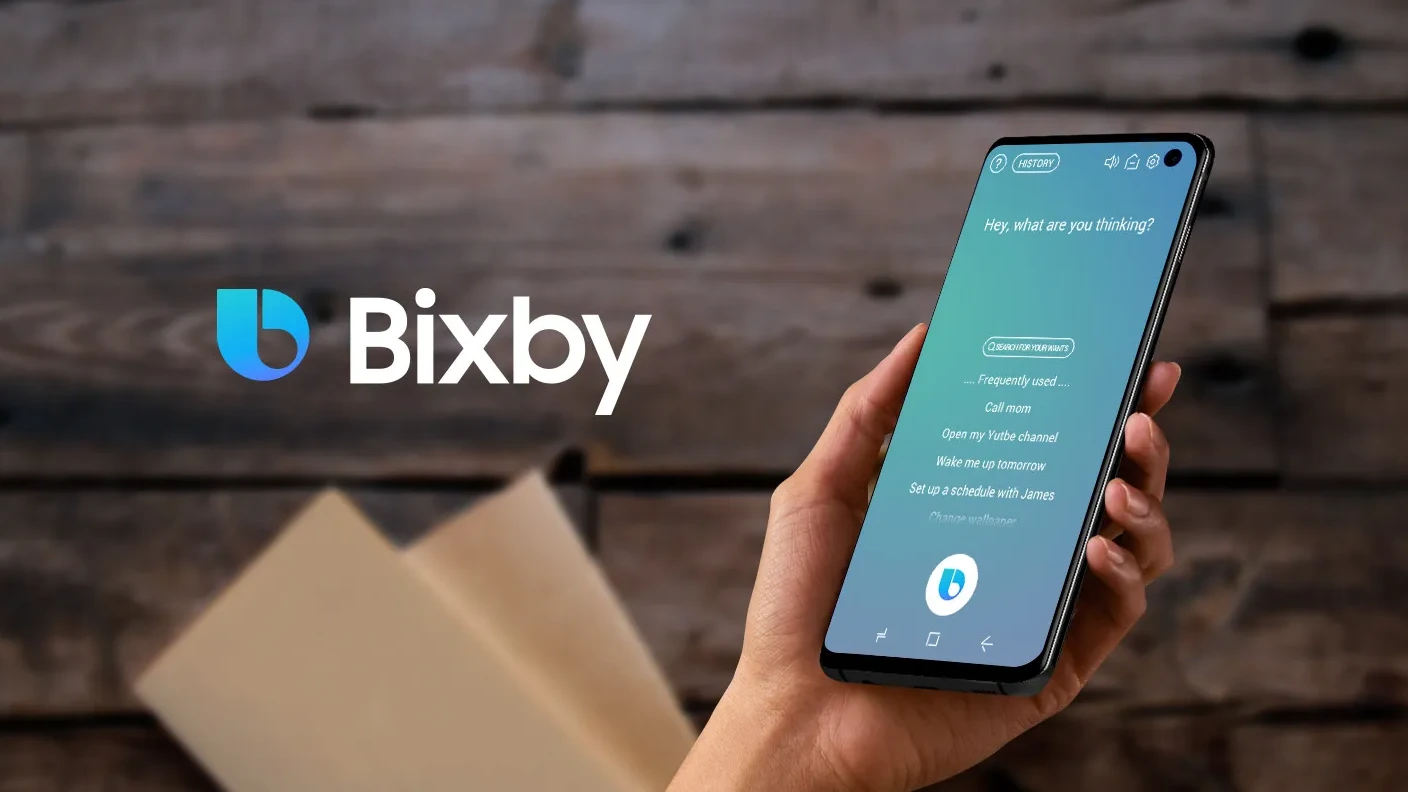
    Samsung’s Bixby digital assistant has never really captured the love and affection of Galaxy device users. But Samsung posted a press release today announcing that Bixby has received a major update that enhances the feature. And while Google Assistant still remains the best-performing digital assistant, the update to Bixby makes it clear that Samsung has not given up on the technology. The update improves Bixby’s language recognition and gives users more control over it.

    One big change will allow users to create their own custom wake phrase that will activate Bixby. And this is a feature that Google Assistant cannot offer users who still must summon Google by saying, “Hey, Google” or “Ok Google.” Can you customize a wake phrase to activate Siri? Come on, get real. We should point out that this feature is available in Korea only at the moment for the Galaxy S23, Galaxy S23+, and Galaxy S23 Ultra

    The update now allows the Bixby Text Call feature to be used in English. With Bixby Text Call, you can answer a call by typing a message that Bixby converts to audio and communicates to the person on the other end of the phone. While first available only for the Korean language, Samsung expects to make this feature available for other apps besides phone calls. With Bixby Custom Voice Creator, users can also change the sound of the audio message as Bixby analyzes the recordings and uses AI to make a custom reply

    Following the update, Bixby can play music to match the kind of workout that you’re doing. First, you launch a workout using the Samsung Health app. Then, you ask Bixby to play music to match the workout by saying, “Play music for this workout.” Supported apps at the moment include Melon, Bugs, Genie, and FLO. And by expanding Bixby’s AI capabilities, following the update, users can be offline when asking Bixby to take a screenshot, set a timer, or turn on the flashlight.
    Bixby Text Call in English will be available on the Samsung Galaxy S23, Galaxy S23+, Galaxy S23 Ultra, Galaxy Z Fold 4, and Galaxy Z Flip 4 with One UI 5.1 installed. Bixby Custom Voice Creator will be available on the Galaxy S23, S23+, and S23 Ultra. It will work on phones with One UI 5.0 or above installed.
    The Bixby updates will be disseminated this month through software updates.
  • Changes are coming to the Google Search UI

    Changes are coming to the Google Search UI

    The Google Search app user interface is about to get a new look. Google is testing some changes to the app, including a thicker search bar. Icons for voice search and Google Lens will remain on the bar. Also new, besides the girth of the search bar, is a carousel directly underneath with shortcut suggestions such as “Search recent Screenshots from your library,” get help for your homework using your camera and Google Lens, how to identify songs, and more.

    These suggestions can tell you about things that Google Search can do that perhaps you didn’t know about. They also can start the process and get the ball rolling with a single tap on the screen.

    Also new is a bell icon next to your profile picture in the upper right of the screen. Tap on it to see notifications related to all the topics you subscribe to on Google. Other improvements are coming to the app, including showing you search results even before you’ve finished typing. Just to let you know, this is different from showing you suggestions on what to search for as you type as that is currently available on the Google Search app.
    The difference is that with the new feature, Google Search will try to figure out what you are looking for even before you finish typing it into the search bar and will show you results before you are done. If Google has the correct topic, you will shave valuable seconds off of your session with Google Search. If Google is wrong, the time it takes you to look down on the screen to check and type your query out completely will add a few seconds to your Google Search session. So for this to be useful, Google has to nail the algorithm.

    Right now it’s still being determined whether Google is disseminating the changes mentioned above to the Search UI to everyone or if it is part of an A/B test (Google is known to run these often).

  • Google adds “continuous scrolling” feature to its iOS and Android Search apps

    Google adds “continuous scrolling” feature to its iOS and Android Search apps

    Toward the end of last week, Google released a blog post about the latest changes it was making to the Google Search app. Results will be more “seamless and intuitive” thanks to continuous scrolling, a new feature that has just been added to the app. Now, when you have reached the bottom of the search results on your phone’s display, the next group of results will automatically load.

    As Google points out, even if you often find the result that you’re looking for in one of the first few responses that appear on the display, most people who want to search for more responses will browse up to four pages of results. Thanks to the update, this will be done automatically allowing users to view more pages before having to tap the button that reads “See more.”

    For example, Google uses the timely question, “What can I do with pumpkins?,” as an example of a query that a user might want to see several pages of results for. Google says that “you may want to consider more results and inspiration before deciding how to move forward. Scrolling through a wider range of results may show you tons of options you hadn’t considered, like no-carve pumpkin decor ideas for Halloween, pumpkin seed recipes that make your pumpkin worth carving and more ideas for how to make the most out of your gourd.”

    The continuous scrolling feature started rolling out last Thursday for most English searches on mobile. On our iPhone running iOS 15, the feature worked like a charm continuing to automatically load the next page full of results. Eventually, as we previously noted, we did run into the “See more” option.