Tag: search

  • New Google search feature shows shoppers in-store inventories

    New Google search feature shows shoppers in-store inventories

    Google has unveiled new search functions aimed at improving the online shopping experience, including allowing consumers to see retailers’ in-store inventory from wherever they are using their device.

    The enhancements have been enabled using advances in AI technology, the company said during its livestreamed Search On conference overnight.

    A new addition to search results – an “in stock” filter – will show if nearby stores have specific items on their shelves. In an example provided by the search provider, someone looking for a kids bike helmet can click on the filter to find stores nearby that have a helmet – right down to a specific brand or style – on their shelves.

    The new feature launched overnight in Australia, New Zealand and Japan, along with the UK, multiple European markets, Brazil, and Canada.

    Another feature aimed at creating what Google describes as “a more shoppable search experience” provides visual feeds. For example, search for “cropped jackets,” and Google will deliver a visual feed of jackets in various colours and styles alongside useful information like local shops, style guides and videos.

    “With this new capability, you can tap on the Lens icon when you’re looking at a picture of a shirt, and ask Google to find you the same pattern – but on another article of clothing, like socks,” said Alphabet senior VP Prabhakar Raghavan.

    “This helps when you’re looking for something that might be difficult to describe accurately with words alone.”

    This new feature is powered by Google’s ‘Shopping Graph’ which it describes as “a comprehensive, real-time dataset of products, inventory and merchants with over 24 billion listings”. This experience has been released only in the US for now, but other markets will follow.

    Another feature, called Lens in Chrome will be launched globally during the coming months, allowing consumers to select images, video and text content on a website and see search results in the same tab – without leaving the page they are on.

  • Google’s Android app returns blank search results thanks to bug

    Google’s Android app returns blank search results thanks to bug

    Over the last few weeks a bug has affected the Google app on Android. When conducting a search, the user gets a blank response. The bug work its magic on several devices including handsets made by Samsung, Google, and OnePlus.

    If this happens to you, you could get annoyed, jump up and down on your phone and start cursing out the Google app. Or, you can handle this like the calm, cool and collected person that you are and request the search for a second time. You might also consider force closing the Google app since that appears to solve the issue, at least temporarily.

    Additionally, it appears that using the Chrome URL bar to run a search doesn’t result in a blank response, so you might want to use the search feature on Chrome if getting a blank response is not what you’re looking for from your search request. We should point out that receiving blank search results has nothing to do with the strength of your network or Wi-Fi connection.

    Dare we assume that Google is aware of this bug and hopefully is working on an update to exterminate this rather strange issue?  Yes we do because Search is Google’s most important business unit and was responsible for $104 billion in revenue for the company last year. That made up 71% of Google’s advertising gross and 57% of parent firm Alphabet’s total 2020 revenue.

  • Google lets you delete last 15 minutes of search history with two clicks

    Google lets you delete last 15 minutes of search history with two clicks

    In today’s Google I/O Livestream, the search giant announced a new little Google feature that was very briefly skimmed over, but it certainly caught our attention.

    Along with announcements about the upcoming Android 12 and many new features Google is bringing to its platforms, the company has said it will be adding the new ability to instantly delete the last 15 minutes of your search history, leaving no trace.

    This is now as simple as two clicks, with no hassle on your part whatsoever, and could likely save you many an uncomfortable moment in the future. (Otherwise, how would you keep your awesome secret Christmas gift ideas away from prying eyes, am I right?)

    The way to do this on a smartphone device is as easy as it gets: you simply need to click on your profile image on the top right of the Google home page, scroll down a little, and—voilà! The last 15 minutes of browsing on the website will be gone forever.

    This is only one of plenty of new additions Google is making to its platforms, such as a hidden “locked folder” for Google Photos, password security enhancements, vastly improved shopping functions—some of which were only teased at today’s Livestream—and more. We’ll keep you informed on any juicy new tidbits, we promise!

  • Google Assistant driving mode now rolling out to more countries

    Google Assistant driving mode now rolling out to more countries

    If you live in the United States and use an Android smartphone, chances are that you’ve already seen Google’s new Android Auto-like experience for mobile devices. Although not a full-fledged experience yet, the new Assistant driving mode meant to replace Android Auto was limited to just one market: United States.

    After several months in development, it looks like Google is confident that the Assistant driving mode is ready to be shared with more audiences. Beginning this week, Android users in more countries will start seeing the new Android Auto-like experience.

    Google’s support page mentions that this preview of Google Assistant driving mode will now be available to Android users in the following countries: Australia, Great Britain, Ireland, India, and Singapore.

    Just like Android Auto, Google Assistant driving mode should let you use voice to send and receive calls and texts, as well as alert you to an incoming call to allow you to answer or decline it with voice. Naturally, you can also use the driving mode to play your favorite music from whatever streaming service you’re subscribed to (i.e. Spotify, YouTube Music).

    Keep in mind that if you live in one of the countries where Google is now rolling out the Assistant driving mode, you’ll need a smartphone running Android 9.0 or higher with at least 4GB RAM.

  • Making the most of Shopify in Google Search

    Making the most of Shopify in Google Search

    Getting organic traffic is something that every eCommerce store owner dreams about. Targeted traffic coming to your site for free sounds like a pipe dream, but it is exactly what millions of website owners do every day. Now, it is a little more difficult for an eCommerce site to get that kind of traffic.

    This is why some platforms that your store could be built upon are better than others. Shopify, for instance, has a lot of built-in features that make it much easier to take care of your SEO. Any kind of help you can get from your platform should come very welcome. SEO is complicated and there are a lot of moving parts to keep track of.

    That’s why there are agencies dedicated strictly to SEO because it can be very difficult to do on your own. In this article, however, we will give you several Shopify SEO tips to help you bring in a lot of organic traffic.

    Optimize your site structure

    There are a few situations in which site owners, and even SEO experts, focus a lot on what Google wants and ignore the users. Luckily, when it comes to site structure you are killing two birds with one stone.

    Your site should be structured in a way that allows Google to crawl your site effectively and understand what the topic is. The more easily Google can access the relevant content then the better it can know where to rank your pages.

    On the other side of the coin, a site that is well structured is easy for a visitor to navigate. A good user experience is then had and they are more likely to stay on the site and convert from there. Whether your conversion goals are for them to sign up for a newsletter or to make a purchase, they are not likely to hit the mark if the site is hard to navigate.

    It all comes together when they stay on your site, look at lots of pages, and don’t bounce back to the SERPs. This sends a signal to Google that the site satisfied their search and that the content is good. This helps raise your site in the rankings as it will be seen as an authority on the topic.

    The best way to structure it is to break it down into categories and have each category in the menu bar that is easily seen. Then, make sure to have a lot of your relevant pages interlinked within the content.

    Make sure it’s responsive

    As more and more people use their phones as a computer, it makes sense that your site needs to be mobile-friendly. In fact, Google has stated that it is a major goal to create a system in which sites that are mobile-ready and have few of the issues associated with responsive pages will be rewarded over sites that are not.

    When your site has been online for a while and you have access to the analytics, you will surely find that most of your traffic is coming from mobile and tablets. Desktops are being used less and less.

    Luckily, this is not something you have to worry about since Shopify templates come responsive out of the box. You do need to keep a few things in mind.

    For instance, links that are too close together will be difficult for people to press since they are using their finger and not a mouse. Google will take note of these things.

    Use content marketing

    Even with all the features built into Shopify for SEO you still need content. It is the content that will bring people in, to begin with, and is what keeps them on your site. Just working on technical SEO is not enough. In fact, many content marketers will tell you that content marketing is better than technical SEO.

    The way it works is that you build authority by using various channels with lots of content. All of the content should be curated according to what your ideal user’s needs. It starts with using organic SEO and writing content on your site to rank on Google. This involves using the keywords that your audience is actively using in search and then crafting good content around those keywords. Which means having a blog on your store site.

    Then, make sure to have a consistent presence on social media. Your ideal customer is likely using just one or two platforms so it’s important to figure out which ones they are most likely using and focus there. This means that if your target audience is gamers under 25 then you shouldn’t deal with Facebook as they are not hanging out there. If your ideal customer is a middle-aged housewife then Facebook is the ideal place to focus.

    To shore up your authority create a podcast and Youtube channel. On these channels make sure to be creating content that is helpful to people so they will keep coming back for more. Over time you will be seen as a trusted source of information and head over to your site to buy your products.

    Not only are you going to be bringing in traffic through these sources, but Google will also take notice that a lot of traffic is coming in this way and use social proof to give you more authority. And more authority means better rankings.

    Use structured data 

    I mentioned how important content marketing is and that it is more important than technical SEO. Well, one way that technical SEO is crucial is to make sure to use structured data on your site.

    There are predefined formats for different types of features on your site. This is the structured data and it helps Google understand what is happening on your site. For instance, if you have a FAQ section then there should be some structured data that allows Google to know that this is what the section is. The same goes for a recipe or a how-to list.




  • Google Search gets dark mode settings toggle for iOS and Android

    Google Search gets dark mode settings toggle for iOS and Android

    A tweet from the Google SearchLiaison reveals that starting today and for the remainder of the week, Google will be disseminating an update for the Google Search app for Android 10, iOS 12, and iOS 13. By default, the app will follow the system-wide setting of your phone. So if your iOS or Android device is set on dark mode, that is how the app will appear by default.
    You can override the default settings.
    Let’s say that you have your Android phone set on dark mode system-wide but for some reason, you like the look of the Google Search app in light mode better. You can change this by going into the app’s settings to make the adjustment. On Android 10 or on iOS 12/13 you can open the Google Search app and tap the three-dot More tab at the bottom right corner of the screen. From there, tap on Settings > General, scroll down to Theme, and change the setting. This will not affect your system-wide settings. While our Pixel 2 XL received the update, it has not yet hit our Apple iPhone 11 Pro Max.
    Dark mode inverts the UI on the phone from dark text on a white background to white text on a dark background. It prevents the user and any passersby from having their retinas melted by the blaring white background light during the night or in a dark room. It also helps extend battery life a little on phones with an AMOLED display. That’s because such panels create the color black by turning off pixels in the appropriate location. Pixels that are turned off don’t use the phone’s battery, so the more black on the screen, the less energy the phone is consuming.
    If you haven’t received the update yet, check back in later during the week. Remember, Google says that it will be rolling out the update for the rest of the week.
  • Google helps you remember what you searched for with search terms chip feature

    Google helps you remember what you searched for with search terms chip feature

    Last year, Google updated the tab overview in Chrome with a nifty Grid Layout. Now comes another improvement to the search experience of the browser. The new feature, still in an experimental phase, adds a little search term chip on each tab in the preview screen showing the term you’ve used to get there.

    To activate the new feature, you should head to the chrome://flags page (type it in the address bar) and search for the Tab Grid Layout field. Tap on it and choose Enabled Search term chip from the drop-down menu. You have to Relaunch the browser to activate the change. After you complete these steps, whenever you perform a search through Chrome’s address bar, the search term will appear on the thumbnail for the tab of the page you opened. The feature works with other search engines as well, as long as you’re using the Chrome browser.

    The little term chip appears at the bottom of the thumbnail when you tap on the tab switcher icon. If you tap on the search term itself, you will go back to your search results on Google. This feature can be extra useful if you like to open dozens of tabs in Chrome and sometimes wonder what brought you to a specific page.

  • Burberry delivers AR technology to Google Search

    Burberry delivers AR technology to Google Search

    International luxury brand Burberry has launched an Augmented Reality (AR) shopping tool using Google Search that allows consumers to visualize its products within their immediate surroundings.

    The app embeds 3D images of the products in users’ environments as captured via their smartphone cameras, allowing them to “see” their prospective purchases as if they were right in front of them.

    Consumers searching for Burberry products on Google will be able to access the AR images so as to have a clearer conceptualization of the product before purchase. The tool is intended to enhance the inspiration phase of the decision to purchase, which is now thought to be becoming increasingly important for luxury consumers.

    The tool is currently available within searches for the brand’s Black TB bag or Arthur Check Sneaker conducted within the US or UK, with plans for global rollout for a variety of products over the coming months.

  • Netflix tests feature that helps members quickly find content they like

    Netflix tests feature that helps members quickly find content they like

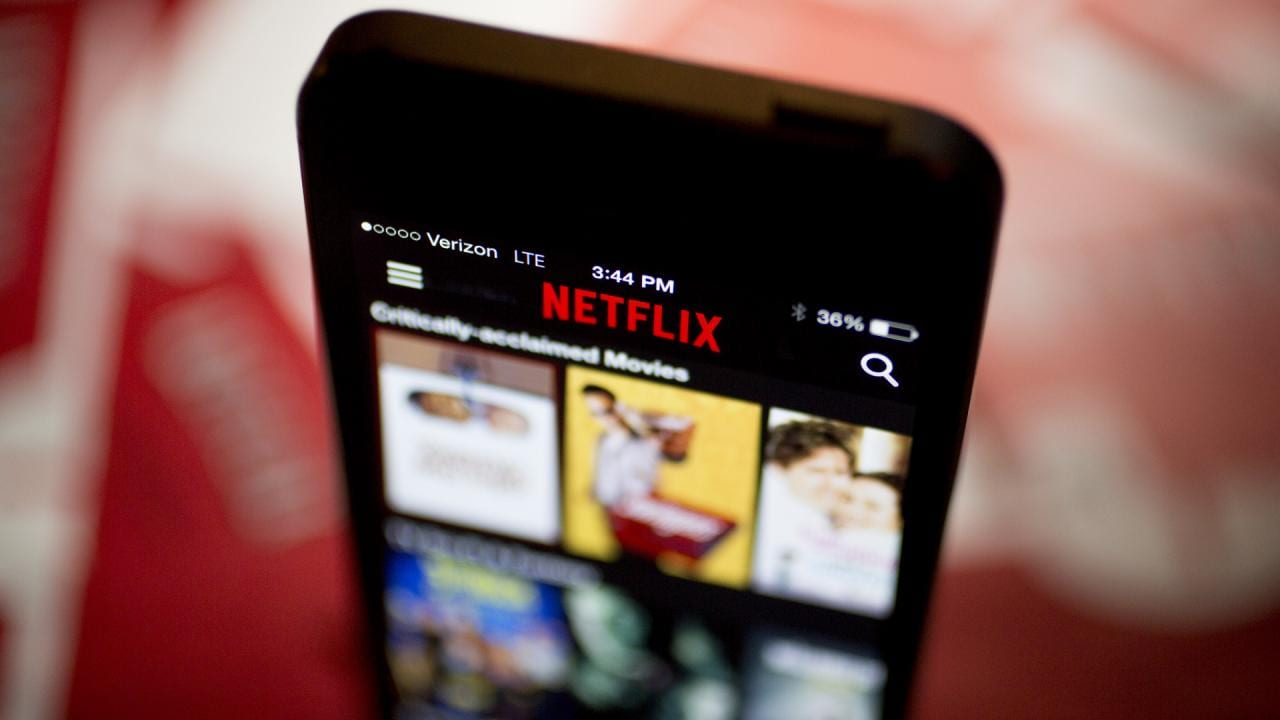
    If the recommendations made to you by Netflix’s algorithms haven’t excited you in the past, there is good news on the way. Spotted first by a Twitter user named Jeff Higgins, the video streamer is currently testing a feature on iOS devices called Collections. Content is curated by Netflix’s team of experts and the titles are placed in different categories based on factors like genre, tone, storyline and character traits. Some of the different categories include “Dark & Devious TV Shows,” “Prizewinning Movie Picks,” “Watch, Gasp, Repeat,” “Let’s Keep it Light,” “Netflix Is a Joke,” and Women Who Rule the Screen.”

    Those iOS users chosen to test the new feature will find the option to use Collections in the upper right corner of the Netflix homepage where you would normally find “My List.” Tap on a collection category that you find appealing and the page expands to reveal thumbnails of the titles in that specific collection. Above those thumbnails, you’ll see an explanation of what this collection is all about. For example, tap on “Real & Riveting” and you’ll see that the titles in this group are documentaries such as Woodstock, and American Factory.

    “We’re always looking for new ways to connect our fans with titles we think they’ll love, so we’re testing out a new way to curate Netflix titles into collections on the Netflix iOS app,” a Netflix spokesperson confirmed to TechCrunch. “Our tests generally vary in how long they run for and in which countries they run in, and they may or may not become permanent features on our service.”-Netflix

    Netflix is under more competitive pressure than ever before. For example, take Disney+, expected to launch this November 12th. For $6.99 a month, subscribers can stream on four screens simultaneously, set up to seven user-profiles and view streaming content in 4K resolution at no extra charge. To get those features on Netflix, a subscriber would have to pay $15.99 a month.

    By offering Collections, Netflix hopes to provide recommended titles that its subscribers want to see. The more time its members stay on Netflix, the less they will feel the need to sign up for a rival streaming service. As the video streamer says on its iOS app, Collections is “an easy way to find shows and movies you’ll like.”
  • Google Search update lets users find their favorite Podcasts easier than ever

    Google Search update lets users find their favorite Podcasts easier than ever

    The Search app is getting even more changes, Google announced earlier. This time all the changes are aimed at those who are often looking for podcasts to listen to via Search. Currently, there are more than two million podcasts on the web, which makes it harder to find the one you want.

    Luckily, the latest update makes searching for podcasts easier than ever. Starting today, those who search for a podcast about a specific topic on Google will get results in the form of playable episodes alongside web pages, news, images, and videos.

    According to Google, these results will be displayed based on the company’s understanding of what’s being talked about on a podcast, which will provide users to even more relevant info about a topic in audio format. Moreover, Google says that we’ll soon no longer need to use the term “podcasts” when we search to see episodes.

    But there’s more, as Google confirmed that the same feature will come to Google Assistant and Google Podcasts for web, which will allow users to ask the Assistant for podcasts about a certain topic.

    It’s important to mention that these new features will be available starting today, beginning with people using English in the United States.

  • Google makes a subtle but important change to the Search app

    Google makes a subtle but important change to the Search app

    A look at the updated version of the Google Search app reveals that Google is phasing out its Voice Search feature in favor of the Google Assistant. Voice Search could be found in the Google Search app and on the app’s widget. The iconic microphone icon, when tapped, would allow the user to verbally request a search. But now, Google wants its virtual digital assistant to take over all voice searches.

    A subtle change can be found in the Google Search app (aka the Google app) in version 10.24 or 10.28 beta. The microphone icon once found on the right-hand side of the search bar has been replaced with the Google Assistant icon. In addition, the old search bar included the words “Say Hey Google” while the updated version now reads “Ask any question.”

    Google Assistant is at the heart of the Google ecosystem. It is considered to be the best digital assistant among the top four, a group that also includes Amazon’s Alexa, Apple’s Siri and Microsoft’s Cortana. According to Google, there are now over 1 million actions that Google Assistant can handle. And with Assistant available on all of the Google Home smart speakers and the Nest Hub smart displays, replacing Voice Search with Google Assistant is a way for the company to bring all of its apps and devices in sync with each other.

    Google hasn’t finished rolling this update out to everyone yet, but it is easy to check to see if it has hit your phone. Simply open the Google Search app and check out which icon is in the search bar.

    The first virtual assistant found on a smartphone was Siri, which debuted with the Apple iPhone 4s on October 4, 2011. Apple had acquired the technology when it purchased Siri Inc. in 2010. At the time, Siri was a concierge app in the Apple App Store and its developers planned to offer it for Android and BlackBerry devices. Even though Apple had a head start in this space, some of the company’s former employees said last year that Apple lost its vision for Siri the day after it was first introduced on the iPhone 4s; that was the day that Steve Jobs died.

    Meanwhile, several tests have shown that Google Assistant recognizes questions and gives appropriate responses better than Siri. An extensive test was conducted last year of the four major digital assistants by venture capital firm Loup Ventures and its analyst Gene Munster. The test showed that Google Assistant answered correctly or performed the correct actions better than its rivals in all five categories that were being tested (Local, Commerce, Navigation, Information and Command). Siri finished last in three of the categories and only got 12% of navigation queries correctly. Alexa finished second in four of the categories while Cortana finished third in three of the classifications.

    The aforementioned test was conducted on smart speakers. So a few months later, Loup put the assistants through the paces again, but this time it used different smartphones. Google Assistant on a Pixel XL understood all 800 of the questions asked. Siri misunderstood 11 queries while Alexa and Cortana missed 13 and 19, respectively. Google Assistant won four out of the five categories (Local, Commerce, Navigation and Information) while finishing second in one of them. Siri placed second in four categories, topping Google Assistant in Command. Alexa was all over the place with a second-place finish (Information), three third-place finishes (Local-tie, Commerce, Information, Command) and wound up last in one category (Navigation). Cortana was ranked last in three categories (Commerce, Information, Command), and finished third twice (Local-tie, Navigation).

  • Google Search results are improved in response to user feedback

    Google Search results are improved in response to user feedback

    A series of tweets from the Google SearchLiaison Twitter account indicates that Google is making a small change to Google Search in response to user feedback asking for more variety in its Search results. The tweak is designed to prevent a search result from containing multiple listings from the same site. As Google says, the changes are “designed to provide more site diversity in our results.”

    Google says that with the new site diversity change, top results will show no more than two listings from the same company. But Google adds that “…we may still show more than two in cases where our systems determine it’s especially relevant to do so for a particular search….” Despite the new diversity for Google Search results, the way sites are ranked will not change. So while highly ranked sites will continue to appear near the top of search results, they just won’t be repeated as often. This is good news for smaller companies looking to drive more traffic to their sites.

    While the update is being disseminated now, it shouldn’t be confused with the June 2019 Core Update that makes changes to the algorithms used by Google Search. Nor should it be mixed up with an update that was sent out last month by Google. The latter update improves mobile search results by adding the name, URL, and logo of the website that certain information was sourced from. For example, let’s say that you were searching for some news on President Donald Trump. Depending on your political leanings, you could scan through the results and either ignore or read information pertaining to your search from Fox News.

  • Server-side update brings new look to Google Search

    Server-side update brings new look to Google Search

    Google has made a number of changes to the cards it serves up for certain search results. The headers are now pastel, and the cards feature new tabs that can provide more information about the subject. Categories ranging from the weather to sports, celebrities, and even food ingredients have these new cards. For example, the weather card has a smaller illustration but includes the temperature graph and the precipitation chances for the next day right at the bottom. Athletes have new cards with a stat tab that allows users to see how a player performed in recent games.

    Looking for a movie to see? Ask Google Search to show you movies in your city and you’ll see a list of films. Switch to the performance times tabs to see when and where the movies are playing near you. Search for a specific movie or television show and a new tab called People also search for will show sub-tabs containing related titles. Similarly, when you search for a book title, you can now hit a tab marked get book to purchase it, and more by author to see other books written by the same person.

    If you look up the name of a fictional character, the new Google Search result cards show more details. One of the new tabs will show you the name of the actor who portrayed this character in the movies or on television and the name of the television show and movies that the character appeared in.

    The update containing these changes are being pushed out to Android users via a server-side update, and there is a possibility that your phone has also received it.

  • China’s Ctrip is buying flight search company SkyScanner

    China’s Ctrip is buying flight search company SkyScanner

    Skyscanner, the Scotland-based flight search company, has been acquired by Chinese online travel giant Ctrip for £1.4 billion, or approximately $1.74 billion.

    The deal is predominantly cash and is expected to close before the end of this year. Once completed, SkyScanner will operate independently of Ctrip, both parties confirmed.

    Ctrip was founded in 1999, and it is China’s largest online travel firm. Its revenue for Q3 2016, which was announced today, came in at RMB 5.6 billion ($810 million), that’s up 75 percent year-on-year, with a slim $4 million net profit. Ctrip recently raised close to $1 billion from the sale of convertible notes, a raise that looks to have be coordinated with the Skyscanner deal.

    This news comes less than a year after Skyscanner, which has over 700 staff across 10 offices, raised $192 million in funding in January 2016 to expand its reach worldwide. That was the company’s first financing in more than two years, and investors included Khazanah Nasional Berhad, the Malaysian government’s strategic investment fund, Yahoo Japan, fund manager Artemis, investment firm Baillie Gifford, and PE firm Vitruvian Partners. Sequoia is an existing backer.

    The round valued SkyScanner at a reported $1.6 billion. The company was widely-expected to pursue an IPO in 2017, which made its acquisition somewhat surprisingly while the price isn’t a huge leap on that previous valuation. SkyScanner had seen its revenue growth slow, as Skift reported, but the company put that down to increased investment in product rather than marketing.

    Regardless, this is the largest travel tech acquisition in Europe to date. SkyScanner placed much emphasis on Asia — partnering with Yahoo Japan and acquiring China-based travel search startup Youbibi — but the deal promises to help Ctrip expand its business into international markets.

    “Skyscanner will complement our positioning at a global scale and Ctrip will leverage our experience, technology and booking capabilities to Skyscanner’s,” Ctrip co-founder and executive chairman James Jianzhang Liang said in a statement.

    In a video statement, Skycanner CEO and co-founder Gareth Williams said that the deal would enable his company to gain access to greater resources to make travel “simpler:”

    It’s been a busy past year or so for Ctrip, which has pursued M&A activity to expand. More than a year has passed since it agreed to a share swap with arch rival Qunar which saw it gain a 45 percent voting interest in Qunar in exchange for 25 percent of the Ctrip business.

    In January of this year, Ctrip spent $180 million to buy around one-quarter of India’s MakeMyTrip, while it splurged $463 million this summer to get a slice of China Eastern Airlines, a state-run airline that claims 94 million passengers.