Tag: voice

  • Globe Joins Forces with e& to Boost International Voice Services, Ensuring Secure, High-Quality Traffic

    Globe Joins Forces with e& to Boost International Voice Services, Ensuring Secure, High-Quality Traffic

    Globe, a prominent name in the telecommunication industry, recently revealed a strategic collaboration with e& Carrier & Wholesale Services (C&WS), internationally recognized as the global technology group e&’s wholesale division. The primary objective of this partnership is to supervise Globe’s international voice traffic.

    Enhancing Global Voice Services

    Under the terms of this agreement, e& is set to be Globe’s preferred partner for international voice services, providing a safe, reliable, and superior entry point for voice traffic aimed at the Globe network. e&’s international voice network, routing expertise, and security capacities will couple with Globe’s extensive market influence to offer carrier partners a safe and efficient route to the Globe network.

    Nabil Baccouche, e&’s Group Chief Carrier & Wholesale Officer, stated that this collaboration will not only enhance service quality but also ensure traffic protection and support future growth. Real-time monitoring and AI-enabled fraud detection will bolster these services.

    On the other hand, Darius Delgado, Chief Commercial Officer of Globe, expressed that the partnership signifies a significant leap in solidifying Globe’s international voice business. By collaborating with a global technology leader like e&, Globe aims to improve service quality, bolster fraud protection, and offer more value to international carrier partners.

    Prioritizing Security and Efficiency

    The service will benefit from e&’s voice security features, which include a voice firewall, AI-driven fraud prevention, real-time traffic monitoring, advanced analytics, and SIM-box detection. These features will play a crucial role in ensuring revenue protection, maintaining traffic integrity, and minimizing fraud on international voice routes.

    Globe’s strong presence in the Philippine market paired with e&’s extensive global carrier network and wholesale expertise will offer international operators an efficient connection to the Globe network. Carrier partners are expected to benefit from intelligent routing, improved traffic visibility, and consistent service management through e&.

    Questions & Answers

    What does the strategic partnership between Globe and e& aim to achieve?
    The partnership aims to supervise Globe’s international voice traffic and improve service quality, bolster fraud protection, and offer more value to international carrier partners.

    What security features will the service leverage?
    The service will leverage e&’s voice security features, including a voice firewall, AI-driven fraud prevention, real-time traffic monitoring, advanced analytics, and SIM-box detection.

    What benefits will carrier partners potentially gain from this partnership?
    Carrier partners can expect benefits such as intelligent routing, improved traffic visibility, and consistent service management through e&.
  • Revamp Unveiled: Discover the New Features in Google’s Updated Voice Search UI on Android

    Revamp Unveiled: Discover the New Features in Google’s Updated Voice Search UI on Android

    The user interface (UI) of Google’s Android voice search feature has recently undergone a transformation that might be refreshing to those who were not fond of the previous version. Earlier, when the microphone icon was tapped on the Google app, it led users to a page featuring a disembodied face. Since this voice search feature responded orally to user queries, the face’s mouth was designed to move in sync with Google’s vocal reply, which unsettled some users.

    A Digital Assistant Makeover

    In recent updates, the presence of Gemini, the new digital assistant, seemed to have replaced the unusual disembodied face. During the initial few weeks after introducing Gemini, the face disappeared. Despite Gemini performing all tasks previously assigned to Google Assistant, such as answering inquiries and setting alarms and timers, the face made a brief comeback in the new UI.

    Accessing Voice Search

    There is a multitude of ways for an Android user to access the voice search feature. The overhauled voice search UI now places the Google logo at the top center of the page, with a back button on the left and a three-dot overflow icon on the right. Users need to tap this icon to access the Voice settings. From here, the feature of Spoken Results can be activated, which will read out search results audibly. Users can also select from four distinct voices – Cosmo, Neso, Terra, or Cassini – to read out the results. Furthermore, they can select the preferred language for the voice search from a wide range of options. The dark theme too has witnessed an upgrade.

    Google’s voice search can be accessed by tapping the microphone icon within the Google Search widget on the home screen, by using the persistent Pixel Launcher search bar located at the bottom of the display on Pixel phones, or by saying “Hey Google,” if enabled.

    Revised Search Bar and Microphone Icon

    The use of the search bar and microphone icon for accessing voice search displays the previously mentioned disembodied face along with the word “Listening,” topped with a four-color arc. The new, enlarged “Search a song” button appears below the arc. This button opens a song search UI that prompts whether the user wants to “Play, Sing, Hum.” To top it all, there’s a shortcut to the Song Search history in the top right corner.

    Questions & Answers

    What changes have been brought to the Google’s Android voice search UI?
    The new UI has replaced the disembodied face with the Google logo, placed at the top center. The voice search settings can be accessed via the three-dot overflow icon on the right.

    How can Android users access the voice search feature?
    Users can access the voice search feature by tapping the microphone icon within the Google Search widget on the home screen, by using the persistent Pixel Launcher search bar, or by saying “Hey Google,” if this feature is enabled.

    What is the functionality of the “Search a song” button in the new UI?
    The “Search a song” button opens a song search UI that prompts whether the user wants to “Play, Sing, Hum.” It is also accompanied by a shortcut to the Song Search history.

  • Your iPhone might soon be able to read iMessages in your friend’s voice

    Your iPhone might soon be able to read iMessages in your friend’s voice

    Apple has applied for a new patent allowing iMessages to be read in the sender’s voice. And no, this is not Siri reading the message or a straight-up voice note. This is your phone reading the written words as it thinks they would sound and be said by the person writing them.

    For those of you who have used a VoIP service, this might remind you a bit of the Voicemail transcription some of those apps have, albeit working somewhat backward, as it is words being turned into audio and not the other way around.

    As we already established, this would be nothing new practicality-wise, since Siri can already read out loud messages to you whenever you find it convenient. If this feature does end up reaching real implementation in Apple’s devices, it would serve more as a fun extension that would bring personality to iMessages, which might sound superficial, but these little details tend to be quite liked by most users.

    Whenever one side sends a message via the iMessage app to another person who owns an iPhone, the phone asks if they would like to attach a voice file. What is this voice file you ask? Well, the good news is that you don’t actually have to manually train some voice model because you have already been doing that by talking to Siri.

    Siri would have already created and stored the file on your phone by using all that it has heard you speak. Once you send that voice file, on the opposite side the recipient would get to choose whether they want to receive just your message or the file with it. If they decide to accept both, then in the future your messages will be read with a simulation of your voice,

    Keep in mind that this is a just a patent, so there is no certainty about the feature reaching actual implementation in the future. That said, it is easy to imagine, as it just seems like something Apple wouldn’t skip on.

  • Google Voice update will put users on the best quality Cellular or Wi-Fi network automatically

    Google Voice update will put users on the best quality Cellular or Wi-Fi network automatically

    If you need a second number that will still ring through to your smartphone, you might consider the Google Voice app. Subscribers to the service can also make phone calls using this second number, and send/receive text messages. The second phone number could be used for personal calls, or if you have a business that you don’t want to have connected with your personal number, you can use the second phone number for that. This way, calls made to your business number will be sent directly to your smartphone even if you’re on the go.
    Using Google Voice for personal use is free anworks withth Android and iOS-flavored devices. It also will work on the web. As long as you use the phone number provided by Google to make or take a call once over a six-month period, you will keep that phone number for the following six months. Once you go more than six months without using the assigned number, it reverts back to Google to give out to another Voice subscriber.
    Besides using the app to make and take calls and send/receive texts, Google Voice will also save your voicemail. In fact, not only will it save your voicemail, Voice will also transcribe these messages and save the transcriptions or share them with others.
    If you are using Google Voice for business, pricing for the “Starter” tier is $10 per month per user with a 10-user maximum. Calls can be made to 10 domestic locations. The “Standard” tier with unlimited domestic calls will cost $20 per month per user with no cap on the number of users. And the Premier tier, which offers unlimited domestic and international calls, is priced at $30 per month per user with no cap on the number of users.
    Google has just made a useful change to Google Voice. According to a Google Workspace support page, “To ensure the best call experience, Google Voice now automatically switches ongoing calls between cellular data service and Wi-Fi when it determines that one network type will lead to better call quality. Previously, Voice identified the ideal network only at the time the call was placed and did not make any corrections for changes in network performance that might occur during the call.”
    In other words, before the update, if you were in the middle of a Google Voice call made over cellular and the call quality deteriorated, you were out of luck since you could not switch to a Wi-Fi connection in the middle of the call. But now, after the update, Google Voice will switch automatically to the network offering the best call quality. The new feature is now available to all Google Voice users.
    To install Google Voice tap this link for Android handsets and press on this link for iOS-powered phones.
  • WhatsApp finally improves voice messaging experience, adds new features

    WhatsApp finally improves voice messaging experience, adds new features

    As people start using voice messaging more and more, apps like WhatsApp must fine-tune the experience provided by their services. Initially introduced back in 2013, WhatsApp’s voice messaging service hasn’t evolved too much over the years, despite its userbase becoming larger.

    Today, WhatsApp announced plans to improve the voice messaging experience on its platform with the addition of several nifty features:

    • Out of Chat Playback: Listen to a voice message outside of the chat so you can multitask or read and respond to other messages.
    • Pause/Resume Recording: When recording a voice message, you can now pause the recording and resume when ready, in case you’re interrupted or need to gather your thoughts.
    • Waveform Visualization: Shows a visual representation of the sound on the voice message to help follow the recording.
    • Draft Preview: Listen to your voice messages before sending them.
    • Remember Playback: If you pause when listening to a voice message, you can pick up where you left off when you return to the chat.
    • Fast Playback on Forwarded Messages: Play voice messages at 1.5x or 2x speeds to listen to messages faster on both regular and forwarded messages.

    While these new features may not be available for everyone right away, WhatsApp announced that they will be rolled out to users in the coming weeks, so be patient if you don’t see them on your phone yet.

  • WhatsApp voice messages may soon be playable anywhere in the app

    WhatsApp voice messages may soon be playable anywhere in the app

    A report by WABetainfo reveals how WhatsApp’s global voice message player might look like. The player will be able to play voice messages that you have already begun listening to anywhere within the app. The picture shows that the voice message player might be situated at the top of the WhatsApp app and might include a progress bar that shows how much you have left from the audio message. The picture also shows a button to pause and play the message and another button to dismiss it.

    According to the report, WhatsApp’s global voice message player will eliminate the need to stay inside the chatbox in order to listen to a voice message. The player will be constantly visible and will appear on every page of the WhatsApp app, hence the word “global.”

    Because of its global function, WhatsApp’s voice message player is supposed to become very useful for listening to long voice messages. By using the player, you will be able to listen to a long audio message while, at the same time, chatting with other contacts.

    WhatsApp’s global player for voice messages is still in its development stage. At the moment, there is no official information on when this new feature will be released to WhatsApp’s users.

  • You can now control your Ray-Ban Stories glasses with your voice

    You can now control your Ray-Ban Stories glasses with your voice

    Meta and Ray-Ban’s Stories glasses just received their latest software update, which broadens up the voice capabilities of their product.

    The newest Stories glasses update enables you to control them with your voice. You can tell the built-in voice assistant to send texts and make calls using Messenger.

    The Ray-Ban Stories assistant can now also read the received messages. Another new feature introduced with the latest update is the ability to use your voice to control the audio playback. You can now pause, play, and control the volume by telling the voice assistant what you want it to do.

    To use the voice control of the Ray-Ban Stories, you will have to say “Hey Facebook” first and then continue with the command.

    Before the latest update, the only way to control the Ray-Ban Stories was to use the built-in control panel. Because the glasses have two built-in cameras, three microphones, and two open-ear micro speakers, you could use them to take videos, photos, make calls, and listen to music.

    More updates to the Ray-Ban Stories are coming in 2022, said Mark Zuckerberg in a post on Facebook when announcing the new update.

  • Google Fi is fi-nally getting end-to-end encryption for phone calls

    Google Fi is fi-nally getting end-to-end encryption for phone calls

    If you’re concerned about the privacy of your voice communications, Google has a new way to guarantee that no one can snoop in on your calls anymore.
    Of course, there’s only so much the search giant can control, so the newly announced end-to-end encryption feature will merely work on the company’s own Fi MVNO (mobile virtual network operator) starting sometime “in the coming weeks.”

    Both the caller and the callee will need to be Google Fi subscribers and use Android phones for everything to work as advertised, at least to begin with. There’s not a lot to the technology that Big G plans to deploy before long, and all you have to know is that everything discussed during fully encrypted one-to-one voice calls will stay between you and the person you’re talking to.

    To avoid potential confusion or misunderstandings, a bunch of new “audio and visual cues” will make it crystal clear both before engaging in and during end-to-end encrypted calls that you’re wholly and entirely protected from spying ears.

    Namely, look for a lock symbol and straightforward “Encrypted by Google Fi” text on your phone’s screen or be aware of a “unique ringing tone” to make sure the functionality is indeed up and running. Obviously, the feature itself is hardly groundbreaking, as Google points out by highlighting that end-to-end encryption has become an “industry standard” in recent years for messaging apps.

    Slowly but surely, things are moving in the right direction from a privacy and security perspective as far as voice services are concerned as well, thanks to the likes of Facebook and now Google. The search giant’s Duo app actually launched with built-in end-to-end encryption for audio and video calls all the way back in 2016, so if anything, we’re surprised it took so long to implement this for Fi users.

  • Waze adds cats and dogs voices and moods, car icons to its app

    Waze adds cats and dogs voices and moods, car icons to its app

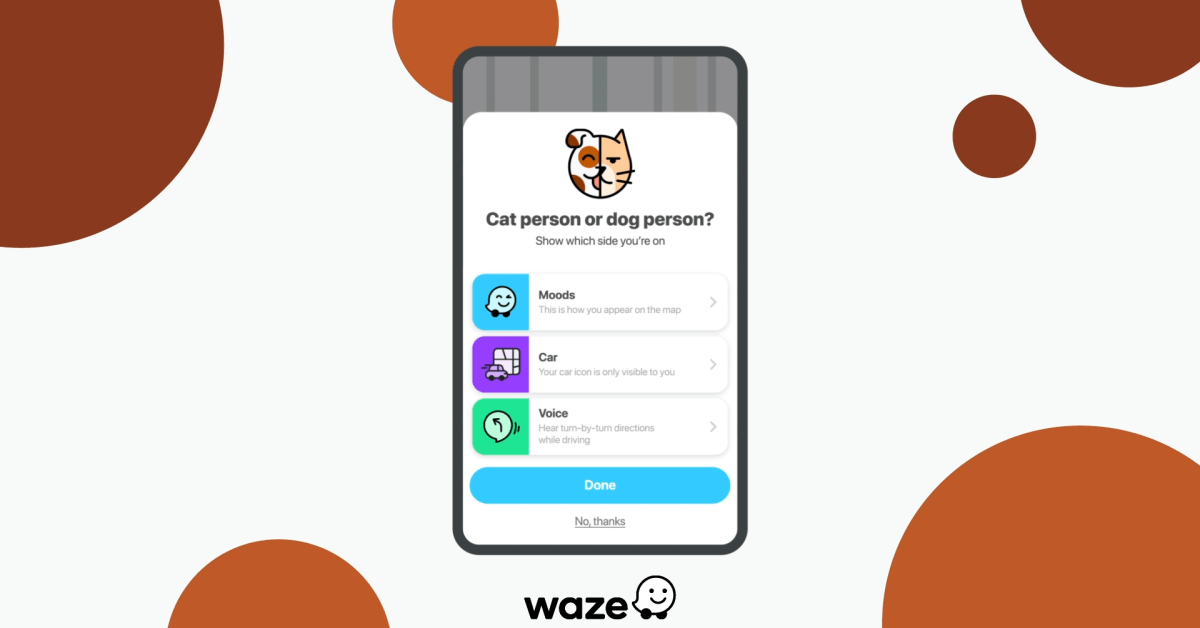
    More voices are coming to one of the most popular navigation app, Waze. This time we have something special to talk about, as Waze is adding cats and dogs voices to its mobile apps. So, regardless of whether you’re a cat or dog person, Waze now has you covered.

    From today for a limited time, Waze users can choose between two navigation voices that personify a dog or a cat. But we’re getting a lot more than just two voices, as each is themed toward a different mood.

    The dog voice is upbeat, positive, encouraging, and excited (distracted too!), while the cat voice is c, but also funny and irreverent. So it’s up to each user to choose the theme they like.

    In addition to the new voices, Waze introduces new car icons that can be used on the live map, such as the Meow Mobile and the Woof Wagon. There are also meant to show the user’s pet preference as they’ll have to change their mood to Cat or Dog.

    Keep in mind that the Cat & Dog theme will be available in English, French, and Spanish for a limited time, so make sure to download them before they’re gone.

  • Microsoft Office for Android updated with option to capture voice recordings

    Microsoft Office for Android updated with option to capture voice recordings

    Microsoft rolled out important new features to Office Mobile in the last month. After getting full-fledged dark mode support back in May, the Android version of Office Mobile is now gaining yet another new feature: the ability to capture voice recordings.

    As the name suggests, the new feature lets Android users go beyond simple voice memos, with live speech-to-text transcription. The implementation includes additional benefits like synced text highlighting during playback and the ability to share content by exporting it to other Microsoft 365 apps and services.

    Only for Microsoft 365 subscribers, the new feature allows for partition and transcription of the input from different speakers based on their identity. Here is how the new feature works:

    • In the Microsoft Office app on your Android device, tap the “+” button at the bottom of the Home tab.
    • Under Quick capture, tap Voice to launch the voice capture experience.
    • Start speaking to record and tap the Done button when finished. Your recording will be saved as a voice card. You can view all your voice captures in a list view.
    • To review your recording, select the voice card for playback with synced text highlighting. Your voice recordings are also available on your Home tab for easy access.

    Microsoft announced that the ability to capture voice recordings is now rolling out to users of the Office Mobile for Android with English (US) selected as their language and country/region.

  • Amazon brings Dark and Light modes to Alexa app on iOS devices

    Amazon brings Dark and Light modes to Alexa app on iOS devices

    An important update is now rolling out to Alexa app users on iOS devices. The update adds support for both Light and Dark modes, allowing users to switch between them on the fly, as well as Dynamic Type support.

    The update is meant to further improve Alexa’s accessibility features. Thanks to the newly added Dynamic Type support, iOS users will no longer have to choose the size of the text within the Alexa app. Instead, the app will now automatically choose the text-size set at a system level.

    As far as the new Dark/Light modes go, the new feature lets Alexa app users switch between them or let the app handle usage of the modes automatically. By default, the Alexa app will switch appearance at sunrise and sunset, but users can permanently set the app to either Light or Dark Mode from the iOS’s Settings menu.

    Previously, the Alexa app did have a dark mode, but it didn’t display a completely black background whereas the new one added in the update does a better job at mimicking the black color. The updated Alexa app has already been uploaded to the App Store, so feel free to download it to benefit from the recent changes.

  • Waze brings back a beloved voice for a limited time

    Waze brings back a beloved voice for a limited time

    Waze has just announced that due to popular demand it has decided to bring back a beloved voice. Starting today, in celebration of Cookie Monster’s birthday this month, Waze users will be able to download the Cookie Monster voice for a limited time in the United States.

    Cookie Monster is Waze’s most downloaded voice in the United States to date with over 130 million monthly active users on the road using this specific voice. The voice was originally released in the US this summer as part of the company’s partnership with Sesame Street.

    Just as with all Waze famous voices, Cookie Monster was only available for a limited time, but if you didn’t manage to get it for whatever reason, now would be a good time to fix that.

    To get Cookie Monster’s voice, Waze users must open the application and click the magnifying glass. Then, simply open the Settings menu and choose “voice and sound.” The last step is tapping the “Waze Voice” and choosing the Cookie Monster voice, which, once again, will only be available for download for a limited time.

  • OCBC’s Voice-Based Virtual Assistant Logs 20,000 Requests

    OCBC’s Voice-Based Virtual Assistant Logs 20,000 Requests

    OCBC’s voice-based virtual assistant has successfully resolved over 20,000 requests since its launch in mid-August, the bank said, breaking down the request types received.

    According to OCBC, half of the requests were about spending categories and budgets with another 30 percent being on inquires about past banking transactions. Other popular voice-based requests include locating ATMs, paying bills and changing PINs.

    The «OCBC Banking Assistant» can be found in the bank’s mobile app and was developed over 13 months in partnership with U.S.-based fintech firm Clinc, engaged through the bank’s Open Vault fintech and innovation lab.

    The bank notes that the development of an effective voice-based solution required local considerations or, in its case, a consideration for Singaporean English. Unstructured phrases commonly used in Singapore such as How much I spend on dining?, Can show my spending pattern? or Can pay my bill?, were stumbling blocks that had to be ironed out.

    Ordering up and carrying out commonly-used banking services just by talking to their smartphones will make it much easier for our customers to manage, move and multiply their finances on their own terms,»said Aditya Gupta, head of digital business, Singapore and Malaysia, OCBC Bank.

    We are bullish on the conversational AI and natural language processing technology and will continue to invest in enabling more voice-activated interactions over time.

  • Waze is getting a new celebrity voice for driving directions

    Waze is getting a new celebrity voice for driving directions

    If you’re a long time Waze user, then you’re probably familiar with the app’s habit to bring in celebrities to give you driving directions. Of course, if you haven’t tried out the popular navigation app yet, this is a great chance to give it a go since the hip hop musician DJ Khaled is going to give you all the warnings about hazards and advises while you’re driving.

    Starting May 22 and until June 30, Waze users will be able to set DJ Khaled as the new navigation voice for the app. Aside from lending his voice to Waze, DJ Khaled will also provide drivers with precious advises like “Stay focused,” “Don’t play yourself,” and “The top’s off the Mayback!”

    We are beyond excited to launch the DJ Khaled voice in partnership with our friends at Deezer. DJ Khaled has one of the most recognizable voices in the industry and is beloved by many of our 115+ million users around the world, so we can’t think of anyone better to safely and entertainingly guide Waze drivers on their journeys.

    Obviously, you’ll be getting DJ Khaled’s voice on both Android and iOS versions of the app, so regardless of what smartphone you’re using, make sure to head to Settings / Voice Directions, and select DJ Khaled to be blown away.

  • Globe Q1 profit grows 44%

    Globe Q1 profit grows 44%

    The Philippines’ Globe Telecom has reported a 44% year-on-year increase in net profit for the first three months of 2019 to 6.7 billion pesos ($129.1 million), partly as a result of strong data revenue growth.

    The company reported revenue for the quarter of 36 billion pesos, up 13% year-on-year. Growth was mainly fueled by increasing data usage across the operator’s service offerings.

    Mobile revenue grew 11% to 27 billion pesos, with mobile data revenues reaching 16.5 billion pesos, representing 61% of gross service revenues. Total mobile data traffic surged to 370 petabytes for the quarter.

    But mobile voice revenues fell 15% to 6.3 billion pesos, with SMS revenues down 22% to 4.2 billion pesos.

    Globe’s home broadband business reported 21% higher revenue of 5.2 billion pesos, with the company’s total subscriber base increasing 22% year-on-year to 1.7 million. Of these, 63% are fixed wireless subscribers. Enterprise data revenues grew 16% year-on-year to 2.7 billion pesos.

    Globe’s capex for the quarter reached 8.8 billion pesos, representing 24% of topline revenues.

    “As we continue to invest in our LTE network, we are also excited with the growth opportunities of our 5G commercial pilot launch in June this year,” Globe CEO Ernest Cu commented.

    “Through this launch, we will be able to offer our customers a whole new ecosystem of devices to enhance the way they experience data to the home. This is in line with our proven strategy of making our customers a priority, by providing them a superior digital and network experience, despite all the industry challenges that we face ahead.”