After looking through the latest version of the YouTube Music app, which supports the media player that will be found in the upcoming Android 13 update, 9to5Google came across the following code: “res/layout/timer_status_bottom_sheet.xml” which hints that a sleep timer is coming to the YouTube Music app.
Tag: YouTube
-

Discovered code reveals that YouTube Music could soon add a much wanted feature
The original goal for YouTube Music was for the app to offer the same exact features as Google Play Music before migrating users from the latter to the former. But before that could happen, Google shut down Google Play Music. But one particularly well-received feature from the now defunct Play Music app is apparently going to make its way to YouTube Music.In Google Play Music, setting the sleep timer meant going into the main settings list to set the feature. Hopefully, the sleep timer will be quicker to enable/disable in YouTube Music. The strings of code found do reveal that a countdown timer will be visible to the user who will also have an option to add five additional minutes to the timer or cancel. The report says that the timer could be similar to the sleep timer found on the Android version of the Apple Music app (seen in the screenshot embedded in this article).The sleep timer on the YouTube Music app could look like the feature on the Android version of Apple MusicA sleep timer is useful if you don’t want your phone or tablet to run all night after you fall asleep. At the most, if you’re running your device using its battery, you can prevent the battery from draining while you are sleeping. You also might not awaken in the middle of the night because a particular song interrupted your dreams.When YouTube Music might add a sleep timer is anyone’s guess and there is always the possibility that Google doesn’t add one at all despite the discovery of the code. -

YouTube Go is going away this August
The world is now a better place – broadband internet is everywhere, data prices are falling, and practically every smartphone out there can surf the web well enough. There’s no sarcasm in these words, guys – and the latest news from Google proves it!
Earlier this year, the search giant announced that it will retire the Lite mode in Chrome, saying that “In recent years we’ve seen a decrease in cost for mobile data in many countries, and we’ve shipped many improvements to Chrome to further minimize data usage and improve web page loading.”
Now Google is preparing to pull the plug on another “lightweight” app – YouTube Go. “Today, we are announcing that YouTube Go will be sunsetted beginning in August,” reads part of the official announcement on Google’s support pages.
Again, the reasoning behind the retirement of this app lies in the fact that entry-level devices have become so powerful that they can run the main YouTube app well enough, and connectivity and data prices are not a critical issue anymore.
When we launched YouTube Go in 2016, it was designed for viewers in locations where connectivity, data prices, and low-end devices prevented us from delivering the best experience in the main YouTube app.Google says that it’s working on additional user controls that help to decrease mobile data usage for viewers with limited data, so any fringe cases can be addressed. YouTube Go lacks several features compared to the main app, including the ability to comment, post, create content, and use dark themes.
There are, however, some question marks around the transition to the main YouTube app. Some users have raised concerns about functionalities that are not present on the current free version of YouTube, the ability to download videos and watch them later, and also the option to disable YouTube shorts in your feed.
-

YouTube TV is getting the long overdue account switcher feature
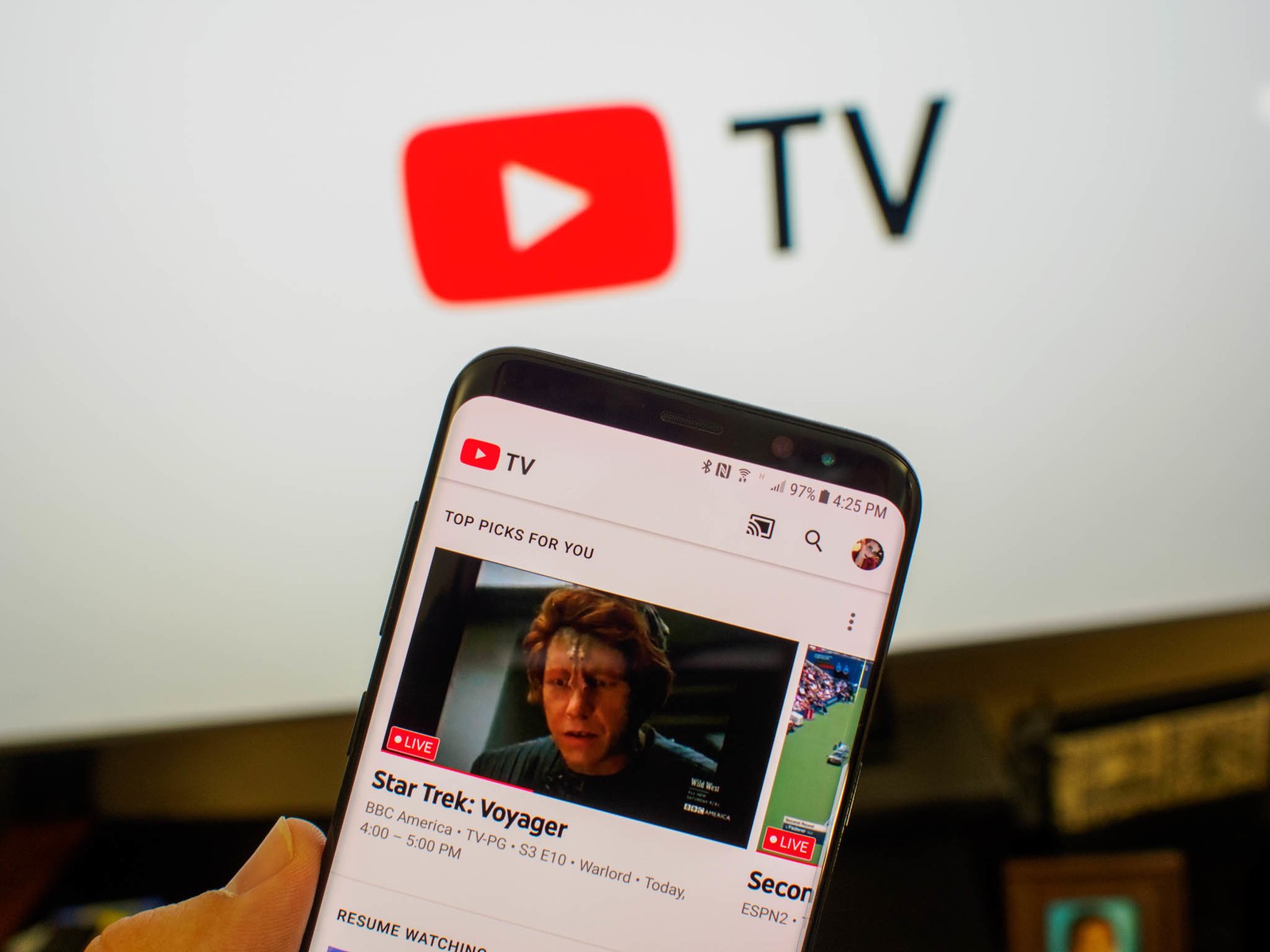
YouTube TV made headlines quite a few times this month thanks to the many changes the service has been going through lately. After adding several new channels to its offering, including The Weather Channel, and introducing picture-in-picture (PiP) for iOS devices, YouTube TV is now getting a long-overdue feature aimed at users who share their subscriptions with other people from their household.
One of the best streaming services in the United States, even better than traditional live TV for many, YouTube TV will finally allow subscribers who use multiple accounts on their TV to switch between them on the fly. The new feature will be rolling out to accounts in waves, YouTube TV confirmed after revealing the news.
YouTube TV subscribers can add as many new accounts as they want to make family sharing that much easier. The newly added feature will only hep YouTube users on non-Android/Google TV device since the original app already has a switcher that does the same thing.
The streaming service that offers live TV, on demand video and cloud-based DVR from more than 85 television networks, YouTube TV is available in the United States for $65. Created as an alternative to traditional live TV services, YouTube TV looks even more appealing in a world where smart TVs have become the norm.
-

Google introduces ads in YouTube Shorts
We live in a time when, thanks to TikTok, the short-video form factor is crazy popular and has extreme potential for monetization. Naturally, every social media platform wants a piece of that pie. We have Instagram and Facebook with their version — Reels — and we have YouTube with its Shorts.
As Bloomberg first reported, YouTube wants to increase its earnings from Shorts and has begun experimenting with ads on its short videos. Currently, the ads you will see in Shorts are mainly the app-install ones, but there may be other promotions sprinkled in as well.
It looks like the experiment is going well for the platform. Philipp Schindler, Google’s chief business officer, told investors, “While it’s still early days, we’re encouraged by initial advertiser feedback and results.”
But why now, Google? After all, the tech giant introduced YouTube Shorts in 2020 and needed two years to add advertisements to its short videos. A possible reason could be that, for the first quarter of 2022, YouTube’s ad revenue growth was 14%, which is lower than what was expected by the analysts. It received $6.87 billion in revenue, compared with an expected $7.4 billion.
Also, the tech giant has noticed a decrease in direct response ads, like app-install campaigns. And since Shorts now receives 30 billion daily views, Google is leveraging that to increase YouTube’s ad revenue and simultaneously the direct responses of its ads.
The tech giant has noticed a decrease in direct response ads, like app-install campaigns. That’s why it decided to leverage the 30 billion daily views that the Shorts platform gets to boost specifically those types of advertisements.
-

YouTube Shorts are finally coming to iPads and Android tablets
Social media apps borrow features from each other all the time to keep up with the trends. Snapchat, Instagram, TikTok and YouTube have been adding new features that have similar functionalities for a long time, something that has become very common in the last couple of years for many other industries.
Introduced back in 2020, Shorts, YouTube’s take on TikTok’s short-form videos, have amassed five trillion total views as of January 2022. The number includes all platforms where YouTube Shorts are available such as Android phones and laptops but does not include tablets, which don’t support the feature.
However, YouTube fans will be happy to know that Shorts will soon be coming to Android and iOS tablets. Although they won’t be available on both platforms at the same time, at least we know YouTube plans to make them available on tablets too sooner rather than later.
According to YouTube, the Shorts option should be rolled out on YouTube’s apps for Android and iOS tablets “in the coming weeks.” Once the new feature will go live, tablet users should see a Shorts tab within the YouTube app. More details about how to create a Short using a song from YouTube’s library are available on the support page.
-

YouTube TV brings picture-in-picture (PiP) feature to devices running iOS 15+
YouTube confirmed back in February that it will bring picture-in-picture to YouTube TV on iOS devices. At that time, YouTube’s officials didn’t provide an ETA nor any details about what devices will be available with PiP.
One month after the initial announcement, YouTube TV confirmed that picture-in-picture is now rolling out to iOS 15+ devices. As to why this feature is only available on iOS 15+ devices, your guess is just as good as ours, but since Apple typically keeps all its iPhones and iPads up to date, it’s only the older devices (older than iPhone 6s) that won’t have access to this specific feature.
Picture-in-picture works with both on demand and live TV content, so you won’t have to worry about that. To use it, simply select a video that you wish to watch and swipe up from the bottom of the screen to return to the device’s homepage. As soon as you do that, the video will scale down and move across the screen.
It’s unclear if the feature is available right now to everyone or YouTube TV has decided to go for a staged rollout. Either way, iOS users should start seeing picture-in-picture on their phones and tablets very soon.
-

YouTube working on a new home feed with dimmed background for videos on autoplay
There is a new user interface test that’s been going on for YouTube on mobile, which is introducing some new tweaks to the “Playback in feed” feature in order to make it more immersive. The tweaks were discovered in a beta version of the app. The change to the user interface will have new in-feed controls for the volume of the video that has played automatically, as well as closed captions, alongside the ability to save it to “Watch later” or skip it. At the same time, the rest of the YouTube home feed will be dimmed shortly after a video starts to autoplay.
If you want to access the controls, you need to tap on the three-dot expanded menu option that will be alongside the video title, channel icon, and the count of views. Pretty much, to some, this change might appear a bit intrusive.
However, it is most probably in testing so that the YouTube auto-playing feature gets more immersive. Basically, the feature is reminiscent of the Turn Off the Lights extension for Chrome, which goes and dims all other elements of the UI except for the video player. For people who want to focus on the content in the video, this feature will prove to be quite useful.
This change has been noticed in YouTube beta v17.10.35, but it is not widely available yet, probably more like a part of an A/B test. At the moment, it seems there isn’t a way to adjust this feature or disable it.
We can’t help but think of TikTok for this one, as its purpose is viewing videos in-feed instead of on dedicated channels. Probably, YouTube is planning that in order to better rival TikTok’s growing popularity. We also have YouTube Shorts that’s another way the company is looking to better match what users like and how users prefer to consume content online.
-

TikTok expands its maximum video size to 10 minutes in possible challenge to YouTube
The length of videos created on the platform can now run as long as 10 minutes which more than triples the previous maximum length for videos recorded on the app. Last July TikTok raised the limit on video length to three minutes from 60 seconds. So in less than one year, TikTok subscribers went from recording videos no longer than 1-minute to recording videos that run as long as 10 times that length.
We aren’t sure that we can continue to call TikTok a short-form video app with the new expanded 10-minute maximum video length. But with the longer recording capabilities available to TikTok creators, users now have a reason to spend more time in the app, watching videos. The Wall Street Journal says that according to people familiar with the matter, ByteDance told some unnamed people back in January that TikTok took in $4 billion in ad revenue for 2021.
TikTok has over 1 billion monthly active users who receive short-form videos that are sent to their TikTok feed thanks to an algorithm that matches subscribers’ interests with the subject of the videos sent to their feeds. Social Media consultant Matt Navarra made an interesting point when he sent a tweet that said, “TikTok creeping in on YouTube territory. I can now upload videos up to 10 minutes long.”
Navarra’s tweet included directions from TikTok about the update and it told users to make sure that they have downloaded the latest version of the TikTok app before setting out to record content as long as ten minutes. In a statement, TikTok said, “We’re always thinking about new ways to bring value to our community and enrich the TikTok experience.”
“Last year, we introduced longer videos, giving our community more time to create and be entertained on TikTok,” the statement continued. “Today, we’re excited to start rolling out the ability to upload videos that are up to 10 minutes, which we hope would unleash even more creative possibilities for our creators around the world.”
Last August, we told you that TikTok was working to increase the cap on video length to 5 minutes or longer which would have been a 67% hike from the 3 minutes that TikTok was allowing at the time. While the tipsters were right about what ByteDance was working on, they were wrong about how much longer users would get to record their content.
Content created on TikTok includes dancing, lip-syncing, singing, comedy, and more. But where the extra time really comes in handy is with video tutorials that viewers might be able to watch in full without having to watch it in different parts. For example, a TikTok video showing users how to explain baseball’s complex “Infield Fly Rule” might take just one long 10-minute video to explain instead of forcing users to view three or four shorter clips instead.
While Social Media consultant Navarra mused about TikTok quietly making a move on YouTube, the former has a long way to go to come close to YouTube’s advertising revenue. Google’s streaming video app took in $28.8 billion in revenue last year, more than seven times the amount that TikTok did.
Still, YouTube felt threatened enough by TikTok that it created a short-form video service of its own called YouTube Shorts. Other social media apps went after TikTok including Instagram which launched its short-form Reels feature in 2020. Facebook and Snapchat also developed their own short-form video platforms in an attempt to attract TikTok users and convert them to their own video apps.
The new 10 minute video recording cap will start rolling out to TikTok users worldwide during the upcoming weeks. Users will receive a notification when the update containing the new cap is available to be downloaded.
You can download the TikTok app for Android and iOS from the Google Play Store and the App Store respectively. TikTok remains one of the most downloaded apps in the world.
-

YouTube starts rolling out a new Live rings feature on mobile
YouTube is a huge place with millions of channels each firing out content on a regular basis. In the past few years streaming content live has become a trend, and people enjoy watching vlogs, reaction streams, and shows as they happen.
Now, YouTube has started rolling out a new feature called “Live rings”, aimed to help YouTube users find livestream content. The new feature was announced by Neal Mohan, Chief Product Officer at YouTube – he posted a quick preview on his Twitter page.
“Really focused making it easier for users to find live streams on @YouTube so we’re rolling out the Live rings feature on mobile! @YouTubeCreators streaming live will now have a ring around the channel avatar & clicking on the avatar will take you directly to the Livestream,” says Neal in his Twitter post.
When a channel begins live streaming, a red ring will appear around the avatar of that channel. Users then will be able to go directly to the live stream (rather than visiting the creator’s profile page) by clicking on the avatar.
The idea isn’t exactly new or original, as Instagram and TikTok have a similar approach to the concept. The new feature is already rolling out on mobile devices but there’s no word whether it will be available on desktop as well.
-

YouTube for Android gets new look in fullscreen mode
The YouTube app for Android is receiving a new look starting today when videos are viewed in fullscreen. If you turn your phone into landscape mode while viewing a YouTube video and press pause, you’ll notice something new. On the bottom of the left side of the display, there are thin outlines of new icons that allow you to like the video, dislike it, comment about the video, add it to a playlist, or share it with someone else.
On the bottom right of the fullscreen view is an icon showing multiple videos in fullscreen mode alongside the words: “More Videos, Tap to see all.” When you tap on it, a carousel surfaces to show other videos that you might find interesting. The video timeline is moved a little higher and the three-dot settings icon on the upper right corner is turned into the gear icon used to represent the settings menu on several other apps (although that change was made for both the landscape and portrait modes of YouTube).
Lastly, tapping on the small upside-down pointer, triangle, or chevron (whatever you want to call it) next to the title of a video will bring up the description of it with the number of likes, the number of views, and the date that the video was first posted on YouTube. This is where some videos will have a written description and some will be broken down by chapters making them easier to navigate.
The new fullscreen UI for YouTube has been rolling out today from Google to Android users while iOS users will have to wait for the new look UI.
-

New feature begins rolling out for YouTube Music called “Recommended radios”
YouTube Music is rolling out a feature called “Recommended radios.” Instead of radio stations created from a single song, the new feature creates a station from multiple songs and artists and recommends it to users. You can press the home tab button and scroll about halfway down the page to find the new “Recommend radios” carousel if it has already hit your phone. There are 10 stations shown with the carousel and they update every time you refresh the feed.
Each station mentions up to three songs that provided the inspiration for that particular station. Each station is named after the title of a band or the genre that the station covers. And the name of the decade associated with the music is often included.
With the mobile version of YouTube Music, tapping on one of the stations will bring up the playlist page (as opposed to auto-playing the station when you click on it with the desktop version). A Reddit user who goes by the handle of “Fuyou_lilienthal_yu” said, “This tab was just there when I scrolled down on the app. It seems to be like the Mixes except it gives you a specific theme like “Sangatsu no Phantasia, Deep cuts” and then having a playlist with probably SnP’s entire discography.”
He adds, “Other playlists seem to be stuff like XXX Discovery radio where it’s full of presumably similar songs as the source artist. There doesn’t seem to be a limit to how many songs are allowed on a single radio, the first one in the list was something like “Gen Hoshino Radio” or whatever and it had a seemingly endless scroll of music…All in all it seems cool, more ways for them to help you to listen to music the better.”
The YouTube Music app is available for both iOS and Android, and the new feature started rolling out this past weekend although not everyone has it yet. For example, we have yet to see it on our Pixel 6 Pro running Android 12.
-

Google announces the end of YouTube Originals
If we roll back the time to 2016, we will witness one of Google’s many initiatives—to create a new service that would one day stand toe to toe and compete with the likes of Netflix. Well, here we are, in 2022, and it seems this endeavor proved too ambitious even for Google.
Of course, we are talking about YouTube Originals—a program that was created to provide, as the name suggests, original content in a longer-video format. Alas, YouTube’s Chief Business Officer, Robert Kyncl, shared that the program will be coming to a close. He also announced that Susanne Daniels, YouTube’s global head of original content, will be leaving Google on March 1, 2022.
YouTube Originals started with a logical first step. It gathered well-known creators that had made a name for themselves on the platform and invited them to take part in said new form factor.
Later on, however, other content with more budget behind its production started to pop up, such as the now-popular Cobra Kai show. Unfortunately for Google, though, after ending the second season, the show was then taken by none other than Netflix itself, the main competitor of YouTube Originals.
Thankfully, Kyncl shared that Google will respect the commitments it has already made to certain fund programs, like YouTube Kids Funds and Black Voices. He also mentioned that they will honor already contracted shows that are in progress, as well as the creators associated with them. Kyncl also assured said creators that they will be contacted directly soon.
Google has a long track record of starting things and then deciding to abandon them out of the blue. With that said, this is not the case with YouTube Originals. The program lasted for about seven years, and the search giant gave it a try. Also, despite rumored new upcoming shows, there were obvious signs that it was all coming to a close.
-

YouTube Music, Premium launches annual subscription
Google has long been offering YouTube Premium and YouTube Music monthly account memberships, where users can subscribe and pay every month for access to millions of songs and videos for ad-free viewing and downloading.
As of today, YouTube is officially rolling out a new subscription option to users across the board of both these paid YouTube services. In addition to monthly subscriptions, YouTube Premium and YouTube Music will now also offer subscriptions on a yearly basis, which will end up saving long-term users a good bit of money in the long run.
So, how much money will the new annual subscription actually save you, compared to a monthly plan? Turns out, as part of the initial launch hype, Google is offering a limited-time discounted price, which will last for 6 days before it expires.
Only until January 13, new users can benefit from an annual YouTube Premium plan priced at $107.99. Compared to the $11.99-per-month regular price, it offers a savings total of $3 per month, adding up to $36 of savings over 12 months.
The YouTube Music yearly plan is slightly cheaper, coming in at $89.99 each year, or $2.50 less per month than the monthly subscription (for annual savings of $30).
After the offer expires on January 13, we expect users can still enjoy decent rates for the yearly plan, but they will more than likely be less cost-effective than the current prices.
Keep in mind that if you’re already subscribed to a monthly YouTube Premium/Music plan, though, you can’t just switch to the yearly subscription. You’d have to completely cancel your current plan, and then re-sign up to the new one. It’s definitely a slightly more time-consuming process, but still definitely worth considering.
It should be noted that the yearly subscription plan is currently only available in the United States, Canada, Mexico, Brazil, Russia, Turkey, Germany, Thailand, India, and Japan.
-

YouTube TV arrives on Xfinity Flex
Comcast’s Internet customers will be happy to know that YouTube TV is now available on the Xfinity Flex. Starting today, new and existing YouTube TV customers can access the service on Flex by saying “YouTube TV” into the Xfinity Voice Remote or by clicking on the new YouTube TV app.
With YouTube TV, Xfinity Flex users will have access to more than 85 channels including major broadcast and popular cable networks along with local and national live sports, breaking news, major shows the moment they air, and, more importantly, unlimited cloud DVR.
YouTube TV is one of the many other streaming services available on Flex. And for those who don’t know, YouTube TV is also available on XClass TV, Comcast’s new smart TV that was previously exclusive to Xfinity customers.
The Flex is Xfinity’s 4K streaming TV box that comes free with Xfinity Internet. It supports hundreds of streaming services, including HBO Max, Disney+, Netflix, Spotify, Hulu, Tubi, Peacock, Prime Video, Showtime, Starz, Pandora, and many more.