Category: General

Retail News Asia is committed to providing both local and global retailers with the latest General Retail news throughout the Asian market. This on a daily base.

  • Google Photos media could soon be accessible via Android’s new Photo Picker

    Google Photos media could soon be accessible via Android’s new Photo Picker

    Android 13’s Photo Picker was a breath of fresh air for privacy-conscious users. Unlike the all-or-nothing access of app-specific pickers, it granted granular control over what photos and videos you share. But its usefulness was limited – your local library was all it knew. However, good news is on the horizon, with cloud media providers like Google Photos finally preparing to join the party.

    Recent Google Photos updates reveal full support for the Photo Picker for cloud support. Activating this feature via a hidden flag opens a new “Cloud media app” page in settings, where you can enable Google Photos. This, in turn, unlocks a “Google Photos access” option within the Photos app, letting you grant the Photo Picker permission to your cloud library.

    This functionality was announced during Google I/O 2022 and has since then been recently added to apps like Google Keep, Google Chat, and Google Messages on devices running Android 11 with the November 2023 Google Play system update. However, adoption outside of Google’s own apps requires app developers to implement the API, and adoption has been slow.

    Now, with the addition of Google Photos, and hopefully the wider rollout of this feature, developers might now be encouraged to adopt the Photo Picker, giving users unparalleled control over their shared memories. Hopefully, with Google Photos paving the way, other cloud providers like Microsoft OneDrive will follow suit, creating a truly universal and privacy-respecting sharing experience on Android.

    As great as this all sounds, some issues still need to be worked out with the Photo Picker. For example, as noted by Android expert, Mishaal Rahman, app-created albums like Snapseed’s remain hidden in the “Photos” tab, absent from “Albums.” Additionally, he’s found that cloud media doesn’t appear in the new Android 14 permission dialog for partial access.

    Yet, these are minor hiccups in a major step forward. The hope is that other cloud providers will see the benefit of using the Photo Picker and begin to have their app developers implement the changes necessary to turn this feature on for them. Google has already taken the first step to make this happen.

  • Instagram starts rolling out customizable Story templates

    Instagram starts rolling out customizable Story templates

    Instagram is at it again, as the social app has launched a brand-new feature that allows its users to further customize Story templates. Starting today, Instagramers should start seeing multiple options that make it easier to create their own unique Stories via “Add Yours” templates.

    The new “Add Yours” templates are easy to use and can be customized with GIFs, images, and text for a complete personalization experience. To start making your own Story, simply upload it and add whatever visual changes you think it’s suitable, including GIF, custom text, or even a picture from your phone’s gallery.

    After you’re content with the results, you can tap on the “Add Yours Templates” sticker and choose whatever media elements you want to pin. These customizable templates can be shared but nothing that’s been added to them can be changed.

    However, it’s possible to add to the templates on top of what’s already been included during the customization process. According to Instagram, the new feature is now rolling out globally on both Android and iOS devices, but it will take a few days for customizable “Add Yours” templates to show up for everyone, so be patient if you don’t see it in your app just yet.

  • Google Contacts app can lead you to the location of friends and family members

    Google Contacts app can lead you to the location of friends and family members

    How would you like to find out a friend or family member’s current location from your Google Contacts app? It sounds pretty cool, right? Android users are beginning to get this feature pushed out to them by Google in version 4.22.37.586680692 of the Google Contacts app. My Pixel 6 Pro running Android 14 QPR2 Beta 2 has yet to receive this update.

    You can check to see which version of the Contacts app your Android phone is running by going to Settings > Apps and scrolling to Contacts. Tap on Contacts to see the App info page. Scroll down to the bottom of the page, and at the very bottom of the screen, the app’s version number will appear. If you don’t have the necessary version running on your phone, there is no need to panic. You’ll get it in due time.

    Now there are some important instructions. This feature is available to you only for those contacts who share their location with you in Google Maps and whose Gmail address you have on their Contacts card. If so, you’ll see a small part of the bottom of the screen dedicated to Google Maps-Location sharing. This will reveal whether the other party can see your location and if so, for how long they will be able to do so.

    A button that says Maps will appear on this portion of the Contacts card. Tap on it and you can see the person’s location in Google Maps. Besides making sure that your Contacts card for a specific friend or family member includes his/her Gmail address, and that the person shares his/her Google Maps location with you, you must use the Google Contacts app on your Android phone and not one offered by the manufacturer of your phone.

    If your Android phone isn’t using Google Contacts, you can find the app in the Play Store by tapping on this link. And the beauty of this feature is that once you find the location of your friend or family member on Google Maps, one tap will give you directions to his/her location.

  • Apple reveals discount pricing feature for subscriptions in the App Store

    Apple reveals discount pricing feature for subscriptions in the App Store

    A post on the Apple Developer website reveals that a new “contingent pricing” feature will be available in the App Store. The subscription gets its name because customers can be given a discount on a subscription contingent on them having an active subscription to another publication. That discount will continue to be offered every month as long as the customer remains subscribed to both magazines.

    Here is what Apple told developers on the website: “Contingent pricing for subscriptions on the App Store — a new feature that helps you attract and retain subscribers — lets you give customers a discounted subscription price as long as they’re actively subscribed to a different subscription. It can be used for subscriptions from one developer or two different developers. We’re piloting this feature and will be onboarding more developers in the coming months.”

    Apple says developers should start planning how they will work contingent pricing into their App Store pricing strategies. A link on the website will allow developers to sign up to receive a notification from Apple in January, when the company will inform developers of more details related to “contingent pricing.”

    In explaining exactly what “contingent pricing” is, Apple writes, “For example, you might offer Ocean Journal premium subscribers the opportunity to subscribe to Mountain Climber for a discounted price of $4.99/month instead of the regular $5.99/month. Customers pay the discounted price as long as they remain Ocean Journal subscribers.”

    While Apple is writing to developers, the tech giant does explain how customers will be able to find publications in the App Store that offer “contingent pricing.” Apple says that customers will find the discounted pricing in a publication’s App Store listing, off-platform marketing channels, and planned placements in the App Store.

    Apple says that it will help developers manage the implementation of “contingent pricing” by offering customers “a seamless redemption and purchasing experience” based on the contingent price proposition the developers will provide.

    Obviously “contingent pricing” isn’t going to be available to App Store customers until sometime next yeear.

  • WhatsApp starts rolling out the ability to pin messages

    WhatsApp starts rolling out the ability to pin messages

    Meta has just announced that pinned messages are debuting on its WhatsApp messaging app. The new feature is currently rolling out to users, but it will take some time for everyone to see it in their app.

    An extensive FAQ related to the new feature is now available for users to peruse in order to learn how pinned messages work. The procedure is quite simple on both iOS and Android platforms.

    Android users can tap and hold the message, tap the three-dot icon, choose Pin, and then select the pin duration: 24 hours, 7 days, or 30 days. On the other hand, iPhone users must tap and hold the message, tap More options, then tap Pin and select the pin duration: 24 hours, 7 days, or 30 days.

    To unpin a message before the time runs out, simply tap and hold the message, and choose Unpin. iPhone users will find Unpin in the More options tab after tapping and holding the message. For web and desktop users, head to the message that you want to unpin, click the arrow down icon, and choose Unpin.

    As far as group chats go, WhatsApp mentions that group admins can choose to allow members to pin messages in group chat. This option is available on Android devices by turning Edit group settings on or off in the Group Settings menu.

    On iPhones, the option is available in the Group info / Group Settings / Edit Group Settings / select All members or Only Admins. Remember that when a message is pinned in a group chat, a system message will be shared with everyone on the chat.

  • Instagram starts testing the ability to control who can see your likes

    Instagram starts testing the ability to control who can see your likes

    Instagram plans to introduce a new privacy feature that will allow users to select who can see their likes on posts and reels. The ability to control who gets to see your likes is meant to boost privacy and, hopefully, improve engagement.

    A couple of screenshots captured from a beta version of Instagram confirm the new feature will offer four different options that users can choose from. Judging from the screenshots, you will only be able to choose one option from the four presented, unless Instagram decides to change things by the time the new feature goes live for everyone.

    However, the four options below offer enough variation to allow users to customize their privacy settings as they see fit:

    • Allow everyone to see likes
    • Allow people that you follow to see likes
    • Allow close friends to see likes
    • Don’t allow anyone to see likes

    Instagram is testing new features all the time. Some never see the light of day, while others go through many iterations that, in some cases, change the way they originally worked.

    Obviously, it’s difficult to say when exactly the ability to control who is going to see your likes on posts and reels will come out, but at least we know Instagram is working on a feature that will actually be helpful to many of its users.

  • Apple attempts to escape EU fine by offering to open its NFC technology for rivals

    Apple attempts to escape EU fine by offering to open its NFC technology for rivals

    In an attempt to avoid a hefty fine and ongoing legal battle with the European Union, Apple is reportedly proposing to open up its near-field communication (NFC) technology, used for tap-and-go payments, to its rivals.

    This move comes after the European Commission launched an antitrust investigation into Apple’s practices surrounding Apple Pay, suspecting that the company was unfairly restricting access to key technology to maintain its dominance in the mobile payment market.

    Despite not holding the majority share of smartphone sales or being the dominant mobile payment service in the EU, Apple Pay has gained significant traction, with over 2,500 banks and more than 250 fintech and challenger banks across Europe using the service.

    Apple’s efforts to address the EU’s concerns come amidst a broader crackdown on the company’s business practices. The EU recently labeled Apple as a “gatekeeper” under the Digital Markets Act (DMA), which empowers the Commission to regulate big tech firms that hold dominant positions in the digital market.

    Earlier this year, Apple acknowledged the possibility of third-party app stores on iPhones but later challenged the EU’s ruling mandating rival app stores. Additionally, it has appealed the inclusion of iMessage in the DMA’s gatekeeper designation, arguing that iMessage’s market share in Europe is too small to warrant regulatory scrutiny, which actually might turn out to be true.

    As Apple navigates these regulatory challenges, it’s clear that the company is facing increasing pressure to address concerns about its competitive practices in the EU. The proposed NFC access could be a step in the right direction. However, it remains to be seen whether it will be enough to appease the Commission and avoid further regulatory scrutiny.

  • Google Maps update will allow you to erase all traces of your visits, searches, and more

    Google Maps update will allow you to erase all traces of your visits, searches, and more

    An update from Google is adding some new features to Google Maps which Google discussed today in a newly posted blog. Right now, when you use Google Maps, your Location History is disabled by default. But when you do enable it, your driving activity is stored in the cloud and can be viewed in Google Maps’ Timeline feature. The Timeline feature in Google Maps will help you remember the places you’ve been to. After the update, your activity will be stored on your device although you’ll be able to update it to the cloud as an encrypted backup if you want to; with the encryption, even Google won’t be able to see your Location History.

    But keep in mind that Google is making a huge change in the amount of time that you can store your Location History before it is automatically deleted. Instead of holding this data for 18 months like it used to, Google will delete the information after just three months unless you want to keep the data for a longer period of time. You can even turn off the auto-delete controls if you’d like. These changes will be rolling out to Google Maps on both iOS and Android over the next year.

    Over the next few weeks, Google Maps users on iOS and Android will be able to delete place-related activity from Maps. Here’s how Google explains this: “Say you’re planning a surprise birthday party, and you get directions to a nearby bakery to pick up the cake. Soon, you’ll be able to see all your recent activity on Maps related to the bakery in one central place, and easily delete your searches, directions, visits, and shares with just a few taps. No one will know that you visited the bakery and the party can remain a surprise.

    While removing a location from your Timeline doesn’t get rid of all of the evidence showing that you visited a certain location, with this update you’ll be able to remove all traces of your visit to a specific location.

    When you first open the Google Maps app, there is a blue dot on the map that represents your current location. Pressing on the dot now will allow you to share your location, and even use a shortcut to save your parking spot. But soon you’ll be able to press the blue dot and see if your Location History or Timeline settings are turned on and whether you have given Maps access to your device’s location. This feature will be disseminated over the next few weeks for the iOS and Android versions of Google Maps.

  • Google Messages may soon allow you to edit sent messages

    Google Messages may soon allow you to edit sent messages

    Google Messages has been receiving a flurry of new features lately, making it more competitive with other famous messaging apps. The latest update includes photomoji, screen effects, noise cancellation for audio messages, and animated stickers. These features are currently available to beta users and will likely be rolled out to everyone soon.

    However, even more exciting is the evidence found, courtesy of AssembleDebug from TheSpAndroid, that Google is working on a message editing feature. This feature has been highly requested by users and would be really helpful for fixing of typos or simply making changes to messages after they have been sent.

    The evidence found that Google is working on adding a message editing feature is the existence of several new flags to the beta version of the Google Messages app. These flags were added in the beta releases that were released in the last week of November.

    Furthermore, while digging into the Google Messages APK code, evidence was found that Google is creating a new table in the messages database to store details of edited messages. This table contains columns for the message ID, latest message ID, original RCS message ID, and timestamps for when the message was edited and received.

    Currently, message editing is not a part of the RCS standard. However, Google has added features to RCS before that weren’t part of the standard, such as end-to-end encryption. It’s possible that Google will work to add message editing to the RCS standard in the future.

    Apple’s recent decision to add RCS support to its iMessage application next year, could pave the way for more features like message editing to be added to the standard. This would be very convenient and a major win for users who have been waiting for these features for a long time. Currently, Apple does not plan to support Google’s flavor of RCS messaging, but rather the GSMA universal profile which does not include encryption.

    Unfortunately, there’s no official word on when the message editing feature will be released to the public, but given that there are already hidden flags in the beta version of the application, this could potentially be a planned addition for a future Pixel Feature Drop. My hope is that we get to see this released in the first quarter of 2024.

  • Nvidia aims to set up a base in Vietnam

    Nvidia aims to set up a base in Vietnam

    Nvidia wishes to establish a base in Vietnam to develop the country’s semiconductor industry as it considers the Vietnamese market an important one, the Vietnamese government said, citing the U.S. chipmaker’s chief executive.

    In his first visit to the Southeast Asian country, Nvidia’s CEO, Jensen Huang, said the company viewed Vietnam as its home and affirmed its plans to set up a center in the country.

    “The base will be for attracting talent from around the world to contribute to the development of Vietnam’s semiconductor ecosystem and digitalization,” the Vietnamese government statement cited Huang after his meeting with Prime Minister Pham Minh Chinh.

    Nvidia, which has already invested $250 million in Vietnam, is set to discuss cooperation deals on semiconductors with Vietnamese tech companies and authorities in a meeting on Monday, Reuters reported on Friday.

    Vietnam, which is home to large chip assembling factories including Intel’s biggest globally, is trying to expand into chip designing and possibly chip-making.

    The chipmaker has already partnered with Vietnam’s leading tech companies to deploy AI in the cloud, automotive and healthcare industries, a document published by the White House in September showed when Washington upgraded diplomatic relations with Vietnam.

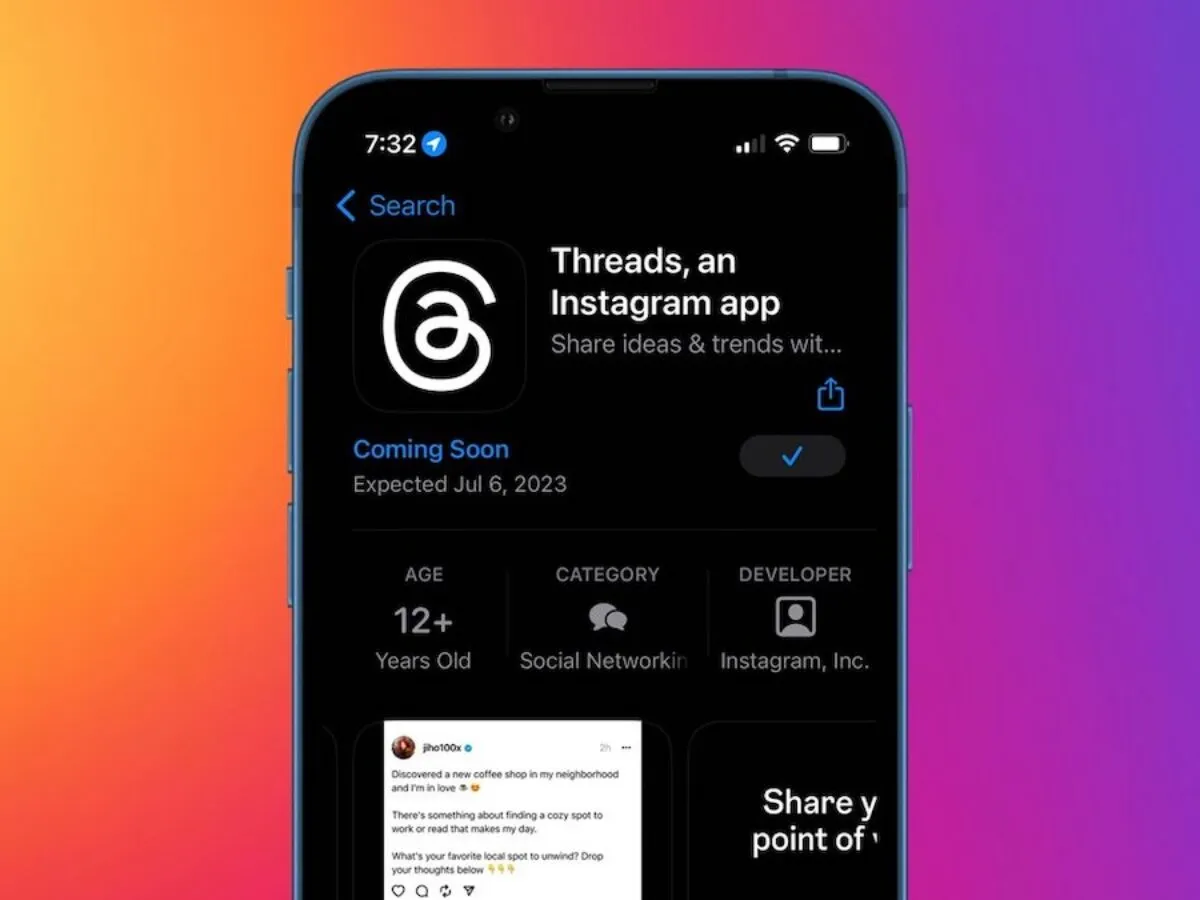
  • Beeper Mini is a new app for iMessage on Android that turns your phone number into a blue bubble

    Beeper Mini is a new app for iMessage on Android that turns your phone number into a blue bubble

    Blue bubble mania continues with the release of a new app that lets you use iMessage on Android. However, this app differs from the rest in that it allows you to use your actual phone number, instead of an email address, so you can really fool your iPhone friends into thinking you’re part of the same ecosystem.

    Beeper Mini is a new app from the folks at Beeper, the unified chatting app with a mac app companion, which lets you use iMessage, Telegram, Discord, RCS, and others on your Android device. Beeper Mini, however, allows Android users to send and receive only iMessages without having to provide their Apple ID credentials. The app is still in its early stages, but it already supports many of the most important iMessage features, such as group chats, high-resolution media sharing, emoji reactions, voice messages, and more.

    Setting up Beeper Mini is simple. Just download the app from Google Play, tap on “continue with Google” to sign in with Google, grant the app permission to access your SMS conversations and contacts list, and then you’re on your way. Once you’ve finished setting things up, the app will seamlessly pull in your previous SMS conversations with iPhone users and upgrade them to iMessage.

    These conversations will be arranged in a list like most chat apps, though you can pin certain conversations to the top. From the home screen, you can tap on the “New chat” button, swipe right to mark a conversation as unread, or swipe left on a conversation to mute it. From the top bar, you can change your display name and profile picture or access the app’s settings, where you can modify the theme, toggle read receipts, mute sounds, toggle push notifications, or connect your Apple ID — a step that is not completely necessary.

    After the Nothing Chats and Sunbird debacle, you would be one hundred percent justified in questioning the security of this app, and so Beeper has taken several steps to gain the trust of its security-conscious users. The Beeper Mini team published a deep technical dive into how the app works, along with other technical documents and source code shared by the developer.

    It is the opinion of those who know more about code than yours truly, such as Journalist and Android expert Mishaal Rahman, that the app is the first truly successful reverse-engineering of iMessage that doesn’t relay messages from a Mac Mini server farm or that requires you to sign in to your iCloud account.

    In fact, the Beeper Mini team is so sure that their app is air-tight that they’ve even extended an invitation to security researchers to verify all of their claims. Boldly claiming the below and stating that they’re different from those “other apps”.

    Unlike every other attempt to build an Android app like this, Beeper Mini does not use a Mac relay server in a data center. Instead, the app connects directly to Apple servers to send and receive end-to-end encrypted messages. Encryption keys never leave your device. No Apple ID is required. Beeper does not have access to your Apple account.

    Beeper Mini will be free for the first seven days. After the 7-day free trial expires, the app will cost $1.99 per month. Beeper says the monthly cost of the app is so that the team can continue to improve the app by adding new features, and of course, to earn money since the app will be ad-free. This is a small price to pay if having the ability to use iMessage on Android is important to you.

    Beeper Mini can work alongside the Messages app on your Android device. Beeper Mini will only handle iMessage conversations and anything that is not iMessage will continue to come in through your default SMS/RCS app. This means that you might need to use two apps — one for RCS and one for iMessage — on your Android device for now.

    If this is an issue for you, you can always use Beeper Cloud, which is the new name for the original Beeper app. This app can incorporate iMessage, RCS, and many other messaging apps you may be using. However, please note that the cloud app will require you to sign in with your Apple ID and to have access to a Mac or PC for the initial setup. These extra steps are not needed on the Beeper Mini app since it connects directly to the remote network instead of using a server.

    However, Beeper’s product roadmap states that Beeper Mini will continue to expand by adding more iMessage features such as importing past chat history, Facetime audio and video calls, and scheduled messages. Additionally, the app will gain support for Android OS chat bubbles, SMS, WhatsApp, and Signal, plus the other 10 non-encrypted chat networks that are currently supported on the Beeper Cloud app — among other planned features.
  • Google Messages begins to roll out a redesigned split-level text field with shortcuts

    Google Messages begins to roll out a redesigned split-level text field with shortcuts

    In addition to the many new features coming to Google Messages soon in honor of RCS surpassing one billion monthly active users, the app is also preparing to unveil an update to its text field, introducing a dedicated shortcuts bar and a left-aligned layout.

    Previously, the RCS/text message field occupied the right two-thirds of the screen, with key functions like “plus,” gallery, and Magic Compose disappearing as you typed. Emoji and voice memo shortcuts resided on the opposite end, creating a scattered and sometimes frustrating user experience.

    this changes with the new layout which has the the interface cleverly splitting into two distinct lines as you start typing. The text field now takes a bold left-aligned stance, mirroring the flow of conversation. This shift is accompanied by a dedicated shortcuts bar that keeps “plus,” Magic Compose, the gallery, and the voice recorder readily accessible, regardless of text input.

    The voice recorder feature is also no longer relegated to the sidelines, as it now gets its own button, possibly in preparation for its integation with the Moods feature announced last week. The new split-level interface, with the text field on top and the shortcuts bar below, might come across as jarring at first, but I believe will be beneficial as more features are added and more real estate may be needed for additional shortcuts.

    Some early adopters in the Google Messages beta program already see this text field transformation, though wider availability is yet to come. However, with Google actively rolling out the update alongside other noteworthy features announced earlier this week, it’s safe to say Google is putting all their weight behind making Google Messages a highly competitive messaging app and not afraid to roll out these changes more widely.

  • WhatsApp now lets iOS users share media in original quality

    WhatsApp now lets iOS users share media in original quality

    WhatsApp isn’t known for the quality of media files people share between them, in fact, the opposite. Although an update rolled out last summer added the option to share videos and photos in HD format, WhatsApp users still can’t send media files in the original quality.

    However, that’s about to change, as the app is now getting a new update that allows WhatsApp users to send media files like photos and videos in original quality.

    For now, the update is only making its way to iOS users, so if you’re using an iPhone, you should be looking for WhatsApp version 23.24.73. The new stable build was spotted by WABetaInfo, which also posted the official changelog.

    Apart from the ability to share original quality media as a file, the latest version of WhatsApp for iOS introduces a couple of other new features. For example, WhatsApp users can now start voice chats without ringing in large groups.

    Also, developers have added new bubbles in chat to help users see missed ongoing and completed calls. Finally, WhatsApp users on iOS can now quickly react to a Status using their avatar by tapping “Reply” and selecting one of the 6 available avatar reactions.

    As per WhatsApp’s changelog, these features will be rolled out over the coming weeks, so if you don’t see one or more of these changes, you’ll have to wait a bit longer.

    Keep in mind that in order to send original quality media as file, you’ll have to tap “+” in chat, click Document, and then “Choose Photo or Video” to get started.

  • Gold prices return to near historic peak

    Gold prices return to near historic peak

    SJC gold prices Monday continued its upward trend and is now close to its historic peak secured last week.

    Gold bar rose 0.54% to VND74.4 million ($3,069.62) per tael Monday morning, inches away from the historic peak of VND74.6 million achieved on the morning of Nov. 29 before closing the day at VND73.8 million.

    Gold ring price rose 0.24% to VND62.8 million per tael. A tael equals 37.5 grams or 1.2 ounces.

    Vietnam’s gold price is now around VND13 million more expensive that global rates, according to Vietcombank data.

    Globally gold prices bolted to an all-time high above $2,100 per ounce on Monday as Federal Reserve Chair Jerome Powell’s remarks elevated traders’ confidence that the U.S. central bank could cut interest rates early next year, Reuters reported.

    Spot gold was up 0.7% at $2,085.76 per ounce. Earlier in the session, bullion surged to an all-time high of $2,111.39.

    Powell on Friday said “the risks of under- and over-tightening are becoming more balanced,” but the Fed is not thinking about lowering rates right now.

    Traders are now pricing in a 70% chance for a rate cut by the U.S. central bank by next March, CME’s FedWatch Tool showed.

    Backing market sentiment, data last week pointed out cooling inflationary pressures and a gradually easing labour market, with Fed Governor Christopher Waller flagging a possible rate cut if inflation continues to decline.

    The latest survey by the World Gold Council (WGC) shows that 24% of global central banks plan to increase gold reserves in the next 12 months as they are increasingly skeptical about the role of the U.S. dollar as a reserve asset.

  • WhatsApp adds new secret code feature to help protect chats

    WhatsApp adds new secret code feature to help protect chats

    WhatsApp has just announced a small, yet important update that further improves the app’s privacy and security aspects. Secret code is a new feature that allows users to secure locked chats and add an extra layer of security.

    Thanks to the new feature, WhatsApp users can now set a unique password different from what they use to unlock their phones to protect locked chats. In addition, the new feature introduces the ability to hide the Locked Chats folder from the chatlist, which means that they can only be discovered by typing the secret code in the search bar.

    This is an optional feature, so you can still choose to have all your locked chats (or some of them) still appear in the chatlist. Another nifty quality-of-life change is the way you can lock chats after the update.

    Previously, in order to lock a chat, you had to visit the chat’s settings. However, with the latest version of WhatsApp, you can simply long press to lock a chat, no need for extra taps.

    According to WhatsApp, the new secret code feature is already rolling out, but it will take months to be available globally, so be patient if you don’t see it on your phone yet.