Retail News CRM

Tag: chat

  • Chat with Your Inbox: Googles New Gmail Live Feature Set to Revolutionize Email Search

    Chat with Your Inbox: Googles New Gmail Live Feature Set to Revolutionize Email Search

    Google is currently in the process of testing a new feature for both iOS and Android known as Gmail Live. This innovative feature will allow users to engage in a conversational interaction with the Gmail application, particularly when seeking information from a specific email. This function is particularly beneficial for users like myself who have hundreds of emails crowding their Gmail inbox, providing a more efficient method to retrieve information rather than manually searching through the inbox.

    Understanding the Gmail Live Feature

    Upon opening the Gmail application and tapping the search bar, an option labeled “Ask Gmail” will be visible. This option represents the text version of the new feature wherein users can type in a natural language query and receive an AI Overview in response. If a user prefers to utilize voice commands, they can do so by tapping an icon situated within the search bar which resembles the Gemini Live icon, distinguished by a sound wave and a sparkle.

    Tapping this icon will present a full-page user interface (still in the testing phase), similar to Gemini Live, providing examples of prompts that can be used. For instance, if a user wishes to check the status of orders placed with Amazon, they could ask, “What are the updates on my latest orders?” This question is then transcribed on the screen and is subsequently answered after Gmail Live processes the question. The response is simultaneously displayed on the screen and read aloud.

    The Future of Gmail Live

    The Gmail Live feature, which is currently under testing for both Android and iOS, is set to be launched later this summer for Google AI Pro and Ultra subscribers. Subscribers to these Google AI services will discover the ability to interact with Gmail in a conversational manner.

    Google AI Pro is priced at $19.99 per month and is crafted for power users without the high costs associated with an enterprise subscription. It includes YouTube Premium Lite, 5TB of storage, and a $10 monthly credit for Google Cloud. Google AI Ultra, on the other hand, is priced between $99.99 to $199.99 per month, providing 20TB of storage, a full YouTube Premium subscription, and a $40 monthly Google Cloud credit.

    Questions & Answers

    What is the new feature that Google is testing?
    Google is testing a feature called Gmail Live which allows users to interact with the Gmail application in a conversational manner.

    How does the Gmail Live feature work?
    Users can either type a natural language query or use voice commands to ask Gmail a question. The question is processed, and an answer is provided both visually on the screen and audibly.

    Who can access the Gmail Live feature?
    The Gmail Live feature will be made available to Google AI Pro and Ultra subscribers.

  • Google Messages group conversations are about to become so much merrier

    Google Messages group conversations are about to become so much merrier

    The more people there are in a group chat, the more fun it is, but Google Messages’ current way of adding new contacts is quite tedious. Google is apparently working to make it easier to grow your group chats.

    Code in the latest beta version of Google Messages for Android hints that in the future, you might be able to join group chats using links, similar to how you can on WhatsApp.

    Android Authority, which came across this feature, was not able to activate it, which might suggest it could be a while before actually see it in action.

    People often create work groups or class groups on messaging apps, and since the pool of people who could be added to such groups is quite large, it’s easy to unintentionally leave some people out. This could cause friction with them and most importantly, they might miss out on critical or time-sensitive messages. A “join via link” feature would address this.

    Other changes are seemingly also in store for the apps. To bring uniformity to the design, the forward message screen might be switched to a card-based interface. Earlier reports suggest that the search UI and the start chat screen will also get the same treatment.

    Some other minor tweaks were also spotted. The profile info screen has been slightly updated and features filled icons. There is a little pencil icon beside the group chat picture, to make it easier for you to change the group chat image.

  • Telegram’s new update brings a highly popular feature to Android

    Telegram’s new update brings a highly popular feature to Android

    Telegram users on Android can now send video and audio content to their TVs through Chromecast, a key feature of the messaging app’s latest update. This enhancement arrives alongside other improvements, including enhanced message organization and a revamped interface for managing linked devices.

    The ability to cast media to a larger screen addresses a common desire for users who want to share content with others or simply enjoy it on a more immersive display. Before this update, users had to rely on third-party solutions or workarounds to achieve similar functionality.

    Now, within the Telegram app, a simple tap allows for the seamless transfer of videos and audio to any Chromecast-enabled device. This streamlining of the process makes sharing and viewing content more accessible. You can access this feature by opening a video, tapping the Settings icon, and then selecting “Chromecast.”

    Beyond the Chromecast addition, the update also introduces “Starred Messages 2.0.” This feature allows for better sorting and organizing of saved messages by letting users assign tags to their starred messages, creating a more structured way to later retrieve them. This aims to address the challenge of finding specific information within a large collection of saved content. For those who frequently save important messages or photos and videos, this organizational tool is a significant upgrade.

    Another notable aspect of the update is the refined interface for managing linked devices. As many users utilize Telegram across multiple platforms, the ability to control and monitor these connections is essential. The updated interface provides a clearer overview of active sessions and allows for easier disconnection of devices. This enhancement improves security and gives users more control over their accounts.

    Historically, Telegram has focused on privacy and speed, and these updates continue that trend by improving the user experience. Among those, the addition of Chromecast support reflects a growing trend of integrating messaging apps with other devices and platforms, while  the enhanced message organization and device management features also demonstrate a commitment to providing users with tools to manage their data and accounts effectively. I believe this update will make for a more connected experience for Telegram users.

  • Google now allows Microsoft Teams messages to be migrated to Google Chat

    Google now allows Microsoft Teams messages to be migrated to Google Chat

    Google announced this week that it’s expanding the ability to migrate messages to Microsoft Teams. Starting today, Google Workspace admins can migrate conversations from channels in Microsoft Teams to spaces in Google Chat.

    In order to migrate data from Microsoft Teams to Google Chat, admins must use the dedicated console. Here are the steps an admin must follow to migrate their organization’s data from Microsoft Teams to Google Chat:

    • First, connect to your Microsoft account.
    • Then, upload a CSV of the teams from where you want to migrate the messages. You can specify the source to destination identity mapping by uploading a CSV of the email ID’s from source to target.
    • Next, you’ll enter the starting date for messages to be migrated from Teams. Then you can begin your data migration.
    • Finally, you’ll complete the migration by making migrated spaces, messages and related conversation data available to Google Workspace users.

    It’s imporant to mention that admins can only migrate data to accounts of existing users with a user license and the Google Chat service turned on.

    Equally important is the fact that the Chat migration tool will not delete or modify existing Google Chat spaces or messages. On top of that, admis can also run a delta migration, which will migrate any messages added to Teams channels since the primary migration (messages already migrated will be skipped).

    As soon as the migration process is complete, admins can export a report that contains detailed information regarding content that skipped, failed or had warnings during the migration.

  • ChatGPT down for hours globally

    ChatGPT down for hours globally

    AI chatbot ChatGPT suffered outage globally for several hours Thursday before resuming services.

    “ChatGPT, API, and Sora were down today but we’ve recovered,” the parent company OpenAI said in a post on X at around 1:00 p.m.

    It referred to API, a cloud interface that gives users access to AI models, and Sora, the new video generation AI model.

    OpenAI’s data shows that a “major outage” occurred for 4 hours and 10 minutes Thursday morning.

    But at the time of publishing the issues have been resolved.

    “All services are now fully operational,” OpenAI said in a note on its website, adding that it will run a full root-cause analysis of the outage and will share details when complete.

    Users began reporting outages at around 7:00 a.m, according to Downdetector, a platform which tracks the status of websites.

    In the U.S., nearly 28,500 people were unable to access ChatGPT as of 7:40 a.m.

    ChatGPT, launched in 2022, has more than 300 million weekly active users, OpenAI CEO Sam Altman said earlier this month.

  • Google Chat voice messaging rolls out to free personal Gmail accounts on Android, iOS, and the web

    Google Chat voice messaging rolls out to free personal Gmail accounts on Android, iOS, and the web

    Google Chat is adding voice messaging for personal Gmail accounts after launching on Workspace earlier this year. This new feature lets you send voice messages to friends and family right from your Gmail inbox. But with so many Google chat apps, you might be wondering what Google Chat is exactly, and how it’s different from the others.

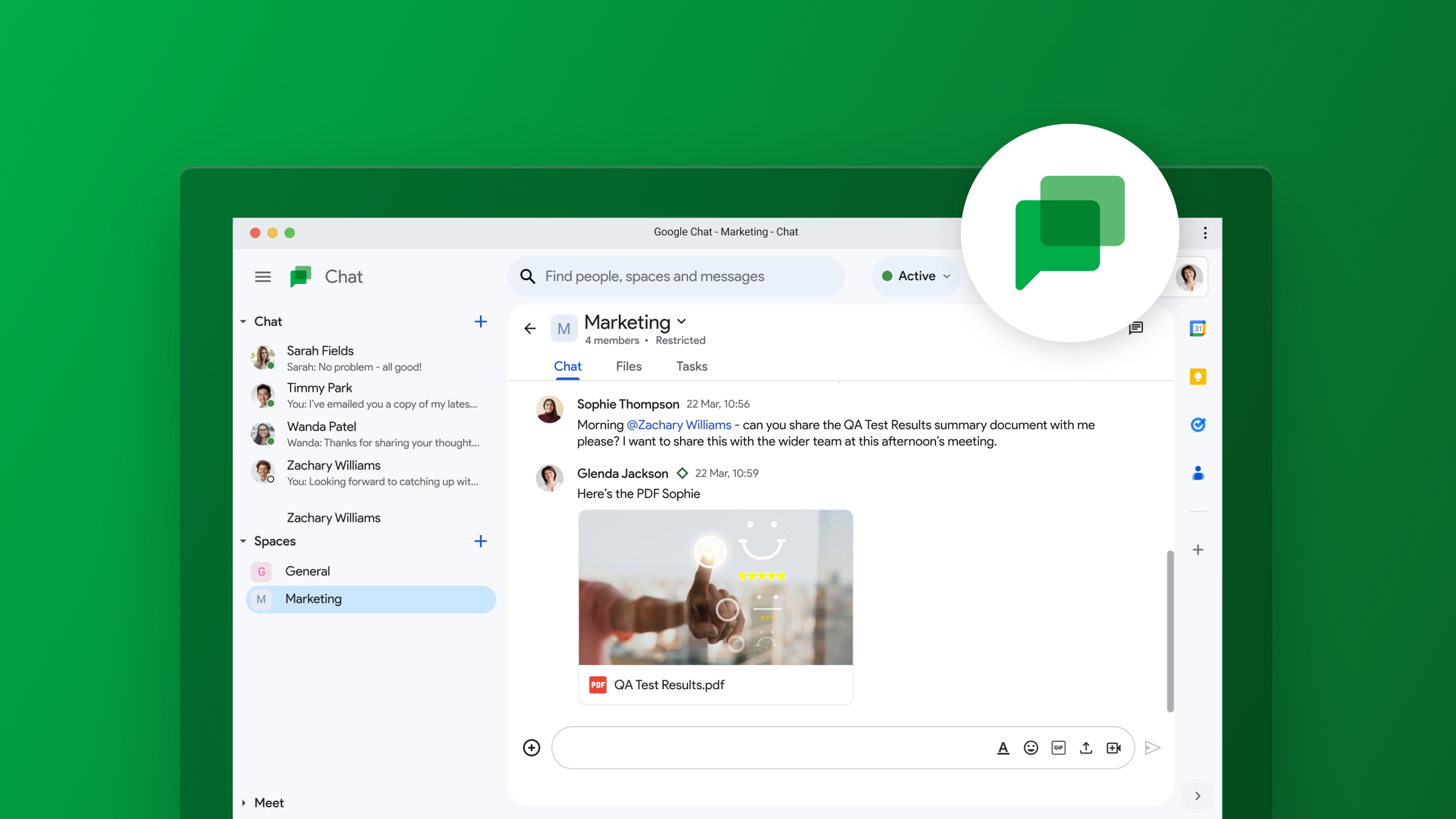
    Google Chat is a communication platform that allows you to send messages, make video calls, and share files with other users. Think of it as Google’s answer to Slack or Microsoft Teams. You can use Google Chat for one-on-one conversations or group chats. It’s integrated into Gmail, so you can easily access it from your inbox.

    Now, you might be thinking, “Wait, doesn’t Gmail already have Google Meet and Spaces?” And you’re right, it does. However, Google Chat is a separate platform with its own unique features. Google Meet is primarily for video conferencing, while Spaces is more for threaded conversations and project collaboration. Google Chat, on the other hand, is designed for more instant, back-and-forth communication.

    With this update, Google Chat is getting a feature that’s already common in other messaging apps: voice messages. To use it, just tap the microphone icon in the bottom-right corner of a chat window. You’ll see a waveform and counter while recording, and you can listen to your message before sending it. Once you hit send, the recipient will see an inline waveform and get a transcript of your message after a few moments. This feature is available on Android, iOS, and the web version of Gmail.

    This update makes Google Chat a bit more versatile. It gives you another option for communicating with people, which can be especially handy if you’re on the go or if you prefer to talk rather than type.

    Personally, I think that Google Chat has its place in the workplace as a Slack competitor, but don’t see much use of it for personal accounts. Having multiple chat apps, all made by Google, can get a little bit confusing and brings on some PTSD from the whole Hangouts/Duo/Chat transition a few years back. I’m not sure if I’ll actually use the voice messaging feature, but hopefully it could be useful for some people. I’ll be interested to see if Google Chat eventually replaces another app in Google’s ecosystem of apps, or if it will continue to coexist among them.

  • Google Chat may borrow this popular WhatsApp feature

    Google Chat may borrow this popular WhatsApp feature

    We all know the feeling – group chats can get crazy. That constant stream of messages can be distracting, especially when you’re juggling multiple projects. Well, it looks like Google Chat is taking on the chaos with a rumored new feature called “Announcements”.

    This sounds a lot like what we’ve seen on WhatsApp Channels and those X/Twitter Spaces. If you haven’t tried them, these features let a select few send messages to a big audience, kind of like a one-way megaphone.Looks like Google Chat spaces may soon have two flavors: the classic collaborative kind, and the new broadcast-focused “Announcements” stylIt looks like it will work this way: regular spaces are for brainstorming and teamwork, whereas the “Announcements” option is all about delivering updates without getting lost in a storm of replies

    The big question now is who gets to hold that ‘megaphone’ in an Announcement space? Will it be just the creator of the space, or maybe a few designated announcers? To really compete with all the broadcast messaging tools out there, Google Chat will probably need to offer some flexibility on this.

    When it comes to this feature, Google’s got some serious contenders to think about. WhatsApp, Discord, Telegram – they’ve all got this broadcast thing down. Then there’s the workplace side: heavyweights like Slack and Microsoft Teams could be in Google’s crosshairs. However, it does make sense for Google to implement this into Google Chat as it would have everything under one roof, especially with their business-focused Workspace tools.

    It sounds promising, but we’ll have to wait for the official launch to see if this “Announcements” idea really takes off. Will it be the tool that adds a bit of order to Google Chat messaging? And will it be enough to sway users to use Chat instead of other solutions already available? Only time will tell.

  • Google Chat finally gets voice message support

    Google Chat finally gets voice message support

    Google just announced a significant upgrade for its Google Chat app, with the introduction of voice messages on mobile devices. This a highly anticipated feature that has been present in other chat applications for some time.

    There are times when typing out a message simply isn’t the most efficient option, and this is where voice messages have come in to fill that gap. Using voice messages, particularly when on the go, offer several advantages. Aside from the obvious time-saving benefits, voice messages can also be extremely helpful when the nuances and tone of the message are important to keep intact. Additionally, for users with limited dexterity or visual impairments, voice messages can be a crucial accessibility tool.

    Although a bit late to the party, it’s good to see this feature being added to Chat, but Google isn’t stopping there. The company also promises that transcription for voice messages will also be added and will be rolling out to users in the coming months. This powerful addition will make voice message searchable and allow for easier consumption by users who prefer reading over listening.

    Users will be able to send and receive voice messages to direct messages, group chats, and spaces within the Google Chat Android and iOS apps. The ability to receive voice messages will also work on the web, but sending will not be possible through a browser just yet. There is also a huge caveat: This is a Google Workspace feature that will only be available to paid Enterprise users, specifically those on the Enterprise Essentials, Enterprise Essentials Plus, Enterprise Standard, and Enterprise Plus tiers. This makes the feature’s availability very limited, and we hope this eventually trickles down across all accounts.

    For the lucky ones who will get this feature, the process will be pretty straightforward: Open a direct message, group chat, or space, tap on the microphone icon, start speaking, and press send. Once sent, voice messages function just like text-based messages, allowing for quotes, reactions, and threaded replies.

    The enterprise rollout will happen gradually, with domains on the Rapid Release track getting the feature as early as March 26th, with a two-week window before it reaches all users. The Scheduled Release track will follow on April 15th, with the same two-week window until completion.

  • First signs of WhatsApp third party chat support appear in latest beta

    First signs of WhatsApp third party chat support appear in latest beta

    WhatsApp, the popular messaging app, is gearing up to open its doors to other messaging platforms. This has been in the works for some time now, but thanks to some evidence found in the latest beta version of the app, we now have more information on how the feature will work and how far along it is in its progress.

    The need for WhatsApp to add this functionality comes in direct response to the European Union’s Digital Markets Act (DMA), which aims to break down barriers between tech giants and increase competition in the digital space. WhatsApp’s upcoming “chat interoperability” feature will allow users in the European Union to connect with contacts across different messaging apps, even if those contacts don’t use WhatsApp themselves.

    Wabetainfo discovered the feature, which is currently in development and not available to users, in WhatsApp Android beta version 2.24.5.18. As per the screenshot uncovered (shown below), a new section will be introduced to the app. There, users can choose to enable interoperability, granting them the power to exchange messages beyond WhatsApp’s ecosystem seamlessly.

    While end-to-end encryption will be maintained, different messaging apps may use varying encryption protocols, leading to a separate inbox for these external chats. Because of this, WhatsApp is advising users to exercise caution when using chat interoperability.

    In addition to encryption compatibility concerns, cross-platform communication could potentially increase exposure to spam and scams. Every app has its own privacy policies, potentially handling your data differently than WhatsApp would.

    Regardless of these hurdles to overcome, this move by WhatsApp is a major win for consumers in the EU. It promotes greater choice and flexibility in how they connect with others online.

    It is unknown whether these app changes will apply globally or only in the EU. However, while the feature is completely optional, it signifies a positive shift towards interconnectedness in the messaging app landscape.

  • Google Chat adds helpful feature to help you pinpoint conversations relevant to you

    Google Chat adds helpful feature to help you pinpoint conversations relevant to you

    Google Chat is launching a new update that will make it even easier to navigate conversations within its in-line threaded spaces. Following last year’s transition to in-line threading, the latest update continues to improve on that functionality in order to boost productivity and efficiency for its users.

    With multiple threads running across different spaces, it can be time-consuming to figure out which messages need your immediate attention. The latest update from Google Chat makes it easier to keep track of conversations by showing participant avatars alongside unread threads in the conversation view.

    This feature allows you to quickly identify the participants in the conversation and determine if their comments are pertinent to you. You can now efficiently prioritize important threads without having to click on them for additional details.

    Google states that it recognizes that dealing with numerous threads across multiple spaces can be overwhelming and that this feature was introduced in order to give you more context upfront. The goal is that it will make it easier for you to prioritize and stay on top of the conversations that matter the most to you. This will ultimately help you stay organized and focused on what’s important.

    This feature is rolling out automatically and gradually for up to two weeks, starting today. For all Google Workspace users, including those with free personal Google accounts, it will be by default enabled on the web, Android, and iOS.

    Google has been steadily introducing improvements to Chat as it continues to compete with other established messaging platforms, such as Slack and Microsoft Teams, and aims to make Chat a more attractive option for businesses looking to improve collaboration and efficiency within their teams. The company hopes that this new feature will enhance productivity and streamline communication for users across all platforms.

  • Google Chat is getting a new moderation tool

    Google Chat is getting a new moderation tool

    Google starts this week with yet another update for its Chat app. After bringing star messages to iOS and Android, Google Chat is now getting a new moderation tool in the admin console.

    The new moderation tool has been specifically designed for reviewing and taking action on reported Google Chat content via the Admin console under Apps / Google Workspace / Moderation.

    The search giant announced that super admins will have access to the moderation tool when it becomes available in Google Chat. Also, they will be able to assign users the new “Moderate Chat content report” privilege.

    Google recommends that this privilege only be assigned to users who are best suited to review Chat content; otherwise, it will be ineffective at reducing the super admins’ workload.

    Once users submit a new report, the moderation tool can be used to see all reports associated with the message, review the edit history of a message and conversation transcript (including up to 5 message posted before the reported message), as well as details that provide info about the type of conversation with number of participants, space managers, guidelines, and more.

    It’s also important to add that moderators will be able to add comments to the report should the content require further auditing in the future.

    In the same piece of news, Google announced that the moderation tool will also include a tab for managing quarantine Gmail message. The Gmail tab is available to all Google Workspace customers.

    The new moderation tool accessible by going to Apps / Google Workspace / Moderation will be rolled out in the next two weeks. It will be available to Google Workspace Enterprise Plus, Education Standard and Education Plus customers.

  • Google Chat gets a new mobile redesign with bottom navigation bar on Android and iOS

    Google Chat gets a new mobile redesign with bottom navigation bar on Android and iOS

    Google Chat is rolling out a new bottom navigation bar to its Android and iOS apps, making it easier for users to access key features and stay organized on the go. The new navigation bar provides quick access to Home, Direct Messages, Spaces, and Mentions views, streamlining the overall user experience. Here’s how each of the new views work:

    The Home view serves as a central hub for all conversations, allowing users to effortlessly stay up-to-date on important threads. A dedicated filter lets users focus on unread messages, ensuring they don’t miss critical information.

    • The Direct Messages view concisely overviews all one-on-one and group conversations, with pinned conversations conveniently placed at the top for easy access.
    • The Spaces view similarly displays a condensed list of all spaces, along with pinned conversations at the front.
    • The Mentions view acts as a personal notification center, highlighting all messages from conversations and spaces where the user has been mentioned. This feature ensures that users are always aware of relevant discussions and can quickly respond to inquiries or participate in ongoing conversations.
    • The new bottom navigation bar will automatically appear on Android and iOS devices for both admins and end users, eliminating the need for any manual intervention. The rollout will be gradual, taking up to 15 days for all users to receive the update.

      Additionally, the new bottom navigation bar is available to all Google Workspace customers and users with personal Google Accounts. The gradual rollout will commence today for Rapid Release and Scheduled Release domains on Android and iOS devices.

      These updates follow the expansion of the app’s message bubbles to iOS yesterday, which provide a more cohesive messaging experience across all platforms. Now, with the introduction of the new bottom navigation bar, we see how Google is focused on simplifying navigation and enhancing user productivity within the app as well.

  • Google Chat’s smart replies feature expands to groups and spaces

    Google Chat’s smart replies feature expands to groups and spaces

    Smart replies have been added to Google Chat a long time ago, but they were only available for direct messages. However, that’s about to change, as Google has just announced Chat’s smart replies will expand to group messages and spaces on the web.

    Powered by Google’s machine learning, smart replies are the perfect tool to respond quickly to a message when you’re on the move, or you just want to avoid typing long messages.

    According to Google, the new feature is available now for all users, including Google Workspace customers and users with personal Google Accounts. There’s no need to change your Google Chat app, as the feature will appear automatically.

    Once it’s been added to your Chat app, you will be able to select one of three response options that pop up in a chat or customize your reply before sending it.

    It’s important to add that Google Chat’s smart replies are only available in English, French, Portuguese, and Spanish. Those who want to turn off smart replies for whatever reason can do so by clicking Settings and unchecking the Smart Reply box.

  • Snapchat facing a possible $184 million fine

    Snapchat facing a possible $184 million fine

    Social media platforms don’t have it too easy these days, and Snapchat is no exception to that. Snapchat owner Snap Inc could face a formal investigation and, if found guilty, be fined some $184 million. All of this – over mismanaging and not enforcing strict enough policies to remove underage users from its platform.

    Ofcom is the UK’s communications regulator – last year it found out that in the UK, the most popular app for underage social media users was none other than Snapchat. According to their data, more than half (approximately 60%) of kids that are aged between 8 and 11 had “at least one social media account, often created by supplying a false date of birth”. UK’s data protection law states that social media companies need consent from the parents, if in need to process data of kids under 13.

    So far Snapchat has not issued an official statement on the matter of reducing the number of underage users. A Snap person says the company does strive towards ensuring that “digital platforms are age appropriate and support the duties set out in the Children’s Code”. Before starting an official investigation, ICO (Information Commissioner’s Office) has to gather information and may ask the company to aid the investigation.

    A report from Reuters in March claimed that Snapchat had only removed “a few dozen” under-13 accounts from its platform in Britain last year. Ofcom estimates Snapchat has “thousands of underage users”. If an investigation launches and if found guilty, Snap Inc could be fined an equivalent to up to 4% of its annual global turnover.

    On a side note, the NSPCC (National Society for the Prevention of Cruelty to Young Children), said that figures it had obtained showed that Snapchat accounted for 43% of cases in which social media was used to distribute indecent images of children.

  • Google reveals seven new features for Google Chat

    Google reveals seven new features for Google Chat

    Google Chat was originally designed for businesses to keep their teams communicating internally. However, it can now be used by consumers for direct messages and group conversations. It also includes Spaces, which is a feature where tasks can be assigned and files shared. Chat can be installed on both Android and iOS. Found in the Google Play Store, the app can be downloaded by Android users by tapping on this link. Those using an iPhone can find the app in the App Store by clicking on this link.
    On Friday Google revealed seven new features coming to Google Chat including Smart Compose. This feature offers those typing a message contextually aware suggestions that are grayed out in the text bar. If you see a suggestion that you want to use, hit the tab button to add the suggested words to your message. Check out the video below to show you how Smart Compose works in Chat. Smart Compose is rolling out to Chat web users in English, French, Italian, Spanish and Portuguese.
    If you’ve ever sent a message and immediately realized that you left out a word, or typed something by mistake, Google Chat can use message editing to delete or edit a message by long-pressing on it. A toolbar will appear and you press on the Edit icon (which looks like a pencil), make your edit (or delete the entire message) and tap on Update. This feature is available to all Chat users.
    Another new feature in Chat will allow you to quote a previous message when sending a response. This allows the group to see exactly which message you are responding to without getting confused. Just tap on the message you want to quote and when the toolbox appears, tap on the icon that shows the “Enter” icon, and the message you want to reply to will be on the bottom of the screen. Type your response and send it.
    Sometimes, whether it is due to a poor internet connection or for some other reason, you might not know whether some or all of the group received your message. Already available for direct messages on mobile and web, you will get a read receipt on messages you send when the avatar of those who received your message appears underneath your post on the right side. Tapping on the avatars (or rolling over them with a mouse) will show the names of those who received your message. This will be coming to Chat later this month to group messages on mobile and web.
    Want to save yourself from adding a long URL to a message? Sure you do. If you want to link something to a group, you can select the text that you want to hyperlink, click on the insert link icon on the toolbar, and paste in or type the URL you want linked to the text. This will be available in the weeks ahead for Android users and those on the web.
    No one likes a messy and cluttered interface. So if you have more than 10 conversations or spaces, any that have been inactive for the last seven days will be hidden until a new message is posted. At that time, it will go straight to the top of the list. And if you need to view one of the hidden conversations or spaces before a new message is sent, tap the “More” button under the list of Chats. This feature is available to Chat users now.
    Lastly, in the coming weeks, Chat users will be able to install apps for their personal Chats and spaces. Google mentions Giphy to add GIFs, Asana to assign tasks and add to-do lists to group chats, and Zapier for custom notifications.
    Again, if you don’t have Google Chat on your iOS or Android device, we left some links at the top of this article to help you download the apps quickly.