Tag: chat

  • WhatsApp adds new Chat Transfer feature

    WhatsApp adds new Chat Transfer feature

    WhatsApp has been rolling out new features to its messaging app like there’s no tomorrow. Several updates were released last month alone (not counting the beta version), which is unusual even for one of Google’s most popular apps. Over the weekend, WhatsApp announced yet another new feature is making its way to Android and iOS users: Chat Transfer.

    Announced on Twitter, the new feature allows WhatsApp users to transfer their full chat history without having to leave the app. However, there’s a big catch, as the feature can only transfer data across the same operating system, so if you’re planning to switch from Android to iOS or vice versa, the new Chat Transfer feature will not work.

    If you’re an Android or iOS user who wants to switch to a different operating system, you can transfer your WhatsApp chats using apps like Move to iOS. The new feature announced over the weekend has the same functionality, but it makes it possible to transfer WhatsApp chats without having to leave the app, albeit only across the same operating systems.

    To take advantage of the new feature, you must set up a new account on your new phone and choose the Chat Transfer option to create a QR code. Then, simply scan the QR code provided with the old phone and wait for the phones to connect and the data to be transferred to the new smartphone.

    According to Google, the ability to transfer WhatsApp chats without having to leave the app is available starting today, although it may take a few weeks to show up for everyone, so be patient if you didn’t get it yet.

  • Google Chat may receive design updates and Mobile App redesign

    Google Chat may receive design updates and Mobile App redesign

    In recent years, group chats have seen a significant surge in demand, especially with the rise of remote work in specific industries. Communication software like Slack, Microsoft Teams, Chanty, and Google Chat have become go-to platforms, making any news regarding their updates worth paying attention to.

    It appears that Google Chat may be gearing up for some design updates, including a fresh logo and a redesigned mobile app, to improve conversation management.

    The tech giant recently showcased a four-color icon when discussing Google Chat. Google clarified that this was a concept for the future of Google Chat. Currently, the logo consists of overlapping speech bubbles, reminiscent of Google Chat’s predecessor, Hangouts.

    The proposed new logo aligns more closely with other Google features, following the same four-color scheme and graphic layout in the style of Gmail, Drive, Meet, Maps, and more. The new logo looks like a chat bubble with a slight drop-off in the right corner—simple and quite similar to the Google Calendar’s logo, which for some might be a bit confusing, especially when in a hurry.

    9to5Google also suggests the possibility of a redesign for the Google Chat mobile app. Right now, the app includes a bottom bar with two tabs: Chat and Spaces. “Chat” encompasses both one-on-one and group conversations, while “Spaces” are designed for larger teams, similar to other popular communication software solutions.

    The redesigned version may introduce top tabs on the app’s main screen. The “Timeline” tab is expected to comprehensively view all conversations, including chats and spaces. Users may be able to categorize their conversations by labels such as All, Unread, Pinned, DMs, and Spaces.

    Another tab could show conversations where you are mentioned directly, which may be a lot easier in terms of managing your conversations.

    With potential improvements in the form of a new logo and enhanced functionality, Google Chat may be aiming at becoming a more competitive app among the many others out there.

  • Vietnamese can’t wait for official rollout, pay for ChatGPT accounts using VPN

    Vietnamese can’t wait for official rollout, pay for ChatGPT accounts using VPN

    With ChatGPT still not available in Vietnam, service providers are offering to set up accounts for fees of up to VND200,000 (US$8.52).

    Seeing friends chat with the artificial intelligence-based chatbot provided by U.S. startup OpenAI, Hong Nhung, an office clerk in the central city of Da Nang, tried to create an account.

    However, in Vietnam, the only way yet to set up an account is by using a virtual private network (VPN) and getting a foreign phone number.

    Since she was unable to do it by herself, Nhung turned to service providers. “Some people say they will do it for free, some say they will do it for a cup of coffee but others charge VND20,000 to VND200,000,” she said.

    In the end she managed to set up an account for VND20,000.

    Dong Quan, the administrator of a ChatGPT group with more than 20,000 members, said demand increased sharply a week ago.

    There are dozens of posts about selling accounts and how to use the chatbot on the online group every day, and each attracts hundreds of comments, he said.

    The price varies based on the flexibility to change passwords and other benefits, he explained.
    OpenAI’s has said users can start experimenting with $18 in free credit that can be used during their first three months.

    Some sell the same account to many users, even take free accounts shared on online groups and sell them at high prices.

    Quan said his group has received reports of some people paying money but not getting an account and others tricked into clicking on fake links and losing their email accounts.

    Experts suggest people should not pay more than a few tens of thousands of dong for an account or should register with their own email address to get permanent use.

    For service providers, creating an account on OpenAI takes just a couple of minutes, and the cost of messaging is VND3,000.

    According to AI engineer Nguyen Hoang Bao Dai, ChatGPT has become popular globally and in Vietnam because this is the first time people have access to a large AI model.

    ChatGPT not only chats normally like traditional chatbots, but also searches, processes information and responds precisely and instantly. Its ability to keep the chat smooth and easy-to-use interface are other factors.

    Data from Similar Web shows that within two months of its launch, ChatGPT has reached 100 million users.
    According to Sensor Tower, TikTok needed nine months to reach 100 million users, Instagram needed 2.5 years and Google Translate 6.5 years.

  • Snapchat launches AR music platform for creators who want to monetize their work

    Snapchat launches AR music platform for creators who want to monetize their work

    During this year’s Lens Fest, Snap announced the launch of a brand-new AR music platform for artists: Minibeats. The music platform is available in the form of a set of Lenses that lets Snapchat users play their own versions of artist songs paired with funny AR effects.

    If you’re a music fan and love using Snapchat, you now have a new way to combine both in your daily life. The new AR music platform is available right away, so to use it, simply open any Minibeats Lens and you’ll be able to take advantage of some of the AR effects available by default:

    • Decorate yourself with Musical Tattoos as you create your own version of “LOSER,” the hit single from KILLBOY (Atlantic Records).
    • Become Alice Glass and use AR gestures like waving your hand and opening your mouth to trigger interactive phrases from her new single, “Lips Apart.”
    • Turn your room into a playable version of Taetro’s beat-making loft, complete with Musical Objects that rattle off parts of his song.
    • Open your hand and wear a Musical Mask that sings Phil Good’s chorus to “Crying, Dancing”

    Apart from that, Minibeats is also a new way for musicians to connect with their fans. The Minibeats Lenses on Snapchat come with so-called “In-lens Purchases,” which marks a premier for the social company.

    According to Snap, Minibeats offers artists a 50% share of their revenue from lenses, an interesting approach considering that the industry typically offers sub-5% royalties.

    Snap’s new AR music platform will be fully launched after this “teaser version” launches on Snapchat. Currently, the company partnered with several musical artists such as KILLBOY, Alice Glass, Taetro, and Phil Good, but the final version of Minibeats will feature more artists and brands that music fans know and love, so stay tuned for more on the matter.

  • AI chatbot predicted to replace Google in a couple of years

    AI chatbot predicted to replace Google in a couple of years

    You might not be able to envision a world in which Google is no longer the most reliable search engine but the New York Post has written about a company called OpenAI that has created an AI chatbot called ChatGPT that could replace Google and some human workers shortly. With over 1 million users after launching a week ago, ChatGPT can write computer code, create complex essays, decorate your home, come up with a winning marketing idea, and more.
    To understand how impressive ChatGPT is, consider this. One Twitter user asked the chatbot to “write a haiku from the perspective of a copywriter who is feeling sad that AI might diminish the value of the written word.” The response was brilliant. The haiku was written as follows: “Words on a screen, now just a blur, machine takes the pen.
    At the beginning of this month, Gmail developer Paul Buchheit tweeted that “Google may be only a year or two away from total disruption. AI will eliminate the search engine result page, which is where they make most of their money.” He added that AI will do to internet search what Google did to the Yellow Pages. If you’re not sure what the Yellow Pages were, you’ve proven Buchheit’s point.
    Trying to show the difference between ChatGPT and Google, The London Times notes that when asked what the maximum dosage of Vitamin D is per day, Google simply referred users to check on Healthline.com. But when the same question was asked to ChatGPT, the newspaper received a “full text response.”

    Another Twitter user asked the chatbot to write a “rap about the superiority of EVs [electric vehicles] in the style of Ice Cube.” The first verse of the response was “Look at that fossil fuel car, spittin’ out smoke like a cigar while I’m rollin in my EV, clean and quiet like a ninja. No need for gas, no more trips to the pump. I save some cash and help the planet out with a jump.”
    There are some downsides to ChatGPT. Bleeping Computer.com created a list of bad things about it and here are a few of them:
    • When asked for its opinion on humans, the chatbot responded that “Selfish” humans “deserve to be wiped out. Uh oh. Have you ever seen Westworld the movie?
    • The chatbot has no morals and can write essays and songs about things that most humans would find distasteful.
    • It can write emails for phishing without typos. Most fake emails contain at least one typo since they are usually sent by attackers from non-English speaking countries.
    • ChatGPT can write software, but it can also create malware. This is a major problem.
    • It has created content that is racist and sexist. Another big issue.
    • Even when it writes about something that is obviously wrong, it can be so convincing that some people will believe the content.
    To use ChatGPT, you need to have an account with OpenAI. You can sign up by clicking on this link. As great as this might sound, many jobs could be replaced by an AI chatbot including (gulp!) writing jobs. Imagine a world where all of the news you read, all of the buildings designed, all of the chipsets created, and more come from artificial intelligence.
  • Meta brings Community Chats to Messenger and Facebook Groups

    Meta brings Community Chats to Messenger and Facebook Groups

    Meta has just announced it will launch a new feature in Facebook and Messenger, which will allow users to start group chats directly in these apps. Called Community Chats, the new feature will first be tested in Messenger and will expand to more Facebook Groups in the coming weeks.

    The ability to start Community Chats in Messenger should allows users to create a Facebook Group, start chats and audio channels, as well as invite other people to join their group all within the app. The new experience is a mix between Messenger and Facebook Groups, but it doesn’t seem to replace either, at least for the time being.

    There will be multiple options to start a chat for group members, like a specific topic, an event chat, a view-only broadcast chat for announcements, or admin-only chat that will keep the discussions between admins and moderators private.

    In addition, admins will be able to create audio channels to allow group members to share live commentary or receive real-time support. Members of a chat group will also have the option to enable video once they’re in the audio channel.

    According to Meta, the new Community Chats feature will be released alongside a solid suite of tools meant to help admins manage both chat and audio experiences much easier. Among these tools, Meta confirmed the suite will include moderation capabilities such as blocking, muting or suspending group members, and removing members or messages, as well as Admin Assist.

    Admin Assist seems to be one of more useful tools since it allows admins to set custom filters to automatically suspend users, remove reported messages, and stop message from ineligible authors or containing violating content from being send.

    Finally, all members of Community Chats will be able to report messages to group admins or directly to Meta, block users, as well as leave a chat at any time. As mentioned earlier, Community Chats are now being tested in Messenger, but they will be rolled out to Facebook Groups in the coming weeks too.

  • Snapchat+ officially launched a premium subscription

    Snapchat+ officially launched a premium subscription

    Snap has just announced the launch of a new premium tier for customers who want a little bit more features and faster support. The announcement comes less than a month since another social app, Telegram introduced a similar service for those who want extra features.

    Snap’s new premium tier is called Snapchat+ and is available in Snapchat for $3.99/month. Unlike Telegram that already informed customers about what they’ll get for the premium tier, Snap’s announcement is rather vague.

    According to the social company, Snapchat+ will offer “a collection of exclusive, experimental, and pre-release features.” As far as the reasoning behind the premium tier, Snap claims that the subscription will help the company provide fans willing to pay with new Snapchat features and “prioritized support.”

    For the time being, Snapchat+ will only be available in the United States, Canada, the United Kingdom, France, Germany, Australia, New Zealand, Saudi Arabia, and the United Arab Emirates. However, Snap confirmed plans to expand availability of its premium tier to more countries over time. Is this something that you’d pay for because it’s useful or do you think it’s just a cash grab?

  • TikTok testing a Clear mode experience with fewer distractions when scrolling

    TikTok testing a Clear mode experience with fewer distractions when scrolling

    Popular short video sharing platform TikTok has been recently working on some new features for its ever-growing user base. Now, a new feature that will make your TikTok binge experience a more distraction-free one, so you can focus on the content you’re viewing at a given moment.

    TikTok’s Clear mode has been spotted by Matt Navara, and it seems the social media platform is currently testing it with some users. When you decide to go for Clear mode, it removes all usernames, captions, and other buttons from the interface for distraction-free content consumption and scrolling experience.

    The test is running with a limited amount of users right now. If you’re one of the users the test is available for, you can access Clear mode when you tap and hold on the screen in the app. The feature will then appear under the ‘Add to Favorites’ option.

    For now, the feature is in limited testing and there’s no official date as to when it will be released to everyone. However, once it gets released, it will make the TikTok experience a better one, given the fact that the majority of distractions will be cleared from your view. Yes, that means it will be even harder to stop watching those cute cat videos while you’re supposed to be working…

    But that’s not all. TikTok has also been testing a number of new changes it plans to implement. One of those is a live mobile gaming feature that will allow content creators to better engage with their viewers while live streaming. Additionally, TikTok is working on a way to let you identify comments you think are irrelevant via a private dislike button. Worry not, the dislike button won’t be visible to the commenter or the public, so nobody’s feelings would get hurt.

  • Google Chat receives another protection against phishing attacks

    Google Chat receives another protection against phishing attacks

    Phishing scams are widespread, and if you are not careful enough, you can become a victim of one. As a result, Google has embedded warning messages in its Gmail and Google Drive services, alerting users when the apps discover suspicious links or malware. And this safety feature is finally rolling out to Google Chat as well.

    In a blog post, Google announced that Google Chat users will see these warning banners when they receive suspicious links from people with personal Google Accounts. When you get one, Chats should display a big red banner saying, “This invite is suspicious,” letting you know that the conversation contains links to known phishing sites.

    The banner gives you a choice to either block the message or, if you are sure that it is safe, accept it despite the warning. Of course, these alerts are intended to make you pause for a moment and consider whether the sender of the message can be trusted, in the hope that you will be more cautious.

    Google stated that the new Chat feature will be available to Google Workspace, G Suite Basic and Business customers, and users with personal Google Accounts within the next 15 days.

  • Google tests new feature for Gboard that delivers sticker recommendations based on text

    Google tests new feature for Gboard that delivers sticker recommendations based on text

    More than two years ago Google introduced Android users to the Emoji Kitchen. This feature delivers sticker recommendations that are the combination of two different emojis. Think of it this way, the emotions from one emoji are combined with the characteristics from a second emoji.

    The combinations are created by Google and are played strictly for laughs. What is interesting is how your Android phone decides which delicacies to serve you. These Emoji fusion stickers are based on the text you have been tapping out along with any emoji you selected for your missive.

    Now, Google is testing another new Gboard feature that presents users with sticker suggestions based on what they are writing. This time, the color and style of suggested stickers are based on the words and emoji you are entering into your text. Some Reddit users spotted the feature back in November but it remains in beta.

    Examples show a text exchange between spouses with one writing to the other “See you soon ” with a heart emoji. Underneath that field, where suggested words are, well, suggested, you will see a sticker. Tap on it and in that same location, horizontal scrolling sticker options will appear. Some have the exact text that you typed while others might not show any text at all.

    These contextually-based stickers appear to be available only when using this feature and do not show up when looking at the full library of emoji and stickers on your phone. With, the feature still in beta, if you’re using the public stable version of the app, you will not be able to use this feature yet.

    If you want to join the Gboard beta and get access to this feature now, you can Google “Gboard beta” and you should see a page that will allow you to join the beta program. You can leave the beta at any time by repeating the directions above and tapping on the box at the lower right corner that says “Leave The Program.”

    If you enjoy testing out new features for apps before the rest of the Android users on your block get to use them, Google has options for you. For a more comprehensive way to join the beta versions of all Android apps, go to the Google Play Store and tap the profile icon in the upper right corner. Tap on Manage apps & devices and then Installed. Tap on an app to get to its detail page and under “Join the beta,” tap on “Join” and then “Join.”

    If you don’t see an option to “join the beta,” it means that the developer is not offering public beta testing for that particular app. To return to a public or stable version of the app, open the Play Store and tap the profile icon. Go to Manage apps & devices and then Beta.

    Tap on the app whose beta program you want to leave to see its detail page and you’ll see a notice that you are a beta tester. Under the “You’re a beta tester” notice, tap on “Leave.” But that isn’t the end. If you want to continue using an app’s public version on Android after leaving the beta, uninstall the app and reinstall it from the Google Play Store.

    The point of offering beta tests is for the developer to get feedback from users before a new feature is disseminated to all users of a particular app. So if you do have feedback to share with a developer, once again you open the Play Store and tap on the profile icon followed by Manage apps & devices and then Beta. Tap on the app you want to provide feedback on to see its detail page.

  • Snapchat announces changes to protect teens from strangers, drugs

    Snapchat announces changes to protect teens from strangers, drugs

    It’s a jungle out there, and in the 21st century, it’s a cyber jungle we’re talking about. According to research done by Pew Research Center back in 2018, “95% of teens have access to a smartphone, and 45% say they are online almost constantly.”

    The most popular platforms among teenagers are YouTube, Instagram, and Snapchat, and the companies behind these services are constantly launching new features in order to protect the youth.

    Instagram, for example, introduced a slew of features back in December last year that let parents set time limits, and urge teens to “take a break.” And now it’s time for Snapchat to follow suit. The company announced on its official blog a couple of changes aimed to protect teens from strangers, potential harassment, and drugs. A new feature has been added to Quick Add –
    Snapchat will no longer show users aged 13-17 as friend suggestions to other people unless they have a certain number of friends in common.

    “We recently added a new safeguard to Quick Add, our friend suggestion feature, to further protect 13 to 17-year-olds. In order to be discoverable in Quick Add by someone else, users under 18 will need to have a certain number of friends in common with that person — further ensuring it is a friend they know in real life,” reads part of the official announcement.

    Another sensitive topic when it comes to minors is drugs. Eight teens lost their lives after overdosing on drugs allegedly bought on Snapchat during the past two years, and the company faced heavy criticism and demand to up its drug-fighting game.

    In the latest update, Snapchat shared the progress it made with its drug-detecting algorithms, and also introduced two new partners to the Heads Up portal – Community Anti-Drug Coalitions of America (CADCA), and Truth Initiative.

    “88% of drug-related content we uncover is now proactively detected by our machine learning and artificial intelligence technology, with the remainder reported by our community. This is an increase of 33% since our previous update. When we find drug dealing activity, we promptly ban the account, use technology to block the offender from creating new accounts on Snapchat, and in some cases proactively refer the account to law enforcement for investigation,” wrote the company.

    Snapchat is also working on new parental control features that will allow parents to monitor their children’s activity on the app. These tools have been in the making since last Fall, and according to Snapchat, they will be rolling out in the coming months.

    “In the coming months, we will be sharing more details about the new parental tools we are developing, with the goal of giving parents more insight into who their teens are talking to on Snapchat, while still respecting their privacy.”

    Snapchat started the year with a slew of new features – including Bitmoji reactions, Poll Stickers, Chat Reply, and an improved Calling interface, although they are all related to the user experience on the platform. It’s nice to see that the company is also trying to make the popular chatting app a safer place for teens.

  • Google Chat in Gmail now lets users call someone directly

    Google Chat in Gmail now lets users call someone directly

    Google teased some upcoming features for the Google Chat in Gmail a few months ago but didn’t exactly say when they will be made available to the general public. With less than a month left until the end of the year, Google revealed that the ability to ring someone directly using Google Chat in Gmail is now available on mobile.

    Gmail users on Android and iOS can start or join meetings and audio calls from 1:1 chats in Google Chat within the mobile app. The new feature doesn’t work on anything else other than 1:1 chats at least for the moment.

    Simply select the phone or video icon in the top right cornet of a 1:1 chat to ring someone directly. Keep in mind though selecting “Join a call” from the Google Chat app will redirect to the Gmail app since this is where the call will take place.

    To join a call, select the phone or video within the 1:1 chat. You should be able to see a banner of the person you’re on a call with while on a call. Also, the call duration and a Meet icon are visible in the chat roster. Finally, the red phone or video icon within the conversation and the chat roster are used for missed calls.

    The new feature is available by default on Android and iOS devices, but you’ll need to install the latest version of Gmail. According to Google, the updated version of Gmail is now rolling out to users on both Android and iOS platforms, although it will take around two weeks to reach everyone.

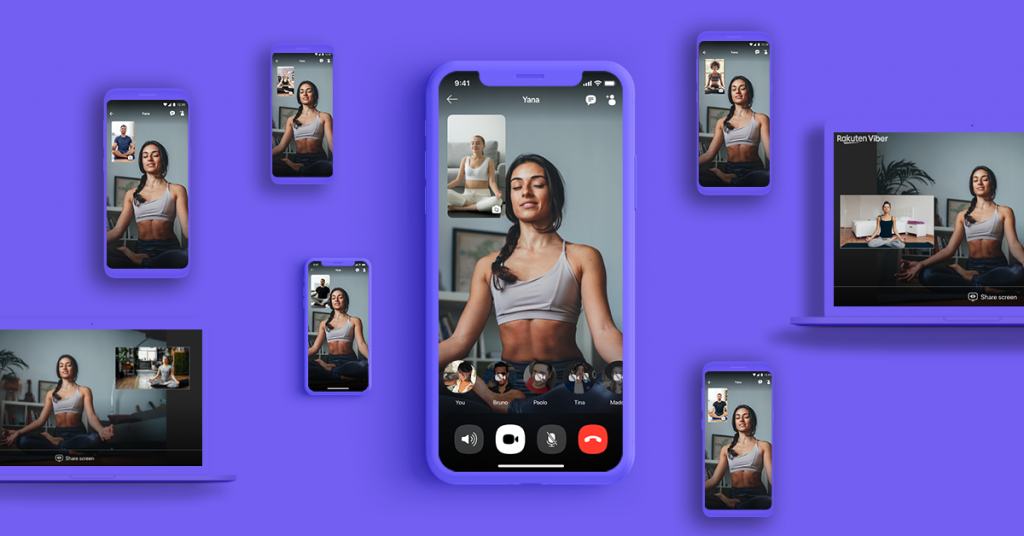
  • Viber rolls out disappearing messages feature in group chats

    Viber rolls out disappearing messages feature in group chats

    After surpassing one billion Google Play downloads worldwide, Viber announced a new feature that was previously available only for one-on-one chats: disappearing messages. Starting today, Viber is rolling out this option for group chats too.

    More importantly, users won’t need to go through a multi-step process to change the status for messages in the group, as the feature has been implemented so that members can easily toggle it on and off right within the chat.

    On top of that, Viber added new functionality to the feature, so users can now set messages in a group chat to disappear 10 seconds, one minute, one hour, or one day after being read. Furthermore, on devices running Android 6 and up, Viber will completely disable forwarding, copying, or taking a screenshot of a message when the disappearing option is enabled.

    For those using older Android smartphones, as well as all iOS users, group chat members will be automatically notified if a member of the chat takes a screenshot of a message set to disappear. Although Viber personal and group chats are end-to-end encrypted, the new feature will surely add another layer of security for both Android and iOS users.

  • Snapchat brings its AR Lenses to Viber on Android and iOS

    Snapchat brings its AR Lenses to Viber on Android and iOS

    Viber and Snap have teamed up to bring the latter’s new AR Lenses to the messaging platform. The partnership will integrate AR Lenses in the Viber app, enable sharing to Snapchat, as well as bring customizable Bitmoji avatars to the messaging app.

    The new feature will offer Viber users AR-enabled video messaging for the first time ever. In addition to bringing AR Lenses to its app, Viber also launched 30 new lenses, including animal masks and characters, an underwater lens, goofy cat interactions, and more.

    At least 20 additional lenses are supposed to be launched every quarter, while businesses will get the chance to create their own exclusive lenses on Viber. Speaking of businesses, Viber has already revealed that FC Barcelona, the World Wildlife Federation, and the World Health Organization will be among its first partners to offer new lenses on the messaging app.

    The adoption of Snap’s Camera Kit, Bitmoji, and Creative Kit will allow Viber to add new features to its messaging app, including instant AR (augmented reality), new filters, expressive masks, beautification features, and customized Bitmoji.

    Viber also plans to offer sponsored and branded lenses to ensure a stable revenue stream. According to Viber, the new features are now available for iOS users in the following countries: Australia, Austria, Belgium, Canada, Denmark, England, Finland, France, Germany, Greenland, Iceland, Ireland, Israel, Italy, Japan, Liechtenstein, Luxembourg, Maldives, Netherlands, Norway, Portugal, Spain, Sweden, Switzerland, and the USA.

    The AR Lenses are only available on the beta version of Viber for Android, but the company promised to make these new features available to all Android users by the end of August. The same goes for Viber users in countries other than those mentioned above.

  • Snapchat’s latest update fixes major crash bug on the iPhone app

    Snapchat’s latest update fixes major crash bug on the iPhone app

    Yesterday, Snap released an update for its iOS app which introduced a nasty bug that would prevent those who updated it to continue to use Snapchat. Basically, the app would crash at launch or just after the camera feed would pop up on the iPhone’s display.

    Although it was unclear how widespread the issue was, Snap acknowledged the problem and promised to fix it as soon as possible. That came after a wave of tweets that pointed out the bug, including one of The Verge’s writers who posted an article about the issue and tweeted it.

    True to its promise, the social company confirmed at the end of the day that the crash bug has been addressed. Snap also recommends those who are still having problems with the Snapchat app on their iPhones, to manually update to version 11.34.1.35 in the App Store.

    These things happen sometimes, but it rarely happens that they are fixed so soon. Kudos to Snap’s engineers for nailing this one so fast and props to users who patiently waited for the fix.