Retail News CRM

Tag: messaging

  • Instagram levels up DMs with live location sharing and nicknames for your friends

    Instagram levels up DMs with live location sharing and nicknames for your friends

    Instagram rolling out a few new features for Direct Messages that will make it easier to meet up with friends and family in real life. One of these is a new live location sharing feature. This means you can let others know exactly where you are for a set period of time, which is perfect for coordinating meetups at events or when you’re out and about.

    To share your live location, you just need to open a direct message with a friend or a group chat. From there, you can choose to share your live location for up to an hour. If you’d rather not share your live location constantly, you can also just drop a pin on the map to show people where you are.

    If you’re worried about accidentally leaving location sharing on, you don’t have to, because the feature is turned off by default and you have to choose to use it each time actively. Plus, Instagram has added a handy reminder at the top of the chat to let you know when you’re sharing your location. Additionally, to enhance privacy, you can only share your location with people you’re already connected with in a chat.

    In addition to location sharing, Instagram is rolling out a new feature that lets you create unique nicknames for your friends (and yourself) within your direct messages. It’s a fun way to personalize your chats and add some extra laughs. These nicknames are only visible within your DMs, so they won’t affect your actual username on Instagram.

    You will have complete control over your nicknames and can change them whenever you want, in addition to being able to decide who has permission to change your nickname in a chat —  whether it’s just you or the people you follow. To start using this, just head to the top of your chat and tap on the chat name, then select “Nicknames” and choose the person you want to give a nickname to.

    And if you’re a fan of stickers, Instagram has also added a bunch of new sticker packs to its DMs, giving you even more ways to express yourself. You can now also favorite stickers from your chats so you can easily reuse them later, and create your own stickers using the “cutouts” feature.

    I think the location-sharing feature is the most impactful feature from this update as it could be really useful for planning meetups with friends. It could also be helpful for letting people know you’re safe and on your way, especially if you’re traveling alone. I’m a little bit concerned about privacy, but it seems like Instagram has put some safeguards in place.  I guess we’ll have to see how it works in practice.

  • Voice message transcripts are finally coming to WhatsApp

    Voice message transcripts are finally coming to WhatsApp

    WhatsApp is getting yet another useful feature in the coming weeks, the ability to transcribe voice messages. The messaging app has just announced the users will soon be able to transcribe texts received from friends and family if they’re in a loud place and can’t listen to them or the voice message is too long.

    In order to use the new feature, you’ll have to navigate to Settings / Chats / Voice message transcripts and enable transcriptions. Don’t forget to select your transcript language too. WhatsApp users can transcribe a voice message by long pressing on the message and tapping on “transcribe.”

    It’s worth mentioning that transcripts will be generated directly on your device, which means no one else, not even WhatsApp, will be able to hear or read the messages you receive.

    WhatsApp explains that voice message transcripts might take a moment to become available, but if you receive a “Transcript unavailable” error, you might have one of the issues described below:

    • Your transcript language setting doesn’t match the language of the voice message.
    • Some words aren’t recognized, possibly due to background noise.
    • The voice message language isn’t supported.

    WhatsApp’s new voice message transcripts feature | Image credits: WhatsApp.

    Another important thing worth mentioning is that you shouldn’t 100 percent rely on this feature, as WhatsApp says it’s possible that voice message transcripts are inaccurate.

    According to WhatsApp, transcripts will be rolled out globally over the coming weeks with a few select languages to start. The messaging app confirmed plans to add more languages over the coming months, but no other details have been provided.

    Currently, only four languages are supported: English, Portuguese, Spanish, and Russian. Keep in mind that when you enable voice message transcripts for the first time and choose your transcript language, you’ll also have to choose when you’d like to download the language by tapping “Set up now” or “Wait for Wi-Fi.”

  • WhatsApp rolls out the ability to draft your messages for later

    WhatsApp rolls out the ability to draft your messages for later

    WhatsApp just dropped a new feature, and it’s one many users have been requesting for a while: “Message Drafts”. This means you’ll never have to worry about losing a half-written message again.  If you get distracted or interrupted while writing, WhatsApp will now save your message as a draft.

    The way it works is pretty simple.  Whenever you start typing a message but don’t send it, WhatsApp will put a little green “Draft” indicator on the chat.  This indicator also shows up in your chat list, along with a preview of the message you started writing.  And to make things even easier, any chats with drafts will be bumped to the top of your chat list so you can quickly find them and finish what you were saying.

    This update brings WhatsApp more in line with other messaging apps like Google Messages, which have had similar draft features for a while. It’s a small change, but it makes a big difference in terms of convenience.  No more lost thoughts or forgotten replies.

    But that’s not all. WhatsApp has been busy rolling out other new features lately too. Remember the Custom Lists feature from a couple of weeks ago?  That lets you organize your chats with tags like “work”, “friends”, or “family”. You can even create your own custom tags to really personalize your chat list.

    Additionally, WhatsApp is apparently working on an update that will let you use a username instead of a phone number. This means you might eventually be able to use WhatsApp on any device without needing your phone nearby.  It’s still in the works, but it sounds like it will include a cool synchronization feature to keep your contacts up-to-date across all your devices.

    Personally, I’m really liking these updates from WhatsApp. The “Message Drafts” feature is something I know I’ll probably end up using all the time. And the idea of using WhatsApp without a phone number is a feature that I have been wanting for a while as well. It’ll be interesting to see how they implement that and what kind of impact it has on how people use the app.  It seems like WhatsApp is really stepping up its game lately.

  • Signal launches shearable Call Links for easy group call setup

    Signal launches shearable Call Links for easy group call setup

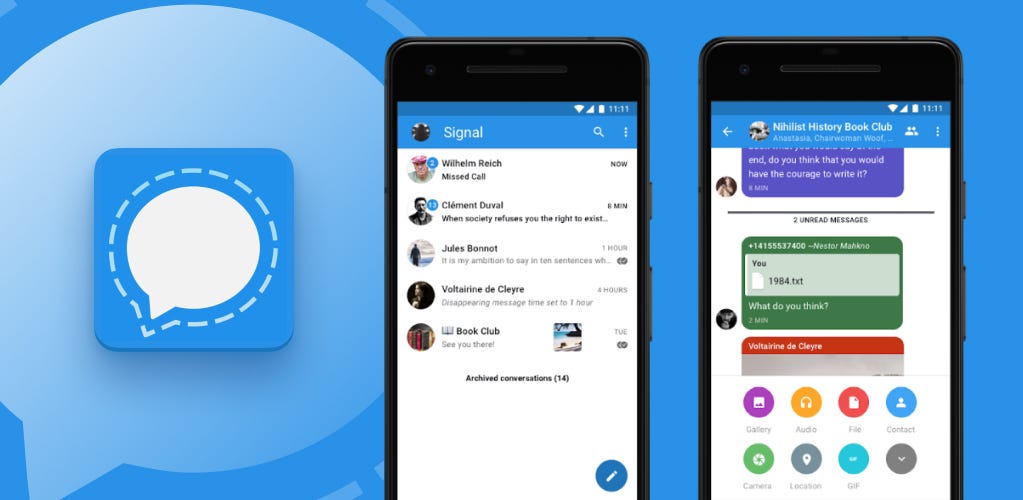
    Signal now allows users to create shareable links for group calls without the need to create a group chat. The new update also introduces an option to raise your hand and react with emojis during group calls, making video conversations more interactive.

    The secure chat app Signal rose in popularity a few years ago. Although now most major messaging apps offer encrypted and secure messages, Signal is still considered to most secure of them all. Signal has quite a lot of cool features like self-destructing messages, message editing, chat backups, group chats, username identification instead of phone numbers, and more.

    The app is also open source. Its latest update focuses on bringing more functionality to its group call features. Now, the platform is introducing shareable meeting links, called Call Links. It works similarly to the solutions offered by WhatsApp and FaceTime.

    Basically, you are able to create a meeting link that can be shared on Signal with whomever you want. They can then join your call by clicking on the link.

    Before the update, if you wanted to have a group call on Signal, you needed to create a new group, add the participants to it, and then start the call. Now, Call Links make it easier to have a group call. The links can be shared outside of Signal as well; however, to join a call you would need an active Signal account.

    Call Links can be created from the Calls section in the bottom panel, where the new option “Create a Call Link” is situated. You can then give the call a title and toggle admin approval on or off. The feature is now available for iOS, Android, and desktop.

    On top of that, Call Links are reusable, which is awesome news if you would have a weekly check-in call. Call hosts can remove participants from a meeting, as well as block users to prevent them from joining again.

    Signal’s maximum capacity for group calls is currently at 50 people. Call Links was previously available in beta last month, and now it’s made it to a public release.

    Additionally, you can now use a raise hand button similar to Google Meet, which will help you attract the attention of the speaker. Emoji reactions are also coming to Signal calls, which add a touch of fun or interactivity without you having to type or speak during the call.

    I really like these updates to the Signal app. Ever since it rose to popularity for its secure messaging, I’ve been a fan of the app. Now, it’s beco

  • Instagram launches new DMs filtering options for creators

    Instagram launches new DMs filtering options for creators

    New changes are coming to Instagram creators these days. The social network announced over the weekend that a new set of tools that makes filtering direct messages much easier will be making its way to Instagram creators.

    Thanks to the new tools, messages will arrive in a user’s inbox based on the controls they have previously set. Specifically designed for Instagram creators, the new tools will add the ability to sort and filter message requests by follower count, verified accounts, brands, creators, and more.

    Besides the new filtering tools, Instagram also added a new “Story Replies” folder that makes it easier to access story replies by putting them into a single place. This is one of the changes requested by creators over the years, and it looks like Instagram has finally decided to listen to the feedback and deliver.

    Adam Mosseri, Instagram’s head, recently explained the new changes in a post: “Now when you go to the Requests inbox, sometimes it can be really overwhelming. So, what we’ve done is added ways to filter down those requests to just see the ones that you’re looking for. There’s a lot more to do to improve the inbox for creators and requests. But hopefully, this is one step in the right direction.

    Creators will find “Sort & Filter” options at the top of the inbox, where they will be able to choose to sort requests by date or number of followers the sender has. A few other options can be enabled/disabled to fit different scenarios that creators might have in mind, such as where or not the account is Verified or if it belongs to a creator/business.

    These are just some of the first major changes coming to the DMs portion of the app, but Instagram promised to continue to provide new features and improvements to this very important aspect of its app.

  • WhatsApp Beta is testing search functionality for Channel updates

    WhatsApp Beta is testing search functionality for Channel updates

    WhatsApp is testing a new feature that will allow users to search for updates within channels. This feature is currently under development and will be available in a future update. The search option will be accessible through the overflow menu and the channel info screen.

    WhatsApp has been working on a number of new features for channels, including the ability to view detailed insights for their channels. This feature allows beta testers to view detailed insights for their channels, including the number of unique accounts reached, follower growth statistics, and a geographical breakdown of top regions. These metrics help channel admins understand their audience, optimize content for increased exposure, and make data-driven decisions.

    The search for updates within channels feature is another example of WhatsApp’s commitment to improving channel functionality and user engagement. This feature will be particularly beneficial for channels that regularly share multiple updates. Users will be able to simply enter keywords or phrases related to the update they seek, as this can let them quickly pinpoint the specific information they need.

    This feature is still under development, so it is unclear when it will be available to all users. However, it is likely that it will be rolled out in a future update.

    In the meantime, users can continue to use the existing methods for finding updates within channels. These methods include scrolling through the channel’s history or using the search function within the WhatsApp app.

    I believe that this new feature will be a valuable addition to WhatsApp. It will make it easier for users to find the information they require and stay up-to-date on the latest news and updates from their favorite channels. I encourage all WhatsApp users to try out this new feature when it becomes available.

    As an avid WhatsApp user, I am excited about this new feature. I think it will be very useful for finding specific updates within the channels that I am subscribed to. Furthermore, I also appreciate that WhatsApp is constantly working to improve its features and make its app more user-friendly. I look forward to seeing this feature rolled out to all users, myself included, in the near future.
  • WhatsApp is testing a badge count for chat filters in its beta app

    WhatsApp is testing a badge count for chat filters in its beta app

    WhatsApp is rolling out a new beta update for Android through the Google Play Beta Program. This update includes a badge count feature for chat filters. The badge count will show users how many unread messages are in each filter, which should make it easier for users to prioritize their chats and quickly see which conversations need their attention. The badge count will be displayed as a small number within each custom or default chat filter.

    This upcoming feature can be especially useful for users who manage multiple groups or contacts. It can be difficult to keep track of unread messages across various conversations, thus having a badge count should make it easier for users to stay organized and on top of their messages.

    The badge count feature is still under development and is expected to be available in a future update. WhatsApp is also working on a number of other new feature, such as the ability to filter chats by custom lists. This feature is already available in the latest beta version of WhatsApp for Android.

    In addition to the badge count feature, the latest WhatsApp beta for Android also includes other bug fixes and improvements. If you are interested in trying out the latest beta features, you can sign up for the WhatsApp beta program through the Google Play Store. Although these days it can be very difficult to get a spot as the beta program is almost always full.

    I am always excited to see new features being added to WhatsApp. I think the badge count feature is a great addition, as I can foresee it making it easier for me to stay organized and on top of my messages. Furthermore, I also appreciate that WhatsApp is constantly working to improve the user experience and I am looking forward to seeing what other new features they come up with in the future.

  • WhatsApp might finally allow users to protect themselves from spam

    WhatsApp might finally allow users to protect themselves from spam

    WhatsApp has been working on a new feature allowing users to prevent unknown accounts from sending them messages. This has been in development for quite some time, but WhatsApp seems to be confident in the end result and is now making the feature available to beta testers.

    The fine folks at WABetaInfo report that WhatsApp is now rolling out a new update on Android devices that introduces the ability to block messages from unknown accounts.

    The new security feature is hidden in the Advanced tab under the Privacy Settings menu and comes in the form of a simple toggle, which allows users to turn it off and on whenever they wish. While having the option to block messages coming from unknown accounts certainly keeps spam to a minimum, the way WhatsApp is implementing it isn’t as we would’ve expected.

    Apparently, WhatsApp will only block messages from unknown accounts if they exceed a certain volume. It was implemented that way in order to allow business accounts or other accounts that you haven’t interacted with to still be able to send you messages that might prove to be important. Not only that, but WhatsApp will lift the block once the messaging volume returns to normal, which seems like a rather bad decision. In any case, the security feature is still being tested, so the final version might work slightly differently than it is now.

    If you’re enrolled in the beta program, you should be looking for WhatsApp beta for Android 2.24.20.16. Keep in mind though that the feature seems to be available only to a select number of users, although WhatsApp is expected to expand its availability to even more users in the coming weeks.

    Those who want to check out the new security feature but aren’t yet enrolled in the beta can do so via the Google Play Beta Program link.

  • WhatsApp is working on a voice chat mode for Meta AI

    WhatsApp is working on a voice chat mode for Meta AI

    WhatsApp, the popular messaging platform, is rolling out a new beta update for Android users that hints at an interesting feature in development – voice chat mode for interacting with Meta AI.

    This new feature will enable users to engage in real-time conversations with Meta AI using voice commands, providing a hands-free and potentially more efficient way to interact with the AI chatbot.

    According to the findings, in addition to voice commands, users will be able to personalize their experience by choosing from a selection of voices for Meta AI’s responses. This feature will likely be available in a future update, allowing users to customize the AI’s voice to their liking.

    WhatsApp is also testing a shortcut to activate Meta AI’s voice chat mode directly from the chats list. This will allow users to quickly and easily start voice interactions with the chatbot without having to navigate through multiple menus.

    While Meta AI will continuously listen to voice commands in voice chat mode, users will have the ability to stop the mode at any time by leaving the chat or switching to text mode. This ensures that users maintain control over their privacy and interactions with the AI. Additionally, a visual indicator provided by the Android OS will inform users when Meta AI is actively listening, offering further transparency and control.

    This latest development affirms Meta’s commitment to incorporating AI chatbots across its platforms. It’s part of a broader strategy to make their apps more interactive and engaging, and ultimately keep users coming back for more.

    Although the voice chat mode feature for Meta AI is still in development, it represents yet another step forward in the integration of AI with everyday communication platforms. While the potential benefits are clear, it remains to be seen how widely adopted and truly useful this feature will be in practice. Will users embrace voice interactions with AI chatbots, or will concerns about privacy and the accuracy of voice recognition technology limit its appeal? As AI continues to evolve, the future of communication on platforms like WhatsApp may be shaped by our willingness to engage with these increasingly sophisticated AI companions.

  • WhatsApp working on allowing you to choose which contacts to sync on Android

    WhatsApp working on allowing you to choose which contacts to sync on Android

    WhatsApp is consistently working on introducing new features to its platform, and we hear about them quite often. Some are still in development, others are in beta testing. Now, the latest WhatsApp beta for Android, version 2.24.18.14 was discovered by the folks at WABetaInfo to have a very useful new feature: managing contact syncing. I’d honestly think this would be a feature by now, though.

    The feature is compatible with the ability to use multiple WhatsApp accounts on the same phone. It will basically let you have separate contacts for each account, which is very useful. I mean, why would you have separate accounts if everything has to be the same in them, including the contacts?

    The new feature allows you to choose which contacts to sync to your phone, and you can manage WhatsApp contacts from your linked devices.  So basically, if you want to, you will be able to disable syncing to your phone from your secondary WhatsApp account.

    Additionally, if you disable contact syncing for an account, you will still be able to manually sync each contact with an upcoming beta release of the popular chat app. If you sync a contact manually, it will be available across all linked devices. You’ll also be getting a new contact backup option, which is there to help you restore your contacts if you reinstall the app. All the features are quite useful, it seems.

    Keep in mind that these WhatsApp features are still in development. This pretty much means that we will have to wait for a few months before these features become globally available. And it’s always possible (although it happens somewhat rarely) that WhatsApp will decide to ditch the feature altogether.

    Recently, WhatsApp was discovered to work on a feature that allows you to have a Passkey for enhanced backup security. This is a passkey authentication feature for end-to-end encrypted backups. Passkey authentication is already available for account verification, but it will be available for backups too in the future.

    In my opinion, WhatsApp’s new features in the works are more of a quality-of-life type of feature rather than something overly dramatic. Little improvements matter just as details matter, so I’m all for that.

  • Telegram enhances user experience with new browser

    Telegram enhances user experience with new browser

    In its latest update, Telegram has introduced a range of new features designed to elevate the user experience. These include a new in-app browser with support for multiple tabs, a mini app store, a novel type of mini apps, and the ability to gift Stars to friends.

    The in-app browser now allows users to collapse and reopen pages from the bottom bar, facilitating seamless movement between messages, websites, articles, and mini apps. Notably, the browser supports decentralized websites hosted on TON, extending Web3 access to Telegram’s vast user base. Moreover, users can now view notifications without losing their place in articles, web pages, or games, and they can bookmark pages for future reference.

    A new ‘Apps’ tab in Search simplifies access to frequently used and popular mini apps. Developers can now enhance their mini app previews with video demos and screenshots. Mini apps integrated with Telegram Stars may gain visibility in the ‘Popular Apps’ section. Additionally, mini apps can generate custom story content for users to share directly as Telegram Stories.

    Telegram has also added the option to gift Stars to contacts, facilitating the purchase of digital goods in mini apps or access to paid content in channels. Birthdays are highlighted for gifting, and gifted Stars are presented in an animated gift box in the chat.

    Video messages now offer the option to use the front flash for better lighting in low-light conditions. Stories can be augmented with an animated weather widget, automatically adapting to the viewer’s temperature unit preference and displaying the moon phase on clear nights. When sharing video stories on profiles, users can select a specific frame as the cover photo.

    Furthermore, Telegram for macOS now boasts a revamped browser with tabs supporting a variety of content, including games, mini apps, instant view pages, and Web3 ton-sites.

    By combining these multi-platform tools, this update positions Telegram as a leading platform for productivity and communication, catering to the evolving needs of its users. This update should begin rolling out to all users right away.

  • WhatsApp starts testing AR call effects and filters on Android

    WhatsApp starts testing AR call effects and filters on Android

    WhatsApp is rolling out new features to its Android beta users. If you’re enrolled in the Google Play Beta Program, you’ll be getting a new update that adds AR call effects and filters so that you can try them out before they go live for everyone.

    Spotted by WaBetaInfo, the new features are only rolling out to Android users. WhatsApp is working on so many new features and improvements that is rather hard to keep track of everything until they make it into the beta testing.

    We reported about WhatsApp’s plans to add AR effects and filters to its app last month, but at that time these weren’t available for users, not even those enrolled in the beta program and running WhatsApp beta on their phones.

    The latest WhatsApp beta for Android 2.24.16.7 marks that addition of both these new features. Although AR call effects and filters might only be available to select users at first, WhatsApp usually expands availability over the coming days or weeks.

    The newly added AR effects allow users to enhance their video calling experience by personalizing their calls. Currently, it’s possible to enable dynamic facial filters like the ability to smooth skin appearance and a low-light mode that improves visibility in darker environments.

    Besides that, the updated beta version of WhatsApp features a background editing tool, which makes it easier to blur the background or customize it during group calls. It’s also possible to customize the background by simply choosing to use one of the default ones added by WhatsApp during calls.

    Although it didn’t take WhatsApp too long to roll out AR effects and filters to the beta program, we might have to wait quite a bit for the app to make these available to the general public. Stay tuned for more on this one.

  • WhatsApp could add AirDrop-like file sharing feature to its iOS app

    WhatsApp could add AirDrop-like file sharing feature to its iOS app

    WhatsApp has been working on bringing a file-sharing feature to Android users for a few months now. The first proof that WhatsApp plans to introduce this functionality dates from April, but only the Android platform was mentioned in relation to this specific feature.

    Due to the limitations of the iOS ecosystem, bringing the same file-sharing feature to Apple fans would have required a slightly different strategy. Thankfully, WhatsApp seems to have found the right formula to allow users to share files through its app, similar to what AirDrop allows users to do.

    The folks at WABetaInfo discovered in the latest WhatsApp beta for iOS 24.15.10.70 update from the TestFlight app that the same file sharing feature tested on Android is likely to be added to the iOS app too.

    With the new feature iOS users will be able to share files with people nearby using WhatsApp’s iOS app. However, the feature works slightly differently on iOS, as users are required to scan a QR code in order to start receiving the shared files, whereas Android is using a nearby device detection method that doesn’t involve any extra steps to share files.

    The file-sharing feature is expected to work across different platforms no matter what type of phone/tablet users have. If the implementation of the feature remains the same as in the beta version of WhatsApp, iOS users will have to follow one or more extra steps to start sharing files

    According to the report, the AirDrop-like file sharing feature is still in the early stages of development, so WhatsApp can still significantly change its implementation approach.

    Obviously, there’s a slim chance that WhatsApp won’t add the ability to share files with nearby people at all, or at least not in the near future. We’ll be keeping an eye on this one since it seems to be one of the more important features that WhatsApp is still missing.

  • Time to update your contact pics as Google Messages now shows them bigger

    Time to update your contact pics as Google Messages now shows them bigger

    Recently, we mentioned Google was experimenting with a long-press feature for peeking into RCS conversations. Now, apparently, this feature has been approved and is starting to roll out more widely.

    According to a recent report, users can expand a contact’s profile photo by tapping on it in the main list. This action allows you to view a larger image of the selected contact, along with three shortcuts displayed at the bottom:

    Message: You can start a conversation by messaging the contact. This shortcut might seem a bit odd since you can simply tap on the conversation without first selecting the contact’s profile picture.

    • Call: Dial the contact right away.
    • Info: Preview information quickly without fully opening the conversation.

    The latest update also applies to group chats, but you won’t find the Call option there. To access features like Pinning, Archiving, Deleting, Blocking, and marking messages as read or unread, just long-press anywhere outside the profile picture of the contact you’re chatting with.

    While it may not seem like a major overhaul, this update significantly enhances user experience. Previously, long-pressing a conversation only allowed bulk actions such as muting or deleting. With the ongoing rollout of this latest update, which might not be visible to all users yet, performing actions like placing a quick call is now much simpler.

    In other recent updates, Google has begun rolling out a new user interface for content sharers on Google Messages. Moreover, the tech giant has expanded the Gemini feature in Google Messages to include all Android phones with 6GB of RAM or more.

  • WhatsApp rolling out feature that lets you set HD quality as the default for media

    WhatsApp rolling out feature that lets you set HD quality as the default for media

    WhatsApp, one of the most popular encrypted messaging apps, is gearing up for a significant update that could change the way users share media. The app is rolling out an HD quality default setting, a change that could make high-resolution images and videos the new norm.

    This upcoming feature builds upon the app’s previous enhancements in media sharing. In August, WhatsApp introduced an HD image sharing option, followed shortly by HD video sharing. While HD doesn’t equate to uncompressed, it significantly improves the resolution of photos and videos compared to WhatsApp’s standard compression, which can often reduce media quality.

    Previously, users had to rely on workarounds like attaching media as documents to bypass the compression, adding unnecessary steps to the sharing process. The new default setting eliminates the need for such workarounds, making sharing high-quality media seamless and intuitive.

    According to reports from Android Police and beta users, the new default setting has been spotted in WhatsApp’s beta version 2.24.13.10. This suggests that the feature is in its final stages of testing and could be released globally soon. Users can check if they have the option in the app’s settings under Storage and data > Media upload quality.

    While this feature is a welcome addition for many users, WhatsApp does caution that HD quality files can be significantly larger than standard quality files, potentially consuming more bandwidth and storage space. However, for users who prioritize image and video quality, this tradeoff might be worth it.

    The introduction of an HD quality default setting aligns with WhatsApp’s continuous efforts to enhance its user experience and stay competitive. Looking ahead, it’s possible that WhatsApp will further expand its HD media features, however, there’s no official word on when or if these features will be implemented.