Retail News CRM

Tag: messaging

  • WhatsApp is working on a pinning feature for its Android app

    WhatsApp is working on a pinning feature for its Android app

    WhatsApp’s next feature will allow users to pin channels. After gaining Channels a while ago, WhatsApp desperately needs a way to declutter the long list some users have joined.

    The ability to pin channels in WhatsApp is now in the works, WABetaInfo reports. The new feature popped up in version 2.24.4.3 of WhatsApp for Android, which means it’s actively being tested and should be rolled out to everyone if developers decide to give it the green light.

    As noted in the report, the new feature will probably be implemented with a slightly different interface for channels, which will reportedly look like the interface of the chats tab.

    Naturally, there’s no guarantee that this feature will make it in the stable version of WhatsApp, although chances are that it will be available in some form in the not-so-distant future. Stay tuned for more info about WhatsApp’s upcoming features.

  • WhatsApp rolls out custom sticker maker on iOS

    WhatsApp rolls out custom sticker maker on iOS

    WhatsApp is bringing custom stickers to a whole new level with the latest update. The new changes will make it easier to customize your stickers before you post them in your conversations.

    Up until now, you could only create stickers by adding pictures from a gallery into the app, but the latest update adds an extra layer of customization. WhatsApp is now rolling out a new update on iOS, which lets users add text, another sticker, or even draw on top of a sticker.

    The procedure remains the same, but you can now add various media content on top of the image you chose from your gallery. In addition to being able to customize your stickers with text and drawings, you can also edit them by long-pressing on the image.

    The new feature is only available on devices that run at least iOS 17. If you’re an Android user, this is not yet available for you, but it’s unlikely that it will take WhatsApp too long to bring it to another platform.


  • WhatsApp starts rolling out the ability to pin messages

    WhatsApp starts rolling out the ability to pin messages

    Meta has just announced that pinned messages are debuting on its WhatsApp messaging app. The new feature is currently rolling out to users, but it will take some time for everyone to see it in their app.

    An extensive FAQ related to the new feature is now available for users to peruse in order to learn how pinned messages work. The procedure is quite simple on both iOS and Android platforms.

    Android users can tap and hold the message, tap the three-dot icon, choose Pin, and then select the pin duration: 24 hours, 7 days, or 30 days. On the other hand, iPhone users must tap and hold the message, tap More options, then tap Pin and select the pin duration: 24 hours, 7 days, or 30 days.

    To unpin a message before the time runs out, simply tap and hold the message, and choose Unpin. iPhone users will find Unpin in the More options tab after tapping and holding the message. For web and desktop users, head to the message that you want to unpin, click the arrow down icon, and choose Unpin.

    As far as group chats go, WhatsApp mentions that group admins can choose to allow members to pin messages in group chat. This option is available on Android devices by turning Edit group settings on or off in the Group Settings menu.

    On iPhones, the option is available in the Group info / Group Settings / Edit Group Settings / select All members or Only Admins. Remember that when a message is pinned in a group chat, a system message will be shared with everyone on the chat.

  • WhatsApp for Android brings back Muted Updates and Channel Polls

    WhatsApp for Android brings back Muted Updates and Channel Polls

    WhatsApp, one of the world’s most popular instant messaging apps, is constantly rolling out new features and updates in an effort to improve the user experience. In the past week alone, the app’s developers have released two new beta updates on Android that introduce a couple of interesting features, including the return of Muted updates and the ability to create and share polls within Channels.

    As reported by WaBetaInfo, WhatsApp brought back Muted updates in version v2.23.24.11 of the Android beta app, which had disappeared from the main Updates tab following the arrival of Channels. Previously, users could still access Muted updates by tapping the three-dot menu in the Updates tab, but this was not as convenient as having them directly displayed in the main tab.

    Shortly after, v2.23.24.12 was released, which introduces the ability to create and share polls within Channels. This feature is similar to the polls feature that is already available in one-on-one and group chats, but with a few key differences.

    In order to prevent spamming and ensure that poll results are accurate, the feature within Channels are limited to one choice per user. Additionally, in order to protect privacy, Channel polls are also anonymous — meaning that no one can see who voted for what.

    The ability to create and share polls within Channels is a useful new feature that can be used for a variety of purposes, such as gathering feedback from community members or running contests and giveaways. Similarly, the return of Muted updates is a welcome change for users who prefer to keep their status updates muted. With this feature, users can easily view all of their muted status updates in one place without having to navigate through multiple menus.

    Unfortunately, as both of these features are currently only showing up for a limited amount of users using the beta app, and the WhatsApp beta program is currently — and almost always — full to capacity, it might be a bit until we see then both show up on the stable public app.


  • Google Chat’s smart replies feature expands to groups and spaces

    Google Chat’s smart replies feature expands to groups and spaces

    Smart replies have been added to Google Chat a long time ago, but they were only available for direct messages. However, that’s about to change, as Google has just announced Chat’s smart replies will expand to group messages and spaces on the web.

    Powered by Google’s machine learning, smart replies are the perfect tool to respond quickly to a message when you’re on the move, or you just want to avoid typing long messages.

    According to Google, the new feature is available now for all users, including Google Workspace customers and users with personal Google Accounts. There’s no need to change your Google Chat app, as the feature will appear automatically.

    Once it’s been added to your Chat app, you will be able to select one of three response options that pop up in a chat or customize your reply before sending it.

    It’s important to add that Google Chat’s smart replies are only available in English, French, Portuguese, and Spanish. Those who want to turn off smart replies for whatever reason can do so by clicking Settings and unchecking the Smart Reply box.

  • Viber rolls out a new suite of business tools and they’re free

    Viber rolls out a new suite of business tools and they’re free

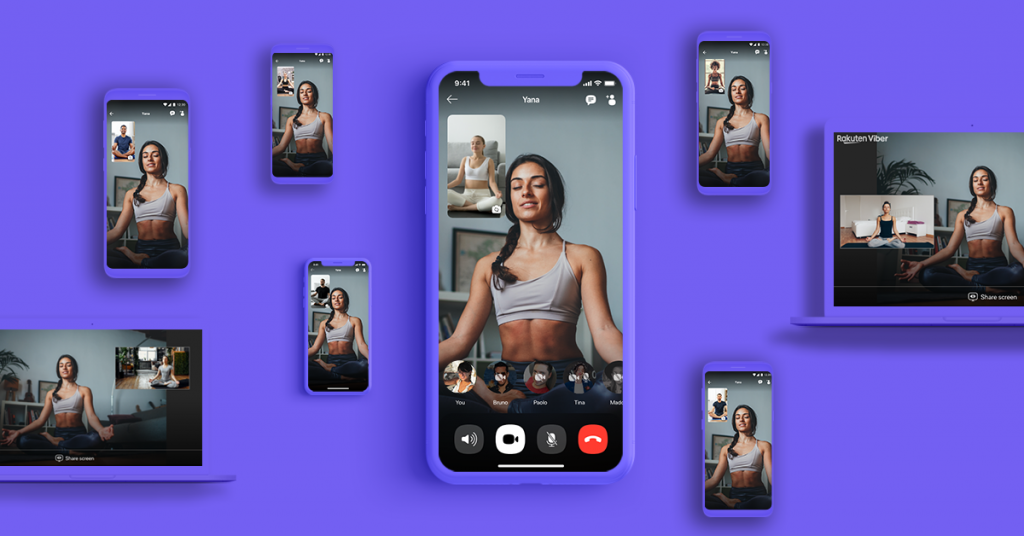
    Following WhatsApp, Viber announced a new set of business tools for small and medium-sized businesses. In an attempt to turn its app into a “communications hub for a wide range of businesses,” Viber is now rolling out several new features that will be available for free for small and micro businesses.

    Inspired by the company’s successful Viber Business Accounts for enterprise-sized level businesses, the free offering includes new features such as:

    • Public business profiles (Businesses can create a public, searchable business page featuring all essential information. The profile can be shared with customers inside the app or even with people who are not Viber users yet.)
    • 1:1 customer chats (Businesses can respond to customer requests right away over instant messaging.)
    • Discoverability through Viber search (Businesses can find and retain loyal customers on their preferred day-to-day conversations app, where customers can discover local products and services by searching for the business name or category.)
    • Dedicated chat folders (Businesses can conveniently store customer messages separately from personal messages with family and friends. Users will also have easy access to a separate Business Inbox folder for storing their conversations with businesses.)
    • Product catalog (Business owners can effortlessly add new products or services to their business page’s catalog. Customers can explore and inquire about the items by sharing the link to the product directly in the chat.
    According to Viber, these free business-oriented features will be followed soon by more services aimed at medium-to-large business accounts. It’s not clear if these will also be available for free, but it’s unlikely.

    The company’s new self-serve business accounts are only available in Greece and the Philippines for the moment, but they will be launched in additional countries soon.

    Viber also plans to add more useful features like broadcast messages, voice calls, as well as quick and automatic replies for small businesses. More importantly, Viber says that “tailored pricing plans” will be offered based on market feedback to expand the initial set of free self-serve business features.

  • New WhatsApp beta on TestFlight includes WhatsApp Beta for iPad

    New WhatsApp beta on TestFlight includes WhatsApp Beta for iPad

    Popular messaging app WhatsApp has never offered an app for the iPad. Instead, iPad users who want to use the platform are forced to use the web version of WhatsApp using a mobile browser. That’s because in the beginning, there wasn’t a separate iPadOS operating system for the tablets and WhatsApp didn’t work with the iPad.

    From time to time, there have been several false starts, including a couple of years ago when Facebook founder and CEO Mark Zuckerberg (Meta owns WhatsApp) and WhatsApp chief Will Cathcart discussed a possible iPad app for WhatsApp in a group chat.

    Per WABetaInfo, the latest version of the WhatsApp Beta (version 23.19.1.71), available only from Apple’s TestFlight, is compatible with the iPad. You will have to be a member of the WhatsApp for iOS official beta program on TestFlight to install WhatsApp on your iPad. Once you install it, you will need to scan a QR code using your iPhone. The app will then download all of your conversations, and you’ll be able to send and receive messages on your iPhone, iPad, and Mac.

    Once the app is installed on the iPad, users will be able to use WhatsApp on their Apple tablets regardless of whether their iPhone is nearby or not, even if the devices aren’t sharing the same Wi-Fi signal. The WhatsApp app for iPad is limited in that you cannot open a new WhatsApp account from it, similar to the version of WhatsApp made for the desktop. It offers more content on the screen thanks to the larger displays.

    It isn’t known when the public will get access to this app and as we said, the Beta is available only from Apple’s TestFlight, so there is limited availability. But that will change as soon as WhatsApp for iPad becomes available in the App Store.

    We should point out that WhatsApp’s sibling, Instagram, also does not offer an app for iPad. Both WhatsApp and Instagram were purchased by what was then known as Facebook in February 2014, and April 2012 respectively.

  • WhatsApp officially launches its Channels feature globally

    WhatsApp officially launches its Channels feature globally

    WhatsApp announced today via its official blog the launch of its new Channels feature in over 150 countries as well as the addition of thousands of new channels. WhatsApp Channels have been in the works since earlier this year as a way to give users a private outlet to receive updates from organizations, sports teams, artists, and notable figures.

    Channels are different from the regular chats you are used to on WhatsApp, as they are separate and whoever you choose to follow is not visible to others, hence their focus on privacy. WhatsApp users have the option to browse through various channels and decide to track those that interest them.
    Through the feedback received from those that were privy to using this feature in one of the ten countries were it was originally being tested, the company worked to add the below updates to the Channels feature just in time for the global release:
    • An enhanced directory that makes it easier to find channels to follow, filtered by country.
    • Reactions, so you can give feedback on Updates using emojis.
    • Editing, so admins can make changes to their Updates for up to 30 days.
    • Forwarding, so you can share Updates with others and they can easily find the channel.

    WhatsApp also promises that more features will continue to be added as the Channels features grows and expands, and that these features will be based directly on user feedback. One of them will be the ability for anyone to create a channel, similar to the way this same feature currently works on Instagram.

    The WhatsApp Channels rollout appears to be staged at the moment in the latest version of the app. Once available, Channels that you can follow can be found in the new “Updates” tab, including the official WhatsApp Channel which you can follow to stay up to date on any new additions to the app.
    However, if you still don’t have the feature and don’t want to keep checking to see when it’s available for your account, you can click on the WhatsApp Channel link — or any channel link for that matter — and you should get a popup within the application with an option to be notified when it’s ready.
  • WhatsApp HD video support starts rolling out to everyone

    WhatsApp HD video support starts rolling out to everyone

    Meta’s Mark Zuckerberg teased last month the imminent arrival of one of WhatsApp’s most requested features, the ability to share HD videos. Although some Android and iOS users got the feature last month, the global rollout has only just begun.

    Today, WhatsApp officially confirmed that it had started to roll out HD video support on its messaging app. With this addition, WhatsApp users can finally send both photos and videos in high-definition format, although the feature needs some refinement.

    For example, no toggle would allow you to set WhatsApp to send all pictures and videos you want to share in HD format by default. You have to select this option every time you share a media file with one of your contacts, which is a bit annoying, but it’s better than not having the feature at all.

    If you’ve been sharing videos until now, you’ll notice that the resolution has been upgraded from 476 x 848 to 718 x 1280 pixels. Yes, you still can’t share videos in their original resolution, which more often than not is higher than 720p. Still, this is a considerable upgrade over the previous quality, especially since the size of an HD video is almost doubled.

    Meanwhile, WhatsApp is currently testing multi-account support, but we won’t know when it drops until it’s already here. However, if you’re running a beta version of the app, you’re probably already using it on your Android phone.

  • WhatsApp may soon get new text formatting tools

    WhatsApp may soon get new text formatting tools

    WhatsApp is already one of the best messaging apps, but there’s always room for improvement. That’s why we’re getting new updates that bring important new features almost every month. Recently, the app added support for high-resolution photos and promised to bring support for HD videos very soon too.

    On top of that, we’ve just learned that WhatsApp is working on additional text formatting tools that will make communications easier and even more fun. The fine folks over at WabetaInfo spotted a brand-new feature in the latest beta version of WhatsApp, which indicated that Meta’s developers have started to implement new text formatting tools.

    There’s proof about three new text formatting options, which will be added on top of the already available italics, bold, strikethrough, and monospace options.

    The first one is called “Code Block” and is aimed at software developers and programmers who might want to send code snippets to their friends or colleagues. This particular text formatting tool will prevent the confusion created when code snippets were not being displayed accurately in the chat window.

    Another interesting text formatting tool, Quote, will receive a small yet important improvement. WhatsApp plans to introduce a new option that will allow users to highlight portions of a text that they want to quote. Currently, you can only quote entire messages, not parts of them.

    Last but not least, one of the latest beta versions of WhatsApp had a new formatting tool that allowed users to create lists of items. That will basically eliminate the need to manually add bullet points to every item that you want to be included in your list.

    The report mentions that these features are now in development, so it may take some time until WhatsApp actually releases them for everyone to use. Still, it’s nice to know what we’ll be getting in future updates, even if these new features won’t be available for a long time.

  • WhatsApp’s multi-account support feature is now available for select beta users

    WhatsApp’s multi-account support feature is now available for select beta users

    WhatsApp has been rolling out a lot of new features lately, but we’re expecting the messaging app to get even more in the coming weeks. Meta’s successful acquisition is testing new features all the time, but only select beta testers have access to these.

    The folks over at WabetaInfo made a habit of dissecting every new beta version of the app WhatsApp releases to discover all the new stuff the company plan to bring sooner, later, or sometimes, never.

    WhatsApp beta for Android 2.23.17.8 is very important because it brings one of the most requested features, the ability to add multiple accounts to the app.

    As per WabetaInfo’s findings, the new feature is fresh out of the oven and is now going through the usual beta testing before being released worldwide. Only select beta testers have access to multi-account support, but its availability might expand as the testing process progresses.

    With multi-account support, WhatsApp users can add a new account to their app by tapping the arrow icon next to the QR code button. Switching between accounts can also be done from the same menu. New accounts will remain attached to your WhatsApp app until you log out.

    The addition of multi-account support will make it easier for WhatsApp users to keep all their conversations from multiple accounts on a single device. It’s an incredibly useful feature for those with more than one WhatsApp account and currently using two devices to handle them.

    Since the feature is now going through the testing process, it might get some changes, but at least we know it’s in the pipeline. Regardless of the form it will take in the end, multi-account support is coming folks, so be ready to throw away that second phone that you’ve been keeping to manage your multiple WhatsApp accounts (or not).

  • WhatsApp adds new Chat Transfer feature

    WhatsApp adds new Chat Transfer feature

    WhatsApp has been rolling out new features to its messaging app like there’s no tomorrow. Several updates were released last month alone (not counting the beta version), which is unusual even for one of Google’s most popular apps. Over the weekend, WhatsApp announced yet another new feature is making its way to Android and iOS users: Chat Transfer.

    Announced on Twitter, the new feature allows WhatsApp users to transfer their full chat history without having to leave the app. However, there’s a big catch, as the feature can only transfer data across the same operating system, so if you’re planning to switch from Android to iOS or vice versa, the new Chat Transfer feature will not work.

    If you’re an Android or iOS user who wants to switch to a different operating system, you can transfer your WhatsApp chats using apps like Move to iOS. The new feature announced over the weekend has the same functionality, but it makes it possible to transfer WhatsApp chats without having to leave the app, albeit only across the same operating systems.

    To take advantage of the new feature, you must set up a new account on your new phone and choose the Chat Transfer option to create a QR code. Then, simply scan the QR code provided with the old phone and wait for the phones to connect and the data to be transferred to the new smartphone.

    According to Google, the ability to transfer WhatsApp chats without having to leave the app is available starting today, although it may take a few weeks to show up for everyone, so be patient if you didn’t get it yet.

  • Google tests badge for Messages that quickly points out RCS chats

    Google tests badge for Messages that quickly points out RCS chats

    Rich Communication Services (RCS) is the platform that Google offers Android users in its Messages by Google app. Similar to iMessage in iOS, RCS uses your phone’s data connection and Wi-Fi instead of the cellular connection used for SMS/MMS messaging. With RCS, users can type messages with as many as 8,000 characters as opposed to 160 for SMS. RCS also offers end-to-end encryption, read receipts, typing indicators, high-quality images and video, and text inside blue bubbles.

    Yup, RCS is very much like iMessage. So much so in fact, that if an iOS user were to infiltrate a group chat held by Android users, all of these features would disappear and everyone’s texts would be inside green bubbles-just like with iMessage when an Android user joins a previously all iOS chat.

    Google has added a new feature that now shows you from the Messages home screen in Android which of your conversations are eligible to use the RCS platform. Previously, you could figure this out by opening a conversation and looking at the text field at the bottom of the screen. If the conversation was with someone using an Android phone and RCS, you would see the words “RCS message.” If you were texting an iOS user or an Android user using a non-RCS messaging app, you’d see the words “Text message.”
    With the new feature, which shows up in the latest beta release to Google Messages (version 20230615_02_RC00), a badge that looks like the Google Messages icon appears on the bottom right of the avatars on individual and group conversations that will use the RCS platform when you tap to reopen them. Nothing shows up on the avatars that belong to those conversations on your Messages home screen that were conducted using SMS/MMS instead of RCS. The RCS badges have appeared on my Pixel 6 Pro running Android 14 Beta 3.1.
    If you don’t have the Messages by Google app on your Android phone, tap on this link to install it from the Google Play Store. To see which version of Google Messages your Android phone is running, go to Settings > Apps > See all xxx apps and scroll down until you see the Messages app. Tap on it and scroll to the very bottom and you’ll see which version of the app you have.
    Since this feature is on the beta version of Google Messages, it should be available to all Android users running the Messages by Google app soon.
  • WhatsApp update adds option to automatically silence unknown callers

    WhatsApp update adds option to automatically silence unknown callers

    WhatsApp users have been spoiled lately, as Meta’s acquisition rolled out several important updates in the last few months, something that doesn’t happen too often. Today’s update introduces a couple of privacy features that we’re pretty sure users will find extremely useful.

    As the title says, a new option to automatically silence unknown callers is now available for WhatsApp users. Specifically designed to prevent spam, scams, and calls from unknown people, the new feature provides increased protection and peace of mind.

    The new feature can be enabled from the Privacy tab / Calls and while all calls from unknown numbers will be silenced, they will still be shown in the Call list just in case you recognize one of the numbers or you know it’s coming from someone important.

    In addition to the Silence Unknown Callers feature, WhatsApp announced that it’s bringing Privacy Checkup to its app. It’s a step-by-step feature meant to guide users through important privacy settings and familiarize them with certain levels of protection.

    WhatsApp users can now select “Start checkup” from their Privacy settings to browse through multiple privacy layers that increase the security of messages, calls and personal information.

    These two new features should be available globally for all WhatsApp users, but make sure to update to the latest version of the app before trying to use either of them.

  • Soon you’ll be able to send higher-quality images via WhatsApp on iOS and Android

    Soon you’ll be able to send higher-quality images via WhatsApp on iOS and Android

    WhatsApp is rolling out a new feature allowing users to send high-definition (HD) photos on iOS and Android. The feature, which is currently being tested by a small group of beta testers, will allow users to send images without them being heavily compressed, although a light compression will still apply.

    As per WABetaInfo‘s reporting, the new option is available in the latest beta version of WhatsApp on Android (v2.23.12.13) and iOS (v23.11.0.76). However, this option is just that — an option — and not the default setting. This means that it will need to be selected anytime you want to send an image with lighter compression.
    The current photo-sending options include “auto,” “best quality,” and “data saver,” but none of these options allow for no compression at all. Like other popular messaging applications, WhatsApp utilizes automatic compression of photos and videos to minimize their size and facilitate expedited image transfers.

    Once you’ve chosen an image, you can send it at a higher quality by tapping the new HD icon at the top. However, the option only appears if you are trying to send an image with higher resolution.

    It doesn’t look like this feature will extend to videos, which is a shame considering that WhatsApp is used by many as an alternative to iMessage/RCS when sending videos cross-platform. However, there is a workaround to this by attaching the movie as a document instead of a media file.

    It is unknown when this feature will roll out to the masses as it is only just now rolling out in beta. However, The new HD photo and lightly compressed image feature is a significant improvement to WhatsApp’s media sharing capabilities and will allow users to send higher quality photos and videos to friends and family without worrying about file size or compression.