Retail News CRM

Tag: messaging

  • WhatsApp testing the ability to pin up to two channels

    WhatsApp testing the ability to pin up to two channels

    WhatsApp, the global chat app owned by Meta, is ever-changing and evolving by adding new user features. Lately, it was found that WhatsApp was enhancing its user experience with a new feature currently being tested in the Android Beta version 2.24.13.3. Select beta testers are now able to pin up to two of their favorite channels to the top of their channels list, making it easier to stay connected and informed with the content they value most.

    Before, users had to scroll through their entire channels list to find their most frequently visited ones. However, this newest update has been reported to address this issue by allowing users to select and pin up to two channels to the top, making them easily accessible whenever they open the updates tab.

    In addition to pinning, users can now perform bulk actions on multiple channels simultaneously, such as muting, marking as read, or even pinning them together. This streamlined functionality is a welcome addition for users managing numerous channels, where taking these actions could become time-consuming.

    Users can easily access their favorite channels without scrolling through their entire list by pinning their favorite channels, especially when there is more than one. This not only saves time but also improves the overall navigation experience within the app. This enhanced accessibility encourages users to stay more informed and engaged with their preferred channels, as they are more likely to see and interact with the latest updates, which would be more visible if they are pinned.

    The new multiple pinning feature is currently available to a limited number of beta testers who have installed the latest updates of WhatsApp beta for Android from the Google Play Store. However, it is expected that WhatsApp will gradually roll it out to more users in the coming days, offering users a new way of organizing their WhatsApp channels.

  • WhatsApp beta tests smarter status update ranking

    WhatsApp beta tests smarter status update ranking

    WhatsApp, the popular Meta-owned messaging, never seems to rest on its laurels. Always testing new features, the company recently revamped the status updates tray in their Android beta, giving it a sleek new look with bigger thumbnails and a more modern layout. But the changes don’t stop there – WhatsApp appears to be doubling down on enhancing the status update experience, with a particular focus on making sure you see updates from the people you care about most.

    A new feature currently being tested in the Android beta, dubbed “ranked status updates,” aims to prioritize updates from your most important contacts. This means that instead of seeing updates in strictly chronological order, WhatsApp will intelligently reorder them. This is based on several factors, including how often you interact with each contact, whether they’re pinned to the top of your chats, and how recently you’ve messaged them.

    Even status updates that are about to expire will get a boost, ensuring you don’t miss out on those fleeting moments. Notably, official WhatsApp updates will remain at the top of the list, guaranteeing you never miss important announcements from the app itself.

    Keen-eyed users may notice the absence of timestamps on status updates. This is a deliberate design choice, as WhatsApp shifts its focus from displaying the newest updates to showcasing the most relevant ones. Reportedly, all the data used for ranking updates remains on your device, so your privacy is not compromised.

    However, this new feature isn’t without its quirks. If you reinstall WhatsApp or link a new device, the ranking system essentially resets, meaning it will take some time for the app to relearn your preferences. Additionally, if you use WhatsApp on multiple devices, the order of status updates may vary slightly due to differences in synced chat histories.

    As of now, the ranked status updates feature is only available to a limited number of beta testers. But if it proves successful, it’s likely to be rolled out to a wider audience in the near future. So keep an eye on those WhatsApp updates – your status feed could soon become a whole lot more personalized and engaging.

  • WhatsApp might soon start asking you for your birth year

    WhatsApp might soon start asking you for your birth year

    A new change is coming to WhatsApp due to certain U.S. states passing age verification laws. The changes are aimed at protecting children online, and different laws and legislation bills are currently in progress.

    Now, Meta is getting WhatsApp ready for these changes. In a recent beta version for Android (v.2.24.12.25) of the app, WABetaInfo discovered code that is meant to make WhatsApp ask you for your birth year. The prompt warns that the year cannot be changed later, and you need to provide it to continue using WhatsApp.

    For now, this feature is not available to the public. Although there’s no official reason given for this feature, it’s most likely connected to the laws that are currently in the works in the U.S.

    It seems that Meta will not be showing your birth year within WhatsApp, and this prompt seems to only be for compliance with local laws.

    It’s probable this prompt will appear to you if you live in a state with age verification laws (or you’re visiting).

    These are currently the US states where verification laws have been passed:

    • Alabama
    • Florida
    • Georgia
    • Idaho
    • Indiana
    • Kansas
    • Kentucky
    • Nebraska
    • Oklahoma
    • South Carolina
    • South Dakota
    • Tennessee

    This means when this update rolls out publicly, you’ll probably see the prompt if you live in one of them. Of course, as with anything currently in beta, we don’t know exactly when this feature will be officially released. However, it’s probably going to be sooner rather than later so that WhatsApp can be compliant with the legislation.

  • WhatsApp working on enhancing the drawing editor with an upcoming color chooser feature

    WhatsApp working on enhancing the drawing editor with an upcoming color chooser feature

    WhatsApp, the popular messaging app, continuously tests potential features to improve user experience. In a recent beta update for Android (version 2.24.12.6) available on the Google Play Store, we get a sneak peek into an exciting new feature that’s set to enhance the app’s photo and video editing capabilities.

    This latest feature builds upon a previous update (2.24.10.23) that introduced a redesigned drawing editor. This revamp focused on user-friendliness by relocating the brush and color tools to a bottom bar for easier access, particularly on larger screens. Now, WhatsApp is taking another step forward by working on a color chooser tool that will be integrated into the drawing editor in a future update.

    As noted by WABetaInfo, a reliable source for WhatsApp updates while still in beta, this innovative tool will empower users to select a specific color directly from the image they are editing. This means that users will no longer be constrained by the current selection of 24 preset colors. Instead, they can tap into the full spectrum of colors within the image, enabling precise color matching and coordination.

    The potential benefits of this feature could be great. Imagine perfectly matching the color of a flower in a photo to the text you overlay on it, or seamlessly blending the colors of a sunset into a drawing. This level of customization will unlock new creative possibilities for users, allowing them to craft visually stunning and personalized content.

    The color chooser feature is particularly exciting for WhatsApp users who use the status feature to share visual updates with their friends. With this tool, users can create more polished and aesthetically pleasing status updates that truly reflect their individual style. Whether it’s adding a splash of color to a selfie or creating a themed status with perfectly coordinated elements, the color chooser will give users the tools to express themselves visually.

    While the color chooser is still under development and not yet available to the general public, it is expected to roll out in the future app update.

  • WhatsApp could add a new sticker-related feature very soon

    WhatsApp could add a new sticker-related feature very soon

    WhatsApp is testing new features all the time, but the best news is many users have access to new functionalities if they’re willing to enroll in the beta program. One such new feature will make it easier to find stickers and sticker packs in WhatsApp.

    Spotted recently by WABetaInfo, the feature adds a text field to the sticker keyboard, allowing users to search for stickers from the dedicated store by simply writing what they’re looking for.

    This works both for individual stickers and packs, but the new feature has only been spotted in the Android version of WhatsApp beta for the time being. Specifically, the latest WhatsApp beta for Android 2.24.11.5 includes this feature, but since it’s still in development, it might not show up for beta testers yet.

    The ability to search for stickers is a continuation of the work that WhatsApp has been putting into making stickers one of the app’s highlights. A few updates ago, WhatsApp released a feature that introduces new sticker creation shortcuts, allowing users to generate personalized and AI-powered stickers.

    The newly discovered sticker-related feature is likely to be rolled out to everyone in the coming weeks since it doesn’t seem to be too complicated to implement. Hopefully, it will be available on both iOS and Android platforms.

  • WhatsApp testing scheduling feature for easier event management in Communities

    WhatsApp testing scheduling feature for easier event management in Communities

    A long-awaited WhatsApp feature that was in the headlines from October of last year seems to be finally making its way to beta testers, reports Android Police. We’re talking about a feature that allows you to schedule events within a WhatsApp CommunityThe feature seems to be available for some beta testers on the Android version of WhatsApp. The folks over at WABetaInfo have uncovered that the feature has finally made its way to testing. Usually, WhatsApp Communities could consist of tens or even hundreds of people, and the event scheduling feature will bring the organization to the next level.

    The option is found in WhatsApp’s attachment menu within a Community chat. You will also be able to generate and attach a WhatsApp call link, and you can select whether it will be a video or voice call.

    Community members will receive a notification about the event automatically, and, as such features usually work, each person will be able to review and accept the invite. The event creator can modify the event details later, and all invitees will receive a notification about the changes.

    On top of that, all Community events will be visible from the group info and the community pages. To wrap the feature in a little bow, WhatsApp will be sending you reminders for events, and you can add an event to your calendar with the Add to Calendar button.

    WhatsApp seems to also be looking into event scheduling for regular groups as well.

    For now, the feature is available for some WhatsApp beta testers with version 2.24.9.20 of the Android app. It seems to be a limited release at this point, and you may not have the feature yet even if you’re a beta tester on the required version. However, we expect it will soon propagate to more people before becoming official.

  • WhatsApp to roll out new photo library shortcut for faster sharing

    WhatsApp to roll out new photo library shortcut for faster sharing

    WhatsApp keeps rolling out new features regularly, and now it seems it is working on making it easier for everyone to open and share photos. According to WABetaInfo, a reliable source for WhatsApp updates, the Meta-owned messaging app is widely releasing a feature to quickly open the photo library.

    While the official changelog doesn’t offer much insight, the latest version of the iOS app, 24.7.75, has unveiled that this feature is now rolling out to all. Essentially, it’s a handy shortcut for swiftly accessing the photo library. Users can simply long-press the attach button within the chat bar, saving time by directly navigating to their photo library without any extra steps.

    If you haven’t got this feature yet, keep in mind that it may be gradually rolled out to some accounts over the next few weeks, even though it’s not mentioned in the official changelog. As mentioned, the Meta-owned app frequently introduces new features, so installing all the latest updates will ensure you have access to the latest features and enhance your overall user experience.

    On a different note, WhatsApp is gearing up to introduce a picture-in-picture option for videos. This means you will be able to watch videos while browsing through multiple chats or other parts of the app. Additionally, the app is set to receive a series of little tweaks, all aimed at enhancing the user experience.

    As an example, WhatsApp is currently testing a redesign for its calling screen to make it easier for users to know where to tap to hang up. Moreover, a new simplified “Like” button for reacting to status updates could be introduced in a future app update.

  • WhatsApp will soon give you the option to send your media in HD quality by default

    WhatsApp will soon give you the option to send your media in HD quality by default

    WhatsApp is introducing a feature that finally gives its users the ability to choose the default media upload quality. This feature, now available to some beta testers on version 2.24.7.17, puts the power back on the user on how detailed they want their pictures and videos to look when they arrive at the other end.

    If you have used WhatsApp for any amount of time, or any messaging app for that matter, you surely have gone through the woes of sending an image or video that looks like a blurred mess. This can be quite frustrating, particularly when sharing what could very well be priceless family photos or pivotal moments you’ve captured on video. Thankfully, there will now be a solution to this problem.

    Although the quality of images sent via WhatsApp is currently not too terrible when compared to SMS, it is also not in high definition. This new setting option allows you to select between Standard Quality, which is optimized for a smaller file size and quicker sharing, or High Quality, which prioritizes image and video quality to be clearer, but uses twice as much storage. Once selected, this will be the default setting for sending media within the app, unless you use the “document” sharing option that keeps the content in its original quality without any compression.

    Accessible within the app’s settings, this option was originally spotted to be in the works in a previous version of the WhatsApp Beta app on the Google Play Store (v2.23.14.10). However, it is now finally available to more users in the latest beta. Unfortunately, gaining access to the WhatsApp beta program at this moment is close to impossible, as the program is always full to capacity.

    This is a major step forward in making your WhatsApp experience more personalized and smooth. As a long-time app user, I welcome the option to choose the quality I want my images to be sent in.

  • WhatsApp could double the length of status videos

    WhatsApp could double the length of status videos

    WhatsApp seems to have rolled out a bunch of updates in the last couple of weeks for those enrolled in the beta program. While many of these updates address various bugs, some of them introduce new features that users can test and provide feedback.

    With WhatsApp beta version 2.24.7.6, the developer is increasing the length of videos users can add to their status. Currently, WhatsApp users can add videos of up to 30 seconds to their status, but the latest beta version of the up extends the length to 1 minute.

    Discovered by the folks at WABetaInfo, the new feature that allows users to share videos of up to 1 minute in length via status updates seems to be only available to select WhatsApp beta testers on Android.

    While this certainly isn’t a core WhatsApp feature, it’s nice to know that developers are listening to feedback and try to accommodate many of the requests that make sense.

    As with all the beta features, it’s hard to say whether or not this will make it to the stable version of WhatsApp. Still, since it doesn’t seem to be that hard to implement, chances are that all WhatsApp users on Android will eventually be able to share longer videos via status updates.

  • Google Messages rolls out custom RCS conversation color themes more widely

    Google Messages rolls out custom RCS conversation color themes more widely

    Back in November, Google announced some new features for its Messages app as part of its celebration of reaching the one billion monthly active RCS users milestone. Many of these promised features, such as animated emoji, Photomoji, and screen effects, have already been rolled out to users. However, one feature has taken quite a while to roll out widely: custom themes.

    Custom themes were announced as a customization feature allowing users to change the bubble and background colors of individual conversations. Presumably, this feature was to help eliminate the limitations of blue versus green bubbles and to aid users with differentiating conversations.

    It appears that this feature is currently receiving a wider rollout. Although some users started seeing this option with the latest version of the Google Messages app in beta (v20240308), I received the update myself without updating my app (still in beta version 20240228), suggesting that this is a server-side push.

    To check if the feature is available to you, you will first make sure you are in an RCS chat, as this feature does not work with SMS/MMS conversations. Once inside any chat thread, tap on the three dot menu and select “Change colors.” This will then open the UI for changing themes, showing you all the color options available, including the default.

    It should be noted that this works slightly differently on Pixel devices that use Material You dynamic theming. When I tested on a Pixel, the theme affected the conversation’s background and the bubble color. On a Samsung Galaxy device, though, it only altered the bubble color.

    Additionally, when you successfully change the theme, you receive a small notification at the bottom that reads “You changed the theme,” which also gives you a quick shortcut to change the theme again. Happy theming!

  • First signs of WhatsApp third party chat support appear in latest beta

    First signs of WhatsApp third party chat support appear in latest beta

    WhatsApp, the popular messaging app, is gearing up to open its doors to other messaging platforms. This has been in the works for some time now, but thanks to some evidence found in the latest beta version of the app, we now have more information on how the feature will work and how far along it is in its progress.

    The need for WhatsApp to add this functionality comes in direct response to the European Union’s Digital Markets Act (DMA), which aims to break down barriers between tech giants and increase competition in the digital space. WhatsApp’s upcoming “chat interoperability” feature will allow users in the European Union to connect with contacts across different messaging apps, even if those contacts don’t use WhatsApp themselves.

    Wabetainfo discovered the feature, which is currently in development and not available to users, in WhatsApp Android beta version 2.24.5.18. As per the screenshot uncovered (shown below), a new section will be introduced to the app. There, users can choose to enable interoperability, granting them the power to exchange messages beyond WhatsApp’s ecosystem seamlessly.

    While end-to-end encryption will be maintained, different messaging apps may use varying encryption protocols, leading to a separate inbox for these external chats. Because of this, WhatsApp is advising users to exercise caution when using chat interoperability.

    In addition to encryption compatibility concerns, cross-platform communication could potentially increase exposure to spam and scams. Every app has its own privacy policies, potentially handling your data differently than WhatsApp would.

    Regardless of these hurdles to overcome, this move by WhatsApp is a major win for consumers in the EU. It promotes greater choice and flexibility in how they connect with others online.

    It is unknown whether these app changes will apply globally or only in the EU. However, while the feature is completely optional, it signifies a positive shift towards interconnectedness in the messaging app landscape.

  • Google Chat adds helpful feature to help you pinpoint conversations relevant to you

    Google Chat adds helpful feature to help you pinpoint conversations relevant to you

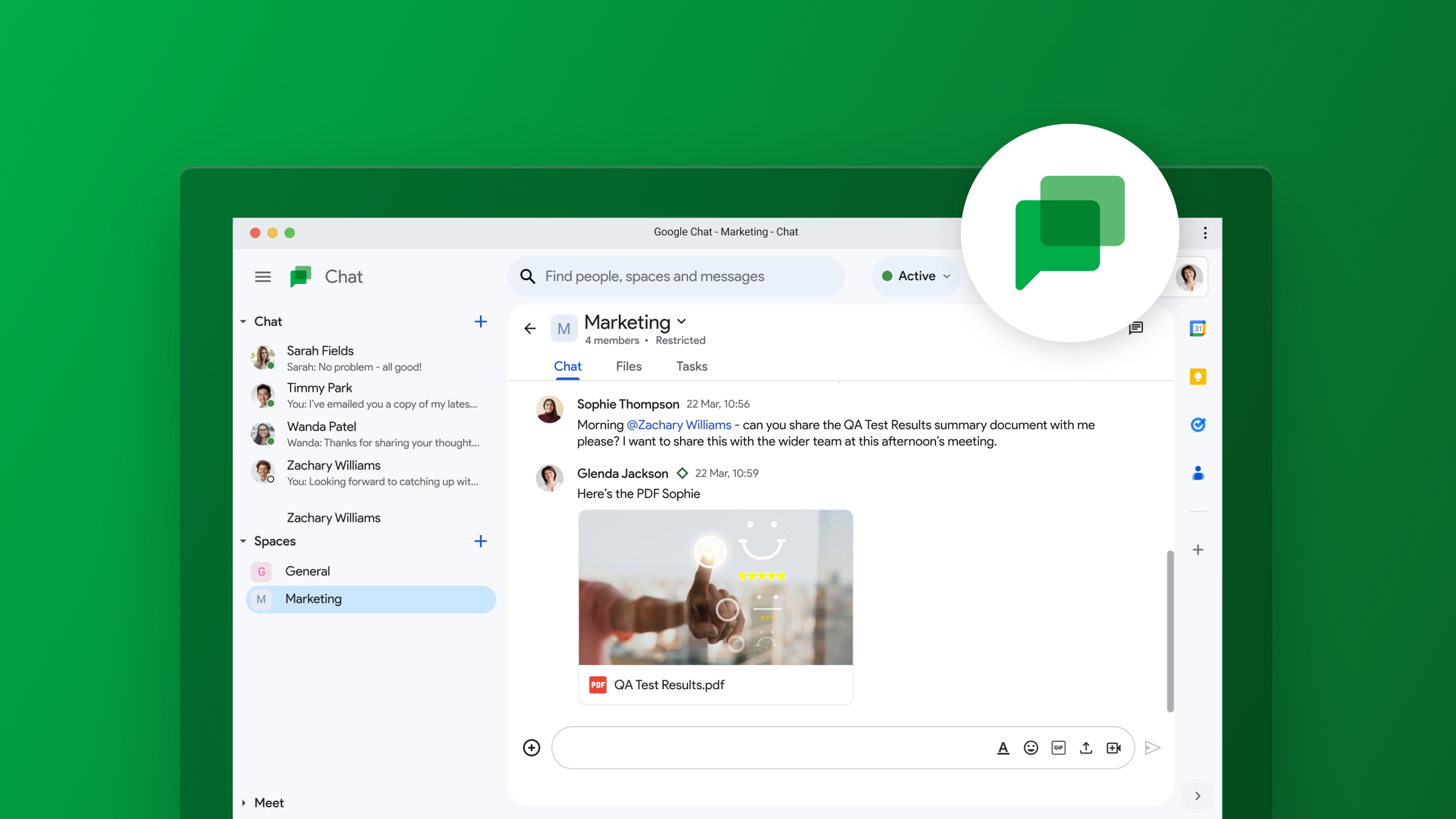
    Google Chat is launching a new update that will make it even easier to navigate conversations within its in-line threaded spaces. Following last year’s transition to in-line threading, the latest update continues to improve on that functionality in order to boost productivity and efficiency for its users.

    With multiple threads running across different spaces, it can be time-consuming to figure out which messages need your immediate attention. The latest update from Google Chat makes it easier to keep track of conversations by showing participant avatars alongside unread threads in the conversation view.

    This feature allows you to quickly identify the participants in the conversation and determine if their comments are pertinent to you. You can now efficiently prioritize important threads without having to click on them for additional details.

    Google states that it recognizes that dealing with numerous threads across multiple spaces can be overwhelming and that this feature was introduced in order to give you more context upfront. The goal is that it will make it easier for you to prioritize and stay on top of the conversations that matter the most to you. This will ultimately help you stay organized and focused on what’s important.

    This feature is rolling out automatically and gradually for up to two weeks, starting today. For all Google Workspace users, including those with free personal Google accounts, it will be by default enabled on the web, Android, and iOS.

    Google has been steadily introducing improvements to Chat as it continues to compete with other established messaging platforms, such as Slack and Microsoft Teams, and aims to make Chat a more attractive option for businesses looking to improve collaboration and efficiency within their teams. The company hopes that this new feature will enhance productivity and streamline communication for users across all platforms.

  • WhatsApp rolling out new text formatting features to everyone

    WhatsApp rolling out new text formatting features to everyone

    WhatsApp has been testing additional text formatting features for quite some time now. The last report involving this set of new features dates from January and included details about what new options WhatsApp users will eventually get if the app decided to give these the green light.

    Thankfully, it looks like WhatsApp is done texting these new text formatting features, at least according to The Verge. No less than four new text formatting options are now rolling out to WhatsApp users on Android, iOS, Web, and Mac.

    Starting today, WhatsApp users will be able to use block quotes, inline code, as well as bulleted and numbered lists. These new options are self-explanatory, but it’s worth noting that the inline code option allows users to highlight specific information in a wall of text. To actually enable inline code, you’ll have to wrap the text with the “’” symbol.

    In addition to these four new options, WhatsApp offers four text formatting features: Bold, Italic, Strikethrough, and Monospace. Also, each of the new text formatting option has a shortcut to make use of it on the fly.

  • WhatsApp continues to test feature to use a username instead of phone numbers

    WhatsApp continues to test feature to use a username instead of phone numbers

    WhatsApp, the Meta-owned global messaging app, has been working on a feature for some time now where you will be able to give out a username instead of your phone number to those you want to message with. This has been a highly requested feature that has seemingly taken very long to implement since it was spotted last year in a beta build. However, it now appears that more work is being done to test this feature, indicating that it is still on the table.

    Unlike in the United States, where Apple’s iMessage and old school SMS have a stronghold on messaging, the rest of the world uses other solutions. WhatsApp is one of them in places like India, Latin America, and some parts of Europe, which subsequently translates to users in those living in the United States who have friends and family in those locations.

    For users everywhere, the WhatsApp team has been working on introducing the option to generate usernames. News on the progress of this feature was quiet for a while, but based on the newest WhatsApp beta for iOS 24.3.10.72 version, it appears like this feature is about to take off.

    In this version, the section within the app where users can choose a username is once again present. This time, though, the app will initiate a validation process to ensure the username chosen is valid. The validation includes ensuring the username is unique and only allows for alphanumeric characters (a-z and 0-9). This provides the option to keep your phone number hidden, providing numerous privacy benefits.

    Currently, exchanging contact information for WhatsApp involves revealing your phone number, which can be concerning for those that prefer certain anonymity, be it for security or personal reasons. While users will probably still need a number to set up an account, having the option of a username allows them to be more selective about who sees it.

    Additionally, this feature could be useful to those that want a username that is much easier for friends and family to remember, rather than a series of numbers. Unfortunately, WhatsApp has yet to provide an official timeline for when usernames will be available to all users, but we hope this becomes a focus for the app’s developers this year.

  • Snapchat’s parent company Snap loses 30% of its value after releasing its Q4 report

    Snapchat’s parent company Snap loses 30% of its value after releasing its Q4 report

    The parent company of social-media platform Snapchat, Snap Inc., lost over 30% of its valuation this afternoon after releasing its fourth-quarter earnings release. The company reported revenue of $1.36 billion for the fourth quarter of 2023 slightly topping the year-earlier figure of $1.30 billion. But the $1.38 billion in Q4 gross did not meet Wall Street expectations of $1.38 billion. And at $4.61 billion, 2023 revenue barely topped the $4.60 billion Snap generated in 2022.

    In a letter to stockholders, Snap said that its flat 2023 revenue was “reflecting a challenging operating environment.” Just yesterday, Snap said that it will lay off 10% of its workforce or approximately 500 employees. Back in 2022, Snap eliminated 20% of its headcount. Heavily reliant on advertising income, Snapchat has been unable to recover from Apple’s App Tracking Transparency feature which allows iPhone users to choose whether they want to block advertisers from tracking them when using an app.

    In the letter to stockholders, Snap said that it was “encouraged by the progress we are making with our ad platform,” but noted that it is battling a headwind with the conflict in the Middle East. According to the company, violence in the region cost Snap about two percentage points in growth. Snapchat had 414 million active daily users during the fourth quarter of 2023, up 10% year-over-year. 800 million users worldwide visit Snapchat every month the company said.

    Half of the users are in North America and Europe, indicating that the social media platform will no longer focus on gaining users in emerging markets who mostly use Android phones. The company did note that the number of Daily Active Users DAUs rose both sequentially and year-over-year on both iOS and Android.

    CEO Evan Spiegel wrote in the stockholder’s letter, “We are shifting more of our focus toward user growth and deepening engagement in our most highly monetizable geographies. Focusing on these initiatives will help us increase daily active usage of Snapchat, deepen content engagement, improve performance for advertisers, and ultimately accelerate revenue growth and drive increased free cash flow.”

    Snapchat incurred a loss of $248.7 million for the fourth quarter, an improvement from the $288 million in red ink Snap spilled during Q4 of 2022. For the three months, Snap lost 15 cents per share compared with an 18 cents per share loss during the same quarter in 2022. For all of 2023, Snap lost $1.32 billion which was a 7% improvement from the $1.43 billion it lost the preceding year. 2023 saw the company lose 82 cents per share, 8% lower than the 89 cents per share loss Snap suffered in 2022.

    During the regular trading day, Snap shares rose 70 cents or 4.18% to $17.45 right near the 52-week high of $17.90. But that peak now seems very far away after the stock tumbled $5.45 to $12 in after-hours trading following the report’s release. That is a decline of 31.23%.