Retail News CRM

Tag: spotify

  • Spotify introduces customizable profiles on Android and iOS

    Spotify introduces customizable profiles on Android and iOS

    Spotify has been on fire since the beginning of the month, as multiple updates added important new features and improvements to the music streaming. The most recent changes involve Spotify profiles and the option to customize them.

    Starting this week, depending on what music you’re listening to on your phone, you’ll be able to update your Spotify profile, including the photo and username, to create a personalized music page representative of your music tastes.

    Spotify users on Android and iOS, regardless of whether they’re using a smartphone or tablet, can head to Home / Settings / View Profile to see their recently played artists, followers, and public playlists. Then, tapping “Edit Profile” will allow users to customize their status starting with the photo, which can be either JPEG or PNG.

    Keep in mind that if you’re using an iPhone or iPad, the picture must be less than 10MB. You can even remove your photo completely if you didn’t link your Spotify account to Facebook, in which case you’ll have to disconnect the two from the Settings menu.

    Apart from adding a photo to your profile, you can also change your Spotify display name. To do that, simply go to Home / Settings / View Profile / Edit Profile and tap your display name, then type your new display name (make sure to save).

    If you’re proud of your new profile and want to share it with your friends, you can do that by heading to Home / Settings / View Profile and tapping the three dots in the top right where you’ll find the Share option.
  • Spotify major update intros redesigned Home, personalized shortcuts

    Spotify major update intros redesigned Home, personalized shortcuts

    Spotify is redesigning its mobile app again, although this time only the Home screen if getting a facelift. No matter what Android or iOS devices you’re using to listen to your favorite tunes – smartphone or tablet, the Home screens will look slightly different starting today.

    A refreshed user interface has been implemented to allow Spotify users to access familiar content easier than ever. You can now tap to access your favorite podcast, the playlist you listen to every morning, or the album you prefer during your workouts.

    Spotify’s Home screen has become a space where users can find their favorite content. Moreover, Spotify announced that the screen and content will change along throughout the day to fit the user’s schedule.

    Six recommended playlists will be positioned at the top of the Home screen, which will change according to the time of day. Below these six recommendations, Spotify will add your top podcasts, “made for you” playlists, recommendations for new discoveries based on your listening, and even more content.

    If you’re a new Spotify user, you might not see the new UI right away, but once you have 30 days of listening history, you should start to see these recommendations.

  • More Spotify users can now stream their music on popular Sonos sound systems

    More Spotify users can now stream their music on popular Sonos sound systems

    Unlike arch-rival Apple Music, Spotify has both free and paid service tiers, which explains why the industry-leading streaming platform jumped to a mind-blowing 248 million monthly active users at the latest quarterly count while racking up “only” 113 million premium subscribers.

    Of course, it can be profitable to get people to use Spotify without paying a $9.99 standard monthly fee too, both because those users are likely to be inclined to upgrade to a Premium subscription in the long run and because one of the downsides of not paying for unlimited music streaming is being served the occasional ad, which naturally makes the company quite a bit of moolah.

    As such, it shouldn’t come as a big surprise that a basic feature previously offered exclusively with Spotify Premium accounts is finally extending to Free users. Starting now, you can play your tunes on Sonos sound systems without having to sign up for a premium Spotify subscription. All you need to do after updating the Sonos app to its latest version is head to its Settings menu, then Services, and finally, tap the Spotify option to link your free account.

    Apart from having to learn to live with ads constantly interrupting your jam sessions, opting for free Spotify access means listening to (most) tracks on shuffle and being unable to skip songs at will.

    Like Spotify, Sonos has been taking a number of steps meant to further widen the appeal and reach of its high-quality but often expensive speakers and soundbars recently, adding Google Assistant support at long last and releasing the company’s first portable model that’s unsurprisingly costly.

  • Spotify brings back Google Home Mini freebie

    Spotify brings back Google Home Mini freebie

    Remember when the Google Home Mini was deemed the world’s best-selling smart speaker, despite Amazon dominating the vendor ranks both back then and in pretty much every single market report released over the last 12 months or so? The very reasonable price and robust list of features of the search giant’s diminutive Google Assistant device might not be the only reasons the Home Mini was able to achieve that feat, as the gadget’s shipment numbers were no doubt inflated by various promotions offering people the opportunity to pay nothing for the “bestseller.”

    The latest such deal is actually a revival of a similar offer from last year when select Spotify Premium subscribers were eligible for free Google Home Mini units just for using the world’s most popular music streaming service. This time, it’s even easier to join the giveaway, as both Family account holders and individual subscribers can qualify for a unique promotional code towards a gratis Home Mini smart speaker redeemable on the US Google Store.

    Once again, you’re looking at a US-only promotion, although if history is any indication, there’s a good chance availability will be expanded to other regions in the near future. The terms and conditions are relatively straightforward and not particularly hard to meet, requiring you be a new or existing Spotify Premium Individual or Premium Family subscriber registered directly through the platform (and not a third-party service like a cable or telecommunications provider), as well as pay for your unlimited, ad-free music streaming rights with a recurring method such as PayPal or a credit or debit card.

    Predictably enough, those who claimed a free Google Home Mini last time around are not eligible for an additional complimentary smart speaker, and in case you’re wondering, the offer is not valid on the new Nest Mini, even though the $49 list price has gone unchanged. Finally, while Spotify technically mentions November 15 as the end date of the actual deal and December 31 as the expiration date of the Google Store promo codes, you shouldn’t act shocked if supplies were to run out earlier. After all, Google can’t just give away millions of these voice-controlled bad boys for free.

  • Spotify update adds Siri support on iOS 13

    Spotify update adds Siri support on iOS 13

    Spotify quietly released a new update for its iOS app which brings important improvements and new features. The most important is Siri support on iOS 13, which means that you’ll be able to control your Spotify app on iPhone, iPad, Carplay, Airpods, and HomePode via Airplay.

    After applying the latest update, simply say “Play [artist] on Spotify” and your iOS 13-powered device should do the rest. Be sure to mention Spotify though, otherwise, Siri will start Apple Music by default.

    Another important new addition is Apple TV support, which means that you can now download the app via the tvOS App Store or enable “automatically install apps” in tvOS settings to install it.

    Last but not least, Spotify has introduced low data mode on iOS 13. Basically, this means that the app will now turn on Data Saver when your iOS device’s Low Data Mode is turned on.

    All the improvements added in the update should work with all the devices running iOS 13, but 9to5mac discovered that the HomePod does not recognize Siri song requests yet. The issue might be addressed in a future iOS update, so you might want to try again after iOS 13.2 gets released.

  • Spotify launches two personalized playlists to satisfy your music obsessions

    Spotify launches two personalized playlists to satisfy your music obsessions

    Spotify has just announced two new personalized playlists are now available for music lovers with obsessions: On Repeat and Repeat Rewind. The new playlists let Spotify users enjoy the songs they played most all over again.

    With On Repeat, Spotify users can keep track of what they’ve been playing most over the past 30 days. The playlist auto-updates, which means you can be sure everything that’s playing is the most up-to-date account of what you’ve been playing most frequently.

    The second new playlist, Repeat Rewind lets you rediscover the songs that you played over a month ago. Just like the On Repeat playlist, songs can span across artists, moods, and genres. Repeat Rewind will update itself every five days, although the tracks won’t appear on both personalized playlists at the same time.

    As mentioned earlier, both personalized playlists are now available globally for Free and Premium users in the Made For You Hub, as well as the “Uniquely Yours” shelf on Home.

  • Spotify wants to track your location ‘from time to time’, which feels wholly unnecessary

    Spotify wants to track your location ‘from time to time’, which feels wholly unnecessary

    Launched way back in 2014, Spotify’s Premium Family plan was revised a couple of years later to allow up to six different users on the same account to stream unlimited music with no ads or interruptions in exchange for only $14.99 a month in total. The catch is the primary account holder and all other family members need to reside at the same address to qualify for this deal, which is a pretty old rule that the service wasn’t very preoccupied to enforce until recently.

    Last year, Spotify tried to crack down on rulebreakers that share their accounts without being related or living in the same place, but unsurprisingly, a lot of people reacted negatively to the company’s attempts at “verifying”, aka tracking, their location. Consequently, the new verification policy, which was merely being tested on a relatively small scale in a handful of markets, got abandoned before reaching a general implementation phase.
    But surprise, surprise, it appears the platform’s legal terms were discreetly modified last month to include a section bound to cause a lot of controversy yet again. In addition to asking for home address verification from all Spotify Premium Family subscribers upon first activating one such account, the service may now ask “from time to time” for “re-verification” in order to “confirm that you are still meeting the eligibility criteria.”
    In other words, Spotify wants to check on your location “from time to time”, which sounds like a pretty sketchy behavior from an app that really doesn’t need that kind of information to do what it does best. For what it’s worth, a company spokesperson highlighted in a short statement to Cnet that Spotify does not store your location data or keep tracking you once the verification procedure is completed. Also, all sensitive data is encrypted and “can be edited by the plan owner as needed.”
    Still, given all the scandals involving the misuse of this type of information by so many tech giants, services, and apps, it’s easy to understand why Spotify subscribers might feel nervous sharing their location (using GPS coordinates no less) from “time to time.” There’s also the question of Spotify’s definition of the word “family”, as real-world family members often live apart.
  • Spotify brings back the home screen widget for Android

    Spotify brings back the home screen widget for Android

    After removing the home screen widget for Android about a month ago, Spotify has decided to bring it back from the dead. Although the reason the feature was discontinued probably had something to do with it not being used by too many Spotify customers, it appears that people weren’t happy by the change.

    Spotify announced that following users feedback, it has decided to revive the feature and even make it better. Starting today, the Android Widget for Android is back, and it brings some improvements with it.

    The widget is now resizable, but some stability issues have been fixed as well. The Android Widget will show up on your home screen after you update to the latest version of Spotify. The new version of the app has already been released in the Google Play Store, so the Android Widget should be available to everyone now.

    If you’re on the latest version of the app, then Spotify will show in the widget menu on your device, so make sure to check the new feature after the update if you want to take advantage of the Android Widget.

  • Spotify announces Snapchat integration, lets users share music

    Spotify announces Snapchat integration, lets users share music

    Spotify has announced integration with Snapchat, which will allow users to seamlessly share what they’re listening to in a Snap story. The update that brings integration with Snapchat will enable Spotify users who have the social app installed to share their favorite tracks, playlists, albums, and podcasts.

    Sharing Spotify content to Snapchat is quite easy and can be done in four steps:

    • Tap the “share” menu while you’re listening to any song, album, artist, or podcats.
    • Select “Snapchat” from the dropdown list.
    • Snapchat will open a new Snap with the full album art included.
    • Edit and send to how many people you want or to your Story.

    Keep in mind that if a friend sends you a Snap with a song, playlist, artist profile, or podcast rec included, you will be able to stream by swiping up from the bottom of the screen, tap the context card with song, artist, playlist, or podcast info, and then simply waiting for Spotify to open and play the content.

    Spotify integration with Snapchat will be available on both Android and iOS devices in the coming days, so keep an eye out for a new update for either of the two mobile platforms.

  • Spotify now lets users share music on Facebook Stories

    Spotify now lets users share music on Facebook Stories

    Spotify has just made it possible for people listening to music to share it on Facebook Stories. If you want your friends and followers to know what songs you like, you can now share it on Facebook Stories and viewers will hear a 15-second preview before tapping to listen.

    Here is how you can do that: tap “Share” when viewing the track on Spotify, select Facebook, customize your Story, and post it to your followers. As mentioned earlier, your followers will get a 15-second preview that they can listen to, but they can also tap “Play on Spotify” if they want to hear more.

    The new feature is a logical step forward and an upgrade from the similar option that artists and their teams have been using for quite a while to promote their tracks, albums, playlists, podcasts, and more.

    For the time being, the preview feature will only play when a single track is shared to Stories. However, if you want to share other content like albums, playlists, or your profile, your followers will have the option to tap directly into that content on Spotify, but they won’t hear a preview.

  • Spotify removes Android homescreen widget

    Spotify removes Android homescreen widget

    Spotify has announced that it will remove the home screen widget from the Android app at some point this week. Spotify users will still be able to access the same playback features and information about what is playing through the app’s playback notification and device lock screen.

    Even though the company confirmed the Spotify Widget for Android will be going away, there’s a small chance that the feature will make a comeback in the same or slightly different form. Apparently, Spotify has introduced a new Live Idea feature that will allow users to vote to show their support for adding a widget.

    For the time being, the idea is tagged as “Not right now,” but if the number of voters will increase to a certain level, it might consider adding the widget back. Still, don’t get your hopes too high, even though there are a few thousand votes for the home screen widget.

    Anyway, going forward, you’ll be able to access the playback controls on Android by simply swiping down while you are using Spotify to access the controls.

  • Spotify for Podcasters officially introduced

    Spotify for Podcasters officially introduced

    After a long period of testing, Spotify for Podcasters is finally out of beta. Described as a discovery and analytics dashboard, Spotify for Podcasters allows content creators to track many things like average listening times, episode streams, and total listeners.

    Long story short, if you’d like to obtain more details about the audience listening to your podcasts, as well as grow it based on the data received, Spotify’s new tool is the best thing it can happen to you.

    Besides demographic data and insight related to the audience, podcasters will also receive information about gender, music tastes, country data, as well as listening patterns, and more.

    The ultimate goal of Spotify’s new tool is to deepen the engagement between customers, as well as allow podcasters to grow their audiences and careers. Spotify for Podcasters is available for all content creators for free starting today.
  • Spotify free-tier users will be targeted with more relevant ads

    Spotify free-tier users will be targeted with more relevant ads

    Spotify has found a way to better generate more revenue from the ads it delivers to users of its free music streaming service. Although today’s announcement is aimed at advertisers that will now be able to target ads based on the category of podcasts people listen to, users of Spotify’s free service are the ones affected by the decision.

    Up until now, Spotify’s free-tier users would be targeted by ads based on the music they listen to, such as genre or playlist, but starting today, advertisers will be able to target them more specifically based on the category of podcasts they like.

    Spotify said that this is just the first step towards building a solid advertising strategy around podcasts, which was started not long ago by the partnership with Samsung and 3M.

    We aspire to develop a more robust advertising solution for podcasts that will allow us to layer in the kind of targeting, measurement, and reporting capabilities we have for ads that run alongside other content experiences like music and video.

    The new ads will play between songs for those who don’t pay for Spotify Premium, so that doesn’t change. However, free-tier listeners will notice that there are now more specific, depending on the podcasts they listen. The new capability is now rolling out to 10 market: Australia, Brazil, Canada, France, Germany, Italy, Mexico, Spain, UK, and the US.

  • After updating its app for Premium members, Spotify goes down

    After updating its app for Premium members, Spotify goes down

    Is this the day the music died? It is if you’re a Spotify member as the music streamer has been down since 8:22 am EDT this morning. 80% of the complaints they received have something to do with the inability of users to stream music, 14% say that they can’t use the Spotify website, and 5% can’t use Spotify on a Sonos smart speaker. The number of complaints rose from one to a peak of 3,448. The outage map shows serious issues in the upper northeast of the country, most of California and parts of Texas and Florida.

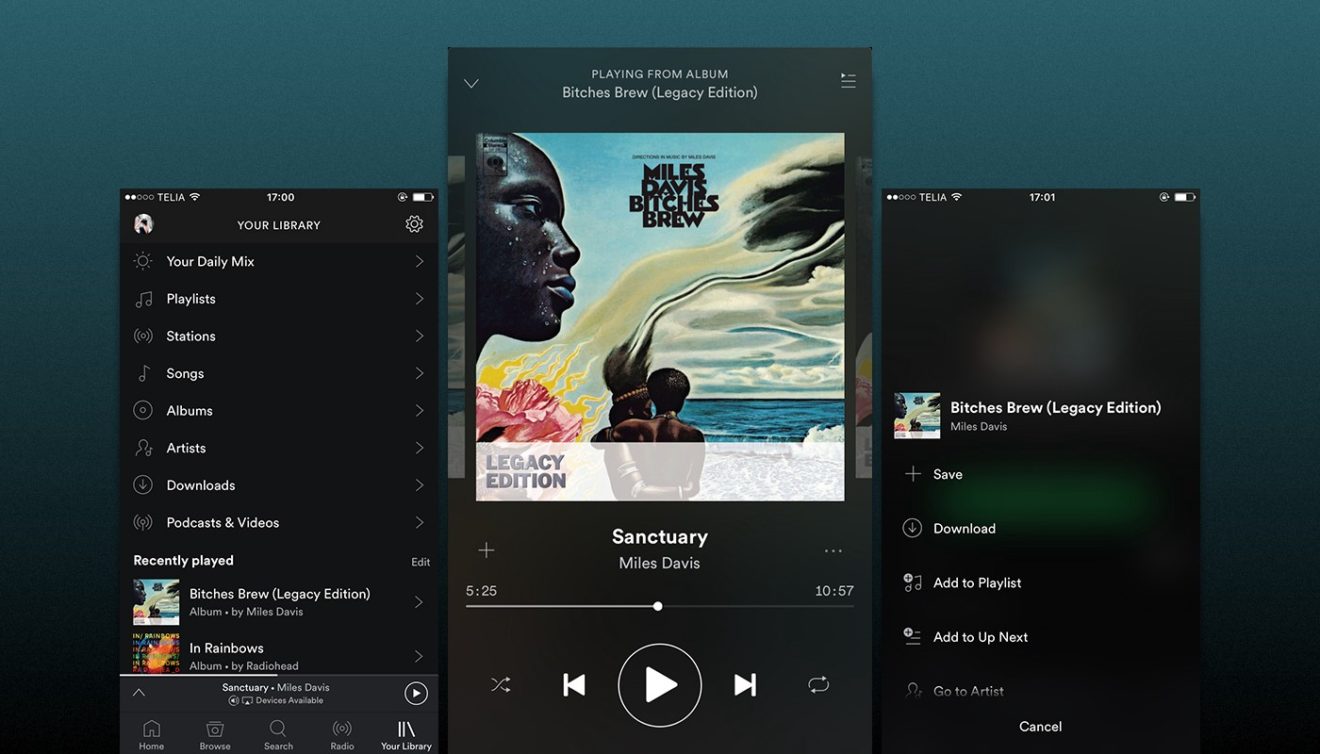
    In addition, Spotify announced that the outage has nothing to do with today’s announcement of a redesigned feature for Premium users. The Your Library page now allows you to tap or swipe to see the new tabs offered for Music and Podcasts. Tapping the Music tab takes you right to the Playlists section where all your playlists will be, including a new one called Liked Songs. The latter includes tunes that you have tapped the “Like” button for. The Artists section lists the artists that you follow, and you can add a new one to the list by going to the artist’s page and tapping on the “follow” button. When it comes to any albums found in that section, tapping the heart icon will save it to the Album section so you can quickly find it to hear again at a future time. You can add all of the songs on a particular album to your Liked Songs playlist by clicking on the three-dot menu and selecting “Like all songs.”
    Selecting the Podcast heading will reveal the Episodes section from where you can discover new podcasts to listen to or finish listening to ones that you’ve started. Move further down the screen and you’ll find new episodes of the podcasts that you follow. The Downloads section includes podcast episodes that you’ve, well, downloaded. These podcasts can be played while offline. Lastly, the Shows section allows you to manage the podcasts you follow and check out older episodes.
    The redesign has already been available to those using the ad-supported free version of the service. Premium subscribers will start seeing the change in the Spotify app starting today.