Tag: streaming

  • TikTok launches Youth Council to advise on safety issues surrounding teens

    TikTok launches Youth Council to advise on safety issues surrounding teens

    TikTok, the beloved and sometimes controversial short-form video app, is caught in a political crossfire. Facing a potential US ban due to Chinese ownership concerns, TikTok is scrambling to defend its place in the hearts of its most loyal users – teens.

    One of TikTok’s latest moves is the creation of a “Youth Council”. This group of 15 teens from around the world will advise TikTok on how to make the platform safer for young people. It’s a smart play as concerns swirl around issues like child protection, misinformation, and the app’s impact on mental health.

    The council seems like a well-intentioned way for TikTok to demonstrate its commitment to the safety of its younger users. The teens even collaborate with Praesidio Safeguarding, a UK-based organization focused on online safety. But is this enough to sway regulators?

    TikTok’s influence on teens is undeniable. The app has even encouraged its teen audience to take political action against a potential ban. Some worry that these efforts, while focused on the app’s survival, might draw even more attention to TikTok’s reach among young people. The success of this initiative will likely hinge on a few factors:

    • Real Impact: How much actual power will the Youth Council have to influence changes on the app?
    • Teen Trust: Will teens see the council as a genuine attempt at improvement or a public relations ploy?
    • Policy Sway: Will US policymakers see this council and its efforts as an honest commitment to user safety?

    TikTok is playing a high-stakes game here. Appealing to its teen users makes sense strategically, but whether it can save TikTok from political pressures remains to be seen. Ultimately, the effectiveness of the Youth Council will depend on how much influence they are given within the company and how they are perceived by both teens and policymakers.

  • Spotify launches video course trial in the UK

    Spotify launches video course trial in the UK

    Spotify, the audio streaming giant, is diving into a whole new realm of content – educational video courses. In an announcement today, the company is revealing a launch that begins today for U.K. users, offering a variety of engaging courses to choose from.

    This move signals a shift in Spotify’s approach to content. No longer just about music, podcasts, or audiobooks, the platform is now catering to those seeking personal and professional development. They’ve teamed up with renowned educational tech companies, including BBC Maestro, PLAYvirtuoso, Skillshare, and Thinkific, to offer a curated selection of high-quality video courses.

    Spotify’s initial video course offerings span four key areas:

    1. Make Music: Dive into the world of music production and instrument mastery.
    2. Get Creative: Unleash your artistic potential with courses in photography, design, or writing.
    3. Learn Business: Gain valuable skills for entrepreneurship and career advancement.
    4. Healthy Living: Discover techniques for mindfulness, fitness, and wellness.

    Babar Zafar, VP Product Development at Spotify, spoke of this U.K.-based test as an opportunity to explore how to serve the Spotify community better and give them what they are actively interested in by stating: “Many of our users engage with podcasts and audiobooks on a daily basis for their learning needs, and we believe this highly engaged community will be interested in accessing and purchasing quality content from video course creators.” This recognizes a growing trend: many users already enjoy podcasts and audiobooks for self-improvement, and educational video courses are a natural extension of this.

    Spotify is encouraging its U.K. free and premium subscribers to take advantage of this new feature, as they will be able to try out for free for a couple of lessons before having to make a purchasing decision. These courses will be available on the Home and Browse tabs in the mobile app as well as on the web. However, once registered for a course, it will be available on both mobile and the desktop.

    It is unclear if there are plans to bring this feature to users outside the U.K. if this test proves successful. However, the company does state that should this occur, it could pave the way for a more expansive video-based learning experience directly on the Spotify platform.

  • Spotify to launch new Audiobooks feature in April

    Spotify to launch new Audiobooks feature in April

    After bringing music videos to Premium users in select markets, Spotify announced a brand-new feature coming to Audiobooks in April: Countdown Pages.

    This is the same feature that’s been successful for music releases. It allows Spotify users to “pre-save” audiobooks prior to a book’s release date, while authors and publishers can promote their new titles ahead of launch.

    Once an audiobook is pre-saved, a timer countdown will be visible above it until its launch. When the book is actually released, Spotify will notify users so they know they can start listening to it.

    Thanks to Countdown Pages, Spotify users can search for titles on the streaming service as soon as they’re announced. After next month’s update, a “Pre-save” CTA on pages of the books that haven’t been released yet. Additionally, a “More like this” tab will show users similar released book that they can start listening to straight away.

    Countdown Pages for Spotify will be available in all markets where Audiobooks are available beginning in mid-April.

    Since it was released back in 2023, users have played more than 150,000 unique titles through Spotify’s premium service. With a catalog of over 200,000 titles, Spotify believes that there’s room for improvement when it comes to the number of listeners engaging with audiobooks, especially considering that the streaming service has a user base of over 600 million.

  • Tidal lowers pricing of its HiFi lossless music subscription to match Spotify

    Tidal lowers pricing of its HiFi lossless music subscription to match Spotify

    While every other video and audio streaming company is either battling it out or raising its subscription costs sans ads, Tidal today made a surprising move: slashing the price of its high-quality lossless audio plan. This bold change positions Tidal as a truly compelling option alongside streaming giants like Spotify and Apple Music.

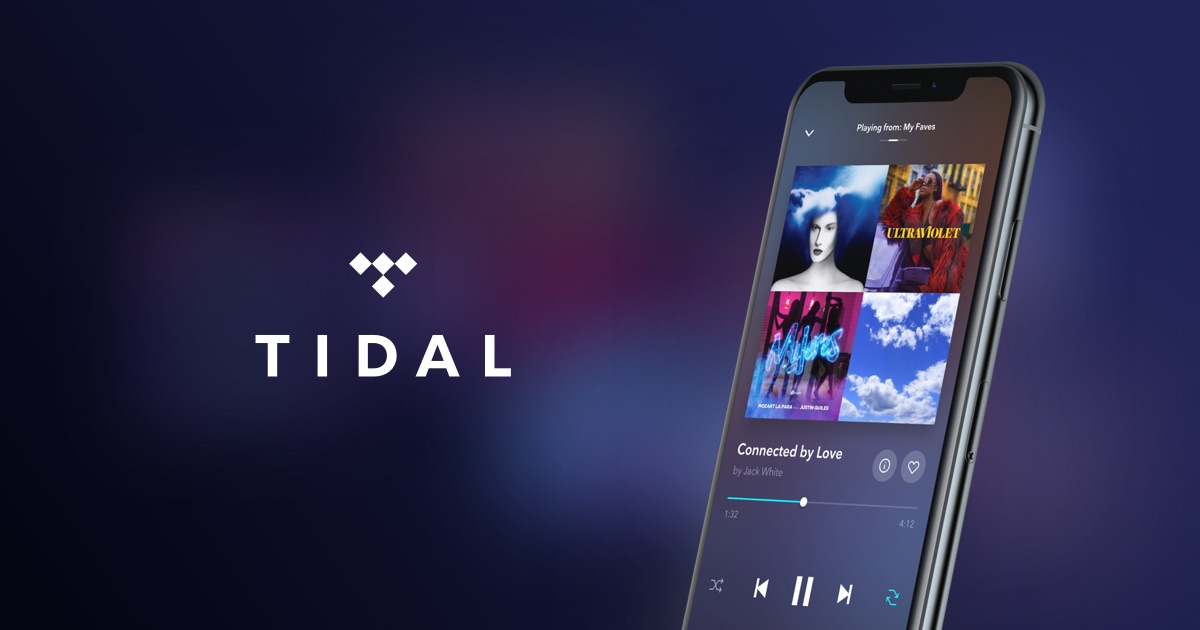
    Previously, Tidal’s HiFi lossless subscription cost $20 per month—almost double the price of Spotify’s popular $10.99 plan. Now, Tidal is dropping the price to match Spotify’s exact cost. With the HiFi and HiFi Plus tiers gone and combined into one TIDAL tier, the service will now cost you $10.99 USD a month for an individual subscription.

    Families will be transitioned to the new TIDAL Family plan, which will cost $16.99 USD a month. Additionally, Tidal will offer its DJ Extension as an add-on for individual plans, which will cost an additional $9 USD a month and allow users to access, stream, and mix music from the service’s DJ partners.

    But it’s not all great news, particularly for those that were on TIDAL’s free tier, which will no longer exist. As per the company announcement, anyone on the free tier will now need to sign up for a paid plan in order to continue using the service. You gain some. You lose some.

    It is important to note that, while both TIDAL and Spotify now share a price point, their offerings differ. Spotify boasts a huge music catalog and excellent music discovery features. It’s a crowd favorite, especially for casual listeners who love finding new tunes. However, Tidal’s edge lies in its superior lossless audio quality, making it irresistible for serious audiophiles with high-end equipment.

    Until recently, music lovers wanting lossless quality had a clear choice: Tidal or Apple Music. Spotify’s continued delays in rolling out their promised lossless tier have left users frustrated. Tidal’s pricing shift, effective April 10th, puts serious pressure on Spotify to step up.

  • Google TV gets design tweak that makes your favorite apps more accessible

    Google TV gets design tweak that makes your favorite apps more accessible

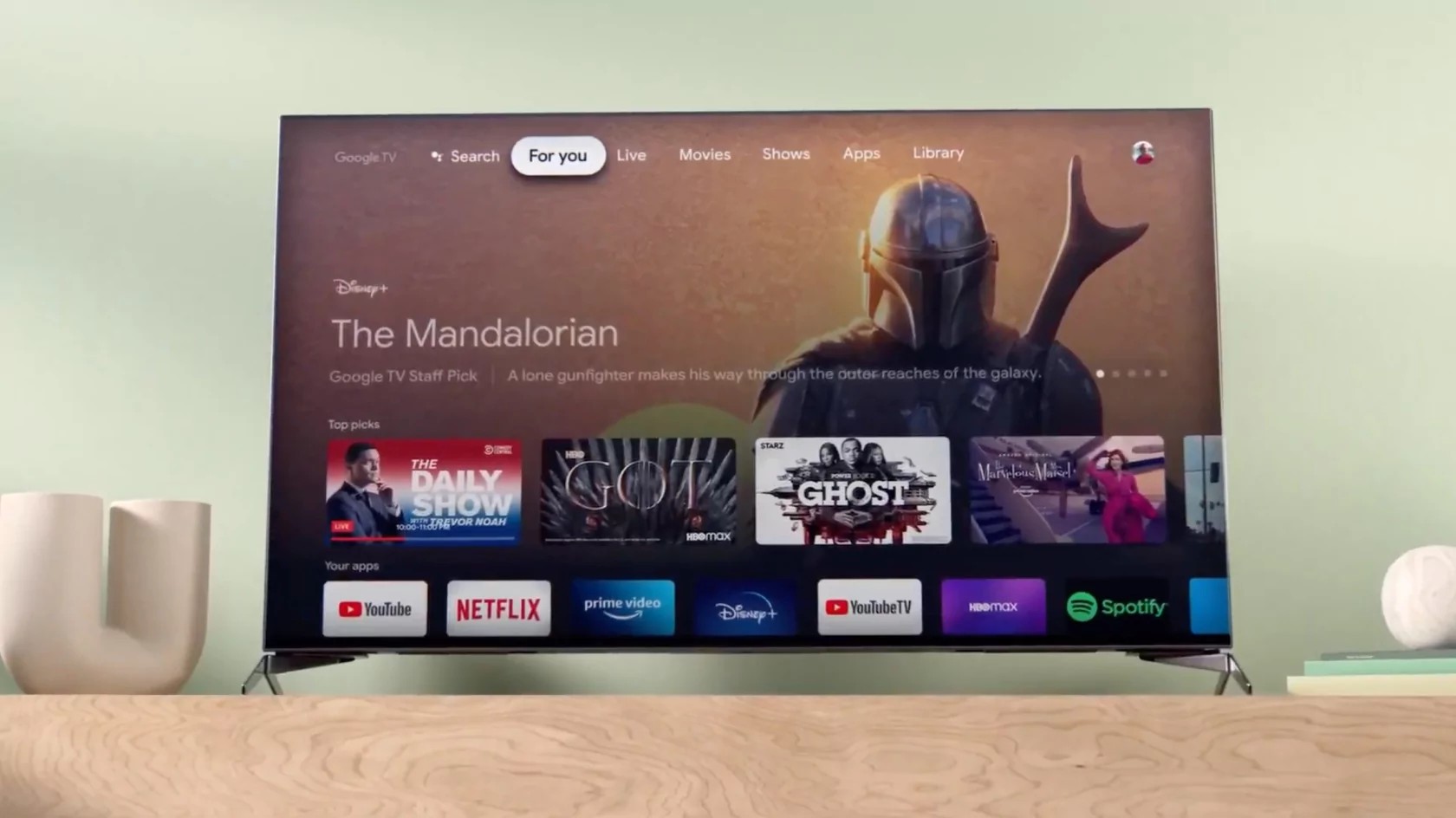
    Google TV is once again getting a design tweak. Following the addition of new landing pages last year aimed at simplifying navigation, the “For you” screen is now tackling the “Your apps” row, introducing several updates to make navigation easier and your overall viewing experience more enjoyable.

    The app icons on your Google TV are sporting a brand new look, with the old squares and rectangles gone and circular app icons replacing them. This change aims to give your home screen a more modern feel while also making it easier to locate your favorite applications.

    The update also adds a new shortcut that gives you direct access to free TV channels on Google TV. The platform added over 800 new fully-integrated free channels last year that included hit TV shows, game shows, music channels, various entertainment shows, and more — all without downloading additional apps or paying for a subscription.

    Now, you’ll have yet another way to access these channels, without having to click away from the “For you” section. For your convenience, a new shortcut to free channels will now be added to the “Your apps” row.

    Now that the app icons will be circular, they will take up less space. This opened the door for Google TV to expand the number of app icons visible in the “Your apps” row. You can quickly jump into more of your most-used apps without scrolling.

    You have always been able to rearrange the order of your apps, however, the process wasn’t exactly very user-friendly. Now, Google TV will feature “reorder” and “add app” buttons at the end of the “Your apps” row. This will allow you to take control of your app layout by moving your favorites to the front and seamlessly discovering and installing new apps to enhance your entertainment setup.

    These updates are rolling out over the next few months, so watch your Google TV screen for the transformation. With a sleeker design, easier access to content, and more user control, Google TV is continuously improving at putting your entertainment experience first.

  • TikTok starts to rub out Universal Music Group content, no new deal has been reached

    TikTok starts to rub out Universal Music Group content, no new deal has been reached

    TikTok starts to remove Universal Music Publishing Group content from the pest-like short video app, as no new licensing agreement with the music label has been reached, the social media firm said.

    TikTok has also started to mute videos on its platform that feature songs written by any songwriter signed on to UMPG (Universal Music Publishing Group), after removing the songs from Universal Music Group (UMG), as the licensing deal expired on January 31.

    The report cites a person familiar with the matter, who says TikTok is likely to remove “all the UMPG content before the end of February”, considering the legality of the matter. TikTok, however, has reached out to UMG and is still open to negotiate a new deal, the source added.

    Back in the end of January 2024, Universal Music Group stated that it couldn’t reach new deal terms with TikTok. The disagreements were mainly about how artists are paid and how TikTok uses AI. Universal Music accused TikTok of trying to push for a deal that was less favorable than before.

    UMG is the parent company of UMPG that represents an expansive roster of artists such as Taylor Swift, Bad Bunny, Sting, The Weeknd, Alicia Keys, Steve Lacy, Drake, Billie Eilish, Kendrick Lamar, Rosalía, Harry Styles, Ariana Grande, Justin Bieber, Adele, U2, Elton John, Brandi Carlile, Coldplay, Pearl Jam, and Bob Dylan. Although I can’t recall any TikTok videos with Bob Dylan…

    The music label had reached a deal with TikTok in February 2021, which allowed users on the video app to add clips from UMG’s catalog to their videos.

    UMG, the world’s largest music company, had said TikTok accounts for only about 1% of its total revenue.
    TikTok said UMG and UMPG catalog represents around 20% to 30% of popular songs, that vary depending on the region

  • Netflix starts forcing grandfathered subscribers to stop paying Apple

    Netflix starts forcing grandfathered subscribers to stop paying Apple

    In 2018, Netflix stopped accepting payments for new subscriptions through the App Store, forcing new subscribers and those returning after a brief hiatus to pay Netflix through its website. It has been six years since Netflix allowed such subscribers to pay for their service through the App Store. This way, Netflix could avoid paying Apple its 15% to 30% cut on in-app transactions that go through Apple’s in-app payment processing platform.

    Netflix representative Momo Zhao told The Verge that all “members on the basic plan who were using an iTunes method of payment” now must pay Netflix directly for service using a credit card or a debit card. Those who signed up for Netflix before the video streamer stopped allowing users to subscribe through the App Store were able to hold on to a good deal for years and continued to pay each renewal period through Apple.

    Netflix has allowed grandfathered subscribers to continue to pay each month through the App Store, but that is about to change. As one “X” subscriber wrote in a tweet, “Netflix stopped working with Apple Pay and didn’t inform me. Now I’m locked out of my $9.99 a month price I had paid for years and I had to get charged $31 until I get a refund through Apple.”

    If you’re in the same shoes as the person who posted the above tweet, you’ll have to pay $5.50 more a month for the same plan you were paying $9.99 a month for or pay $3 less per month for the privilege of having your streaming interrupted by ads. No matter which plan you choose, you’ll be paying Netflix directly.

    To reiterate, if you are a long-time Netflix subscriber and have been paying through the App Store to maintain your Netflix subscription, be on the lookout for an email from the video streamer that says that if you want to remain a Netflix subscriber, you will have to stop paying your bill through Apple. And you might be paying a little more or a little less each month for Netflix service depending on whether you can live with ads running on the videos you’re watching.

  • Apple Podcast bug means no new episodes for some titles although there is a simple workaround

    Apple Podcast bug means no new episodes for some titles although there is a simple workaround

    Remember Apple’s television ads for the iPhone 3G? The ad would tell you, regardless of any problem you need a solution for, “There’s an app for that.” When you think about it, for any subject matter that you have an interest in, there’s a podcast for that. And if you are an iPhone user, you probably use the Apple Podcasts app. But until recently, the app had a serious problem that was preventing users from listening to the latest episodes of certain Podcasts stored in the user’s library.

    The bug prevents the latest episodes for affected podcasts from showing up as these episodes will not automatically be downloaded. This means that these podcasts won’t appear in the Up Next queue. If the user knows that a new episode for a podcast he/she follows has dropped, the episode can be discovered by looking for the new episode in the app’s search tab. But many podcast app users rely on getting alerted by the app whenever a new episode is ready and thanks to the bug, this is not happening.

    It’s unknown exactly how many podcasts are affected by the bug but complaints on social media seem to indicate that the problem is widespread. And there is the aforementioned workaround. Open the Apple Podcasts app and after tapping the Search tab on the bottom right of the screen type in the name of the podcast you want to hear the latest episode of and tap the blue “search” bar next to the space bar on the virtual QWERTY keyboard. Press the Episodes filter above the search results (which is also below the search bar) and the latest episode will be on the top of the list. Just press the play button on the right of the listing to hear it.

    You might not have to do this much longer because some users say that they are now getting new episodes automatically sent to their Apple Podcasts app. If so, that’s good news. If not, try the workaround until your Podcast app is working perfectly again. By the way, if you don’t have the app on your iPhone, click on this link to download it from the App Store.

  • Disney unveils unified Disney+ plus Hulu app experience in beta stage

    Disney unveils unified Disney+ plus Hulu app experience in beta stage

    As reported last month as a result of Disney acquiring the remaining stake in Hulu from Comcast, Disney announced an upcoming unified streaming experience that combined Disney Plus with Hulu. This one-app experience has arrived now as Hulu content is now available to be streamed from the Disney Plus app on Android, iOS, and Google TV.

    Upon opening the Disney+ app, subscribers to both services will now see a dedicated Hulu tile. Clicking on it opens a Hulu Hub, granting access to the thousands of movies and series from Hulu’s extensive library, seamlessly integrated within the Disney+ interface. This eliminates the need to switch between apps, offering a more fluid and user-friendly experience.

    While today’s launch marks a major milestone, it’s important to remember this is a beta phase, with the official launch scheduled for March 2024. This limited release allows Disney to gauge user feedback and refine the experience before the full-scale rollout. Additionally, parents have ample time to adjust parental controls and ensure their children only access appropriate content.

    Some may wonder if integrating Hulu’s more adult-oriented content conflicts with Disney+’s family-friendly image. However, Disney assures that ensuring a safe and secure family environment remains a top priority. The two-step launch strategy allows for a smooth transition, providing parents time to adjust settings and create individual profiles for each family member.

    Disney believes that Hulu on Disney+ will enhance subscriber engagement and value. By bringing diverse content under one roof, users can discover new titles they may have missed. Joe Earley, President of Direct-to-Consumer at Disney Entertainment, emphasizes the benefit of the Bundle, highlighting its competitive price point and the vast library of content it unlocks.

    It’s an exciting next step for Direct-to-Consumer, but people must managed expectations about what the experience is going to be – Joe Early, President of DTC, Disney

    As exciting as this unified experience sounds, this may not be your cup of tea. If that’s the case, and you prefer your apps to remain separate, this will still be an option for you. This integration is not meant to replace either platform, thus Hulu + Live TV and Premium add-ons will still be accessible within the dedicated Hulu app.

    Disney encourages users to explore the beta version and discover the value that bundling both services offers, and believes access to Disney’s original content, blockbuster films, and Hulu’s rich library will entice standalone subscribers to upgrade and unlock the full potential of the platforms.

  • YouTube will now show you the number of views and likes a video has in real-time

    YouTube will now show you the number of views and likes a video has in real-time

    Google is changing the “likes” and “views” counters on YouTube to refresh automatically when a video is viewed. Currently, if you’re watching a video on the platform, the number of likes and views won’t change while viewing the clip. But with this update, those two metrics will rise and show a cool animation of a rolling number counter whether the video is being played or is paused. And the animation will be played even if you switch to another app and return to YouTube.

    Android Police came across this new behavior on YouTube. They couldn’t find any reference to it except for a post on Reddit from back in October from user nonotan who wrote, “I’m watching a video, and I keep getting distracted by an animation where the view counter is rolling over to a new number as if it were a physical click counter. I have not seen this behavior before today, and I’d like to disable it.”

    The same Redditor was so bothered by the effect that he added the following line to his filters, which stopped the animation and the count from advancing in real-time: https://www.youtube.com/youtubei/v1/updated_metadata*.

    Others also had similar posts about the feature, such as Reddit user Reyh, who said, “Distracting indeed and IMHO not beneficial at all. I saw it on Tuesday for the first time, using Firefox. The first few times I only noticed some movement at the bottom left of the videos. I wondered if it was in the video itself. Then I observed the area for a while and saw the new counter animation.”

    It seems that this feature is being tested with the help of a minimal number of YouTube users globally. Those who see the feature will notice the number of views and the number of likes rolling up on the screen to a higher number while they are viewing the video. Google calls this progress and for some of you, it may be.

  • Spotify launches pilot Voice Translation for podcasts

    Spotify launches pilot Voice Translation for podcasts

    While everyone is anxious to learn more about Spotify’s HiFi tier, the streaming company announced the launch of a much smaller new feature: Voice Translation for podcasts.

    The pilot Voice Translation for podcasts is a new feature powered by AI, which does exactly what the name suggests: it translates podcasts into additional languages in podcaster’s voice.

    Developed in partnership with OpenAI, Voice Translation will match the original speaker’s voice for a more authentic listening experience. Thanks to the new feature, a podcast episode originally recorded in English will be available in other languages while keeping the speaker’s speech characteristics.

    In the same piece of news, Spotify announced that it has worked with popular podcasters such as Dax Shepard, Monica Padman, Lex Fridman, Bill Simmons, and Steven Bartlett as part of the pilot.

    According to Spotify, the first voice-translated episodes from pilot creators will be available worldwide to Premium and free users. However, the initial bundle of translated episodes will only be available in Spanish, with French and German rolling out in the coming days and weeks.

    Starting today, the following podcast episodes will be rolled out to users on the respective Now Playing View:

    • Lex Fridman Podcast – “Interview with Yuval Noah Harari”
    • Armchair Expert – “Kristen Bell, by the grace of god, returns”
    • The Diary of a CEO with Steven Bartlett – “Interview with Dr. Mindy Pelz”

    In other news, Spotify revealed that more than 100 million people regularly listen to podcasts on its streaming platform, which shows that there’s a huge audience for those willing to create this type of content.

  • Google makes a small change to the Android version of the YouTube app

    Google makes a small change to the Android version of the YouTube app

    Google likes to fool around with YouTube like a person who can’t stop scratching an itch. Unlike changes made to Google Maps that are helpful, some of the changes made to YouTube appear to be done for no real reason. Recently, the web version of the video stream moved from square corners to rounded corners on the thumbnails and the video player, and the feedback from YouTube users was not exactly favorable.

    Now it appears that YouTube is making the same change to videos on the YouTube Android app. The result is a more blinding white light in the background which might lead some users to turn on Dark theme. Open the YouTube app on Android and tap the profile picture in the upper right corner. Next, tap on Settings > General > Appearance. A popup box will ask you to choose from using the device theme, Light theme, or Dark theme. Make your choice.

    Since the rounded corners extend to the video player on the web and not just the thumbnails, we can assume that this will be the case for the Android app as well. Right now, the new look hasn’t been pushed out to many Android devices and it has yet to appear on my Pixel 6 Pro using Android 14 Beta 5.3.

    On the YouTube website, the rounded corners do not appear when you are watching a video in full screen or in Theater mode. But once you return to Default view, they do return. Now we don’t know exactly when Google plans to roll this out more widely to Android users and whether it will follow through by rounding the corners on the iOS YouTube app.

  • WhatsApp HD video support starts rolling out to everyone

    WhatsApp HD video support starts rolling out to everyone

    Meta’s Mark Zuckerberg teased last month the imminent arrival of one of WhatsApp’s most requested features, the ability to share HD videos. Although some Android and iOS users got the feature last month, the global rollout has only just begun.

    Today, WhatsApp officially confirmed that it had started to roll out HD video support on its messaging app. With this addition, WhatsApp users can finally send both photos and videos in high-definition format, although the feature needs some refinement.

    For example, no toggle would allow you to set WhatsApp to send all pictures and videos you want to share in HD format by default. You have to select this option every time you share a media file with one of your contacts, which is a bit annoying, but it’s better than not having the feature at all.

    If you’ve been sharing videos until now, you’ll notice that the resolution has been upgraded from 476 x 848 to 718 x 1280 pixels. Yes, you still can’t share videos in their original resolution, which more often than not is higher than 720p. Still, this is a considerable upgrade over the previous quality, especially since the size of an HD video is almost doubled.

    Meanwhile, WhatsApp is currently testing multi-account support, but we won’t know when it drops until it’s already here. However, if you’re running a beta version of the app, you’re probably already using it on your Android phone.

  • YouTube now gives its creators a way to wipe content violation warnings from their channel

    YouTube now gives its creators a way to wipe content violation warnings from their channel

    In a surprising move this morning, YouTube published a change to the Community Guidelines that govern what content creators can and cannot do on the platform. Under this new rule, creators that —knowingly or unknowingly— violate any of these guidelines will now get a chance to right their wrong and lift the warning from their channel.
    The announcement was made via a video posted to the official YouTube Creators channel and the YouTube Official Blog which included detailed instructions on what to expect and what creators should do in case of a violation warning. Under these revised guidelines, creators who receive a warning for policy violations now have an intriguing option at their disposal — an educational training course.
    Here’s the great part: once the creator successfully completes the course, YouTube will remove the warning from their channel, just as long as they don’t violate the same policy for the next 90 days. It’s like a friendly handshake agreement to play by the rules. However, should the creator fail to follow through, the video in question will be removed and a strike will be applied to the channel.

    If the creator violates the same policy again, but after the 90 period, the video in question will be removed and the creator will be issued another warning. However – and surprisingly – another chance will be given to take another training course and once again wipe the warning from the channel.

    This change represents a significant shift in how YouTube deals with policy violations. In the past, YouTube would move to immediately remove the video in question and apply a lifetime warning to the channel. Now, it’s all about education and second chances.
    It is clear that monetization is a big motive for the policy change. Previously, policy warnings were more general and affected the entire channel, whereas with the new policy, warnings are more specific on what was breached. Giving creators a chance to fix warnings before they become strikes will allow for more content to stay up on YouTube and avoid the 3-strike rule that has been known to get channels terminated from the platform.
  • Spotify added new ones for Android

    Spotify added new ones for Android

    Alright, let’s hear it. “Widgets suck!”, “they are archaic!” and “nobody uses them!”. Did I get that right? Well, mister-sir, if that was the case, then would one of the biggest streaming platforms — Spotify, which we all got installed on some of the best phones available today — update its widget selection for Android?

    “Ah, but manufacturers and developers are so outdated with people’s needs” you say? Well, then let me raise you this: what is one of the most used features on Spotify? Discover weekly, which allows you to find new artists and jams to rock out to.

    Now, can you guess what these new widgets are adding? That’s right: recommendations based on your listening habits, which is pretty much like an instant-discovery queue. But before I defend the concept of widgets further, let’s explain these new ones from Spotify.

    It took two years for Spotify to update its selection, so I don’t know how archaic the concept is, but I can certainly back up the statement that it is stagnant at times. Anyway, the new widgets total out at two types with both seeming really intuitive.

    First off we’ve got the new generic widget, which shows you what you are listening to, the song’s cover artwork — and now that’s what you call a complete package! — and, of course, media controls such as play, pause, next, etc.

    But then we’ve got the new widget, which incorporates all of the above, but also expands on the concept. It can go from a 3×2 size up to a 5×2, which allows for up to five personalized suggestions to show up beneath what is currently playing.

    And, yes, those can be anything from songs and albums to podcasts and audiobooks (where applicable). This new widget was announced last month in July, but it rolled out with version 8.8.50, which means that you may have a Spotify update pending right now.

    But beyond that, my last argument regarding widgets is this: imagine that you have a household tablet that you use for smart home and media controls. Now, wouldn’t having all necessary controls in a sleek and clean manner directly on your home screen just make sense?

    Hence, widgets can really be cool. Are they cool enough to make the transition from this theoretical tablet to your phone? That, in my opinion, depends on style. But it’s absolutely better that we have them still be a thing in 2023.