Category: General

Retail News Asia is committed to providing both local and global retailers with the latest General Retail news throughout the Asian market. This on a daily base.

  • Google Docs, Slides and Sheets apps get new formatting sidebar on Android tablets

    Google Docs, Slides and Sheets apps get new formatting sidebar on Android tablets

    Google’s three apps that make writing and editing text such a breeze even on mobile devices, Docs, Slides and Sheets, have been updated earlier this week with a bunch of improvements to their comments system.

    Over the weekend, the search giant confirmed that another important update is making its way to Android users. All three apps, Docs, Slides and Sheets, are getting a new formatting sidebar that reduces the number of taps needed to navigate to formatting options.

    Basically, you’ll be able to arrange text, tables, images and more, much easier than before. The new formatting sidebar will be rolled out to Android tablets at the beginning of the next month, Google announced in a blog post.

    According to the Mountain View company, the update will be released to Scheduled Release domains on March 6, while users enrolled in the Rapid Release domains should already be able to take advantage of the new formatting sidebar on their Android tablets.

    It’s important to add that the new feature is available to all Google Workspace customers, Google Workspace Individual subscribers, and users with personal Google accounts. So, just about everyone who uses Google’s Docs, Slides, and Sheets apps.

    In related news, Google announced that its Slides apps is getting another new feature that will allow users to easily drag and drop an image to replace the background in the app.

    This feature is currently rolling out to Rapid Release domains and should be launched to Scheduled Release domains on February 26. It will be available to all Google Workspace customers, Google Workspace Individual subscribers, and users with personal Google accounts.

  • iOs Facebook, Instagram apps to charge Apple service fee for boosted posts

    iOs Facebook, Instagram apps to charge Apple service fee for boosted posts

    Meta is about to implement a 30% fee for those who wish to boost (enhance) the visibility of their posts on the Facebook and Instagram iOS apps, a response to Apple’s 2022 App Store update that mandates a 30% cut from such digital transactions.

    This charge targets ads or “boosted posts” designed to expand content reach, necessitating that boosts purchased on iOS be processed through Apple, thereby incurring the 30% service charge before taxes.

    “The change, which goes into effect later this month, stems from a 2022 App Store update where Apple extended its typical 30 percent cut of digital purchases to boosted posts, which are essentially ads. The change particularly targeted Meta and other social apps that let people pay in-app to increase the reach of their content”, and adds that Meta notes in a statement that small business owners and influencers who want to purchase a boost on iOS will now be billed through Apple, “which retains a 30% service charge on the total ad payment, before any applicable taxes.”

    Meta says purchasing boosts via Facebook and Instagram’s desktop or mobile websites is how to get around the Apple fee that is being passed on to iOS users. The alternative imposes significant constraints on iOS app users, who must now preload funds with an additional 30% fee to cover Apple’s transaction costs. This new payment method will debut in the US, with plans to expand to other markets later.

    “We are required to either comply with Apple’s guidelines or remove boosted posts from our apps,” Meta says. “We do not want to remove the ability to boost posts, as this would hurt small businesses by making the feature less discoverable and potentially deprive them of a valuable way to promote their business.”

    Meanwhile, Apple defends its policy, asserting that digital goods and services within apps must utilize In-App Purchase, including boosted posts.

  • Apple is compelled to remove Home Screen web apps from iOS in the EU due to the DMA

    Apple is compelled to remove Home Screen web apps from iOS in the EU due to the DMA

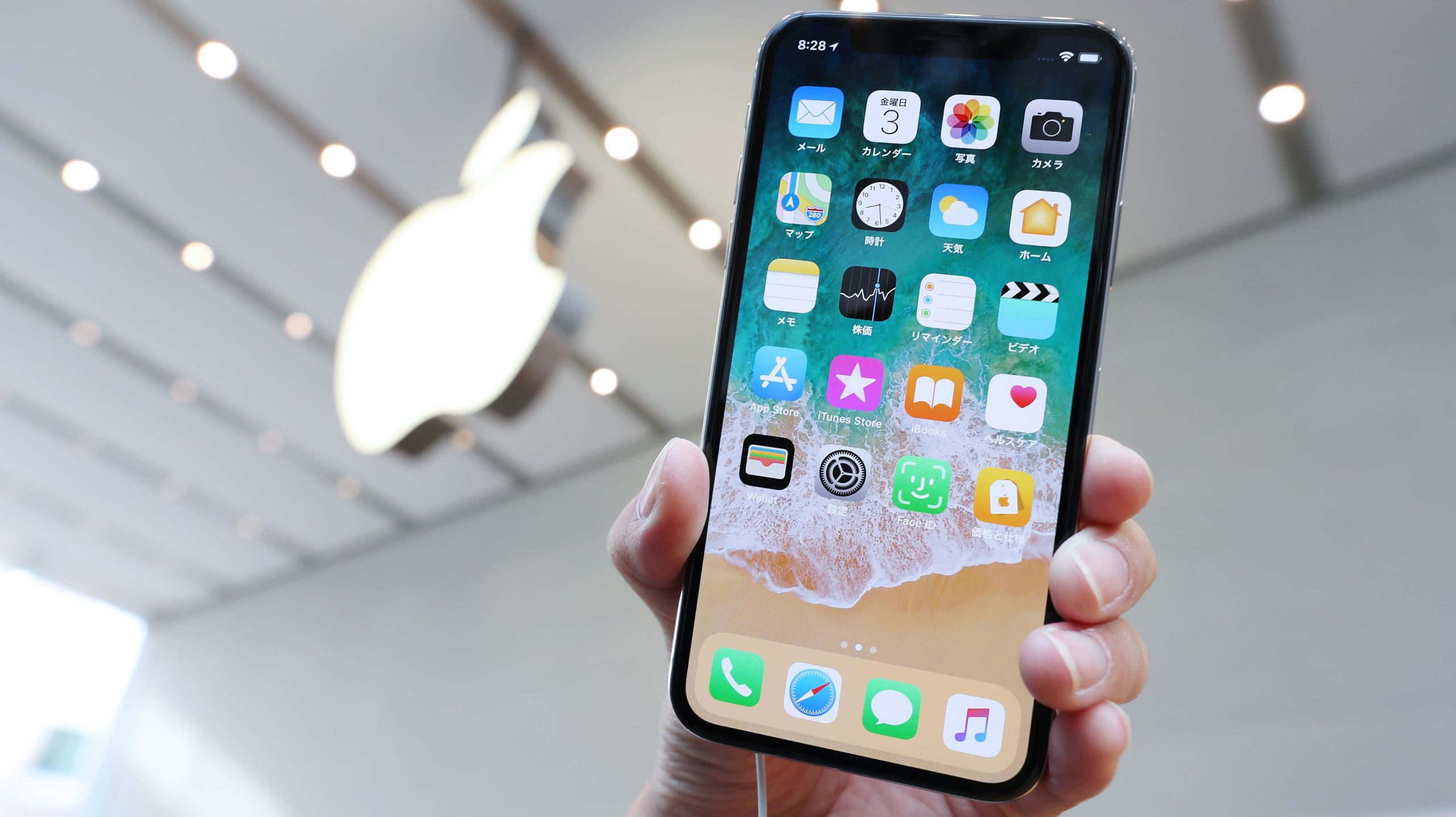
    What many thought was a bug has turned out to be a move made on purpose by Apple as the latter will not allow web apps on the iOS Home Screen in the European Union. On its Developer support page, Apple notes that the EU’s Digital Market Act (DMA) requires it to allow users to select a browser that doesn’t use Apple’s WebKit browser engine for the first time. Because of this, Apple said that it had to remove the Home Screen web apps.

    Apple says Home Screen web apps on iOS are built on WebKit and they “align with the privacy and security model for native apps on iOS.” This is important and Apple goes on to say, “That integration means Home Screen web apps are managed to align with the security and privacy model for native apps on iOS, including isolation of storage and enforcement of system prompts to access privacy impacting capabilities on a per-site basis.

    However, without this isolation and enforcement, malicious web apps could read data from other web apps and even use their permissions to access the user’s camera and microphone without his or her consent. Browsers could also install web apps without the consent or awareness of the user.

    Apple adds, “Addressing the complex security and privacy concerns associated with web apps using alternative browser engines would require building an entirely new integration architecture that does not currently exist in iOS and was not practical to undertake given the other demands of the DMA and the very low user adoption of Home Screen web apps. And so, to comply with the DMA’s requirements, we had to remove the Home Screen web apps feature in the EU.”

    Apple adds, “EU users will be able to continue accessing websites directly from their Home Screen through a bookmark with minimal impact to their functionality.” The tech giant also was forced to remove support for Home Screen web apps on Safari in the EU because the DMA requires equality for all browsers. Since third-party browsers can’t have Home Screen web apps, neither can Safari.

    The absence of Home Screen web apps in the EU was first noticed with the release of iOS 17.4 beta 2. The changes will come to all iOS users in the 27 member EU states once iOS 17.4 is released in the first week of March.

  • Google Messages cool animated background “Screen Effects” now available to the app’s beta testers

    Google Messages cool animated background “Screen Effects” now available to the app’s beta testers

    A new feature has been added to Google Messages that really drives home the point that you’re trying to make with a text message. Called Screen Effects, it delivers animation in the background of a message when certain phrases are sent or received. The animation takes up the entire background, and while the feature has only a small number of trigger phrases at the moment, you can only see this in action if you are a beta tester for the Google Messages app.

    Luckily, I am a beta tester for Google Messages so Screen Effects works for me. For example, I texted the phrase “I Love You” and hearts appeared in the background until a dove flew north leaving a white trail which became the regular background for the app. The entire animated effect ran for about 10 seconds. If you type “Sounds good,” multiple giant thumbs up appear all over the background.

    Google says that there are more than 15 phrases that trigger a Screen Effect on Google Messages and they work whether you are messaging another Android-toting RCS user, or an Android user connected to the SMS platform using a non-RCS messaging app. If Screen Effects is too much for you (and granted, they are not for everyone), we’d love to tell you how to disable it on the app. Except that you cannot disable the feature.

    If Google is still accepting users to be beta testers for Google Messages, go to the Play Store listing for the Google Messages app, choose “Become a Tester,” and follow the instructions. Back in the day when I used Android as my daily driver 99% of the time, I made sure to become a beta tester for core Google apps because you’re sure to get a head start on receiving new features like Screen Effects.

    The Play Store listing for Google Messages will also let you know if you’re already a beta tester for the app. On the listing, if you are already registered as a beta tester for Google Messages, you’ll see a paragraph with the heading, “You’re a beta tester.”

  • AirAsia flies to Okinawa

    AirAsia flies to Okinawa

    AirAsia expands services to Japan from its Bangkok hub by introducing direct flights from Bangkok Don Mueang airport to Okinawa, a popular holiday destination in Japan’s south.

    Four weekly flights to Okinawa will start on 2 April 2024, with services scheduled on Tuesday, Thursday, Saturday and Sunday.

    Known as the “Hawaii of Japan,” it’s well known for the sightings of giant whale sharks, and foodies love its seafood cuisine. Fares are on sale starting at THB3,490 per trip for bookings through 21 February 2024 for travel from 2 April to 26 October 2024.

    AirAsia Thailand chief executive officer Santisuk Klongchaiya commented: “Based on  strong  demand, Thai AirAsia (FD) will now be flying direct to Okinawa in Japan for the very first time, marking the second route to Japan flown by Thai AirAsia after we re-introduced flights post-pandemic to Fukuoka in October 2022.”

    Okinawa is a major island in south Japan known for its white sand beaches, stunning sea, massive aquarium and unique culture. Home to various tourist destinations, the island also boasts one-of-a-kind Okinawan cuisine, making it an excellent choice for anyone looking for a new take on Japan.

    Thai AirAsia (FD) will operate two direct routes to Japan, Bangkok (Don Mueang) – Fukuoka with daily flights and Bangkok (Don Mueang) – Okinawa four times a week starting 2 April.

  • WhatsApp continues to test feature to use a username instead of phone numbers

    WhatsApp continues to test feature to use a username instead of phone numbers

    WhatsApp, the Meta-owned global messaging app, has been working on a feature for some time now where you will be able to give out a username instead of your phone number to those you want to message with. This has been a highly requested feature that has seemingly taken very long to implement since it was spotted last year in a beta build. However, it now appears that more work is being done to test this feature, indicating that it is still on the table.

    Unlike in the United States, where Apple’s iMessage and old school SMS have a stronghold on messaging, the rest of the world uses other solutions. WhatsApp is one of them in places like India, Latin America, and some parts of Europe, which subsequently translates to users in those living in the United States who have friends and family in those locations.

    For users everywhere, the WhatsApp team has been working on introducing the option to generate usernames. News on the progress of this feature was quiet for a while, but based on the newest WhatsApp beta for iOS 24.3.10.72 version, it appears like this feature is about to take off.

    In this version, the section within the app where users can choose a username is once again present. This time, though, the app will initiate a validation process to ensure the username chosen is valid. The validation includes ensuring the username is unique and only allows for alphanumeric characters (a-z and 0-9). This provides the option to keep your phone number hidden, providing numerous privacy benefits.

    Currently, exchanging contact information for WhatsApp involves revealing your phone number, which can be concerning for those that prefer certain anonymity, be it for security or personal reasons. While users will probably still need a number to set up an account, having the option of a username allows them to be more selective about who sees it.

    Additionally, this feature could be useful to those that want a username that is much easier for friends and family to remember, rather than a series of numbers. Unfortunately, WhatsApp has yet to provide an official timeline for when usernames will be available to all users, but we hope this becomes a focus for the app’s developers this year.

  • Kung Hei Fat Choi

    Kung Hei Fat Choi

    The Year of the Dragon is here. We extend our best wishes to you and your loved ones in the 2024 Lunar New Year. May you enjoy an auspicious Year of the Wooden Dragon filled with peace, prosperity, and good health

    Have a Happy Chinese New Year and Kung Hei Fat Choi!

  • Microsoft Copilot’s latest update adds new UI on Android and iOS devices

    Microsoft Copilot’s latest update adds new UI on Android and iOS devices

    Formally introduced last month after being tested for about a year, Microsoft’s Copilot for Android and iOS devices has just received a major update that adds a new UI. Rolling out in waves, the update brings a more streamlined look and feel specifically designed to help users take advantage of Copilot’s AI-powered features.

    With more than 5 billion chats and 5 billion images created to date, Copilot is slowly becoming one of the biggest AI-powered tools available. The chatbot developed by Microsoft allows users to go beyond just creative images to now customize their generated images with inline editing right inside the app thanks to Designer.

    Although some of the features offered by Copilot require a subscription, almost all of them have a free version that at least allows users to figure out if they’re worth paying for.

    For example, Copilot Pro subscribers can also resize and regenerate images between square and landscape without leaving chat and customizing the images with Designer.

    Finally, Microsoft announced that it will soon roll out the new Designer GPT inside Copilot, offering users a more immersive, dedicated canvas inside the chatbot.

    Microsoft’s Copilot is available for free and works on Microsoft Edge, Chrome, Firefox and Safari. All the changes announced this week will be rolled out on iOSAndroid, and the web.

  • Getting ready to embrace AI, Grammarly lays off 230 employees

    Getting ready to embrace AI, Grammarly lays off 230 employees

    If you write for a living, or you’re a student, Grammarly is probably one of your best friends online. Grammarly will help you find and correct grammatical and spelling mistakes and the paid version of the app and website will give you real-time writing suggestions to improve your report. For $12 a month, the paid version of Grammarly will even alert you to accidental plagiarism.

    With many analysts talking about a future where generative AI bots replace human writers, it makes sense for Grammarly to use AI to help subscribers improve their writing skills. This week, Grammarly announced that it is laying off 230 employees to focus on “the AI-enabled workplace of the future,” according to the company. Grammarly said, “This decision supports Grammarly’s vision of bringing responsible AI writing assistance to people and workplaces everywhere. Millions of people and thousands of businesses use Grammarly to achieve more through better writing.”

    In a memo to employees shared in a blog post, Grammarly CEO Rahul Roy-Chowdhury wrote, “As we strengthen our focus toward driving the AI-enabled workplace and deepen our technical investments in AI, we will need a different mix of capabilities and skillsets. We also need to redesign our organization to improve the quality and speed of collaboration — and that means, among other things, restructuring roles and co-locating certain teams.”

    The executive made it clear that the layoffs were not a cost-cutting measure and said that Grammarly’s financial position remains “strong.” Instead, reducing the headcount is being done to get Grammarly prepared for the coming AI future. Those leaving the company will receive a minimum of 3 months’ base pay. That increases for team members who have been with the company longer. U.S.-based team members leaving the company will have an option to continue receiving their health insurance benefits for up to six months.

    Grammarly is also helping those leaving the firm find a new position by offering “stipends or access to services for individualized career coaching, resume review, and other transition services.” The company will also create an “available talent” list that the public will be able to see. The list will include names, specialties, and “key results” that future employees can view. And those leaving Grammarly can keep their company-issued laptop for personal use.

    Looking ahead, it’s easy to see that Grammarly is hanging its hat on AI. CEO Roy-Chowdhury wrote, “We see massive opportunity as every individual and business begins to harness the power of AI. For nearly 15 years, we’ve been building a product that helps millions of people every day, makes teams measurably more productive, and is already used by employees in 96% of the Fortune 500. We’ll build on this foundation to bring even more value to our customers. AI will fundamentally change the workplace for the better—and Grammarly will play a leading role in driving that change.”

  • Federal judge is forcing Musk to talk with the SEC again over his purchase of Twitter

    Federal judge is forcing Musk to talk with the SEC again over his purchase of Twitter

    Elon Musk has been ordered by a federal judge to testify once again as the Securities and Exchange Commission (SEC) continues its investigation of Musk’s $44 billion acquisition of Twitter. The court gave Musk and the SEC one week to come up with a date and location for both sides to meet. If neither side can agree to a date and time for the interview, the judge said that she would hear from both parties and come up with a date and time for them.

    The SEC sued Musk last October in an attempt to force the multi-billionaire to testify about the purchase of Twitter which he made in 2022. Musk, who famously renamed Twitter “X,” had failed to show up during a scheduled meeting with the SEC in September which was related to the agency’s probe of the transaction. Twitter was a publicly-traded company before Musk took it private which means that any deep dive into the transaction by the government would start with an SEC investigation. In filling out the required paperwork for his purchase of Twitter, the question is whether Musk followed the letter of the law or included misleading statements with his submissions.

    Musk accused the SEC of harassment as he attempted to prevent the regulatory agency from interviewing him again about the Twitter acquisition. He complained that the SEC had already spoken with him twice. Judge Beeler said that the SEC, seeking relevant information from Musk, did have the authority to subpoena him.

    The SEC and Musk have battled before. In 2018, Musk posted a tweet that said, “Am considering taking Tesla private at $420. Funding secured.” The tweet led Tesla’s shares to soar 11% that day, but no deal was ever announced. The SEC, Musk, and Tesla agreed to a settlement. Musk and Tesla paid $20 million in fines, and Musk had to leave his post as Tesla chairman although he retained the CEO job. The settlement also required that any tweet Musk sent out with material information about Tesla had to be approved by the SEC in advance.

  • Google renames Bard to “Gemini” and launches Google One AI Premium plan with advanced access

    Google renames Bard to “Gemini” and launches Google One AI Premium plan with advanced access

    Google Bard is now Gemini, just “Gemini.” As announced today by Google, Bard — the company’s web-based chatbot — has now been improved, rebranded, and expanded by adding a new Advanced tier bundled into Google One. This is in addition to the new Gemini Android app launched today.

    Google One, the company’s cloud storage subscription service, now has a new tier called “AI Premium.” This tier includes access to Gemini Advanced — the new version of Gemini, formerly called “Bard”, which includes the latest Ultra 1.0 AI model — for $19.99 a month. Additionally, this new Google One tier gives you 2TB of storage, as well as other Google One benefits currently found in the Premium tier.

    Google states that Gemini’s Ultra 1.0 LLM model brings new advancements to the world of AI interaction, such as superior processing efficiency, advanced comprehension of instructions and programs, and innovative problem-solving abilities. The model is said to be capable of analyzing and explaining information, and it can even generate high-quality code in multiple programming languages.

    Additionally, Google is set to bring Gemini to a range of services including Gmail and Docs. This will allow users to enjoy automated text writing, create unique images, and even enhance video quality in Google Meet.

    With the Google One AI Premium plan, users can try out Gemini Advanced free for two months before the $19.99 subscription kicks in. This should allow users to fully explore Gemini’s capabilities before committing. If you’re someone who heavily relies on Google services and craves advanced functionality, the higher price point of these Google One plans might just be worth it, especially when you consider the 2TB of storage it includes and the upcoming integration with Gmail, Docs, and other Workspace apps.

    Gemini Advanced is currently only available in English and can be accessed through the web at gemini.google.com or the old bard.google.com URL, which automatically redirects. It is also worth mentioning that Gemini is currently in the development phase, and its overall effectiveness in the long run is yet to be determined. In addition, the plan’s emphasis on AI capabilities may not be suitable for all users, especially those who prefer straightforward cloud storage solutions.

  • Waze updates how users report traffic conditions on its iOS and Android apps

    Waze updates how users report traffic conditions on its iOS and Android apps

    Google purchased Waze in June 2013 and the crowdsourced navigation app continues to focus on the actual journey from point “A” to point “B.” Google Maps, on the other hand, not only gets users from point “A” to point “B” quickly and safely, but it will also recommend to travelers places to eat, sleep, or find entertainment once they arrive at point “B.” Waze users report on certain traffic, road, and weather conditions to help others know what to expect in terms of delays or detours while alerting them to areas where there is a police presence.

    In the latest update to the iOS and Android versions of Waze, there is a new round orange hazard icon in the lower right corner. Tapping that icon takes the user to a screen that says “What do you see?” From this page, users can report various conditions that are affecting their journey on the highway and could impact fellow travelers. Some of these options include:

    Traffic

    •    Heavy
    •    Standstill
    Police
    •    Hidden
    •    Other side
     Crash
    •    Pile-up
    •    Other side
     Hazard
    •    Construction
    •    Car on shoulder
    •    Broken traffic light
    •    Pothole
    •    Objec
    Bad weather
    •    Slippery road
    •    Flood
    •    Unlowed road
    •    Fog
    •    Icy road
    Blocked lane
    •    Left lane
    •    Center lane
    •    Right lane
    Map Issue
    Closure
    Gas Prices
    Roadside help
    Map chat
    Place

    Waze also removed some traffic conditions from the app such as roadkill which had been listed under the “Hazard” category on the app. Another hazard, a car stuck in the middle of the road has been removed although there is an option under “Hazard” for a car on the shoulder of the road

    The update is currently rolling out to the iOS and Android versions of the Waze app. Interestingly, the update is live on my iPhone 15 Pro Max running iOS 17.3.1. You can install the Waze appon your iPhone by tapping on this link. If you have an Android device, press this link to get the app from the Play Store.

  • Changes to the Google Maps UI should make you feel less cut off from navigating your journey

    Changes to the Google Maps UI should make you feel less cut off from navigating your journey

    In an effort to make Google Maps feel less cluttered, some changes are being made by Google to the app’s UI on Android now and iOS later down the road, so to speak. After all, when you’re driving on the road and you’re at a red light, you want to be able to take a quick glance at the Maps screen without other elements taking up your time or distracting you. One change can be spotted after you type in the name of a location that you want directions to.

    Currently, the screen is divided in two with the top half showing a map of the area surrounding the place you typed in. Underneath that, the other half of the screen has photos of the location you typed in and that sheet goes edge-to-edge. With the new UI look, the sheet at the bottom half of the app is no longer full-screen and it is slightly narrower at the top; there is another sheet behind it. When you pull the top sheet up, with the updated UI, you’ll be able to view a small section of the map at the top of the screen.

    It might not be a big deal, but with the change, you don’t feel completely cut off from the navigation map. And this is also the case with Public Transport as that sheet is no longer edge-to-edge at the top and it also no longer takes up the full screen.

    9to5Google reports seeing the new UI on one version of Google Maps (version 11.113.x), but this seems to be more of an A/B test since my Pixel 6 Pro is running version 11.115.x of Google Maps on Android 14 QPR2 Beta 3.2 and has yet to receive the new UI. The new look is also expected to eventually reach the iOS version of Google Maps, although it has not arrived on my iPhone 15 Pro Max running iOS 17.3.

    Some of you Google Maps users will consider this a nothing burger while others will bite into the UI changes like a quarter-pound sirloin burger.

  • Meta will begin to label AI-generated content across Facebook, Instagram, and Threads

    Meta will begin to label AI-generated content across Facebook, Instagram, and Threads

    In an effort to bolster transparency, Meta — the parent company for Facebook, Instagram, and Threads — is implementing new measures on its platforms. The company recently made an announcement about its plans to label content created using artificial intelligence (AI) and its goal is to provide users with clearer context about what they see and share on social media.

    The company will begin this initiative by labeling images, stating that “In the near future we will start adding labels to images created by AI tools across Facebook, Instagram, and Threads.” It is currently working on an automated detection system that can identify markers commonly used for AI-generated content, including watermarks and metadata. Meta’s initial focus will be on images, but the long-term goal is to be able to identify AI-generated videos and audio as well.

    Meta already applies the “Imagined with AI” label on images created with Meta AI, and by working with other industry partners, the company hopes to have the new detection capabilities ready in the coming months for content created outside of Meta’s own tools. So far, the company has determined that it is capable of labeling images from Google, OpenAI, Microsoft, Adobe, Midjourney, and Shutterstock.

    However, a hurdle presents when it comes to video and audio. Because tools that generate this type of content have not yet widely embraced standardized markers, it is difficult for Meta to detect them.

    In order to address this issue, Meta has announced its intention to launch a new “disclosure and label tool,” which will enable the users to manually indicate when video and audio content has been generated using AI. Users will be required to make this disclosure for digitally created or altered “photorealistic videos or realistic-sounding audio,” and Meta has the authority to enforce penalties on those who do not comply.

    There is a growing concern about the potential misuse of AI-generated content, leading to a push for labeling. Deepfakes, for example, have the potential to be incredibly realistic, which can be concerning when it comes to spreading misinformation and manipulating content — specially when it comes to things like the upcoming U.S. elections.

    Although not a perfect solution, particularly when relying on the user to label video and audio, Meta hopes the detection system will be effective and not easily bypassed. It remains to be seen if Meta’s approach will successfully achieve its goals, but the initiative certainly ignites an important discussion about the responsible use of AI across social media.