Retail News CRM

Tag: ios

  • IOS 26 Update: The Leap, The Controversy, And The Reinforced Apple Aesthetic

    IOS 26 Update: The Leap, The Controversy, And The Reinforced Apple Aesthetic

    The public version of iOS 26 has been available for more than a week, and numerous users have transitioned from iOS 18. However, not all of them are satisfied with their decision.

    In the modern age, most individuals turn to Google for answers to their queries. Currently, there are a multitude of searches for instructions on how to revert from iOS 26 to iOS 18.

    The issue lies in the fact that there is no quick solution for this concern. If you have already updated your device to iOS 26, there is no turning back. Therefore, it may be wise to evaluate if iOS 26 truly suits your needs before updating your device.

    A Leap in Versions

    To those who have been distant from the Apple universe, receiving an update prompt to iOS 26 may come as a surprise. However, there is no need to panic. This leap has not caused you to miss seven editions overnight. Apple has simply intended to synchronize its naming convention across all platforms.

    Now, a uniform system exists: iOS 26, iPadOS 26, watchOS 26, macOS 26, and visionOS 26. This eliminates the previous mismatched numbers such as iOS 18, watchOS 12, and visionOS 2. Apple has chosen to adopt a year-based naming strategy, thereby making iOS 26 applicable for the 2025-2026 cycle. This makes it easier for users to identify if they are utilizing the most recent operating system.

    Consider Before You Leap

    Since living with iOS 26 and iPadOS 26 for a week, I have my reservations about whether I should have waited before installing the update. The primary reason for this is the rapid battery drain that I am experiencing with the update.

    Many other users have reported similar problems, which likely accounts for the numerous searches for downgrading the operating system. However, this appears to be a temporary issue. A significant OS update initiates several background tasks on your iPhone, such as reindexing files, updating apps, and downloading assets, which could affect battery life and device performance.

    The Liquid Glass Controversy

    Liquid Glass, Apple’s new interface design, has stirred up some controversy. While some users, including myself, find it appealing in many instances, it is clearly not universally admired. Despite this, adjusting to the new user interface is not optional. The only alternative to this is enabling Reduce Transparency, which only slightly alleviates the issue.

    The Liquid Glass design has notable downsides, including visual clutter and readability issues, usability problems, and performance hits.

    Not All is Lost

    Despite its shortcomings, iOS 26 has its bright spots. Liquid Glass particularly shines in some aspects, such as the new spatial wallpapers, the fresh look of Photos and Camera, and the modern feel of the Phone app with its customizable unified layout. All these changes feel like an upgrade once the initial shock subsides.

    Apple’s New Direction

    The introduction of Liquid Glass could be the reason why some people regret installing iOS 26. However, additional features like Live Translate, Spam Filtering, and adjustable Lock Screen widgets are generally well-received.

    The main adjustment is the new design, which suggests a significant shift in Apple’s direction. Rumors indicate that future iPhones might adopt the same transparent aesthetic, and subsequent iOS versions will likely reinforce it.

    Future iOS versions might also promote greater consistency across iPhone, Mac, and Vision Pro. Regardless of personal opinions, iOS 26 represents the commencement of a new, unified Apple look.

    Questions & Answers

    Why are many users regretting their update to iOS 26?
    The primary reason appears to be the new design, specifically the Liquid Glass feature which has faced mixed reviews. Additionally, some users have reported higher battery usage since the update.

    Are there any standout features in iOS 26?
    Yes, iOS 26 introduces several new features such as Live Translate, Spam Filtering, and adjustable Lock Screen widgets which are generally well-received.

    Can users revert to the previous iOS version once they have updated to iOS 26?
    No, there is currently no solution for users to revert back to a previous iOS version once the update to iOS 26 has been made.
  • Ios 26 Update Revolutionizes Apple Wallet With Enhanced Card Information Storage

    Ios 26 Update Revolutionizes Apple Wallet With Enhanced Card Information Storage

    The recent iOS 26 update has unveiled a host of minor enhancements, including a significant upgrade to the Apple Wallet. The digital wallet can now store detailed information about all your credit and debit cards, enhancing the user experience and accessibility.

    Storing Card Details in the Wallet App

    The iOS 26 iteration of Apple Wallet now allows detailed storage of physical card information alongside their digital counterparts within the app. This empowers users to access essential information such as the card number, expiry date, and other specifics, even in the absence of the physical card.

    Previously, the Wallet was somewhat limiting, offering no option to store comprehensive physical card information for debit and credit cards—a feature exclusive to the Apple Card. This update simplifies and enhances the user experience, positioning the Wallet app as a comprehensive replacement for a physical wallet—a functionality competitor apps like 1Password have been offering for a while.

    Manual Data Entry

    However, while this feature enhances convenience, Apple Wallet does not automatically store all card details. Users must manually input the information into the app. This can be done through a straightforward process:

    1. Open Wallet and select a card.
    2. Click on the ‘123’ button in the upper right corner and authenticate with FaceID or a passcode.
    3. Select “Add Physical Card information.”
    4. Scan the card or manually input the details to be saved.
    5. Confirm by tapping ‘Done.’

    Users can store the card number, expiration date, security code, cardholder’s name, and even add a specific description. Aside from the card number, all other details are optional, allowing users to customize what gets stored. This feature is particularly useful for cards with dynamic security codes.

    Apple has assured users that the saved data is both encrypted and stored in the user’s iCloud Keychain, accessible only by the particular user. Importantly, this information does not get used for Apple Pay transactions.

    A Competitive Edge

    The addition of detailed card information storage to Apple Wallet effectively eliminates the need for many users to stick with 1Password instead of transitioning to Apple’s own Passwords app. This development underlines Apple’s strategy of integrating features of utility apps into its operating systems, rendering separate apps superfluous.

    Questions & Answers

    What new features does the iOS 26 update bring to the Apple Wallet?
    The iOS 26 update allows users to store detailed information about their physical credit and debit cards within the Wallet app.

    How does one add physical card details to the Apple Wallet?
    Physical card details can be added manually by selecting a card within the Wallet app, clicking on the ‘123’ button, selecting “Add Physical Card information,” scanning the card or manually entering the details, and confirming the action.

    Is the card information stored in Apple Wallet secure?
    Yes, Apple assures users that all stored data is encrypted and kept in the user’s iCloud Keychain, accessible only to the user. The stored card information is not used for Apple Pay transactions.

  • With iOS 18, you can remotely take control of your mom’s iPhone to help her solve an issue

    With iOS 18, you can remotely take control of your mom’s iPhone to help her solve an issue

    This might have happened to you. If not, it’s bound to. You’re enjoying an evening at home when you get a call from your mom. Her iPhone has received an update but she doesn’t know what to do. You know exactly how to send her to the software update but vocalizing the directions to your mom might not be a good idea. After all, her iPhone is the first smartphone she’s ever owned after years of being the poster mom for Consumer Cellular. You can’t drive over to see her since she’s on the other end of the country, but thanks to iOS 18, there is something you can do.

    As long as both you and your mom are using an iPhone running iOS 18 or later, or an iPad powered by iPadOS 18 or later, you can remotely control your mother’s iPhone screen and show her exactly how to fix her issue. Requesting remote control of her screen is done via the FaceTime app on a video or audio call. You also must be listed in your mom’s Contacts if you’re going to take over her screen.

    Here’s how you are going to make this happen. Call your mom on FaceTime. When she answers, tap on the Share button. In the Share Sheet that will pop up, tap on Ask to Share. Then, ask your mom to tap on the Share button on her screen. That will allow you to see a blurred image of your call because you are then viewing things through her FaceTime app. Ask her to go to her home screen.

    Once she opens her home screen, you can start sending her drawings that can serve as directions since they will show up on her device. You want to send her to the new software update so you can draw an arrow to the Settings icon. Or, you can tap to animate a circle that will highlight on her iPhone display the area you tapped. Drawings and animations will blow away like dust in a windstorm so that the display doesn’t get too cluttered.

    Once mom understands what you are showing her, you can drop control of her device by tapping the Control button on your screen. She can stop you from having control any time by tapping the Stop button on her screen. At that point, you can still draw on her device. To end the sharing of the screen, ask mom to tap the Share button on her iPhone or iPad.

    Obviously, you can offer remote help to anyone with the same Apple device as you whether it is an iPhone or iPad. It doesn’t have to be your mother who can benefit from your knowledge although we’d bet that for many of you, mom will be the first person you help using iOS 18’s FaceTime Remote Control.

  • iOS 18 launch date revealed: here’s when you can update your iPhone

    iOS 18 launch date revealed: here’s when you can update your iPhone

    The time has come for Apple to officially announce its new iPhone 16 series, alongside other new devices, and, of course – the exact day you can expect the iOS 18 software update.

    At today’s so-called Glowtime event, the Cupertino giant made it official – iOS 18 is coming to supported iPhones on September 16. The release day for iPadOS 18 is also that one.

    This is the day iPhone 16 users can update their software and get all the promised iOS 18 features, although if you’re waiting for the crowning selling point – Apple Intelligence – there is a caveat.

    Apple Intelligence is expected to arrive in its fullest only on the iPhone 16 models, and 15 Pro models, only in the US (at first), and only when iOS 18.1 comes around sometime in October.

  • Apple showcases Vietnamese game developers on App Store

    Apple showcases Vietnamese game developers on App Store

    Two Vietnamese developers behind the pixel-art game DreamChaser have been featured on Apple’s App Store along with other Southeast Asian talents.

    In a recent spotlight category called “Dare to Dream”, Apple hailed the duo Pham Duy Phuc and Tran Tuan Hiep for building their endless runner game which is rated 4.8 out of 5 by over 500 users.

    “My game development journey is quite rough,” said former IT major Phuc, who left university to pursue game development professionally, as cited by Apple. “I did not know how to draw, so I needed to find an artist. That was how I met Hiep.”

    Hiep took inspiration from Vietnam’s history and tradition to create the game’s colourful pixel-art which depicted the Nguyen dynasty, where the game’s protagonist runs from Hue Imperial Palace to a tranquil bamboo forest while dodging bouncing animals.

    The game became popular when Phuc discussed the experience of making it on YouTube videos. He now has more than 30,000 subscribers.

    “When I uploaded the video about DreamChaser to YouTube, a large number of users started playing it. That was also when I received a massive amount of bug reports from users,” he said. “Seeing players enjoy our game and create their own content based on our work is incredibly fulfilling.”

    Phuc now desires to open his own game studio, with around 10 staff. “I think there is still more room to grow, and that keeps me grinding.”

    Other developers featured in the category included Singapore’s Joan Low who created ThoughtFull Chat, a software which helps connect people who need mental health support.

    Indonesia siblings Andika Pradana and Anggia Lestari were praised for their chemist game Potion Permit.

    Tyme Suteesopon and Sirin (Nanny) Thamakaison from Thailand were mentioned for their creation of an app called WithU, which compiles motivating quotes and appealing artworks created by Thai artists.

  • Apple releases iOS 18 Developer Beta 5 with Distraction Controls for Safari

    Apple releases iOS 18 Developer Beta 5 with Distraction Controls for Safari

    Apple’s confusing airport departure board full of different iOS and iPadOS software Betas gets a little more complicated today as the company pushed out the fifth Developer Beta of iOS 18 and iPadOS 18. Don’t confuse these newly released Betas with the iOS 18.1 Developer Beta that came with the Apple Intelligence Beta that was just released on July 29th.

    Available only in the U.S. right now for the iPhone 15 Pro and iPhone 15 Pro Max, the Apple Intelligence Beta comes with some of the AI features that iPhone users have been waiting for since hearing about them at WWDC. Such features include the ability to summarize emails and websites, have AI change the tone of an email or text being written, and record a phone call and have it transcribed in the Notes app.

    Some features, such as the following, won’t be ready until next year. For example, Siri will eventually be able to access data on your iPhone so that the digital assistant can answer a query such as, “What time do I need to pick up my mom at the airport?” Siri will also be able to remove certain distractions from photographs similar to Google’s Magic Eraser. Apple Intelligence will allow rough sketches to be turned into images and custom emoji, known as Genmoji, can be created. Don’t forget that ChatGPT will also become available to compatible iPhone users in 2025.

    So right now, the Apple Intelligence features available in the iOS 18.1 Developer Beta won’t be ready for those not interested in joining the Beta program until October when the stable version of iOS 18.1 is released.

    The build number for iOS 18 Developer Beta 5 and iPadOS 18 Developer Beta 5 is 22A5326f. Apple today also released the watchOS 11 Developer Beta 5 with the build number of 22R5328e, the fifth Developer Beta of tvOS with a build number of 22J5335d, and the fifth Developer Beta of macOS 15 Sequoia with the build number of 24A5309e. The visionOS 2.0 fifth Developer Beta for the Vision Pro was dropped by Apple today with the build number of 22N5297g.

    Distraction Controls is a new feature available in the just released iOS 18 Developer Beta 5. Developed for Safari, it allows iPhone users to have certain distracting features removed from websites. These features include cookie preference popups, sign-in windows, banners to subscribe to a newsletter, and more. Each website will require you to choose the items you wish to have removed. Keep in mind that this is not an ad blocker and ads will reappear when a site is refreshed.

    To use Distraction Control, go to the page menu in Safari and tap on Hide Distracting Items. You then tap on the features you want removed which disappear from a webpage using a cool-looking animation. You can restore the hidden items by tapping on the Show Hidden Items option. The Betas also get rid of the carousel in the Photos app which was done due to user request.

    To update your iPhone or iPad to the fifth Developer Beta of iOS 18 or iPadOS 18 respectively, go to Settings > General > Software Update. Follow the directions to install the Beta.

  • Microsoft launches new contact editor for Outlook on iOS and Android

    Microsoft launches new contact editor for Outlook on iOS and Android

    Microsoft is bringing Outlook Mobile users a brand-new contact editor, which includes a slew of features developed based on users’ feedback. The new contact editor was specifically designed to enhance the contact experience on both mobile platforms, iOS and Android.

    The contact editor allows users to easily add and edit contacts. It’s important to mention that the new contact editor will replace the use of the devices’ native editors in Outlook Mobile.

    After receiving feedback about compliance concerns in the previous native Android and iOS editors related to managing and enforcing Intune policies for contact editing in Outlook Mobile, Microsoft found a solution that brings multiple benefits to make the contact editing experience better.

    • Compliance: Users can now efficiently manage their contacts in Outlook Mobile using the editor, while ensuring compliance with their chosen Microsoft Intune policies.
    • Coherence: Enjoy a consistent contact-editing experience across iOS and Android, as well as with the editors on Outlook.com and the new Outlook app for Windows.
    • Easy to organize: Categories offer an easy, flexible way to sort your contacts. Think of categories as tags that you can apply to group your contacts into meaningful clusters.

    According to Microsoft, all contacts that were created through the earlier native editors will remain accessible for viewing and editing within the Outlook mobile and web platforms.

    In order to access the new contact editor, users must first update their Outlook Mobile app, click on Apps in the bottom panel to navigate to the Contact tab, and then click on “New Contacts.”

    Another way to access the new contact editor is to navigate to the Feeds tab from the bottom panel and then click on “Create+.” Finally, Outlook Mobile users can click on “Add to Contacts” or “Edit Contact” from a People Card to access the new contact editor.

    Besides that, Android users can also navigate to the Feeds tab from the bottom panel, click on “Create+” and choose “Scan Business Card.” The card details should automatically appear pre-filled in the editor. Once again, this feature is not available on iOS.

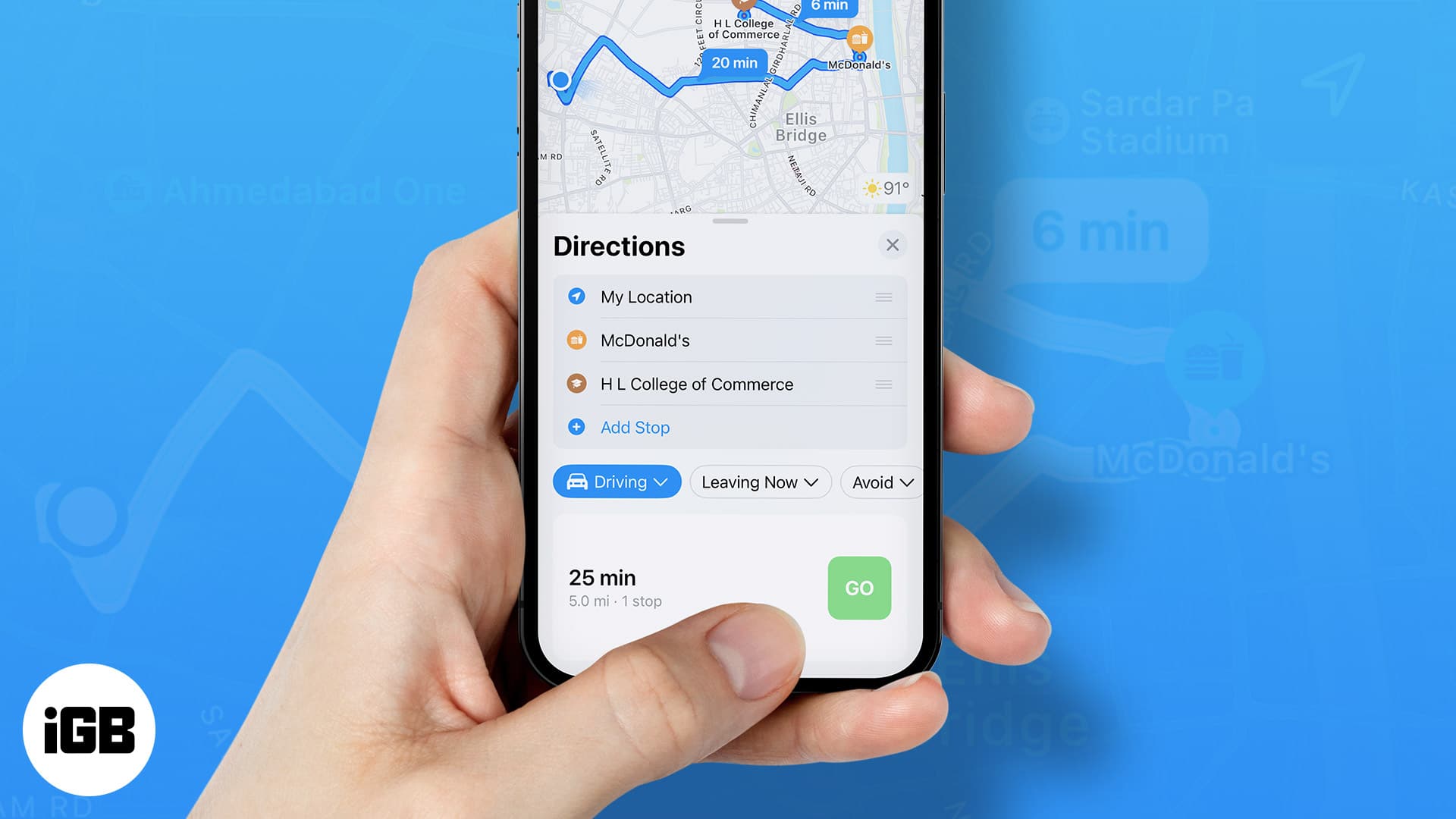
  • One new change to Apple Maps in iOS 18 is panned by some users

    One new change to Apple Maps in iOS 18 is panned by some users

    If you’ve rolled the dice and decided to install the iOS 18 Public Beta release on your eligible iPhone device, you might have noticed something other than a drop-off in your battery life and some of the new features that we have written about. Apple Maps has been changed, and not all users are thrilled with it. In iOS 18, some businesses, restaurants, and stores have larger fonts and icons, helping them stand out on the map. Colored fonts are employed to make these places stand out.
    According to Apple Maps users on Reddit, some of these locations were described as “suggested” or “sponsored” places. Apple is essentially highlighting these locations, which stand out compared to street names and other places printed in smaller gray and black fonts. This appears to be a way for Apple to monetize the Maps app, and users are not happy with what they see as advertisements being placed all over the map.
    Not all Apple Maps users agree with that assessment and state that Apple is making these businesses stand out on Maps to help users more quickly and easily find where they are on the map and where to turn. While it sounds as though some of these users might have had a sip of the Cupertino Kool Aid, there might be some truth to this. Business owners on Reddit whose stores are highlighted on Apple Maps say that they are not paying any money to Apple.
    Apple Maps wouldn’t seem to require using business locations to help users navigate since the app already does a great job of using stop signs and traffic lights as landmarks to tell you when to make a turn. Still, for those who don’t listen to the spoken turn-by-turn directions on Apple Maps, using certain businesses as landmarks would make sense. For example, knowing that you make a right at Starbucks might prevent you from missing the turn.
    No iPhone user is going to install the iOS 18 Public Beta just for this change to Apple Maps. However, the pre-release version of iOS 18 will allow you to customize your Hone Screen app icons, schedule messages to be sent at certain times, open any app from your Lock Screen, and more.
    As for Apple Maps, iOS 18 will eventually add hiking and custom walking maps that can be used at U.S. national parks. The app will also start showing topographic maps revealing the terrain of certain areas.
  • Text effects coming to Messages in iOS 18 might be able to format individual words

    Text effects coming to Messages in iOS 18 might be able to format individual words

    You know how, when you text another iPhone user the word “Congratulations,” both you and the recipient see confetti fall from the top of the screen? Text “Happy Birthday” to another iPhone user and balloons float up from the bottom of the screen. Because any messaging between iOS users and Android users, at least until later this year, is done via SMS, Android users don’t see these effects. Once iOS supports RCS, we could see the Google Messages app show these effects to Android users.

    Now, according to unnamed multiple sources cited by MacRumors, Apple is working on a new feature for iOS 18 that will create effects with the actual texted word instead of an image that represents what the word means. For example, this feature might allow you to format a word you text by adding underlining, bold, and italics to it. And again, once the iPhone supports RCS like Apple said it would before the end of this year, the new effects would also appear on an Android device.

    RCS, aka Rich Communication Services, is a platform found on certain Android messaging apps like Google Messages that delivers features similar to those found on iMessage. Such features include the ability to view high-resolution images, receive read receipts, see typing indicators, and have messages protected by end-to-end encryption. Right now, whenever an iOS user texts an Android user, the messages are sent via old-school SMS so none of these features are available.

    But wait, iPhone owners. There’s more. MacRumors says that the iOS Messages app in iOS 18 will also offer autocompletion powered by the only two letters in the alphabet that mean anything this year, AI. This feature might not be limited to the Messages app and could also be used by Siri to complete queries being typed to the virtual digital assistant.

    We should learn more on June 10th during the WWDC 2024 Keynote which will begin at 10 am PDT/1 pm EDT.

  • Phone users will be able to customize the color of each app icon in iOS 18

    Phone users will be able to customize the color of each app icon in iOS 18

    We are getting closer to the June 10th Keynote at WWDC 2024 during which Apple will preview its AI initiative. Today, Bloomberg’s Mark Gurman revealed some more details about what we should expect from Apple in his latest Power On newsletter. Gurman says that Apple is calling part of its new AI strategy Project Greymatter which encompasses AI tools that will be added to core system apps such as Notes, Photos, and Safari and also includes enhanced notifications.
    As previously discussed, Apple would prefer to have AI features run on-device for speedier results and to protect users’ privacy. More complex tasks will run through the cloud and get worked on by data center servers powered by the M2 Ultra chip. The goal here is to create AI features that will make life a little easier for iPhone users. One new feature in the works will allow a user’s iPhone to create custom emoji based on what the user is texting. This will allow the iPhone user to have a custom emoji ready at his fingertips for any situation in addition to the regular lineup of emojis.
    If that doesn’t excite you, perhaps this will. Apple will allow iPhone users to not only change the color of app icons but also (better be sitting down) put them wherever they want on the screen. You’ll be able to quickly find all your social media apps if you make them a certain color, find all of your health-related apps, which you can make another color, etc.
    Another cool AI feature, one that I’m looking forward to seeing, adds AI-created summaries of notifications, messages, websites, news articles, and more. Additionally, users will be able to have more natural-sounding conversations with Siri as the virtual digital assistant receives a long-needed upgrade. The version of Siri that lives on the Apple Watch will also be very much improved to handle tasks and queries while on the go.
    The soon-to-be-formed partnership between OpenAI and Apple, which will bring the ChatGPT generative AI chatbot to iOS 18, will also be acknowledged at WWDC as Apple doesn’t want to appear that it is out of the loop during the year of AI. Apple’s own in-house chatbot is said to fall short of ChatGPT and Google’s Gemini which is why the company has been meeting with OpenAI and Google. Even though the latest word is that Apple and OpenAI are close to a deal, Apple still plans on inking one with Google as well just in case OpenAI’s controversial CEO Sam Altman does something, well, controversial.
    Back in January, Gurman said that the iOS 18 update will be one of the biggest updates in iOS history. Now, we are approximately two weeks away from what could be quite an exciting day for iPhone users.
  • Apple releases iOS 17.5 beta 2 giving EU iPhone users more unique capabilities

    Apple releases iOS 17.5 beta 2 giving EU iPhone users more unique capabilities

    Surely there are iPhone users living outside of the EU who wish that their country had something like the Digital Market Act (DMA) that forces Apple to unbutton locked-down iPhone capabilities. For example, with iOS 17.4, iPhone users in the EU could install browsers using browser engines other than Apple’s WebKit. It also allows iPhone users in the EU to sideload apps from third-party App Stores and use alternative payment options in the App Store among other things.

    Outside of the 27 member EU countries, none of the actions that Apple is forced to allow in the EU because of the DMA is available. What gives the DMA its bite is the penalty that can be imposed on tech companies that don’t follow the rules. The penalty could be as much as 10% of a company’s global revenue during the most recent year. If Apple, for example, failed to abide by DMA rules, it could face a fine as large as $38.3 billion

    Today, Apple released the second developer beta for iOS 17.5 and with this update, iPhone users in the EU can download apps directly from the websites belonging to app developers instead of having to install these apps from the App Store or another app storefront. Developers offering their apps through websites must protect iPhone users by meeting certain criteria. Developers need to be members of the Apple Developer program for at least two consecutive years.

    Apple has released iOS 17.5 beta 2 – Apple releases iOS 17.5 beta 2 giving EU iPhone users more unique capabilities
    Apple has released iOS 17.5 beta 2

    Apps that can be downloaded from a website must have rung up at least one million installs on iOS in the EU during the preceding year. Developers offering their apps through their websites will need to show their policies toward collecting data from users. Additionally, apps offered outside of the App Store need to include a way for iPhone users to get refunds, access customer service, and manage these apps.

    Apps distributed through developer websites avoid having to pay Apple its cut of revenue known as the Apple Tax. However, they must pay Apple a 0.50 euro Core Technology Fee for each install over 1 million over the past 12 months. Some organizations such as nonprofit organizations, accredited educational institutions, and government entities do not have to pay the fee.

    There might be a time when other countries institute their own versions of the DMA, but for now, installing apps from developer websites is limited to iPhone users in the EU.

  • Siri might end up King in the realm of digital assistants after iOS 18 AI makeover

    Siri might end up King in the realm of digital assistants after iOS 18 AI makeover

    On June 10th at WWDC 2024, iPhone users might finally hear about improvements to one lagging feature that has frustrated them for years. Ever since Apple introduced its digital assistant Siri in 2011 with the iPhone 4s, iPhone users have had lofty ideas about how Siri was going to help them. When it comes to asking for a timer or alarm to be set, no assistant-even Google Assistant-is faster than Siri. But when you have a question that you need an answer to, Siri really drops the ball.

    For example, ask Siri the release date for the first iPhone and instead of seeing one specific date, you see excerpts from three websites and only the last one has the correct date of  June 29, 2007. Of course, you can read each of the three articles, but this is not quick or easy. Ask Google Assistant and you will instantly receive the correct date.

    Just so you understand, ask Siri a question about Apple’s most important product ever and you have to spend time reading through three websites to get your question answered. Use the iOS version of the Google Assistant app and you see very clearly the date that the first iPhone was released along with a photo showing it on display after being unveiled by Steve Jobs on January 9th of that year.

    Forget for a moment that Siri doesn’t seem to be too knowledgeable about Apple’s history, or at least as knowledgeable as Google Assistant. Getting an answer from Siri often means digging through websites for the correct answer while Google Assistant will show an easy to find response. That is why I always suggest that outside of setting clocks, and alarms, opening apps, and making vocal requests about your iPhone, iOS users should download and use the iOS Google Assistant app which can be installed from the App Store.

    According to Windows Central, Apple is working on a Large Language Model called Reference Resolution As Language Modeling (ReALM) which would allow Siri to understand the context of a conversation and even understand the content that is on screen. Researchers recently published a paper noting Apple’s plans to use AI to improve Siri.

    The smallest AI model that Apple might ship with iOS 18 met performance benchmarks achieved by OpenAI’s GPT-4. Apple’s larger AI model outperformed it by a large margin.

    None of the AI improvements might help us get quicker and to-the-point answers from Siri, but that doesn’t mean we can’t hope it does.

  • Oft-requested feature is coming to Apple Maps with iOS 18 release later this year

    Oft-requested feature is coming to Apple Maps with iOS 18 release later this year

    With iOS 18 installed, Apple Maps users might be able to create their own custom routes, which they cannot do presently. Apple has pushed an iOS 18 file titled “CustomRouteCreation” to the back end of the Apple Maps app, and the title does give away plenty of information. But outside of the file name, all we know is that at launch, the feature will be limited to use in the U.S.

    Why would you want to create a custom route? Well, you might be used to taking a specific road and would prefer to travel on it, or a particular route might be more scenic or pass more bathrooms, or be near more shopping options or restaurants. Currently, Apple’s chief rival, Google Maps, has a process to allow users to create custom routes. This requires the user to employ his/her computer and then view this route on an iPhone. It sounds like Apple’s implementation is going to be much easier to use.

    It seems that iPhone users have been hounding Apple over the years to add this capability to Apple Maps. As far back as December 2020, Apple community member cowboyf16 asked in the discussions forum, “In Apple Maps, is there a way to create a custom route? For example, we like to drive scenic drives down multiple roads with no distinct destination.”

    We should get our first look at iOS 18 on Monday, June 10th during the WWDC 2024 Keynote. Shortly afterward, the public beta program for iOS 18 will start and you’ll have to decide whether to install it on your iPhone or wait until September when the final version of the software should be released. Keep in mind that beta releases are unstable and certain features that you rely on every day might not work at times if you install the iOS 18 beta.

  • Apple to add new accessibility features to the iPhone with iOS 18

    Apple to add new accessibility features to the iPhone with iOS 18

    We already know that iOS 18 is going to be one of the biggest updates in Apple’s history. New AI features including a revised Siri have many iPhone users looking forward to June when Apple previews iOS 18 during WWDC 2024. Other changes will be coming to the operating system’s accessibility features. These are features designed for those with “vision, mobility, hearing, speech, and cognitive needs” and can be found in the Accessibility app.

    MacRumors spoke with industry sources who told them about some new accessibility features expected to be added to iOS 18. Traditionally, these are announced before WWDC which makes it quite possible that Apple is wrapping up the development of these new features now which could be why they have leaked at this point in time.

    Voice Shortcuts would allow an iPhone user to connect a phrase to start a particular accessibility feature. Unlike Siri Shortcuts, no wake phrase, such as “Hey Siri,” would need to be spoken first. The rumor says that Voice Shortcuts would work with accessibility features such as VoiceOver and Voice Control. The former reads the content on an iPhone, while the latter allows you to use vocal commands to “perform gestures, interact with screen elements, dictate and edit text, and more.”

    Another change will have Apple adding font size control throughout the system. Currently, users can change the font size of an app but only if this is supported by the app, and some of Apple’s system apps do not offer such support; all of them will in iOS 18. The company also previously announced Personal Voice for Live Speech which uses AI to create a digital version of a user’s voice after running through 15 minutes of “training” with often-used phrases recorded. If someone has a disease that will cost them their speech, this feature will allow them to “talk” once he/she can no longer do so.

    We should see iOS 18 released this coming September.

  • Software update is coming to fix annoying bug on Apple Watch Series 9 and Ultra 2

    Software update is coming to fix annoying bug on Apple Watch Series 9 and Ultra 2

    Apple has sent out an internal memo to these authorized repair shops to let them know that the company is aware of an issue with the Apple Watch models released last year.

    The memo, which MacRumors obtained, says “Some customers may report their Apple Watch Series 9 or Apple Watch Ultra 2 is experiencing false touches on their display.” Apple adds that some customers might say that their Apple Watch model is experiencing “ghost touches.” Owners of impacted Apple Watch models say that the screen will “jump erratically” or take other actions even if the user has not interacted with the device. The problem could cause users to be unable to enter their passcode or have an accidental phone call made

    The tweet from @StellaFudge notes that Apple has told technicians working at authorized service centers and, we assume, at Apple Stores as well, not to replace any Apple Watch Series 9 or Apple Ultra 2 units exhibiting this problem. Instead, Apple is telling technicians to inform customers that Apple will soon be issuing a software update that will resolve the problem.

    With that in mind, Apple is telling Apple Watch owners to make sure that they keep their devices updated and running the latest version of watchOS, especially since the touch issue is expected to be fixed via a software update. Apple didn’t give a timeframe as to when we can expect the update to arrive. However, the company is recommending that those experiencing this problem on their Apple Watch Series 9 or Apple Watch Ultra 2 force restart their timepieces to see if that helps solve the problem before any update is sent.

    To force restart either Apple Watch model, hold down the Digital Crown and the side button at the same time for at least 10 seconds, until the Apple logo appears. If this doesn’t rid your Apple Watch of the “ghost touch” issue, you will have to be patient and wait for Apple to push out a software update aimed at exterminating this bug.