Retail News CRM

Tag: ios

  • OneDrive now supports Dark Mode on Android phones

    OneDrive now supports Dark Mode on Android phones

    Almost six months after bringing Dark Mode to OneDrive on iOS, Microsoft is enabling the visual option on the Android version of the app. With OLED displays becoming more common, darker themes and modes started to appear in many mobile apps, including Gmail, WhatsApp, Facebook Lite, Google Translate and more. OLED technology displays black by turning off individual pixels, so the darker the theme, the less energy the device consumes. Besides energy efficiency benefits, Dark Mode is also much easier on the eyes in low-light conditions.

    Microsoft is rolling out the new features with version 6.0.1 of the app with another little tweak in the Photos tab. Users will get a trip down memory lane with the option to revisit old photos taken on the same day in previous years.

    To activate Dark Mode in OneDrive, go to the Settings menu on the homes screen, and tap on the Theme option. You can then choose Light, Dark or System Default. The last one will use the Global theme settings of the device. This option is useful when you want to schedule different themes for different times of the day – Dark Mode activating at sunset, for example.

  • Spotify introduces customizable profiles on Android and iOS

    Spotify introduces customizable profiles on Android and iOS

    Spotify has been on fire since the beginning of the month, as multiple updates added important new features and improvements to the music streaming. The most recent changes involve Spotify profiles and the option to customize them.

    Starting this week, depending on what music you’re listening to on your phone, you’ll be able to update your Spotify profile, including the photo and username, to create a personalized music page representative of your music tastes.

    Spotify users on Android and iOS, regardless of whether they’re using a smartphone or tablet, can head to Home / Settings / View Profile to see their recently played artists, followers, and public playlists. Then, tapping “Edit Profile” will allow users to customize their status starting with the photo, which can be either JPEG or PNG.

    Keep in mind that if you’re using an iPhone or iPad, the picture must be less than 10MB. You can even remove your photo completely if you didn’t link your Spotify account to Facebook, in which case you’ll have to disconnect the two from the Settings menu.

    Apart from adding a photo to your profile, you can also change your Spotify display name. To do that, simply go to Home / Settings / View Profile / Edit Profile and tap your display name, then type your new display name (make sure to save).

    If you’re proud of your new profile and want to share it with your friends, you can do that by heading to Home / Settings / View Profile and tapping the three dots in the top right where you’ll find the Share option.

  • YouTube Music update brings new player, more controls to Android users

    YouTube Music update brings new player, more controls to Android users

    It looks like Google is very serious about YouTube Music, as the app received two major updates in less than a month. After adding the option to upload music in February, the app is getting another update on Android devices that introduces a new design for the “Now Playing” screen, which includes more accessible controls, static lyrics, and a few other improvements

    The new changes should be available to everyone rocking an Android device, if not now, in the next few weeks.

    • Flipping between songs and videos in the app is now always visible on the player page to make it easy to move seamlessly between a song and its music video, a feature only offered by YouTube Music.
    • Static lyrics are being rolled out within the app, offering highly visible access to follow along to tracks. While still in the experiment phase, this feature will continue to be developed.
    • Playback control is more convenient with repeat and shuffles now located on the player page.
    • Downloading, sharing and adding songs to playlists is now easier than ever with all three features accessible by tapping on album art.

    A new version of YouTube Music has been uploaded in the Google Play Store on March 4, but we’re not sure if it contains all the changes announced today or these will be enabled via YouTube’s servers.

  • Nintendo brings real-time multiplayer to Mario Kart on iOS

    Nintendo brings real-time multiplayer to Mario Kart on iOS

    After a three-month beta test, Nintendo announced a multiplayer will be added to Mario Kart on iOS this week. Even better, all players will have access to the multiplayer aspect regardless of whether or not they’re paying for the Gold Pass.

    Nintendo introduced a premium subscription model a while ago, which offers some perks to those who pay $5 for a Gold Pass. While it was in beta, only Gold Pass subscribers had access to multiplayer in Mario Kart. However, when it launches later this week, it will be available to everyone except for Gold Races, which will only be accessible by those who pay for Gold Pass.

    Nintendo announced that three types of real-time multiplayer races will be available in Mario Kart on iOS, which you can find below:

    • With Friends or Others Nearby: Choose your own rules and race with friends or others nearby; rules do not change;
    • Standard Races: Race against players around the world to raise your grade with rules that change daily; two sets of rules change daily;
    • Gold Races: Available exclusively to MKT Gold Pass Subscribers, compete with the best of the best for the highest grade; four sets of rules change daily.

    If you’re still playing Mario Kart, you’ll be happy to know that multiplayer will be officially available on iOS devices starting March 8 at 8 pm.

  • Google finally opens up about having its apps banned on new Huawei phones

    Google finally opens up about having its apps banned on new Huawei phones

    Huawei is unable to license Google Mobile Services because of its placement on the Commerce Department’s entity list. The Trump administration put Huawei on the list because it considers the Chinese manufacturer to be a threat to national security due to its allegedly close ties with the communist Chinese government. Once Huawei was placed on the list, the company was banned from accessing the U.S. supply chain it spent $11 billion on in 2018; because of the ban, Huawei is not allowed to enter into any licensing deal with Google.
    Google published a support article that laid out the facts: “On May 16, 2019, the US government placed Huawei on its Entity List. This government action prohibits all US companies, including Google, from collaborating with Huawei. This means that Google is prohibited from working with Huawei on new device models or providing Google’s apps including Gmail, Maps, YouTube, the Play Store and others for preload or download on these devices.”
    Google then mentions that it has been focused on protecting the security of Google users who sport older Huawei phones. The support page noted that “We have continued to work with Huawei, in compliance with government regulations, to provide security updates and updates to Google’s apps and services on existing devices, and we will continue to do so as long as it is permitted. To be clear: US law currently allows Google to only work with Huawei on-device models available to the public on or before May 16, 2019.
    Google also made it clear that Huawei phones launched before May 16th, 2019, but now getting released in other areas of the world, are considered new handsets and cannot be licensed to use Google Mobile Services. Explaining why its apps and services cannot be preloaded or sideloaded on new Huawei devices, Google pointed out that “To protect user data privacy, security, and safeguard the overall experience, the Google Play Store, Google Play Protect, and Google’s core apps (including Gmail, YouTube, Maps, and others) are only available on Play Protect certified devices. Play Protect certified devices go through a rigorous security review and compatibility testing process, performed by Google, to ensure user data and app information are kept safe. They also come from the factory with our Google Play Protect software, which provides protection against the device being compromised.”
    The problem is, the U.S. placement of Huawei on the entity list prevents the latter’s phones from going through Google’s security process; they also do not have Google’s malware scanning Play Protect feature. As a result, these handsets are considered uncertified and cannot use Google’s apps. Additionally, sideloaded Google apps won’t work on Huawei devices because Google doesn’t allow these apps to run on uncertified phones where security might be compromised. “Sideloading Google’s apps also carries a high risk of installing an app that has been altered or tampered with in ways that can compromise user security,” the company said. You can check to see if your Android phone is certified by opening the Google Play Store and heading to Menu > Settings. Simply look under Play Protect certification.
    Despite the ban, Huawei still managed to ship 240 million handsets last year. That wasn’t enough for it to top Samsung to take over the title of the world’s largest smartphone manufacturer, but it did manage to finish ahead of Apple in second place. That’s because patriotic Chinese consumers considered Huawei to be the victim of American bullying and turned out in large numbers to buy Huawei’s handsets. In China, most of Google’s apps are banned anyway which means that the company’s international models were the ones impacted by the ban.
  • WhatsApp for iOS remains without dark mode

    WhatsApp for iOS remains without dark mode

    The iOS version of WhatsApp is one of the not so many popular apps that doesn’t have a dark theme yet. Facebook delayed the release of this long-awaited feature for so long that we were not even sure it was still coming or not.

    But it looks like Facebook does plan to add a dark mode to WhatsApp for iOS, it’s just that it takes the company a lot longer than anyone would have expected. Although we would have wanted this story to be about the new dark mode coming to WhatsApp, it’s not.

    However, if you have access to WhatsApp beta builds on your iPhone, you’ll be pleased to know that Facebook has started to test dark mode.

    This specific version of WhatsApp for iOS is only available through Apple’s TestFlight platform, and can only be tested on an iPhone. Also, the beta version will only be available for download to select testers.

    We have no idea how long it will take Facebook to bring dark theme to WhatsApp for iOS, but it shouldn’t be long now that the feature is ready for public testing.

  • Three of the biggest smartphone manufacturers unite to bring an AirDrop alternative to Android

    Three of the biggest smartphone manufacturers unite to bring an AirDrop alternative to Android

    Something people unfamiliar with iPhones are often surprised to learn is that iOS doesn’t have a “share via Bluetooth” option. Instead, Apple users rely on the company’s proprietary AirDrop feature to send files between each other but if an Android device gets involved, the options are email or an app.

    AirDrop uses a combination of Bluetooth and Wi-Fi to establish a fast and secure connection directly between two Apple devices which makes it very convenient. So far, there’s no such feature that works universally on all Android phones although some manufacturers have their own solutions. Well, that might change soon.

    Oppo, Vivo and Xiaomi announced in a press release that they’re forming the “Peer-to-Peer Transmission Alliance” in order to “provide users with an unparalleled file transfer experience.” The new file transfer system doesn’t have a name yet, but it will also use Bluetooth for pairing and WiFi P2P (peer-to-peer) for the data transfer.

    Despite relying on WiFi, the system won’t disconnect users from their WiFi networks and can be used simultaneously without interfering with other activities. The new system promises an average transfer speed of 20MB/s with maximum speeds potentially much higher depending on the devices involved.

    The three manufacturers are selling hundreds of millions of devices each year which will make a compelling case for other brands to join the alliance. Oppo owns the Realme and OnePlus brands, so we’ll likely see the new system on their new devices as well, while Xiaomi will surely add it to its Redmi phones. If Huawei and Samsung are convinced to join (less likely due to their large market shares) the system will encompass a very large percentage of Android devices and the remaining manufacturers will be smart to follow.

    Hopefully, what we’re seeing today is the laying of the foundation for an Android-wide file transfer system suitable for the needs of consumers today and in the future. The first smartphones with the new system will be available in February this year, according to the press release, with more to follow as the companies bring new phones to the market.

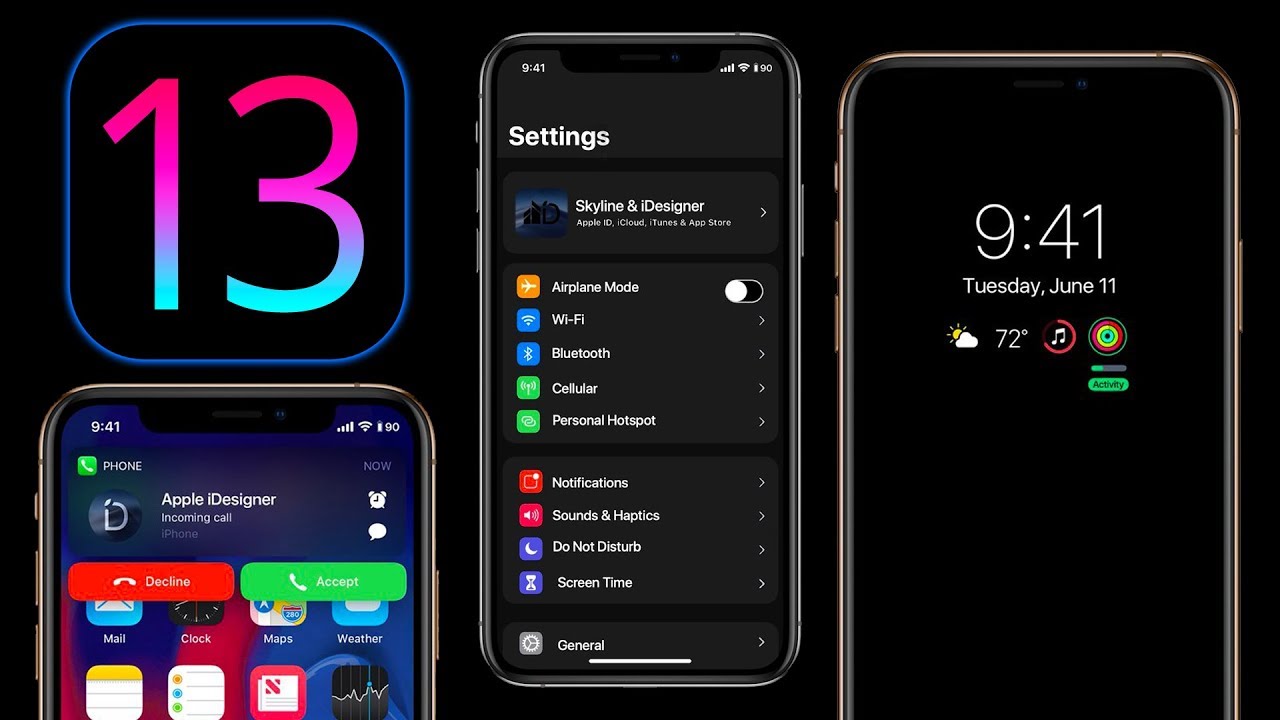
  • Apple drops iOS 13.3, iPadOS 13.3, tvOS 13.3 and more

    Apple drops iOS 13.3, iPadOS 13.3, tvOS 13.3 and more

    Today is a day of operating system updates for Apple as the company dropped iOS 13.3, iPad OS 13.3, HomePod 13.3, tvOS 13.3 and watchOS 6.1.1. The update to iOS 13.3 for the iPhone and iPad OS 13.3 for, well, you know, adds Communication Limits support in Screen Time. The latter measures how long you use your phone or tablet, what apps you use the most, and allows parents to limit their children’s use of certain apps.

    With the new feature, users can decide who they can communicate with and when they can communicate with them during “Downtime.” This is a setting on Screen Time that when enabled, prevents the user from opening certain apps, receiving notifications and getting phone calls during certain time periods except for apps and callers that are selected as “Always Allowed.” By default, Downtime, when enabled, will run from 10 pm to 7 am local time. With the new Communication Limits, parents can prevent their kids from calling, texting or using FaceTime with anyone else but them after a certain time of day.

    With the update, Apple answered complaints from users about Memoji and Animoji stickers. The stickers were showing up alongside the emoji keyboard and users went into a conniption. But after installing iOS or iPad OS 13.3, users can disable this feature by going to Settings > General > Keyboard > Emoji.  In Apple News+, stories from The Wall Street Journal and other newspapers now have a new layout and stories can be liked or disliked with a tap. In Canada, articles in the Stocks app are now available in both English and French. Top stories can now have a “Breaking” or “Developing” label to users find the latest and most important content.

    Several bug fixes and improvements are part of the new update. When trimming a video in Photos, users will be able to create a new video clip. Bugs have been exterminated that prevented a message from being deleted in Gmail and prevented new messages from loading in Mail. With the update, screenshots shouldn’t look blurry any more when disseminated via Messages, and if you cropped or used Markup on a screenshot, it will save with the changes that were made. Missed call badges should now disappear, and Voice Memo recordings can now be shared with other audio apps. In addition, Apple says that the update addresses an issue that made some wireless chargers charge more slowly than expected. It also corrects an issue that had the Cellular Data setting incorrectly show as being “off,” and one that prevented users from turning off Dark Mode when Smart Invert was enabled. The update also takes care of an issue that caused incorrect characters to show up in Messages and duplicate sent messages in Exchange accounts.

    In tvOS 13.3, Apple gives users the option to bring back the “Up Next” queue in the Top Shelf app. Apple had changed this to show clips of previews and trailers called “What to Watch.” This is found in the Home Screen section and after updating to tvOS 13.3 users can go to Settings > Apps > TV to make the change. Apple is also disseminating watchOS 6.1.1 for Apple Watch users. There are no new features in the update, but it does contain some bug fixes and performance improvements.

    And HomePod OS 13.3 has also been released.  With the update, Apple’s smart speaker will do better at recognizing the voice profile of family members. It also will allow family members to enable or disable personal requests and fixes an issue that could prevent music playback from resuming on a stereo pair after a phone call.
  • Google adds dynamic email support to Gmail on Android and iOS

    Google adds dynamic email support to Gmail on Android and iOS

    Google Docs is not the only app the Mountain View company is improving this week. As the title says, Gmail, Google’s email app is getting important upgrades on both Android and iOS platforms.

    The highlight of the latest update is dynamic email, new functionality that is now rolling out to Gmail on Android and iOS. Dynamic email lets Gmail users take action directly within a message. For example, you can respond to a comment, RSVP to an event, or manage subscription preferences directly within the email.

    Another advantage of having support for dynamic email is that the functionality can be kept up to date so that when you open an email you’ll see the most up-to-date information about the subject.

    Now, according to Google, the rollout is starting today, but it may take more than two weeks for everyone to see the functionality on their Android and iOS devices. It’s also worth mentioning that dynamic email support will be turned on by default when the functionality arrives on a compatible device.

  • Two variations of Dark theme are reportedly being developed for the iOS version of WhatsApp

    Two variations of Dark theme are reportedly being developed for the iOS version of WhatsApp

    Whether you’re using Android or iOS, Dark theme is all the rage these days. Both Android 10 and iOS 13 feature system-wide Dark theme settings and more and more apps are including such an option. Why? for a couple of reasons, really. At night, or in a darkened room, the usual white background (with black text) can strain the user’s eyes and annoy innocent bystanders. In Dark theme, the black or gray background with white text isn’t as offensive to one’s eyes.

    Besides saving your eyesight, there is another reason to toggle on Dark theme; for phones sporting an AMOLED display, using Dark theme can save some battery life. That’s because OLED panels create the color black by turning off all pixels in the appropriate area of the screen; pixels that are turned off do not draw energy from the battery. But keep in mind that to save battery life, the version of Dark theme used by an app must have a black background, not a dark gray one.

    Now you might recall that back in March, the beta version of WhatsApp for Android received a Dark theme feature, but only on the settings page. Because this configuration used a version of Dark theme with a gray background, those testing it did not score any additional battery life. And in fact, Android users with the public version of WhatsApp have yet to receive the feature at this point in time. As for iOS users who employ WhatsApp, they could end up with one of two different versions of Dark theme according to WABetaInfo.com. For those of you unfamiliar with WhatsApp, it is one of the most popular messaging apps in the world and is owned by Facebook.

    It seems that when Apple released the system-wide Dark theme for iOS 13, WhatsApp’s developers went back to the drawing board and came up with a new version of Dark theme from scratch. WABetaInfo.com says that two different configurations are being developed. One uses a dark black background while the second configuration uses a lighter gray. The first variant would seem to offer the best battery life savings. Both versions have the same configuration for Dark bubbles.

    While it isn’t clear which one will be found on the iOS version of WhatsApp, the first configuration is the one that Facebook has decided to use for Instagram. The report does speculate that the app itself might choose from the two options depending on the settings of the iOS device that has the app installed.

    Apparently, the Dark theme feature for WhatsApp is still being developed so it might be sometime before iOS and Android users get the opportunity to try it out on the public version of the respective apps.

  • Chrome for iOS goes dark after the latest update

    Chrome for iOS goes dark after the latest update

    Although iOS 13 has been around for about a month now, Apple’s own adoption figures show 50% of eligible iPhones are running the new version of the operating system. It’s not a bad number of course, but those who haven’t updated yet are missing quite a lot.

    Besides the new features and improvements that the iOS 13, a lot of third-party apps are adding new options specification for this version of the platform. One of the most common new features that these third-party apps are adding is dark mode.

    Many developers have already implemented the dark mode into their iOS apps, but Google has somehow missed to opportunity to offer Chrome users this specific feature. Thankfully, the latest update fixes the issue, so if you update Google’s mobile browser to the latest version, you’ll also be getting dark mode.

    Also, the update adds the ability to add a new credit directly in Chrome from the settings page. Lastly, Bookmarks, History, Recent Tabs and Reading List are now presented as cards on iOS 13. Keep in mind that most of the new features won’t be available until you update to iOS 13.

  • Spotify update adds Siri support on iOS 13

    Spotify update adds Siri support on iOS 13

    Spotify quietly released a new update for its iOS app which brings important improvements and new features. The most important is Siri support on iOS 13, which means that you’ll be able to control your Spotify app on iPhone, iPad, Carplay, Airpods, and HomePode via Airplay.

    After applying the latest update, simply say “Play [artist] on Spotify” and your iOS 13-powered device should do the rest. Be sure to mention Spotify though, otherwise, Siri will start Apple Music by default.

    Another important new addition is Apple TV support, which means that you can now download the app via the tvOS App Store or enable “automatically install apps” in tvOS settings to install it.

    Last but not least, Spotify has introduced low data mode on iOS 13. Basically, this means that the app will now turn on Data Saver when your iOS device’s Low Data Mode is turned on.

    All the improvements added in the update should work with all the devices running iOS 13, but 9to5mac discovered that the HomePod does not recognize Siri song requests yet. The issue might be addressed in a future iOS update, so you might want to try again after iOS 13.2 gets released.

  • Yahoo launches new Mail app for Android and iOS

    Yahoo launches new Mail app for Android and iOS

    Yahoo is desperately trying to become relevant once again. We’re not sure how many people still own a Yahoo email account, but it looks like the company has just unveiled a brand new logo and a new Yahoo Mail app.

    The new app is available for Android and iOS users starting today and brings some important changes over the previous one. First off, it will allow users to customize their push notification to highlight the type of mail they want to be alerted of, as well as personalize the Yahoo Mail inbox with custom color themes and sounds.

    The new Yahoo Mail app comes with a new view that lets users access all their attachments, including travel documents, tickets, photos, and essential files. There’s another view for subscriptions that allows users to browse shopping emails and unsubscribe from any newsletter with a single tap directly within the app.

    Also, you’ll now have three separate types of deal that you can view in different tabs: Deals View, Location View (iOS only) and Grocery View. Finally, the app will highlight timely updates like package tracking, travel info, or a deal that’s close to expiring (iOS only).

    If you still trust Yahoo to keep your emails, you can now download the new Mail app for iPhone and Android via App Store and Google Play.

  • Samsung Galaxy Fold launched

    Samsung Galaxy Fold launched

    Samsung confirmed that the Galaxy Fold will be launched on the market in September, but it didn’t reveal an exact release date. Although reports pointed to a rather late September launch, it looks like Samsung has decided to greatly advance the launch schedule.

    The Korean media reports Samsung is ready to launch the Galaxy Fold on September 6, the first day of IFA 2019 trade fair. Even though pre-registrations for the foldable smartphone recently opened in China, South Korea will be the first country to get the Galaxy Fold.

    The same report claims Samsung Galaxy Fold will be released in September in the United States and China, although an exact release date hasn’t been unveiled yet. Samsung expects to sell around 20-30,000 Galaxy Fold units in South Korea by the end of the year.

    A Samsung official responded to the report by saying that “the specific launch schedule is not yet confirmed,” but if the information is accurate, we’ll learn more about the Galaxy Fold availability in less than a week from now.