Tag: Wallet

  • Deel Empowers Global Contractors with New Stablecoin Wallet Amid Currency Volatility

    Deel Empowers Global Contractors with New Stablecoin Wallet Amid Currency Volatility

    Deel, the global workforce management company, is set to intensify its focus on digital assets as it unveils a stablecoin wallet. This innovative solution is intended to support contractors in emerging economies by maintaining the value of their income, providing rewards, and allowing global expenditure without having to leave the platform.

    The company began launching the digital wallet, which is dollar-backed, in Latin America. However, plans are afoot to extend this service to the Middle East, Africa, and the Asia-Pacific region. This forms the latest part of Deel’s broader plan to incorporate stablecoins into its global payment infrastructure. The company already enables contractors to withdraw their earnings in stablecoins and allows businesses to fund payrolls directly from stablecoin reserves. The new wallet enhances these features, permitting contractors to manage and hold digital dollar balances within their Deel accounts.

    Addressing the Issue of Currency Instability

    Deel’s recent effort addresses an increasing issue for workers in countries experiencing persistent inflation and currency devaluation. In nations such as Argentina, Ukraine, and Turkey, local currencies have seen significant fluctuations, which have eaten into the purchasing power of salaries and freelancer earnings.

    The company reports a spike in demand for dollar-pegged earnings. A case in point is Argentina, where 85 percent of contractors using the platform elected to receive payments in US dollars in 2025 instead of the local currency.

    Prior to this, contractors seeking to conserve their earnings’ value often had to transfer funds through a range of crypto platforms, foreign exchange providers, or financial applications. Deel contends that incorporating a stablecoin wallet directly into its ecosystem streamlines this procedure.

    Benefiting from the Dollar Within the Deel Ecosystem

    The wallet permits contractors to hold balances in DLUSD, Deel’s in-house dollar-pegged digital balance, which is designed to maintain parity with the US dollar and can be redeemed within the platform.

    Additionally, users can choose to participate in a rewards program backed by decentralized finance infrastructure. The company states that rewards accumulate automatically without lock-up periods, and balances remain accessible for withdrawal at any moment.

    Later this month, Deel intends to launch the Deel Card, enabling contractors to spend their stablecoin balances globally.

    The new service is supported by a combination of crypto and payment providers from the larger Stripe ecosystem. According to Deel, the wallet utilizes Bridge’s issuance infrastructure for DLUSD creation, while Privy delivers the wallet layer. Rewards are produced through the decentralized finance protocol Morpho and managed by infrastructure provider Sentora.

    Despite the crypto infrastructure that supports the service, Deel emphasizes that users deal with a simple dollar balance rather than blockchain wallets or token management tools.

    Questions & Answers

    What is the purpose of Deel’s stablecoin wallet?

    The stablecoin wallet is designed to help contractors in emerging markets maintain the value of their earnings, earn rewards, and spend globally without leaving the platform.

    How does Deel’s stablecoin wallet work?

    The wallet allows contractors to hold balances in DLUSD, Deel’s internal dollar-denominated digital balance. Users can also opt into a rewards program that accrues rewards automatically without lock-up periods.

    What is Deel’s future plan for its stablecoin wallet?

    Deel plans to introduce the Deel Card, which will enable contractors to spend their stablecoin balances globally. This move is part of Deel’s broader strategy to integrate stablecoins across its global payments infrastructure.
  • Alipay Ventures Further into AI Commerce: Introduces Worlds First AI Wallet and Token Pay

    Alipay Ventures Further into AI Commerce: Introduces Worlds First AI Wallet and Token Pay

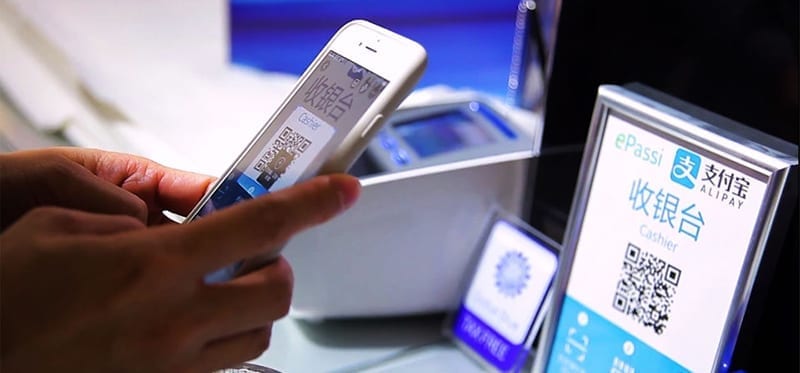
    Chinese fintech titan, Alipay, is ramping up its endeavors in AI-driven commerce with the introduction of an innovative AI payment infrastructure devised to bolster the burgeoning “agentic economy”.

    As per a press release issued on Monday, Alipay unveiled the world’s inaugural “AI Wallet” along with a novel service dubbed “Token Pay”, both targeted at AI firms and developers. This announcement was made at the Alipay AI Payment Ecosystem Conference held in Hangzhou.

    AI Agents in the Commercial World

    The crux of this initiative is Alipay’s AI payment ecosystem, where users can execute transactions via AI agents using voice commands and automated processes.

    Cyril Han, CEO of Ant Group, said, “Even though the quintessence of commerce remains intact in the AI era, AI agents are revolutionizing every aspect.” Han added that based on 22 years of technological prowess and commercial knowledge, Alipay is creating the next wave of AI payment services to boost the growth of the agentic commerce ecosystem.

    The firm disclosed that its AI-native payment products have already surpassed 100 million users since their February 2026 launch. As per Alipay, the system has processed approximately 300 million transactions so far, making it the first commercially scaled AI-native global payment infrastructure.

    Introduction of the “AI Wallet”

    The AI Wallet, a crucial part of this expansion, has been recently introduced and is now accessible via the Alipay app.

    The product is engineered to provide users more supervision and command over transactions executed by AI agents. This includes the ability to monitor tasks prior to and during payment and to analyze spending behavior after the transaction.

    In an effort to augment trust in autonomous AI transactions, Alipay also launched China’s maiden “Agentic Commerce Trust Protocol”, aimed to establish a standardized framework between AI systems and service platforms.

    Simultaneously, the firm introduced an intelligent security system designed to safeguard AI-driven transactions.

    “Token Pay” Designed for AI Companies

    Along with the AI Wallet, Alipay launched “Token Pay”, which the firm describes as the first integrated payment solution specifically tailored for AI model firms.

    The platform enables AI enterprises to handle subscription payments, token top-ups, and associated transactions on a global scale via a single infrastructure.

    Weiqi Hu, Vice President of MiniMax, said, “Payments are instrumental in facilitating massive growth in the AI sector. Together with Alipay, we aim to strengthen collaboration across multiple domains to accelerate the growth of AI commerce.”

    Payments Integration within AI

    Industry experts anticipate payments to become an inherent feature within AI applications rather than a separate step in digital commerce.

    “AI is redefining every facet of commerce,” said Lin Zhu, General Manager of Alipay’s AI payment business at Ant Group. Zhu added that payments are transitioning from a final step to a capability embedded from the outset. According to Zhu, only with trusted transactions, seamless payments, and secure controls, can agentic commerce genuinely proliferate.

    Extensive Expansion Across Industries

    Alipay’s AI payment infrastructure is already being widely used across a plethora of sectors and devices in China, such as AI-powered services embedded in retail apps including Luckin Coffee, smart glasses by Rokid, Alibaba’s Qwen AI ecosystem, OpenClaw-style AI agents, smart vehicle cockpits, AI development platforms like Coze and Qoder, and “One Person Companies”.

    Alipay announced additional investment in developer support programs, including token incentives and waiving payment-processing fees for individual AI developers.

    Through the latest rollout, Alipay is striving to establish itself not merely as a payment provider, but increasingly as the financial infrastructure supporting the next generation of AI-driven digital commerce.

    Questions & Answers

    What is the AI Wallet introduced by Alipay?
    The AI Wallet is a product designed to give users more control over transactions carried out by AI agents. Users can monitor tasks before and during payment execution and analyze spending behavior afterward.

    What is the purpose of Alipay’s “Token Pay”?
    Token Pay is an integrated payment solution created specifically for AI model companies. It allows AI firms to manage subscription payments, token top-ups, and related transactions globally through a single infrastructure.

    What is Alipay’s strategy with the introduction of the new AI payment infrastructure?
    Alipay’s strategy is to position itself not only as a payment provider, but increasingly as the financial infrastructure underpinning the next generation of AI-driven digital commerce.

  • NTT DOCOMO GLOBAL & Accenture Pioneer Universal Wallet Infrastructure: A Leap Forward in Digital Trust Services

    NTT DOCOMO GLOBAL & Accenture Pioneer Universal Wallet Infrastructure: A Leap Forward in Digital Trust Services

    NTT DOCOMO GLOBAL and Accenture, two major players in the global tech industry, have recently entered into a partnership to create and grow a Universal Wallet Infrastructure (UWI) platform. This platform is designed to bolster digital trust services across diverse sectors, governments, and geographical locations.

    The infrastructure being developed by NTT DOCOMO GLOBAL and Accenture will permit organizations to issue, verify, and manage digital credentials and tokens associated with identity, payment, assets, and documents. A key focus of the platform is interoperability and compliance, ensuring secure data transfer while adhering to user consent and regulatory norms.

    As businesses and public institutions are under increasing pressure to safely handle data in progressively digital and AI-centric environments, demands for transparency and control over personal data usage are also rising among individuals. By integrating decentralized technologies with current enterprise systems, UWI seeks to address these issues, reducing dependence on centralized data structures.

    Establishing a Trustworthy Digital Environment

    The platform is designed to foster secure, real-time data sharing between organizations, while also facilitating AI-powered services at the network edge. Through enabling users to regulate access to their data, UWI aims to bolster trust and provide organizations with access to consent-based, verifiable information to support their operations, innovation, and customer services.

    Several potential applications of the UWI platform have been identified, encompassing government services aiming to decrease fraud and administrative burdens, employers managing recruitment and workforce mobility processes, and travel and transportation systems seeking to simplify identity verification across borders and service providers.

    Leadership Commentary

    Hiroki Kuriyama, President and CEO of NTT DOCOMO GLOBAL, spoke enthusiastically about the partnership, stating that it would speed up the global implementation of UWI, creating a new basis for digital trust worldwide. He also emphasized the growing importance of effective digital IDs and electronic credentials across national borders, highlighting the platform’s objectives of providing verifiable authentication and innovative trust models on a global scale.

    Atsushi Egawa, Chairman of Accenture, Japan, and co-CEO, Asia-Pacific, Accenture, also expressed optimism about the collaboration. He highlighted the synergies created by combining Accenture’s deep expertise in technology strategy, data, and AI with NTT DOCOMO GLOBAL’s well-established strengths in network infrastructure operations and advanced internet technologies. He believes this collaboration will pave the way for new AI-powered experiences that revolutionize how businesses and customers connect.

    Questions & Answers

    What is the main aim of the Universal Wallet Infrastructure platform?

    The platform aims to establish a secure and reliable digital trust environment, allowing organizations to issue, verify, and manage digital credentials related to identity, payments, assets, and documents.

    How will the UWI platform benefit its users?

    UWI will allow users to control access to their data, thereby increasing trust while providing organizations access to consent-based, reliable information to support their operations, innovation, and customer services.

    What potential applications does the UWI platform have?

    The platform can be utilized in numerous ways, such as reducing fraud in government services, streamlining recruitment and workforce mobility processes for employers, and simplifying identity verification in travel and transportation systems across borders and service providers.

  • Google Wallet Enhances Travel Experience With Real-time Updates And Card Integration

    Google Wallet Enhances Travel Experience With Real-time Updates And Card Integration

    Google Wallet is set to become more convenient for globetrotters as it integrates Android 16’s latest feature, “Live Updates”. This innovative function will make flight and train status readily accessible, delivering this crucial information precisely when it’s needed.

    Travel Upgrade for Google Wallet

    Google Wallet is undergoing not just a visual transformation with its Material 3 redesign, but also a functional enhancement. The new “Live Updates” feature, initially showcased at the I/O 2025 keynote for Maps and Uber Eats, is now branching out to Google Wallet. This will cover real-time updates for flights, train journeys, and events.

    Imagine a dynamic update system where static notifications are replaced with live progress bars tracking your flight duration or immediate alerts about gate changes. These updates will be constantly available on your display, your lockscreen, or discreetly tucked into your status bar.

    These developments were revealed in the release notes for Google Play services version 25.41. The rollout process is expected to be gradual, and it may take several weeks or even months for this feature to appear on your device.

    Additional Updates on Google Wallet

    Google Wallet is also introducing two minor but useful updates. Firstly, older phone models that operate on Android 12 or earlier will now receive notifications when a loyalty pass is imported from Gmail. Secondly, users will find it convenient to directly add credit or debit cards from their bank’s app, without needing the actual plastic card.

    While these updates may appear to be Google’s attempt at keeping up with its competitors, they are undeniably important. Apple Wallet, for instance, has been lauded for its real-time integration of live updates such as flight delays or gate changes directly on the lock screen. Google Wallet is now gearing up to match Apple Wallet’s “Live Activities”, shifting from a digital wallet that merely holds cards and passes to a proactive travel assistant.

    Improving User Experience

    These updates, although overdue, are a welcome change. The ability to have real-time updates directly on the lock screen eliminates the stress associated with travel, such as keeping track of gate changes or flight schedules.

    Moreover, the integration of bank cards is a significant improvement. The added convenience of not having to scramble for a physical card when adding it to the phone enhances the user experience. This smart, integrated feature enhances the overall cohesion of the Android ecosystem.

    Questions & Answers

    What is the new feature in Google Wallet?
    The new feature in Google Wallet is the integration of Android 16’s “Live Updates”, which provides real-time updates for flights, train journeys, and events.

    What are the other updates in Google Wallet?
    Google Wallet’s other updates include notifications for loyalty pass imports from Gmail for older Android versions, and the ability to add credit or debit cards directly from the bank’s app.

    How does the new update enhance the user experience?
    The new update enhances the user experience by providing live updates directly on the lock screen, eliminating the stress of travel. Additionally, the integration of bank cards removes the need for a physical card when adding it to Google Wallet.

  • Ios 26 Update Revolutionizes Apple Wallet With Enhanced Card Information Storage

    Ios 26 Update Revolutionizes Apple Wallet With Enhanced Card Information Storage

    The recent iOS 26 update has unveiled a host of minor enhancements, including a significant upgrade to the Apple Wallet. The digital wallet can now store detailed information about all your credit and debit cards, enhancing the user experience and accessibility.

    Storing Card Details in the Wallet App

    The iOS 26 iteration of Apple Wallet now allows detailed storage of physical card information alongside their digital counterparts within the app. This empowers users to access essential information such as the card number, expiry date, and other specifics, even in the absence of the physical card.

    Previously, the Wallet was somewhat limiting, offering no option to store comprehensive physical card information for debit and credit cards—a feature exclusive to the Apple Card. This update simplifies and enhances the user experience, positioning the Wallet app as a comprehensive replacement for a physical wallet—a functionality competitor apps like 1Password have been offering for a while.

    Manual Data Entry

    However, while this feature enhances convenience, Apple Wallet does not automatically store all card details. Users must manually input the information into the app. This can be done through a straightforward process:

    1. Open Wallet and select a card.
    2. Click on the ‘123’ button in the upper right corner and authenticate with FaceID or a passcode.
    3. Select “Add Physical Card information.”
    4. Scan the card or manually input the details to be saved.
    5. Confirm by tapping ‘Done.’

    Users can store the card number, expiration date, security code, cardholder’s name, and even add a specific description. Aside from the card number, all other details are optional, allowing users to customize what gets stored. This feature is particularly useful for cards with dynamic security codes.

    Apple has assured users that the saved data is both encrypted and stored in the user’s iCloud Keychain, accessible only by the particular user. Importantly, this information does not get used for Apple Pay transactions.

    A Competitive Edge

    The addition of detailed card information storage to Apple Wallet effectively eliminates the need for many users to stick with 1Password instead of transitioning to Apple’s own Passwords app. This development underlines Apple’s strategy of integrating features of utility apps into its operating systems, rendering separate apps superfluous.

    Questions & Answers

    What new features does the iOS 26 update bring to the Apple Wallet?
    The iOS 26 update allows users to store detailed information about their physical credit and debit cards within the Wallet app.

    How does one add physical card details to the Apple Wallet?
    Physical card details can be added manually by selecting a card within the Wallet app, clicking on the ‘123’ button, selecting “Add Physical Card information,” scanning the card or manually entering the details, and confirming the action.

    Is the card information stored in Apple Wallet secure?
    Yes, Apple assures users that all stored data is encrypted and kept in the user’s iCloud Keychain, accessible only to the user. The stored card information is not used for Apple Pay transactions.

  • Mobile Wallet YouTrip to Double Local Workforce

    Mobile Wallet YouTrip to Double Local Workforce

    The company will be adding over 50 new hires in Singapore across engineering and product development by 2022.

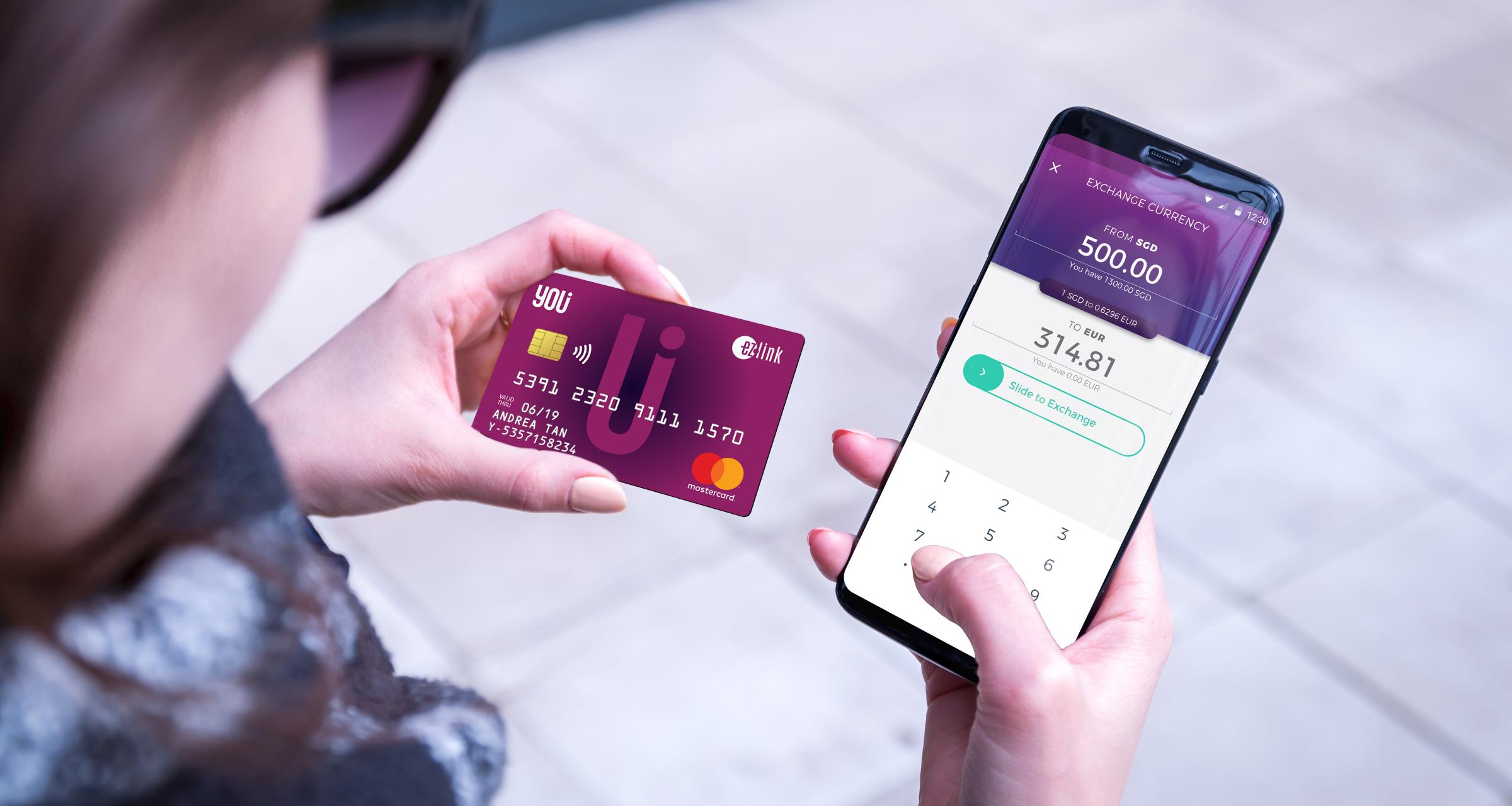
    YouTrip has announced plans to grow its technology capabilities and product development to capture the rise of the multi-currency payments landscape.

    The Singapore-headquartered company will be establishing an innovation lab in the country to drive the development of a new suite of multi-currency products and features, according to an announcement on Wednesday.

    Among them are a new suite of products including YouTrip Business, a new multi-currency corporate credit card and a refresh of its consumer app, which will include new features such as a virtual card, an interactive exchange rates dashboard, exclusive deals, and the ability to hold more popular currencies.

    YouTrip intended to tap on booming travel among people in Southeast Asia when it was launched in 2019. And despite the travel standstill, the company has seen significant growth in online overseas spending

    With this shift in spending, our advancement in innovation to offer a wider suite of multi-currency is timely, and drives our goal of elevating the cross-border payment experience for our users.

  • Google Wallet now brings even more notifications to your lock screen

    Google Wallet now brings even more notifications to your lock screen

    Google Wallet is getting new features and improvements all the time, which is quite surprising for an app that was initially designed as a simple digital wallet. Over the years, Wallet has become so much more than just a digital wallet, as Google thoroughly added dozens of new functionalities that allow users to manage not just their payments cards, but also pass tickets, keys, and even IDs.

    The most recent Google Wallet update adds new features that are especially important for commuters. Starting today, Google’s Wallet digital wallet app will show in real-time the status of your train ride.

    You’ll be notified directly on your phone’s lock screen whether your train will be arriving on time or if it’s delayed. In order for these notifications to happen, users will first have to add their train tickets to the Google Wallet app.

    The bad news is this is not available for all railroad companies and, more importantly, only live in two countries: India and Canada. For the time being, Google Wallet users in these countries will be able to add their train tickets in the app if they’re from Indian Railways or Via Rail.

  • Your Apple Wallet is about to get much better

    Your Apple Wallet is about to get much better

    As we await the stable release of iOS 18.4 in April, the beta versions are already giving us a solid preview of what’s coming. The latest beta release reveals a useful new feature for tracking your spending that is set to land in Apple Wallet.

    In the first iOS 18.4 beta, the Wallet app introduced a menu labeled “Subscriptions & Payments.” Now, with the latest update, it has been rebranded to “Preauthorized Payments,” and as you might guess, this change shifts the focus more toward payments that have been authorized in advance.

    This section in Wallet will now display merchants that you have given the go-ahead to charge your Apple Pay for things like subscriptions, automatic top-ups and regular bills. So, if you use Apple Pay for things like adding money to your transit card or paying for your gym membership, those transactions should show up here.

    Apple seems to have recognized that calling this section “subscriptions” could be a bit misleading, so the new name – preauthorized payments – makes it clearer. However, while the name change is helpful, it doesn’t change the fact that you are still managing recurring payments across different sections rather than having them all in one place.

    Right now, if you want to check your subscriptions, you can do it through the App Store or your iPhone’s Settings, which is a bit faster and easier. Just tap the Apple Account section at the top with your profile picture and you will find the Subscriptions section there.

    Whether you go through the App Store or Settings, the Subscriptions page looks the same. It shows all your active subscriptions and when they are set to renew.

    While this works, I think the new addition to Wallet is a nice step forward in making it easier to track your recurring payments. It gives you a better view of your spending, which has been a key focus of the Wallet app lately.

    Still, I think Apple could make it even easier by bringing everything under one roof. Imagine being able to see exactly how much you are spending each month – whether it is for Apple TV shows, Netflix, or any other subscriptions – all in one place. It would save a lot of time and make managing your money that much simpler.

  • Google Wallet becomes even more useful for people in the US

    Google Wallet becomes even more useful for people in the US

    Google Wallet is already the most important digital wallet for Android users in the United States. The app has evolved a lot in the last couple of years and is no longer just a simple payment option for those who won’t want to use their credit/debit cards.

    Google has slowly added more functionality to the Wallet app, including the option to store loyalty cards, tickets, keys, or even IDs. Although there aren’t too many other features that Google could add, there’s a lot of room for improving the existing ones.

    That said, it appears that Google Wallet has gained a couple of new perks this week. The folks at 9to5 Google report that the app has received a small update that allows users to upgrade some loyalty cards.

    Users in the United States who have loyalty cards safely stored in Google Wallet might see an “Upgrade available” label below the name of some loyalty cards. Thanks to the new feature, Google Wallet can automatically search through the static passes stored in the app and try to bring them up to date.

    This seems to be part of a larger design change that Google announced last year with an update for Play services. At that time, the search giant said that “you’ll now be able to upgrade your passes in Google Wallet.” This means that you won’t have to manually update your loyalty cards every time by going to the Add to Wallet FAB / Loyalty cards.

    In related news, Google Wallet added support for 11 new banks and credit institutions in the United States. These updates typically arrive each month, so it’s not really a surprise. Here is the list of US banks that have just received Google Wallet support:

    • Banco Davivienda, S.A. (FL)
    • Column National Association (CA)
    • First Atlantic Federal Credit Union (NJ)
    • First National Bank of St. Ignace (MI)
    • Genesee Valley Federal Credit Union (NY)
    • GESA Credit Union (WA)
    • Hamlin Bank and Trust Company (PA)
    • Nibbles
    • Northrop Grumman Federal Credit Union
    • The Credit Union For All (IL)
    • Top Tier Federal Credit Union (PA)

    More banks are likely to be added to Google Wallet’s support list next month, so stay tuned for more details if your favorite bank or credit institution isn’t yet supported.

  • Google Wallet adds support for dozens of US banks and credit institutions

    Google Wallet adds support for dozens of US banks and credit institutions

    One of the biggest mobile payment services in the United States, Google Wallet, has just added support for more than three dozen banks and credit unions. Ever since its initial release back in 2011, Google Wallet was aiming to become more than just a simple mobile payment service.

    Today, Google Wallet not only enables Android users to make payments using their phones, tablets and watches, but it also helps them safely store their payments cards, loyalty cards, concert tickets, IDs, transit cards, and much more.

    However, the service’s main use remains the possibility to make payments using just your phone, so it’s important that Google Wallet supports as many banks as possible.

    Well, that doesn’t seem to be an issue, as Google Wallet offers support for hundreds of US banks and credit unions. This week, 47 names have been added to the list of Google Wallet-supported banks:

    • ABD Federal Credit Union (MI)
    • Adelphi Bank (OH)
    • Alibaba Business Edge Credit Card
    • Apollo Trust Company (PA)
    • Bank of Maple Plain (MN)
    • Bouy
    • Chelsea State Bank (MI)
    • Compass Financial Federal Credit Union (FL)
    • Cliq Expense Prepaid Mastercard
    • Community First Bank (WI)
    • DN Community Federal Credit Union (OH)
    • Fall River Five Cents Savings Bank (MA)
    • First National Bank of Huntsville (TX)
    • Foothill Federal Credit Union (CA)
    • Hometown Bank of Pennsylvania
    • Industrial Bank
    • Intermex (NY)
    • Jackson County Teachers Credit Union (FL)
    • Jonestown Bank & Trust Company (PA)
    • Nebraska Energy Federal Credit Union (NE)
    • Oak Valley Community Bank (CA)
    • Pacific West Bank
    • Pleo Financial Services
    • Prescott State Bank (KS)
    • Proponent Federal Credit Union (NJ)
    • Putnam County State Bank (MO)
    • Radian B2B
    • Railroad Employees Credit Union (NM)
    • Security Federal Savings Bank (TN)
    • Southwest Heritage Credit Union
    • Southern Star Credit Union (TX)
    • SRI Federal Credit Union
    • State Bank of Toulon (IL)
    • TC Wallet
    • Tern Commerce Inc. (NY)
    • The First Citizens National Bank of Upper Sandusky (OH)
    • Tri-County Credit Union (MI)
    • United Farmers State Bank (MN)
    • US Metro Bank (CA)
    • Uwharrie Bank (NC)
    • WCF Financial Bank (IA)
    • Western New York Federal Credit Union
    • WEX
    • WNB Financial, N.A. (MN)
    • Whitefish Credit Union Association (MT)
    • Xsolla
    • Zable

    Besides that, Google Wallet has added HealthEquity to the list of supported institutions, which means you’ll be able to store its “FSA cards and Commuter cards” in the service’s digital locker.

  • California digital IDs to expand to Google Wallet and Apple Wallet

    California digital IDs to expand to Google Wallet and Apple Wallet

    These days, digital wallets are widely used for all sorts of transactions – from online shopping and in-store purchases to peer-to-peer payments and public transportation. But they are not just for payments anymore – they can also store IDs, and more states are starting to adopt this feature.

    While California already has its own app for digital driver’s licenses and ID cards, new reports suggest that the state will soon support ID cards in both Google Wallet on Android and Apple Wallet.

    California IDs in Google Wallet and Apple Wallet are currently being beta-tested with state DMV employees and aren’t available to the public yet. Information about the pilot program has also been taken down. However, as of July, the state has been developing consumer landing pages with visuals, including images like the one below.Although the images and text aren’t finalized, this strongly suggests that the state is gearing up for an official launch soon.

    To add a driver’s license to your iPhone, you just scan the front and back of the card in the Wallet app setup process and snap a photo of yourself for verification. Once approved, your ID will show up in the Wallet app. Once the license is added to the Wallet app, iPhone and Apple Watch users can just tap their device on an NFC contactless reader to use their digital ID at supported locations.

    On Android, you can set up your digital ID entirely within Google Wallet by following these steps:

    1. Open the Wallet app and tap the “Add to Wallet” button.
    2. Choose “ID Card” from the options.
    3. Follow the on-screen instructions to add your mDL to Wallet.

    While you still can’t ditch your physical ID just yet, I think the convenience of having a digital ID on your phone will appeal to many people, even if some are understandably nervous about linking their ID to their device.

  • Google Wallet’s upcoming option to scan and store “Everything else” is getting close to a rollout

    Google Wallet’s upcoming option to scan and store “Everything else” is getting close to a rollout

    Google Wallet is adding a new feature that lets you scan and store digital copies of various documents and passes, including loyalty cards, passports, IDs, and more. The feature, called “Everything else,” was first shown off at Google I/O earlier this year and is expected to roll out to users soon.

    Before you can use the feature, Google Wallet will ask for your permission to process your data, but it assures users that all processing happens on your device and no data is sent to Google’s servers. This information was accessed through an APK breakdown by enabling hidden flags in the code.

    Once you give permission, you can scan and save two types of documents: normal and private. Normal documents, like your student ID or business card, don’t need any special security to add or access them. Private documents, like your driver’s license or tax ID, will require biometric authentication, such as your fingerprint or face scan, for added security.

    Google Wallet will try to automatically identify, scan, and categorize the documents you add. It can recognize various document types, like loyalty cards, passports, IDs, insurance cards, event tickets, and more. If it can’t figure out what type of document it is, it will put it in an “Other” category, and you can manually enter the information yourself.

    You can also change the category of a document if you think it’s been labeled incorrectly. You can add more information to scanned documents, with each document category supporting up to five additional fields.

    Sometimes, changing a document’s category might remove the scanned information, requiring you to re-enter the details. However, if you switch back to the original category, the information should reappear. This is designed to make sure that the feature doesn’t accidentally mislabel information in your scanned documents.

    This new feature isn’t yet available in the current version of Google Wallet, but Google has already announced that it will be included in a future update.

  • Google Wallet gets a small menu update and easier access to your saved payment cards

    Google Wallet gets a small menu update and easier access to your saved payment cards

    Google Wallet just underwent a small but useful menu change designed to simplify the way you manage payment cards within the app. This change better highlights your saved payment methods and adjusts the language slightly for clarity.

    The most noticeable change is “Payment setup” replacing the previous “Tap to pay setup” option. While tapping “Payment setup” takes you to the same setup checklist for contactless payments, there’s a minor quirk: you still can’t hide the checklist after setup’s complete. It would be useful if Google fixed this, freeing up valuable screen space and further decluttering the interface.

    The “Participating banks” option has also been replaced by “Payment methods”. This is a much more helpful addition, taking you directly to your saved payment cards. The page clearly displays your default card’s information, with security measures like on-device encryption in place, and allows you to easily add more cards. You can even use the “Edit card order” feature to customize how your cards appear in the Wallet.

    Keep in mind, though, that as noted in the original report, there’s no word yet on whether “Participating banks” will disappear entirely or just be moved to a different part of the Wallet settings. For now, there’s still a Google support page listing compatible banks, which is handy when you’re first getting started with the app.

    If you haven’t seen the change already, be on the lookout for Google Wallet version 24.14.x, or a later release, as it may have been part of a server-side update. It may seem subtle, but definitely shows how Google is focused on streamlining the Google Wallet user experience. This focus on ease-of-use is always welcome, particularly with features like contactless payments that involve sensitive financial data.

  • Google Wallet is rolling out support for Apple Wallet pass files

    Google Wallet is rolling out support for Apple Wallet pass files

    Last year, Google Wallet rolled out a new feature that allowed users to share boarding passes and event tickets with others via a link. This feature was designed as a convenient way to share passes with friends and family, but mostly for those who didn’t actually have the Google Wallet app installed on their devices, such as iOS users. Now, a new update is rolling out that expands on this and now allows Apple Wallet passes to be used in Google Wallet as well.

    This update, which Android expert Mishaal Rahman documented, aims to narrow the disparity with Apple Wallet. Apple currently holds an advantage in this area due to its wide use among apps and services that distribute digital tickets and passes on iPhones. Additionally, it provides a more streamlined and integrated experience for users, as it most often provides the “Add to Apple Wallet” option.

    This hasn’t always been the case with Android devices, as “Add to Google Wallet” isn’t as universally available and recognized. However, with Google Wallet adopting support for “pkpass” files, which are used to add passes to Apple Wallet on the iPhone, this can quickly change and help standardize the process across both Android and iPhone devices.

    By expanding support for “pkpass” files, Android devices can now offer a similar level of convenience and integration when it comes to adding tickets and passes. This move by Google Wallet could potentially bridge the gap between the two platforms in terms of digital ticketing services.

    As promised over a year ago by Google, this support is now beginning to reach some Android users. However, despite some users confirming that “pkpass” files are opening in Wallet and importing to the app successfully, the functionality remains a server-side update on Google’s end. It will be interesting to see how this change impacts the user experience and convenience for consumers using Google Wallet on Android devices.

  • Google Wallet now stores airline boarding passes on your wrist

    Google Wallet now stores airline boarding passes on your wrist

    In a recent update, Google Wallet for Wear OS has expanded its capabilities to include support for airline boarding passes. This comes after the addition of loyalty card support back in December.

    Your Wear OS 3+ device will now display a new notification from the Google Wallet app on your smartwatch. This notification will inform you about your boarding pass for the flight to any airport with an option to tap on it to “View pass” and thus access the QR code for easy gate scanning.

    This much-needed addition greatly enhances the functionality of Google Wallet for Wear OS, allowing it to integrate with a broader range of phone features seamlessly. When Google introduced loyalty card support in December, it was initially limited to basic membership programs and other types of passes. Unfortunately, excluded from the list were COVID cards, health insurance cards, and private passes.

    Some users have reported seeing this feature already available on the Pixel Watch 2, while original Pixel Watch users are still waiting for the update, which appears to be server-side. However, as this was not a feature that was announced as a Pixel Watch 2 exclusive, there shouldn’t be any reason why the original Google Pixel Watch wouldn’t receive it.

    The support documentation for Google Wallet also includes information on how to find your passes on your smartwatch’s Wallet app, and even includes troubleshooting info should you not be able to find the option to add your boarding pass to your watch. The documentation states that passes are automatically added across all of your synced devices, but your watch must be running Wear OS 3.5 or newer and the Google Wallet app on the watch must be version 23.46.x or above. Additionally, it is stated that Fitbit devices aren’t supported.