Category: General

Retail News Asia is committed to providing both local and global retailers with the latest General Retail news throughout the Asian market. This on a daily base.

  • Global disruption of Meta services hits Facebook, Instagram

    Global disruption of Meta services hits Facebook, Instagram

    Meta’s apps like Facebook, Messenger, Instagram, and WhatsApp experienced outages Thursday, leaving users worldwide unable to connect or facing intermittent disruptions.

    The Vinh of Ha Dong District in Hanoi said at around 1 a.m. on Thursday he received a message notification on Messenger but was unable to view it as the app failed to load.

    “Initially I thought it was due to an undersea fiber-optic cable issue or heavy nighttime gaming traffic slowing the internet.

    When he tried to access other Meta apps, he found Facebook was accessible, though slowly, but Instagram displayed login errors. Many users reported being unable to access Messenger or Facebook on both phones and computers.

    According to Downdetector, a tool that monitors the status of internet services, reports of issues began surfacing globally at around 12:30 a.m. Vietnam time and peaked at 1 a.m.. There were over 80,000 reports for Facebook, 66,000 for Instagram and more than 10,000 for Messenger and WhatsApp.

    Unlike in March this year the outage did not cause a complete service disruption. Users experienced sporadic connectivity issues; some could not use the platforms on computers but managed to chat on their phones. Many users took to X to express their frustrations, causing hashtags like #facebookdown and #metadown to trend widely.

    By 2 a.m. Meta’s official X account acknowledged the issue in a statement: “We’re aware that a technical issue is impacting some users’ ability to access our apps. We’re working to get things back to normal as quickly as possible and apologize for any inconvenience.”

    By 5:26 a.m. Meta announced that the recovery process was “99% of the way there – just doing some last checks.” By 6 a.m. Instagram’s X account confirmed that the issue had been resolved.

    In March Meta’s services were down for about an hour. A comparable event occurred in 2021 when its multiple platforms were inaccessible globally for six hours due to a “configuration error” in their system. In 2019 Facebook’s web version also experienced a 24-hour connectivity loss.


  • Google Messages update will make you wish it’s the last of its kind

    Google Messages update will make you wish it’s the last of its kind

    If you thought you were indecisive, wait till you have a look at the latest Google Messages update. Google can’t seem to make up its mind about how it wants the text field to look. Of course, we can’t fault it for wanting to come up with the best possible design.

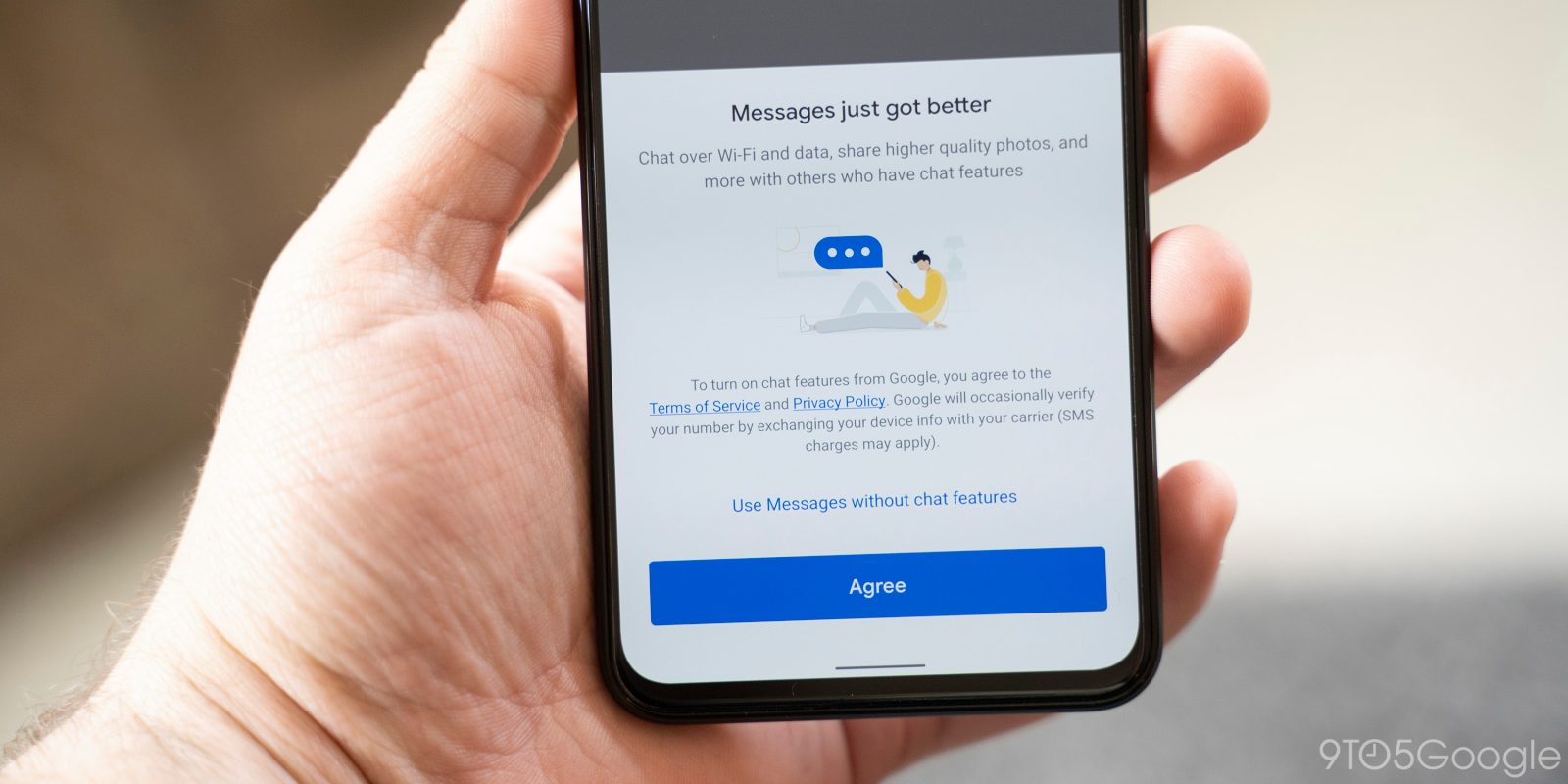
    When examining the new beta version of the Google Messages app, 9to5Google discovered that some changes have been made to the compose field again.

    To bring you up to speed, earlier this year, Google Messages featured a pill-shaped compose box with the emoji button in the beginning, followed by Magic Compose, Gallery, and the ‘plus’ menu. Voice Messages was outside the box, in a circle. It transformed into Send after you typed something.

    In late October, that change was reverted, with Google going back to the previous design with Plus, Gallery, and Magic Compose on the left, pushing the text field to the right, with emoji and voice memo shortcuts residing within it. Not everyone was a fan of this design, which is understandable, as it looked rather cluttered.

    Google has moved things around again in the latest beta. The text box is now again positioned on the left, but button placements have changed. The Plus is still the first button, and then comes Magic Compose, Emoji first, and Gallery. The Voice Memo/Send button remains outside. Once something is typed, only Plus and Emoji remain.

    Whether you like the new design or not, you might find yourself wishing that it remains the same for a long while. After all, muscle memory is hard to retrain and even harder to shake.

    Also, don’t be surprised if the change is not live at your end, as the report notes that it’s yet to roll out to everyone.

    Other than this, the beta version also features redesigned read receipts, but the implementation seems buggy at the moment and the new design only shows up in the main message list.

  • WhatsApp makes sharing channels easier with a new QR code feature

    WhatsApp makes sharing channels easier with a new QR code feature

    Earlier this year, we got wind that WhatsApp was working on a new QR code feature to make accessing channels super easy. Well, now, it looks like the most popular messaging app in the world is bringing that feature to life.

    recent report reveals that the latest WhatsApp beta for Android, version 2.24.25.7, is introducing a new feature that lets users scan QR codes to view and follow channels.

    As you can see from the screenshot, in the newest beta, WhatsApp users can test out the new feature for sharing channels through QR codes. If you’re one of the users who already have access, getting the QR code for a channel is easy:

    1. Just open the channel.
    2. Tap on the sharing options in the top bar.
    3. Select the QR code option.

    Once it’s generated, you can effortlessly invite others to follow the channel with just a quick scan. The feature should roll out to more users in the coming weeks.

    In my opinion, QR codes are a way smoother way to share not only channels but everything compared to “old-school” links. To be honest, I always go for a QR code if it’s an option — especially as an iOS user (copying and pasting on iOS can be a real pain, but let’s save that rant for another time), so hopefully the feature will roll out on iOS as well.

    So, with this new feature, instead of messing around with copying links and sending them through texts or emails, you can just flash a QR code on your screen and let others scan it. This works perfectly in face-to-face situations where people can quickly scan and skip all the extra steps. Once scanned, the code takes them straight to the channel, where they can check out the content and follow it with a single tap.

    In other WhatsApp updates, voice message transcripts are finally making their way to the app. And that’s not all — WhatsApp is turning up the color with a new test feature that adds themed icons for contacts and group chats.

  • Instagram levels up DMs with live location sharing and nicknames for your friends

    Instagram levels up DMs with live location sharing and nicknames for your friends

    Instagram rolling out a few new features for Direct Messages that will make it easier to meet up with friends and family in real life. One of these is a new live location sharing feature. This means you can let others know exactly where you are for a set period of time, which is perfect for coordinating meetups at events or when you’re out and about.

    To share your live location, you just need to open a direct message with a friend or a group chat. From there, you can choose to share your live location for up to an hour. If you’d rather not share your live location constantly, you can also just drop a pin on the map to show people where you are.

    If you’re worried about accidentally leaving location sharing on, you don’t have to, because the feature is turned off by default and you have to choose to use it each time actively. Plus, Instagram has added a handy reminder at the top of the chat to let you know when you’re sharing your location. Additionally, to enhance privacy, you can only share your location with people you’re already connected with in a chat.

    In addition to location sharing, Instagram is rolling out a new feature that lets you create unique nicknames for your friends (and yourself) within your direct messages. It’s a fun way to personalize your chats and add some extra laughs. These nicknames are only visible within your DMs, so they won’t affect your actual username on Instagram.

    You will have complete control over your nicknames and can change them whenever you want, in addition to being able to decide who has permission to change your nickname in a chat —  whether it’s just you or the people you follow. To start using this, just head to the top of your chat and tap on the chat name, then select “Nicknames” and choose the person you want to give a nickname to.

    And if you’re a fan of stickers, Instagram has also added a bunch of new sticker packs to its DMs, giving you even more ways to express yourself. You can now also favorite stickers from your chats so you can easily reuse them later, and create your own stickers using the “cutouts” feature.

    I think the location-sharing feature is the most impactful feature from this update as it could be really useful for planning meetups with friends. It could also be helpful for letting people know you’re safe and on your way, especially if you’re traveling alone. I’m a little bit concerned about privacy, but it seems like Instagram has put some safeguards in place.  I guess we’ll have to see how it works in practice.

  • Voice message transcripts are finally coming to WhatsApp

    Voice message transcripts are finally coming to WhatsApp

    WhatsApp is getting yet another useful feature in the coming weeks, the ability to transcribe voice messages. The messaging app has just announced the users will soon be able to transcribe texts received from friends and family if they’re in a loud place and can’t listen to them or the voice message is too long.

    In order to use the new feature, you’ll have to navigate to Settings / Chats / Voice message transcripts and enable transcriptions. Don’t forget to select your transcript language too. WhatsApp users can transcribe a voice message by long pressing on the message and tapping on “transcribe.”

    It’s worth mentioning that transcripts will be generated directly on your device, which means no one else, not even WhatsApp, will be able to hear or read the messages you receive.

    WhatsApp explains that voice message transcripts might take a moment to become available, but if you receive a “Transcript unavailable” error, you might have one of the issues described below:

    • Your transcript language setting doesn’t match the language of the voice message.
    • Some words aren’t recognized, possibly due to background noise.
    • The voice message language isn’t supported.

    WhatsApp’s new voice message transcripts feature | Image credits: WhatsApp.

    Another important thing worth mentioning is that you shouldn’t 100 percent rely on this feature, as WhatsApp says it’s possible that voice message transcripts are inaccurate.

    According to WhatsApp, transcripts will be rolled out globally over the coming weeks with a few select languages to start. The messaging app confirmed plans to add more languages over the coming months, but no other details have been provided.

    Currently, only four languages are supported: English, Portuguese, Spanish, and Russian. Keep in mind that when you enable voice message transcripts for the first time and choose your transcript language, you’ll also have to choose when you’d like to download the language by tapping “Set up now” or “Wait for Wi-Fi.”

  • Google Maps for iOS has a new customizable design change

    Google Maps for iOS has a new customizable design change

    The Google Maps app has always been a useful and important tool. Over the years Google has made it better by adding new features that not only help you get from point “A” to point “B” quickly and safely but also tell you where to dine when you arrive at “B,”or where to spend the night. You’ll also learn which landmarks to visit and see, where you can find entertainment, and a whole lot more. The beauty is that all of this is available from one app.

    Google lately has been making some design changes to Google Maps even going as far as to change some of the color themes from blue to teal for buttons and tabs near the bottom of the display. The company has also offered Google Maps users a chance to switch from the iconic blue arrow representing your ride to a red car, a yellow SUV, and a green pickup truck. But after four years, users probably wanted more customization.

    Google will now allow Maps users to choose an SUV, a sedan, an off-road truck, a sports car, and a compact hatchback. Each one has eight color options:

    • Glacier white
    • Night black
    • Ash gray
    • Poppy red
    • Sky blue
    • Sunny yellow
    • Aqua green
    • Sunset magenta

    To customize your vehicle, tap the current icon used to represent your vehicle and you can select which car or truck you want to use on Google Maps by scrolling to the left with the vehicle you want to select ending up in the circle/spotlight. The color options are underneath the vehicles. After you’ve customized the vehicle on Google Maps, tap on the blue “Done” button to save your design. While the three older vehicle icons are still available, they don’t offer the color customizations that the new ones do.

    We should also point out that this new feature is only available on the iOS version of Google Maps for now. Since Google has tried to keep features on both the iOS and Android versions of the app the same, you can pretty much bet that the Android version of Google Maps will eventually offer the same customizable option. The feature is already available on my iPhone 15 Pro Max running iOS 18.2 beta 3.

  • Google Chat voice messaging rolls out to free personal Gmail accounts on Android, iOS, and the web

    Google Chat voice messaging rolls out to free personal Gmail accounts on Android, iOS, and the web

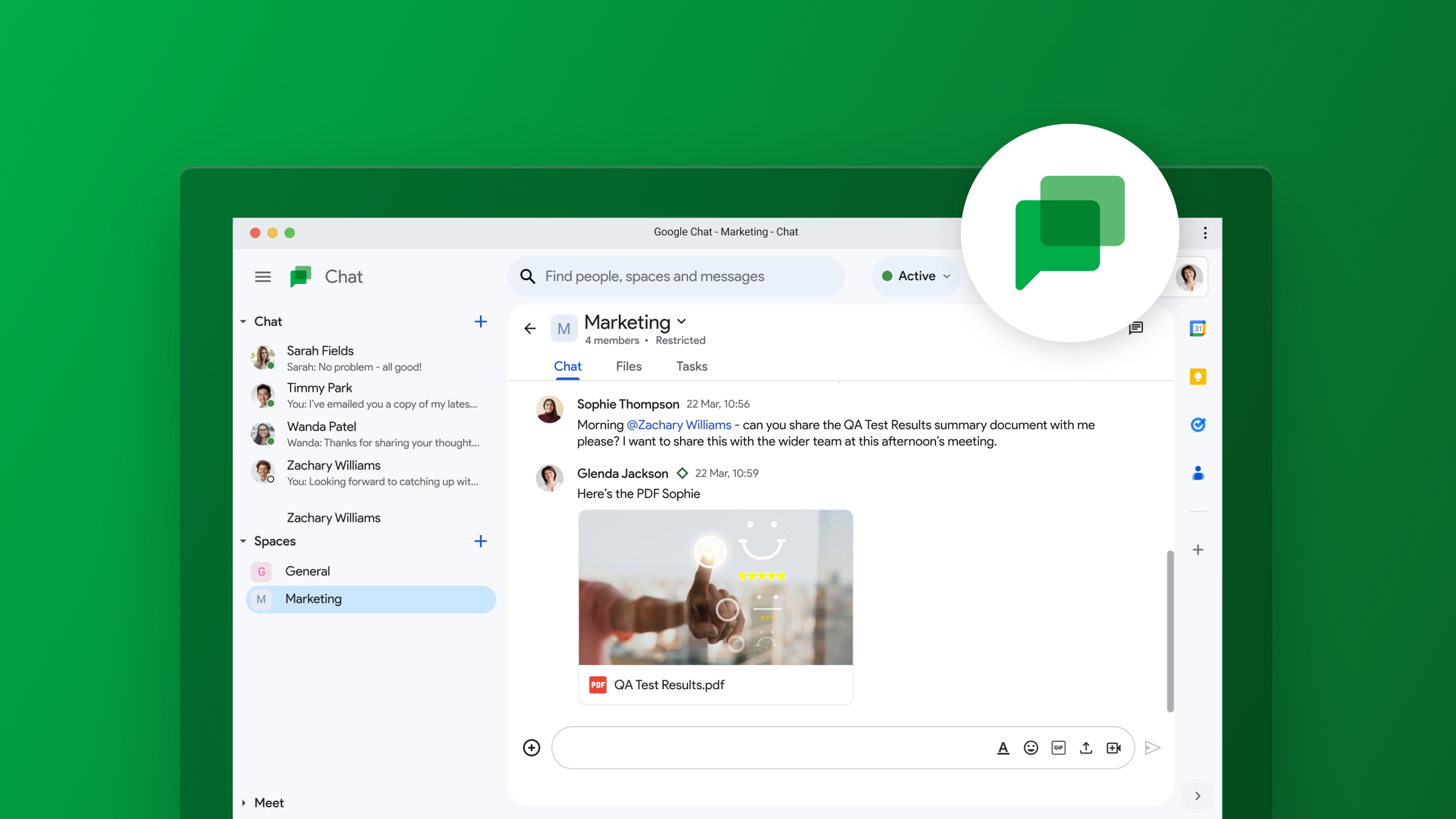
    Google Chat is adding voice messaging for personal Gmail accounts after launching on Workspace earlier this year. This new feature lets you send voice messages to friends and family right from your Gmail inbox. But with so many Google chat apps, you might be wondering what Google Chat is exactly, and how it’s different from the others.

    Google Chat is a communication platform that allows you to send messages, make video calls, and share files with other users. Think of it as Google’s answer to Slack or Microsoft Teams. You can use Google Chat for one-on-one conversations or group chats. It’s integrated into Gmail, so you can easily access it from your inbox.

    Now, you might be thinking, “Wait, doesn’t Gmail already have Google Meet and Spaces?” And you’re right, it does. However, Google Chat is a separate platform with its own unique features. Google Meet is primarily for video conferencing, while Spaces is more for threaded conversations and project collaboration. Google Chat, on the other hand, is designed for more instant, back-and-forth communication.

    With this update, Google Chat is getting a feature that’s already common in other messaging apps: voice messages. To use it, just tap the microphone icon in the bottom-right corner of a chat window. You’ll see a waveform and counter while recording, and you can listen to your message before sending it. Once you hit send, the recipient will see an inline waveform and get a transcript of your message after a few moments. This feature is available on Android, iOS, and the web version of Gmail.

    This update makes Google Chat a bit more versatile. It gives you another option for communicating with people, which can be especially handy if you’re on the go or if you prefer to talk rather than type.

    Personally, I think that Google Chat has its place in the workplace as a Slack competitor, but don’t see much use of it for personal accounts. Having multiple chat apps, all made by Google, can get a little bit confusing and brings on some PTSD from the whole Hangouts/Duo/Chat transition a few years back. I’m not sure if I’ll actually use the voice messaging feature, but hopefully it could be useful for some people. I’ll be interested to see if Google Chat eventually replaces another app in Google’s ecosystem of apps, or if it will continue to coexist among them.

  • Google Authenticator gets a modern makeover and useful new features

    Google Authenticator gets a modern makeover and useful new features

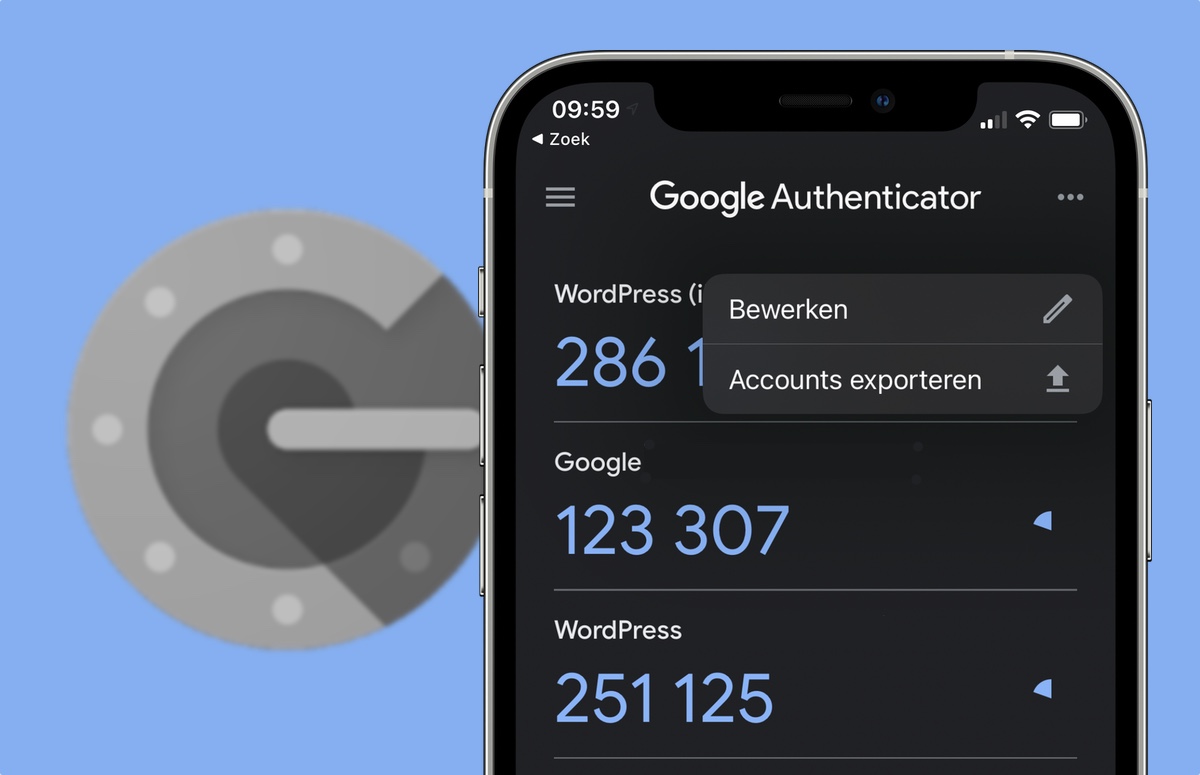
    Google Authenticator, the handy two-factor authentication (2FA) app by Google, just got a nice little update. Version 7.0 of this popular app has been revamped with a fresh new look and some helpful features.

    This is important because, in this day and age, online security is more crucial than ever. 2FA adds an extra layer of protection to your accounts, equating it to a second lock on your door. That means that even if someone has your password, they still can’t get in to your accounts without that second key. That second key in this case is a temporary code generated by Google Authenticator, which helps prevent unauthorized access and keeps your accounts safe from hackers.

    Google Authenticator has been around for years with a mostly unchanged UI but with some helpful features, such as cloud sync for all your added accounts, rolled out not to long ago. Now, Google has redesigned the app with Material Design 3, giving it a more modern and streamlined look. It also supports Dynamic Color, so the app’s colors can adapt to match your phone’s wallpaper.

    But the changes are more than just cosmetic. One of the biggest updates is how you copy 2FA codes. Previously, you had to long-press on the code. Now, a simple tap copies it to your clipboard. It might feel a bit different at first, but it’s definitely more convenient.

    Additionally, Google has added a search bar to help you quickly find the account you need. There’s also a new privacy screen that requires you to unlock the app before displaying your codes, adding an extra layer of security. This update is currently being rolled out through the Play Store, so make sure to check for updates and give it a try.

    I think this is a great update to an already essential app. Google Authenticator is certainly not the only 2FA app out there, but it is very reliable and remains one of the best 2FA apps available. The change in how you copy codes might take some getting used to, but it’s a welcome improvement for quick copying and switching over to the app you are intending to log in to.

  • WhatsApp rolls out the ability to draft your messages for later

    WhatsApp rolls out the ability to draft your messages for later

    WhatsApp just dropped a new feature, and it’s one many users have been requesting for a while: “Message Drafts”. This means you’ll never have to worry about losing a half-written message again.  If you get distracted or interrupted while writing, WhatsApp will now save your message as a draft.

    The way it works is pretty simple.  Whenever you start typing a message but don’t send it, WhatsApp will put a little green “Draft” indicator on the chat.  This indicator also shows up in your chat list, along with a preview of the message you started writing.  And to make things even easier, any chats with drafts will be bumped to the top of your chat list so you can quickly find them and finish what you were saying.

    This update brings WhatsApp more in line with other messaging apps like Google Messages, which have had similar draft features for a while. It’s a small change, but it makes a big difference in terms of convenience.  No more lost thoughts or forgotten replies.

    But that’s not all. WhatsApp has been busy rolling out other new features lately too. Remember the Custom Lists feature from a couple of weeks ago?  That lets you organize your chats with tags like “work”, “friends”, or “family”. You can even create your own custom tags to really personalize your chat list.

    Additionally, WhatsApp is apparently working on an update that will let you use a username instead of a phone number. This means you might eventually be able to use WhatsApp on any device without needing your phone nearby.  It’s still in the works, but it sounds like it will include a cool synchronization feature to keep your contacts up-to-date across all your devices.

    Personally, I’m really liking these updates from WhatsApp. The “Message Drafts” feature is something I know I’ll probably end up using all the time. And the idea of using WhatsApp without a phone number is a feature that I have been wanting for a while as well. It’ll be interesting to see how they implement that and what kind of impact it has on how people use the app.  It seems like WhatsApp is really stepping up its game lately.

  • Exciting Google Maps update adds new useful features

    Google is adding some exciting new features to the iOS and Android Google Maps app. Let’s say you’re looking for a winter sweater for the holiday season. Type winter sweater into the search bar at the top of the screen and you’ll see locations where you can purchase them. Starting today, this will work with home goods, electronics, and clothing. The information about where you can find, say, winter sweaters, shows stores that sell the item, ratings, the hours that the store is open, and how far it is away from you. You’ll also learn if the item is in stock.

    The update will also help travelers during the fall and winter by providing real-time updates on delays due to flooded roads and unplowed snow. With this feature, Google Maps users will be able to look for such issues and will be able to report such conditions. In addition, commuters and others will be able to report delays happening on bus or train routes to help riders stay up to date on any delays that would impact their travel.

    “Sometimes driving in unfamiliar areas with multiple lanes, forks, and exits can be confusing. To help you anticipate these, our enhanced navigation will show you lanes, crosswalks, and road signs clearly on the map. And because no one likes finding out they need to merge at the last minute, we’ll show you exactly which lane you should be in: Just follow the blue line in the lane markers while navigating.”-Google.

    Gemini is getting integrated with Google Maps. Why not? AI is everywhere and if you need some ideas on late-night activities for a guest staying over, simply ask Google Maps to look up “things to do with friends at night.” Gemini will send you some ideas along with reviews. Google has trusted data on 250 million places around the world along with info from the Maps community. Taking advantage of this data can help you enjoy a night out with a visiting friend.

    Google Maps is also making it easier to plan your drive before you even hit the road. Get directions to your destination, hit “add stops” and you will see top landmarks, attractions, and scenic spots to stop at along the way. And to make things even better, you can see dining options in advance.

    Another update will light up the destination on your screen along with an entrance into the building you’re traveling to. You’ll also be shown nearby parking lots and reminded to save your parking so that you won’t forget where you left your car. Once you’ve parked your car you can get walking directions to the entrance of your destination building by using Street View or AR walking navigation.

    Finally, Immersive View is getting an update. This feature uses AI to show you what navigation on certain routes, parks, and stadiums looks like at different times of day using AI, imagery, and computer vision. The weather expected on the day you are planning to visit will be taken into account. Immersive View is now available for 150 cities globally including Brussels, Kyoto, and Frankfurt. And college campuses are being added as well. Immersive View will now tell you where to park and when to expect a complex turn while you’re driving.

  • Singapore Airlines’ profit plunges 59%

    Singapore Airlines’ profit plunges 59%

    Singapore Airlines saw net profit in the July-to-September quarter plunging 59% year-on-year to SGD290 million (US$) amid intense competition and surging costs.

    Revenue rose 2% to SGD4.8 billion in the second quarter of its financial year which began April, the company said in a financial report. It saw costs rising by 14.7 percent over the period.

    “The operating landscape will continue to be competitive,” the airline said. “The group will remain nimble and agile, adjusting its passenger network and capacity to match evolving demand patterns.”

    Singapore Airlines operates a fleet of 205 aircraft, with four Boeing 787-10 aircraft added in the July-September quarter.

    It has been increasing number of flights to popular destinations such as Hanoi, HCMC, Johannesburg, Melbourne, Phuket and Seoul.

    The airline is also investing SGD1.1 billion to upgrade its premium travel experience by installing long-haul cabins in 41 Airbus wide-body aircraft.

  • Google Meet adds ability to view in-meeting chat messages in live streams

    Google Meet adds ability to view in-meeting chat messages in live streams

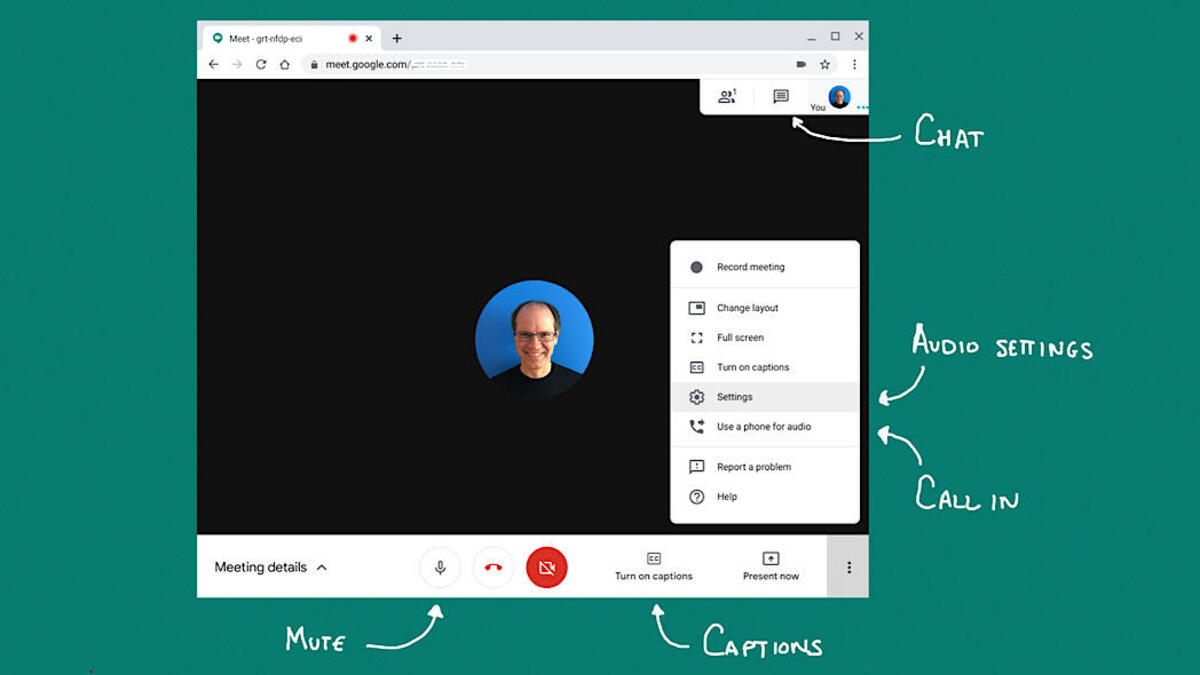
    Google Meet users rejoice! A new update that adds the ability to see chat messages that are sent by participants who have joined via the meeting link is now making its way to Google Meet users.

    The new feature will make it possible for information shared through Meet chat messages, including links, time-keeping messages and more, to be visible to those attending a live stream.

    Up until now, in-call chat messages were only visible to hosts, co-hosts, participants and viewers who were in the main meeting. After installing the update, a notification will pop up the next time chat messages are sent during a live stream. Once you click on the notification, a chat panel will open.

    Obviously, this feature will not be available to all Google Meet users. The Mountain View company revealed that only the following Google Workspace editions will be able to initiate a live stream and enable this feature: Enterprise Starter, Enterprise Standard, Enterprise Plus, Enterprise Essentials Plus, Education Plus, and the Teaching & Learning upgrade.

    The bad news is this feature will roll out at a much slower pace than usual, according to Google. That’s because we’re nearing the end of the year and there will be a lot of holidays and such.

    Even so, all those enrolled in the Rapid Release domains should receive this update sometime during the week of December 5, 2024. The rollout should start on November 18, so don’t even search for the update until then.

    On the other hand, customers enrolled in the Scheduled Release domains will have to wait until the end of Q1 2025 to get the update. Google announced that the extended rollout of this Meet update won’t start until January 6, 2025, so there’s quite a lot of waiting involved.

  • Google Messages’ future update to give Magic Compose a more visible spot

    Google Messages’ future update to give Magic Compose a more visible spot

    Google is constantly adding new features and making tweaks to its Messages app, and it looks like a future update will introduce a small but useful change to give one of Google’s AI features more visibility.

    A recent report shows that the newest beta version of the Google Messages app has introduced a new Magic Compose button. Powered by Google’s generative AI, Magic Compose helps you craft responses based on the context of your messages, offering suggestions for how to kick off a conversation, reply, or even rework a draft in different tones.

    In the current setup, Magic Compose sits in the bottom row, nestled between the gallery and text field. As you type, it slides out of view behind a chevron.

    What’s new in the beta version, though, is that Magic Compose shows up in the row of smart replies, even when there aren’t any suggestions. It appears as a pill-shaped message bubble with a sparkle icon located either first or at the far right.

    Magic Compose shows up in the row of smart replies when you start typing. | Image credit – 9to5Google

    The icon matches the Dynamic Color theme, just like the Send button. Once you start typing in the compose field, the icon switches to Magic Rewrite (a pencil with a sparkle). No big visual changes to the feature itself, though.

    The old layout, with three buttons squished into one row, felt cramped and often shrank the text box, especially on smaller devices. So, I think Google making this small change to how the Magic Compose feature appears makes it way more accessible and easy to use.

    In other Google Messages news, three new changes are on the way to level up your texting experience. Plus, the Gemini Extensions feature for the Messages app has started its gradual roll-out.

  • Google wins US court case over gift card fraud

    Google wins US court case over gift card fraud

    A federal judge dismissed a proposed class action lawsuit accusing Google of illegally profiting from Google Play gift card scams by refusing to refund millions of dollars stolen from victims.

    In a late Monday decision, US District Judge Beth Labson Freeman said the plaintiff Judy May lost money because scammers induced her to buy gift cards, and failed to show that Google caused her losses or knew it was receiving stolen funds.

    The San Jose, California-based judge also said Google was not liable for keeping 15 percent to 30 percent commissions on purchases that scammers made with the gift cards because Google’s conduct was unrelated to the original fraud.

    May said she lost $1,000 in April 2021 when a scammer posing as a relative instructed her to contact a supposed government agent, who told her she was eligible for federal grant money if she bought Google Play gift cards.

    The Brownsville, Indiana resident said she provided the codes on the back to cover supposed upfront costs, but the scammers used the codes to make purchases.

    May said she would not have bought the cards had Google warned on the packaging about scams, and that anyone demanding payment with the cards was a scammer.

    Lawyers for May did not immediately respond on Tuesday to requests for comment. Google, a unit of Alphabet, did not immediately respond to similar requests.

    Freeman said May could try to refile her lawsuit, but dismissed a claim seeking triple damages for good. Alphabet is based in Mountain View, California.

    In 2023, Americans lost $217 million in gift card or reload card fraud, according to the Federal Trade Commission.

    The actual amount is likely much higher because the data cover only reported cases. Citing FTC data from 2021, May said Google Play cards account for about 20 percent of gift card scams.

  • Instagram launches new DMs filtering options for creators

    Instagram launches new DMs filtering options for creators

    New changes are coming to Instagram creators these days. The social network announced over the weekend that a new set of tools that makes filtering direct messages much easier will be making its way to Instagram creators.

    Thanks to the new tools, messages will arrive in a user’s inbox based on the controls they have previously set. Specifically designed for Instagram creators, the new tools will add the ability to sort and filter message requests by follower count, verified accounts, brands, creators, and more.

    Besides the new filtering tools, Instagram also added a new “Story Replies” folder that makes it easier to access story replies by putting them into a single place. This is one of the changes requested by creators over the years, and it looks like Instagram has finally decided to listen to the feedback and deliver.

    Adam Mosseri, Instagram’s head, recently explained the new changes in a post: “Now when you go to the Requests inbox, sometimes it can be really overwhelming. So, what we’ve done is added ways to filter down those requests to just see the ones that you’re looking for. There’s a lot more to do to improve the inbox for creators and requests. But hopefully, this is one step in the right direction.

    Creators will find “Sort & Filter” options at the top of the inbox, where they will be able to choose to sort requests by date or number of followers the sender has. A few other options can be enabled/disabled to fit different scenarios that creators might have in mind, such as where or not the account is Verified or if it belongs to a creator/business.

    These are just some of the first major changes coming to the DMs portion of the app, but Instagram promised to continue to provide new features and improvements to this very important aspect of its app.