Category: General

Retail News Asia is committed to providing both local and global retailers with the latest General Retail news throughout the Asian market. This on a daily base.

  • Hong Kong’s long run of retail sales decline continued in September

    Hong Kong’s long run of retail sales decline continued in September

    Hong Kong’s September retail sales fell 6.9 percent year on year, reflecting the continued impact of a change in consumption patterns, government data showed.

    Sales fell to HK$29.57 billion ($3.8 billion) in a seventh consecutive month of decline after a revised 10 percent decline in August, an 11.7 percent fall in July, a 9.7 percent fall in June, an 11.5 percent drop in May, a 14.7 percent drop in April and a 7 percent decline in March.

    A government spokesman said the near-term performance of the retail sector would continue to be affected by the change in consumption patterns of residents and visitors.

    “Nevertheless, an improved outlook for the Mainland economy following the recent introduction of a wide range of stimulus measures, and a possible easing of the Hong Kong dollar alongside the US dollar with the commencement of the US interest rate cut, would be conducive to boosting sentiment and supporting spending.”

    The largest rate of decline in Hong Kong retail sales in September was in the jewellery, watches, and valuable gifts category, where turnover fell by 17.9 percent.

    In volume terms, retail sales fell 8.7 percent year-on-year in September, compared with a revised 11.7 percent in August.


  • Russian court imposes a record fine on Google that equals more money than there is on earth

    Russian court imposes a record fine on Google that equals more money than there is on earth

    Google has been fined a record $2.5 decillion by a Russian court. This works out to $2.5 trillion trillion trillion which equals 23,809,523 times all of the money on Earth. The court had hit the Search giant with a 100,000 ruble ($1,032.20) fine back in 2020 after a pair of Russian media outlets with links to the Kremlin, Tsargrad, and RIA FAN, were the recipient of restrictions placed on them by YouTube. Google called out the media outlets for trying to spread pro-Kremlin propaganda.

    The court tacked on additional fines after Google also banned on YouTube other Russian outlets (Channel One, Moscow Media, and Public Television of Russia) that supported the country’s actions during the war in Ukraine. But what really pumped up the fine was Google’s refusal to pay it. This led the court to double the fine each week which has been the case for the last four years. Last month, Google restricted the creation of new accounts for Russian users and in August it deactivated AdSense accounts in the country. This prevents Russian website publishers from generating revenue from ads supplied by Google.

    Google has commented on the fine saying, “We have ongoing legal matters relating to Russia. For example, civil judgments that include compounding penalties have been imposed upon us in connection with disputes regarding the termination of accounts, including those of sanctioned parties. We do not believe these ongoing legal matters will have a material adverse effect.” In other words, Google is taking the fine as seriously as it would if it had been fined in Monopoly dollars.

    Google and Russia have had some other legal battles. Back in 2022, Google’s Russian subsidiary was forced to file for bankruptcy after the firm’s bank account was seized by Russia. At the time, a Google spokesperson said, “The Russian authorities’ seizure of Google Russia’s bank account has made it untenable for our Russia office to function, including employing and paying Russia-based employees, paying suppliers and vendors, and meeting other financial obligations.”

    As part of other sanctions placed against Russia, online ads have not been served to Russian Google users since 2022. Yes, some of you might be wondering why Russians get to miss out on seeing ads on Google sites if they’re the country being sanctioned.

  • WhatsApp Beta is testing search functionality for Channel updates

    WhatsApp Beta is testing search functionality for Channel updates

    WhatsApp is testing a new feature that will allow users to search for updates within channels. This feature is currently under development and will be available in a future update. The search option will be accessible through the overflow menu and the channel info screen.

    WhatsApp has been working on a number of new features for channels, including the ability to view detailed insights for their channels. This feature allows beta testers to view detailed insights for their channels, including the number of unique accounts reached, follower growth statistics, and a geographical breakdown of top regions. These metrics help channel admins understand their audience, optimize content for increased exposure, and make data-driven decisions.

    The search for updates within channels feature is another example of WhatsApp’s commitment to improving channel functionality and user engagement. This feature will be particularly beneficial for channels that regularly share multiple updates. Users will be able to simply enter keywords or phrases related to the update they seek, as this can let them quickly pinpoint the specific information they need.

    This feature is still under development, so it is unclear when it will be available to all users. However, it is likely that it will be rolled out in a future update.

    In the meantime, users can continue to use the existing methods for finding updates within channels. These methods include scrolling through the channel’s history or using the search function within the WhatsApp app.

    I believe that this new feature will be a valuable addition to WhatsApp. It will make it easier for users to find the information they require and stay up-to-date on the latest news and updates from their favorite channels. I encourage all WhatsApp users to try out this new feature when it becomes available.

    As an avid WhatsApp user, I am excited about this new feature. I think it will be very useful for finding specific updates within the channels that I am subscribed to. Furthermore, I also appreciate that WhatsApp is constantly working to improve its features and make its app more user-friendly. I look forward to seeing this feature rolled out to all users, myself included, in the near future.
  • WhatsApp is testing a badge count for chat filters in its beta app

    WhatsApp is testing a badge count for chat filters in its beta app

    WhatsApp is rolling out a new beta update for Android through the Google Play Beta Program. This update includes a badge count feature for chat filters. The badge count will show users how many unread messages are in each filter, which should make it easier for users to prioritize their chats and quickly see which conversations need their attention. The badge count will be displayed as a small number within each custom or default chat filter.

    This upcoming feature can be especially useful for users who manage multiple groups or contacts. It can be difficult to keep track of unread messages across various conversations, thus having a badge count should make it easier for users to stay organized and on top of their messages.

    The badge count feature is still under development and is expected to be available in a future update. WhatsApp is also working on a number of other new feature, such as the ability to filter chats by custom lists. This feature is already available in the latest beta version of WhatsApp for Android.

    In addition to the badge count feature, the latest WhatsApp beta for Android also includes other bug fixes and improvements. If you are interested in trying out the latest beta features, you can sign up for the WhatsApp beta program through the Google Play Store. Although these days it can be very difficult to get a spot as the beta program is almost always full.

    I am always excited to see new features being added to WhatsApp. I think the badge count feature is a great addition, as I can foresee it making it easier for me to stay organized and on top of my messages. Furthermore, I also appreciate that WhatsApp is constantly working to improve the user experience and I am looking forward to seeing what other new features they come up with in the future.

  • Google tests a new look for dynamic color themes in Gboard

    Google tests a new look for dynamic color themes in Gboard

    Google has been found to be experimenting with a new look for the dynamic color themes in Gboard for Android. The change is subtle, but noticeable. Instead of using three different colors for the non-letter keys, Google is testing a single color pulled from the dynamic color palette. This applies to keys like shift, ?123, comma/emoji, period, enter, and backspace, as well as the menu button.

    The idea behind this change seems to be to create a more unified and less visually distracting keyboard experience. By using a single color for these keys, Google is hoping to make the keyboard feel more cohesive and less cluttered.This updated dynamic color theme is currently only available on the latest Gboard beta (version 14.7.10.x). Even then, it’s not widespread. Across several Pixel phones used for testing, the new theme only appeared on one device. This suggests that Google is still in the early stages of testing this new design and it may be a while before it rolls out to all users.

    It’s worth noting that this change only affects the dynamic color themes. The “Default” themes, which only accent the enter key, remain unchanged. This gives users the option to stick with the old look if they prefer.

    This is just one of many updates that Google has been making to Gboard in recent months. The company has also been working on improving the keyboard’s performance, adding new features, and expanding support for more languages.

    The change seems so subtle that I’m not sure why it’s being done. However, I appreciate Google’s efforts in making the UI more appealing. I’m interested to see if this update will make a noticeable difference in my daily use of Gboard. It’s possible that this more unified color scheme could be less distracting while typing, but I’ll need to use it for a while to see if it makes a real difference. I’m always happy to see companies like Google experimenting with new design ideas and trying to improve the user experience.

  • Amazon Kindle Vella to be discontinued in February 2025

    Amazon Kindle Vella to be discontinued in February 2025

    Amazon has made the decision to shut down its Kindle Vella serialized story platform in February 2025. The platform, launched in 2021, was intended to be a way for readers to discover new fictional stories and for authors to earn money from the Kindle Direct Publishing service. However, the platform has not gained the traction Amazon had hoped for, leading to its discontinuation.

    Authors can continue to publish stories on Vella until December 4th, which is also the last day readers can purchase tokens. After this date, readers can still use their tokens to unlock episodes until the program closes in February. Readers who have already unlocked episodes will not lose access to them and can read them in their library on the Kindle app. Any unused tokens will be refunded by Amazon.

    Vella has received mixed responses since its launch. Some authors appreciated the ability to earn money from unfinished stories, while some readers expressed a preference for purchasing complete books rather than installments. The mixed reception highlights the challenges of introducing new reading formats and subscription models in a market accustomed to traditional publishing models.

    Despite efforts to increase interest, such as offering free episodes and bonuses to authors, Amazon has decided to discontinue the platform. The closure of Kindle Vella marks the end of an experiment in serialized storytelling. While it did not achieve the success Amazon had hoped for, it provided a platform for authors to connect with readers in a new way. It also offered a unique opportunity for readers to discover and engage with stories as they were being written.

    The decision to shut down Vella reflects the dynamic nature of the digital publishing landscape. As technology and reader preferences evolve, platforms and services must adapt to remain relevant. While Vella may not have found its niche, it contributed to the ongoing exploration of new ways to create, share, and experience stories.

    While it is always disappointing to see a service end, it also opens up opportunities for new and innovative platforms to emerge. I am interested in seeing how this will affect the landscape of serialized fiction and what new developments may arise in the future.

  • Microsoft Teams announces new chat and channels experience for all platforms

    Microsoft Teams announces new chat and channels experience for all platforms

    In a rare moment of sincerity, Microsoft admitted that Teams offers a sub-par experience in comparison with the competition, and decided to remove some key features, which were obsolete and no longer helped users in any way.

    Decluttering the app of unnecessary features is an important step toward making Teams a contender in the communication app space.

    The next step would be to continue to iterate on already existing features and make them as easy to use as possible. In a recent blog post, Microsoft announced a new chat experience is coming to all platforms Teams is now available on, including desktop, mobile, iOS, and Android.

    The new chat experience features mobile-specific settings, such as the option to choose between viewing messages organized by sections or by most recent. Since the new experience has been specifically designed for different screen sizes, it will make it easier for mobile users to read and respond to messages while on the go.More importantly, Microsoft has decided to bring chats, teams, and channels into one place under Chat. This will allow users to navigate and prioritize all their conversations without having to switch contexts.

    Those who preferred the previous layout can keep chat and channels separate during the onboarding process that pops up when Teams is launched for the first time after the update. This can also be done at any time later.

    Another useful feature added to Teams is the addition of new filters like “Unread,” “Chat,” “Channels,” “Meetings,” and “Muted.” Now, whenever you’re looking for a specific type of conversation, like channels, you’ll be able to select the relevant filter to further narrow your search and locate the most relevant results.

    Also, the new chat and channels experience includes a new favorites section, which is available for everyone by default. You’ll find all your pinned chats and channels from previous experience in this section.

    Besides that, Teams takes advantage of new custom sections where users can group together all their relevant conversations on a certain topic, be it in chats, channels, meetings, Teams bots or AI agents. You can have up to 50 sections and 50 items per section in Teams.

    According to Microsoft, the new chat and channels experience is coming to public preview in November to desktop, mobile, iOS, and Android, so keep an eye out for a consistent update next month.

  • Google Play Store may soon use AI to answer your app questions

    Google Play Store may soon use AI to answer your app questions

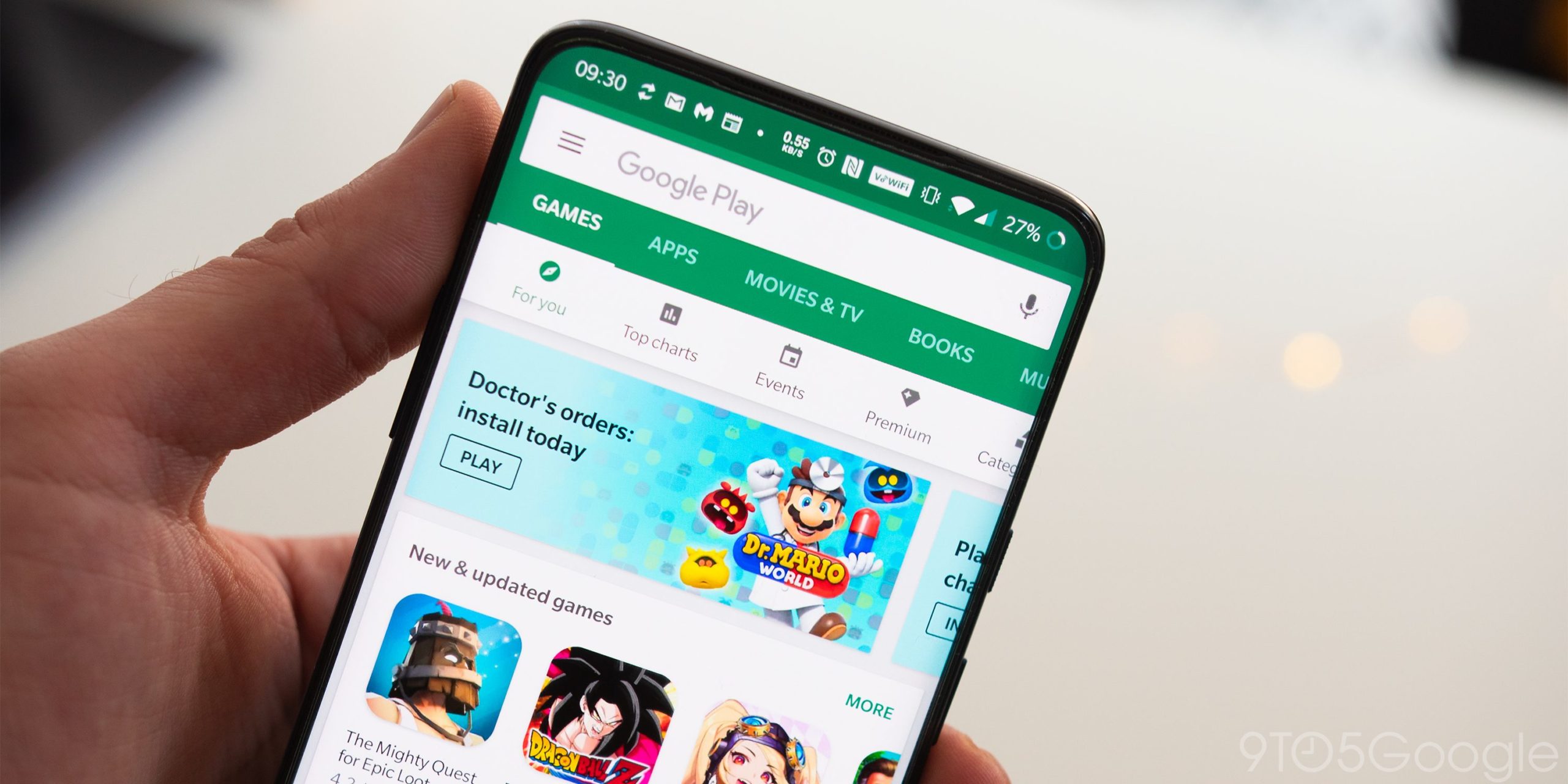
    Google has been pouring resources into artificial intelligence lately, so it’s no shocker that it wants to weave AI into more of its products. The latest target? The Play Store – the go-to spot for most Android users looking to download apps and games for Android phones.

    A recent report reveals that the latest version of the Google Play Store, 43.3.32-31, has hints of a new AI-powered feature called “Ask a question.” This nifty addition will likely allow users to pose questions about the app or game they’re checking out.

    From the clues found in the app, it seems this feature will appear on individual app listings and search results. Users can expect to see a button or text prompting them to “Ask a question,” leading to an input field where they can type their queries and receive AI-generated responses.

    The AI-generated Q&A feature isn’t available just yet in the Google Play Store, and Google hasn’t officially commented on it. So, there’s no word on when it might roll out to users. However, this kind of functionality makes perfect sense for practical AI applications and could benefit both users and app developers. Fingers crossed, we will see this feature roll out soon.

    I think this feature would indeed be helpful when you’re trying to figure out if an app is right for you. After all, sometimes, you just don’t have the time or patience to sift through long descriptions to find the info you need. With this, you could get straight answers without the hassle.

    Last year, Google rolled out AI-generated review summaries in the Play Store to help users quickly assess whether an app or game suits their needs. Then came AI-powered FAQs, and now this upcoming feature will tie everything together, making AI an even bigger part of the Play Store experience.

  • Instagram unveils spooky suite of features for Halloween

    Instagram unveils spooky suite of features for Halloween

    In anticipation of Halloween, Instagram has launched a collection of interactive features and creative tools designed to elevate user engagement and celebrate the spooky season. These features, available until November 3rd, offer users a fun and festive way to connect with friends and express their creativity.

    One of the most notable additions is the integration of Meta AI’s Imagine feature, which allows users to transform themselves into Halloween creatures, such as vampires, through AI-generated costumes. These costumes can be shared in Stories, inviting friends to join the fun and showcase their own spooky transformations.

    Adding a playful touch to conversations, Instagram has incorporated interactive elements within DMs and Notes. By using keywords like “Happy Halloween” or “Trick-or-treat,” or emojis like a Jack-O’-Lantern, a ghost, or a spider web, users can trigger special effects and animations, making their interactions more engaging.

    For those who enjoy staying on top of trends, Instagram has introduced five custom Halloween Add Yours templates. These templates, accessible in the ‘Happy Halloween’ section of the new Add Yours Templates Discovery Surface in Stories, provide a platform for users to connect with others and participate in Halloween-themed trends.

    To further enhance creative expression, Instagram has also introduced a new Halloween-themed font called “Halloween” and a text effect called “Haunted.” These stylistic elements can be applied to Stories, Feed posts, and Reels, allowing users to personalize their content and capture the spirit of the holiday.

    Finally, a Halloween-themed chat theme is available for DMs and IG broadcast channels, adding a festive ambiance to conversations and enhancing the overall Halloween experience on the platform.

    This isn’t the first time Instagram has integrated fun and interactive features into its platform. In the past, they’ve introduced augmented reality filters for trying on makeup and accessories, interactive polls and quizzes in Stories, and even the ability to add music to Stories. These features not only enhance the user experience but also encourage creativity and connection among users.

    These new features demonstrate Instagram’s willingness to provide its users with creative and engaging ways to connect and celebrate. The integration of AI, interactive elements, and creative tools showcases the platform’s openness to evolve with the trends and providing users with a dynamic and enjoyable experience.

  • Foursquare is sunsetting its City Guide app and focusing on its check-ins app Swarm

    Foursquare is sunsetting its City Guide app and focusing on its check-ins app Swarm

    Remember when we used to check in to places online to brag that we had places to go and people to meet? Well, according to Foursquare, the company behind the popular social location app, it wants to bring it back. In an announcement on its site today, the company revealed that it is shutting down its City Guide app on December 15, 2024 in order to focus on Swarm, its other app that allows users to share their location with friends.

    A little refresher: Foursquare’s City Guide app was launched in 2009 and allowed users to check in to locations, rate them, and leave tips for other users. The app was a pioneer in the location-based social networking space and helped to popularize the concept of checking in. However, in 2014, Foursquare split its app into two separate apps: Swarm and Foursquare City Guide. Swarm focused on location sharing and check-ins, while Foursquare City Guide became a more general city guide app with user-generated reviews and recommendations.

    Foursquare says that it is shutting down the City Guide app to focus on Swarm. The company says that Swarm has a larger user base and is more aligned with its long-term vision. Foursquare also says that it will be introducing new features to Swarm that will make it even more useful for users. The web version of City Guide will continue to be accessible until early 2025 with no specific date given. Those that have businesses listed on City Guide will continue to be listed on Swarm.

    The shutdown of the Foursquare City Guide app marks the end of an era for the company. The app was one of the first successful location-based social networking apps and helped to pave the way for other apps like Swarm. Other social networking apps, followed in those footsteps and built-in check-in features into their existing apps — some of which still exist to this date.

    The company has not said what will happen to the data that users have stored in the Foursquare City Guide app, but in accordance to their privacy policy, it will only disclose data with appropriate protections in place. Users can control what information is visible to others in their settings. Additionally, it has provided instructions on how users can export their data and/or delete their account before the app shuts down.

    Whether this strategy pays off for Foursquare remains to be seen. It does make sense, though, that the company would want to focus on the app that has the larger user base and is more aligned with its long-term vision, which is the case with Swarm. I am interested in seeing how the company will evolve and adapt to the changing landscape, and what new features the company will introduce to Swam in the future.

  • Gemini may soon let you answer calls and messages from the lock screen

    Gemini may soon let you answer calls and messages from the lock screen

    Gemini, Google’s AI assistant, is set to receive significant updates based on an APK teardown of the Google app (version 15.42.30.28.arm64 beta). These updates include the ability to handle calls and messages even when your phone is locked, along with potential UI changes.

    Currently, both Google Assistant and Gemini respond to the “Hey Google” command for calls and texts. However, only Google Assistant can perform these actions when the device is locked. The APK teardown reveals that Google is working on adding new lock screen functionality for Gemini.

    A new on/off toggle will allow users to choose if they want Gemini to make calls and send messages while their device is locked. Even if you toggle the feature on, Google assures that Gemini will still require unlocking for responses containing personal content like Gmail messages. This ensures that sensitive information remains protected.

    Enabling Gemini to make calls and send messages while the device is locked offers several advantages. Users could respond to urgent messages or make quick calls without the extra step of unlocking their phones. This is especially beneficial in situations where time is of the essence or when accessing the phone directly is inconvenient.

    In addition to this new functionality, the APK teardown also hints at potential UI changes. The floating Gemini overlay could become more minimal, expanding vertically as text is inputted. This would create a cleaner and less intrusive user experience. Furthermore, Gemini extensions might be categorized into sections like Communication, Device Control, Travel, Media, and Productivity. This would improve organization and make it easier for users to find the extensions they need.

    It’s important to remember that APK teardowns reveal potential features that may or may not be released. These findings suggest Google is continuously developing Gemini, aiming to enhance its functionality and user experience, and I find these potential updates quite interesting.

    The ability to use Gemini for calls and messages while my phone is locked would be very convenient. I also appreciate the potential UI changes, which seem to focus on a cleaner and more organized interface. I’m eager to see if and when these features become available to the public. I am curious to see how these updates compare to Google Assistant and how they impact the overall user experience.

  • You will soon be able to easily move your passkeys between password managers

    You will soon be able to easily move your passkeys between password managers

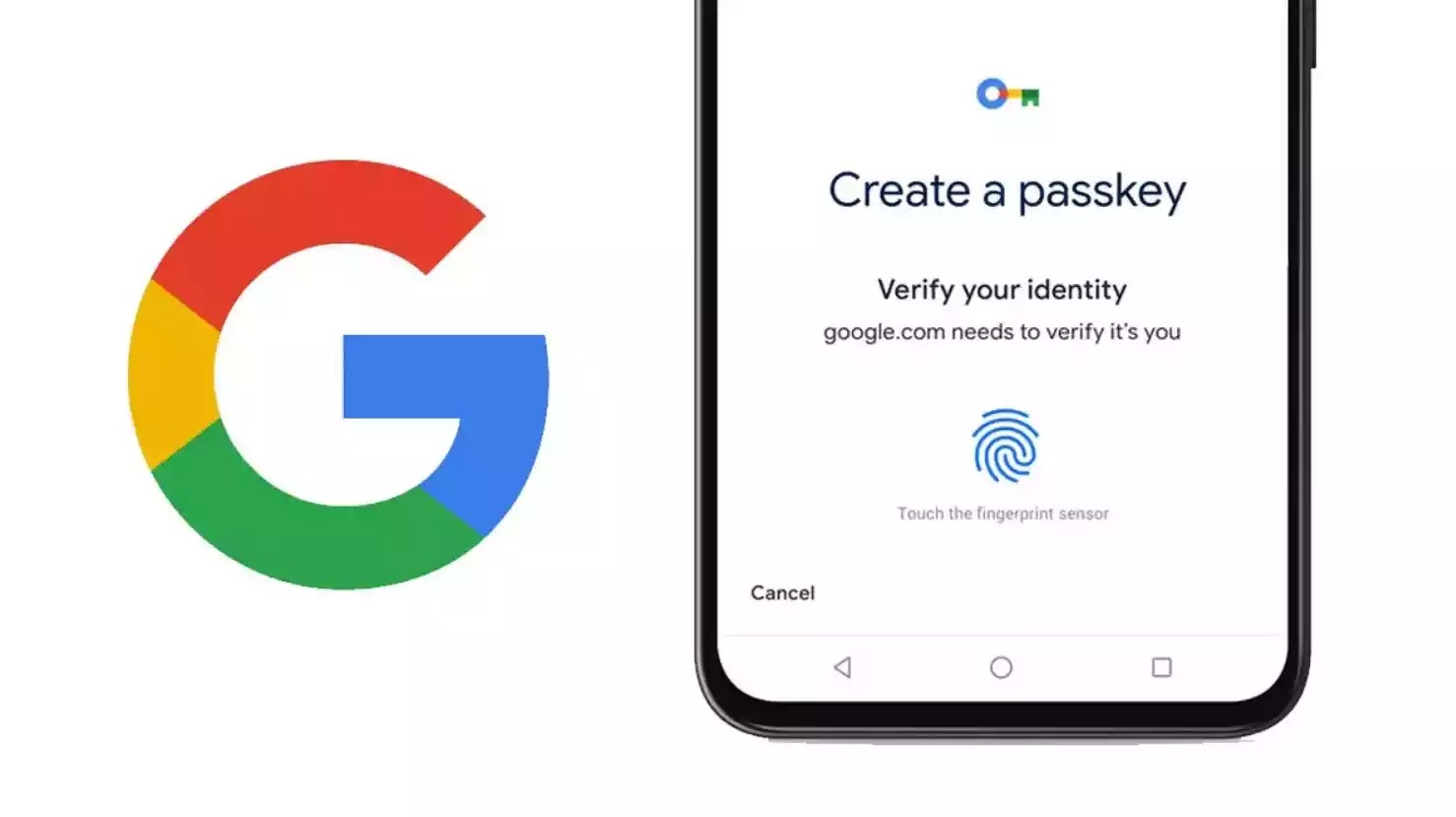
    The FIDO Alliance, a consortium dedicated to creating open standards for authentication, has announced a significant step towards a passwordless future. In a recent press release, the organization unveiled draft specifications that aim to standardize the secure exchange of passkeys and other credentials across different providers. This means you’ll be able to easily move your passkeys between different services, like password managers or online accounts, without compromising security.

    Big names like Apple, Google, Microsoft, and Samsung are all on board with this new system, and they’re working together to make sure it’s easy for everyone to use seamlessly across different devices and platforms. Why is this a big deal? Well, passkeys are already more secure than passwords. They protect users from phishing scams and make logging in much easier. With more than 12 billion online accounts already using passkeys, this new development is set to make the internet a safer and more convenient place.

    Recognizing their importance, the FIDO Alliance is working to give users more control and making online security less of a headache. To start, they want to make sure you can easily switch between different services without having to worry about your passwords falling into the wrong hands.

    p until now, there wasn’t a universal way to share passkeys securely. That’s where the FIDO Alliance comes in, as they have introduced two draft specifications to address this challenge: the Credential Exchange Protocol (CXP) and the Credential Exchange Format (CXF). These establish a standardized framework for securely transferring credentials, including passwords, passkeys, and more, between credential managers. The transfer process is designed to ensure that sensitive information is not exposed and remains protected by default.

    Once these specifications are finalized and standardized, they will be made openly accessible for credential providers to implement. This will empower users with a secure and effortless experience when switching between providers, should they choose to do so.

    The FIDO Alliance is actively encouraging community review and feedback on the working draft specifications, emphasizing that they are not yet intended for implementation, as they may undergo further revisions. However, they encourage those that choose to be involved, to take a gander at the published drafts and provide feedback through their GitHub repository.

    As someone who juggles a lot of online accounts, the idea of easily and securely moving my passkeys between services sounds like a step forward. I’m really looking forward to seeing how, once implemented, this new system simplifies my digital life and makes online security less of a chore. It’s great to see these major tech companies working together to make the internet a safer and more user-friendly place.

  • Google Messages working on fixing a privacy concern with its Profile discovery feature

    Google Messages working on fixing a privacy concern with its Profile discovery feature

    Google Messages is now working to fix a Profile discovery privacy risk that has been around since Google introduced the feature last year. The popular RCS messaging app for Android has been gaining popularity recently and more and more companies are choosing it over other messenger apps.

    With the rise in popularity, Google Messages is evolving to fulfill the needs and expectations of users better. Back in November 2023, Google announced Profiles, which allowed people to find other profiles.

    The feature itself isn’t available to everybody yet (it’s been rolling out to users somewhat sporadically), and now, the folks at Android Authority have discovered that Google is working on fixing privacy concerns around profile discovery.

    Digging into the code of Google Messages v20241010 beta, Android Authority found changes that would give users more control over who can see their name and profile picture. Right now, as part of the Profile Discovery feature, you can choose to use the name from your profile or a short name and show or hide your profile picture.

    But when this update becomes official, you will have new options inside Google Messages for profile privacy and visibility. Here are the sharing options you will likely get for your profile photo and your name:

    • People you message: Most likely, this option will show your name and profile photo to people you have messaged, whether or not they’re in your contact list. This most likely would be what a “Public” profile on social media is. This is the feature you’d use if you want to be found by people when they look up your number through Profile Discovery.
    • Only your contacts: Straightforwardly, this means your name and profile photo will be shown only to people in your contacts.
    • No one: Likely, your name and photo will be hidden from anyone.

    Reportedly, these new options will be shown to you when you log into Google Messages for the first time once the update has been rolled out. You will be able to change this setting through the “Your profile” option in the account switcher after that as well.

    For now, it’s not clear whether choosing the “No one” option means you turn off profile discovery features. However, offering these options is a great way to ensure that privacy-focused individuals will not be concerned with Profile Discovery features.

    For the moment, keep in mind that you still cannot set a different profile picture or name for Google Messages, and the app takes the picture and name from your Google account. Hopefully, Google will work on that feature too.

    After almost a full year after the Profiles announcement though, the feature isn’t rolled out to everyone just yet. It’s great though that Google is fixing privacy concerns ahead of a wider rollout.

  • Google Play Store to make app installs easier with an always visible Install button

    Google Play Store to make app installs easier with an always visible Install button

    If you own an Android phone, you probably spend a lot of time in the Google Play Store, where countless apps and games are available to choose from. However, sometimes app listings can get so lengthy that the Install button can disappear, forcing you to scroll back to the top, which, to be honest, can be annoying. Well, an upcoming change to the Google Play Store aims to address this by making the Install button a permanent fixture on app listings.

    A recent report suggests that Google Play Store version 43.1.19 contains code hinting at a feature that will keep the header fixed in place on app listings. This means the Install button will remain visible as you scroll through the app details.

    The header is packed with essential info about the app, including its icon, name, developer, average rating from the Play Store, and whether it has ads. You’ll also spot the handy Install button for quick downloads right to your device, plus a dropdown that lets you install the app on your other gadgets. And the best part? This header sticks around, so you can always access it easily.

    The header with the Install button sticks at top while you scroll through the app listing. | Image credit – Android Authority/AssembleDebug

    It may seem like a minor tweak, but I think this change could really benefit app developers. Why? Well, while a lengthy app store listing does a great job of informing users, it unintentionally punishes developers for being thorough. When the Install button is stuck at the top, the more you scroll down, the more likely you will bounce instead of scrolling back up to hit that button.

    If the Install button had a fixed position, users could easily download the app after checking out the details, ultimately boosting conversions for developers who invest time in creating rich, informative listings.

    In other news from the Google Play Store, there’s chatter that it might soon spotlight tablet-optimized apps that are also compatible with cars. On top of that, the search feature is getting a new spot on Android tablets and foldable devices.

  • OpenAI begins recruiting in Singapore

    OpenAI begins recruiting in Singapore

    OpenAI is hiring a team in Singapore for its second office in Asia following the launch of its Japan outpost four months ago.

    The new office is planned to be launched by the end of the year and will serve as a hub for the company to work with partners and customers across the region, Bloomberg reported.

    “Singapore, with its rich history of technology leadership, has emerged as a leader in artificial intelligence,” Sam Altman, chief executive officer of OpenAI, said in a statement.

    “We’re excited to partner with the government and the country’s thriving AI ecosystem as we expand into the Asia Pacific region.

    Open positions in Singapore include sales director, customer manager, architect and engineer.

    OpenAI is also partnering with local company AI Singapore, a state initiative which connects local research groups.

    The San Francisco-based startup is accelerating its expansion following recent funding and credit deals which helped it reach a valuation of $157 billion.

    Among its backers is SoftBank Group Corp., a major AI-focused investor.

    In April it launched its first office in Asia, located in Tokyo, and introduced a specialized GPT-4 model tailored for Japanese-language users.