Tag: Google

  • Google uploaded some of its apps in the Samsung Galaxy Store

    Google uploaded some of its apps in the Samsung Galaxy Store

    In a seemingly strange move, Google has uploaded two of its apps – Google Translate and WearOS – to Samsung’s own Galaxy Store. This collaboration will probably continue in the future with more applications added to the Galaxy Store.

    Looking at this reciprocally, Samsung’s own software has been available in the Google Play Store for quite some time now including apps like Samsung Health, SmartThings, Galaxy Wearable and more. This makes sense, as Samsung wants consumers outside their ecosystem to still be able to use the company’s wearables with phones from other brands.

    One possible explanation of why Google apps appeared in the Galaxy Store may lay in the screenshots of the aforementioned apps – WearOS’ in particular. The interface in the images seems to be in Chinese, suggesting that Google is trying to reach Chinese consumers.

    On the other hand, WearOS and Google Translate won’t work at all without Google Play Services installed on the device, and the latter is still inaccessible from China. It all might seem like a futile exercise but the only other explanation is that Google wants its software to be more easily available/accessible on Samsung phones – If people prefer to use the Galaxy Store more often, they’ll now find some Google stuff there too.

    We might have to wait a little longer before the reasoning behind all this becomes clearer, but there’s no harm in Google apps showing in as many places as possible.

  • Google is fined $8 million in Sweden over data protection laws

    Google is fined $8 million in Sweden over data protection laws

    Since the General Data Protection Regulation (GDPR) went into effect in the European Union back in 2016, companies and organizations have had larger responsibilities in order to protect the privacy rights of individuals. Sweden has evidently determined that Google has not fully complied with these regulations, leading to a hefty fine.

    Under the GDPR, an individual has the right to privacy of personal data, including the right to request that their personal search results, such as their name, be delisted from search engines. Since 2017, the Swedish Data Protection Authority (DPA) has identified search listings that Google is required to delete.

    Based on two audits administered over four years, the Swedish DPA has concluded that Google has not complied to these regulations. Currently, Google informs websites before delisting, allowing them time to move their sites to different URLs to bypass the delisting. The Swedish DPA argues that this practice negates the point of delisting and the overall principles of the GDPR.

    Based on these conclusions, the Swedish DPA has issued a fine of 75 million Swedish kronor, or about 8 million dollars. Based on local laws, Google has three weeks to take action before it becomes final. The internet giant is expected to appeal the decision.

  • Google adds support for multiple signatures in Gmail

    Google adds support for multiple signatures in Gmail

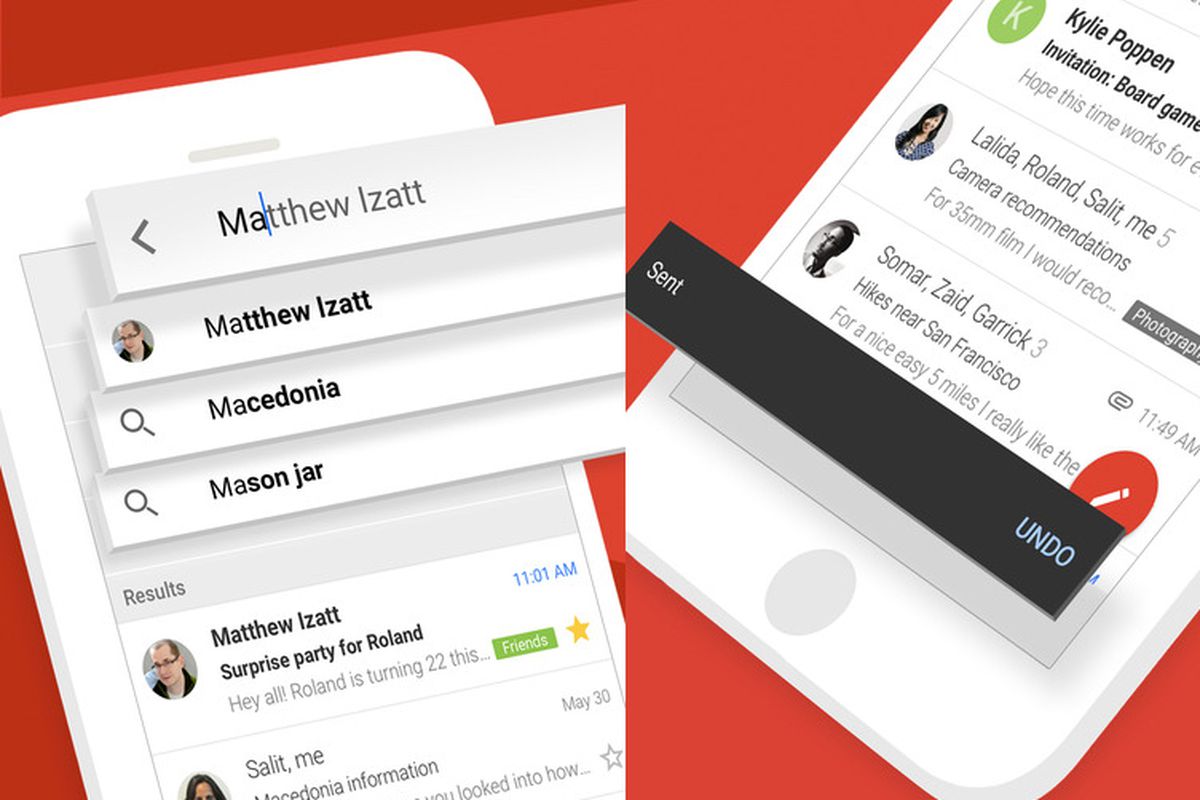
    Google revealed earlier today that a new feature is coming to Gmail that allows users to create and use multiple signatures. It’s a nifty feature that makes it easier for Gmail users to adapt to any situation when it comes to sending emails that require different signatures.

    To make use of the new feature, which Google says will be available by default, simply create multiple signatures by heading to Gmail’s Settings / General. From there, choose Signature / Create New, and you should be able to create multiple signatures.

    Creating multiple signatures is easy, but let’s see how you can put them to good use. After you create at least two signatures, you’ll be able to switch between them by opening the signature menu in the compose action toolbar.

    Google announced the support for multiple signatures in Gmail will be rolled out starting today and may take up to two weeks to reach all devices. The new feature is available for all G Suite users, as well as Gmail users with personal Google Accounts.

  • Google updates Google app with a shortcut for Chrome incognito mode

    Google updates Google app with a shortcut for Chrome incognito mode

    The Google app’s default option for browsing incognito has been around for nearly a year. However, the feature contained one major flaw that made going incognito meaningless – when clicking on a search result from the incognito tab, the window that opens is not incognito and all activity is saved to your Google account’s history.

    However, according to Android Police, Google is going to provide a solution to this issue. Some users have noticed a new option added to the Google app – the possibility to open a new Chrome incognito tab.

    Apparently, the feature is a shortcut which reportedly will lead you to Chrome to browse in incognito there. When tapping on the option, you get the usual disclaimer for an incognito window, advising you that data might still be visible to carriers, websites and employers or schools.

    Unfortunately, this is another server-side update from Google, as the one for Google Photos, and it cannot be manually installed, even if you have a beta version of the Google app. So, we will wait and see when this feature will be rolled out to all the users.

  • Google Maps gets a smart new feature perfect for travelers

    Google Maps gets a smart new feature perfect for travelers

    If you’re a frequent traveler who’s always looking for a new place to eat, you might really appreciate this subtle-but-powerful new feature baked into Google Maps.

    New to Google Maps is integration with Google Lens, the powerful image recognition system first introduced in 2017. With the latest update to Maps, the software will enhance listings for restaurants with more information on the menu.

    We already know how competent Google Lens is at identifying text and symbols in images, but this new feature will take things a step further with more information. When user-uploaded pictures include a shot of the menu, the software will kick in and give you more context to help you decide what to eat.

    The interface will give you the option to ‘Explore dishes’. It can identify the most popular items, find images for dishes, or even translate foreign menus to give you a better idea of what a dish will look like.

    The exciting thing about this is that it happens without any work from the restaurant’s end. As long as a reasonably clear photo of the menu exists in Google’s database, your phone should be able to generate these options and context information.

    As you might expect from how heavily it relies on Google services, the feature is only available on Android for now, but like most Maps features, it’ll likely make its way across to the iOS pond before too long.

  • Google Assistant loses this fun feature on March 23

    Google Assistant loses this fun feature on March 23

    Google Assistant has long featured celebrity voices, but you might want to use them while you still can.

    John Legend’s Google Assistant cameo first debuted in April of 2019, becoming the first celebrity to virtually lend his voice to devices all over the world. The singer’s smooth tones were a big hit among fans, and though Google said the option would be temporary, they didn’t specify a date.

    Or until now, at least, because the Pixel makers just announced that it will be gone come March 23. So after just under a year, the first celebrity voice on Google Assistant will be gone. It’s a good reminder that, as Google warned from the start, these cameos are not permanent. The company also debuted a second celebrity voice from actress and producer Issa Rae back in October. Her voice is still available for now, but we assume it might be gone in six month’s time as well.

    Whether you’ll miss the Legendary voice or not, the good news is that Google will still do everything it used to. Just with a more robotic voice.

  • Google Assistant can now read web articles on your Android phone

    Google Assistant can now read web articles on your Android phone

    Google is making Android more accessible with every major update. Google Assistant is one of the tools used by the Mountain View company to make Android users’ lives much easier. Since we’re living times where it’s impossible not to multitask, having something read to you while you’re focusing on something else is a great feat.

    Audiobooks are a big thing these days, but they weren’t in the beginning. However, the birth and rise of personal digital assistants put everything under a different perspective, and Google Assistant was at the forefront of it.

    Now we learn that Google Assistant can read stories posted on the web out loud on your Android smartphone. To make your phone start reading an article, simply say “Hey Google, read it” or “Hey Google, read this page” and you should hear Google Assistant’s voice.

    But the new feature added by Google goes beyond just reading web articles. You’ll be able to adjust the reading speed and even choose from multiple voices. Google says that “the web pages are read aloud in expressive and natural voices, aiming to use the same intonation and rhythm that you’d use if you were reading it aloud yourself,” so that’s a huge plus as well.

    But wait, there’s more. Google announced that its Assistant can read aloud in no less than 42 languages, so make sure that you’re using the translation menu if the article you want to be read isn’t in your native language.

    The new Google Assistant text-to-speech feature should roll out to Android users starting today, but it may take a few days to reach all compatible devices.

  • Google I/O 2020 is canceled due to the coronavirus

    Google I/O 2020 is canceled due to the coronavirus

    In a blog post-Google published today the company said, “Due to concerns around the coronavirus (COVID-19), and in accordance with health guidance from the CDC, WHO, and other health authorities, we have decided to cancel the physical Google I/O event at Shoreline Amphitheatre.” Google says that over the next few weeks it will look at various alternatives to the physical event so that it can stay in touch with its developer community. One possibility would be for Google to live stream a keynote via the Google I/O app.

    Those who purchased tickets to Google I/O 2020 will receive a full refund by March 13th. If your refund does not arrive before that date, Google suggests that you send an email explaining the situation to io@google.com. And if you have already registered for Google I/O 2020, you will not have to enter next year’s drawing for I/O 2021 tickets; instead, you will automatically be given the option of purchasing tickets for next year’s event.

    Traditionally, Google has introduced new features of the next Android build during the developer conference. And Google employees also hold talks with developers discussing different topics. Some of these sessions could also be live-streamed to developers.

    Facebook has already canceled its F8 developer conference scheduled for May and Microsoft has done the same for its 2020 Game Developers Conference which was supposed to take place this month. Apple’s WWDC 2020 developer conference, typically held in June, could also be at risk.

    Most companies are taking the safe route this year and with no end to the spread of the coronavirus in sight, we might see other events get canceled as well. IFA 2020 is scheduled to take place in Berlin from September 4th through September 9th. Half a year away, the show’s organizers still have some time to decide whether they need to pull the plug on this year’s event.

  • Google further improves Gmail’s security on all platforms

    Google further improves Gmail’s security on all platforms

    Gmail is already a safe email app, but it’s far from being perfect and Google is aware of that. The most recent update introduces a brand-new technology that Google is still refining, which further improves malicious document detection.

    Google’s security technology is using deep learning, a term that’s been tied by many software developed in the last couple of years. In a fairly technical blog post, Google explains how the new changes will affect Gmail and what other improvements are expected to be added in the future.

    First off, Gmail already protects its users from malicious software that’s usually transmitted via Office documents, but thanks to Google’s new technology, the app can do that even better. Google launched a new scanner at the end of last year, which is supposed to increase the detection of Office documents packed with malicious scripts by 10 percent.

    According to Google, nearly 60 percent of the malware targeting Gmail users is represented by malicious documents, which is why the Mountain View company is so determined to find a way to prevent these emails to reach your Inbox.

    Gmail’s new scanner is an extra layer of security and will run at the same time with the already existing detection capabilities. Google’s approach to the problem seems to be the development of multiple scanners, each dedicated to particular tasks and working in parallel to find and remove all malicious content targeting Gmail users.

    These scanners use artificial intelligence, another piece of technology that’s been the cornerstone of developing faster and better software. Google will continue to use artificial intelligence with the purpose of protecting Gmail users’ inboxes, so this is probably a taste of what’s to come.

  • Burberry delivers AR technology to Google Search

    Burberry delivers AR technology to Google Search

    International luxury brand Burberry has launched an Augmented Reality (AR) shopping tool using Google Search that allows consumers to visualize its products within their immediate surroundings.

    The app embeds 3D images of the products in users’ environments as captured via their smartphone cameras, allowing them to “see” their prospective purchases as if they were right in front of them.

    Consumers searching for Burberry products on Google will be able to access the AR images so as to have a clearer conceptualization of the product before purchase. The tool is intended to enhance the inspiration phase of the decision to purchase, which is now thought to be becoming increasingly important for luxury consumers.

    The tool is currently available within searches for the brand’s Black TB bag or Arthur Check Sneaker conducted within the US or UK, with plans for global rollout for a variety of products over the coming months.

  • WhatsApp private group links visible in Google search results

    WhatsApp private group links visible in Google search results

    Journalist Jordan Wildon stated on Twitter that WhatsApp groups may not be as secure as people thought they were and shared a screenshot, showing some links to groups appearing in Google search results. Apparently, when users create a link to send to someone to join their group, it gets indexed by Google and is accessible.

    A WhatsApp’s spokesperson reminded people that links that should be private shouldn’t be disclosed on publicly accessible websites, apparently explaining that the issue was due to unreasonable public posting of some links. When a link for a private group is posted on publicly available websites, it can be used by anyone to join the group and in consequence, see all the messages in it.

    However, reverse engineer Jane Manchun Wong’s post on Twitter regarding the situation brings another perspective on it – she is stating this situation was a result of a misconfiguration which allowed around 470,000 Group Invite links to be indexed, and not because someone has not been careful enough when sharing private links. According to her, WhatsApp could change certain configurations in order to exclude the invite pages from appearing in search engines.

    Nevertheless, for the time being, WhatsApp maintains the position that this is intended behavior, not a bug.

  • Google finally opens up about having its apps banned on new Huawei phones

    Google finally opens up about having its apps banned on new Huawei phones

    Huawei is unable to license Google Mobile Services because of its placement on the Commerce Department’s entity list. The Trump administration put Huawei on the list because it considers the Chinese manufacturer to be a threat to national security due to its allegedly close ties with the communist Chinese government. Once Huawei was placed on the list, the company was banned from accessing the U.S. supply chain it spent $11 billion on in 2018; because of the ban, Huawei is not allowed to enter into any licensing deal with Google.
    Google published a support article that laid out the facts: “On May 16, 2019, the US government placed Huawei on its Entity List. This government action prohibits all US companies, including Google, from collaborating with Huawei. This means that Google is prohibited from working with Huawei on new device models or providing Google’s apps including Gmail, Maps, YouTube, the Play Store and others for preload or download on these devices.”
    Google then mentions that it has been focused on protecting the security of Google users who sport older Huawei phones. The support page noted that “We have continued to work with Huawei, in compliance with government regulations, to provide security updates and updates to Google’s apps and services on existing devices, and we will continue to do so as long as it is permitted. To be clear: US law currently allows Google to only work with Huawei on-device models available to the public on or before May 16, 2019.
    Google also made it clear that Huawei phones launched before May 16th, 2019, but now getting released in other areas of the world, are considered new handsets and cannot be licensed to use Google Mobile Services. Explaining why its apps and services cannot be preloaded or sideloaded on new Huawei devices, Google pointed out that “To protect user data privacy, security, and safeguard the overall experience, the Google Play Store, Google Play Protect, and Google’s core apps (including Gmail, YouTube, Maps, and others) are only available on Play Protect certified devices. Play Protect certified devices go through a rigorous security review and compatibility testing process, performed by Google, to ensure user data and app information are kept safe. They also come from the factory with our Google Play Protect software, which provides protection against the device being compromised.”
    The problem is, the U.S. placement of Huawei on the entity list prevents the latter’s phones from going through Google’s security process; they also do not have Google’s malware scanning Play Protect feature. As a result, these handsets are considered uncertified and cannot use Google’s apps. Additionally, sideloaded Google apps won’t work on Huawei devices because Google doesn’t allow these apps to run on uncertified phones where security might be compromised. “Sideloading Google’s apps also carries a high risk of installing an app that has been altered or tampered with in ways that can compromise user security,” the company said. You can check to see if your Android phone is certified by opening the Google Play Store and heading to Menu > Settings. Simply look under Play Protect certification.
    Despite the ban, Huawei still managed to ship 240 million handsets last year. That wasn’t enough for it to top Samsung to take over the title of the world’s largest smartphone manufacturer, but it did manage to finish ahead of Apple in second place. That’s because patriotic Chinese consumers considered Huawei to be the victim of American bullying and turned out in large numbers to buy Huawei’s handsets. In China, most of Google’s apps are banned anyway which means that the company’s international models were the ones impacted by the ban.
  • Beta version of popular Google app gets Dark Mode for all Android users

    Beta version of popular Google app gets Dark Mode for all Android users

    Another reason to use Dark Mode is to preserve the battery life on handsets that sport an AMOLED display. That’s because such panels create the color black by turning off the pixels in the appropriate area of the screen. Pixels that are turned off do not draw on the phone’s battery, saving some power. Dark Mode has become so popular that both iOS and Android now allow users to enable it system-wide.
    To become a beta tester for the Google app, head over to this Google support page and follow the directions. You can only have one version of the Google app installed at one time, and if you’re unhappy being a beta tester you can always return to the public version of the app.
    Once you sign up as a beta tester for the Google app on your Android phone, you can turn on Dark Mode by going to Settings > General > Theme > select Dark or System Default. On phones running Android 10, this means that you can choose to have the Google app in Light Mode all of the time, Dark Mode all of the time, or have it match the system setting. On phones running an earlier version of Android, go to Settings > General > Theme > select Dark or Set by Battery Saver. On pre-Android 10 phones, this will give you the option of running the Google app in Light Mode, running the app in Dark Mode, or running the app in Dark Mode once the Battery Saver is turned on.
  • FTC to investigate Google’s purchase of Waze years after the deal closed

    FTC to investigate Google’s purchase of Waze years after the deal closed

    Just a few days ago we told you that the Federal Trade Commission (FTC) had requested information from Google parent Alphabet, Apple, Facebook, Amazon, and Microsoft. The regulatory agency is investigating acquisitions made by the five between Jan. 1, 2010 and Dec. 31, 2019. These are transactions that were small enough to escape scrutiny by antitrust agencies.
    In June 2013, Google acquired the Israeli company behind the crowdsourced navigation app Waze for $1.1 billion. While Google already offered its Google Maps app with turn-by-turn directions, Waze was different. Users exchanged traffic information about accidents, police speed traps, construction and inclement weather conditions that could cause a delay to fellow drivers motoring in the same vicinity. Some considered Waze to be a navigation app and a social media site where drivers could communicate with each other. Most of this still holds true today, although Google has been adding Wave’s best features to Maps. More on that below.
    At the time of Google’s announcement that it was buying Waze, the latter had very minimal U.S. revenue which is why the merger did not have to be reported under the Hart-Scott-Rodino (HSR) Act. The HSR Act requires that the DOJ and the FTC receive a pre-merger notification. The deal is not allowed to close for a period of 30 days while the regulatory agencies investigate. If the agencies don’t take any action after 30 days, the merger can then close.
    It appears that the U.K. gave a more thorough examination to Google’s acquisition of Waze than U.S. regulators did. While investigating the transaction, the U.K. asked Google to keep Waze separate from the rest of its operations. In December 2013, the final report from the Office of Fair Trading said that with the purchase, Google was eliminating the closest competition to Maps. Waze CEO Noam Bardin agreed; just two months before Google announced the deal to buy Waze, the executive said, “We’re the only reasonable competition to [Google] in this market of creating maps that are really geared for mobile, for real-time, for consumers — for the new world that we’re moving into.”
    At the time, many figured that Google would move over some of Waze’s features to Google Maps and shut down Waze since they seemed to compete with each other. Others figured that Google was simply buying Waze to keep it out of the hands of another company. When the deal was announced in 2013, RBC Capital Market analyst Mark Mahaney said that the “move eliminates Waze as a potential acquisition target for competitors who could use the app’s collection of data and 50 million users to bolster their own location-based products.”
    There was some truth to the idea that Google was buying Waze to keep it out of the hands of a competitor. Before Google came in with its bid, Waze was reportedly close to a deal to have its app pre-installed on phones made by an unnamed company. In addition, Waze could have worked out a deal with Facebook that would allow users to meet up at certain locations using Waze’s turn-by-turn directions. The U.K. regulator decided to approve the deal noting that with Apple Maps, there already was a strong competitor to Google Maps in the marketplace.
    Not everyone believes that the merger should have been allowed to go through. Sally Hubbard, director of the enforcement strategy at the Open Markets Institute says, “It was literally Google acquiring its number one competitor in maps. It was a bad deal that should have been blocked.” Google has kept Maps and Waze separate but it has used data collected from Waze to improve the delivery of its ads. As RBC’s Mahaney told clients last September, “New ad formats in Google Maps have clear similarities to existing formats in Waze (coincidence?). Google has now collected enough data through Waze to effectively roll out broader solutions for advertisers in Google Maps and provide them attractive returns on investment without severely impacting the user experience.”
    Google has moved over many of Waze’s best features to Google Maps. Users of the latter can now report accidents, detours and police speed traps with the press of a button. And with a feature taken straight from Waze, Google Maps will now warn you when you are exceeding the speed limit.
    Former Justice Department antitrust official and Yale University economist Fiona Scott Morton believes that the FTC might be interested in the Waze purchase years after the deal closed because the location data Waze collects makes Google’s search advertising more precise. The FTC does have the ability to examine acquisitions made years ago although it isn’t clear what kind of punishment it could impose on Google.
  • Google to bring Play Music’s most useful feature to YouTube Music

    Google to bring Play Music’s most useful feature to YouTube Music

    Google is reportedly testing Play Music’s best feature for YouTube Music, the ability to upload your music library. It’s one of the features that prevent many Play Music users from moving to YouTube Music despite the fact that Google plans to deprecate the former at some point.

    Google is internally testing music library upload for YouTube Music, which suggests the Mountain View company is very close to transitioning Play Music users to YouTube Music, something that should have happened last year.

    The change doesn’t come as a surprise since YouTube Music’s head confirmed that Google plans to allow Play Music users to preserve and migrate their collection, playlists, and preferences to YouTube Music.

    What’s surprising is the fact that Google missed its own imposed deadline and didn’t manage to add this feature to YouTube Music last year. And we don’t even know if the music library upload will even land this year, although the fact that the feature is already being tested internally suggests that we’re not very far from a public release.