Tag: Google

  • Google Search gets dark mode settings toggle for iOS and Android

    Google Search gets dark mode settings toggle for iOS and Android

    A tweet from the Google SearchLiaison reveals that starting today and for the remainder of the week, Google will be disseminating an update for the Google Search app for Android 10, iOS 12, and iOS 13. By default, the app will follow the system-wide setting of your phone. So if your iOS or Android device is set on dark mode, that is how the app will appear by default.
    You can override the default settings.
    Let’s say that you have your Android phone set on dark mode system-wide but for some reason, you like the look of the Google Search app in light mode better. You can change this by going into the app’s settings to make the adjustment. On Android 10 or on iOS 12/13 you can open the Google Search app and tap the three-dot More tab at the bottom right corner of the screen. From there, tap on Settings > General, scroll down to Theme, and change the setting. This will not affect your system-wide settings. While our Pixel 2 XL received the update, it has not yet hit our Apple iPhone 11 Pro Max.
    Dark mode inverts the UI on the phone from dark text on a white background to white text on a dark background. It prevents the user and any passersby from having their retinas melted by the blaring white background light during the night or in a dark room. It also helps extend battery life a little on phones with an AMOLED display. That’s because such panels create the color black by turning off pixels in the appropriate location. Pixels that are turned off don’t use the phone’s battery, so the more black on the screen, the less energy the phone is consuming.
    If you haven’t received the update yet, check back in later during the week. Remember, Google says that it will be rolling out the update for the rest of the week.
  • Google testing iMessage feature for RCS Chat

    Google testing iMessage feature for RCS Chat

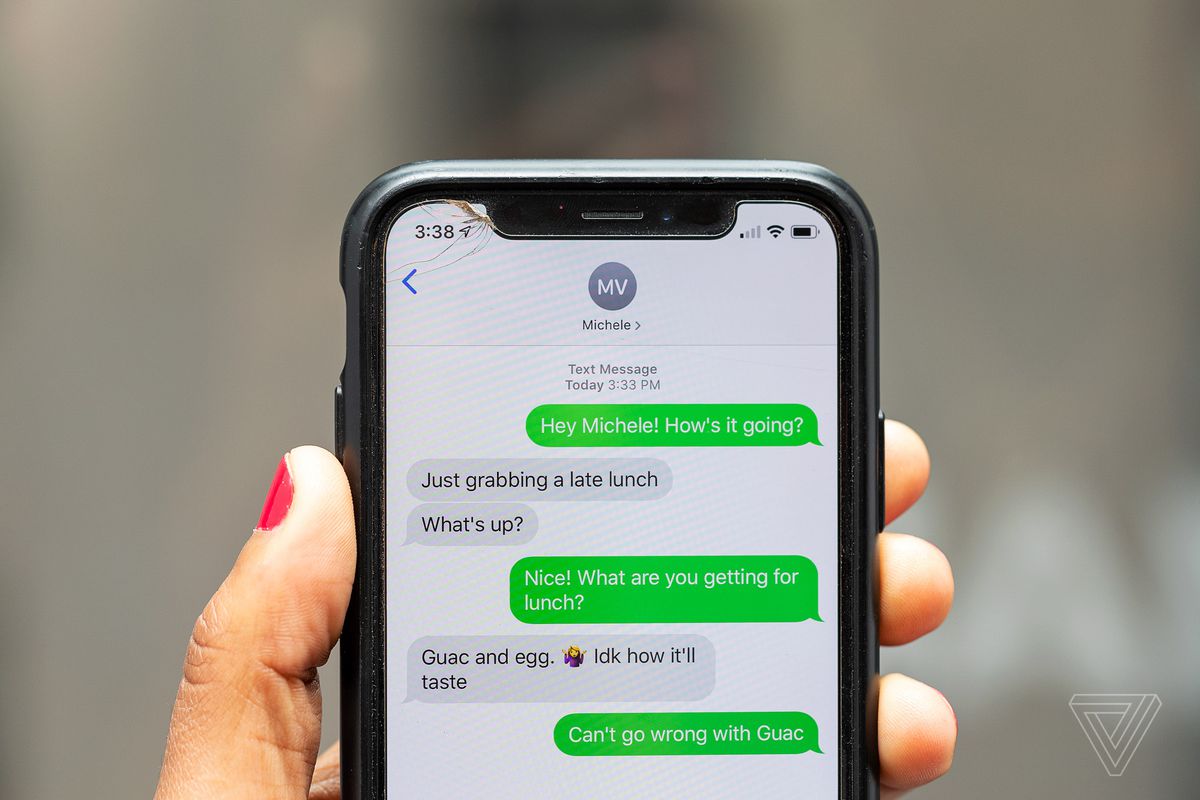
    The four major U.S. carriers are planning to roll out a Rich Communication Services (RCS) app later this year. This allows Android users to send and receive messages via a phone’s data connection instead of its cellular connection. However, Google has already updated its Android Messages app by enabling RCS Chat on all Android phones. Messages between two RCS users can be as long as 8,000 characters instead of 160. Additionally, a user will know if his messages have been read thanks to read receipts that he will receive.
    Other improvements that Android users will see is the ability to share larger video files, host group chats with as many as 100 participants, and have RCS chats run through a Wi-Fi network. Android users have long wanted a messaging platform with some of the advanced features that iOS users have enjoyed with the Messages app. And the carriers plan on monetizing RCS by using the platform to allow companies to reach Android users. We could even see Android users order a Lyft or Uber rideshare through their RCS Chat app.
    Google is testing one feature found in iMessages for its RCS Chats. An Android user sporting a OnePlus 7 Pro on T-Mobile has the beta version of Google’s Messages app installed and discovered that he could respond to a Chat with an emoji reaction. That is a feature available to iOS users via iMessage. Android users engaged in an RCS chat (again, both sides of the convo must be using RCS) long-press on the last message received and they will see seven different emoji that they can choose from for their emoji reaction. The one they select will end up on the lower right side of the last message sent by the other party.
    While Google just sent out a beta update to the Messages app, the emoji reaction has not appeared on all Android phones that were updated. This would seem to indicate that a server-side update is at play here. You can check out whether you have this feature the next time that you’re in the middle of an RCS Chat by long-pressing on a message you’ve received. If you don’t see the options for an emoji response, you do not have it yet. If Google decides to add this as a permanent feature you will eventually have the ability to use an emoji to convey your emotions about a message that was sent to you.
    One thing to keep in mind is that you cannot use RCS Chat if the texting platform you use now is one provided to you by your carrier. For example, Verizon Messages will not work with RCS. If you don’t have the Google Messages app on your Android handset, you can install it from the Google Play Store.
    There are some things that are not perfectly clear from the testing. One is whether there are only seven emojis that will be made available for the user’s reaction. The seven that were seen in the screenshot shared by a Redditor include ThumbsUp, HeartEyes, Laughing so hard you’re crying, Surprised, Sad (with one lonely tear), Anger, and ThumbsDown. That pretty much covers a wide multitude of emotions.
    If you are an Android user, you’ll know whether you are messaging someone using RCS because of the dark blue background of the text balloons. If you’re exchanging messages with someone who is not a phone enthusiast, it is possible that even if you ask them outright, they might have no idea what platform they are using and whether they have RCS.
  • Google Duo update adds important new features,

    Google Duo update adds important new features,

    Google Duo received quite a few updates in the last couple of months, a strong indication that Google has big plans for the app. The most recent Duo update brings a handful of new features that will help users connect with their loved ones during these difficult times.

    Of course, the highlight of the update is the new family mode, which lets Google Duo users doodle on video calls. Various fun effects and masks can be used during video calls. To take advantage of the new feature, simply start a video call, tap the menu icon, and choose Family to start doodling.

    The new family mode becomes available as soon as you sign into Duo with your Google account. And you don’t have to worry that someone else will hijack your conversations since calls on Duo are end-to-end encrypted and remain private between you and your family or friends.

    But the new effects and masks are not just available in the new family mode. Google confirmed that Duo users will be able to use them during one-on-one video calls on Android and iOS starting this week. Expect to see even more effects and masks in the coming weeks.

    Finally, if you’re using Duo on the web, you’ll be pleased to know that Google will be adding group calls in the coming weeks. They will first be available as a preview on Chrome, along with a new layout the enables you to see more people simultaneously. The app will also let you invite anyone with a Google account to join a group call via a link.

  • Google adds new productivity tools to Lens

    Google adds new productivity tools to Lens

    Whether you’re back working at the office or still working at home, your smartphone can be the productivity tool you need to help you get your job done. Speaking of productivity, Google has announced some new features for Google Lens. The latter uses image recognition to pass along information about objects seen through a phone’s camera. More precisely, the visual analysis is done using AI.

    One new feature will copy handwritten text from a piece of paper and paste it on another device that is signed in to the same Google account as your phone and has the latest version of the Chrome browser installed. All you need to do is point your camera at the handwritten document and using Lens, you highlight the text you want to paste. Tap on “Copy to computer” and paste it on the Chrome browser. This should save you the time it takes to transcribe written notes to your computer.

    Google says that searches related to learning a new language have doubled over the last few months; some people have decided to use the extra time at home to take on this task. Google Lens can help by translating German, Spanish, and more than 100 other languages according to Google. And all you have to do is point your camera at the text to see it translated. And if you’re having a problem with the pronunciation of a particular word, you can now tap the new “Listen” button and hear it spoken as it should be.

    Google Lens can also help you understand a word or a phrase that you see in a newspaper that you don’t understand. With in-line Google Search you can quickly learn new concepts-like gravitational waves-that you don’t understand.

    All of these new features have started rolling out for both iOS and Android devices except for the “Listen” button which will be available for iOS devices later this year. Lens is available on the Google Lens app on Android devices and the Google app on iOS.

  • Google launches app for the Pixel Buds

    Google launches app for the Pixel Buds

    Google announced that the long-awaited Google Pixel Buds are now available today from the Google Play Store. Unlike the first-generation version of the accessory, which was wireless but featured a cable connecting the left and right earbuds, the second-generation version has individual left and right earbuds. That makes the new Pixel Buds more in line with the Apple AirPods and the Samsung Galaxy Buds.

    One feature, Adaptive Sound, adjusts the volume of the Pixel Buds to compensate for new and louder sounds in the background and returns the volume to normal once that sound has ended. UX engineer Frank Li says that “It works kind of like auto-brightness on your phone screen: It momentarily adjusts to the world around you to make the experience of using your device a little simpler.” Basheer Tome, Senior Hardware Interface Designer says that “Adaptive Sound is perfect for those moments like when you’re steaming milk for a latte, or when you’re washing your hands or the dishes. Those noises can eclipse your audio experience for a bit, until the laundry or your dishes are done.”

    To improve the user experience, sensors inside Pixel Buds can detect when your jaw is moving which means that you are on a phone call (or chewing bubble gum). This helps the device know when you’re talking, and when combined with beamforming mics, it allows those using the Pixel Buds to hear the person on the other end of a phone call even when it is windy and noisy outside. And with so many people working from home, this is an important feature to have these days.

    Google Assistant can be activated on the new Pixel Buds by saying the “Hey Google” or “OK Google” hot word. The Assistant will control music streaming on the Pixel Buds and can also read your notifications. If you need to reply to a text, Google Assistant will do it for you; all you need to do is ask. And if you’re in a situation where a translator would be of some assistance, conversation mode provides translations in real-time. This is a big help when you’re on vacation or a business trip overseas.

    If you’re concerned about losing one or more of your Pixel Buds, Google has a way to find them as long as they are nearby and still paired to your phone. On the Pixel Buds app, you can elect to have the Pixel Buds ring. You can choose to ring one earbud at a time to help you find the missing one. The noise must be pretty loud because Google warns that if you have one or both Pixel Buds in your ear and choose to have the ring, it could lead to hearing damage. The ringing won’t stop until you touch the missing earbud.
    The Pixel Buds are now available today from the Google Store in Clearly White for $179 and will run for five hours on a single charge; with the carrying case, you can use them for up to 24 hours without running out of battery life. With an IPX4 rating, the accessory is protected from sweat and splashes.

    Google today launched a dedicated app in the Google Play Store for the Pixel Buds. The app allows users to toggle on or off certain settings including in-ear detection. The latter, when toggled on, will automatically play audio when the Pixel Buds are in the ear and pause it when the Pixel Buds are out of the ear. Other settings that can be customized in the app include controls for Google Assistant, Touch controls, and Adaptive Sound. The app also lists the battery level on each of the earbuds and the carrying case.

    The app can be installed on any device that is running Android 6.0 or higher and can be found in the Google Play Store.

  • Google launches restaurants menu-sharing app in Singapore

    Google launches restaurants menu-sharing app in Singapore

    Google in Singapore has launched a new menu discovery feature on its Google Pay app to make it easier for consumers to interact with local eateries and order food for delivery.

    Using the app, Singaporeans can browse menus, choose what they want, and contact the retailer director to order and pay. Depending on the vendor, customers can choose to pick up or have food delivered. A link in the app allows sharing with friends.

    More than 100 small food businesses such as coffee shops, hawker stalls, and restaurants have joined 150 large chains already on the platform, including Burger King, Canadian Pizza, Cedele, Da Paolo Group, The Daily Cut and Tuk Tuk Cha.

    “Quick food pick-ups and door-to-door deliveries are now a necessity, as Singaporeans stay home during this critical period,” explained Patrick Teo, director of engineering for payments and engineering site lead at Google in Singapore.

    “Like others in Singapore, we were sharing food menus among family and friends. So we thought, what if we could scale this and make this easier for consumers and restaurants? We rallied our employees to come together quickly and discussed ways in which we could offer a solution.”

    Early partners in the menu discovery feature include Kok Sen, O Banh Mi, Outram Park Ya Hua Rou Gu Cha, Blue Ginger, O.Bba BBQ Jjajang, and Nude Seafood.

    “We hope to make the process of discovering local eateries simple and easy, and support even the smallest businesses – like hawkers – and minimize disruptions to their business,” said Teo.

    “We have rushed to get this out and will continue to improve the experience and hope that the easy access to a variety of food options will help Singaporeans enjoy their meals safely at home and support small businesses during these tough times.”

    Samuel Phan Chee Chiat, the owner of Vietnamese eatery O Banh Mi, located at Tiong Bahru Plaza, says having an online presence during the lockdown period is critical as he turns to online delivery and takeaways to keep the business going.

    “O Banh Mi hopes to leverage this platform to reach out to both new and existing patrons, offer a more seamless mobile experience and ultimately contribute to our bottom line. It is with help from government agencies, landlords, and major players like Google that we are able to continue serving our signature Vietnamese dishes during this trying time, and in turn, protect the jobs of our valuable staff.”

    “Our world’s been turned upside down” added Hong Junchen, a partner in Nude Seafood, which has two restaurants in the city. “But it’s also an opportunity to transform.

    “We made early plans before the circuit breaker to introduce our delivery service, and that has helped to widen our customer pool beyond the office crowd and into the neighborhoods. We’re no longer limited by our physical location and can serve good seafood islandwide. With this new feature on Google Pay, we hope to tap on the app’s existing user base to create relevant exposure and visibility for our business, as well as to continue establishing a personal relationship with our customers during this trying period.”

  • Google Assistant update adds more ways to improve accuracy

    Google Assistant update adds more ways to improve accuracy

    Google is making it easier for users to set up their personal digital assistants using Voice Match, a feature that teaches Googles Assistant to recognize a voice. With the latest update, you’ll be able to set up Voice Match to let Google Assistant prompt you to say full phrases rather than the usual hot word “Hey Google.”

    It will allow Google Assistant to identify your voice with more accuracy than before. In order for that to happen, Voice Match will now ask you to say phrases like “Hey Google, play my workout playlist,” which will allow it to better identify the speaker.

    Moreover, Voice Match now allows you to link up to six people to a single Google Assistant account, each receiving personalized results when using the device. That’s just one new feature that will allow Google Assistant users to fine-tune their personal digital assistant.

    Another one would be the option to adjust how sensitive Google Assistant is to the environment because that can affect its responsiveness to the hot word. This is especially important since Google Assistant can accidentally be enabled if it hears something similar to “Hey Google” in a noisy environment.

    In the coming weeks, Google will roll out a new option that will allow users to adjust the sensitivity of smart speakers and smart displays to the hot word. The new option should appear in the Google Home app as well, but it will only support the English language with more to follow.

  • Google Debuts P2P Fund Transfers in Singapore

    Google Debuts P2P Fund Transfers in Singapore

    With OCBC enabling peer-to-peer (P2P) fund transfers on Google Pay, the city-state becomes the third globally to offer the service, after India and the United States.

    The integration means that OCBC customers can now transfer or receive payments directly from their bank accounts to or from anyone registered to PayNow using the Google Pay app, the bank announced in a statement this week.

    At the same time, bank account holders without credit cards can also Google Pay to make payments to merchants in Singapore.

    We have long rejected the ‘digital wallet’ approach that requires customers to top up an e-wallet and hold funds in one without earning interest. Instead, we put a lot of effort into developing OCBC Pay Anyone as an open-loop payment system, whereby customers literally ‘pay anyone’ directly from their bank accounts, Ching Wei Hong, OCBC head of Global Wealth Management & Consumer Banking, said.

    Introduced in 2017, Singapore’s national e-payments system PayNow enables digital payments directly between customers’ bank accounts and funds transfers using their recipients’ mobile numbers.

    The integration of Google Pay and PayNow is expected to significantly impact the adoption and usage of PayNow in Singapore, which already recorded more than 70 million transactions worth S$12.16 billion in 2019, OCBC noted.

    Google previously said it is looking at adding more banks to Google Pay, including DBS and Standard Chartered, with launches expected by the end of 2020.

  • Google helps you remember what you searched for with search terms chip feature

    Google helps you remember what you searched for with search terms chip feature

    Last year, Google updated the tab overview in Chrome with a nifty Grid Layout. Now comes another improvement to the search experience of the browser. The new feature, still in an experimental phase, adds a little search term chip on each tab in the preview screen showing the term you’ve used to get there.

    To activate the new feature, you should head to the chrome://flags page (type it in the address bar) and search for the Tab Grid Layout field. Tap on it and choose Enabled Search term chip from the drop-down menu. You have to Relaunch the browser to activate the change. After you complete these steps, whenever you perform a search through Chrome’s address bar, the search term will appear on the thumbnail for the tab of the page you opened. The feature works with other search engines as well, as long as you’re using the Chrome browser.

    The little term chip appears at the bottom of the thumbnail when you tap on the tab switcher icon. If you tap on the search term itself, you will go back to your search results on Google. This feature can be extra useful if you like to open dozens of tabs in Chrome and sometimes wonder what brought you to a specific page.

  • Google Play Store update helps parents find content for their shut-in kids

    Google Play Store update helps parents find content for their shut-in kids

    Parents of young children are really having a tough time with the stay-at-home orders. Not only do they have to try and entertain their kids 24/7, but the parents also have to explain to them why they are stuck at home. Most kids that understand death will worry about their own demise and will be frightened at the possibility that their parents could die. Children this young probably should not be allowed to watch or listen to the news.

    To help parents find things for their kids to do, Google announced that starting today, it will be adding a new Kids tab to the Google Play Store. Tapping on the tab will deliver what Google calls “teacher-approved” apps that are “both enriching and entertaining.” Parents can browse the Play Store looking for apps with the “Teacher approved” badge, or they can check the Kids tab when it appears on the Play Store app on their Android devices. The update should be received by U.S. Android users during the next few days and will roll out the feature to international users during the coming months. And those with a Google Play Pass subscription can find such apps under “Apps and games for kids.” Google Play Pass costs $4.99 a month for unlocked access to over 350 apps. While there is normally a 10-day free trial, right now Android users can grab a 30-day free trial of the service throughout the month of April.

    The launch of the new tab was pushed up after Google was told by parents testing it how useful the Kids tab is, especially during the times we live in. Those checking out the tab might not spot their favorite kiddie apps, but Google notes that it is adding new content as fast as possible. Apps in the Play Store that are approved by educators have a page that shows why they received such acclaim. Google explains what age group each of these apps is appropriate for and what makes each individual app fun & engaging. It also notes what makes a particular app creative and the positive emotions elicited by this title.

    Google says, “Today’s announcement wouldn’t be possible without teachers who’ve been working closely with us for the last few years to curate apps that can help kids develop, grow and have fun. We trust teachers to enrich our kids while they’re in school, and we’re grateful they’ve shared their expertise to rate the apps kids use when they’re not in school as well.”

  • Google could be dropping the Hangouts branding

    Google could be dropping the Hangouts branding

    Hangouts Meet was renamed to Google Meet on the company’s Support page, suggesting that a change in the namings of Hangouts Chat and Hangouts, the app, may also follow. The name change has been previously hinted at, with the Hangouts Meet service being referred to as Google Meet in the past, by Google CEO Sundar Pichai.

    In addition, it doesn’t make much sense for Hangouts and Hangouts Chat to be two separate consumer apps, and Google is likely to replace one with the other soon. “Classic Hangouts,” as it has been referred to for the last few years, maybe shutting down soon, and we initially reported on its expected 2020 retirement back in 2018. A Google spokesperson reached out to us at the time, explaining that “classic Hangouts” users will be migrated to the Chat and Meet services, suggesting already active plans of its retirement back then.

    And if this recent change in naming translates to other Hangouts products, that would likely bring the end of both Hangouts as branding, and the “classic Hangouts” service.

    Hangouts were first developed as a feature to Google’s social network Google+, but later became its own standalone product after it was well-received by users even if Google+ wasn’t. It’s currently available as an app on both Android and iOS, still simply named Hangouts, likely to be renamed or replaced later. Alternatively, Google offers Hangouts Chat and Hangouts Meet, which are a consumer and business-oriented conferencing tools respectively. Those are likely to officially become Google Chat and Google Meet soon.

    We’re expecting to see these changes as 2020 progresses, though none of it is officially confirmed or certain yet.

    Meanwhile, popular Hangouts Meet rival conferencing app Zoom has been suffering a shareholder lawsuit, along with several bans from schools and companies like SpaceX, over mounting security concerns.

  • Huawei CEO would like Google to submit its apps on Huawei’s AppGallery store

    Huawei CEO would like Google to submit its apps on Huawei’s AppGallery store

    Huawei just released its new flagship line, the P40 series, and with it promised some appealing camera-related features for smartphone photography. Unfortunately for Huawei though, last year, the US government added the China-based company to a trade blacklist, making the company unable to do business with American companies and therefore, there are no Google apps on its new flagship devices.

    However, Huawei’s CEO, Eric Xu, stated that the company hopes Google’s apps would be available in the AppGallery Store, Huawei’s version of the Google Play Store. He compared it with the case of Apple’s App Store, where Google submits its apps for Apple’s approval. If Google submits its apps on the AppGallery, this could make them available for download on Huawei smartphones.

    Although the lack of Google apps on Huawei smartphones might not be a problem for the company’s home market, given the fact that Google apps are prohibited in China, this seems like a big minus for international customers. Eric Xu said that the blacklist caused Huawei a $10 billion benefit shortfall for 2019, meaning the company’s revenue was $10 billion lower than its target.

    Last month, Google submitted a request for permission to work with Huawei, but it can take quite some time for such procedures to be completed, even if the US government was to approve Google’s request. For now, there is no prospect that Google’s apps will come pre-installed on Huawei smartphones in the near future.

  • Google redesigns Podcasts app, brings it to iPhones and iPads

    Google redesigns Podcasts app, brings it to iPhones and iPads

    Google’s Podcasts app was released two years ago for Android devices, but the Mountain View company announced last year that it will expand the availability of the app to additional platforms, including iOS and Windows.

    A web version of Google Podcasts eventually made its debut last year, which allows users on other platforms to take advantage of its features. Today, Google announced a native Podcasts app is now available to all iPhone and iPad users.

    More importantly, Google Podcasts has been completely redesigned to offer a simpler experience to those looking for their favorite podcasts. The new Podcasts app focuses on just three tabs – Home, Explore, and Activity, from where users can access other features and information about the content they want to listen to.

    The Home tab will display a feed of new episodes and is meant to offer Podcasts users a way to access their subscribed shows faster than ever. On the other hand, the Explore tab, “For you” displays new show and episode recommendations that are strongly related to a user’s interests.

    Last but not least, the new Activity tab shows a user’s listening history, queued up episodes, and download. Also, it’s important to add that Google Podcasts users can now enable automatic download and push notifications for when new episodes are released.

    Google announced that along with the new redesign, it made it possible to sync listening progress across devices. If you’re using an iOS device, you can download the new Google Podcasts today from the App Store. Android users will get the new app this week.

  • New Google Maps feature is designed for those who fear that they have been infected

    New Google Maps feature is designed for those who fear that they have been infected

    We often wonder whether Google has a room where it keeps several developers locked inside. Inside is a whiteboard and those locked inside cannot leave until a new feature is developed for Google Maps. The latest addition to the app is related to the current coronavirus pandemic. The Center for Disease Control (CDC) in the U.S. has recommended that anyone who feels that they are exhibiting symptoms of coronavirus call their doctor first before driving to the hospital. This might prevent users who aren’t ill from coming down with the dread disease. And it also could help to take some pressure off an already taxed hospital system.

    An update to Google Maps will now show a reminder when someone is using the app to search for a doctor or hospital. A rectangular box near the bottom of the screen has a heading that is printed in red to catch the attention of a Maps user. It says COVID-19 alert. Then, in black type, the message says “Call your doctor before visiting if you may have COVID-19. Source: CDC.”

    Google is also trying to pass along legitimate information to the public while blocking misinformation, speculation, and outright fraudulent reports from worried and scared people around the world. Go to the Google Search app and type in coronavirus and you’ll see four tabs: Overview, Symptoms, Prevention and Treatments. An overview will show you the latest news about the virus from reputable media organizations. Symptoms provide a rundown of COVID-19 symptoms from the World Health Organization (WHO) and also lists some top stories. Prevention mentions several tips that are supposed to keep users from contracting coronavirus, and Treatments explains that there currently are none for COVID-19.

    WhatsApp also is looking to inform users with information from a reliable source. Text “Hi” to +41 79 893 1892 on the app and you’ll receive some information about the coronavirus via text. Additionally, if you open your mobile browser and go to whatsapp.com/coronavirus, scroll down to the section with the heading “Choose reliable sources of information.” There you will find a link to the World Health Organization (WHO). If you have WhatsApp installed on your phone, clicking on the WHO link will open a chat platform. This might help users get a better grip on what really is happening on the front line. Keep in mind that the chat does not connect the user with an actual MD so the platform cannot be used for diagnostic purposes.

    The Director-General of the WHO, Dr. Tedros Adhanom Ghebreyesus, has nothing but praise for Facebook and its WhatsApp messaging app. The doctor says, “Digital technology gives us an unprecedented opportunity for vital health information to go viral and spread faster than the pandemic, helping us save lives and protect the vulnerable. We are proud to have partners like Facebook and WhatsApp, that are supporting us in reaching billions of people with important health information.”

    Facebook announced yesterday some other initiatives it is taking during this crisis. Number one on the list is to make sure that everyone has accurate information. That seems to be at the heart of everything that the company is doing when it comes to the coronavirus. Facebook is also removing posts with misinformation and harmful content including those that seek to exploit the crisis by touting fake cures or selling items in short supply for jacked-up prices. The social media company is supporting global health experts and relief efforts by making donations and giving reputable organizations free ads. And by promoting ways that people can connect via WhatsApp and making investments to small businesses, Facebook is supporting local governments, communities and businesses.

  • Google Translate gains a very convenient transcription feature

    Google Translate gains a very convenient transcription feature

    As handy as Google’s crazy popular translation tool has always been, there was something missing that could make all our lives even easier. We’re talking about a real-time transcription feature, which is now a thing on Android devices.

    This does a great deal more than simply turn speech into text on your mobile phone, also translating said text while a person is still speaking without requiring a lot of effort on your part. All you need is the latest version of the official Google Translate app from the search giant’s Play Store, with a dedicated “Transcribe” icon found on the home screen and the option to select your source and target languages located in the language dropdown at the top.

    For the time being, the groundbreaking AI-powered functionality is compatible with English, French, German, Hindi, Portuguese, Russian, Spanish, and Thai, supporting transcriptions in any combination of these languages while Google continues to work on expanding the list in the near future. The company also plans to enrich the Google Translate experience for iPhones and iPads at some point, although no iOS release schedule has been put together just yet.

    In the meantime, Android users should definitely take this feature for a spin once they receive the newest update for their Google Translate app. An internet connection is required for real-time transcriptions to work, allowing you to follow a lecture, for instance, without understanding the language that’s actually being spoken.

    Although you can’t upload an audio file and have Google Translate automatically and seamlessly transcribe it for you just yet, the extremely cool new feature does support pre-recorded audio, which you can play on your computer, as well as live audio sources.

    You can also easily pause and restart your transcriptions by tapping on the mic icon, as well as check out the original transcript before it’s translated, change the text size, and choose the newly released dark theme in the settings menu. In a nutshell, Google appears to have thought of pretty much everything right off the bat here.