Tag: Google

  • Google tests cool new feature for the Play Store

    Google tests cool new feature for the Play Store

    In its never-ending battle to improve the Google Play Store, Google is testing a method to allow users to make comparisons between two or more apps. This comes after Hamburgers were removed from the Play Store menu earlier this month. No, Google wasn’t competing with Mickey D’s. The Hamburger menu was an icon consisting of three straight horizontal lines that looked like a Hamburger from the side (top bun, meat, and bottom bun) and when tapped, a menu list appeared.

    The Compare apps section appears near the bottom of a Play Store listing and at the moment it seems to be limited to a few side-by-side comparisons of media players under the heading of Compare apps. The apps are compared based on things like offline playback, visual quality, ease of use, controls, and whether or not a particular app will cast content. A major assumption is that Google is gathering the information it uses for comparisons directly from feedback from users who are prone to leave reviews.

    Remember that this is just a test right now and it has appeared in the Play Store when some users are running version 22.4.28 of the app. Being able to compare key elements of two or more similar apps listed in the Google Play Store is sure to improve the experience of using Google’s Android app storefront.

  • Face unlock support coming soon to WhatsApp on Android

    Face unlock support coming soon to WhatsApp on Android

    WhatsApp already offers users security features that allows the lock of the app using various methods. The easiest form of protection involves the fingerprint sensor, but there’s another one that’s just as easy to use, yet unavailable for WhatsApp users: face unlock.

    It looks like WhatsApp is recognizing that there are phones that don’t feature a fingerprint sensor, so owners have to rely on other methods of protecting their WhatsApp conversations. If your phone does feature support for face unlock, you’ll be happy to know that you’ll soon be able to use it with WhatsApp.

    A new WhatsApp update has been submitted through the Google Play beta program, which adds two important features. The first one is the ability to join a group call even after you missed the initial invitation.

    The second major feature we expect WhatsApp to release soon is face unlock support. A new “Biometric lock” menu has been added in the new beta version of WhatsApp, which will replace the current “Fingerprint lock” menu.

    The new panel confirms that WhatsApp will let users authenticate with fingerprint, face, or other unique identifiers to open the app. As the title says, the new security features have been spotted in the Android version of WhatsApp, although there’s no telling when they will be available for everyone.

  • Google makes Gmail Go available to all Android users

    Google makes Gmail Go available to all Android users

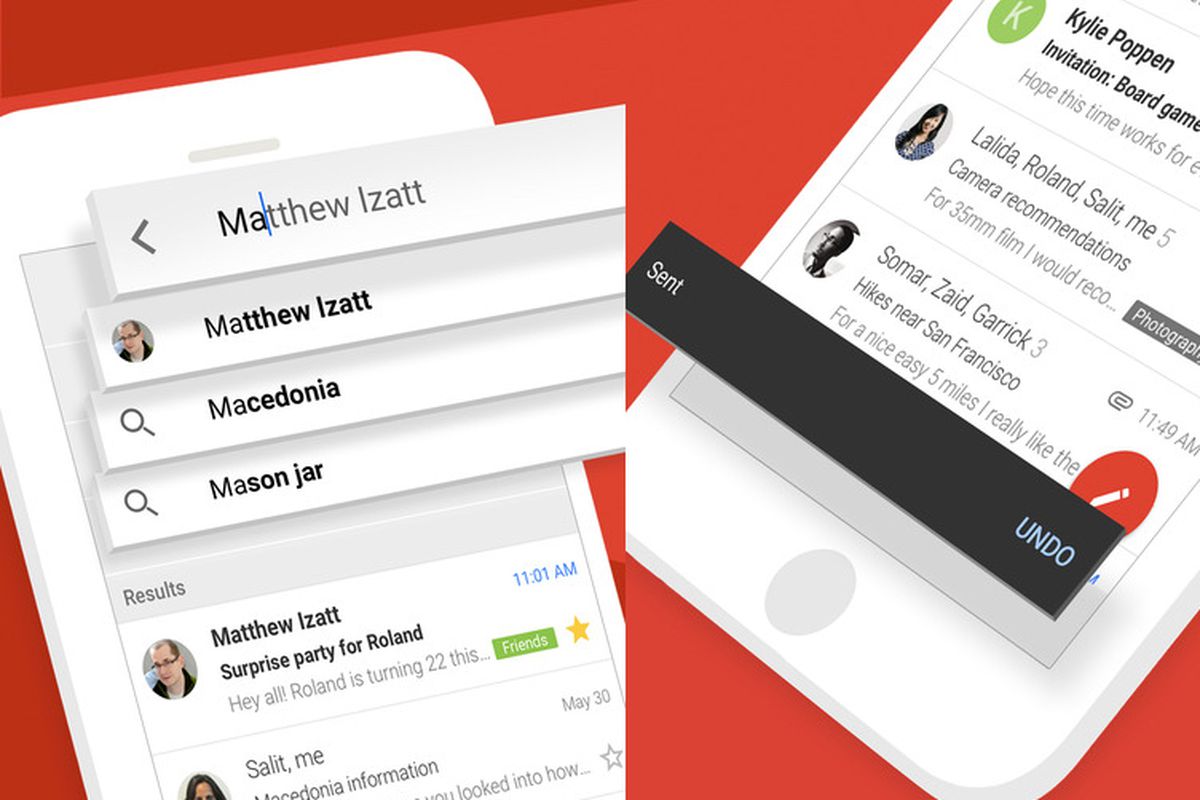
    Just like many other popular mobile apps, Gmail has its own lighter version, which is mostly recommended for those using low-end smartphones. Gmail Go has been available to a certain category of Android users in select regions for quite a while, but that’s about to change starting today.

    Google released Gmail Go in the Play Store so that anyone can download and use it. Gmail Go offers the same email experience as the full-fledged app, it’s just that it does away with some visual elements.

    For starters, it doesn’t have the “Meet” button at the bottom of the screen. Also, the overall aspect of the app is slightly “cleaner” in the sense that it doesn’t make use of shadows. Truth be told Gmail users can set up their app’s UI so that the Meet button won’t appear at all, but that’s another discussion.

    The bottom line is if you want to try out a lighter version of Gmail, supposedly optimized to work on devices with less RAM, you should be able to download Gmail Go via the Google Play Store right now.

  • Google Assistant now supports third-party apps shortcuts

    Google Assistant now supports third-party apps shortcuts

    Google Assistant is now smarter and more useful than ever. Google revealed that its personal digital assistant now supports shortcuts for third-party apps. Basically, Android users will be able to use Assistant voice commands within some of the most popular apps not made by Google.

    For example, if you’re looking for something specific within an app, you can say, “Hey Google, open Taylor Swift on Snapchat.” But that’s not all! The new functionality allows Android users to play music, start a run, post on social media, order food, make payments, hail a ride, and much more – all with just their voice.

    To make things even more convenient, Google Assistant now lets users create custom shortcut phrases for their favorite apps. For example, you could create a shortcut to just say, “Hey Google, lace it,” instead of saying the longer version, “Hey Google, tighten my shoes with Nike Adapt.” To start making shortcuts simply say, “Hey Google, show my shortcuts,” and you’ll be taken to the setting screen.

    There are dozens of third-party apps that now support shortcuts, including Yahoo! Mail, Nike Adapt, Nike Run Club, Spotify, Best Buy, Instagram, Google Maps, YouTube, Instagram, Uber, PayPal, Discord, Walmart, Snapchat, and many more.

  • Google adds new “high visibility” security alerts

    Google adds new “high visibility” security alerts

    Google published a blog on Wednesday explaining how the company plans on using a new process to alert Google Account subscribers when a serious security issue pops up. Back in 2015, Android alerts were used to notify people when they had a security issue with their Google Account. This notification would appear if someone’s account was, for example, hacked. With the new notifications, Google saw a 20-fold increase in the number of users who responded to them within an hour of their receipt compared to those who received word of a security issue via email.

    Soon, Google says that it will release a new security alert that will surface on whichever Google app that the user has open and it will help him address a problem. These new alerts cannot be spoofed so if one shows up on a Google app, the user can be sure that it is genuine. This feature will be rolling out on a limited basis over the next few weeks with a broader distribution expected to begin early in 2021.

    Google also announced today that it has added a new Guest mode for Google Assistant. With Guest mode, you can use a simple voice command to save your Assistant interactions somewhere else instead of on your device. You can also turn off Guest mode at any time to get the full personalized version of Google Assistant back again. You can also use your voice to delete what you just said to Google Assistant. And the latter will now instantly answer more questions about privacy and security.

    Google says, “To make it easier to control your privacy, you’ll soon be able to directly edit your Location History data in Timeline by adding or editing places you’ve visited with just a few taps, and because Search is the starting point for so many questions, starting today we’ll display your personal security and privacy settings when you ask things like “Is my Google Account secure?”

    Google claims to block over 100 million phishing attempts a day; the Google Play Project scans over 100 million apps daily looking for malware and other problems.

  • You might not notice Google’s upcoming change to Gmail

    You might not notice Google’s upcoming change to Gmail

    Google is making a change to Gmail, the company’s extremely popular email service. But this change isn’t adding a new feature or even taking one away. In fact, the effect of this news won’t change the way you use Gmail at all. As it announced, Google is about to change the name of its enterprise-focused G Suite offering. These are apps like Gmail, Calendar, Drive, Docs, Sheets, Slides, Meet, and many more that soon be under the Google Workspace umbrella. Google said today, “Whether you’re returning to the office, working from home, on the frontlines with your mobile device, or connecting with customers, Google Workspace is the best way to create, communicate, and collaborate.”

    In July, Google integrated its video conferencing service Meet with the Gmail app calling it “your new home for work.” Today, the company introduced a brand new logo for Gmail that will bring it more in line with Google’s branding. Instead of the current logo, which uses red lines to create the letter “M” on the back of a white envelope, Google is removing the envelope and is replacing the colors of the four lines. The four colors used in the revised logo, blue, red, yellow, and green, are the colors used by Google for its icons and corporate logo.

    Besides the new Gmail logo, the company is adding a touch of red to the Drive icon so that all four Google colors are included. Other apps, like Duo and Docs, are also getting an icon makeover. Currently, those two have a blue and white color scheme for their icons. But after undergoing their beauty treatment, the Duo and Docs icons will incorporate Google’s colors only. You can also expect the Google Calendar icon to change from blue, white, and gray to blue, red. yellow and green. The accompanying video will show you the changes.

    Google says, “Google Workspace embodies our vision for a future where work is more flexible, time is more precious, and enabling stronger human connections becomes even more important. It’s a vision we’ve been building toward for more than a decade, and one we’re excited to bring to life together with you.” Keep an eye open for the logo and icon changes on your devices.

  • Google Meet will get Q&A and polling features for more engaging online meetings

    Google Meet will get Q&A and polling features for more engaging online meetings

    Next week Google’s popular Google Meet platform for video calls and conferences is going to receive some useful features to further improve the video conferencing experience. The two features that will be coming starting next week are the ability to create polls and a Q&A feature.

    The Q&A feature would be particularly useful for students, attending online lectures or classes. With the new Q&A feature, students or meeting participants can ask questions without disturbing the flow of the presentation. After a question has been submitted, other participants can upvote it as well.

    The second collaboration-oriented Google Meet feature that is going to come soon is Polls. Polls allow meeting organizers to get feedback from their audience in a real-time manner, which should make a meeting more engaging for all participants. Meeting moderators will have the possibility to launch multiple polls even during a video call, while results and data from the poll will be mailed to them. Moderators will also receive the results from the poll right away.

    These two new features are expected to start deploying on October 8. Google expects deployment to all users to be completed in 15 days. These features will be available for subscribers of G Suite Essentials, G Suite Business, G Suite Enterprise, and G Suite Enterprise for Education.

  • Google Photos update makes photo editing on Android a breeze

    Google Photos update makes photo editing on Android a breeze

    The Pixel 5 and Pixel 4a 5G are not the only new products revealed today by Google. A couple of newsworthy information regarding Google-made software was announced as well, so if you’re using an Android smartphone, this is certainly for you.

    One of the most important software-related announcements made by Google today involves its Photos app. A new update is now rolling to Google Photos on Android, which makes the app’s photo editing features easier to use than ever before.

    All that is possible thanks to the new, more helpful editor that features smart suggestions and easy-to-use granular adjustments. The latest update adds a new tab in the editor that uses Google’s machine learning algorithm to offer users suggestions suitable to the specific photo they’re editing.

    Suggestions offered to users involve various photo editing features like Enhance, Color Pop, brightness, contrast, and portrait effects. However, in the coming months, Google plans to add even more suggestions to Pixel devices.

    Besides the smart suggestions, the update adds a new layout for the editor that makes it easier to take advantage of granular edits, including brightness, contrast, saturation, warmth, and more.

    A new Portrait Light editing feature will also be coming to Pixel 4a 5G and Pixel 5. This specific feature uses the same machine learning algorithms to further enhance the lighting on faces in portraits. Portrait Light can be added to regular photos too, not just to those captured in Portrait mode. Although it will first be available only on Pixel 4a (5G) and Pixel 5, Google plans to add the feature to more Pixel devices soon.

    As far as the new editor goes, Google Photos users can expect to get it as early as today. The new update is now rolling out to the app on Android, so make sure to download it via the Google Play Store.

  • Google reveals one change coming to Android 12

    Google reveals one change coming to Android 12

    We’ve been asked this question multiple times. If both Apple and Google take a 30% cut of in-app purchases, why is Apple and the App Store considered a monopoly while Google and the Play Store are not? It comes down to this: Apple does not allow iOS users to install apps from third-party stores. Thus, the infamous walled garden forces iPhone users to install apps from the App Store even if it means paying more for an app. Google allows Android users to sideload apps from third-party app stores such as the Amazon Appstore or Samsung’s Galaxy App Store thus giving Android users the opportunity to install an app from another store rather than the Google Play Store.

    Thanks to the Epic v. Apple suit, the question about whether Apple is a monopoly because it demands that developers use its In-App Payment system (and only this system) to list its app in the App Store is highly relevant. Epic Games wanted to give iOS users who downloaded Fortnite from the App Store the opportunity to subscribe to the game at a cheaper price directly from Epic. Apple emphatically said “No!” and removed the popular game from its iOS App storefront.

    Google says that it will respond to feedback from developers with next year’s Android 12. The 2021 release, Google announced, will “make it even easier for people to use other app stores on their devices while being careful not to compromise the safety measures Android has in place.” However, Google is going to continue to demand that developers selling digital items in their apps use the Google Play billing system. Just to make this clear, it is changing the language of its payment policy. Any app not using the Google Play system for in-app payments must add it by September 30th, 2021.

    Pointing out its differences with the App Store, Google notes that even with Epic Games’ Fortnite kicked out of the Play Store for supporting alternative payment methods, the game can be downloaded on an Android device via a third-party store. Google states that “even if a developer and Google do not agree on business terms the developer can still distribute on the Android platform.”

    Certainly, Android 12 will bring plenty of new features that we will probably hear about next May during Google I/O 2021. But for now, Google promises to make the use of third-party app stores easier with Android 12.

  • Google adds a COVID-19 layer to Google Maps

    Google adds a COVID-19 layer to Google Maps

    Google continues to work on improving Google Maps and on Wednesday a “COVID-19 layer” started rolling out. With this layer, users can see areas where the virus is spreading and it is coded by color based on the number of people with the coronavirus in each region. The layer produces these color codes based on the seven-day average for the number of new COVID-19 cases per 100,000 people and even reveals whether the number of cases is trending higher or lower.

    Google said that over a billion people rely on Google Maps to help them safely get from point “A” to point “B.” And that includes safely navigating around the virus by using the COVID-19 layer. As Google says, “This week, we’re introducing the COVID layer in Maps, a tool that shows critical information about COVID-19 cases in an area so you can make more informed decisions about where to go and what to do.”

    When you open Google Maps, tap on the layers button in the upper right corner of the screen and click on “COVID-19 info.” You will then see the seven-day average of new COVID cases per 100,000 people for the area of the map you’re looking at. The color-coding also reveals the density of new cases in the area. The COVID-19 layer starts rolling out on iOS and Android phones this week.

    The source of the data that you’ll see comes from legitimate places such as Johns Hopkins, the New York Times, and Wikipedia. Those places get their info from the World Health Organization, state and local health agencies, government organizations, and hospitals. And while consumers can get the same info through Google Search, they can also obtain it from Google Maps. As Google says, “While getting around is more complicated these days, our hope is that these Google Maps features will help you get where you need to be as safely and efficiently as possible.”

  • Google Assistant becomes even smarter after recent update

    Google Assistant becomes even smarter after recent update

    Google is trying to make Assistant a useful tool that we can’t live without. Using Google’s learning algorithms, the digital assistant can execute various tasks without having to interact with it every time.

    This time around, Google thought it would be a great idea “to find a way for Google Assistant to help you stay productive.” To make users’ lives easier, Google added new Assistant functionalities that let users get multiple things done with a single command.

    These are called routines and can be enabled in the Assistant settings on your Android or iOS devices. The latest update introduces a new workday routine specifically designed for those who work from home.

    The new workday routine will automatically remind users of all the things they need to do throughout their workdays. When the new routine is enabled, Google Assistant will regularly share the time with you throughout the day. The new workday routine feature is available in English only, while the individual Assistant actions and time block can all be customized to fit one’s schedule.

    Last but not least, Google Assistant is getting a new Gentle Sleep and Wake feature that’s now rolling out to all smart lights. The new feature allows you to set a reminder to get to bed at a certain hour by saying “Hey Google, sleep my lights at 11:00 p.m.” You can even set a reminder for the lights to start brightening 30 minutes before your alarm goes off.

  • Google Pay Launches Refreshed App in Singapore

    Google Pay Launches Refreshed App in Singapore

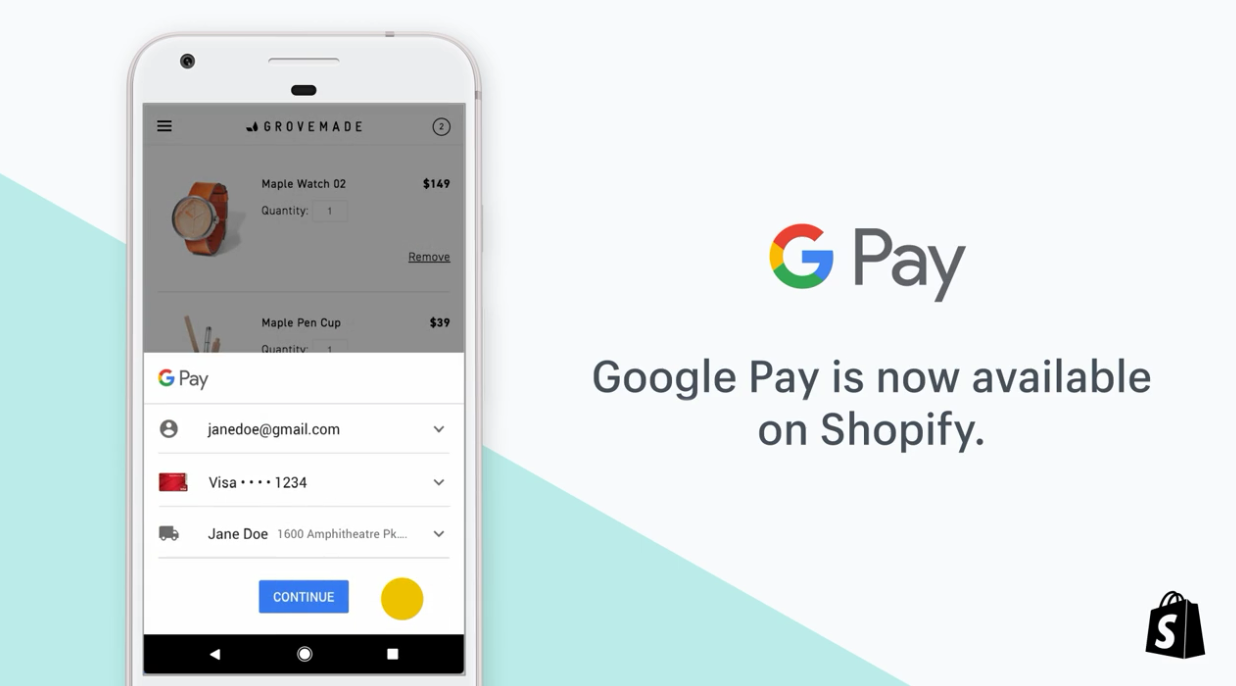
    The refreshed app, which builds on Singapore’s payments infrastructure, now allows real-time money transfers via PayNow for DBS PayLah!, OCBC Bank and Standard Chartered customers.

    Google has launched a new version of its payments app Google Pay, which streamlines money transfers from different banks on one platform and allows customers to make peer-to-peer transfers via PayNow and to merchants via UEN or PayNow QR, which is available on Android and iOS.

    Instead of taking a digital wallet approach, Google focused on everyday relationships its users had between friends and businesses in designing the app, Patrick Teo, director of engineering, Google Pay, said at a media launch on Thursday. The result is an app that makes it quick and easy to transact with people and businesses, which is as simple as sending a chat message.

    Google Pay also includes features like split bill payments, restaurant menus for take-out and delivery, which can be ordered within the app, movie ticket booking, as well as cash-back rewards for payments made using the app.

    SMEs and corporates are leveraging digital to change the way that they buy, sell, and operate. They have to do so if they want to thrive in the post-Covid-19 new normal and e-payments are an important part of that, Melvyn Low, OCBC Bank head of global transaction banking, said.

    Singapore is the first country in Southeast Asia and the second globally after India to offer the new version of Google Pay. The number of PayNow users in Singapore stands at 4 million, with nearly three-quarters of all organizations on PayNow Corporate.

    We believe that we are at a tipping point on digital adoption and building more client-centered solutions and services will provide a further boost to adoption. Building a strong digital ecosystem through industry collaboration will give clients a seamless digital payment experience, Dwaipayan Sadhu, head of retail banking for Singapore at Standard Chartered Bank, said.

  • Google launches Android 11 on Android TV

    Google launches Android 11 on Android TV

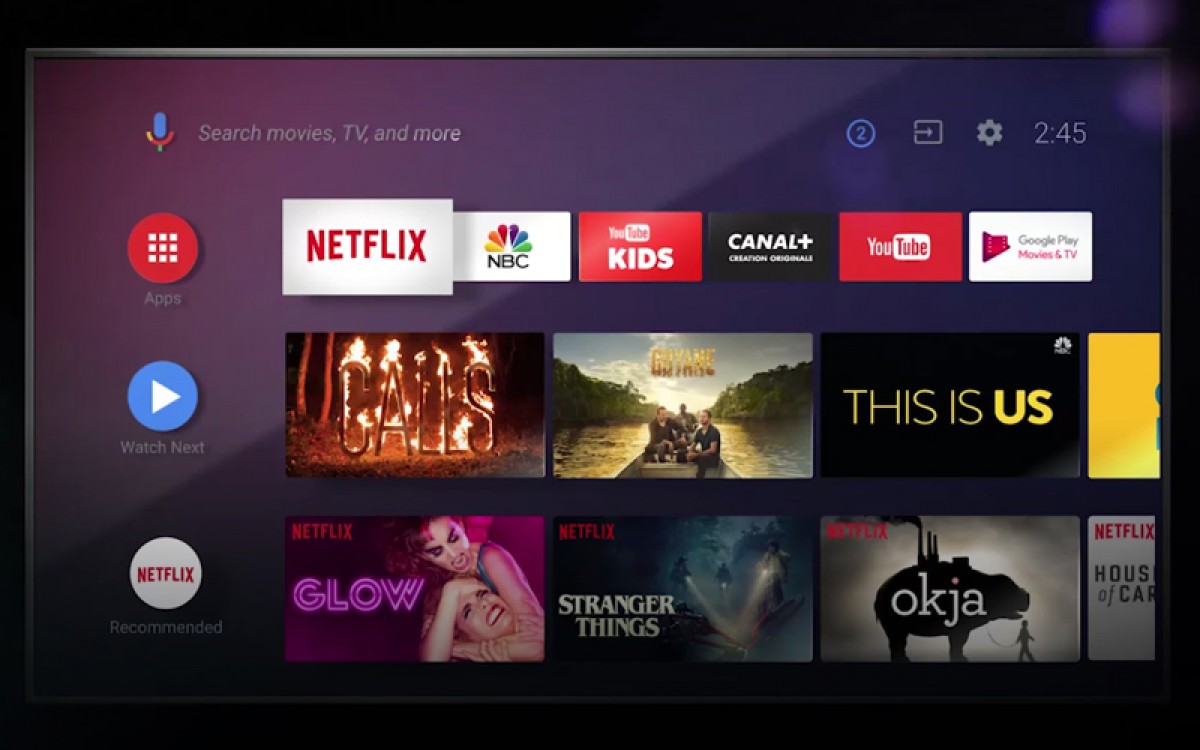
    Google is bringing Android 11 to Android TV devices, the search giant revealed today. Several performance enhancements and privacy improvements will be part of the new Android update, as well as a plethora of new features specifically designed for the TV.

    Among these improvements, Google mentioned enhanced memory management, one-time permissions, and support for Auto Low Latency Mode and low latency media decoding. Since gaming has become such a major part of the entertainment industry, Google is introducing extended gamepad support for Android TV.

    Also, silent boot mode for system updates, inactivity prompts, and OEM configurable wake keys are included in the upcoming Android 11 update for Android TV. All these and more should give users greater control over TV functions.

    And for those interested, testing on Android TV will be much easier with Android 11 thanks to the addition of the so-called “test harness mode,” a feature for third-party app developers that want to automate a device for a fleet of devices.

    According to Google, Android TV OEM partners should release and upgrade to Android 11 over the coming months, so the rollout hasn’t begun yet.

  • Google Maps returns to the Apple Watch

    Google Maps returns to the Apple Watch

    Back in 2017, Google Maps no longer worked with the Apple Watch. The reason why Google pulled it from the Apple Watch reportedly had something to do with the app’s limited capabilities on the watch compared to the iPhone app. At the time that Google made this announcement, it promised that Maps would return to the Apple Watch. And that apparently is what is happening. After a new update, Google Maps is once again available for Apple Watch wearers providing them with directions and the estimated time of arrival.

    Users cannot input a new destination directly on the watch and Google directs wearers to enter a location using the phone app and then moving to Apple Watch. Using Google Maps on Apple Watch will allow those walking, driving, taking public transportation, or riding a bicycle from point “A” to point “B” to receive step-by-step directions and show the Estimated Time of Arrival. The primary screen on the Apple Watch shows the user’s current trip with travel times to other destinations such as work and home. Icons show when a turn needs to be made and also identify the current mode of transportation being used. Haptics help users know when they need to make a turn and there is a complication on the Apple Watch that shows the Google Maps icon and opens the app.

    Live Google Maps are not available on the Apple Watch (although live Apple Maps are). Version 5.5.2 of Google Maps is available for the Apple Watch through the App Store.

  • Google Maps continues to stay a step ahead of the crowd

    Google Maps continues to stay a step ahead of the crowd

    Google uses historical traffic data with Google Maps to help it produce an estimated time of arrival (ETA). This allows a user to see what time he should arrive at his destination. The ETA can also be shared with friends or family so that the user won’t have to pick up his phone while driving to pass along the information. But we don’t have to tell you that there have been changes in traffic patterns over the last few months because of the pandemic which led many cities to shutdown. When cities starting closing earlier this year, worldwide traffic declined by as much as 50%.

    The lockdowns led to a situation where data from Google Maps could not be relied upon, forcing Google to revise traffic patterns.  To account for the effects of COVID-19 on Google Maps, the apps prioritize more recent traffic patterns from the last two to four weeks while deprioritizing patterns from any time before that.

    Last week, Google published a blog post that discusses how the company computes traffic and routing on the Maps app. Location data is aggregated and used as a tool to determine what the traffic is like on roads around the world. As Google points out, this information is great at determining current driving conditions but doesn’t explain what will happen to traffic “10, 20, or even 50 minutes into your journey.”

    To guess what will happen in the future, Google Maps analyses traffic patterns on specific roads. For example, one pattern shows that the 280 freeway in Northern California typically has vehicles traveling at 65mph between 6-7 am, but only at 15-20mph during the late afternoon. Google combines the data from historical traffic patterns with the data from live traffic conditions. Using machine learning on both sets of data, Google generates an estimate of an estimated time of arrival.

    Google says that on 97% of trips using the Maps app, its predictions have been accurate. Partnering with parent company Alphabet’s DeepMind AI research lab, Google can reduce the number of inaccurate ETA’s through the use of Graph Neural Networks. Available in places like Berlin, Jakarta, São Paulo, Sydney, Tokyo, and Washington D.C., the technology allows Maps to predict whether you will be caught in a slowdown that hasn’t even started yet.

    To help the app pick the route that you should take, different factors are looked at including the amount of traffic along the way; less traffic is preferred of course. Road quality is also important; is the road paved or is it a gravel-covered road that is hard to drive on. Other drivers can report things like the weather (snowstorm, torrential showers, etc.), accidents, construction, and police activity that can slow things down.

    Have you ever used Google Maps to get directions to a place that you’ve been to many times before, but noticed that the app is taking you a different way? That’s because Google will find a new route if the usual one includes delays. Google describes what happens: “Say you’re heading to a doctor’s appointment across town, driving down the road you typically take to get there.

    When you leave the house, traffic is flowing freely, with zero indication of any disruptions along the way. With Google Maps’ traffic predictions combined with live traffic conditions, we let you know that if you continue down your current route, there’s a good chance you’ll get stuck in unexpected gridlock traffic about 30 minutes into your ride—which would mean missing your appointment. As a result, Google Maps automatically reroutes you using its knowledge about nearby road conditions and incidents—helping you avoid the jam altogether and get to your appointment on time.”