Tag: Google

  • Google’s strong fourth quarter pushes Alphabet shares higher

    Google’s strong fourth quarter pushes Alphabet shares higher

    Google parent company Alphabet reported its fourth-quarter earnings this afternoon and during the three-month period the company recorded a record-breaking $56.9 billion in revenue. That was a gain of 31.7% from the $43.2 billion that Alphabet grossed during last year’s fourth quarter. It also topped Wall Street expectations of $52.7 billion in revenue.

    Advertising revenue was $46.2 billion during the quarter, up 22% on a year-over-year basis. Analysts were looking for Google to report $42.3 billion in advertising revenue for the fourth quarter. To generate that amount of business, Google had to spend $10.47 billion in traffic acquisition costs.

    Alphabet’s fourth-quarter profit rose from $9.3 billion last year to $15.7 billion for a 69% hike. Analysts were expecting the company to report a profit of $11.9 billion. According to Google finance chief Ruth Porat, YouTube and Search helped Google perform so well during the period. The executive said, “Consumer and business activity recovered from earlier in the year.” Revenue from YouTube ads rose in the fourth quarter to $6.89 billion from $4.72 billion during the same quarter the previous year for a strong 46% increase.

    Looking at the bottom line for the fourth quarter, Alphabet made $15.23 billion during the 2020 period compared to the $10.67 billion the company earned in 2019’s Q4. That resulted in a 42.7% gain in earnings. Earnings per Share (EPS) rose to $22.30 per share from $15.35 per share.

    Google continues to tend to its Money Tree. At the start of the fourth quarter, Alphabet had a cash position of $20.1 billion. By the end of the quarter, that figure was up to $26.5 billion. So using our fingers and toes, we can compute that Google’s parent added $6.4 billion in cash during the fourth quarter of the year. Still, it would appear that money seems to disappear in the cloud. For the first time ever, Alphabet released information related to its cloud unit; for the quarter that business took in $3.8 billion in revenue while reporting a loss of $1.2 billion.

    Wall Street was smitten with Alphabet’s report. Shares of Alphabet, which rose $26.16 or 1.38% to $1,927.51 during the regular trading session, soared 7.66% in after-hours trading after the earnings report was released. During the later trading period, Alphabet was changing.

  • Google Play Store now tells you which apps are trending higher or lower

    Google Play Store now tells you which apps are trending higher or lower

    It’s human nature to want to know which apps are trending up and which are trending down. And now this information is available on the Google Play Store via a new icon that shows whether an app is trending up or down. The icon shows an arrow moving up or moving down in the top app lists. An arrow pointing up tells you that a particular app is trending higher while an arrow pointing down tells you the opposite.

    Unfortunately, the icons don’t tell us how many slots an app has moved up or has moved down. Nor do we get to know how much time has elapsed while the app in question started trending in one direction or the other.

    To check out which apps are trending up or trending down, open the Google Play Store app. On the top row of tabs, tap on Top charts. From there you can navigate to different charts showing the top apps in certain categories. Looking at the Top free chart you can see that the top three apps are Signal Private Messenger, Telegram, and Zoom Cloud Meetings. MeWe is number four and underneath the number four on the chart, you can see an arrow pointing downward. That means that the app is trending lower.

    TikTok is number five and is trending higher. At number six is DuckDuck Go Privacy Browser with an arrow pointing down indicating that the app is trending lower. Trending higher is Disney+ (#7), Google Pay (#8), discovery+ (#9) and Cash App (#10). This list goes all the way to number 597.

    Most likely your decision whether or not to install an app is not going to come down to how it is trending. Still, those of you who are into such things can now easily get this information from the Google Play Store.

  • Google Meet update adds new ways to create meetings

    Google Meet update adds new ways to create meetings

    Unsurprisingly, a tragic event like COVID-19 led to a surge in virtual meetings with employees being stuck at home. Moreover, families and friends forced into isolation needed to remain in touch, and apps like Google Meet, Zoom, as well as others, had to evolve to provide these kinds of services.

    Google Meet went through a lot of changes in the last few months, but the transformation isn’t over yet. Mostly used by companies, Google Meet is now being updated to offer users easier ways to create new meetings.

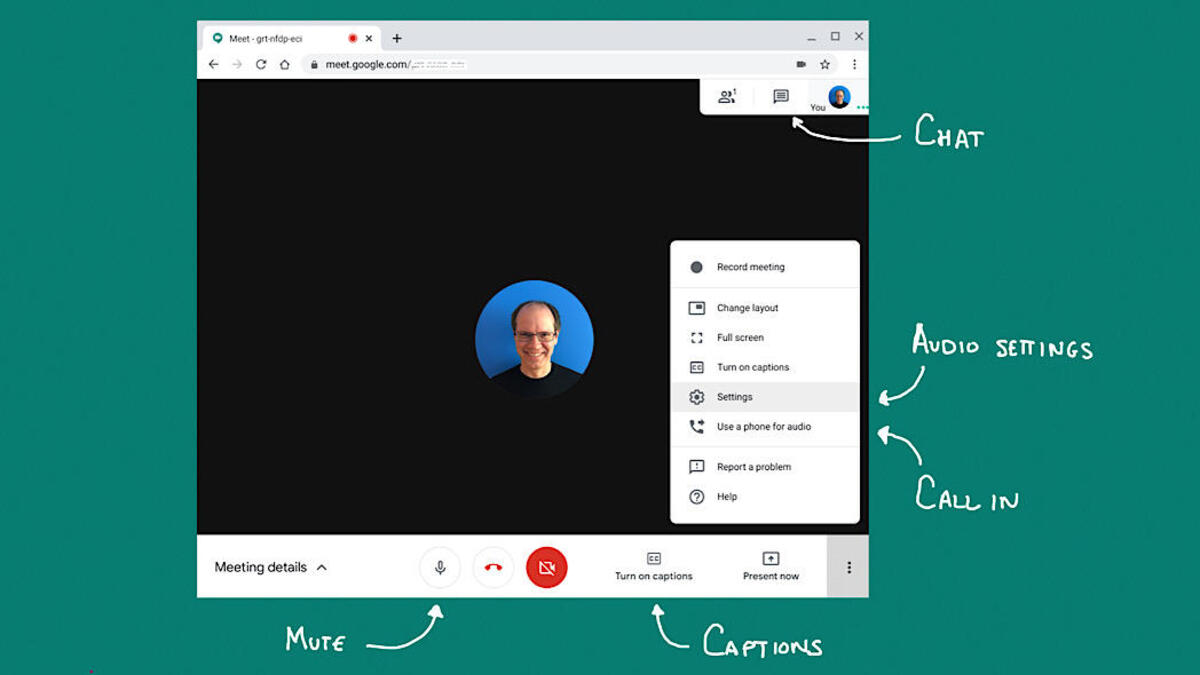
    For example, once you tap on the “New meeting” button, you’ll now have three options at your disposal, each allowing you to create a new meeting at different times: Create a meeting for later, Start an instant meeting, and Schedule in Google Calendar.

    If you choose the third option, you’ll have to go to Calendar in a new tab to create an event with Meet conferencing details automatically populated. Of course, users will still be able to enter a meeting code or nickname to join a meeting.

    The update went live this week, but the rollout may take up to 15 days. The new Google Meet changes will be available to all users, regardless of whether they have a Google business or personal account. It’s important to add that Workspace Essentials users will not see the “Schedule in Google Calendar” option but will have the two options available.

  • Google Appoints Cloud Business Leader for APAC

    Google Appoints Cloud Business Leader for APAC

    He succeeds Rick Harshman, who leaves the organization for a new opportunity after almost five years in the role.

    Google has appointed technology leader Karan Bajwa as vice president for Google Cloud in APAC, the company announced in a statement on Tuesday.

    Bajwa, who is currently based in India, where he leads Google Cloud’s operations in the country, will relocate to Singapore in 2021 for the expanded role in which he will lead all regional revenue and go-to-market operations for Google Cloud, including Google Cloud Platform (GCP) and Google Workspace.

    Before joining Google in March 2020, Bajwa a managing director for India and South Asia at IBM for almost four years. Prior to IBM, he worked with Microsoft for nine years, his last role being the managing director for the company’s operations in India.

    Google Cloud is growing rapidly in a region that is fast adopting digital transformation tools, particularly in the financial services space. Among its clients are BRI Bank, Gojek, NTUC Fairprice Co-Operative, Goldman Sachs, Citi, ANZ Bank, and more.

    The company launched its GCP regions, from where its public cloud resources are located, in Jakarta and Seoul last year, with planned expansions in Dubai and Melbourne in 2021.

    «With the disruptions of 2020 behind us, a true test of 2021 will be how companies replatform and build on the cloud not only for resilience but agility and innovation, and I’m excited for the opportunity to lead Google Cloud’s business in APAC to maximize this next phase of growth,» Bajwa said about his new appointment.

  • Americans should be glad that Google Assistant’s “Do Nothing” mode is not available in the states

    Americans should be glad that Google Assistant’s “Do Nothing” mode is not available in the states

    We’ve often pointed out how Google Assistant is the best of the virtual digital helpers. Unlike Siri, which often refers users to a webpage to get the answer to a question, Google Assistant will many times directly post the answer to a query. Ironically, you’ll see this in action often when asking a question about an Apple device. In addition, Siri seems to have a big problem trying to understand some of the questions it is being asked.

    There is a new “Do Nothing” mode that does, well, nothing. Unfortunately, though, most of you will not be able to see Google Assistant “Do Nothing” because the feature was developed in conjunction with Cadbury’s 5 Star, a chocolate bar offered in limited markets including India. To activate the “Do Nothing” mode, you can say “Eat a 5 Star” in one of the markets that support the feature. Once the “Do Nothing” mode is activated, Google Assistant says, “I feel like doing nothing now. And I’m going to help you chill too. Ask me anything.”

    The responses that come forth from Google Assistant in “Do Nothing” mode are equal parts funny and equal parts useless. For example, in this mode, if you ask Google Assistant “Egg-first or Chicken?,” the response will be “Depends on which one you ordered first.” Not exactly an answer that will elicit a chuckle or two, but that is kind of the point. Ask for the nearest salon and you might get a response from Google Assistant that says, “You’re in luck. Bushy eyebrows, hairy armpits, and no makeup selfies are in fashion.” Ask about the weather, and Google Assistant will say, “HaHa…as if you’re going to step out.”

    After perusing some of these jokes, perhaps it is just as well that the Google Assistant “Do Nothing” mode cannot be activated in the states.

  • Google announces major news for Android users

    Google announces major news for Android users

    Google has announced that Android phones starting with the ones powered by the upcoming Snapdragon 888 Mobile Platform will support four years of Android system updates instead of the typical two to three that Android phones offer. While the actual number of updates that an Android phone supports is up to the manufacturer of that handset, today’s news indicates that newer Android models will have the ability to be updated as many as four times before losing support. That would include an extra year of OS and security updates.

    Unlike Apple, which allows an iPhone model to continue to receive iOS updates until the hardware no longer can do justice to the software, Google typically ends Android support for handsets after three years. Apple has an advantage in that it not only develops iOS itself, it also is behind the design of the phone running the operating system. Google, on the other hand, does develop Android but there are quite a number of individual companies that manufacture Android phones.

    To reiterate, most Android phones can be updated for as long as three years compared to approximately five years for an iPhone model. Google’s announcement today cuts that advantage from two years to just one. But before Android users start getting giddy about that extra year of support, it will be up to Android phone manufacturers to determine whether or not to allow their phones to receive four years of Android updates.

    Extending the number of years that an Android phone can receive an OS update to four will reduce the number of times that an Android user is forced to buy a new phone just to receive the latest version of the Android OS.

  • Amazon Music Unlimited users are getting a surprising new feature

    Amazon Music Unlimited users are getting a surprising new feature

    Amazon has been competing for years against music streaming services like Google Play Music, Spotify, and Apple Music, hence the large number of resources the US giant has been pouring into development.

    Lately, Amazon Music Unlimited has been gaining a lot of new customers to the point that the service is now just 5 million subscribers away from Apple Music, which recently revealed a 60 million subscriber count.

    But Amazon isn’t stopping here, so the next step is yet another important new feature that only Music Unlimited users will benefit from. Starting this week, Amazon Music Unlimited users will have access to a database of music videos they can watch.

    There’s little information about the new feature, although Amazon does mention that “paid subscribers can start with videos from a favorite artist or a video playlist.” At the moment, music videos can only be watched in the United States, and it’s unclear whether or not the feature will be introduced in other countries too.

  • Google Steps into the VPN Market — Starting with Android

    Google Steps into the VPN Market — Starting with Android

    Google Steps into the VPN Market — Starting with Android

    With the size and dominance technology companies like Apple and Google have, it can be a surprise when there isn’t a service they offer, or, at least, one that isn’t closer to being well known. The VPN industry is a thirty-billion-dollar industry, but Google, Apple, nor Facebook have a mainstream product available. That changes with Google announcing an Android-based VPN.

    But, considering the fact that VPNs are nothing new, and plenty of ‘mainstream’ internet users are currently deploying them for professional and personal use, why has Google chosen to advance on this tech now? Read more below.

    Changing Priorities

    The issue of online security for the average internet user is growing more profound every year. The world is continuing to foster an ever more versatile approach to internet use, with public Wi-Fi spaces continuing to open up digital spaces and make public usage easier than ever before.

    Google’s decision also coincides with the broadening scope of the gaming industry. Cloud gaming services are increasing the industry’s sway over the hardware and software that goes into creating our phones. We will be using them in public spaces more than ever before, and need to ensure that our connections are safe.

    This is in line with the ongoing changes within the gaming industry. Consumer trends demand better features in support of safe and efficient gaming, and this has placed the onus on the developers to ensure that they are keeping up with the player’s priorities. In response to widespread fears over security, for instance, the online casino industry needed to ensure that the steps in using free spin bonuses were able to strike the perfect balance between efficiency and safety — all while appearing attractive enough to draw in players.

    Similarly, large scale developer Zynga, for instance, experienced a significant (and highly public) breach that put millions of users at risk. Their efforts were out of a necessity simply to continue to compete against other developers whose track records were more appealing to players.

    For Subscribers

    Google’s VPN is nestled into a subscription for their 2TB cloud storage. This isn’t exactly committing to a mainstream rollout of a Google VPN yet. Their cloud storage service has 100GB, 200GB, and 2TB tiers.

    The 2TB is the premium one which offers 10% back on Google store rewards, Pro sessions (which means users can schedule a meeting with Google experts to learn more about one of their services, features, or products), gold status on Google play points (which automatically promotes users to the third tear of the Google play points system, meaning users can earn more points to spend in the store), as well as the VPN, for seven dollars a month more than the 200GB. These perks are also available in the higher tiers for higher prices. If someone is sitting in a Starbucks, using the free Wi-Fi to send work emails or to play Call of Duty: Mobile, they can rest assured the VPN will protect them.

    Google has had a VPN-enabled system for a while now: Google Fi. This is their carrier service. How it works is that a user’s phone, in the United States and if it’s designed for Fi, will be able to connect to T-Mobile, Sprint, and U.S. Cellular towers, switching between them for whichever offers the best signal. Additionally, the device will constantly be looking for available Wi-Fi. It has a database of reliable networks which it will prefer, but it will connect whether the Wi-Fi is known or not. Enter the VPN. When connecting to Wi-Fi, it will automatically run it through Google’s VPN, ensuring their safety.

    Mainstream release?

    The Google cloud-storage VPN must be enabled. It isn’t like the Google Fi VPN which is automatically running when it connects to Wi-Fi. There is a separation. Everything is ready for a wider release.

    Google are treating the cloud-storage VPN as part of the process of rolling out into the more mainstream market. Subscribers are guinea pigs. Or, as the market is quite competitive at the moment – even if it’s lucrative – Google might be keeping it simple and exclusive, using VPNs as an added incentive to use their cloud storage services.

    Google do, however, have a business security option but isn’t a VPN – though it is something similar.

    Business Security

    In the 1990s, the original VPN technology wasn’t developed with wider use in mind. It was for businesses. They wanted their different offices spread over countries or continents to be able to access their company’s data and share files securely. As such, it was imperative to secure the connection between various terminals, as opposed to the terminals (which is what anti-virus attempts to achieve).

    Google has developed this business-use VPN technology further, without the need for a VPN itself. It’s called BeyondCorp Remote Access. It offers exactly the same service as a VPN, in that employees from untrusted networks can access their company’s sensitive data securely. Sunil Potti and Sampath Srinvias wrote in a blog post how VPNs, for businesses and organizations, might increase risk because it increases their network perimeter and assumes everyone with it can be trusted. However, their new system enables policies to be set and, therefore, access can be better managed.

    Google will always be – either through in-house innovation or acquisitions – on the forefront of technological development. As for its market interests, they might look at the business, VPN-less, remote access market as something which is better suited to their long-term goals.
  • Time is running out for Google to fix frustrating Chrome OS bug found on Android apps

    Time is running out for Google to fix frustrating Chrome OS bug found on Android apps

    Google is racing against the clock to get a bug fix out in time because in just three days, Chrome OS 87 is to be released on the Stable channel. Android apps have never fared well on Chrome OS and now this bug is greatly slowing down the input speeds that a user deals with when typing on the keyboard while running an Android app on Chrome OS 87. The keyboard input slows down to a crawl forcing the user to wait for the previous line he typed to hit the screen before typing the next line. The issue has been affecting users on the Beta, Dev, and Canary channels on Chrome OS 87.

    Even though the slowdown doesn’t affect the Stable channel at the moment, that could change because after the aforementioned three days, Chrome OS 87 starts running on the Stable channel bringing the keyboard input bug to those who are used to a relatively bug-free experience on that channel. Chrome OS users have been complaining about the issue on the Google support page. One member with the user name of Mattev writes, “Some apps are very slow to type into. What I mean is, if I’m typing stuff like this, the characters lag and take a few seconds to appear on the screen. The Chrome browser works fine. The problem happens in other apps like Opera browser. I’m on the beta channel. Another problem is that when hovering over a tab in Chrome browser, some other tabs flicker light/dark. I don’t know if it’s related.”

    A Diamond product expert named Jim Dantin, considered to be at the top of those helpers that browse through Google support communities seeking to answer questions, had some solutions for a short-term fix. He wrote “The usual cause of “slow” issues, is one or more extensions causing problems, flags that you may have altered, too many tabs open, you haven’t completely turned off your Chromebook recently, you are low on storage space, or you have too many extensions installed.

    • Reboot your Chromebook, don’t just close the lid, every night.
    • Reset all flags. Flags are really intended for the Google engineering/development team, not end users.
    • Delete or disable unneeded extensions. Or, do a Browser Reset to disable them all.
    • Keep the number of open tabs to a minimum, especially if you are doing something where performance matters.
    • Make sure that you have adequate (more than just a few GB) of available space on your internal storage.

    Check your internet speed. I like speedof.me or speedtest.net as a test. Compare to what you should be getting from your internet provider.”

    There is no question that creating documents or just generally typing with this latency bug is frustrating. Last month, Chrome OS users had another issue taken care of. To make sure that Android apps can be readable on Chrome OS, they were universally scaled to be 25% larger. The problem with this is that in the process of scaling these apps, content appears to be too big on the screen resulting in the cutting off of content. Another problem was that users with a digital pen discovered that the tip of the pen was not matching up with where the “ink” was starting from on the display. In other words, the “ink” trailed the tip of the digital pen making it hard for users to draw since the lines were off to the bottom right. Users would be forced to guess when they put the pen’s tip on the display, where the actual drawing was going to show up. And since there was no way to shut off uniform scaling, some workarounds were suggested such as the use of an app called Activity Launcher.

    1) Install the app, launch it, and search for “display.” 2) Click on com.android.settings. DisplaySettings to launch hidden display settings.3) Click on “Advanced” and then “Screen Size.” 4) Move the display size to “small” bymoving the slider to the left.You must repeat these instructions from step two to four every time you log out or restart your Chromebook. Following this workaround will return the apps to the way they looked before uniform scaling was first tried on Chrome OS.

  • Google will bring Stadia gaming to iOS via a web app

    Google will bring Stadia gaming to iOS via a web app

    It seems that the Stadia conundrum on iOS continues. Although Stadia has an official app on the App Store, you can’t use it to play actual games without downloading them first. Google’s true game streaming service was first brought to iOS devices via a third-party app – the Stadium browser. It was then taken down by Apple for violating certain guidelines and then brought back again after the developer fixed the issue.

    Now there’s another development to the saga. Google announced that it plans on developing a web app that will allow iOS users to play Stadia games on their phones and tablets without the need to download them. The company will initiate “public iOS testing” in the following weeks and it will use a web app in order to bypass Apple’s guidelines stating that:

    “Games offered in a streaming game service subscription must be downloaded directly from the App Store, must be designed to avoid duplicate payment by a subscriber, and should not disadvantage non-subscriber customers.”

    Even though the Stadium browser is technically available on the App Store and it can run games with the native Stadia controller hooked up, it’d be nice to have something official from Google regarding iOS users. We have to wait and see how Apple will react to all this.

  • Google accidentally reveals new icon and name for a key Android app

    Google accidentally reveals new icon and name for a key Android app

    Over the last few weeks, Google has been making changes to the icons for its apps like Gmail, Calendar, Drive, Docs, Sheets, Slides, Meet, and more. Google added more of the company’s traditional colors (blue, red, yellow, and green) to the icons belonging to its apps. Now, an eagle-eyed Reddit user (vihas spotted what seemingly will be the new icon and name of the app currently known as Phone by Google. The leaked icon and name were spotted in an ad found on YouTube.

    Based on the ad, the new name of the app will be Google Call and the icon resembles the illustration of a on the new Google Voice icon. One major difference is that the illustration of the landline ear and mouthpiece is done up in Google’s four colors. Note that the new name and icon are not yet in use in the Google Play Store and when the change will be made is anybody’s guess. The current icon shows a landline hand and mouthpiece in white against a blue background.

    The ad that leaked the new name and logo for what is now Phone by Google highlights the app’s “reliable” caller ID that Google says  “lets you answer with confidence.” Google has been adding new features to the mundane app including Hold for Me. This feature comes into play when you’re placed on hold after dialing a toll-free number. you will see a prompt that reads “Don’t hang up” prompt with the option to “Return to call” always available. When a real live person starts talking, the phone will ring and vibrate alerting you that the call is no longer on hold. A transcription at the bottom of the screen keep tabs on what is being said while you are on hold. As Google states, the Google Duplex technology used to drive Hold for Me “not only recognizes hold music but also understands the difference between a recorded message (like ‘Hello, thank you for waiting’) and a representative on the line.”

    Hold for Me is the typical new Android feature that Google adds to its mobile OS to make to help with the little things in life that can be a big pain in the butt. We probably all agree that waiting on hold is generally as much fun as hammering a nail through your skull.

  • Google rolls out Assistant driving mode and COVID related features for Google Maps

    Google rolls out Assistant driving mode and COVID related features for Google Maps

    Google has been working hard on updating Google Maps over the last few years to provide Android and iOS users with more than just turn-by-turn navigation. Google Maps allows you to explore certain cities to find hotels, bars, restaurants and more. You can also find places to see and things to do in cities that you are planning to visit. And when it comes to the coronavirus, Google Maps has you covered. According to Google, almost 250 new features and improvements have been added to the Google Maps app since the pandemic started. 50 million updates are being made to Google Maps every day. And with the holiday traveling season upon us, Google continues to improve the most popular navigational and mapping app in the world.

    Two new COVID-19 related features are making their way to Google Maps for both iOS and Android users.  You will soon be able to see the all-time number of COVID-19 cases detected in an area along with links that will take you to local resources that will help you battle the virus. These maps, found in the COVID layer of Google Maps, are color-coded to help you quickly determine how coronavirus is spreading. Using an arrow, the feature reveals whether the number of cases over the last seven days is rising, shrinking, or staying the same. And the page will give you the total number of confirmed cases in that area along with the number of deaths.

    If you’re concerned that you won’t be able to maintain a safe distance apart from other commuters while taking the bus or the train, Google Maps will provide you with live crowdedness information to see how mobbed the bus, train, or subway line you plan on riding is. This data is sourced directly from Google Maps users traveling on these modes. And if you’re like most, the pandemic has turned you into a major customer of delivery services in the United States, Canada, Germany, Australia, Brazil and India. If you place an order for delivery through Google Maps, you can receive an estimated time of arrival for your order. You’ll also have access to wait times and delivery fees, and will be able to reorder favorites directly from the app. Google says that once it is safe to start eating at restaurants again, Google Maps will show you the status of your reservation in 70 countries around the world.

    Today, Google announced that it has started rolling out Google Assistant driving mode. With this mode enabled, you can use your voice to send and receive calls and texts even while focusing on the road ahead of you. You’ll also be able to hear the headings of texts that are waiting for you to read without having to take your eyes off of the road. In this mode, you will be notified when there is an incoming call and be given the option to pick it up or decline it using your voice. The driving mode makes all of this possible without ever leaving the navigation screen, so you can minimize distractions on the road.

    In Driving mode, you can play streaming music from hundreds of providers including YouTube Music, Spotify, and more. To open driving mode, go to Google Maps and navigate to a destination, and tap on the pop-up prompt. Or you can say to your Android phone “Hey Google, open Assistant settings.” Then select “Getting around,” choose “Driving mode” and turn it on.

    To make sure that the data Google Maps gives you is accurate and up-to-date, it relies on information gleaned from 170 billion high-definition Street View images from 87 countries, information from Google Maps users, and data from more than 10,000 local governments, transit agencies and organizations.

  • Gmail will soon give you more control over how your personal data is used

    Gmail will soon give you more control over how your personal data is used

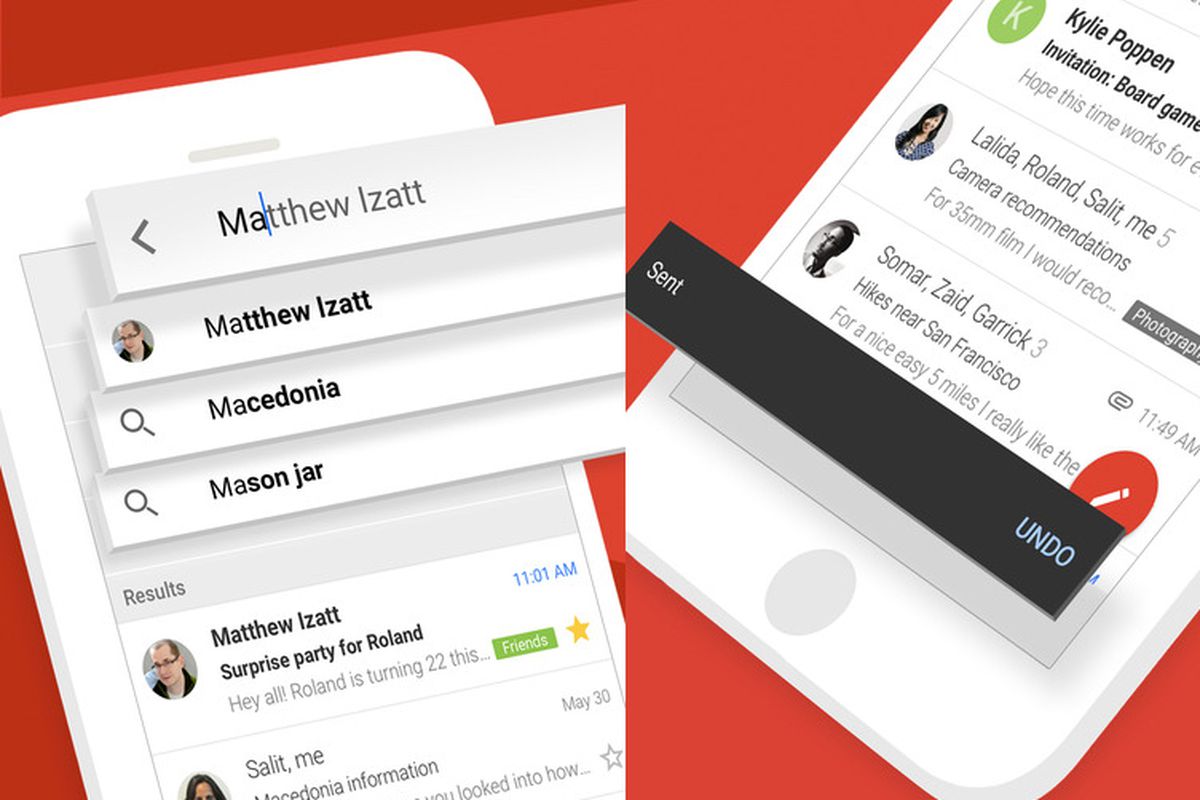
    Google, through the Gmail app, has been working at making it safer and easier for people to communicate via email since 2004. And when it comes to security, Google says that Gmail blocks more than 99.9% of “spam, phishing and malware” from reaching your inbox. Google also lets you know about the data it collects “to provide you with helpful experiences.” And by making auto-delete the default setting this year, it means that Android users won’t have to consciously change the settings to automatically get rid of data that they don’t want to share with others, including advertisers.

    In the coming weeks, Google will add settings to Gmail that will allow users to continue using some smart features such as the automatic filtering that allows emails to be placed in different categories such as primary, social and promotions. Other smart features that users will be able to enable or disable include Smart Compose. The latter suggests what a user might want to write in an email. Summary cards can remain enabled; these show package tracking numbers, travel plans, and more. In addition, information collected from Google that includes Event details can be used to create entries in the user’s calendar. If a user is concerned that he is allowing Google to collect oo much personal data, these smart features can be turned off and disabled. Not to worry though; they can be turned back on in Gmail.

    Other controls will allow a user to personalize Google products with data from Chat, Meet, and Gmail. In other words, Google products like Assistant, Travel, and Maps can use personal data gathered from Chat, Meet, and Gmail to improve the experience of using those products. For example, users can get reminders about the bills they owe via Google Assistant, Google Maps will show restaurant reservations, itineraries can be bundled in Travel, and loyalty cards and tickets can be used quickly with GPay. Users can also choose to disable the above features while using limited versions of other Google products.

    Google is trying to continue offering useful features that improve the experience and ease of using Gmail and other Google products. At the same time, the company is giving users the ability to prevent too much personal data from getting into the wrong hands.

  • Google Maps Street View might soon allow users to upload their own photos of places and streets

    Google Maps Street View might soon allow users to upload their own photos of places and streets

    Google Maps is now one of the most popular navigation and exploration tools, and a new feature coming to its Google Street View might soon allow people to upload photos to make sure hardly reachable areas of streets or cities can be visible in Google Street View. The feature to upload images will be present in the standalone app Google Street View, which will allow you to use your smartphone to contribute to Google Maps.

    In the beginning, in order to be able to place you on a street in Google Maps, Google had cars that went about with big 360-degree cameras that took photos of the streets. This later helps anyone who needs more precise navigation or to get a feel of the streets in Google Maps and Google Street View to virtually place themselves in the middle of the street and look around.

    Now, to further this capability and make previous unavailable-for-visualization places accessible, Google’s Street View will have a feature that can use your smartphone to take photos of the place as you drive. Reddit user -J-G- spotted the feature in Google Street View Driving mode. Additionally, Google might need to use some image processing and software to merge the photos together for a 360-angle view.

    As expected, the app will blur faces and vehicle plates, protecting the privacy of everyone while at the same time providing more images and visualization to Google Street View in places unreachable for Google alone.

  • Update rolling out now adds useful new feature to Google Messages app

    Update rolling out now adds useful new feature to Google Messages app

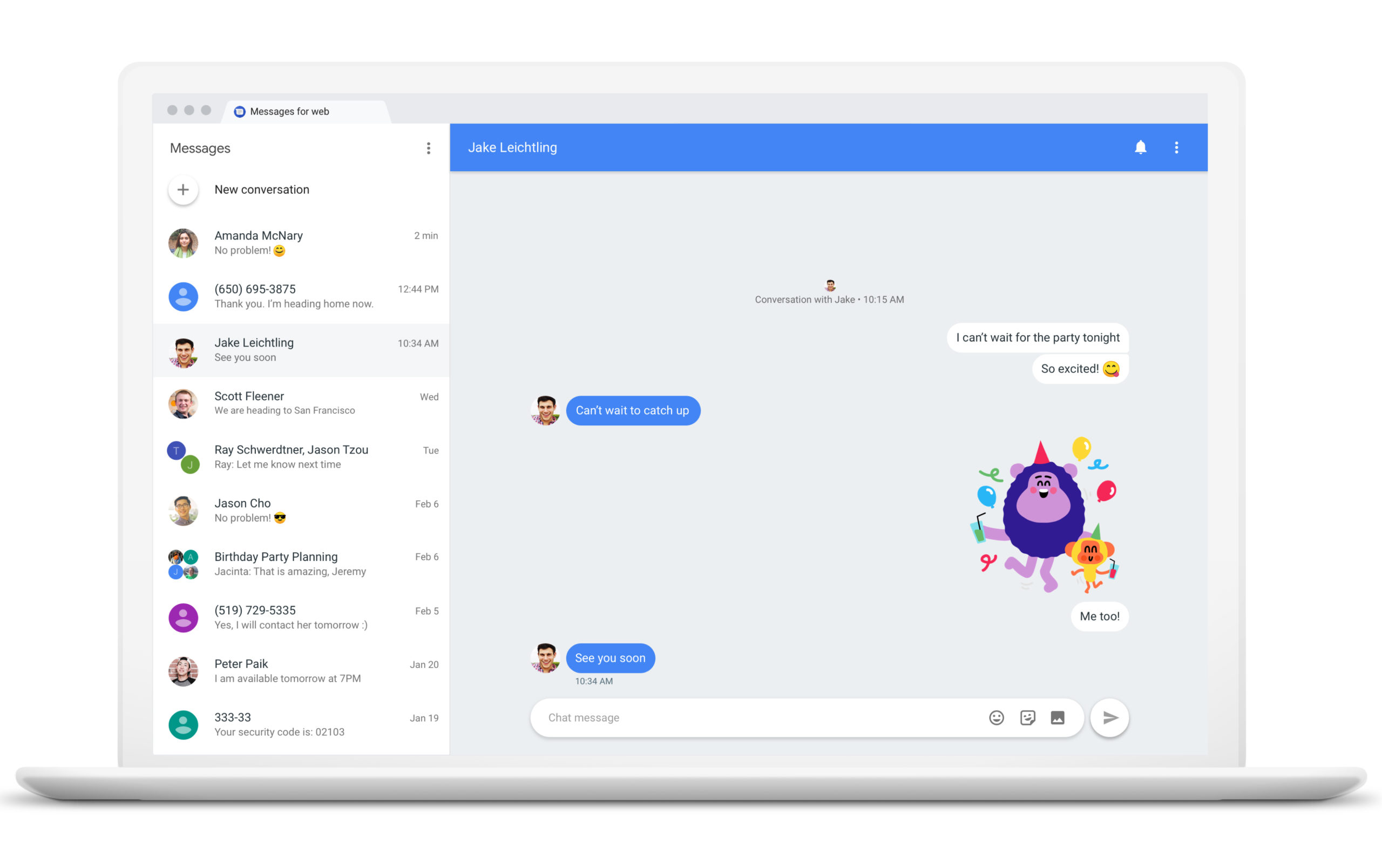
    Google has started rolling out an update for the Google Messages app that might make it faster to find certain messages. The update adds a new feature that places SMS messages into one of five different categories: personal, transactions, OTP (one-time passwords), offers, and more. The feature can be enabled or disabled through the use of a toggle switch found in the Google Messages app settings.

    If your Google Messages app has been updated, you will see the different categories just below the app’s search bar on the top part of the UI. If you’re not happy with the category that a certain message has been assigned to, you will have the opportunity to do so and even share the message with Google. This will help similar messages get categorized correctly in the future.

    Google has been beefing up the Messages app allowing it to work with many of the features available with Rich Communication Services (RCS). This means that messages are sent through data networks instead of a carrier’s cellular network allowing messages to be sent over Wi-Fi. At the same time, users can fill each message with as many as 8,000 characters instead of the previous limit of 160. And Android device owners will get a read receipt to confirm that their messages have indeed been read.

    Google starts to roll out a new feature that places SMS messages in different categories.

    Not all Android users have received the update. It appears to be disseminated to Android users via a server-side update so just keep your eyes peeled.