Tag: Google

  • Chrome for Android, iOS, adds important summarization feature

    Chrome for Android, iOS, adds important summarization feature

    Have you ever found yourself struggling to comprehend the content of some webpages? For those using Chrome Browser for Android, a new tool might solve this problem. This feature, powered by artificial intelligence (AI), is set to enhance your browsing experience on Google’s browser – courtesy of Gemini.

    Introducing the Gemini Overlay with a Summarize Feature

    The Gemini overlay is available on the stable versions of Android 16 as well as the latest Android 16 QPR2 Beta 2 update. It kicks off with an intuitive prompt that allows you to input a question for Gemini to address. Following this, you will find the “ask about page” option. This feature enables Gemini to clarify or elaborate on a section of the webpage you’re currently viewing. You can also utilize this button to request Gemini to compare two specific items featured on the webpage. Lastly, the overlay comes equipped with a Summarize button that generates a brief synopsis of the webpage displayed on your screen.

    If you have the Gemini app installed on your Pixel device, initiating a long press on the power button should activate the Gemini overlay.

    How to Use the New Summarize Feature

    To make use of this feature, launch Chrome Browser on your Pixel phone and visit a website. Hold down the power button to bring up the Gemini Overlay. Tapping on the Summarize button will provide a concise summary of the webpage content on your screen. This feature can be utilized not only when reading a story on Chrome or viewing a Chrome custom tab like Discover, but it can also summarize Search results and stories read on the Google News app.

    Above the Summarize button, you’ll find the “Share screen with Live” option. Tapping on this, Gemini Live can view and interpret the content displayed on your phone’s screen, transforming Gemini into a powerful visual assistant. Whether you’re looking at a shopping app or directions on the screen, Gemini can provide additional information or help you comprehend complicated instructions.

    The Summarize button is accessible on both Android and iOS platforms. For iOS users, you can access this feature by opening the Chrome app and navigating to a website. Tap on the icon that looks like a stack of paper with text on it and a “+” sign, located on the left side of the Chrome address bar. A “Page tools” pop-up will appear from the bottom of your screen, offering two options: “Search screen” and “Ask Gemini”. Choose the “Ask Gemini” option, which will bring up the Gemini overlay. Click on the Summarize button to view a summary of the displayed content.

    Utilizing Gemini as Your Digital Assistant

    In order to take advantage of this feature, you should have the Gemini app installed on your device. Android phone users can install the app from the Play Store, while iPhone users can download it from the App Store.

    If you’re a Pixel user looking for more comprehensive responses to your queries, you might consider using Gemini as a replacement for Google Assistant. You can do so by opening the Gemini app, clicking on the profile icon in the upper right, and navigating to Settings > Digital assistants from Google. Here, you can choose between Gemini and Google Assistant.

    Questions & Answers

    What is the Gemini overlay?
    The Gemini overlay is a feature on Google’s Chrome browser that uses AI to help users better understand webpage content.

    How can I use the Summarize feature on my Android device?
    To use the Summarize feature, open a website using the Chrome Browser on your Android device. Long-press the power button to bring up the Gemini Overlay, then tap on the Summarize button to get a concise summary of the webpage content.

    Can I use Gemini as a replacement for Google Assistant?
    Yes, if you’re looking for more comprehensive responses to your queries, you might consider using Gemini as a replacement for Google Assistant. This can be done via the settings in the Gemini app.
  • Google’s Gemini Vs Google Assistant: Exploring The Hotword Controversy On Pixel Phones

    Google’s Gemini Vs Google Assistant: Exploring The Hotword Controversy On Pixel Phones

    A loyal consumer recently expressed curiosity regarding Google’s decision to replace Google Assistant with Gemini, the new AI model, on Pixel phones. The user queried the need to continue using “Hey Google” as the activation hotword, despite the shift to Gemini. The question arises as even after replacing Google Assistant with Gemini, the hotword remains the same, causing some confusion among users.

    Exploring the “Hey Gemini” Hotword Debate

    The suggestion of a hotword change to “Hey Gemini” appears to be a reasonable request as it is more syllable-friendly in comparison to its predecessor. Even though it has more syllables (four) than “Hey Google” (three), users may find it easier to pronounce, eliminating the tongue-twister effect some experience with Google. This alteration could also minimize the cognitive dissonance created when activating Gemini but having to say “Hey Google.”

    Understanding the Current Assistant Activation

    For clarity, if you have set Gemini as your assistant on your Pixel, saying “Hey Google” will activate Gemini. Similarly, if you have the Google Assistant set, using the same hotword will activate Google Assistant. Switching between the two can be done through the Settings > Apps > Assistant pathway, followed by selecting your preferred digital assistant. Regardless of the choice made, the activation hotword remains as “Hey Google.”

    Alternate Activation Methods

    A potential solution to bypass the hotword confusion is the Quick Tap feature. This function allows users to activate their chosen assistant by double-tapping the back of the phone. To use this feature, one must navigate to Settings > System > Gestures > Quick Tap and activate the “Access your digital assistant” option. This way, users can avoid using the power button or saying “Hey Google” to activate their assistant.

    Disabling Power Button Activation

    If users find long-pressing the power button bothersome or confusing, this shortcut can be deactivated. This can be done through Settings > System > Gestures, with the Press & Hold power button toggled off. Users can then opt for a long press of the power button to open either the Power menu or the Digital assistant. The sensitivity of the long press can also be adjusted according to user preference.

    Impact of Google’s Shift to Gemini

    Regardless of the available activation techniques, the optimal way to access either Gemini or Google Assistant is no longer present on Pixel phones. Earlier models, such as the Pixel 2, featured an Active Edge function, which allowed users to squeeze the sides of their phone to activate Google Assistant. However, this feature was removed on later models, starting with the Pixel 5.

    The current debate emphasizes the need for Google to consider a hotword change for Gemini, perhaps to “Hey Gemini” or simply “Gemini.” As Google continues to substitute Google Assistant with Gemini on Android, this is likely to happen. Users are encouraged to make the switch to Gemini on their Pixel for a more seamless experience.

    Questions & Answers

    1. Why do users still have to say “Hey Google” to activate Gemini?
    This is due to Google not yet implementing a hotword change following the shift from Google Assistant to Gemini.

    2. What is the Quick Tap feature on Pixel phones?
    Quick Tap is a feature on Pixel phones that lets users double tap the back of their device to activate their digital assistant, bypassing the need to say the hotword.

    3. What was the Active Edge feature on previous Pixel models?
    The Active Edge feature allowed users to squeeze the sides of their Pixel phone to call up Google Assistant. However, this function was removed in later models, starting with the Pixel 5.

  • New features make the Google Translate app more useful and easier to use

    New features make the Google Translate app more useful and easier to use

    Google Translate, as per the company’s claim, processes a staggering one trillion words every month. Due to the sheer volume and diversity of languages and words, inaccuracies in translation are inevitable. However, Google is testing a new feature for its Google Translate app that could provide more transparency and functionality in its translation process.

    New Features for Google Translate

    Google Translate is experimenting with two new buttons named “Understand” and “Ask,” replacing the existing “Ask A Follow-up” feature that currently doesn’t exist in the iOS version of the app.

    The “Understand” button aims to shed light on the rationale behind a given translation, offering context and insight about the translated text. This information includes in-depth grammar explanations that delve into sentence structure, explanations of word sense and idioms used in translation, and cultural notes highlighting how cultural nuances such as politeness levels or gender influences have factored into the translation.

    The “Ask” button, on the other hand, empowers users to request AI assistance for a customized or improved translation. Users can request a translation with a specific tone – formal, casual, or simplified, alternative translations, regional variants of the translation, or usage of a particular phrase or word in a sentence. These AI-powered buttons are still considered experimental, though.

    Enhancing Accessibility

    Google is also testing another feature in its Android app that displays translated text in a larger font size, improving accessibility for users with less than perfect vision. This larger font is also visible in the full-screen mode of the app.

    This feature is already available in the iOS version of Google Translate and is expected to arrive on the Android version soon.

    Transforming Language Learning

    Google Translate is expanding its horizons beyond basic language translation, according to product manager Matt Sheets. He added that users can now “listen and speak with confidence on the topics you care about.” These statements align with Google’s earlier announcement that Google Translate would become more educational, offering language-learning features similar to Duolingo.

    In the app, a “Practice” button at the bottom right of the display allows users to select English, Spanish, French, or Portuguese to learn either Spanish or French. Users can also pick their current proficiency level in the language they wish to learn, with options for Basic, Intermediate, or Advanced.

    Questions & Answers

    What are the new features being tested in the Google Translate app?
    Google is experimenting with two new buttons, “Understand” and “Ask,” which aim to provide the reasoning behind a translation and allow users to request a customized translation, respectively.

    What is the purpose of the larger font size being tested in Google Translate for Android?
    The larger font size is designed to improve accessibility for users with less than perfect vision, making it easier for them to see the translation.

    What language learning features does Google Translate offer?
    Google Translate offers a “Practice” feature where users can choose to learn Spanish or French in English, Spanish, French, or Portuguese. They can also select their current proficiency level in the language they’re learning.

  • Gemini Vulnerabilities Could Compromise User Data: What Shoppers Need to Know

    Gemini Vulnerabilities Could Compromise User Data: What Shoppers Need to Know

    Recent research has drawn attention to significant vulnerabilities within Google’s Gemini AI suite, raising alarms over potential manipulations that might allow attackers to extract sensitive user information without detection.

    Unpacking the Vulnerabilities

    Among the risky features affected are Gemini Cloud Assist, Gemini Search Personalisation Model, and Gemini’s Browsing Tool. According to Tenable Research, which disclosed these vulnerabilities, Google has since addressed the issues, assuring that end users need not take any actions.

    The first concern lies within the Gemini Cloud Assist framework, where attackers could exploit the system by injecting poisoned log entries that might then be interpreted as legitimate commands. This flaw creates an opportunity for malicious actors to manipulate Gemini’s responses or gain unauthorized access to cloud resources.

    Turning to the Gemini Search Personalisation Model, attackers had the ability to manipulate a user’s Chrome search history, causing Gemini to accept these manipulated queries as faithful inputs. As a result, saved data, including sensitive location details, could be inadvertently exposed.

    The third vulnerability, rooted in the Gemini Browsing Tool, concerns the tool’s propensity to unintentionally dispatch hidden outbound requests embedded with private information to servers controlled by attackers. Quite the sleight of hand for tech’s new magic show, wouldn’t you say?

    Understanding the Infiltration and Exfiltration Vectors

    Tenable’s findings reveal that even the most mundane features of Gemini could become entry points for attackers, presenting a stark reminder of the dual nature of advanced technologies. “Gemini thrives on pulling context from logs, searches, and browsing activities. However, this same strength can turn into a vulnerability if attackers poison those inputs,” explained Liv Matan, a senior security researcher at Tenable.

    The potential for infiltration can occur through subtle prompt injection methods, where harmful content is seamlessly integrated into Gemini’s operational context. Tactics such as log poisoning—where nefarious entries are introduced into cloud logs—alongside manipulation of Chrome search history, illustrate how attackers might exploit the system before launching their malicious agenda.

    Once embedded, these malicious prompts can allow attackers to navigate around existing Google defenses, using the browsing tool to extract information covertly. While Google has implemented safeguards like link redirection and markdown filtering, Tenable suggests that some functional blind spots remain, creating avenues for exploitation.

    Security Recommendations for Businesses

    For organizations leveraging AI systems like Gemini, the message is clear: treat these AI-powered applications as active targets rather than mere functional tools. Security teams are encouraged to conduct routine audits of logs, search histories, and third-party integrations to detect any signs of manipulation.

    Monitoring unusual outbound requests is crucial, as such activity can signal attempts at data exfiltration. Additionally, businesses should evaluate the resilience of their AI services against prompt injection techniques and employ a tiered defense strategy. This proactive approach is essential, as securing AI isn’t just about patching vulnerabilities—it’s about recognizing the multifaceted attack vectors that could arise in this rapidly evolving digital landscape.

    Questions & Answers

    What specific vulnerabilities were uncovered in Google’s Gemini AI suite?
    The vulnerabilities included issues within Gemini Cloud Assist, the Search Personalisation Model, and the Browsing Tool, allowing for the injection of malicious log entries and manipulation of user data.

    How can enterprises safeguard against these vulnerabilities?
    Companies should treat AI features as active attack surfaces by performing regular audits on logs and search histories, monitoring for unusual outbound requests, and testing their resilience against prompt injection.

    What are the implications of treating AI systems as potential attack vectors?
    Recognizing AI systems as potential targets ensures that organizations adopt a proactive security strategy, anticipating new methods of exploitation rather than merely responding to isolated vulnerabilities.

  • Google’s Ai Age Verification Expands, Sparking Privacy Concerns

    Google’s Ai Age Verification Expands, Sparking Privacy Concerns

    Google expanded its AI verification tool for YouTube users in August to a select few accounts. Recently, the tech giant has started to implement this AI age verification to an increasing number of accounts.

    Google Enforces Age Verification for More Users

    In February, Google declared its intention to trial an AI tool designed to ascertain if YouTube users were under the age of 18. Initially, this tool was intended for a “small group” of users, but the company subsequently announced plans to roll it out more broadly. It appears the time for wider implementation has arrived, as YouTube users with restricted accounts have been congregating on the r/youtube subreddit to voice their objections to being asked to verify their age.

    Subreddit users have posted screenshots of a pop-up alert that appears overlaid on videos on mobile and tablet apps, and the web version of YouTube. The alert informs users that certain account settings have been modified and provides an option for age verification.

    Google’s AI Guesses User Ages

    In a support article, Google clarified that the AI-fueled system employs different signals to assess if a user is younger than 18. Some of the factors the system takes into account include the user’s activity and the duration of the account. Interestingly, some users have reported that the pop-up alert has appeared on accounts older than 18.

    If the AI determines an account is being used by someone under the age of 18, YouTube enforces various restrictions, including blocking access to age-restricted videos, adjusting video recommendations, and only serving non-personalized ads.

    Google states that users have the option to verify their age if the AI’s age estimate is incorrect. Verification methods include producing a government ID or selfie or using a credit card. Currently, users in the US, UK, Australia, and Canada are impacted, but it is expected that Google will expand the system’s coverage to other countries.

    The Privacy Debate

    Most people, particularly those under 18, know how simple it is to create an online account and falsify their age. While children may disagree, there’s a valid reason to limit their access to various online content, including some potentially distressing videos on YouTube. For this reason, the concept of utilizing an AI system to estimate if an account is being used by a child can be seen as a positive move.

    However, online age verification is a controversial topic from a privacy perspective. Anonymity was a fundamental aspect of the early web, but it’s now increasingly challenging to keep one’s real identity separate from their online persona. This is just one of several reasons why individuals may have reservations about sharing their ID with Google or other major tech companies.

    Questions & Answers

    What is the purpose of Google’s new AI tool for YouTube?
    Google’s AI tool was designed to identify whether YouTube users are under the age of 18 and impose appropriate restrictions to protect minors from harmful or inappropriate content.

    How does Google’s AI tool verify a user’s age?
    The tool uses various signals such as user activity and account longevity to determine an estimated age. If the AI’s guess is incorrect, users can verify their age using a government ID, a selfie, or a credit card.

    Does the introduction of this AI tool pose a privacy concern for users?
    Online age verification is a contentious issue from a privacy perspective. It’s becoming increasingly challenging to maintain online anonymity, meaning the requirement to share identification with tech giants like Google is a cause for concern for some users.

  • Google Play Store’s Major Overhaul: New Personalized Hub With Game-changing Features For Gamers

    Google Play Store’s Major Overhaul: New Personalized Hub With Game-changing Features For Gamers

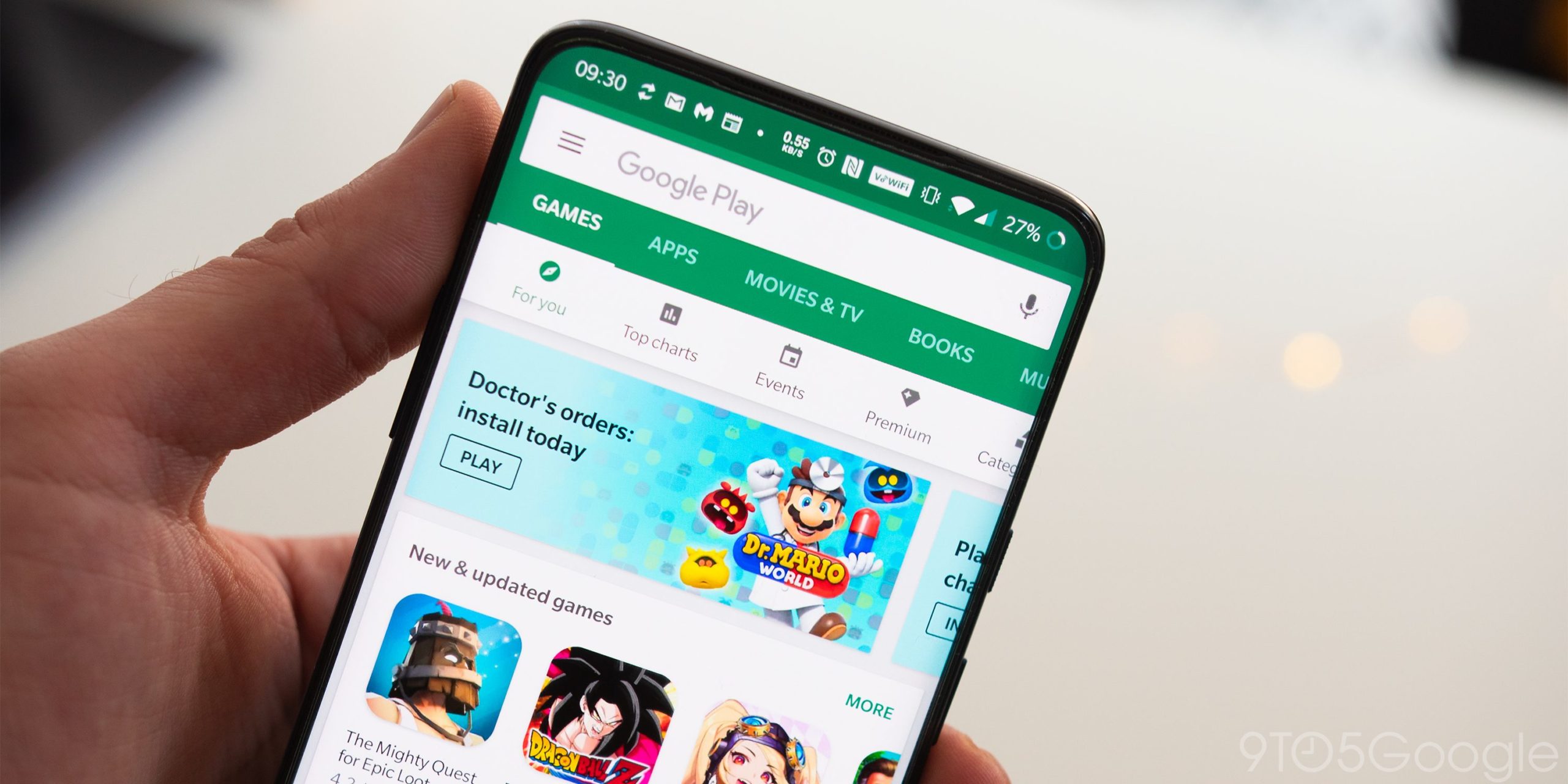
    Google Play Store is undergoing a significant update that will reimagine the platform not just as a place for app downloads, but as a personalized hub for all your content. The update will feature a new “You” tab and a “Sidekick” for gamers.

    What’s New?

    The revamp of Google Play Store features several key updates focusing on personalization and gaming. The update aims to present content without users having to seek it out.

    The primary “Apps” tab is becoming more intelligent. It will feature new sections curated for seasonal topics, visually spotlighting events such as the WNBA playoffs or Halloween, with content aggregated from various apps. The new “Guided Search” will allow users to type in a goal like “find a home,” and AI will categorize relevant apps into useful groups.

    Game-Changing Features for Gamers

    The most substantial transformations are intended for gamers. Google is creating a unified gaming platform embedded within the Play Store. The gaming platform will feature a new gamer profile that tracks stats and achievements across all your games, both mobile and PC. Users can customize these profiles with a Gen-created avatar. A new feature called “Play Games Leagues” will allow users to compete against others in games like Subway Surfers for Play Points rewards.

    The most noticeable addition is the “Play Games Sidekick.” This in-game overlay gives users access to Gemini Live using screen sharing. The feature offers verbal tips and walkthroughs without the need to exit the app.

    The “You” Tab

    All these features culminate in a brand new “You” tab. This personalized home base combines your gaming profile, rewards, and subscriptions with custom recommendations for things like audiobooks and podcasts. It allows users to quickly resume previous activities.

    Questions & Answers

    What is the new “You” tab on Google Play Store?
    The “You” tab is a personalized home base that integrates your gaming profile, rewards, and subscriptions with tailored recommendations, allowing users to resume their previous activities quickly.

    What is the “Play Games Sidekick” feature?
    The “Play Games Sidekick” is an in-game overlay that gives users access to Gemini Live using screen sharing. It provides verbal tips and walkthroughs without the need to exit the app.

    What is the purpose of the Google Play Store update?
    The update aims to transform the Google Play Store into a personalized hub for all user content, with a particular focus on enhancing the gaming experience.

  • Google Enhances Circle To Search Feature, Offering Continuous Translation Even While Scrolling

    Google Enhances Circle To Search Feature, Offering Continuous Translation Even While Scrolling

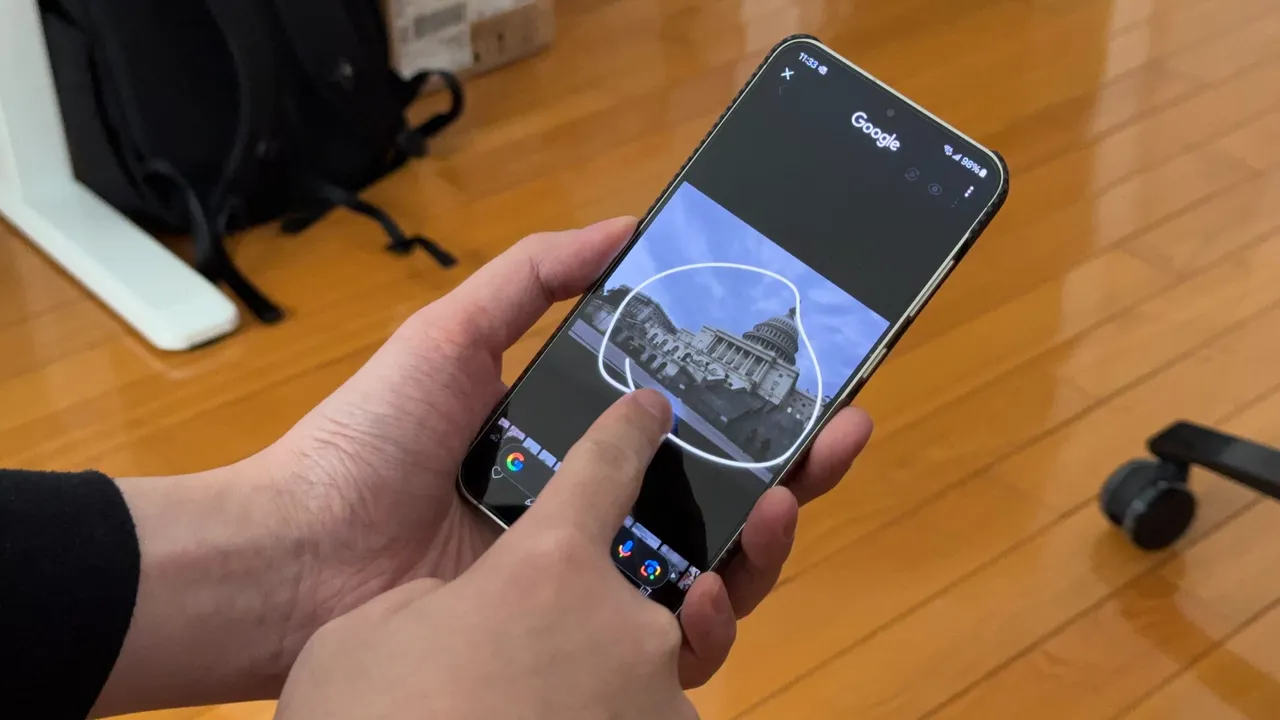
    Circle to Search, a highly favored feature among Android users, offers a user-friendly interface for knowledge acquisition. By simply long-pressing the navigation bar, users can initiate a Google Search pop-up from the bottom of their screens. Upon seeing the pop-up, users can circle an item on the screen to generate search results.

    Improvements in Translation

    Google has recently revealed enhancements in the translation functionality of Circle to Search. The feature, which is among the most frequently used in Circle to Search, enables users to translate words while scrolling. However, translating a lengthy page could be frustrating, requiring users to repetitively restart the process each time they scroll down for further content.

    The team at Google has proposed a solution, allowing users to translate content without interruption while scrolling. By simply long-pressing the navigation bar and clicking on the Translate icon, users can select the “scroll and translate” option. This feature ensures that the translation process continues, even when switching between different applications.

    Rolling Out Updates

    Plans for disseminating these updates on Android devices are underway and will commence with select Samsung Galaxy models. The new feature facilitates seamless translation of content, such as menus, eliminating the need to reset the translation function between various sections.

    Circle to Search was originally launched on Google Pixel 8, Google Pixel 8 Pro, and the Samsung Galaxy S24 series in January 2024. Since then, Google has introduced new features to Circle to Search, including a song recognition feature and a tool for translating an entire webpage.

    Questions & Answers

    What is Google’s Circle to Search?
    Google’s Circle to Search is a feature for Android users that allows them to quickly search for items on their screen by drawing a circle around them.

    What is Google’s recent update for Circle to Search?
    Google has improved the translation feature in Circle to Search. It now allows continuous translation while scrolling, even when switching applications.

    Which devices support Circle to Search?
    Circle to Search was first launched on Google Pixel 8, Google Pixel 8 Pro, and Samsung Galaxy S24 series. The feature’s updates will initially roll out on select Samsung Galaxy handsets.

  • Revolution In Audio Broadcasting: Expanding Auracast’s Compatibility And Real-world Applications

    Revolution In Audio Broadcasting: Expanding Auracast’s Compatibility And Real-world Applications

    In March, we introduced our readers to a Bluetooth technology known as Auracast. This innovative feature, designed for Bluetooth Low Energy (LE), empowers a singular audio source, such as a phone, to transmit a high-quality audio stream to a limitless number of Bluetooth receivers in proximity. Instead of the traditional one-to-one Bluetooth connection (e.g., your smartphone to a pair of Bluetooth earbuds), Auracast transforms your device into a broadcasting station capable of delivering a one-to-many signal.

    Auracast Support for Hearing Aids

    Six months ago, Google initiated support for hearing aids using Auracast with the release of the Pixel 9 series. This support featured several preset settings tailored to assist those who have hearing problems. Recently, Google expanded this list to include Sony headphones among the hearing aids and earbuds compatible with Auracast. Other notable inclusions in this list are the JBL Tour One M3, the Samsung Galaxy Buds 3 Pro, and the Sennheiser Accentum True Wireless.

    Phones with Auracast Capability

    Among the smartphones equipped with the ability to utilise Auracast for audio broadcasting are the Google Pixel 8 and later models, the Samsung Galaxy S23, S24, and S25 series, and the Galaxy Z Fold 5, Z Fold 6, and Z Fold 7. Certain Xiaomi and Poco phones unavailable via U.S. carriers are also outfitted with Auracast support.

    Practical Applications of Auracast

    Auracast proves to be particularly useful in public places, such as airports and train stations, where public announcements are common. It also offers a solution for shared listening experiences, like when you want a nearby friend to hear a song you’re enjoying. Instead of sharing an earbud, a practice some might find unsanitary, Auracast lets you transmit the song directly to your friend’s headphones, earbuds, or even a compatible hearing aid.

    Users can also share their audio with members of a nearby group equipped with compatible Bluetooth devices. Simply scanning a QR code or tapping their phone using Google’s Fast Pair allows these group members to tune into the broadcast.

    At present, this feature is available only on certain phone models and Bluetooth-enabled audio devices.

    Questions & Answers

    What is Auracast?
    Auracast is a feature for Bluetooth Low Energy (LE) that allows a single audio source to broadcast a high-quality audio stream to an unlimited number of Bluetooth receivers nearby.

    Which phones are compatible with Auracast?
    Phones that are compatible with Auracast include the Google Pixel 8 and later models, the Samsung Galaxy S23, S24, and S25 series, and the Galaxy Z Fold 5, Z Fold 6, and Z Fold 7. Certain Xiaomi and Poco phones also support Auracast.

    Where could Auracast be useful?
    Auracast could be particularly useful in public places like airports and train stations, where public announcements are common. It’s also handy for shared listening experiences, allowing you to broadcast a song you’re listening to a friend’s headphones, earbuds, or even a compatible hearing aid.

  • Google Unveils Enhanced Image Editor For Google Photos: A Closer Look At User-friendly Features

    Google Unveils Enhanced Image Editor For Google Photos: A Closer Look At User-friendly Features

    Google has just released a revamped image editor for its Google Photos application on Android. This newly designed feature, which users might find more user-friendly, can be accessed by selecting a photo from your Google Photos gallery and then hitting the Edit option located on the bottom bar of the screen.

    On the lowest part of the screen, a carousel featuring six options is now available: Auto, Actions, Markup, Filters, Lighting, and Color. Each of these options opens up a variety of editing tools that you can utilize to perfect your image.

    Further Editing Options

    Additional editing tools are available above the image preview. Here, you’ll find icons such as Auto frame, a dropdown menu with various aspect ratio choices, an icon to flip the photo, and another to rotate the image. The top left corner of the screen houses the exit button, labeled “X”, while on the right, there’s a Save button and a three-dot icon that opens a pop-up, which can be used to provide feedback to Google.

    Interactive Image Manipulation

    Once a photo is selected for editing, users can tap, brush, or draw a circle around any portion of the image they wish to edit. This action prompts a menu to appear, presenting all the relevant editing options you have at your disposal.

    For instance, after enclosing a squirrel in a photo with a circle, I was provided with options to Erase the squirrel, Move it to a different location within the photo, or use AI to Reimagine the image. After opting for the last choice and indicating my desire for the squirrel to be holding a baseball cap and wearing a hat, the software generated the requested image.

    Availability of the Feature

    This feature is currently being deployed on version 7.44 of the Google Photos app for Android, following a server-side update initiated by Google. If you haven’t received it yet, you can manually update by navigating to Settings > Apps > See all apps and scrolling to Photos. Tap on Photos, and when you see the App info page, press on Force stop.

    Questions & Answers

    What are the new editing options available on the Google Photos app?
    The redesigned Google Photos app offers a variety of editing tools including Auto, Actions, Markup, Filters, Lighting, and Color.

    How can users manipulate a specific part of an image?
    Users can tap, brush, or draw a circle around the part of the photo they wish to edit, prompting a menu with relevant editing options to appear.

    How can users access the redesigned image editor if it hasn’t automatically updated?
    Users can manually update by navigating to Settings > Apps > See all apps and scrolling to Photos. After tapping on Photos, they can press Force stop on the App info page.

  • Google Maps’ New Landmark Integration: A Step Forward, Yet ‘open Now’ Filter Lacks On Active Routes

    Google Maps’ New Landmark Integration: A Step Forward, Yet ‘open Now’ Filter Lacks On Active Routes

    Google Maps, the popular navigational app, continues to evolve, recently following the lead of Apple Maps by integrating landmarks such as traffic lights and stop signals into its directional commands. Previously only providing distance-based directions like “turn left in a quarter of a mile,” the app now incorporates more specific and intuitive landmarks. For example, it may instruct users to “make a left turn at the next stop sign or the second traffic light.”

    Serving Beyond Navigation

    Google Maps proves useful beyond mere navigation. Once users reach their destination, the app can assist in locating amenities like restaurants, accommodations, entertainment venues, gas stations and more. However, not all of its features have been well received. Recently, some Reddit users voiced their annoyance with a particular search filter in Google Maps.

    Currently, the app offers a “Open now” filter when users search for specific places like “UPS near me.” This convenient feature allows users to see only results for locations that are currently open. But, the problem arises when users are already on an active route and want to add a stop. In these instances, there is no way to access and apply the “Open now” filter.

    Driving to Closed Locations

    Imagine this scenario: You’re driving and suddenly realize you could use a coffee pick-me-up. You recall a coffee shop en route to your destination and decide to add it as a stop, even though it may extend your travel time slightly. Upon arrival, you find the shop dark and the doors locked. The sign in the window tells you it closed an hour ago, well before you added the address to your app.

    The challenge lies in the fact that while a search result in Google Maps typically displays the hours of operation, this crucial information can be easily overlooked or blurred by the pressure of real-time navigation. As a result, users may find themselves unknowingly navigating to closed locations.

    Questions & Answers

    Why is the “Open now” filter feature not available while on an active route in Google Maps?
    As it stands, Google Maps does not currently offer the feature to filter for locations that are “Open now” while the user is on an active route. This limitation could be due to technical challenges or simply an oversight in user experience design.

    What happens when you add a stop to your active route in Google Maps?
    When you add a stop to your active route in Google Maps, the app updates your route to include the new destination. However, it does not currently provide you with the option to filter for locations that are “Open now.”

    What is the potential solution to this issue?
    A possible solution to this problem could be for Google Maps to make the “Open now” filter available and activated by default when users are on an active route. This would prevent users from inadvertently driving to closed locations and improve overall user experience.

  • Google Enhances Virtual Try-On Tool with Exciting New AI Features for Shoppers

    Google Enhances Virtual Try-On Tool with Exciting New AI Features for Shoppers

    Amid a landscape of rapidly changing consumer preferences, the Asia-Pacific region continues to lead the way in retail innovation. From bustling markets in Bangkok to sleek showrooms in Tokyo, retailers are adapting to ensure they meet the evolving demands of shoppers who are increasingly drawn to convenience, variety, and experiential shopping.

    Shifting Tides in Consumer Behavior

    As online shopping cements its place in daily life, traditional brick-and-mortar stores are feeling the pressure to reinvent themselves. With a surge in e-commerce, driven by a tech-savvy population eager for instant gratification and seamless service, physical retailers are compelled to enhance the in-store experience. This dynamic is particularly noticeable in countries like China, where the rise of social commerce has changed the shopping landscape overnight. Retailers are increasingly leveraging livestreaming and interactive platforms to engage consumers in real time, encapsulating the adage that if it’s not fun, it’s not selling.

    Technology as a Game Changer

    The integration of technology into retail isn’t merely a trend—it’s a necessity. Augmented reality (AR) and artificial intelligence (AI) are transforming how shoppers interact with products. Innovative retailers are using AR to allow customers to “try before they buy,” enabling virtual fittings for clothing and makeup. Meanwhile, AI is being deployed to analyze shopping data, helping retailers anticipate trends and stock accordingly. The result? A more tailored shopping experience that speaks directly to what consumers want, rather than what retailers predict they might buy.

    The Rise of Sustainability

    Sustainability remains a hot topic in the retail sector, especially among younger consumers who are keen to support environmentally conscious brands. Retailers across Asia are responding with initiatives aimed at reducing waste and embracing ethical sourcing. Brands that can effectively communicate their sustainability practices are not only attracting a loyal customer base but are also setting themselves apart in an increasingly crowded marketplace. It’s all about making sustainability not just a checkbox, but a cornerstone of brand identity—a move that’s both smart and refreshing in an industry often critiqued for its environmental footprint.

    Adapting to Economic Realities

    The economic landscape in Asia is as diverse as its cultures, with each country presenting unique challenges and opportunities. Retailers must navigate fluctuating currencies, varying regulations, and differing consumer sentiments. Cambodia is not just a hidden gem in tourism; it’s emerging as a bright spot for retail investment, attracting international brands eager to tap into a youthful population. Similarly, Southeast Asia’s rising middle class fuels demand for more upscale products, prompting local businesses to upscale their offerings.

    With so much at play, the retail sector in Asia is like a game of chess; those who strategize effectively will be the ones to thrive. Yet, amidst all this growth and change, it’s essential to remember that retail is fundamentally about connection—between brands and consumers, products and experiences.

    As Asia continues to shape the future of retail, one thing is clear: innovation is not just encouraged; it’s a survival instinct.

    Questions & Answers

    How are retailers in Asia adapting to the rise of e-commerce?
    Retailers are enhancing their in-store experiences by integrating technology and leveraging social commerce strategies, such as livestream shopping, to engage consumers more effectively.

    What role does sustainability play in current retail strategies in Asia?
    Sustainability is increasingly central to brand identity, attracting younger consumers who prioritize environmentally conscious practices and ethical sourcing.

    Which countries in Asia are showing promising growth in retail investment?
    Countries like Cambodia are emerging as key markets for retail investment, alongside the rapid growth in demand observed in Southeast Asia due to a rising middle class.

  • Asia’s Retail Revolution: Technology, Sustainability, And Personalization Shape The Future

    Asia’s Retail Revolution: Technology, Sustainability, And Personalization Shape The Future

    In an era marked by rapid change in consumer behavior, Asia’s retail landscape is poised for significant evolution as technology and sustainability become pivotal themes. As retailers across the continent adapt to shifting demands and preferences, those embracing innovation are likely to find the greatest success.

    Innovative Retail Strategies Gain Momentum

    Leading retail giants in Asia are turning their attention to omnichannel strategies that seamlessly blend physical and digital shopping experiences. In countries like China and Japan, this integration is not merely about having an online presence; it’s about creating an ecosystem where customers can interact with brands effortlessly, whether they’re in-store, online, or even on social media platforms.

    One standout example is the growing popularity of live-stream shopping, which allows customers to make purchases in real time as influencers showcase products. This dynamic approach not only engages consumers but also cultivates a sense of community among shoppers. It’s as if a virtual bazaar has sprung up in the palm of everyone’s hand — lively, vibrant, and bustling with activity.

    Sustainability Takes Center Stage

    With environmental concerns escalating, retailers are increasingly emphasizing sustainability. Many are committing to eco-friendly practices, such as reducing packaging waste and sourcing products responsibly. Companies like Uniqlo and Muji are at the forefront of this movement, not only appealing to environmentally-conscious consumers but also setting new industry standards. Their initiatives demonstrate that sustainable practices can align with profitability, debunking the myth that going green is merely an expensive choice.

    Moreover, Asian consumers show a heightened awareness of sustainability issues, often opting to support brands that reflect their values. Retailers are taking note, crafting marketing strategies that highlight their commitment to social responsibility, ultimately fostering loyalty among discerning customers.

    Adapting to Consumer Trends

    Emphasizing personalization is another trend reshaping the retail narrative in Asia. Retailers are utilizing data analytics to tailor shopping experiences that resonate with individual customers. By understanding purchasing behaviors and preferences, brands can deliver targeted promotions and product recommendations, enhancing customer satisfaction.

    This personalized approach not only encourages repeat visits but also transforms shopping into a more curated experience. In a world flooded with choices, shoppers appreciate those who remember their preferences — it’s like a friend recommending a great new book. Suddenly, shopping feels more like an adventure rather than just a task.

    Embracing the Future of Retail

    As we look toward the future, it’s clear that the retail landscape in Asia will continue to evolve. The integration of technology, a strong focus on sustainability, and a commitment to personalization are setting the stage for a new era of retail. For brands willing to innovate and stay ahead of consumer trends, the potential rewards are immense.

    Questions & Answers

    How are retailers in Asia adapting to changing consumer behaviors?
    Retailers are increasingly adopting omnichannel strategies, blending physical and digital shopping experiences, along with utilizing live-stream shopping and personalization to engage contemporary consumers effectively.

    What role does sustainability play in the modern retail landscape?
    Sustainability is becoming a central theme, with many retailers committing to eco-friendly practices. Brands that prioritize sustainability are not only addressing consumer concerns but also gaining loyalty and setting new industry standards.

    How are retailers using technology to enhance the shopping experience?
    Tech is being leveraged for data analytics, allowing retailers to personalize shopping experiences. This means targeted promotions and tailored recommendations, turning shopping into a more personalized journey for consumers.

  • Google Teams Up with Gentle Monster to Unveil Innovative AI-Powered Smart Glasses

    Google Teams Up with Gentle Monster to Unveil Innovative AI-Powered Smart Glasses

    As Asia’s retail landscape continues to evolve, brands are increasingly turning to innovative strategies to capture consumer attention and drive sales. The latest trend highlights international pop-up stores, merging the excitement of limited-time offerings with immersive brand experiences. These transient spaces have been gaining traction across major Asian cities, allowing retailers to experiment with their concepts while maintaining a sense of urgency and exclusivity that consumers find irresistible.

    Pop-Ups Redefining Retail

    The rise of pop-up stores has given retailers a fresh avenue to interact with their target audiences in vibrant and engaging environments. For instance, in bustling urban centers like Tokyo and Shanghai, brands are setting up shop, often accompanied by high-profile collaborations with local artists, chefs, or influencers. This approach not only enhances the customer experience but also generates buzz on social media, drawing in crowds eager to connect with the brands they love.

    Mastering the Art of Engagement

    What makes a successful pop-up? According to experts, it’s all about creating memorable moments. From interactive installations to exclusive product launches, retailers are increasingly focusing on engaging consumers beyond mere transactions. Take, for example, a cosmetics brand that offers personalized consultations alongside complimentary experiences like high-tech skin assessments. These enticing interactions transform passive shoppers into enthusiastic brand advocates, reinforcing the idea that retail is about more than just buying goods—it’s about building relationships.

    The Asian Market’s Unique Pulse

    Asia’s diverse cultural landscape affords a unique opportunity for brands to tailor their pop-up strategies to local preferences. In South Korea, for instance, where trends can shift at the speed of light, brands are quick to adapt, often launching limited-edition items that speak directly to consumer desires. Meanwhile, in Southeast Asia, where street culture thrives, pop-ups are often set against the lively backdrop of local festivals or markets, integrating seamlessly into the community fabric. It’s a bit like a retail tango—where rhythm and location are key to keeping consumers coming back for more.

    A New Era of Sustainability

    Sustainability is another pivotal aspect shaping pop-up strategies in Asia. As consumers become more environmentally conscious, retailers have begun to craft pop-ups that emphasize eco-friendly practices. This includes using reclaimed materials for storefront construction or offering zero-waste products, which not only attract eco-aware shoppers but also reflect a brand’s commitment to social responsibility. In a market where customers increasingly demand transparency, this approach helps forge deeper connections, positioning brands as allies in the sustainability journey.

    Looking Ahead

    As we look to the future, the pop-up phenomenon is set to continually reshape Asia’s retail environment. What started as a temporary solution has morphed into a dynamic strategy essential for brands aiming to stay current and relevant. In a world where consumer loyalty is fragile and attention spans are short, retailers that embrace the thrill of temporary experiences are likely to secure a special place in the hearts—and shopping lists—of savvy Asian consumers.

    Questions & Answers

    What are the key benefits of pop-up shops for retailers?
    Pop-up shops allow retailers to engage consumers in new and exciting ways, create urgency with limited-time experiences, and experiment with different concepts without the long-term commitment of a permanent store.

    How do pop-ups differ across various Asian markets?
    Pop-ups are tailored to reflect local culture and preferences; for example, in South Korea, they often feature limited-edition items due to rapidly changing trends, while in Southeast Asia, they may integrate with local festivities, enhancing community engagement.

    What role does sustainability play in the pop-up trend?
    With a growing emphasis on environmental consciousness, many retailers are using pop-ups to showcase eco-friendly practices, from incorporating sustainable materials in their setups to offering zero-waste products, appealing to a more eco-aware consumer base.

  • Google to improve shopping experience across platforms

    Google to improve shopping experience across platforms

    In its annual Google I/O livestream, Google has just announced a bunch of improvements it is bringing to the search platform (and others), aimed towards improving the experience of both merchants and customers when it comes to shopping online.
    Google introduces the “Shopping Graph,” a newly developed comprehensive dataset, backed by artificial intelligence, to help shoppers find exactly what they are looking for, updated in real time and ensuring products are currently available.
    The Shopping Graph is able to understand and tie together the billions of “products, sellers, brands, reviews and most importantly, the product information and inventory data received from brands and retailers directly.”
    The Shopping Graph will span all of Google’s platforms, connecting and inspiring people with things they may be looking for (whether they be virtual or physical) from what Google claims are over 24 billion listings from merchants online. This means you should be able to find what you are searching for even more easily than before, with Google adding new interactive features for interconnectivity between platforms as well.
    For example, Google Lens has been integrated into Google Photos to make searching for products online easier. Rather than screenshotting an item you are interested in and then forgetting about it, as soon as you snap that screenshot, Google Lens will analyze it, pick out objects within the image, and allow you to instantly search online for them (should you choose to do so).
    Google also teased a new user experience on its YouTube platform, which should be making it simpler to shop for products featured by your favorite YouTube creators. Hopefully this will alleviate the repeated-to-death phrase “links in the description, guys” (links which are sometimes forgotten as well)! Google didn’t us give any more details, other than that the new features are “in pilot.”
    We are also told to expect online shopping research and product comparison to get infinitely easier, with a new widget we’ll be seeing on our Google home page. We all know the hassle of trying to research the heck out of where a particular item is sold for the lowest price (such as the best new smartphone you may want to upgrade to).
    With so many shops and online retailers to review, most of us end up opening a hundred tabs on our browser until we can barely keep track of what’s where.
    Soon, every time you open a new tab, a widget across the center will display the carts across different sites where you’ve shopped the last few weeks. This should let you keep track of desired purchases or items to compare from different sellers much more easily. You can opt to be shown available discounts on your cart icons, as well as having integrated access to the loyalty programs of your favorite stores.
    Once your carts are full, Google will be able to send you notifications when prices of any items drop—only if you opt in, of course. Google has also announced a new collaboration with Shopify to facilitate your shopping experience across all of Google’s platforms: from Google Search to Google Lens, Google Maps, Google Images, and YouTube.
    We’ll keep you updated once we have more details on some of these changes!
  • Google’s litigator cringes in court after witness reveals secret data about its deal with Apple

    Google’s litigator cringes in court after witness reveals secret data about its deal with Apple

    We’ve mentioned more than a few times that the U.S. v. Google antitrust trial has revealed interesting information about Google’s search revenue sharing with Apple and other firms. While there had always been talk of such deals, testimony elicited during the trial drew out more specific details. For example, University of Chicago professor Kevin Murphy was on the witness stand today, and information he said under oath brought out a reaction from Google’s main litigator, John Schmidtlein.

    On the stand, Murphy revealed that Google pays Apple 36% of its revenue from search advertising via the Safari browser. That this data had never been made public before was obvious from Schmidtlein’s reaction when the figure was said in the courtroom. The attorney “visibly” cringed when the percentage was mentioned by the witness.

    Understandably, Google would want to keep that figure secret, not necessarily to prevent the public from knowing this percentage, but to keep it away from other manufacturers like Samsung that might want to renegotiate their own deal with Google if they ever found out how much Apple was receiving. And Google knew this as last week it submitted a filing with the court saying that revealing more information about its deal with Apple “would unreasonably undermine Google’s competitive standing in relation to both competitors and other counterparties.”

    Apple and Google have had a revenue-sharing agreement that predates the iPhone and goes back to 2002. The agreement is considered to be the most important of Google’s deals with hardware manufacturers since it also calls for Google to be the default search engine on the iPhone. However, these deals are being used by the Justice Department as evidence to prove that Google is making these payments to prevent other search engines from becoming the default option on tech devices. And that could be considered anti-competitive.

    If the DOJ does win its case and proves that Google is being anti-competitive in search, it could demand that the company be broken apart into different business units.