Tag: Google

  • WhatsApp’s upcoming AI feature could be your new Google Lens

    WhatsApp’s upcoming AI feature could be your new Google Lens

    While Meta, the parent company of Facebook, Instagram, and WhatsApp, has been rolling back some of its policies lately, the push for AI seems to be going full steam ahead. The company is focused on making it even easier to access Meta AI, its AI-powered assistant, on Android phones.

    With the release of the latest WhatsApp beta for Android 2.25.1.27 update on the Google Play Store, it’s been discovered that WhatsApp is working on adding a widget for easy access to Meta AI

    It looks like, with an upcoming update, one of the most widely used messaging apps will let you access Meta AI right from your Home Screen. This new widget will be totally optional and will appear alongside other widgets WhatsApp offers.

    Just keep in mind that this feature will only be available to accounts that already have access to AI-powered chats. Since Meta AI is still limited to certain regions and users, not everyone will get this widget right off the bat. For example, it’s unavailable in the EU due to local laws and regulations.
    For those who do have access, though, the widget will make it super easy to start a conversation with Meta AI without needing to open WhatsApp or dig through its menus. It’ll be right there on your Home Screen, ready to go.
    With the widget, you’ll be able to ask questions, get help, or chat with Meta AI however you like. It’ll also include a quick shortcut to snap a photo and send it directly to Meta AI. Once that’s done, you’ll be able to ask the AI to edit the image, explain what’s in it, or answer any questions you might have about the photo.

    I think it’s kind of like how Google Lens works, offering more details about what’s in the image. However, WhatsApp’s feature is still in the works and will be rolled out in a future update.

    In other WhatsApp updates, the app could soon introduce a simpler, more streamlined way to create groups and communities. On top of that, it’s also working on a new “Chat with us” feature, which will make getting human support faster through its web app.
  • Google now allows Microsoft Teams messages to be migrated to Google Chat

    Google now allows Microsoft Teams messages to be migrated to Google Chat

    Google announced this week that it’s expanding the ability to migrate messages to Microsoft Teams. Starting today, Google Workspace admins can migrate conversations from channels in Microsoft Teams to spaces in Google Chat.

    In order to migrate data from Microsoft Teams to Google Chat, admins must use the dedicated console. Here are the steps an admin must follow to migrate their organization’s data from Microsoft Teams to Google Chat:

    • First, connect to your Microsoft account.
    • Then, upload a CSV of the teams from where you want to migrate the messages. You can specify the source to destination identity mapping by uploading a CSV of the email ID’s from source to target.
    • Next, you’ll enter the starting date for messages to be migrated from Teams. Then you can begin your data migration.
    • Finally, you’ll complete the migration by making migrated spaces, messages and related conversation data available to Google Workspace users.

    It’s imporant to mention that admins can only migrate data to accounts of existing users with a user license and the Google Chat service turned on.

    Equally important is the fact that the Chat migration tool will not delete or modify existing Google Chat spaces or messages. On top of that, admis can also run a delta migration, which will migrate any messages added to Teams channels since the primary migration (messages already migrated will be skipped).

    As soon as the migration process is complete, admins can export a report that contains detailed information regarding content that skipped, failed or had warnings during the migration.

  • Google Docs users can now use 40 more document templates

    Google Docs users can now use 40 more document templates

    Google Docs grows and grows: the Big G has introduced a refreshed library of templates, featuring 40 new designs.

    The rollout of these templates began on December 10, 2024, and will be accessible to Google Workspace customers, Workspace Individual Subscribers, and users with personal Google accounts.

    The new collection focuses on improving both the visual appeal and functionality of documents. Designed to be pageless, these templates come with features like document tabs for better organization, placeholder chips that streamline data entry, and building blocks with pre-set layouts and styles to give documents a polished and premium look.

    Users can find these templates by selecting the “Templates” button in a new document or navigating to File > New > From template gallery in an existing one.

    A wide range of use cases is covered by the templates, from blog posts and press releases to business proposals and journals.

    Business users are taken care of as well: they can take advantage of templates for project roadmaps, marketing plans, and sales emails, while HR teams are offered options like interview guides, onboarding guides, and training manuals.

    Recently, Google Slides also got decorated with a new collection of cool templates to help users create presentations quickly and effectively. This new collection has sales pitches, product roadmaps, and strategic plans for business users. Education-focused options include lesson plans, book reports, and project reports. Additionally, templates for milestone celebrations, workshops, and team games are designed to enhance collaboration. Pretty versatile!

    I guess templates help users save time by eliminating the need to start documents from scratch, but… probably many people are just asking various AI clients to provide the

  • Google Messages update will make you wish it’s the last of its kind

    Google Messages update will make you wish it’s the last of its kind

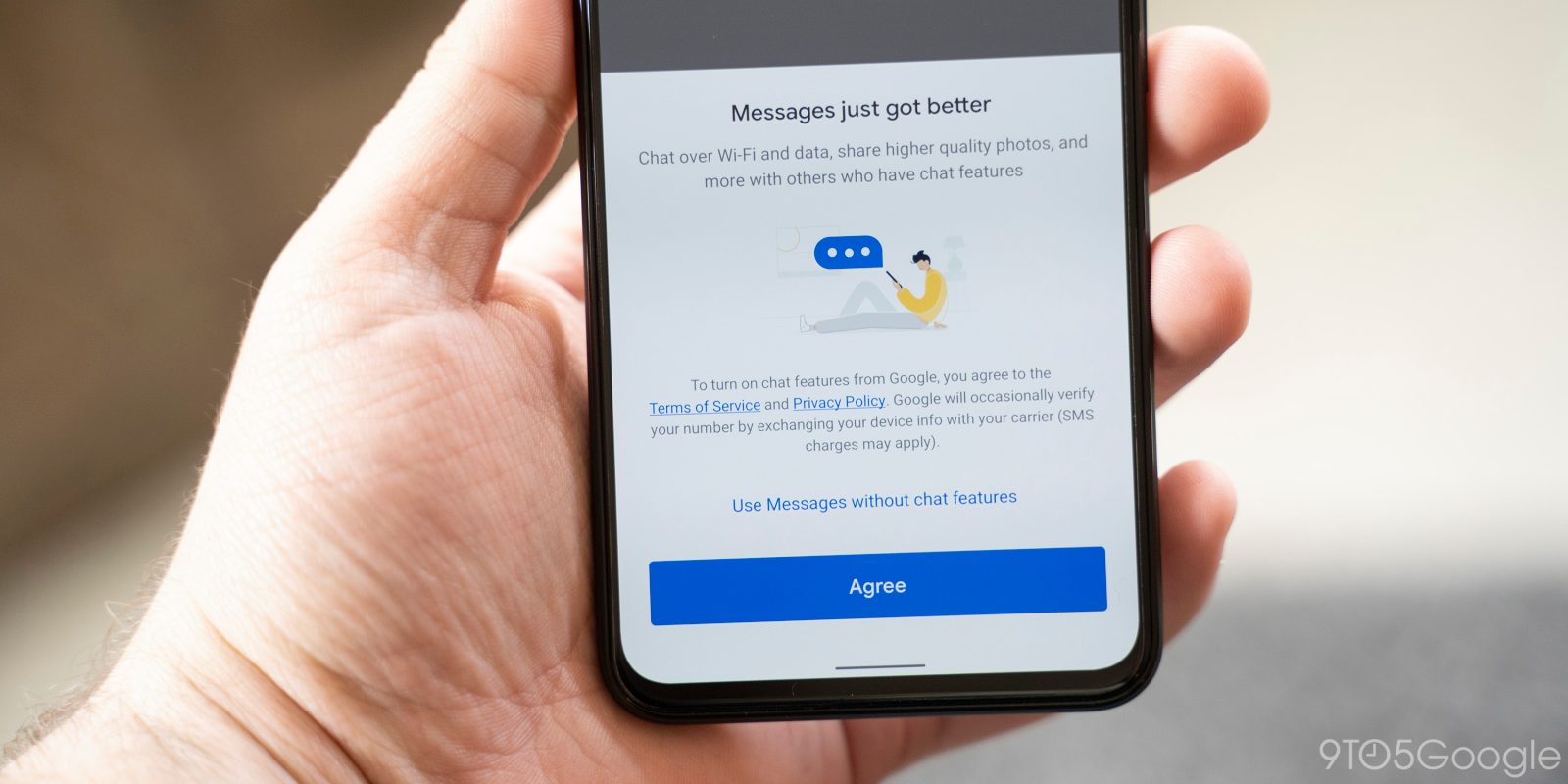
    If you thought you were indecisive, wait till you have a look at the latest Google Messages update. Google can’t seem to make up its mind about how it wants the text field to look. Of course, we can’t fault it for wanting to come up with the best possible design.

    When examining the new beta version of the Google Messages app, 9to5Google discovered that some changes have been made to the compose field again.

    To bring you up to speed, earlier this year, Google Messages featured a pill-shaped compose box with the emoji button in the beginning, followed by Magic Compose, Gallery, and the ‘plus’ menu. Voice Messages was outside the box, in a circle. It transformed into Send after you typed something.

    In late October, that change was reverted, with Google going back to the previous design with Plus, Gallery, and Magic Compose on the left, pushing the text field to the right, with emoji and voice memo shortcuts residing within it. Not everyone was a fan of this design, which is understandable, as it looked rather cluttered.

    Google has moved things around again in the latest beta. The text box is now again positioned on the left, but button placements have changed. The Plus is still the first button, and then comes Magic Compose, Emoji first, and Gallery. The Voice Memo/Send button remains outside. Once something is typed, only Plus and Emoji remain.

    Whether you like the new design or not, you might find yourself wishing that it remains the same for a long while. After all, muscle memory is hard to retrain and even harder to shake.

    Also, don’t be surprised if the change is not live at your end, as the report notes that it’s yet to roll out to everyone.

    Other than this, the beta version also features redesigned read receipts, but the implementation seems buggy at the moment and the new design only shows up in the main message list.

  • Google Maps for iOS has a new customizable design change

    Google Maps for iOS has a new customizable design change

    The Google Maps app has always been a useful and important tool. Over the years Google has made it better by adding new features that not only help you get from point “A” to point “B” quickly and safely but also tell you where to dine when you arrive at “B,”or where to spend the night. You’ll also learn which landmarks to visit and see, where you can find entertainment, and a whole lot more. The beauty is that all of this is available from one app.

    Google lately has been making some design changes to Google Maps even going as far as to change some of the color themes from blue to teal for buttons and tabs near the bottom of the display. The company has also offered Google Maps users a chance to switch from the iconic blue arrow representing your ride to a red car, a yellow SUV, and a green pickup truck. But after four years, users probably wanted more customization.

    Google will now allow Maps users to choose an SUV, a sedan, an off-road truck, a sports car, and a compact hatchback. Each one has eight color options:

    • Glacier white
    • Night black
    • Ash gray
    • Poppy red
    • Sky blue
    • Sunny yellow
    • Aqua green
    • Sunset magenta

    To customize your vehicle, tap the current icon used to represent your vehicle and you can select which car or truck you want to use on Google Maps by scrolling to the left with the vehicle you want to select ending up in the circle/spotlight. The color options are underneath the vehicles. After you’ve customized the vehicle on Google Maps, tap on the blue “Done” button to save your design. While the three older vehicle icons are still available, they don’t offer the color customizations that the new ones do.

    We should also point out that this new feature is only available on the iOS version of Google Maps for now. Since Google has tried to keep features on both the iOS and Android versions of the app the same, you can pretty much bet that the Android version of Google Maps will eventually offer the same customizable option. The feature is already available on my iPhone 15 Pro Max running iOS 18.2 beta 3.

  • Google Chat voice messaging rolls out to free personal Gmail accounts on Android, iOS, and the web

    Google Chat voice messaging rolls out to free personal Gmail accounts on Android, iOS, and the web

    Google Chat is adding voice messaging for personal Gmail accounts after launching on Workspace earlier this year. This new feature lets you send voice messages to friends and family right from your Gmail inbox. But with so many Google chat apps, you might be wondering what Google Chat is exactly, and how it’s different from the others.

    Google Chat is a communication platform that allows you to send messages, make video calls, and share files with other users. Think of it as Google’s answer to Slack or Microsoft Teams. You can use Google Chat for one-on-one conversations or group chats. It’s integrated into Gmail, so you can easily access it from your inbox.

    Now, you might be thinking, “Wait, doesn’t Gmail already have Google Meet and Spaces?” And you’re right, it does. However, Google Chat is a separate platform with its own unique features. Google Meet is primarily for video conferencing, while Spaces is more for threaded conversations and project collaboration. Google Chat, on the other hand, is designed for more instant, back-and-forth communication.

    With this update, Google Chat is getting a feature that’s already common in other messaging apps: voice messages. To use it, just tap the microphone icon in the bottom-right corner of a chat window. You’ll see a waveform and counter while recording, and you can listen to your message before sending it. Once you hit send, the recipient will see an inline waveform and get a transcript of your message after a few moments. This feature is available on Android, iOS, and the web version of Gmail.

    This update makes Google Chat a bit more versatile. It gives you another option for communicating with people, which can be especially handy if you’re on the go or if you prefer to talk rather than type.

    Personally, I think that Google Chat has its place in the workplace as a Slack competitor, but don’t see much use of it for personal accounts. Having multiple chat apps, all made by Google, can get a little bit confusing and brings on some PTSD from the whole Hangouts/Duo/Chat transition a few years back. I’m not sure if I’ll actually use the voice messaging feature, but hopefully it could be useful for some people. I’ll be interested to see if Google Chat eventually replaces another app in Google’s ecosystem of apps, or if it will continue to coexist among them.

  • Google Authenticator gets a modern makeover and useful new features

    Google Authenticator gets a modern makeover and useful new features

    Google Authenticator, the handy two-factor authentication (2FA) app by Google, just got a nice little update. Version 7.0 of this popular app has been revamped with a fresh new look and some helpful features.

    This is important because, in this day and age, online security is more crucial than ever. 2FA adds an extra layer of protection to your accounts, equating it to a second lock on your door. That means that even if someone has your password, they still can’t get in to your accounts without that second key. That second key in this case is a temporary code generated by Google Authenticator, which helps prevent unauthorized access and keeps your accounts safe from hackers.

    Google Authenticator has been around for years with a mostly unchanged UI but with some helpful features, such as cloud sync for all your added accounts, rolled out not to long ago. Now, Google has redesigned the app with Material Design 3, giving it a more modern and streamlined look. It also supports Dynamic Color, so the app’s colors can adapt to match your phone’s wallpaper.

    But the changes are more than just cosmetic. One of the biggest updates is how you copy 2FA codes. Previously, you had to long-press on the code. Now, a simple tap copies it to your clipboard. It might feel a bit different at first, but it’s definitely more convenient.

    Additionally, Google has added a search bar to help you quickly find the account you need. There’s also a new privacy screen that requires you to unlock the app before displaying your codes, adding an extra layer of security. This update is currently being rolled out through the Play Store, so make sure to check for updates and give it a try.

    I think this is a great update to an already essential app. Google Authenticator is certainly not the only 2FA app out there, but it is very reliable and remains one of the best 2FA apps available. The change in how you copy codes might take some getting used to, but it’s a welcome improvement for quick copying and switching over to the app you are intending to log in to.

  • Exciting Google Maps update adds new useful features

    Google is adding some exciting new features to the iOS and Android Google Maps app. Let’s say you’re looking for a winter sweater for the holiday season. Type winter sweater into the search bar at the top of the screen and you’ll see locations where you can purchase them. Starting today, this will work with home goods, electronics, and clothing. The information about where you can find, say, winter sweaters, shows stores that sell the item, ratings, the hours that the store is open, and how far it is away from you. You’ll also learn if the item is in stock.

    The update will also help travelers during the fall and winter by providing real-time updates on delays due to flooded roads and unplowed snow. With this feature, Google Maps users will be able to look for such issues and will be able to report such conditions. In addition, commuters and others will be able to report delays happening on bus or train routes to help riders stay up to date on any delays that would impact their travel.

    “Sometimes driving in unfamiliar areas with multiple lanes, forks, and exits can be confusing. To help you anticipate these, our enhanced navigation will show you lanes, crosswalks, and road signs clearly on the map. And because no one likes finding out they need to merge at the last minute, we’ll show you exactly which lane you should be in: Just follow the blue line in the lane markers while navigating.”-Google.

    Gemini is getting integrated with Google Maps. Why not? AI is everywhere and if you need some ideas on late-night activities for a guest staying over, simply ask Google Maps to look up “things to do with friends at night.” Gemini will send you some ideas along with reviews. Google has trusted data on 250 million places around the world along with info from the Maps community. Taking advantage of this data can help you enjoy a night out with a visiting friend.

    Google Maps is also making it easier to plan your drive before you even hit the road. Get directions to your destination, hit “add stops” and you will see top landmarks, attractions, and scenic spots to stop at along the way. And to make things even better, you can see dining options in advance.

    Another update will light up the destination on your screen along with an entrance into the building you’re traveling to. You’ll also be shown nearby parking lots and reminded to save your parking so that you won’t forget where you left your car. Once you’ve parked your car you can get walking directions to the entrance of your destination building by using Street View or AR walking navigation.

    Finally, Immersive View is getting an update. This feature uses AI to show you what navigation on certain routes, parks, and stadiums looks like at different times of day using AI, imagery, and computer vision. The weather expected on the day you are planning to visit will be taken into account. Immersive View is now available for 150 cities globally including Brussels, Kyoto, and Frankfurt. And college campuses are being added as well. Immersive View will now tell you where to park and when to expect a complex turn while you’re driving.

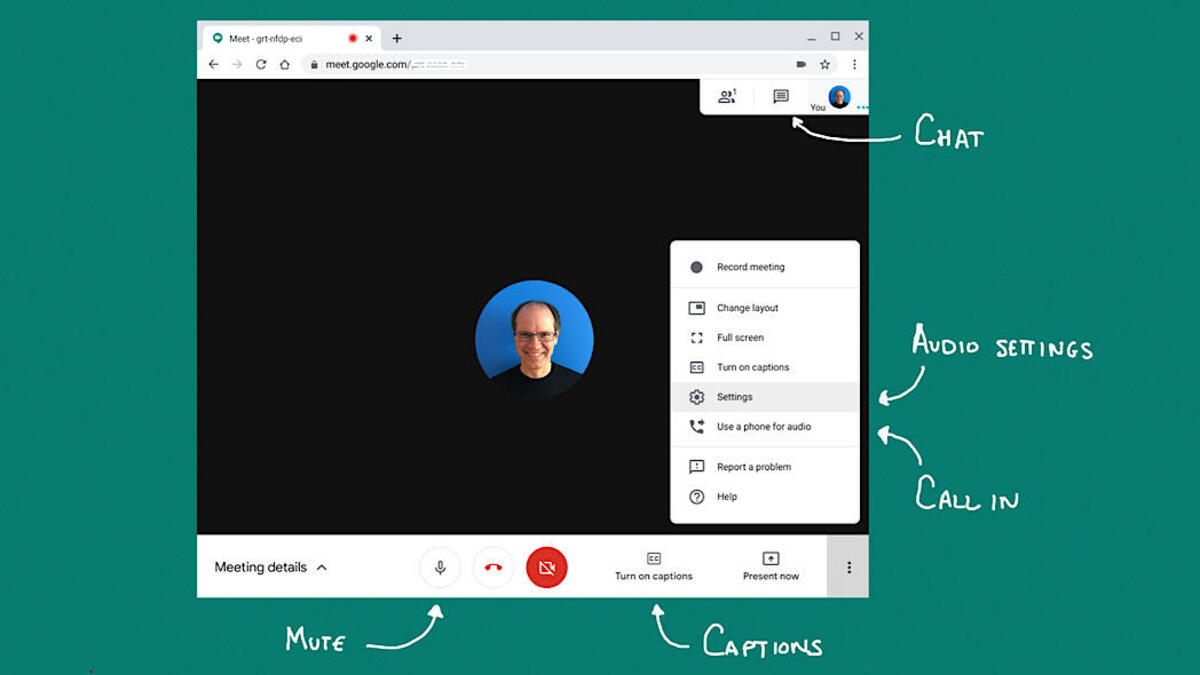
  • Google Meet adds ability to view in-meeting chat messages in live streams

    Google Meet adds ability to view in-meeting chat messages in live streams

    Google Meet users rejoice! A new update that adds the ability to see chat messages that are sent by participants who have joined via the meeting link is now making its way to Google Meet users.

    The new feature will make it possible for information shared through Meet chat messages, including links, time-keeping messages and more, to be visible to those attending a live stream.

    Up until now, in-call chat messages were only visible to hosts, co-hosts, participants and viewers who were in the main meeting. After installing the update, a notification will pop up the next time chat messages are sent during a live stream. Once you click on the notification, a chat panel will open.

    Obviously, this feature will not be available to all Google Meet users. The Mountain View company revealed that only the following Google Workspace editions will be able to initiate a live stream and enable this feature: Enterprise Starter, Enterprise Standard, Enterprise Plus, Enterprise Essentials Plus, Education Plus, and the Teaching & Learning upgrade.

    The bad news is this feature will roll out at a much slower pace than usual, according to Google. That’s because we’re nearing the end of the year and there will be a lot of holidays and such.

    Even so, all those enrolled in the Rapid Release domains should receive this update sometime during the week of December 5, 2024. The rollout should start on November 18, so don’t even search for the update until then.

    On the other hand, customers enrolled in the Scheduled Release domains will have to wait until the end of Q1 2025 to get the update. Google announced that the extended rollout of this Meet update won’t start until January 6, 2025, so there’s quite a lot of waiting involved.

  • Google Messages’ future update to give Magic Compose a more visible spot

    Google Messages’ future update to give Magic Compose a more visible spot

    Google is constantly adding new features and making tweaks to its Messages app, and it looks like a future update will introduce a small but useful change to give one of Google’s AI features more visibility.

    A recent report shows that the newest beta version of the Google Messages app has introduced a new Magic Compose button. Powered by Google’s generative AI, Magic Compose helps you craft responses based on the context of your messages, offering suggestions for how to kick off a conversation, reply, or even rework a draft in different tones.

    In the current setup, Magic Compose sits in the bottom row, nestled between the gallery and text field. As you type, it slides out of view behind a chevron.

    What’s new in the beta version, though, is that Magic Compose shows up in the row of smart replies, even when there aren’t any suggestions. It appears as a pill-shaped message bubble with a sparkle icon located either first or at the far right.

    Magic Compose shows up in the row of smart replies when you start typing. | Image credit – 9to5Google

    The icon matches the Dynamic Color theme, just like the Send button. Once you start typing in the compose field, the icon switches to Magic Rewrite (a pencil with a sparkle). No big visual changes to the feature itself, though.

    The old layout, with three buttons squished into one row, felt cramped and often shrank the text box, especially on smaller devices. So, I think Google making this small change to how the Magic Compose feature appears makes it way more accessible and easy to use.

    In other Google Messages news, three new changes are on the way to level up your texting experience. Plus, the Gemini Extensions feature for the Messages app has started its gradual roll-out.

  • Google wins US court case over gift card fraud

    Google wins US court case over gift card fraud

    A federal judge dismissed a proposed class action lawsuit accusing Google of illegally profiting from Google Play gift card scams by refusing to refund millions of dollars stolen from victims.

    In a late Monday decision, US District Judge Beth Labson Freeman said the plaintiff Judy May lost money because scammers induced her to buy gift cards, and failed to show that Google caused her losses or knew it was receiving stolen funds.

    The San Jose, California-based judge also said Google was not liable for keeping 15 percent to 30 percent commissions on purchases that scammers made with the gift cards because Google’s conduct was unrelated to the original fraud.

    May said she lost $1,000 in April 2021 when a scammer posing as a relative instructed her to contact a supposed government agent, who told her she was eligible for federal grant money if she bought Google Play gift cards.

    The Brownsville, Indiana resident said she provided the codes on the back to cover supposed upfront costs, but the scammers used the codes to make purchases.

    May said she would not have bought the cards had Google warned on the packaging about scams, and that anyone demanding payment with the cards was a scammer.

    Lawyers for May did not immediately respond on Tuesday to requests for comment. Google, a unit of Alphabet, did not immediately respond to similar requests.

    Freeman said May could try to refile her lawsuit, but dismissed a claim seeking triple damages for good. Alphabet is based in Mountain View, California.

    In 2023, Americans lost $217 million in gift card or reload card fraud, according to the Federal Trade Commission.

    The actual amount is likely much higher because the data cover only reported cases. Citing FTC data from 2021, May said Google Play cards account for about 20 percent of gift card scams.

  • Russian court imposes a record fine on Google that equals more money than there is on earth

    Russian court imposes a record fine on Google that equals more money than there is on earth

    Google has been fined a record $2.5 decillion by a Russian court. This works out to $2.5 trillion trillion trillion which equals 23,809,523 times all of the money on Earth. The court had hit the Search giant with a 100,000 ruble ($1,032.20) fine back in 2020 after a pair of Russian media outlets with links to the Kremlin, Tsargrad, and RIA FAN, were the recipient of restrictions placed on them by YouTube. Google called out the media outlets for trying to spread pro-Kremlin propaganda.

    The court tacked on additional fines after Google also banned on YouTube other Russian outlets (Channel One, Moscow Media, and Public Television of Russia) that supported the country’s actions during the war in Ukraine. But what really pumped up the fine was Google’s refusal to pay it. This led the court to double the fine each week which has been the case for the last four years. Last month, Google restricted the creation of new accounts for Russian users and in August it deactivated AdSense accounts in the country. This prevents Russian website publishers from generating revenue from ads supplied by Google.

    Google has commented on the fine saying, “We have ongoing legal matters relating to Russia. For example, civil judgments that include compounding penalties have been imposed upon us in connection with disputes regarding the termination of accounts, including those of sanctioned parties. We do not believe these ongoing legal matters will have a material adverse effect.” In other words, Google is taking the fine as seriously as it would if it had been fined in Monopoly dollars.

    Google and Russia have had some other legal battles. Back in 2022, Google’s Russian subsidiary was forced to file for bankruptcy after the firm’s bank account was seized by Russia. At the time, a Google spokesperson said, “The Russian authorities’ seizure of Google Russia’s bank account has made it untenable for our Russia office to function, including employing and paying Russia-based employees, paying suppliers and vendors, and meeting other financial obligations.”

    As part of other sanctions placed against Russia, online ads have not been served to Russian Google users since 2022. Yes, some of you might be wondering why Russians get to miss out on seeing ads on Google sites if they’re the country being sanctioned.

  • Google tests a new look for dynamic color themes in Gboard

    Google tests a new look for dynamic color themes in Gboard

    Google has been found to be experimenting with a new look for the dynamic color themes in Gboard for Android. The change is subtle, but noticeable. Instead of using three different colors for the non-letter keys, Google is testing a single color pulled from the dynamic color palette. This applies to keys like shift, ?123, comma/emoji, period, enter, and backspace, as well as the menu button.

    The idea behind this change seems to be to create a more unified and less visually distracting keyboard experience. By using a single color for these keys, Google is hoping to make the keyboard feel more cohesive and less cluttered.This updated dynamic color theme is currently only available on the latest Gboard beta (version 14.7.10.x). Even then, it’s not widespread. Across several Pixel phones used for testing, the new theme only appeared on one device. This suggests that Google is still in the early stages of testing this new design and it may be a while before it rolls out to all users.

    It’s worth noting that this change only affects the dynamic color themes. The “Default” themes, which only accent the enter key, remain unchanged. This gives users the option to stick with the old look if they prefer.

    This is just one of many updates that Google has been making to Gboard in recent months. The company has also been working on improving the keyboard’s performance, adding new features, and expanding support for more languages.

    The change seems so subtle that I’m not sure why it’s being done. However, I appreciate Google’s efforts in making the UI more appealing. I’m interested to see if this update will make a noticeable difference in my daily use of Gboard. It’s possible that this more unified color scheme could be less distracting while typing, but I’ll need to use it for a while to see if it makes a real difference. I’m always happy to see companies like Google experimenting with new design ideas and trying to improve the user experience.

  • Google Play Store may soon use AI to answer your app questions

    Google Play Store may soon use AI to answer your app questions

    Google has been pouring resources into artificial intelligence lately, so it’s no shocker that it wants to weave AI into more of its products. The latest target? The Play Store – the go-to spot for most Android users looking to download apps and games for Android phones.

    A recent report reveals that the latest version of the Google Play Store, 43.3.32-31, has hints of a new AI-powered feature called “Ask a question.” This nifty addition will likely allow users to pose questions about the app or game they’re checking out.

    From the clues found in the app, it seems this feature will appear on individual app listings and search results. Users can expect to see a button or text prompting them to “Ask a question,” leading to an input field where they can type their queries and receive AI-generated responses.

    The AI-generated Q&A feature isn’t available just yet in the Google Play Store, and Google hasn’t officially commented on it. So, there’s no word on when it might roll out to users. However, this kind of functionality makes perfect sense for practical AI applications and could benefit both users and app developers. Fingers crossed, we will see this feature roll out soon.

    I think this feature would indeed be helpful when you’re trying to figure out if an app is right for you. After all, sometimes, you just don’t have the time or patience to sift through long descriptions to find the info you need. With this, you could get straight answers without the hassle.

    Last year, Google rolled out AI-generated review summaries in the Play Store to help users quickly assess whether an app or game suits their needs. Then came AI-powered FAQs, and now this upcoming feature will tie everything together, making AI an even bigger part of the Play Store experience.

  • Gemini may soon let you answer calls and messages from the lock screen

    Gemini may soon let you answer calls and messages from the lock screen

    Gemini, Google’s AI assistant, is set to receive significant updates based on an APK teardown of the Google app (version 15.42.30.28.arm64 beta). These updates include the ability to handle calls and messages even when your phone is locked, along with potential UI changes.

    Currently, both Google Assistant and Gemini respond to the “Hey Google” command for calls and texts. However, only Google Assistant can perform these actions when the device is locked. The APK teardown reveals that Google is working on adding new lock screen functionality for Gemini.

    A new on/off toggle will allow users to choose if they want Gemini to make calls and send messages while their device is locked. Even if you toggle the feature on, Google assures that Gemini will still require unlocking for responses containing personal content like Gmail messages. This ensures that sensitive information remains protected.

    Enabling Gemini to make calls and send messages while the device is locked offers several advantages. Users could respond to urgent messages or make quick calls without the extra step of unlocking their phones. This is especially beneficial in situations where time is of the essence or when accessing the phone directly is inconvenient.

    In addition to this new functionality, the APK teardown also hints at potential UI changes. The floating Gemini overlay could become more minimal, expanding vertically as text is inputted. This would create a cleaner and less intrusive user experience. Furthermore, Gemini extensions might be categorized into sections like Communication, Device Control, Travel, Media, and Productivity. This would improve organization and make it easier for users to find the extensions they need.

    It’s important to remember that APK teardowns reveal potential features that may or may not be released. These findings suggest Google is continuously developing Gemini, aiming to enhance its functionality and user experience, and I find these potential updates quite interesting.

    The ability to use Gemini for calls and messages while my phone is locked would be very convenient. I also appreciate the potential UI changes, which seem to focus on a cleaner and more organized interface. I’m eager to see if and when these features become available to the public. I am curious to see how these updates compare to Google Assistant and how they impact the overall user experience.