Tag: Google

  • Google Messages might finally support sending high quality photos over RCS

    Google Messages might finally support sending high quality photos over RCS

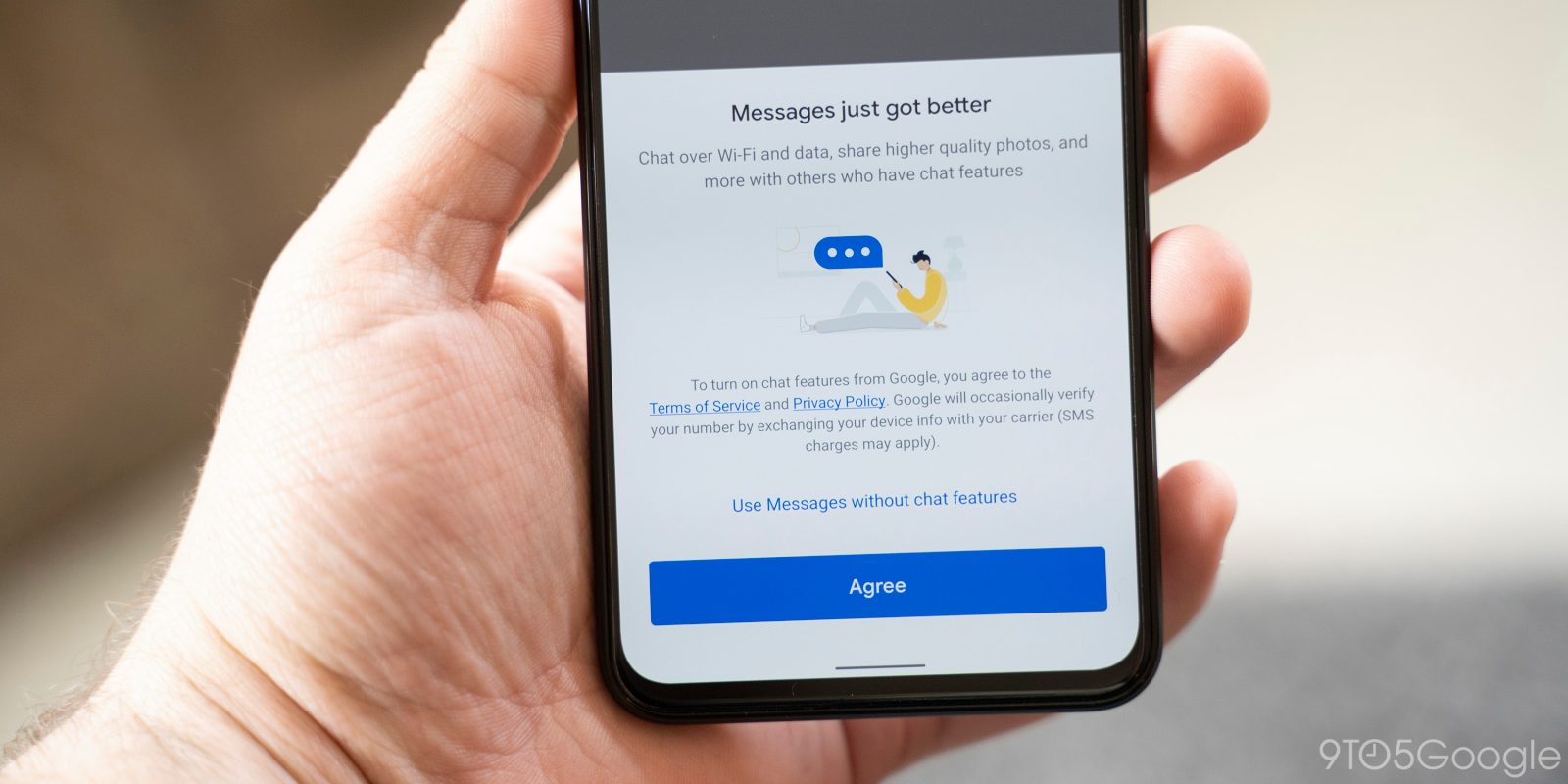
    Google Messages and RCS (Rich Communication Services), the next step in SMS messaging (a greatly enhanced step, if you ask me), is going to get even better with Google’s future improvement

    The enhancement has to do with the way Google Messages handles images sent through the app – people have been complaining for a while now that the pictures are getting excessively compressed.

    For example, users are reporting that Google Messages over RCS shrunk a 50MP/6MB image down to just a 1.9MP/147kB shadow of its former self. That’s a lot of data lost, which equates to a worse quality. Not fun!

    That’s a pity, since RCS makes the default messaging app into a social media-like experience similar to WhatsApp, allowing users not only to send photos, videos, GIFs, and various other files, but RCS also supports end-to-end encryption, read receipts, and typing indicators.

    A change is going to come rather sooner than later, though: Google is apparently going to address the issue. According to the report, Google is finally going to increase the image compression limit.

    The analysis discovered code strings suggesting that users could soon send images up to 8,192 pixels wide and tall with JPEG quality set to 100. If the “Send Photos Faster” option is enabled, images will be compressed to 2,408 pixels with JPEG quality reduced to 90. Currently, this option compresses images to 1,600 pixels, significantly affecting their quality.

    This issue isn’t inherent to RCS, as other apps like Samsung Messages also use RCS without such limitations. The problem lies with Google, and if the company implements this change, users will notice a significant improvement in image quality sent through Google Messages. This change might be influenced by Apple’s decision to support RCS in its Messages app with iOS 18, as Google has frequently urged Apple to adopt RCS.
  • Google Wallet’s upcoming option to scan and store “Everything else” is getting close to a rollout

    Google Wallet’s upcoming option to scan and store “Everything else” is getting close to a rollout

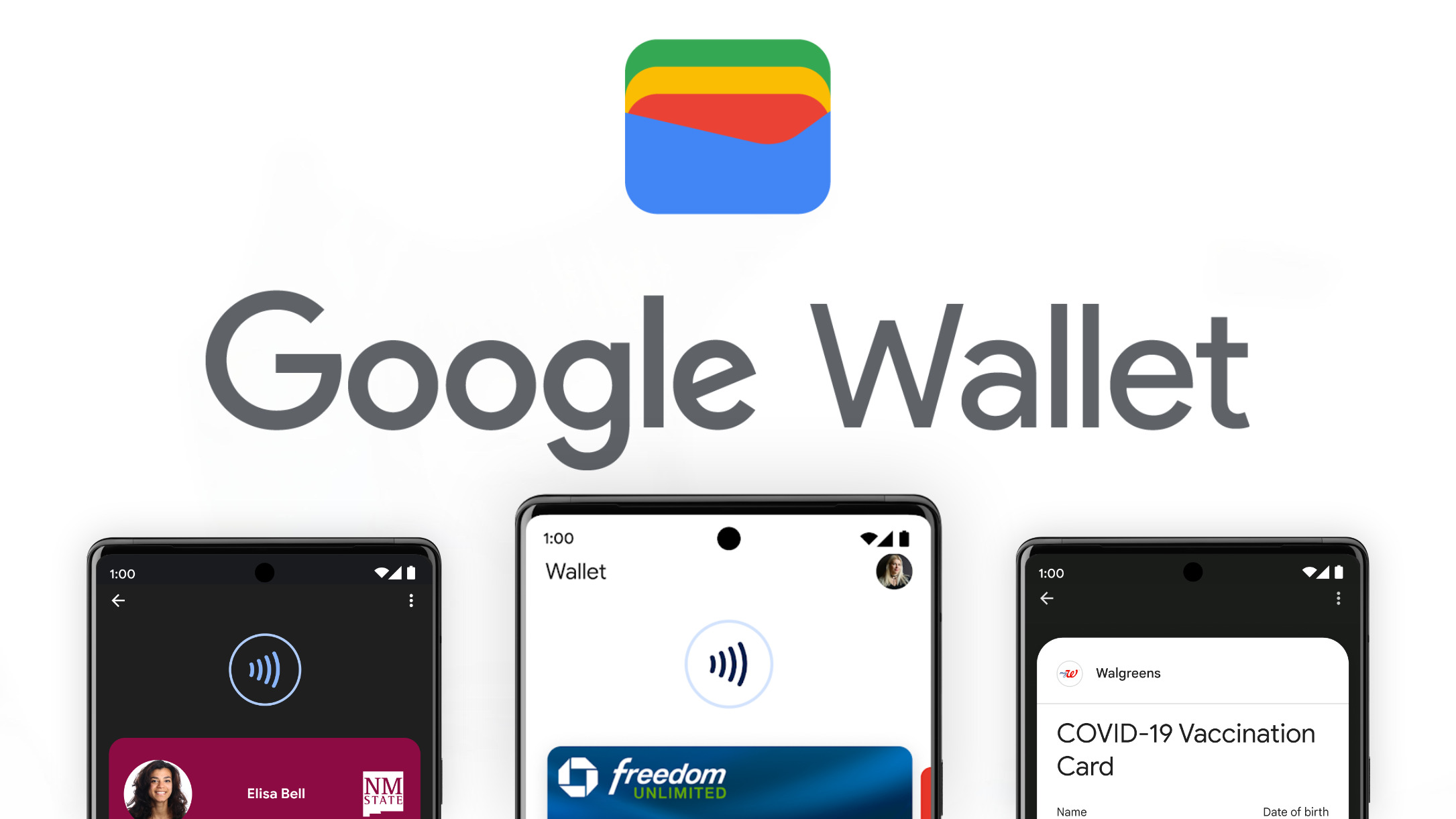
    Google Wallet is adding a new feature that lets you scan and store digital copies of various documents and passes, including loyalty cards, passports, IDs, and more. The feature, called “Everything else,” was first shown off at Google I/O earlier this year and is expected to roll out to users soon.

    Before you can use the feature, Google Wallet will ask for your permission to process your data, but it assures users that all processing happens on your device and no data is sent to Google’s servers. This information was accessed through an APK breakdown by enabling hidden flags in the code.

    Once you give permission, you can scan and save two types of documents: normal and private. Normal documents, like your student ID or business card, don’t need any special security to add or access them. Private documents, like your driver’s license or tax ID, will require biometric authentication, such as your fingerprint or face scan, for added security.

    Google Wallet will try to automatically identify, scan, and categorize the documents you add. It can recognize various document types, like loyalty cards, passports, IDs, insurance cards, event tickets, and more. If it can’t figure out what type of document it is, it will put it in an “Other” category, and you can manually enter the information yourself.

    You can also change the category of a document if you think it’s been labeled incorrectly. You can add more information to scanned documents, with each document category supporting up to five additional fields.

    Sometimes, changing a document’s category might remove the scanned information, requiring you to re-enter the details. However, if you switch back to the original category, the information should reappear. This is designed to make sure that the feature doesn’t accidentally mislabel information in your scanned documents.

    This new feature isn’t yet available in the current version of Google Wallet, but Google has already announced that it will be included in a future update.

  • Google Photos to Apple iCloud Photos direct transfer tool rolling out next week

    Google Photos to Apple iCloud Photos direct transfer tool rolling out next week

    The users of Google’s Photos service will finally be able to send all of their media content collected there directly to Apple’s iCloud Photos. The Google Photos to iCloud Photos transfer tool is again provided thanks to the open-source Data Transfer Project (DTP) stack of the Data Transfer Initiative (DTI) that first made the reciprocal transfers from iCloud Photos to Google Photos a reality.
    The new tool will be available starting next week and, according to the new Apple and Google photo collection transfer guidelines, it will allow an easy and direct way to take your entire picture, album, and video collection with you by importing it into the competing service when getting a new device.
    If you got a new iPhone and want to bring your Google Photos content to iCloud, here’s what needs to be done:
    1. Go to Google Takeout and mark which albums you’d like to export
    2. Pick Apple – iCloud Photos as import service and sign in with your Apple ID.
    3. Tap Allow to share permission with Google to add photos and videos to iCloud.
    Alternatively, pick Photos under the Recently used Google services or Other Google services entries in your Google Account Dashboard, and tap the Transfer data button.
    Apple says that you will get a confirmation email when the Google Photos transfer is complete, while Google reminds that this can take anywhere from a few hours to a few days, depending on the size and complexity of the transfer.
    Your photos and videos will then appear in the Photos app, all tucked in a dedicated album, with the name Import from Google and the date of the actual transfer. Since not all photos and videos can be indexed along with their metadata, if some appear missing, they will most likely be in a folder with the same name in your iCloud Drive storage system.
    The Data Transfer Initiative’s open-source Data Transfer Project technology stack counts Apple, Google, and Meta as its founding partners and provides tools like the direct Google Photos to iCloud Photos transfer for billions of their users.
  • Google Messages may get Snapchat-like 3D effects soon

    Google Messages may get Snapchat-like 3D effects soon

    Google Messages is reportedly working on new features that will allow users to share photos and videos with fun avatars and 3D effects, much like Snapchat’s popular Lenses feature. This is according to an APK breakdown of the app’s code, which suggests that the feature is still in development and unknown when it will be released to the public.

    If the feature does make it to a public release, it could offer a new way for users to express themselves and add some personality to their messages. The 3D effects appear to mimic the user’s facial movements, with some effects covering the user’s face entirely and others adding accessories like hats or glasses.

    The feature in action shows a new button in the app’s camera UI that brings up a carousel of available effects. Users can tap on the icons in the carousel to trigger the effects, and then capture a photo or video using the shutter button. Below are the nine effects that are hidden in the current version of Google Messages:

    • Bunny
    • Glasses
    • Dinosaur
    • Film Noir
    • Glowing hat
    • Runner
    • Portrait touch-up
    • Strawberry
    • Valentine’s Day panda

    However, it is possible that Google may add more effects before the feature is released to the public. The company has not yet shared any official information about the feature or a possible release timeline, but if testing works out and the company decides to roll it out, it is expected that more details will follow.

    The addition of Snapchat-like filters to Google Messages could be a welcome change for users who are looking for new ways to express themselves and add some personality to their messages. It will be interesting to see how this feature develops and how it is received by users if and when it is eventually released.

    It is clear that Google is investing heavily in Google Messages, and it is likely that we will see even more new features and improvements in the future. The app is already one of the most popular messaging apps in the world, and it is only going to become more popular as Google continues to add new features and make it more user-friendly.

  • Google, Facebook, other foreign giants pay $159M taxes online

    Google, Facebook, other foreign giants pay $159M taxes online

    Companies that engage in e-commerce and other digital businesses without having an establishment in Vietnam have paid taxes of VND4.04 trillion (US$158.9 million) online in 2024, up 18.5% year-on-year.

    According to the Ministry of Finance, the number of foreign service providers, as they are called, who registered to pay taxes through the electronic portal increased by 26 from the end of 2023 to 102 in June.

    They include Google, Meta (Facebook), Microsoft, Netflix, and Apple.

    So far, around 383 international and domestic e-commerce platforms are registered on the electronic portal, up 22 from the end of 2023.

    E-commerce activities are categorized into eight groups: e-commerce platforms, online trading websites or applications, social media platforms, transportation and delivery platforms, digital agency platforms, subscription services, advertisement services, and app store platforms.

    According to the General Department of Taxation, tax payments from e-commerce activities amounted to VND97 trillion last year, up 14% from 2022.

  • Google is about to make posting Notes for search results easier

    Google is about to make posting Notes for search results easier

    We’re currently more and more reliant on AI for searching and solving all kinds of problems. However, human opinion still matters, and it’s the best way to get reliable input. Since last fall, Google has been experimenting to offer a more human touch to people with Notes – a commentary on the search results a person got that other users can view.

    Now, the folks at Android Authority have dug into some code and have discovered that Google is working on making posting Notes easier for its Android app.

    Right now, Notes in Search is an opt-in feature part of Search Labs, and it’s currently available only to users in the US and India. Code in version 15.26.34 of the Google app for Android reveals that Google may be letting you quickly share your take on Search Results without having to choose a theme (choosing a theme appeared very important so far when posting a Note as if how things look is more important than the contents).

    With this new tweak, Google is giving you options to still choose a theme, but you can also quickly set a background to your Note by attaching an image. This change hasn’t been rolled out publicly yet, but it probably should be available pretty soon. At least to the users that get to have access to Notes anyway.

    I personally believe this feature is super useful and just wish it was available to more people. However, maybe Google needs time to refine it before it becomes globally available. Anyway, it will actually be a good thing so we don’t always have to rely on AI for feedback on something. Having someone else’s review of sorts on search results is actually a beneficial thing.

  • Digital hotel keys arrive on Google Wallet

    Digital hotel keys arrive on Google Wallet

    Google Wallet is making traveling a little less stressful for hotel guests by supporting digital hotel key cards. If your hotel offers it, you can save your hotel key right to Google Wallet and use your phone to unlock your room instead of carrying a physical key.

    Adding a hotel key to Google Wallet is similar to adding a credit card. You’d just need to tap the “Add to Google Wallet” button on the hotel’s website, app, or in an email. Then, sign in and add the hotel to Google Wallet. To unlock your room, simply hold your phone near the door handle. Some phone models don’t even require you to unlock your phone first.

    Google Wallet isn’t the first digital wallet to offer this feature. Apple Wallet on iPhones has had this capability since 2021 with the launch of iOS 15. However, adding it to Google Wallet opens it up to a whole new group of Android users. Some hotel chains, like Marriott and Hilton, have had digital key cards on their apps for a while, but the Google Wallet integration means you don’t have to download another app.

    There’s one catch, though. Not all hotels are compatible with Google Wallet for digital key cards. Each hotel will have to add support for the feature, and right now, not many hotels have. One of the hotels that does offer digital key cards with Google Wallet is the Clarion Hotel Post in Sweden.

    This new feature could be really convenient for travelers, but it’s unclear how quickly it will be widely available. Because it’s a new technology, fancier, more expensive hotels are probably the ones that will offer this first. We’ll have to wait and see if more affordable hotels start offering it too. In the meantime, if you happen to be staying at a hotel that offers digital key cards through Google Wallet, you can give it a try and see how you like it.

  • Google is making a noticeable change to Search on the desktop and on mobile devices

    Google is making a noticeable change to Search on the desktop and on mobile devices

    According to Search Engine Land Google is about to do one of the most Googley things possible to the continuous scrolling feature found on Google Search results both on the desktop and mobile devices. Starting today, Google has removed users’ ability to continuously scroll through desktop Search results. Later this month, it will do the same thing and end infinite scrolling on mobile Search results.

    Instead of continuous scrolling for Search results on the desktop, users will press a button that says “Next” at the bottom of the page to see more results. On mobile, the infinite scrolling will be replaced by a “More results” button. Google actually has a reason for making this change instead of dropping a feature for no reason at all, something that the company has often been accused of doing.

    Google claims that by making this change, it will be able to deliver more search results faster instead of automatically loading search results that users haven’t requested and have no interest in seeing. Google also discovered that allowing infinite scrolling of search results didn’t result in higher satisfaction scores for Google Search. Continuous scrolling debuted on the desktop in December 2022 after starting on mobile search in October 2021.

    Suppose you own a website and your site doesn’t appear on the first page of a search result. In that case, you now might see fewer visitors from Google Search since a user would have to make the decision to press the “Next” button on the desktop or the “More results” button on a phone to continue to see additional results beyond the first page. Or, desktop users can jump to a specific page using Google’s iconic pagination controls which allows a user to jump to pages one through 10 by tapping on the page number desired.

    I have yet to notice any change to the desktop version of Google Search which continues to scroll continuously. As we said, the mobile version of Search is supposed to be updated before June comes to an end.

  • Time to update your contact pics as Google Messages now shows them bigger

    Time to update your contact pics as Google Messages now shows them bigger

    Recently, we mentioned Google was experimenting with a long-press feature for peeking into RCS conversations. Now, apparently, this feature has been approved and is starting to roll out more widely.

    According to a recent report, users can expand a contact’s profile photo by tapping on it in the main list. This action allows you to view a larger image of the selected contact, along with three shortcuts displayed at the bottom:

    Message: You can start a conversation by messaging the contact. This shortcut might seem a bit odd since you can simply tap on the conversation without first selecting the contact’s profile picture.

    • Call: Dial the contact right away.
    • Info: Preview information quickly without fully opening the conversation.

    The latest update also applies to group chats, but you won’t find the Call option there. To access features like Pinning, Archiving, Deleting, Blocking, and marking messages as read or unread, just long-press anywhere outside the profile picture of the contact you’re chatting with.

    While it may not seem like a major overhaul, this update significantly enhances user experience. Previously, long-pressing a conversation only allowed bulk actions such as muting or deleting. With the ongoing rollout of this latest update, which might not be visible to all users yet, performing actions like placing a quick call is now much simpler.

    In other recent updates, Google has begun rolling out a new user interface for content sharers on Google Messages. Moreover, the tech giant has expanded the Gemini feature in Google Messages to include all Android phones with 6GB of RAM or more.

  • Google Meet update adds full HD support for recorded meetings

    Google Meet update adds full HD support for recorded meetings

    Great news for Google Meet users, as the app’s latest update brings high definition video support for meeting recording and devices. Google has just announced that full HD video content is now available for recorded meetings in the Meet app.

    This means that Google is increasing the maximum resolution for the speaker’s video feed from 720p to 1080p. Although Meet already supported 1080p recording for presented content, this feature was not available for the speaker’s video feed until this update.

    Besides full HD video content for recorded meetings, the latest update also brings the ability to send full HD video on all computers with 1080p cameras. Keep in mind though that this is disabled by default and requires the user to enable it via the settings menu.

    According to Google, full HD video is only sent when recording is enabled or when one or more users have pinned the 1080p-enabled user on a screen large enough to render the 1080p video feed.

    Google Meet will automatically adjust the resolution if the device is bandwidth constrained, which is important to mention considering that additional bandwidth will be required to send 1080p video.

    The full HD video for meeting recordings is now available for Google Workspace customers with Business Standard and Plus, Enterprise Essentials and Essentials Plus, Enterprise Starter, Standard, and Plus, as well as Education Plus and the Teaching & Learning Upgrade.

    On the other hand, the ability to send full HD video on computers with 1080p cameras is available for Google Workspace customers with Business Standard and Plus, Enterprise Starter, Standard, and Plus, Education Plus and the Teaching and Learning Upgrade, Enterprise Essentials and Essentials Plus, as well as Google One subscribers with 2TB or more storage space.

  • Google might make it even easier to chat with Gemini within the Messages app

    Google might make it even easier to chat with Gemini within the Messages app

    Google is experimenting with a new way to access Gemini, its large language model (LLM) chatbot, within the Google Messages app. The tech giant is reportedly testing a dedicated button that would take users directly to the Gemini conversation screen, eliminating a few steps from the current process.

    Currently, starting a chat with Gemini in Google Messages involves tapping the “Start chat” button and then selecting Gemini from the options. The new feature, discovered in the app version messages.android_20240610_01_RC00 through an APK teardown, would introduce a Gemini logo button above the “Start chat” button. Tapping this new button would immediately open the Gemini conversation interface, allowing users to type in their prompts without delay.

    Interestingly, as seen in the above screenshots, the new Gemini button is notably smaller than the existing “Start chat” button. Whether this size difference is a deliberate design choice or an unintentional bug remains unclear.

    While removing a single step might seem like a minor adjustment, it could significantly impact user interaction with Gemini. By making the chatbot more accessible and prominent, Google could potentially encourage more users to engage with Gemini and explore its capabilities.

    This change aligns with Google’s broader efforts to integrate Gemini across its product ecosystem. The company has already introduced Gemini in various apps and services, including Gemini 1.5 Pro in Gemini Advanced and the YouTube Music Gemini Extension. The addition of a dedicated button in Google Messages further reinforces Google’s commitment to making Gemini a central part of its user experience.

    As of now, the new Gemini button has not been rolled out to beta users, but it is expected to appear in the app soon. With this update, Google could be aiming to make conversations with Gemini more seamless and intuitive, ultimately driving greater adoption and usage of the AI chatbot.

  • Google Maps users will have to decide when they want Google to auto-delete Timeline data

    Google Maps users will have to decide when they want Google to auto-delete Timeline data

    Google is changing how it keeps your Google Maps location data. Once backed up using cloud-based servers, this information will now be stored on-device instead. An email sent by Google to Maps users says that they have until December 1st to save all of their old journeys on their devices before this data is deleted. Keep in mind that Google is changing the name of the feature you might know as Location History to Timeline.

    Timeline (formerly Location History) is a personal map that allows you to remember routes and trips you’ve taken and places that you’ve visited in the past so that you can visit them again. Instead of having all of this data connected to your Google account, it will be stored on your iOS or Android phone. This means that you will no longer be able to view your Timeline from the web starting in December. Moving this data on-device is supposed to improve the privacy of the information since it won’t be stores in the cloud.

    But as we noted, if you use Google Maps, you will have a decision to make. You have until December 1st to decide how long you want to keep your Timeline data on your phone. You can choose to keep all data on-device until you delete it yourself, or select to have the data automatically deleted after 3 months, 18 months, or 36 months. If you fail to make a decision by December, Google will move the first 90 days of your travel history to the first device you sign into Google with. Any data older than 90 days will be deleted.

    You can decide when you want Timeline data removed from your device automatically by opening the Google Maps app and tapping on the profile icon on the right side of the search bar on the top of the screen. Next, tap on Your timeline followed by the three-dot menu icon on the upper right of the display. From the pop-up menu that appears at the bottom of the screen, choose About timeline. Under the section marked Your choices, tap the link that says Go to settings.

    You’ll be sent to a page titled Activity controls. Look for the Auto-delete line that says underneath Choose an auto-delete option. There is a small arrow on the right side. Tap it and you’ll have two choices. One says Don’t auto-delete activity. Tap on that if you don’t want Google to automatically delete your Timeline data from your phone. Or, you can select the other option which says Auto-delete activity and choose to have Timeline data older than 3 months, 18 months, or 36 months deleted automatically. Tap the one you want and Google will automatically remove your Timeline data older than the choice you made.

    No matter what you select, Google allows you to delete any Timeline data from your phone manually.

  • Google in hot water yet again over data collection and privacy concerns

    Google in hot water yet again over data collection and privacy concerns

    A newly uncovered internal database has shed light on Google’s questionable data collection practices, raising concerns about the tech giant’s commitment to user privacy. The database, spanning from 2013 to 2018, reveals a wide range of incidents where personal data was collected and stored across various Google apps and products, including Waze, YouTube, and AdWords.

    While Google claims to prioritize transparency, the leaked database reportedly paints a different picture. Reports within the database, ranked by priority, detail instances of data collection that were often not publicly disclosed. Some incidents involved sensitive information, such as the recording of children’s voices through Gboard’s microphone and the gathering of license plate information through Street View.

    Although Google maintains that these incidents were resolved, the sheer number and variety of reports raise concerns about the company’s ability to safeguard user data. The leaked database, obtained by 404 Media, highlights the potential risks associated with Google’s vast data collection practices.

    Among the examples of data inappropriately collected or leaked were payment information for employees through travel agency software Sabre, addresses and trips taken through Waze’s carpool feature, and Docs files mistakenly made public.

    In response to the 404 Media report, Google stated that the reports were over six years old and had been reviewed and resolved. However, the company’s confirmation of “aspects” of the dataset suggests that there may be some truth to the allegations.

    This is not the first time Google has faced scrutiny over its data practices. Recent leaks of Google Search API documents, obtained by the same company, have also raised questions about the company’s transparency regarding its search operations. While potentially taking months to fully analyze, Google has not disputed the authenticity of that particular leak when questioned.

    These revelations add to a growing list of privacy concerns surrounding Google’s data collection practices, and it looks like Google has some damage control due ahead. As users become increasingly aware of this leaked material, it remains to be seen how this will impact the company’s reputation and future operations.

  • With Google Pay going the way of the dodo soon, you need to start withdrawing funds

    With Google Pay going the way of the dodo soon, you need to start withdrawing funds

    In late February, Google announced that the Google Pay app was shutting down in the US. The company wants people to transition to Google Wallet, which offers many of Google Pay’s features, including paying at online checkouts and in stores. Google Pay will stop working for US citizens after June 4, so if you have a lot of funds, you might want to start transferring them to your bank account.

    Google Wallet, as the name implies, is more of a digital wallet and can be used to store payment cards and other digital items like your driver’s license and loyalty cards. According to Google, it’s used five more times than Google Pay in the US, but what it did not mention is that Google Wallet doesn’t have Google Pay’s peer-to-peer payment feature.

    If you want to transfer funds from the Google Pay app to your bank account, you should do it by June 4. After that date, you will have to visit the Google Pay website to transfer money out of it.

    Even if that doesn’t sound too much of a hassle to you, you should start withdrawing cash right away if there’s a lot of it in your Google Pay account.

    That’s because currently, you can withdraw up to $5,000 from the app every day if your account is verified. The app has a rolling $20,000 7-day limit, meaning you cannot withdraw more than $20,000 within a 7-day period. If your identity is not verified, the total limit is $700 for seven days.

    Google is informing customers that new daily and weekly caps will apply once the app is sunsetted, per Droid Life. Starting June 4, you will not be able to withdraw more than $200 in any given week. Whether you access the limit in a single transaction or withdraw it over a 7-day period is up to you.

  • Google Home working on a new smart home widget for your device’s home screen

    Google Home working on a new smart home widget for your device’s home screen

    Google is set to make controlling your smart home a whole lot easier with a new “Favorites” widget for the Google Home app on Android. This has been a bit of a secret weapon for Google, teased back in October 2023 and even spotted at I/O 2024. Now, thanks to some digging around in the app’s code by 9to5Google, we have a clearer picture of what to expect.

    The “Favorites” widget aims to streamline your smart home experience by placing your most-used controls right on your home screen. Whether you’re constantly adjusting the thermostat, turning lights on and off, or triggering complex routines, this widget promises to put those commands just a tap away.

    A peek under the hood of version 3.18 of the Android app reveals a sleek and user-friendly design for the widget. It will seamlessly integrate with the existing “Favorites” tab in the Google Home app, allowing for easy synchronization of your preferred controls. Alternatively, you can opt for a standalone widget and personalize it with a unique set of commands

    As you can see in the screenshots above, the widget itself boasts a clean and simple layout reminiscent of the tile-based interface we’re familiar with in the Google Home app. You’ll find handy features like dynamic color theming to match your phone’s aesthetic and a refresh button to ensure you’re always seeing the latest status of your devices. Plus, if you’re truly committed to the smart home life, you can even stretch the widget to occupy your entire home screen.

    This new widget is just one example of how Google is continually enhancing the Google Home app to provide a more convenient and intuitive smart home experience. While we don’t yet have an official release date for the “Favorites” widget, it’s certainly something to look forward to.