Tag: Google

  • Google Messages tests new look for app bar

    Google Messages tests new look for app bar

    Google Messages is currently testing a “flat” design tweak to the app bar at the moment. This test comes after the single-line text field is now widely rolling out.

    The app bar consists of the four-color “G” and Messages logo, the camera shortcut, search, and profile navigation. If it’s in dark mode, it usually has a lighter background than the conversation list. Now, the app bar seems no longer themed differently and has the same background as the message list.

    This makes the status, app bar, and list entirely “flat”. Only the “Start chat” button is different.

    The change doesn’t affect functionality, and it’s only for dark mode. So far, the light mode appears similar. For now, it seems the change is in beta (version 20240521_00_RC00).

    Users on Reddit have also noticed another change in the New conversation list. Google Messages is now showing a different palette for the background in which initials appear when your contacts don’t have a profile photo.

  • Google starts rolling out password sharing for family members in Password Manager

    Google starts rolling out password sharing for family members in Password Manager

    The introduction of password-sharing to Google Password Manager has been on our radar for some time. Leaks hinted at it, and Google officially confirmed it back in February 2024. Now, three months down the line, the feature is finally beginning to roll out.

    In its May 2024 Google Play Services update (v24.20), Google unveiled the inclusion of password-sharing within Google Password Manager. Just a heads up, though: you can only share your passwords with folks in your family group, not just anyone with a Google account. According to Google’s support document:

    With this new feature, you can now securely share your passwords with your family group in Google Password Manager. When you share a password, your family members will receive a copy of it in their Google Password Manager, ready to be used.

    Google had previously given a couple of examples of how this password-sharing feature could come in handy. The tech giant mentioned managing daycare through a single account or a child giving their parents access to school assignments. However, the feature can also be useful for sharing access to streaming services, for instance.

    With the latest Google Play Services update, Google also introduces new functionality to App Activity, enabling parents to keep tabs on children’s app usage across various time limit settings.

    By default, Google System services automatically update your device, but if you want to check if the May 2024 Play system update is already on your phone, follow these steps:

    1. Head to Settings
    2. Choose Security & Privacy
    3. Select System & Updates
    4. Tap Google Play System Update.

    After that, open Google Password Manager and check if you receive a prompt about family sharing. Just a heads up, it appears that Google is rolling out this feature in phases, so don’t be surprised if it doesn’t show up immediately after installing the latest Play system update.

  • Google Photos opens up Magic Editor and other AI image-editing tools to everyone

    Google Photos opens up Magic Editor and other AI image-editing tools to everyone

    Google Photos is expanding the availability of its powerful photo editing tools, including the popular Magic Editor, to a wider audience. This move, which was initially announced last month, is now gradually becoming a reality for many users of Pixel smartphones.

    Google Photos users can now access an array of AI-powered tools, including Magic Editor, Magic Eraser, Unblur, and various photo and video enhancements, without requiring a Google One subscription. This development is part of Google’s broader effort to democratize advanced photo editing capabilities and make them accessible to a larger user base.

    Magic Editor, which was originally introduced with the Pixel 8 and 8 Pro, allows users to easily modify photos by moving, resizing, or erasing elements, as well as applying different styles and effects. With a simple tap, circle, or brush selection, users can make precise adjustments to their images, and the zoom function enhances this capability further. The tool also offers contextual presets like Sky, Golden hour, and Stylized to provide a range of creative options.

    While Google is extending access to these tools to all Android and iOS users, there are some limitations in place. Users will be able to save up to 10 edited photos per month using Magic Editor. To exceed this limit, a Google One Premium (2+TB) plan or a Pixel smartphone is required. Additionally, Android users will need to meet specific hardware requirements, including Android OS 8.0 or higher, 4GB of RAM, and a 64-bit chipset.

    This expansion of access is great news for those with older Google phones or non-Google phones who would like to try out these AI editing features without having to sign up for Google One. By removing the subscription requirement for these tools, Google is empowering users to enhance their photos and videos with ease, irrespective of their technical expertise or subscription status. This move is expected to be well-received by users who seek to elevate their content without investing in additional subscriptions or complex software.

  • WhatsApp will soon allow you to preview photos and videos within pinned messages

    WhatsApp will soon allow you to preview photos and videos within pinned messages

    WhatsApp, the popular messaging app, is continuously testing new features for its large user base, and it usually does that by pushing them first to its beta app available through the Google Play Store. Recently, according to WABetaInfo, the company has been testing a new preview feature for pinned messages that can be found in the latest beta version 2.24.11.12. This new update aims to make it easier for users to manage and access important messages within their chats.

    This feature was first spotted in a previous beta version, 2.24.7.27, and it has now progressed to public testing. By incorporating a thumbnail preview for pinned messages, WhatsApp is taking another step towards enhancing user interaction and organization within chats. This means users will be able to quickly identify the content of a pinned message without having to open it fully, streamlining their messaging experience.

    The thumbnail preview will be particularly useful for media messages, including photos and videos. Users can now instantly recognize the media content directly within the pinned message preview area, saving time and effort. Whether it’s a funny meme, an important document, or a memorable video, the new preview feature is designed to make navigating through pinned messages a breeze.

    This enhancement builds upon previous updates, such as the ability to pin multiple messages and the 24-hour, 7-day, and 30-day pinning durations. While the preview feature is currently available to select beta testers, it is expected to roll out to more users in the coming days. If you’re eager to try it out, you can join the WhatsApp beta program on the Google Play Store and install the latest update. However, do note that availability for this program is almost always full to capacity, however, your mileage may vary.

    WhatsApp continues to innovate and refine its features to cater to the needs of its vast user base. The new preview feature for pinned messages is a testament to the company’s commitment to making messaging more seamless and efficient.

  • Google Wallet gets a small menu update and easier access to your saved payment cards

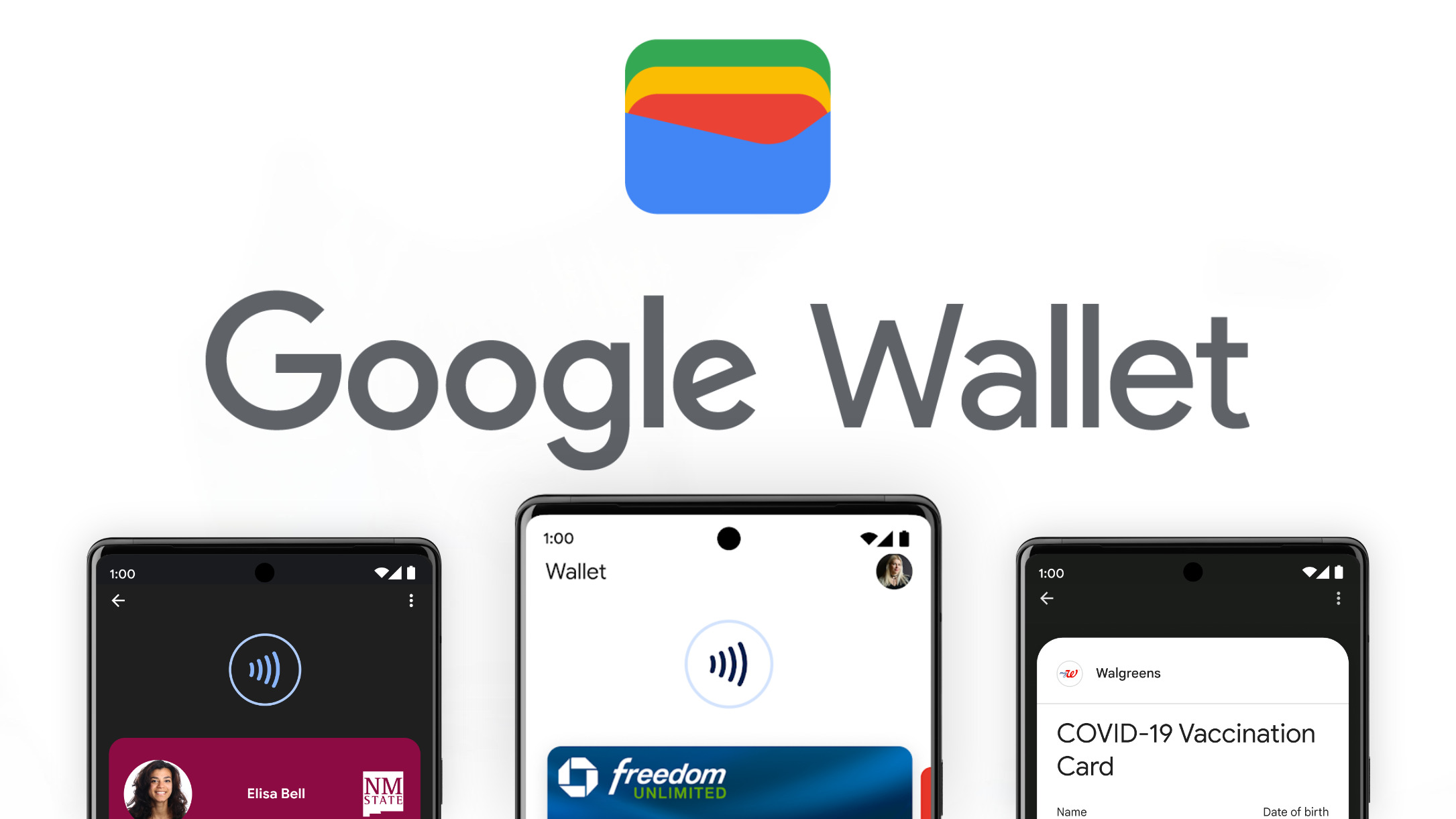
    Google Wallet gets a small menu update and easier access to your saved payment cards

    Google Wallet just underwent a small but useful menu change designed to simplify the way you manage payment cards within the app. This change better highlights your saved payment methods and adjusts the language slightly for clarity.

    The most noticeable change is “Payment setup” replacing the previous “Tap to pay setup” option. While tapping “Payment setup” takes you to the same setup checklist for contactless payments, there’s a minor quirk: you still can’t hide the checklist after setup’s complete. It would be useful if Google fixed this, freeing up valuable screen space and further decluttering the interface.

    The “Participating banks” option has also been replaced by “Payment methods”. This is a much more helpful addition, taking you directly to your saved payment cards. The page clearly displays your default card’s information, with security measures like on-device encryption in place, and allows you to easily add more cards. You can even use the “Edit card order” feature to customize how your cards appear in the Wallet.

    Keep in mind, though, that as noted in the original report, there’s no word yet on whether “Participating banks” will disappear entirely or just be moved to a different part of the Wallet settings. For now, there’s still a Google support page listing compatible banks, which is handy when you’re first getting started with the app.

    If you haven’t seen the change already, be on the lookout for Google Wallet version 24.14.x, or a later release, as it may have been part of a server-side update. It may seem subtle, but definitely shows how Google is focused on streamlining the Google Wallet user experience. This focus on ease-of-use is always welcome, particularly with features like contactless payments that involve sensitive financial data.

  • Google Meet now lets users make annotations during presentations

    Google recently updated its Meet app with the ability to make annotations during presentations. The new feature will be enabled by default when users start presenting.

    A new annotations menu where users can access various tools such as a pen, disappearing ink, sticker, text box, and more is now available in the Meet app. In addition to bringing this feature to Meet, Google also made it possible to assign a co-annotator.

    To add a co-annotator, simply head to the people panel or hover over a user’s video tile, select more options (three-dot icon) and choose the “add as co-annotator” option.

    According to Google, both annotating and co-annotating features are available for the following Google Workspace editions:

    • Business Starter, Standard, and Plus
    • Enterprise Starter, Standard, and Plus
    • Frontline Starter and Standard
    • Essentials, Enterprise Essentials, and Enterprise Essentials Plus
    • Education Standard, Plus, the Teaching & Learning Upgrade
    • Workspace Individual subscribers

    It’s important to mention that at the time of launch, Android users can use annotations when they present their screen and select the Entire Screen option. Unfortunately, the co-annotation feature is not available for Android users, but it will be added in a future update.

    On the other hand, iOS users can’t use annotations when presenting. However, they can use annotations if they are appointed a co-annotator by a web user.

    As far as availability goes, Rapid Release domains should get the new feature in the next two weeks, while Scheduled Release domains will have to wait until April 25 for the rollout to begin, which should take up to 15 days.

  • Google Maps to show alternate transit and walking directions along with driving routes

    Google Maps to show alternate transit and walking directions along with driving routes

    In an effort to get users to take a bus or train to get to their destinations instead of driving or better yet, use their own two feet, Google Maps is going to have a new feature. Next to the app’s driving routes, Google Maps will show users public transit and walking alternatives that will get the user to his destination without having to grip a steering wheel. These alternatives will appear “if travel times are comparable and practical.” Google announced this today in a blog post.< The alternative public transit and walking suggestions will appear on the bottom of the screen in a card that says, "Also consider" which will include a preview of the alternative actions recommended. The card will also let the user know if any of these alternatives are faster than driving. The goal is to find alternatives that use lower amounts of carbon. The feature will be available in 15 cities around the world over the next few weeks including Amsterdam, Barcelona, London, Montreal, Paris, Rome, and Sydney. Google Maps is also getting a feature that will, in Search, help users find more information about long distance train and bus routes. For example, if you search for "Boston to Philadelphia train," schedules and ticket prices will appear on the results page along with links that you can tap on to book your trip. This feature can be accessed for trains in 38 countries and for bus routes in 15 countries. Last year, Google added train route suggestions when you look for flights on Search. In the upcoming months, you'll see train route suggestions when you search for a flight using Google Flights. With the latter, you'll also see the estimated emissions for almost every flight and you can filter the results to show you the flights with the lowest emissions first. Google is trying to give people the information they need to choose the low-carbon alternative when traveling.

  • WhatsApp rolls out new chat filters to help you locate unread and group conversations

    WhatsApp rolls out new chat filters to help you locate unread and group conversations

    WhatsApp is always evolving to improve the way we connect with others, and its latest update is focused on enhancing organization and search within your chats. Following the recent update that gave us the ability to pin messages, Mark Zuckerberg has announced another exciting feature – dedicated chat filters

    These filters are designed to make it faster and easier to locate specific conversations within your chat history, especially when you have many of them going on. Currently, the below two filters are available:

    • Unread: Perfect for catching up on messages you might have missed. It displays all your individual chats that contain unread messages, helping you prioritize your responses and clear those notification badges.
    • Groups: Perfect for finding that important group conversation. With a single tap, you can see all your group chats in one place, allowing you to quickly access discussions with family, friends, colleagues, or any other group you’re a part of. This includes subgroups within Communities, ensuring you have a central location for all your group conversations.

    Previously, searching for unread chats involved using the search bar and filtering by message status. This process, while functional, required additional steps. The new dedicated “Unread” filter eliminates these extra steps, placing readily accessible filter options at the forefront of the chat list. This is a significant improvement for users who frequently juggle numerous individual chats and want a quicker way to identify conversations that require their attention.

    The “Groups” filter addresses another long-standing pain point for WhatsApp users. For those who participate in a significant number of group chats, navigating through the chat list to find specific groups could be time-consuming and cumbersome. The ability to filter group chats has been a particularly popular request from users, according to WaBetaInfo who first reported on this announcement.

    If you are ready to try out this feature, make sure you have the most up-to-date version of WhatsApp installed on your Android or iOS device, which you can grab directly from the App Store or Google Play Store. These filters mark a positive step in response to longstanding user feedback, so seeing them finally implemented is a welcomed treat.

  • Google Messages will soon start to warn you when tapping on links sent by unknown senders

    Google Messages will soon start to warn you when tapping on links sent by unknown senders

    If you’re getting tired of annoying spam texts and shady links that often try to lure you into clicking them on your Messages app, you may be in luck. Found hidden in the code are signs that Google is stepping up security in its Messages app to give users an extra layer of protection.

    A new pop-up warning system could be coming soon to Messages. This feature is designed to make you think twice before clicking on links in messages from people you don’t know, whether they’re coming through RCS or standard old SMS.

    Imagine this: you get a text from an unknown number with some enticing link. Curiosity takes over, and you go to tap it. This new feature will immediately pop up a warning that says something like this: “Caution: this sender isn’t one of your contacts.” To open that link, you have to check a box acknowledging that there could be risks and then hit “Continue.”

    The idea is to make you think twice before clicking on links sent by senders you don’t know. This would hopefully snap us out of autopilot mode and make us consider twice whether those links are worth exploring.

    Google Messages already has some link warnings, but this new feature looks more robust. Currently, it’s easy to breeze past those messages. This new system adds a little friction, forcing you to stop and think before taking a potentially risky action.

    This feature popped up in a beta version of Google Messages, so we might see it rolling out to testers before landing in the main app. It’s yet another sign, on top of Google recently blocking RCS on rooted phones, that they’re taking security in the Messages app more seriously — and just in time for RCS to roll out for iOS devices, potentially giving the Google Messages app on Android a boost over third party solutions like WhatsApp.

  • Google’s “Find My Device” network reportedly launching in 3 days

    Google’s “Find My Device” network reportedly launching in 3 days

    Following the leak that Google’s “Find My Device” network settings were already appearing for some Android users, it looks like Google is ready to move to the next step. A small subset of users has already received an email that lets the cat out of the bag on when exactly the service would be officially launching.

    An email blast was sent last night to some users which included some official information on when the “Find My Device” network would be launching to the masses. Although the settings began to appear yesterday on Android devices for some users with the beta version of Google Play Services installed, the settings weren’t actually working. Now, it looks like we have a more accurate timeline on when the switch will be flipped.

    The email contained the following verbiage: “You’ll get a notification on your Android devices when this feature is turned on in 3 days. Until then, you can opt out of the network through Find My Device on the web.” Based on the date the email was sent, it’s looking like the service will likely launch on Monday, April 8th, as it is unlikely for Google to launch a new service over the weekend.

    In case you are out of the loop, last year, Google unveiled the Android Find My Device network to assist users in locating lost or stolen smartphones. However, concerns about stalking using tracking devices such as AirTags prompted Google and Apple to collaborate on a solution, delaying the launch of the Find My Device network. Now, with Apple getting ready to deliver these new anti-stalking features with the iOS 17.5 update, Google no longer has to wait.

    Considering that this email was only received by a very small number of users, it is possible it was never meant to be sent out. We don’t know if this means that the launch date on the email is incorrect, or if someone just pressed “send” by mistake. Either way, we are excited to see this finally come to pass and a proper “Find My Device” network finally be put in place for Android users.

  • Google Chat may borrow this popular WhatsApp feature

    Google Chat may borrow this popular WhatsApp feature

    We all know the feeling – group chats can get crazy. That constant stream of messages can be distracting, especially when you’re juggling multiple projects. Well, it looks like Google Chat is taking on the chaos with a rumored new feature called “Announcements”.

    This sounds a lot like what we’ve seen on WhatsApp Channels and those X/Twitter Spaces. If you haven’t tried them, these features let a select few send messages to a big audience, kind of like a one-way megaphone.Looks like Google Chat spaces may soon have two flavors: the classic collaborative kind, and the new broadcast-focused “Announcements” stylIt looks like it will work this way: regular spaces are for brainstorming and teamwork, whereas the “Announcements” option is all about delivering updates without getting lost in a storm of replies

    The big question now is who gets to hold that ‘megaphone’ in an Announcement space? Will it be just the creator of the space, or maybe a few designated announcers? To really compete with all the broadcast messaging tools out there, Google Chat will probably need to offer some flexibility on this.

    When it comes to this feature, Google’s got some serious contenders to think about. WhatsApp, Discord, Telegram – they’ve all got this broadcast thing down. Then there’s the workplace side: heavyweights like Slack and Microsoft Teams could be in Google’s crosshairs. However, it does make sense for Google to implement this into Google Chat as it would have everything under one roof, especially with their business-focused Workspace tools.

    It sounds promising, but we’ll have to wait for the official launch to see if this “Announcements” idea really takes off. Will it be the tool that adds a bit of order to Google Chat messaging? And will it be enough to sway users to use Chat instead of other solutions already available? Only time will tell.

  • Google reveals when Apple will add RCS support to iPhone

    Google reveals when Apple will add RCS support to iPhone

    Back in November, Apple announced that it would add RCS (Rich Communication Services) support to the iPhone later this year. With this support, iPhone users will be able to view images and videos sent to them by Android users over RCS without having to deal with low-quality pictures and videos. Once Apple adds RCS support to the iPhone, iPhone users will be able to get read receipts when communicating with Android users, and see typing indicators. Messages will still be protected thanks to end-to-end encryption.

    Currently, when an iPhone user messages an Android user and vice versa, the chat takes place over the old-school SMS/MMS platform which is why videos shared look like crap as do  shared images. Because RCS and iMessage have almost the same features, iPhone users should have no problem using RCS when Apple does add support for it.

    The question is, when will this take place? When will Apple start supporting RCS? On the Android.com website, Google has published an updated landing page that reads, “Apple has announced it will be adopting RCS in the fall of 2024.” Apple actually said in November 2023 that the support would come “later next year” which means that we can call this “news.”

    The first day of fall this year will be September 22nd, 2024 which would dovetail with a possible release date for the iPhone 16 line and iOS 18. So there is a strong possibility that if Apple does say that support for RCS will take place in the fall, it will mean that RCS support for the iPhone will debut with the release of iOS 18 in September. If Apple adds it to the iOS 18 Developer Beta, iPhone support for RCS could be available to those installing the iOS 18 developer beta right after Apple unveils iOS 18 during the WWDC 2024 Keynote on June 10th.

    When Apple does add RCS support to the iPhone, you should be able to see whether you have an RCS connection by looking at the text field before you start typing a message. For example, after you tap on the name of the Android-using recipient you are sending a message to and you see RCS in the text field, it means that you will be chatting with the recipient using Rich Communication Services. On the other hand, if the text field says Text Message, you are messaging an Android user who doesn’t use RCS, or an RCS signal is not available. Thus, you’ll be chatting using SMS/MMS.

    Apple will no doubt make a big deal about adding RCS support as it gets closer to September, so stay tuned. We can tell you that Apple’s support for RCS will not add the blue bubble/green bubble rift.

  • Google rolls out new tool for online shopping that recommends clothes to match your style

    Google rolls out new tool for online shopping that recommends clothes to match your style

    Ready for some help with online shopping? Google’s got you covered with a new experimental personalized shopping experience for some users in the U.S. If you use a mobile browser or the Google app to shop for accessories or apparel, you’ll now have a new section called “style recommendations”.

    Users in the United States who have opted for Search Generative Experience (SGE) on Search Labs will have access to the feature. The new section will recommend different clothes or accessories, and you can rate the suggestions with a thumbs down or thumbs up.

    You are also able to swipe right or left to see personalized results. On top of that, more options will be provided if you don’t find what you need.

    Additionally, Google will remember your preferences, and next time you search for the same set of accessories or apparel, you will get personalized results based on saved preferences. You can also tap on the three dots next to the Search result and look for personalization options – they will be under the “About this result” panel.

    But that’s not all! You can specify brands you like – on mobile, desktop, and the Google app. Once you choose your brands, the search results will prioritize results from these brands. As with anything, you’re allowed to change your preferences.

    If you like something from the results, you can also use a virtual try-on (VTO) tool. The tool was first introduced to U.S. users last year.

  • Google Messages testing a warning about losing features when logging out or switching accounts

    Google Messages testing a warning about losing features when logging out or switching accounts

    If you’re a Google Messages user with multiple Google accounts linked to your Android phone, you’ve probably experienced how seamless account switching is currently within the app. However, switching accounts or opting to use Google Messages without a Google account altogether can lead to some unexpected limitations. Google appears ready to address that with a new warning that appears when you want to ditch the Google account login.

    Google Messages is rolling out a new feature in beta that clearly outlines which features you’ll lose when either signing out of your account or switching to a different Google account within the app. Signing out entirely from your Google account will warn you that you’ll lose access to features like Magic Compose (those helpful AI writing suggestions) and Device Pairing.

    If you have Google’s Profile Discovery feature enabled, you’ll be prompted to disable it. This prevents others from seeing your profile picture and name in Google products, but also means people knowing your phone number might not easily connect with you on various Google services.

    If you are switching between accounts, you’ll also get a similar warning. Magic Compose and Device Pairing will also become unavailable, as these features are tied to your specific Google account. Both of these warnings were spotted by @Assembledebug from TheSPAndroid during his usual search for new features.

    Previously, Google Messages didn’t explicitly display the potential drawbacks of using the app without an associated account. However, adding this notification greatly improves transparency, letting users make informed choices about how they interact with Google Messages as it is not completely necessary to tie the app to a Google account. The feature seems to be rolling out gradually for those on the latest Google Messages beta, which is v.20240321_01_RC00 at this time.

  • Google Chat finally gets voice message support

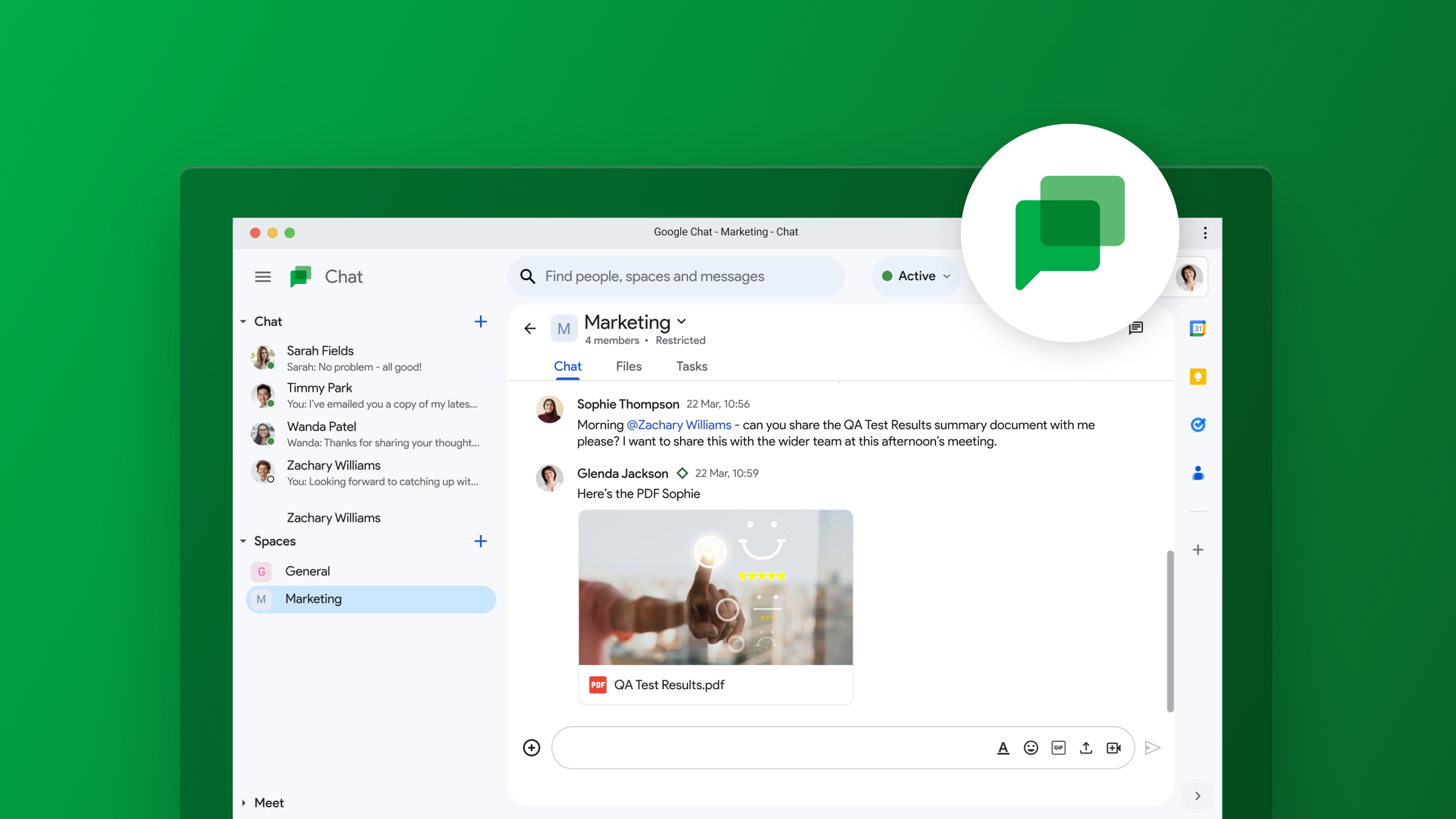
    Google Chat finally gets voice message support

    Google just announced a significant upgrade for its Google Chat app, with the introduction of voice messages on mobile devices. This a highly anticipated feature that has been present in other chat applications for some time.

    There are times when typing out a message simply isn’t the most efficient option, and this is where voice messages have come in to fill that gap. Using voice messages, particularly when on the go, offer several advantages. Aside from the obvious time-saving benefits, voice messages can also be extremely helpful when the nuances and tone of the message are important to keep intact. Additionally, for users with limited dexterity or visual impairments, voice messages can be a crucial accessibility tool.

    Although a bit late to the party, it’s good to see this feature being added to Chat, but Google isn’t stopping there. The company also promises that transcription for voice messages will also be added and will be rolling out to users in the coming months. This powerful addition will make voice message searchable and allow for easier consumption by users who prefer reading over listening.

    Users will be able to send and receive voice messages to direct messages, group chats, and spaces within the Google Chat Android and iOS apps. The ability to receive voice messages will also work on the web, but sending will not be possible through a browser just yet. There is also a huge caveat: This is a Google Workspace feature that will only be available to paid Enterprise users, specifically those on the Enterprise Essentials, Enterprise Essentials Plus, Enterprise Standard, and Enterprise Plus tiers. This makes the feature’s availability very limited, and we hope this eventually trickles down across all accounts.

    For the lucky ones who will get this feature, the process will be pretty straightforward: Open a direct message, group chat, or space, tap on the microphone icon, start speaking, and press send. Once sent, voice messages function just like text-based messages, allowing for quotes, reactions, and threaded replies.

    The enterprise rollout will happen gradually, with domains on the Rapid Release track getting the feature as early as March 26th, with a two-week window before it reaches all users. The Scheduled Release track will follow on April 15th, with the same two-week window until completion.